A text to video story generator can turn a script into a fully edited narrative video in minutes, without technical skills. In 2025, text to video represented 42.3% of a global AI video generator market estimated at about $1.8 billion, or roughly $761 million.
You may already have the hard part finished. The premise works, the script has been revised, and the opening line sounds right. Then production begins, and a simple story becomes a chain of voice recording, visual sourcing, scene design, editing, captions, music, exports, and revisions.
The useful question isn't whether AI can make a clip. It can. The central question is whether it can preserve story structure, scene timing, character identity, voice rhythm, and editability from the first draft to the final export.
The Real Problem with Traditional Video Production
A creator can spend an evening writing a strong product story and still face a production queue that feels disproportionate to the idea. One person needs to find footage, another records narration, an editor assembles the timeline, and someone else checks captions, branding, pacing, and platform formats. Each handoff creates another opportunity for the original story to lose its shape.
Traditional production also creates a technical barrier. You need to understand timelines, aspect ratios, audio levels, transitions, visual continuity, and caption placement before an audience sees the work. Even a short narrative video can require several separate tools and repeated exports.

A text to video story generator compresses many of those steps into one workflow. You provide a script or structured story prompt, and the system can interpret scenes, suggest visuals, generate narration, place captions, and assemble a first cut. You still need to direct and review the result, but you aren't starting with an empty timeline.
Why adoption has moved beyond experimentation
The category now has meaningful commercial weight. One market estimate places the AI video generator market at $1.8 billion in 2025, with text to video making up 42.3% of it, while another estimates the wider market at $716.8 million in 2025 and projects $3.35 billion by 2034, at an 18.8% CAGR. These estimates differ in scope, but both describe a rapidly expanding commercial category. (Research Intelo market estimate)
Brand adoption reflects that shift. AI video creation in brands rose from 18% in 2024 to 41% in 2025, while more than 60% of respondents used or planned to use AI-generated captions. (Story.com overview of text to video workflows) The practical implication is clear: teams aren't only asking for raw visual generation. They want assistance with scripting, editing, captions, repurposing, and delivery.
Practical rule: Use AI to remove production friction, not to remove editorial judgment.
A good generator won't rescue an unclear story. It can make an unclear story look polished enough to delay the moment when you notice the problem. Before choosing a platform, check whether it supports scene-level regeneration, editable narration, storyboard review, character references, caption editing, and flexible exports. A simple interface matters, but revision control matters more.
For creators comparing workflows, it helps to inspect how a product handles the complete path from script to final cut. A platform such as LunaBloom AI's starter app can be evaluated alongside other tools by looking at text-to-scene generation, voiceovers, captions, visual replacement, and publishing controls rather than judging a single impressive demo.
Writing Prompts That Actually Build Stories
Most weak outputs begin with a prompt that describes an image instead of directing a scene. “A man walks in a forest” gives a generator a subject, setting, and action, but it doesn't explain why the man is there, what he notices, what changes, or how the moment advances the narrative.
A story prompt needs action, intent, context, emotional direction, and continuity instructions. Think like a director preparing a scene, not like a person searching for a stock image.
Turn a description into a story beat
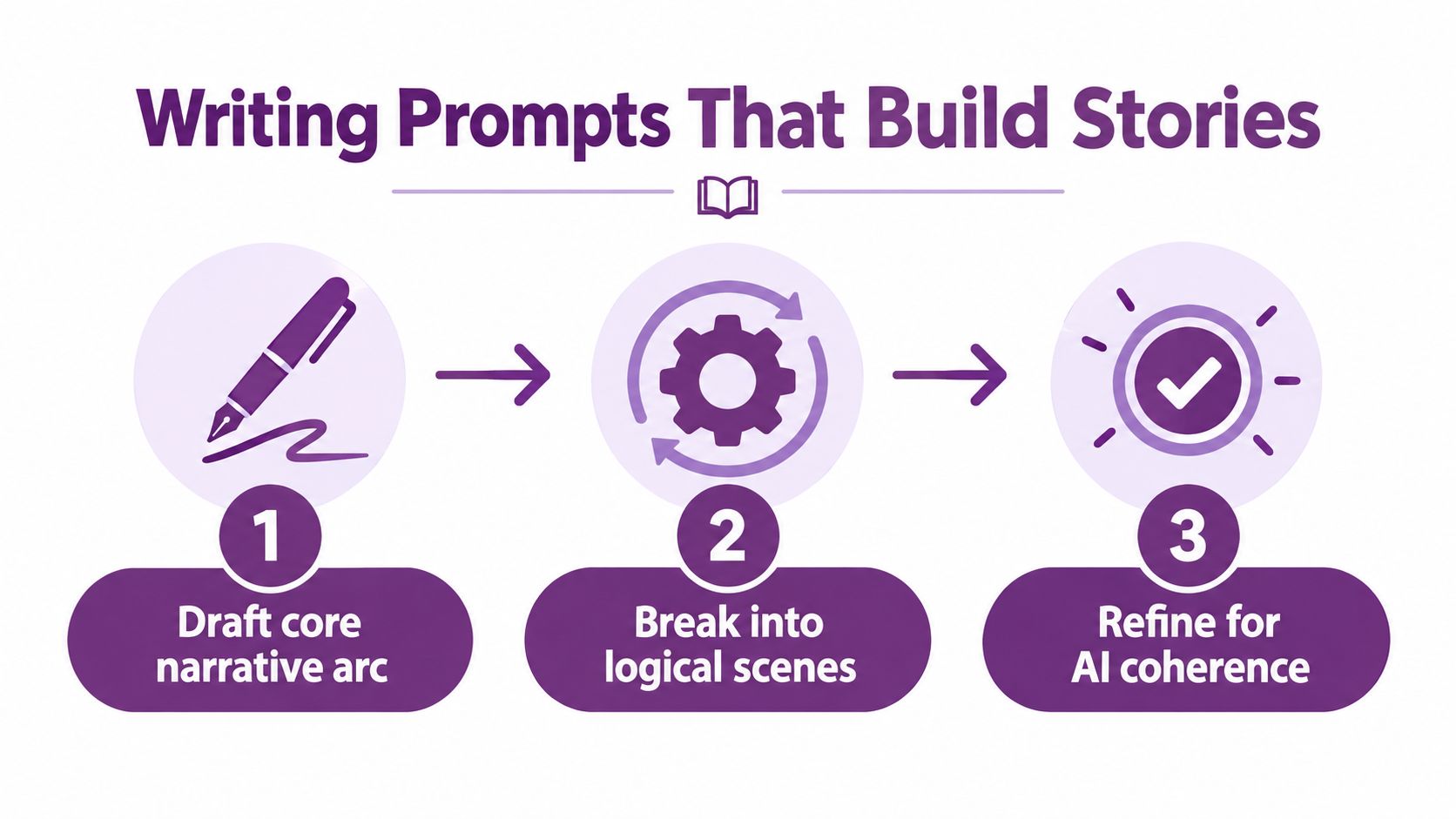
Start with the narrative function of the scene. Ask what the audience needs to understand before the scene starts and what they should understand afterward.
Weak prompt:
A man walks in a forest.
Stronger narrative beat:
At dawn, Elias enters the pine forest carrying a weathered red backpack. He is searching for the cabin where his sister disappeared. Keep the red backpack, olive jacket, and short dark hair consistent throughout the scene. Begin with a wide shot showing his isolation, move to a medium shot as he studies unfamiliar footprints, then cut to a close-up when he hears a branch snap. The tone is cautious and tense, with slow movement and muted morning light.
The second version gives the generator a sequence instead of a still image. It identifies the character, the goal, the visual anchors, the shot progression, and the emotional change.
Use a repeatable prompt frame
For each beat, write five elements:
- Narrative purpose: What does this scene reveal, establish, or change?
- Visible action: What happens on screen in a clear order?
- Character direction: What does each important person want or feel?
- Continuity anchors: Which clothing, props, colors, locations, or facial traits must remain stable?
- Pacing and sound: Should the moment feel urgent, reflective, comic, quiet, or suspenseful?
Don't paste a long script and assume the generator will identify every beat correctly. Divide the script into scene-sized units, then review whether each unit has one dominant action. If a paragraph contains a discovery, an argument, and a departure, split it. The generator will have a better chance of matching the visual change to the narrative change.
Use scene labels consistently, such as Scene 01, arrival, Scene 02, discovery, and Scene 03, confrontation. Keep character descriptions stable rather than rewriting them with synonyms in every prompt. A phrase like “red backpack” should remain “red backpack” if that object carries narrative significance.
For a practical starting point, LunaBloom's starter app can sit within a broader workflow where you draft the story, divide it into beats, generate a rough sequence, and revise scene instructions before polishing the voiceover.
Structuring Scenes for Narrative Continuity
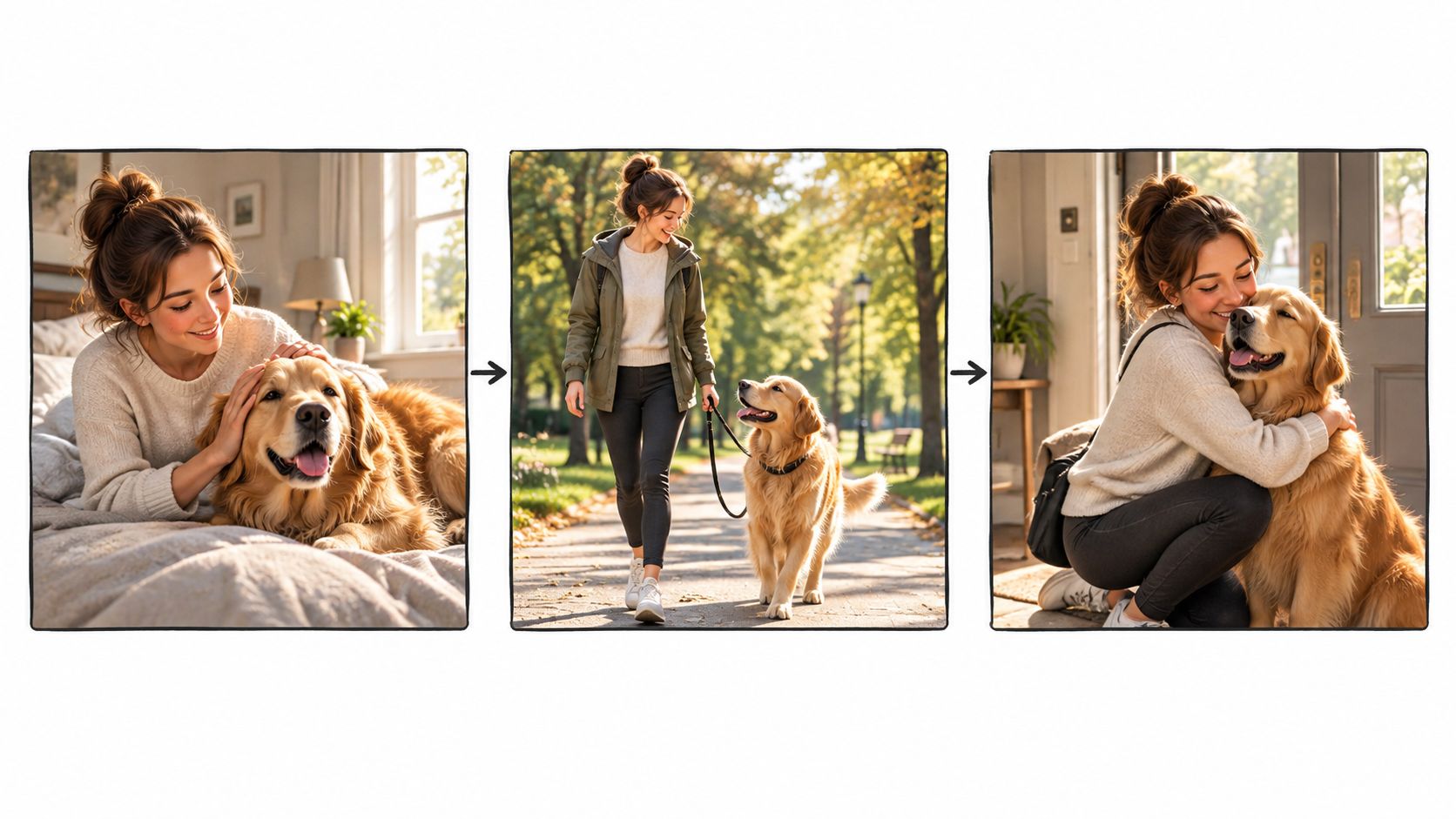
A convincing single clip doesn't prove that a generator can tell a coherent story. Continuity breaks when a character's jacket changes, a cup moves from one hand to the other, a doorway shifts position, or an action happens in the wrong order. Viewers may not name the technical failure, but they feel that the video has become a collection of unrelated shots.
Plan the story as a visual chain of cause and effect. Each scene should answer three questions: what has changed since the previous scene, what action happens now, and what new expectation does the scene create?
Build a continuity sheet before generating
Create a compact reference for the elements that shouldn't drift:
- Character identity: Face, hair, age range, clothing, posture, and defining accessories.
- Object identity: Important props, colors, material, size, and who holds them.
- Location logic: Time of day, weather, architecture, geography, and light direction.
- Action order: The exact order of movement, discovery, reaction, and resolution.
- Editorial purpose: The reason the scene exists in the story.
Then create a shot list. A useful sequence might move from an establishing view to an action view, then a reaction, then a detail that carries the viewer into the next scene. You don't need every shot to be visually elaborate. You need the cuts to communicate progress.
StoryBench offers a useful way to think about quality because it separates Action Execution, Story Continuation, and Story Generation. The benchmark was built from 6,000 annotated videos and about 18,000 timestamped story segments, testing whether systems can follow actions, carry context forward, and generate narratives from prompts. (StoryBench research summary)
Translate that approach into a production review. Watch the rough cut without sound and check:
- Does each action happen in the requested order?
- Does the next scene remember the previous scene?
- Does the same person remain recognizably the same?
- Do objects maintain their position and purpose?
- Does every cut either advance the story or deepen the emotion?
Current evaluation work also identifies problems with subject identity inconsistency, motion smoothness, temporal flickering, spatial relationships, attribute binding, motion binding, action binding, object interactions, and generative numeracy. VBench++ evaluates 16 dimensions, while T2V-CompBench focuses on seven compositional categories. (The Lost Melody and related benchmark discussion)
A generator can produce a beautiful frame and still fail the sequence. Regenerate the specific scene that breaks continuity rather than rebuilding the entire video. That preserves decisions that already work and makes iteration easier to track. For background on how a platform approaches its product and workflow, the LunaBloom company overview provides useful context before you compare its controls with other tools.
Syncing Voiceovers and Pacing for Impact
Narration determines how the audience experiences time. A calm voice over a frantic chase weakens the action. A fast delivery over a reflective reveal removes the pause that gives the reveal meaning. Visual generation gets attention, but voice rhythm decides whether the story feels intentional.
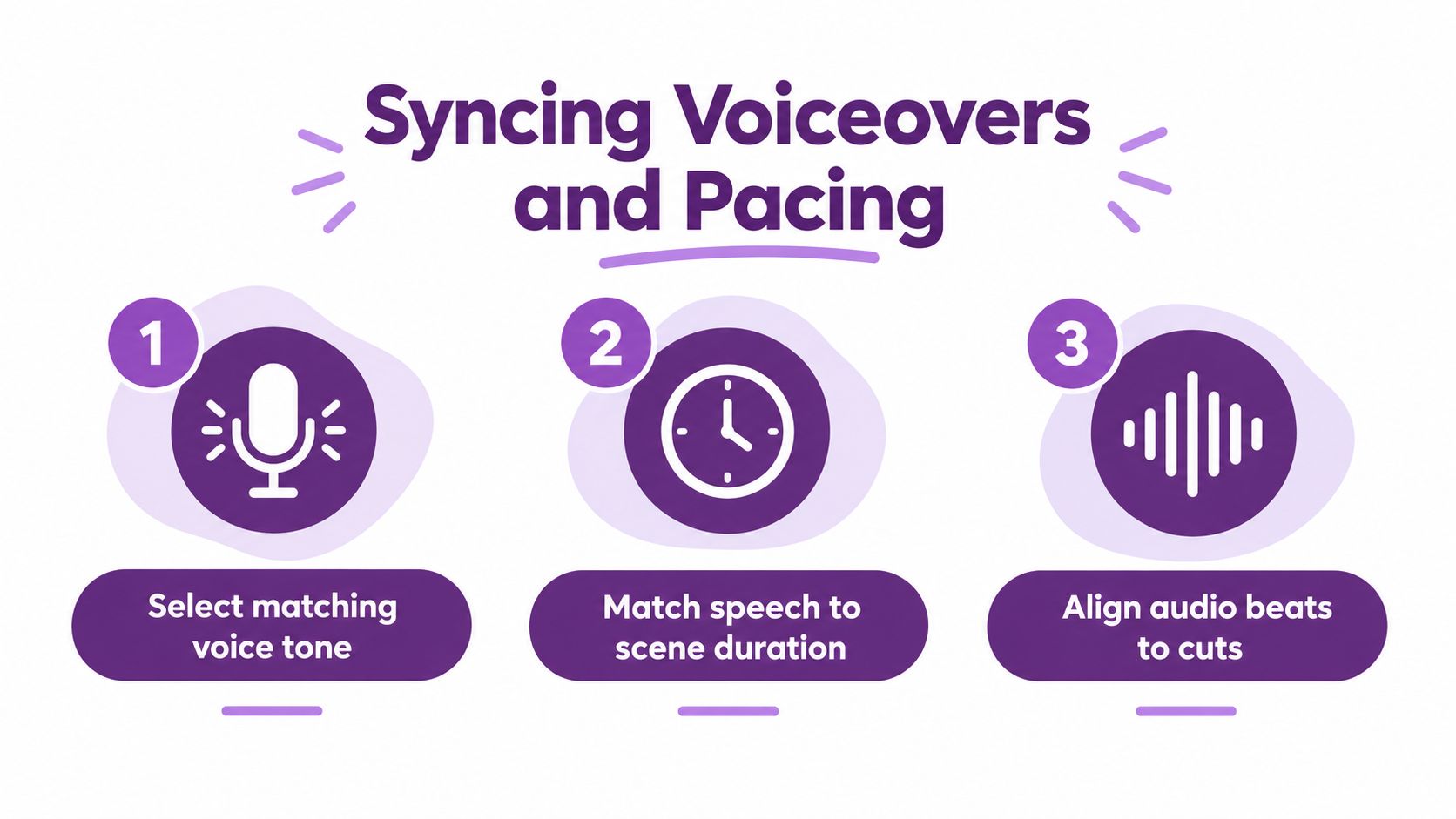
Choose the voice after you understand the scene's emotional job. A warm, measured delivery suits an instructional explanation or personal reflection. A brighter, more energetic voice can support a product introduction. A restrained voice often works better for suspense than an exaggerated performance.
Give narration room to breathe
The most common pacing mistake is over-speaking. Writers try to explain every visible detail, so the audience hears “the woman opens the blue door and walks into the room” while watching exactly that action. The narration adds no interpretation and leaves no room for sound design or emotional response.
Use voiceover to provide meaning that the image can't provide. It can reveal a motive, compress time, establish context, or create contrast. If the screen already communicates an action clearly, shorten the line or allow the moment to play without narration.
A practical pacing pass looks like this:
- Read the script aloud: Mark phrases that feel rushed, formal, or difficult to say naturally.
- Match lines to scene changes: Let a new visual arrive when the narration introduces a new idea.
- Create intentional pauses: Place silence before a reveal, after a question, or at the end of an emotional statement.
- Review captions separately: Break long sentences into readable units without changing the spoken meaning.
- Listen without the visuals: The audio should still have a logical rhythm and progression.
Audio check: If every second contains speech, music, or a transition effect, the audience has no space to notice the story.
Background music should support the emotional direction without competing with consonants and important words. Lower it during narration, remove it during a deliberate pause, and bring it forward only when the story can carry the additional energy. Sound effects work best when they clarify an action or establish a place, not when they decorate every cut.
Lip sync needs a separate review. Check mouth movement on close-ups, especially during stressed syllables and scene transitions. If a generated face looks unnatural, use a wider shot, replace the line, or let the character speak off screen. A technically synchronized mouth isn't automatically a convincing performance.
Localizing Your Story for Global Audiences
Localization starts after the story works in its original language, but it shouldn't be treated as a final captioning task. A translated line can change the length of a scene, alter a joke, shift a character's tone, or create a subtitle that appears too late for the viewer to connect it with the action.
A scalable workflow separates the work into transcription, translation, voice generation, subtitle timing, quality review, and export. The multilingual video pipeline described in research can extract audio, transcribe speech, translate it, produce synchronized subtitles and dubbed audio, and export formats such as SRT and ASS. (Multilingual dubbing and subtitling pipeline)
Compare the labor before choosing automation
For an 11-minute video, an academic study recorded 19 hours of human labor per language for traditional subtitling and 8 hours for an AI-assisted workflow, a saving of 11 hours per project. (Academic study of AI-assisted video localization)
| Method | Hours per Language | Time Saved |
|---|---|---|
| Traditional subtitling | 19 | 0 |
| AI-assisted subtitling | 8 | 11 |
The reduction comes from automating timestamped transcription, translation, synthetic voice production, and subtitle creation. It doesn't remove the need for review. Names, idioms, measurements, cultural references, pronunciation, and emotional emphasis still need a human check.
For teams working from tutorials, interviews, product demos, lectures, or training videos, a multilingual audio transcription workflow can provide a useful foundation before translation and dubbing. Start with a clean transcript that identifies speakers and preserves sentence timing. Then adapt the script for each market instead of translating every line mechanically.
Preserve the story, not just the words
A short sentence in one language may need more screen time in another. If the translated narration becomes longer, extend the scene or replace the visual sequence. If the language uses a different emphasis pattern, adjust the shot timing so the key word lands on the key image.
Modern localization systems can combine speech recognition, subtitle translation, AI dubbing, speaker-aware voice generation, and lip-sync adaptation in one workflow. (Multilingual video localization research) Language coverage varies by product, so test pronunciation and accent quality with a representative script before committing to a large batch. Reports describe tools supporting over 28 languages, 90+ languages, and 175+ languages and dialects, depending on the specific caption or translation product. (Captions company and market analysis)
Use a native reviewer for the final version. They should check not only grammar, but also whether the character still sounds like the same person and whether the localized visuals remain culturally appropriate. For teams that need help defining a repeatable publishing workflow, contact LunaBloom after testing a small multilingual batch.
Your First Story Video Workflow in 2026
The fastest path to a usable first video isn't a single giant prompt. It is a controlled loop: define the story, generate a rough sequence, inspect continuity, repair the weak scenes, then polish audio and captions.
Start with a script that has a clear audience and one central outcome. If the story is for a product demo, decide whether the viewer should understand a problem, see a solution, or take an action. If it's fiction, identify the character's desire, obstacle, turning point, and ending before writing visual prompts.
A beginner workflow
- Write the narrative spine: Reduce the story to its opening situation, rising problem, decisive moment, and resolution.
- Divide it into scenes: Give each scene one dominant action and one emotional purpose.
- Create continuity references: Record the fixed details for characters, props, settings, and wardrobe.
- Generate a rough cut: Prioritize structure and readable action over cinematic perfection.
- Review without sound: Check the order of actions, identity consistency, object placement, and transitions.
- Replace weak scenes: Regenerate only the shots that fail, using the same continuity language.
- Add voice and captions: Match narration to scene length, then inspect caption breaks and timing.
- Export a test version: Watch it on the target platform and on a phone before finalizing.
For script development, a separate guide to the top AI writing tools for fiction can help you compare ideation and drafting tools before you move into video production. Keep the writing tool and video tool responsible for different jobs. One can help find the narrative; the other must translate that narrative into controlled scenes.
A production workflow for teams
Teams need more than generation speed. They need naming conventions, version control, approval points, reusable character references, brand rules, and a clear owner for final review. Store the approved script beside the scene prompts and voiceover version. Otherwise, a later regeneration can quietly change a fact, visual detail, or line reading.
A useful approval sequence is:
- Story approval: The script and audience goal are correct.
- Scene approval: The storyboard communicates the intended action.
- Audio approval: The voice, pauses, pronunciation, and music fit the tone.
- Localization approval: Translated versions preserve meaning and timing.
- Final quality check: Captions, branding, aspect ratio, visual artifacts, and calls to action are ready.
In 2026, the competitive advantage is not about producing more AI video. It is building a workflow that makes revision cheap while keeping the story recognizable across scenes, languages, and formats. Start with one short narrative, create two or three deliberate versions, and compare them for continuity and pacing before scaling production. You'll learn more from that controlled test than from generating a large batch without a review system.
LunaBloom AI turns scripts, text prompts, and images into edited videos with voiceovers, captions, avatars, localization, and social publishing features. Use it to test the scene-first workflow described here, then visit LunaBloom AI to create your first story video and refine it through review rather than relying on a single generation.