You've got a product launch coming up, a half-finished script in a shared document, raw footage on someone's laptop, and three teams asking for different versions of the same message. The bottleneck isn't always filming. It's the gap between deciding what to say and getting a useful video in front of the right audience.
A business marketing video works best when production and measurement operate as one loop. You define the audience and business objective, create the right version for the channel, localize it responsibly, publish it with a clear next step, and use outcome data to improve the next asset. That approach matters more than chasing every new visual trend.
Why a Business Marketing Video Workflow Matters
A marketing team can lose days through small production decisions. The brief changes after filming, the product name is pronounced differently in the voiceover, the landing-page cut has no captions, and the social edit ends with a logo instead of an action. Each correction seems minor, but together they delay distribution and weaken the message.
The answer is a repeatable workflow, not more software. Start with audience research, define the job of the video, write a channel-specific script, plan the visuals, produce the master version, create localized cuts, and connect every version to a measurable destination. A useful resource such as audience research for video can help teams clarify what viewers need before production begins.
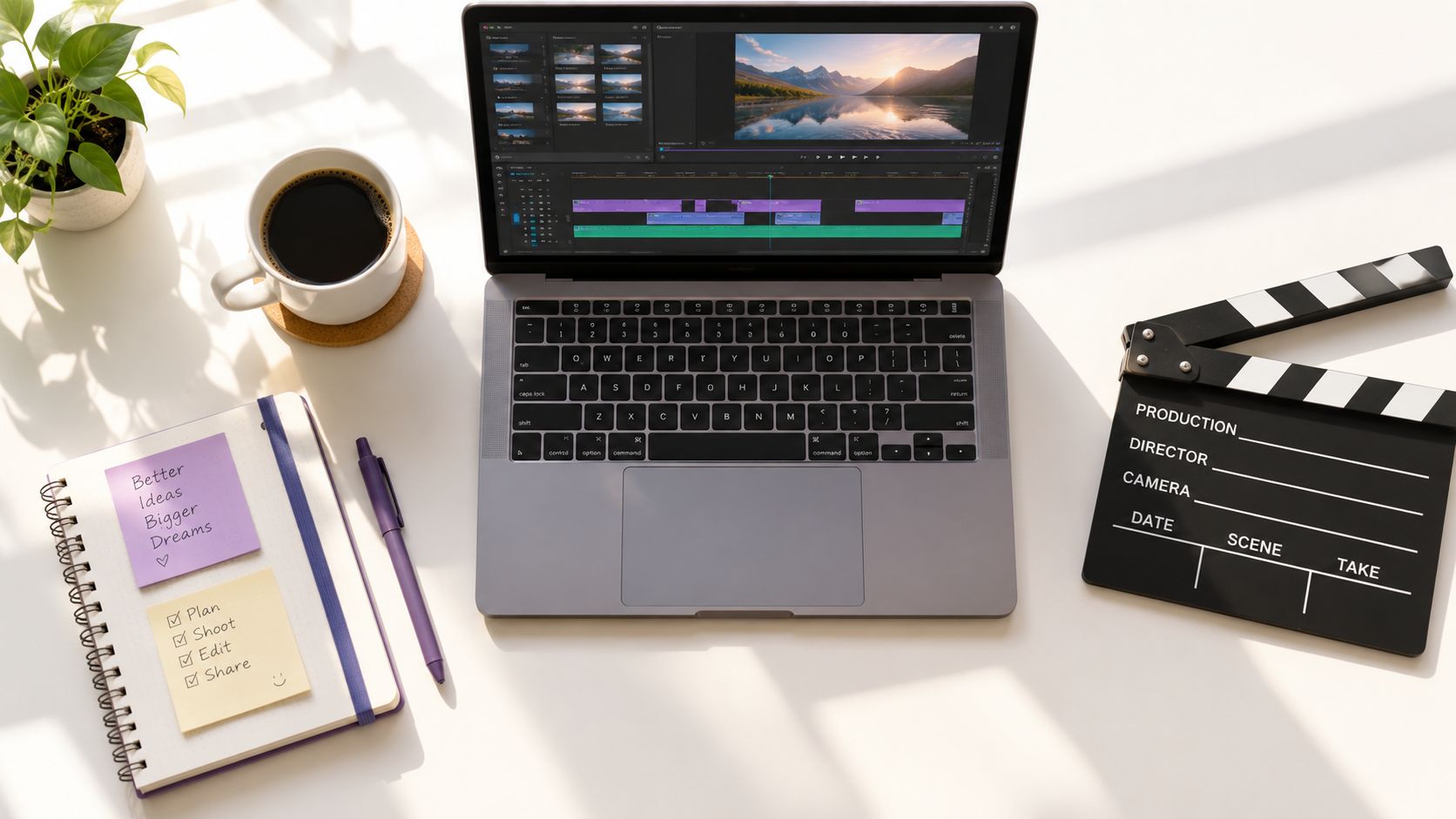
Video has moved from an optional brand format into a standard business channel. 91% of businesses use video as a marketing tool in 2026, compared with 61% in 2016, and 93% of marketers say video is important to their strategy, according to G2's video marketing statistics. Those figures describe adoption, not guaranteed performance. A video still needs a clear offer, credible messaging, and a useful distribution plan.
Build one source of truth
Keep the approved proposition, product terminology, visual references, calls to action, captions, and localization notes in one project record. That record becomes the control point for your internal team, agency, editor, and any AI production tool. It also makes later updates easier because you can replace a feature, price, or interface reference without rebuilding the entire campaign from memory.
For teams using LunaBloom AI, this kind of workflow can connect scripts, images, voiceovers, captions, and exports in one production process. The tool choice matters less than the discipline around inputs and approvals.
Practical rule: Don't approve a beautiful video until you can state its audience, business objective, destination, and next action in one sentence.
That sentence prevents a common failure: making a video that earns attention but leaves viewers unsure what to do. The workflow should reduce rework while protecting creative judgment. Automation can speed up assembly and versioning, but people still need to verify claims, tone, pronunciation, visual accuracy, and brand fit before publication.
Planning and Scripting for Performance
A strong script begins with a communication job, not a blank page. Define who should care, what they need to understand, and what action matters after viewing. A product demo for prospective buyers needs a different structure from an onboarding clip, even when both explain the same feature.
Write the brief before writing dialogue:
- Audience: Name the role, problem, level of awareness, and buying context.
- Objective: Choose one primary outcome, such as explaining a feature, generating a qualified inquiry, or helping a customer complete a task.
- Message: Reduce the idea to one memorable promise supported by proof the business can verify.
- Channel: Decide whether the video belongs on a landing page, social feed, paid placement, sales email, or internal platform.
- Action: Use one clear next step. Multiple competing calls to action dilute the decision.
Use a simple script architecture
Open with a problem the audience recognizes. Avoid a slow introduction that makes viewers wait for the point. The first lines should establish relevance through a question, visible outcome, or specific friction.
Then demonstrate the value. Show the interface, workflow, product result, or customer situation instead of stacking adjectives around it. If the claim requires explanation, let the visuals carry part of the load through screen recordings, annotations, product shots, or short on-screen examples.
Close with one action that matches the viewer's intent. A consideration-stage video may invite a product comparison or demo request, while an onboarding video should direct the user to the next task. Don't send every viewer to a generic homepage just because the team hasn't chosen a more relevant destination.
A practical script can use this sequence:
- Hook: Name the problem or desired outcome.
- Context: Explain why the current approach creates friction.
- Demonstration: Show the product, process, or method.
- Proof: Add approved evidence, qualifications, or a transparent limitation.
- Call to action: Tell viewers exactly what to do next.
For paid placements, the YouTube video ad guide from Wojo Media offers useful context on matching creative decisions to advertising environments. The principle applies beyond YouTube. A script should respect the viewer's level of intent and the platform's viewing behavior.
Plan the visuals before production
Create a shot list that pairs every spoken idea with a visual job. Mark which scenes need a product capture, human presenter, animation, customer evidence, text overlay, or supporting footage. Keep transitions purposeful. A new shot should clarify, demonstrate, or maintain attention, not just decorate the timeline.
Write captions and pronunciation notes into the script early. That prevents the editor from discovering late that a key term is too long for the screen or that a translated line no longer fits the shot. A final preproduction check should confirm the claim, audience, channel, CTA, aspect ratio, visual assets, voice direction, and approval owner.
You can create the first draft in the LunaBloom AI starter app, but review the script before generating a finished cut. The cheapest time to correct a weak argument is before production begins.
Producing Effective Business Marketing Video
Production method should follow the brief. Traditional filming gives a team direct control over people, locations, lighting, physical products, and brand performance. AI cinematic video generation can accelerate concept development, visual variation, voiceover, captions, and adaptation when the team doesn't need a physical shoot for every scene.
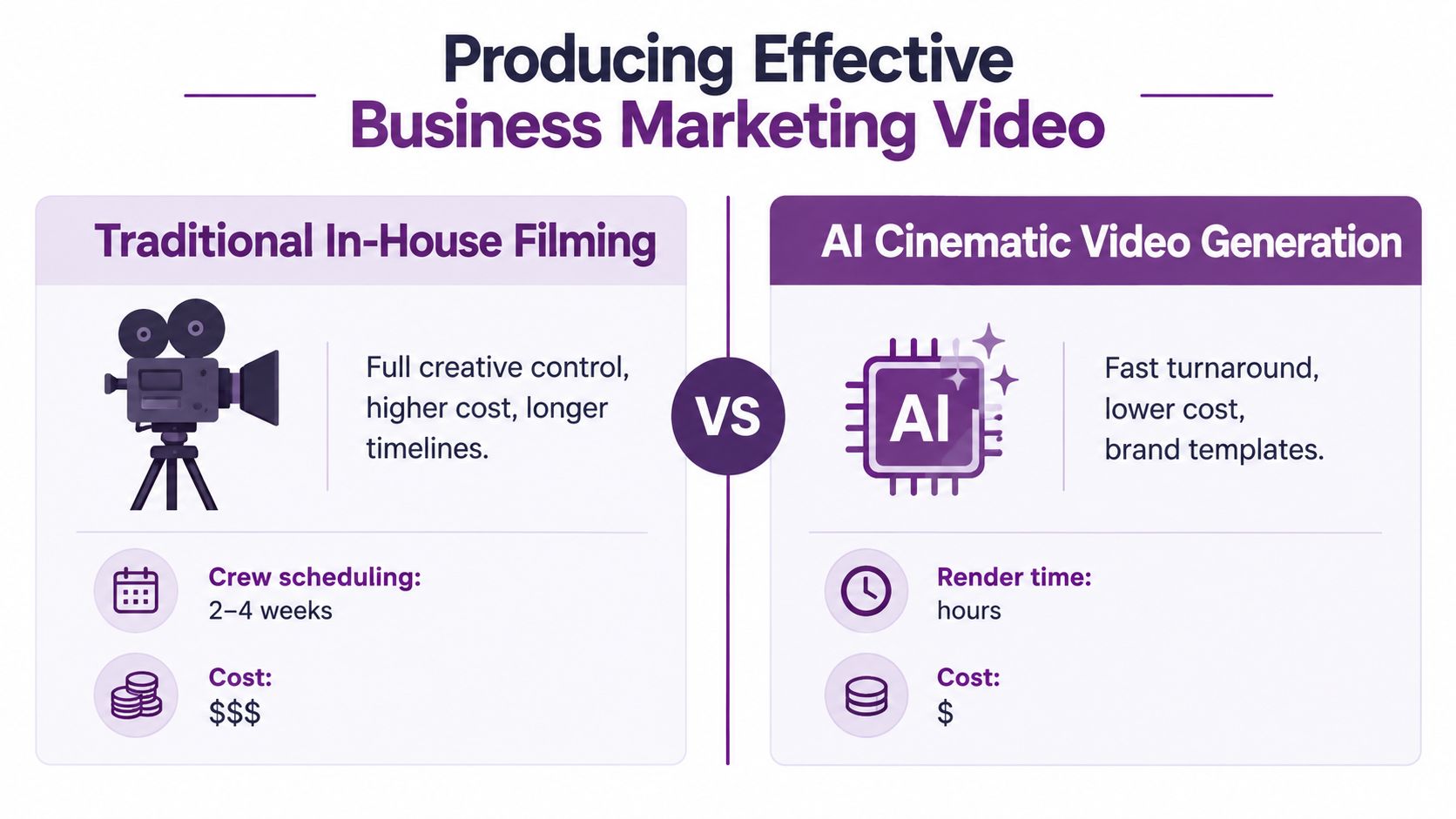
The decision isn't “human or AI.” It's about control, speed, authenticity, and revision cost.
Choose traditional filming when physical truth matters
In-house filming makes sense when the audience needs to see a real product, real location, real employee, or real customer interaction. It's also valuable for executive communication, regulated demonstrations, event footage, and campaigns where the performance of a specific person carries trust.
The trade-offs are familiar:
- Creative control: The team controls lighting, blocking, props, camera movement, and performance.
- Scheduling pressure: People, spaces, equipment, and approvals must line up before filming.
- Revision cost: A changed script can require a reshoot rather than a timeline adjustment.
- Authenticity: Physical details are naturally accurate when the team plans and captures them carefully.
A professional shoot still benefits from AI-assisted preparation. Use generated storyboards to test framing, draft voiceover options before booking talent, and identify missing shots before the crew arrives.
Use AI generation for speed and variation
Text-to-video workflows are useful for concept scenes, explainers, abstract visualizations, social variations, and localized adaptations. Avatar-based formats can suit training, internal updates, and presenter-led instructional content. Automated editing can assemble a first cut from a script, select supporting visuals, synchronize narration, and create platform versions.
The risks require active review. AI-generated hands, interfaces, logos, product behavior, pronunciation, and visual continuity can be wrong. A polished render can still make an unsupported claim or show a product functioning in a way it doesn't. Treat the first output as an editable draft, not an approved source of truth.
A workable production sequence looks like this:
- Import the approved script and brand assets.
- Select the visual style, aspect ratio, voice, and pacing.
- Generate a rough cut with placeholder scenes where accuracy matters.
- Replace uncertain visuals with verified screenshots, footage, or designed graphics.
- Review narration, captions, music licensing, brand details, and factual claims.
- Export a master and create channel-specific versions.
Music deserves the same care as imagery. Use licensed tracks or an approved library, then check that the music doesn't compete with dialogue or captions. Export settings should match the destination, with readable text and sufficient resolution for the selected platform.
Tools such as LunaBloom AI's video app can support text-to-video, image-to-video, custom avatars, voice cloning, captions, and localization in one workflow. That can reduce handoffs, but it doesn't remove the need for a human approval pass.
Voiceover, Captions, and Localization
Audio establishes pace and personality before the viewer has processed every visual. Choose a voice that fits the audience and message, then direct it with specific notes about warmth, authority, energy, pauses, and pronunciation. A technical product may need calm precision, while a social introduction may benefit from a more conversational delivery.
Record or generate the voiceover after the script has been approved, but test the timing before finalizing visuals. If a sentence runs long, shortening it is usually better than forcing the editor to accelerate the narration or overcrowd the screen.
Treat captions as part of the design
Captions support accessibility, comprehension, and viewers who watch without sound. 87% of Americans use captions at least sometimes, 49% use them often or always, and 21% always have them on, according to TV Technology's analysis of caption use. Captions shouldn't be added as an afterthought at export.
Use these checks:
- Readable contrast: Place text against a clean background or add a controlled background treatment.
- Comfortable pace: Keep each caption on screen long enough to read without distracting from the visual.
- Accurate segmentation: Break lines at natural phrases rather than splitting names or key concepts.
- Mobile testing: Review the smallest expected screen, especially when captions sit above platform controls.
- Sound-off review: Watch the complete cut without audio and confirm that the story still makes sense.
A practical AI caption generator guide from Klap can help teams compare automated caption workflows. Automation saves editing time, but names, product terms, accents, and punctuation still need human review.
Localize the message, not just the words
Start with a source script that avoids idioms, unexplained humor, unnecessary cultural references, and overly dense sentences. Translate the meaning, then review the result with someone who understands the target market. A direct translation may be grammatically correct while sounding unnatural or changing the intended level of formality.
A scalable localization workflow includes:
- Lock the source script and approved terminology.
- Translate the narration, captions, title, description, thumbnail text, and call to action.
- Review voice choice, regional accent, pronunciation, and pacing.
- Check that on-screen text fits the target language.
- Validate product claims, legal wording, and cultural references.
- Compare the localized cut with the source for meaning and brand tone.
Keep a glossary for product names and recurring phrases. For AI-generated or altered visuals, document where disclosure may be required. Accessibility and compliance are operational parts of global video production, not polish added at the end. LunaBloom AI's company information describes capabilities relevant to automated subtitles, voiceovers, avatars, and multilingual content, but each localized asset still needs market-specific review.
Distribution, Optimization, and KPI Tracking
Publishing a video doesn't create a measurement system. Distribution starts with the viewer's context. Select the platform based on audience intent, creative format, and the action you can support after the view. A vertical cut designed for a fast social feed shouldn't be uploaded unchanged to a landing page where the viewer needs a detailed product explanation.
Digital video advertising has become a major global spending category. Industry summaries report worldwide digital video ad spend at about $191.4 billion in 2024, with a projection of roughly $223.5 billion in 2026, as summarized by SocialPilot's video marketing statistics. The projection is a planning signal, not a reason to increase spend without attribution.
Optimize the publishing package
The title, thumbnail, opening frame, description, metadata, captions, and destination should make one coherent promise. If the thumbnail suggests a product demonstration but the video begins with a generic brand animation, viewers may leave before the explanation starts.
Test one variable at a time where possible:
- Thumbnail: Compare a product-led frame with a human or outcome-led frame.
- Title: Test a problem-focused version against a benefit-focused version.
- Opening: Compare a direct result with a question or pain point.
- CTA: Match the action to intent, such as viewing a demo, requesting information, or starting a task.
- Placement: Compare the video near the top of a landing page with a lower placement.
Landing-page video needs a conversion test, not just a view counter. One industry report cited average conversion of 4.8% for websites with video versus 2.9% without, and summarized findings that embedding video can raise conversions by up to 86%, according to Wix's video marketing statistics. Treat those figures as external benchmarks, not a forecast for your own page. Compare a video version with a static control and track form fills, meaningful clicks, and sales-qualified leads.
Measure the business result
A useful KPI hierarchy moves from attention to action:
- Reach and qualified views: Did the intended audience encounter the asset?
- Engagement quality: Did viewers continue through the section that explains value?
- Response: Did they click, submit a form, start a trial, or complete the requested task?
- Commercial outcome: Did the interaction contribute to an opportunity, purchase, retention event, or assisted conversion?
- Efficiency: Did the production and distribution cost justify the result?
Video length should follow the job. Wistia-reported data summarized by DemandSage's video marketing statistics shows that shorter videos often generate stronger engagement, while longer videos can produce stronger conversion when viewers have high intent. One cited dataset reported conversion rates of 13% for videos over 60 minutes, 11% for videos from 5 to 30 minutes, 4% for videos from 1 to 3 minutes, and 1% for videos under a minute. These benchmarks shouldn't replace testing. A short clip may win awareness, while an extended explainer may help a serious buyer decide.
Use a simple reporting loop. Tag each video and destination, record the production version, define the control where applicable, review performance after enough meaningful activity, and feed the result into the next brief. The important question isn't “Did this video get views?” It's “What did this video change compared with the alternative?”
Putting It All Together
A scalable business marketing video process is a chain of decisions:
- Define the audience, objective, channel, and next action.
- Write and approve the script before rendering or filming.
- Match the production method to the need for physical authenticity, speed, control, and variation.
- Build captions and localization into the workflow from the beginning.
- Publish a channel-specific version with a consistent title, thumbnail, metadata, and destination.
- Measure conversion and downstream outcomes, not views alone.
- Feed the findings into the next brief.
The production-to-measurement loop becomes more valuable as your team creates more versions. AI can reduce repetitive work, but strong results still depend on accurate inputs, thoughtful editing, accessible presentation, and honest attribution.
If you're ready to turn that process into a working project, use LunaBloom AI's contact page to discuss the workflow your team needs.
LunaBloom AI helps businesses turn scripts, prompts, and images into edited marketing videos with voiceovers, captions, avatars, localization, and social-ready exports. Visit LunaBloom AI to create your next product demo, explainer, social ad, or training video and connect production with a more measurable publishing process.