The popular advice is to judge AI video agents by the quality of a single generated clip. That's the wrong test for production. A convincing six-second shot proves that a model can render pixels. It doesn't prove that a system can preserve a character, follow a script, manage approved brand assets, revise a failed scene, and deliver localized edits without creating more work for an editor.
Professional video production is a chain of decisions. AI video agents matter because they can coordinate that chain. They plan shots, call generation and editing tools, inspect results, retrieve context from previous steps, and refine the output. The practical question isn't whether AI can make a video. It's whether an agent can make the right sequence of production decisions repeatedly.
The Reality of AI Video Agents in Modern Production
Single-prompt text-to-video generation is useful for ideation, mood boards, and isolated shots. It becomes unreliable when a campaign depends on continuity. A character's clothing changes, a product label mutates, a room shifts between cuts, or an action finishes differently from the way the script requires. Each defect may look minor in isolation, but together they make the edit unusable.
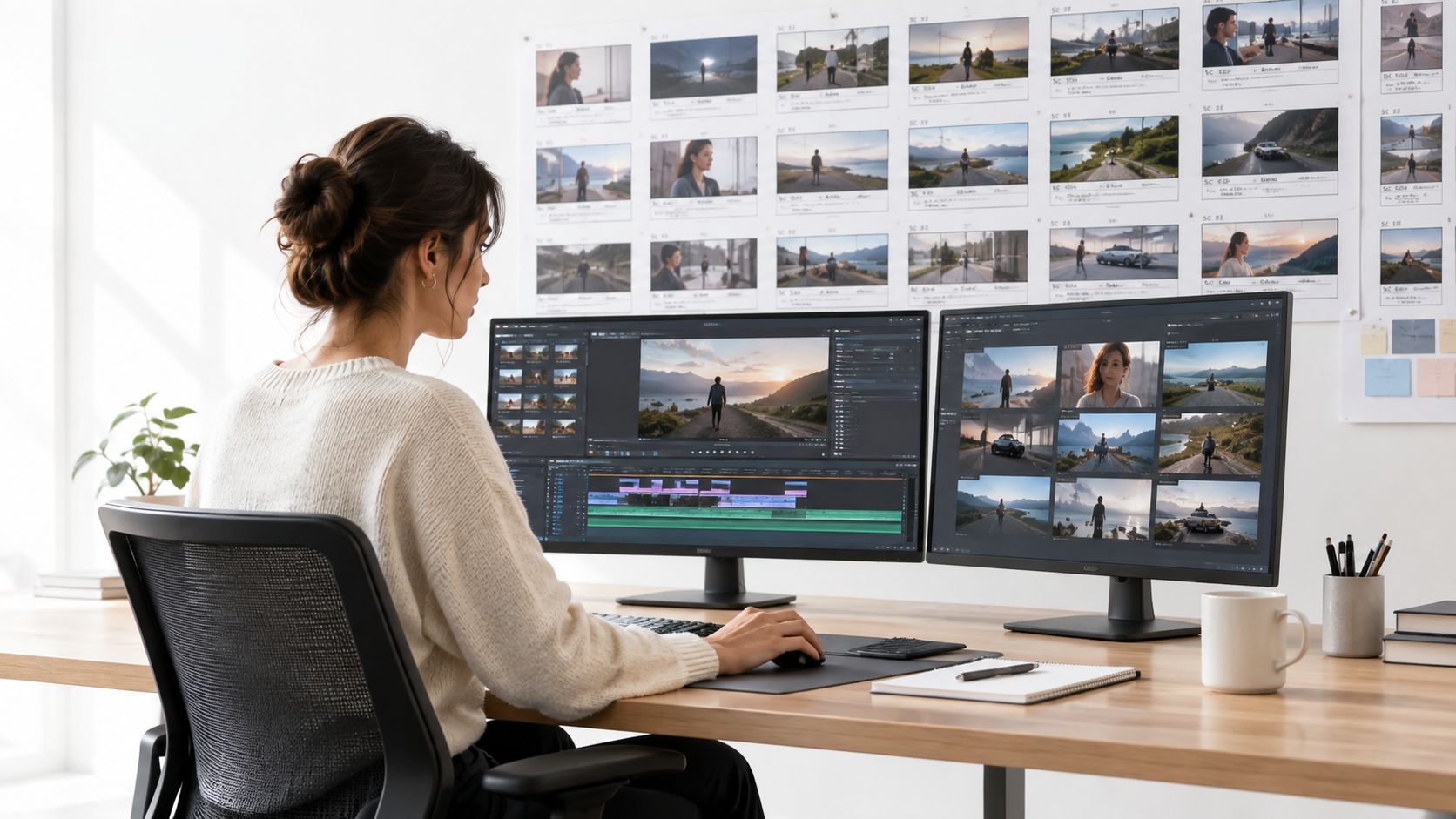
An AI video agent is an orchestrated production system, not just a video model with a chat interface. It can break a brief into shots, assign tools to each step, maintain a record of characters and assets, evaluate generated clips, and send weak results back through a revision loop. The generator remains important, but it's one component inside a larger workflow.
Why continuity is the production bottleneck
Recent research from Google on coherent long-form video generation highlights that current pipelines struggle with identity drift and continuity. Google's work points toward multi-agent planning and world-state tracking as ways to maintain coherent multi-shot narratives.
World-state tracking means the system keeps structured information about what should remain true from shot to shot. That may include:
- Character identity: Appearance, clothing, age, position, and emotional state.
- Scene state: Location, lighting, time of day, and objects already present.
- Brand state: Approved logos, colors, packaging, typography, and product claims.
- Narrative state: What happened, what must happen next, and which instructions remain active.
Without this memory, an agent treats each generation request as a fresh interpretation. With it, the system can retrieve relevant context before generating the next shot and check whether the result still fits the campaign.
Practical rule: Treat every generated shot as a revision of a shared production state, not as an independent creative lottery.
That distinction also changes how teams choose tools. A lightweight generator may be perfect for social cutdowns, while a campaign workflow needs asset libraries, approvals, version control, and editing logic. Teams comparing options can find AI tools for social clips when the job is fast short-form assembly, while a more controlled pipeline may need an agent that coordinates several specialized services.
The same principle applies to the surrounding workflow. A production team may use LunaBloom AI for script-led video creation, another service for generation, and a separate review layer for brand and legal checks. The winning setup isn't the one with the most spectacular demo. It's the one that fails visibly, records why it failed, and makes the next iteration easier.
How Agentic Video Systems Actually Work
A reliable agentic video system usually has four connected functions: planning, execution, evaluation, and feedback. The names vary across products, but the division of labor matters because generation alone can't decide whether a finished sequence satisfies a complex brief.
1. Planning turns a brief into an executable workflow
The planning layer interprets the request and creates shot-level steps. It may identify the required aspect ratio, duration, location, characters, dialogue, camera movement, product references, voice, music, captions, and delivery channels.
A good planner also identifies dependencies. If shot three must show the same presenter holding the same package as shot two, the system should preserve that relationship before it calls a generation tool. If a voiceover depends on a script approval, rendering should wait for that approval rather than producing a costly batch of obsolete versions.
2. Execution calls specialized tools
The execution layer performs the work. It can generate a clip, animate a still image, synthesize speech, clone an approved voice, add captions, assemble a timeline, or publish a platform-specific version. The agent doesn't need to use one model for every task. In fact, modular tool use is often more practical because different tools excel at different jobs.
The system should store outputs with meaningful metadata. A clip needs more than a filename. The workflow should know which prompt produced it, which reference assets were used, which model rendered it, and whether it passed review.
3. Evaluation checks the result as a workflow
Frame-by-frame quality checks aren't enough. A video may contain attractive images while failing the instruction sequence, losing a product identity, or omitting a required action.
VideoWebArena defines 2,021 web-agent tasks from 74 manually crafted video tutorials totaling nearly four hours, and it tests skill retention and factual retention in long-context multimodal settings through its benchmark design. That setup reflects a production reality: the agent must retain instructions distributed across a long workflow, not merely classify individual frames.
VideoGAIA takes the interaction further. Its benchmark requires multi-turn, tool-augmented interaction across 271 tasks, favoring systems with explicit reasoning loops and external memory over plain frame-by-frame classifiers, as described in the VideoGAIA research.
4. Feedback makes refinement deliberate
The feedback loop compares the output with the brief and decides what to change. It might revise a prompt, retrieve a better reference image, replace a voice track, adjust a cut, or ask a human to resolve an ambiguity.
This is the same architectural lesson that appears in guidance on building agentic AI systems in production. Production agents need clear tools, bounded permissions, observable state, and escalation paths. A video agent should never improvise a regulated claim or replace an approved asset because it couldn't satisfy a visual prompt.
For teams evaluating implementation choices, the LunaBloom AI about page provides useful product context around script-to-video workflows. The broader engineering principle remains consistent: memory and tool use turn a generator into a workflow participant.
Measuring Performance and Temporal Consistency
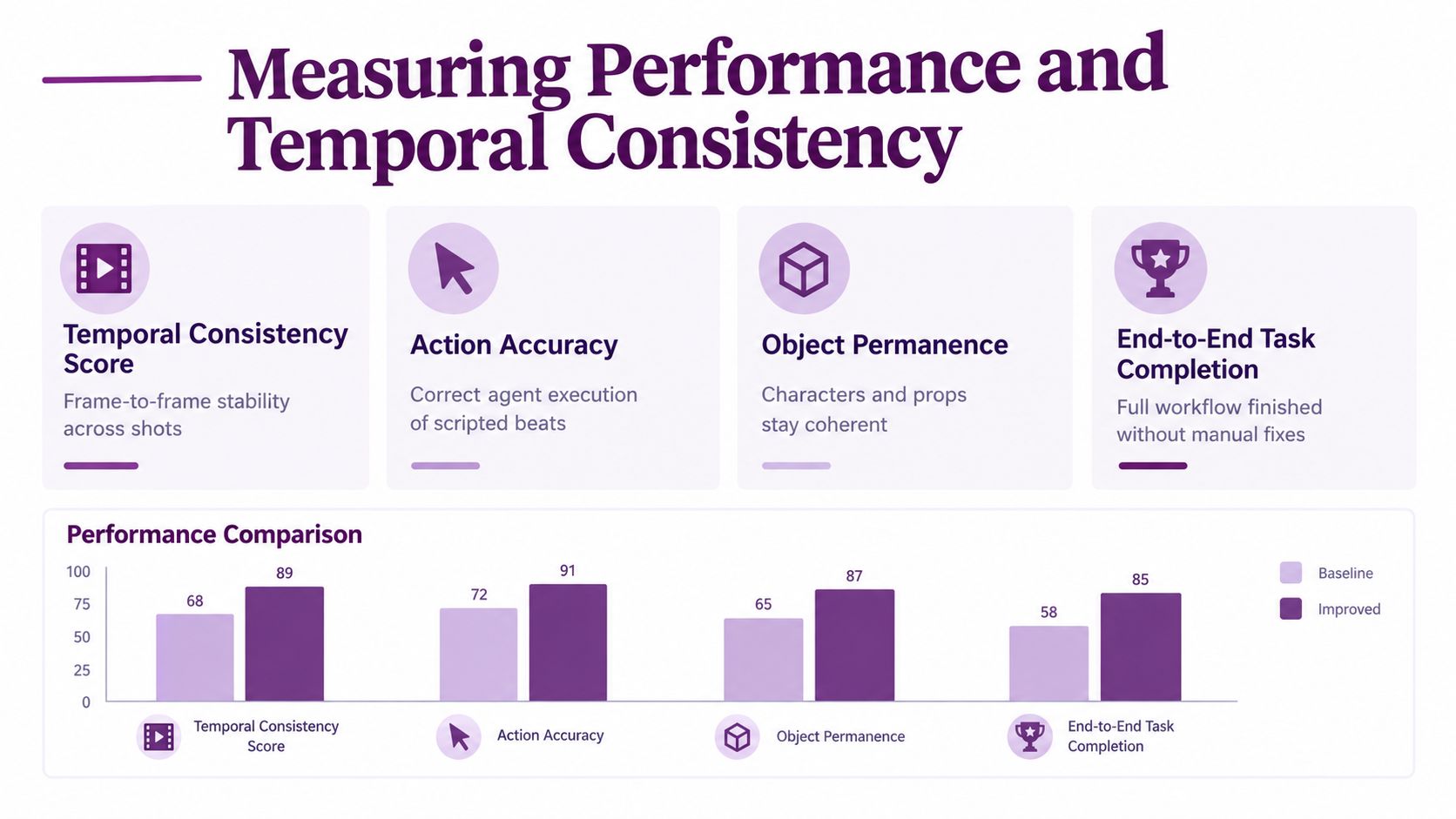
A polished opening shot proves very little about production readiness. An agent can still lose the protagonist, break the action, misplace a prop, or stop before the final deliverable is assembled. Production teams need tests that expose those failures.
VABench, used to assess VideoGen-Agent, contains 600 prompts covering procedural knowledge, single- and multi-entity identity preservation, physical consistency, scene composition, and multi-shot temporal structure, according to the VideoGen-Agent benchmark report.
What the benchmark result tells producers
On VABench, VideoGen-Agent improved over its base text-to-video generator by 19.1 points, rising from 56.5 to 75.6. A further tool upgrade raised performance to 86.1 without additional agent training, and human raters preferred the upgraded setup in 84.3% of comparisons, all reported in the same benchmark report.
The practical lesson is that orchestration can materially change output quality without changing the underlying generator. Retrieval, planning, tool selection, and evaluation can produce greater gains than just replacing the model. That matters in agency workflows, where identity references, approved assets, and review checkpoints must survive across multiple shots.
Measure the failure, not just the score
A production scorecard should separate the problems that require different fixes:
- Temporal consistency: Does the subject remain stable across cuts?
- Action accuracy: Did the system execute scripted beats in the correct order?
- Object permanence: Do characters, products, and props remain coherent?
- End-to-end completion: Did the workflow finish without manual reconstruction?
DirectorBench uses 80 structured metadata entries, 7 user profiles, and 40 checkpoint criteria. Its scoring covers 5 dimensions, script, visual, audio, cross-modal, and stability, helping teams locate bottlenecks instead of hiding them inside one aggregate score, as outlined in the DirectorBench evaluation.
The scorecard should drive the next production action. If audio passes but cross-modal alignment fails, replace the synchronization step rather than rebuilding the video. If identity preservation fails, strengthen reference retrieval and state tracking before changing the script. These checks also reveal whether multiple agents are sharing reliable state or producing disconnected scene decisions.
VideoWeaver evaluates long-video generation through 285 cases across 16 task categories, with references spanning text, image, audio, video, and combinations of those modalities, according to its agentic video framework. Test the workflow the team expects to run, including continuity, handoffs, review, and final assembly, rather than judging an attractive isolated frame.
Script to Video Workflows with LunaBloom AI
A script-to-video workflow starts with a creative brief, but the brief is only useful when the system can turn it into a sequence of production decisions. For a marketing team, that typically means defining the audience, message, visual references, presenter or avatar, voice, aspect ratios, caption treatment, and publishing destinations before rendering begins.
A platform such as LunaBloom AI is designed around this end-to-end creation pattern. Its stated capabilities include turning text prompts, scripts, and images into edited videos with voiceovers, captions, customizable avatars, voice cloning, multilingual localization, and social publishing features. Those functions address the middle of the workflow, where teams often lose time moving between scripting, editing, audio, subtitling, and exports.
A practical agency sequence
Consider a product tutorial that needs a presenter, screen demonstrations, narration, and localized captions. The workflow can be organized like this:
- Prepare the script: Divide the script into scenes, spoken lines, on-screen text, and visual instructions. This gives the system clear units to render and review.
- Set the presenter: Choose a custom avatar or visual style, then define the approved voice and pronunciation rules. Voice cloning should be used only with the necessary permission and an internal record of that approval.
- Build the scenes: Combine the script with uploaded images, product visuals, backgrounds, and supporting footage. The agent can handle animation, voice synchronization, and layered audio as part of the assembly process.
- Generate captions and variants: Create subtitles and translations, then inspect timing, terminology, and regional phrasing. Automated localization speeds production, but it doesn't remove the need for a native-language review.
- Review the export: Check claims, logos, faces, music rights, pronunciation, accessibility, and platform framing before publication.
The value comes from reducing handoffs. A producer can spend less time rebuilding a timeline and more time deciding whether the story is clear, the product is represented accurately, and the edit suits its audience.
The LunaBloom AI application is relevant to teams that want to test this kind of script-led workflow in one environment. It shouldn't be treated as a substitute for editorial judgment. Automated subtitles can still mishear a technical term, a cloned voice can deliver the wrong emphasis, and a generated visual can introduce a detail that the script never approved.
Where the workflow scales
The strongest use cases are structured formats with repeatable rules:
- Product demonstrations with controlled assets and recurring explanations.
- Training and onboarding where scripts, captions, and language variants follow a template.
- Social ads that require multiple hooks and aspect-ratio adaptations.
- Internal communications where speed matters but factual and brand review still applies.
The producer's role shifts from operating every control to defining constraints, inspecting exceptions, and approving the final narrative. That's a better use of automation than asking an agent to invent everything without supervision.
Orchestration Versus Autonomous Generation
Fully autonomous text-to-video generation has obvious appeal. Give the system a prompt, receive a complete sequence, and publish it. The approach is fast for exploratory work, but it creates risk when the output must match approved assets, legal language, recurring characters, or a recognizable brand system.
Agentic orchestration starts from a different assumption. The system coordinates templates, stock footage, reference images, existing edits, voice tracks, and generated inserts. It uses generation where flexibility helps and deterministic assets where consistency matters.
| Approach | Where it works | Where it breaks |
|---|---|---|
| Autonomous generation | Concept films, visual exploration, atmospheric inserts, early ideation | Product accuracy, recurring identity, regulated claims, exact brand reproduction |
| Asset orchestration | Tutorials, ads, localized variants, training, series production | Requires organized assets, clear metadata, and approval rules |
| Hybrid workflow | Most commercial production, where generated scenes support controlled footage | Needs a good decision layer to determine what may be generated |
The hybrid route usually gives producers the best balance. Let the agent draft a shot list, suggest transitions, create alternate hooks, and assemble a first cut. Keep logos, packaging, legal copy, customer footage, and sensitive claims under tighter control.
Design for controlled autonomy
An agent should have explicit permissions. It may be allowed to select from an approved asset library, but not create a new medical claim. It may localize captions, but not alter a contractual disclaimer. It may propose a voice variant, but not publish one without approval.
The more expensive a mistake is, the more deterministic the workflow should be.
A structured product workflow can help here. Teams exploring a lightweight entry point can review the LunaBloom starter app, then decide which steps should remain human-controlled. The objective isn't maximum autonomy. It's maximum useful autonomy inside safe boundaries.
For long-running series, orchestration also improves continuity. A shared character sheet, product library, scene record, and version history gives the agent a stable reference. Pure generation may create more footage, but more footage isn't the same as more usable footage.
Enterprise Adoption and Governance Requirements
Adoption has moved beyond experimentation, but usage alone doesn't prove business value. Wyzowl's 2026 State of Video Marketing data found that 63% of video marketers had used AI tools to create or edit marketing video, up from 51% the year before, as reported in the 2026 AI video statistics summary.
That increase creates a governance problem. More teams can produce more versions, but they also create more opportunities for incorrect claims, inconsistent branding, unauthorized likenesses, inaccessible captions, unclear rights, and unreviewed translations.
Decide what to automate first
Start with work that has clear inputs and repeatable checks:
- Automate formatting: Aspect-ratio changes, caption placement, thumbnail drafts, and metadata preparation are easier to verify.
- Automate assembly: Agents can combine approved clips, templates, voice tracks, and scene transitions.
- Assist with localization: Translation and dubbing can accelerate production, but a qualified reviewer should validate terminology, tone, and cultural context.
- Keep sensitive claims under review: Financial, medical, legal, safety, and compliance-related content requires human approval before publication.
- Protect identity and rights: Store consent records for avatars and voices, and maintain usage rules for customer footage, music, stock content, and creator likenesses.
A practical governance layer should record the source of each asset, the prompt or instruction used, the model or tool involved, the reviewer, and the approved version. Without that trail, an enterprise may struggle to explain how a published video was made or which materials informed it.
Measure efficiency without ignoring quality
Teams often start with usage metrics, such as how many videos were generated. That can encourage waste. A better dashboard connects production activity to editorial outcomes:
- How many outputs passed review on the first serious edit?
- Which failure types create the most rework?
- How often do localized versions need correction?
- Which formats produce useful engagement or completed viewing?
- Where does human review prevent material risk?
Watermarking and provenance deserve explicit treatment too. The right policy depends on the content category, distribution channel, and applicable rules. Enterprises shouldn't assume that a generated video is safe to publish just because it looks realistic or because the platform can export it cleanly.
Privacy documentation should be part of vendor review, not an afterthought. Teams can consult LunaBloom AI's privacy information while assessing how a chosen workflow handles uploaded media, voice data, scripts, and account information. The broader procurement checklist should also cover retention, deletion, access control, regional processing, and rights to generated outputs.
The operating model is simple: automate predictable production steps, require human review for consequential decisions, and retain enough evidence to audit the result.
The Future of Agentic Video Production
The field has moved quickly from isolated generation toward systems that plan, use tools, and refine outputs. OpenAI published Sora as a technical preview on February 15, 2024, describing a text-to-video model capable of generating up to one minute of high-fidelity video. The pace accelerated in 2025, with Runway Gen-4 released on March 31, Google unveiling Veo 3 with native audio in May, and OpenAI releasing Sora 2 in September, as documented in this timeline of AI video generation.
Those releases established stronger raw capabilities, but production value will depend on what happens around the model. The next useful systems will maintain world state, retrieve approved references, coordinate specialized tools, evaluate continuity, and ask for human intervention when the rules are unclear.
An orchestration-first strategy gives content teams a practical path. Start with one repeatable format, define the approved assets and review gates, measure the failure modes, then expand the agent's permissions gradually. Don't begin by trying to replace the entire production department with an autonomous renderer. Begin by removing the repetitive work that slows skilled producers down.
The durable advantage won't come from generating the most clips. It will come from producing consistent, reviewable, brand-safe video variants with less rework.
LunaBloom AI turns scripts, prompts, and images into edited videos with voiceovers, captions, avatars, localization, and social publishing support. If you're building an orchestration-first workflow for ads, tutorials, training, or internal communications, visit LunaBloom AI and evaluate it against your production requirements.