

Ready to turn your text, ideas, or even simple images into compelling videos? Finding the best AI video creator can transform your workflow, automating hours of tedious work. But with so many platforms on the market, choosing the right one can feel overwhelming.
This guide cuts through the noise. We’ll give you a clear, in-depth comparison of the top tools available today. From cinematic text-to-video generators like Runway and Pika to sophisticated avatar tools like Synthesia and HeyGen, we’ve ranked and reviewed the 12 leading platforms to help you find the perfect fit.
This is a comprehensive resource for marketers, educators, and content creators. Each review includes a detailed analysis, practical use cases, screenshots, and direct links to help you make an informed decision. We move beyond generic feature lists to provide honest assessments of what each platform does best. As you start, understanding the principles of AI integration in post-production can help you grasp how these tools are reshaping creative workflows.
By the end of this list, you won’t just know the names of the top tools. You’ll have a clear, practical understanding of which platform is truly the best AI video creator for your specific goals, budget, and skill level. Let’s find the software that will bring your vision to life.
1. LunaBloom AI
LunaBloom AI stands out as our top pick for the best ai video creator due to its exceptional balance of advanced features, user-friendliness, and scalability. It is an all-in-one platform engineered to transform simple text or images into polished, professional video translation service. This makes high-quality video production accessible to everyone, from individual creators to large enterprises, without needing any technical or video editing skills.
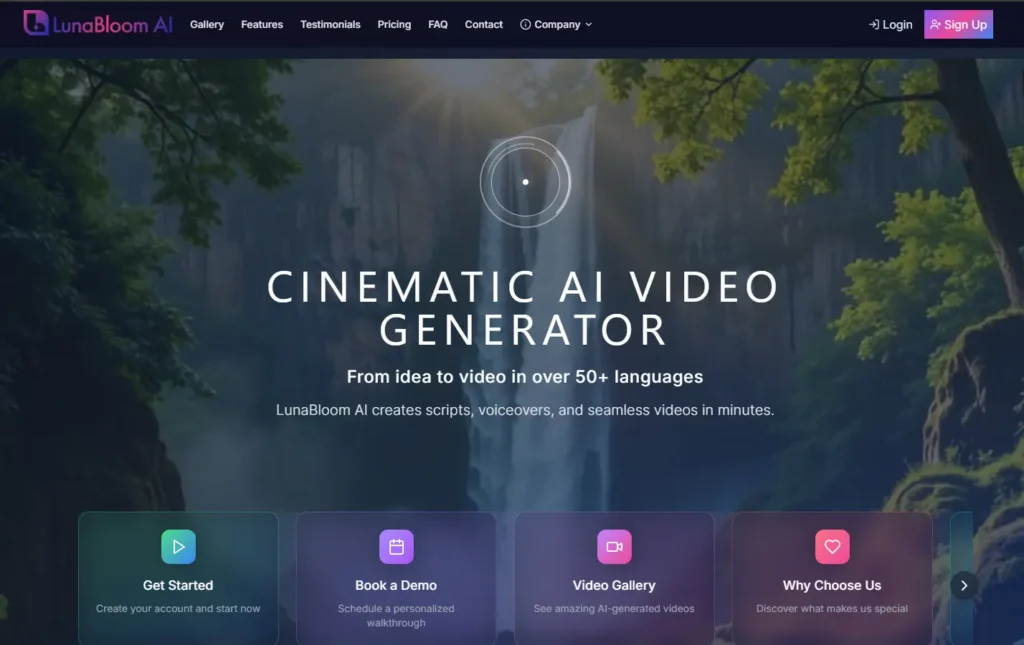
Its robust feature set is designed for a global market. Marketers can create localized ad campaigns by leveraging support for over 50 languages and 150+ natural AI voices. Educators and corporate trainers can develop consistent training modules using customizable, hyper-realistic AI avatars that serve as a recognizable brand presenter.
Key Strengths & Use Cases
What truly sets LunaBloom AI apart is its focus on brand consistency and global reach. The ability to create a custom AI avatar, whether photo-realistic or animated, ensures your brand’s visual identity remains cohesive across all video assets. This is a huge advantage for businesses building a strong, recognizable online presence.
- Marketing Professionals: Quickly generate social media video ads, product demos, and personalized sales outreach videos in multiple languages.
- Content Creators: Effortlessly produce engaging YouTube or TikTok content with automated subtitles to maximize audience reach.
- Educators & Trainers: Develop comprehensive e-learning courses and training videos with consistent AI instructors, simplifying module creation.

The platform includes a free starter plan, making it easy to test its capabilities. Paid plans are flexible and scale to accommodate higher video output and unlock premium features like voice cloning for ultimate brand personalization.
2. Runway
Runway positions itself as a full-stack, browser-based creative suite, making it a powerful contender for the best AI video creator for professionals. It’s built for users who demand granular control over their AI-generated content, combining sophisticated AI models like Gen-3 with a traditional timeline editor. This unique blend allows creators to not just generate clips from text or images but to seamlessly integrate them into larger projects.
The platform’s strength lies in its mature workflow. Unlike simpler tools, Runway provides an entire ecosystem where you can generate, edit, upscale, and manage assets without leaving your browser. This is particularly beneficial for marketing teams and creative studios that require a streamlined process from concept to completion.
Key Features & Use Cases
Runway’s feature set is built for hands-on creation and professional output.
- Advanced AI Models: Utilizes powerful models for text-to-video, image-to-video, and video-to-video transformations, offering precise control over style and motion.
- Integrated Timeline Editor: A major differentiator, this feature allows users to edit clips, add audio, and export in professional formats like ProRes.
- 4K Upscaling: Directly within the generative interface, users can upscale creations to 4K resolution, ensuring high-quality output for commercial projects.
- Team Collaboration: Offers dedicated workspaces with role-based access controls, making it ideal for agency and enterprise environments.
Pricing and Plans
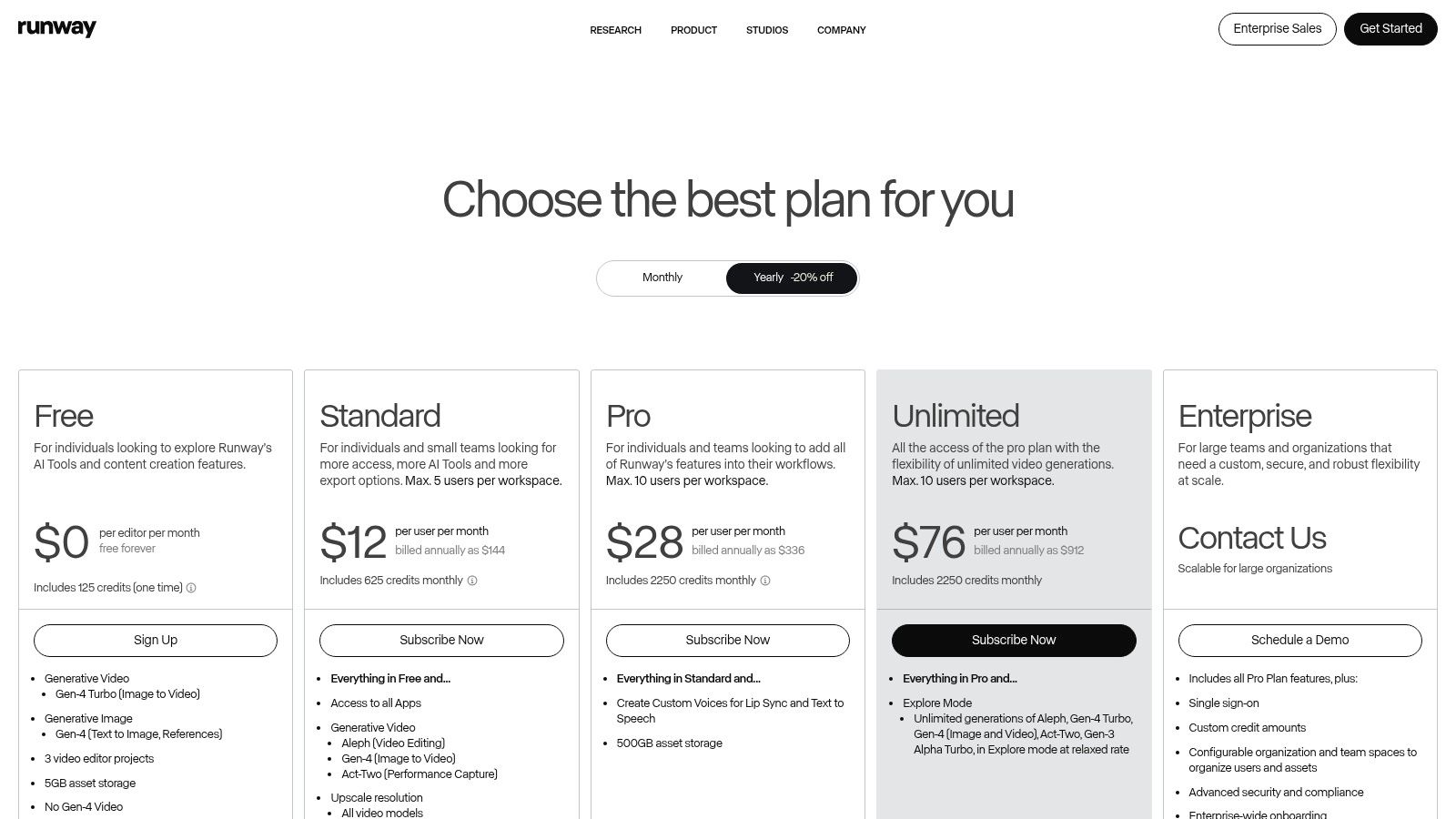
Runway uses a credit-based system, with video generation costing a specific number of credits per second. This provides clear budget tracking.
| Plan | Price | Key Features |
|---|---|---|
| Basic | Free | 125 credits, limited exports (720p) |
| Standard | $12/user/month (billed annually) | 625 credits/month, 4K upscaling, remove watermark |
| Pro | $28/user/month (billed annually) | 2250 credits/month, custom AI training, full 4K export |
| Unlimited | $76/user/month (billed annually) | 2250 credits/month + unlimited relaxed generations |
Pros and Cons
| Pros | Cons |
|---|---|
| Mature, professional workflow | Credit costs can add up for longer videos |
| Clear per-second credit costs | Best features gated behind more expensive tiers |
| Team-oriented features | Steeper learning curve than simpler platforms |
| High-quality output with 4K upscaling | Focus is primarily on short, generative clips |
3. Pika
Pika is a fast, web-based AI video generator specializing in rapid, short-form video creation from text and images. It stands out with its multiple AI models and creative effects, making it a strong choice for users who need to produce engaging clips quickly. The platform’s interface is designed for speed, allowing creators to experiment with different styles without a steep learning curve. This makes it a top contender for the best AI video creator for social media.
Its primary strength is the balance between speed and creative flexibility. Pika offers various AI models, including Turbo and Pro tiers, which cater to different needs for quality and generation time. This tiered approach, combined with tools for extending and modifying scenes, provides a versatile environment for producing dynamic, short-form video content suitable for platforms like TikTok and Instagram Reels.
Key Features & Use Cases
Pika’s feature set is optimized for quick iteration and creative experimentation.
- Multiple AI Models: Users can select from different models (Turbo, Pro) to balance generation speed, quality, and credit cost.
- Creative Scene Tools: Features like Pikascenes and Pikadditions allow users to extend video duration and modify specific regions within a scene.
- Resolution Options: Supports video generation up to 1080p, providing sufficient quality for most social media and digital marketing applications.
- Regular Model Updates: The platform frequently updates its models, often improving cost-efficiency and introducing new capabilities.
Pricing and Plans
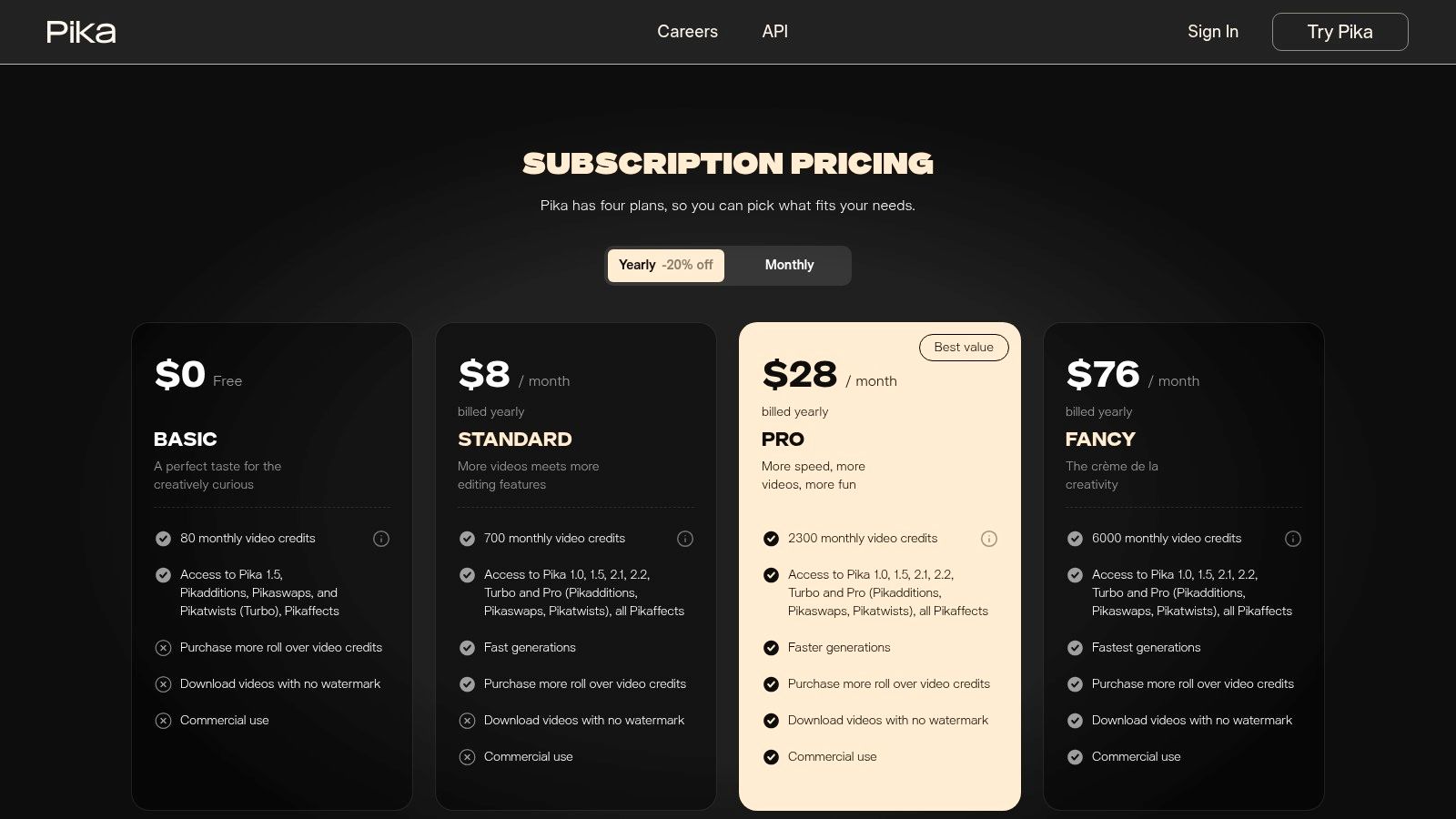
Pika operates on a credit-based system where different models and features consume credits at varying rates.
| Plan | Price | Key Features |
|---|---|---|
| Basic | Free | 300 initial credits, 30 credits/month, includes watermark |
| Standard | $8/month (billed annually) | 700 credits/month, no watermark, standard generations |
| Pro | $28/month (billed annually) | 3000 credits/month, no watermark, priority access |
| Unlimited | $58/month (billed annually) | 7000 credits/month, unlimited relaxed generations |
Pros and Cons
| Pros | Cons |
|---|---|
| Great price-to-speed ratio for short clips | Credit system can be complex at first |
| Granular credit costing with commercial-use tiers | Customer support responsiveness issues reported |
| Frequent updates provide evolving functionality | Primarily focused on short-form content |
| User-friendly interface ideal for quick production | Lacks an integrated timeline editor |
Website: https://pika.art/pricing
4. Luma AI – Dream Machine
Luma AI’s Dream Machine has quickly emerged as a top-tier AI video creator, specializing in generating photorealistic and physics-consistent video from text and images. Its primary strength lies in creating life-like B-roll, dynamic character shots, and surreal yet believable concept shorts. The platform is engineered to produce fluid motion and coherent object interactions, making it a powerful tool for creators aiming for high realism in their AI-generated clips.
The user experience is streamlined and focused on rapid generation. Unlike platforms that bundle generation with complex editing suites, Luma AI concentrates on perfecting the initial clip creation. It even offers a “Draft” mode for quick testing before committing credits to a full-quality render. This makes it an excellent choice for producing realistic short clips for integration into larger video projects.
Key Features & Use Cases
Luma AI’s feature set is built for quality and efficiency in short-form video generation.
- Photorealistic Output: Excels at creating videos with realistic lighting, textures, and camera movements, ideal for cinematic B-roll.
- Physics-Consistent Motion: The model is trained to understand physical interactions, resulting in more believable and coherent movement.
- Draft Mode: Allows for rapid, low-cost ideation, enabling users to test prompts quickly before generating a high-quality final version.
- Commercial Use Licensing: Paid plans explicitly include licenses for commercial use, making it a viable option for marketing agencies.
Pricing and Plans
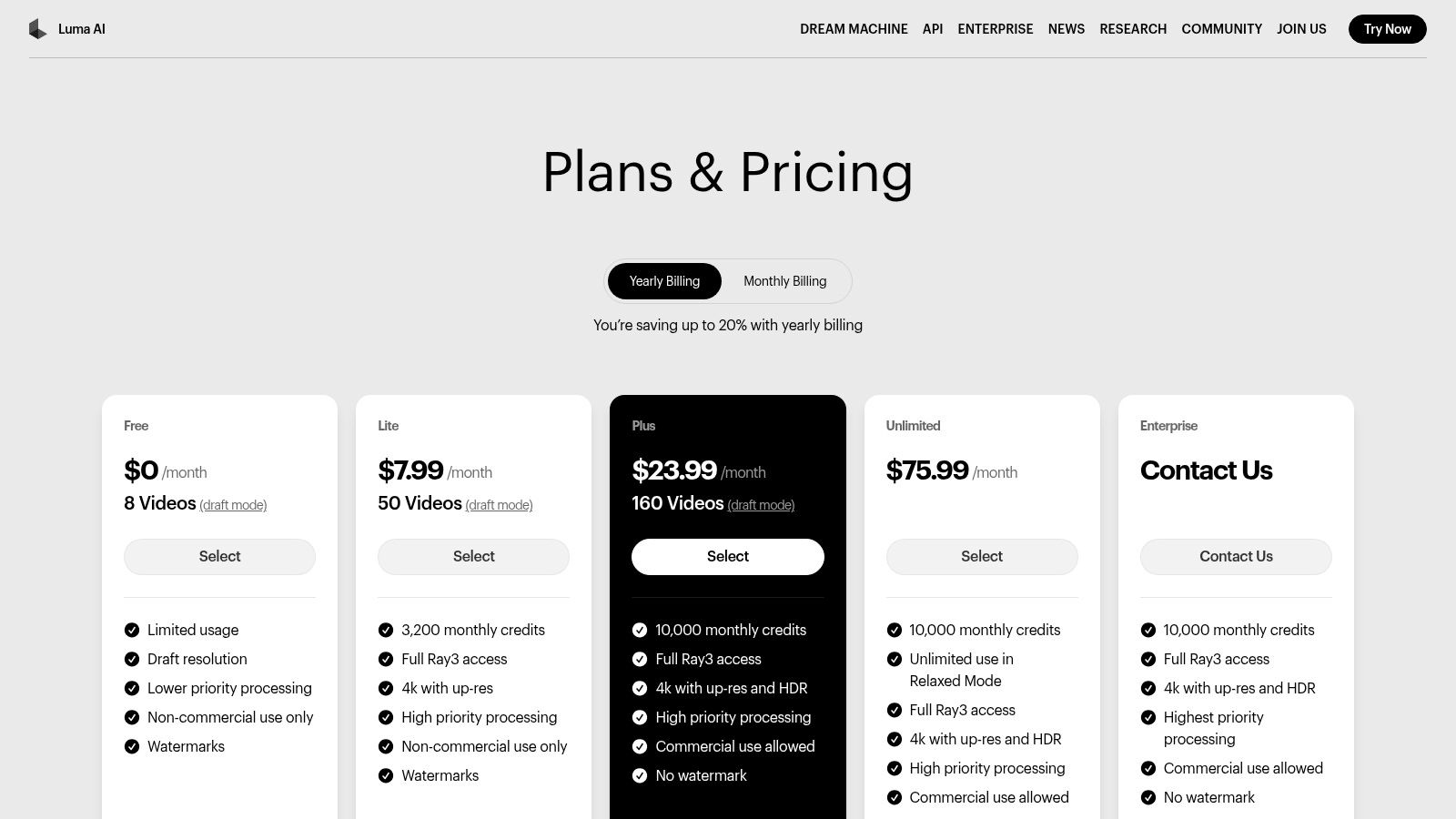
Luma AI operates on a credit-based system where generations consume a set number of credits. Plans are designed to offer more generations and priority access.
| Plan | Price | Key Features |
|---|---|---|
| Free | Free | 30 generations/month, 30 video generations total |
| Standard | $29.99/month | 120 generations/month, standard priority |
| Pro | $99.99/month | 400 generations/month, higher priority access |
| Premier | $499.99/month | 2000 generations/month, highest priority access |
Pros and Cons
| Pros | Cons |
|---|---|
| Exceptional realism and motion consistency | Video duration is limited to very short clips (5 sec) |
| Clear plan structures with commercial licensing | Credit system can be confusing for new users |
| Draft mode is great for cost-effective testing | Lacks an integrated video editor or post-production tools |
| Simple, focused user interface | Generation times can be slow during peak usage |
Website: https://lumalabs.ai/pricing
5. Synthesia
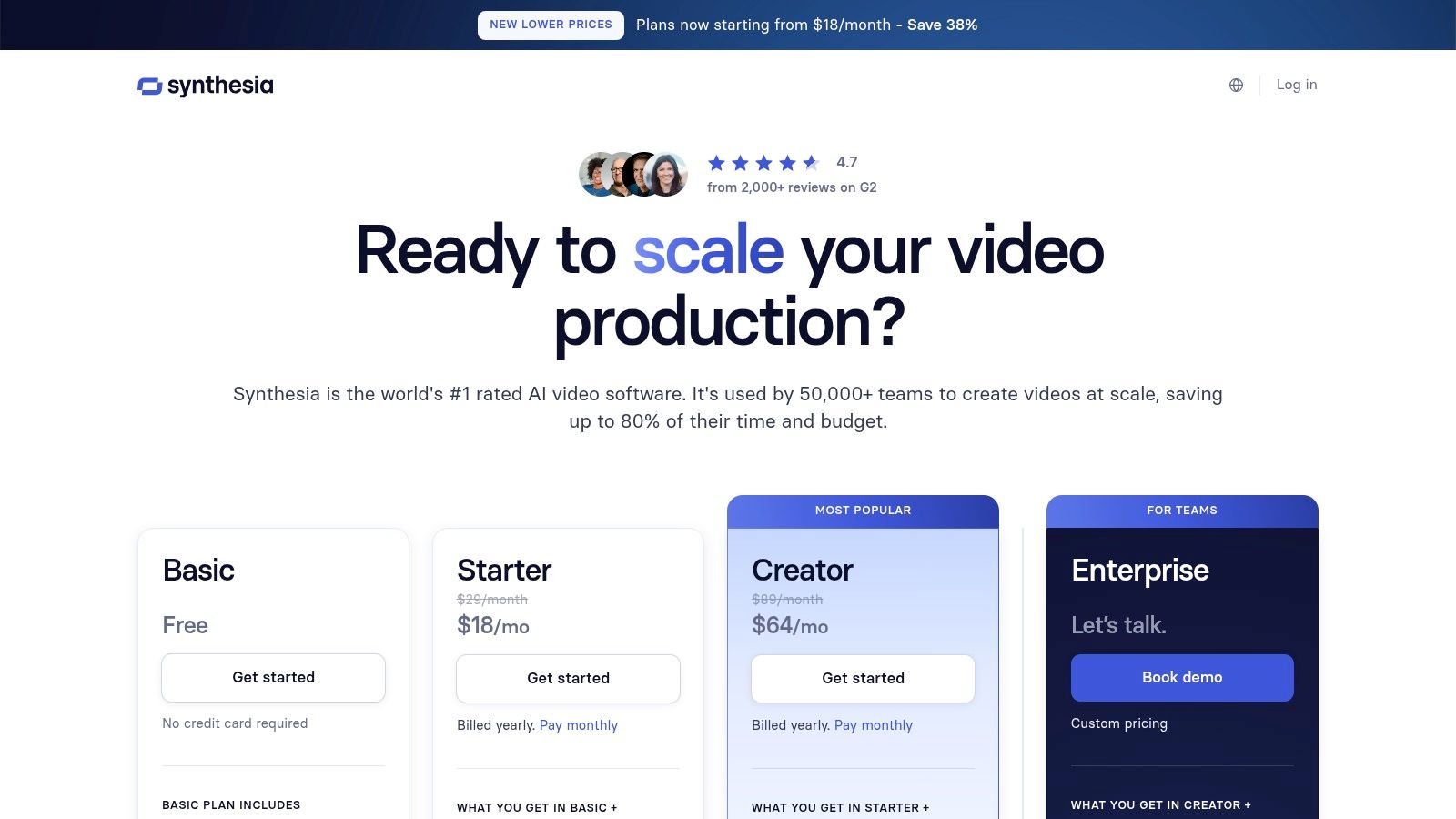
Synthesia is the best AI video creator for enterprise-level training, corporate communications, and localized marketing content. It excels at producing polished AI avatar videos at scale, transforming scripts into professional presentations in minutes. The platform is built for businesses that need consistent, high-quality instructional videos without the overhead of filming, actors, or studios.
Its core strength lies in its extensive localization and enterprise-grade features. With over 180 stock avatars and support for more than 140 languages, Synthesia makes it simple to create and translate content for a global audience. This focus on scalable, secure video production sets it apart. To compare options, you can explore Synthesia alternatives to find the perfect fit.
Key Features & Use Cases
Synthesia’s feature set is optimized for business communication and training.
- 180+ Stock AI Avatars: A diverse selection of ready-to-use avatars, with options to create custom ones for brand consistency.
- AI Dubbing & Translation: Instantly translate and dub videos into 140+ languages, maintaining lip-sync with the avatar for seamless localization.
- Multi-Avatar Scenes: Create dynamic conversational videos by placing multiple avatars within the same scene.
- Enterprise-Grade Tools: Higher-tier plans include API access, SCORM export for LMS integration, and advanced security controls.
Pricing and Plans
Synthesia offers plans based on video minutes, with separate credits for features like AI dubbing.
| Plan | Price | Key Features |
|---|---|---|
| Personal | $22/month (billed annually) | 10 mins of video/month, 1 editor seat, 70+ avatars |
| Creator | $67/month (billed annually) | 30 mins of video/month, 3 editor seats, 90+ avatars, Full HD |
| Enterprise | Custom Pricing | Unlimited minutes, custom avatars, API access, SCORM |
Pros and Cons
| Pros | Cons |
|---|---|
| Business-grade governance and collaboration | Avatar-based style is less suited for cinematic video |
| Extensive language and localization support | Custom avatars require additional cost and time |
| Clear credit system for minutes and dubbing | Limited creative flexibility compared to generative AI |
| Ideal for scalable training and onboarding | Higher-tier features are necessary for integrations |
Website: https://www.synthesia.io/pricing-options
6. HeyGen
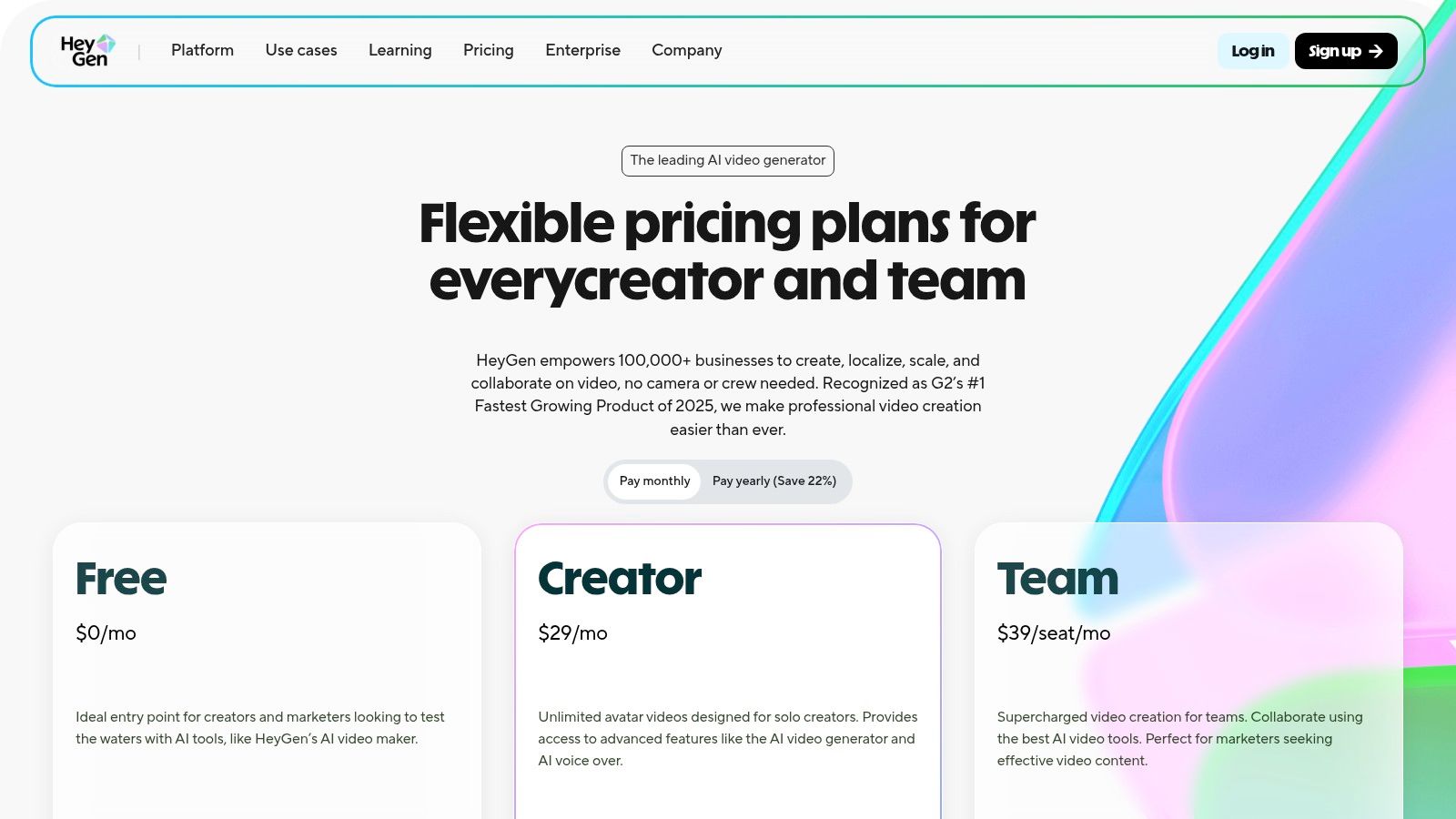
HeyGen is a leading AI avatar platform and a powerful tool for scalable, script-to-video content creation. It excels in producing professional-grade videos featuring digital presenters, making it ideal for corporate training, marketing explainers, and educational materials. The platform’s core strength is its ability to transform simple text into a polished video with a talking avatar, complete with realistic lip-syncing.
What makes HeyGen a standout contender for the best AI video creator is its deep focus on localization and accessibility. With support for over 170 languages and advanced voice cloning, businesses can create and dub content for a global audience with remarkable ease. This eliminates the traditional costs of hiring actors and coordinating international shoots.
Key Features & Use Cases
HeyGen’s feature set is optimized for creating presenter-led videos at scale.
- Extensive Avatar Library: Offers 500–700+ stock avatars and the ability to create custom or interactive avatars.
- Multilingual Voice Support: Includes a vast library of voices and robust voice cloning technology, perfect for global marketing campaigns.
- Team Collaboration: Provides shared workspaces, brand kits for consistency, and role-based access controls for seamless team production.
- Developer API: An accessible API allows businesses to integrate HeyGen’s video generation capabilities directly into their own applications.
Pricing and Plans
HeyGen uses a credit-based model where each minute of generated video consumes a set number of credits.
| Plan | Price | Key Features |
|---|---|---|
| Creator | $24/month (billed annually) | 180 credits/year, 1 seat, fast processing |
| Business | $72/month (billed annually) | 360 credits/year, 3 seats, 4K export, brand kit |
| Enterprise | Custom Pricing | Unlimited credits, custom avatars, SSO, dedicated support |
Pros and Cons
| Pros | Cons |
|---|---|
| Generous runtime limits and competitive pricing | Primarily avatar-centric, not for cinematic videos |
| Strong translation and localization workflows | Best export quality (4K) requires higher-tier plans |
| Transparent credit usage for API developers | Limited creative control beyond presenter-style content |
| Excellent for scalable training and marketing videos | Voice cloning quality can vary based on input |
Website: https://www.heygen.com/pricing
7. InVideo AI
InVideo AI positions itself as a streamlined, prompt-to-video platform, making it a compelling choice for users who need to produce social media content, ads, and explainer videos quickly. Its core strength lies in its simplicity. It translates a single text prompt into a complete video with scenes, voiceover, music, and subtitles. This makes it an excellent AI video creator for marketers and content creators without prior video editing experience.
The platform distinguishes itself by bundling a scriptwriter, asset library, and video editor into one cohesive, AI-powered process. Users simply type an idea, and InVideo AI generates the script, finds relevant stock footage, and assembles the final product. This dramatically reduces the time and complexity of video production.
Key Features & Use Cases
InVideo AI’s feature set is optimized for speed and ease of use.
- Prompt-to-Video Workflow: Transforms a single detailed prompt into a fully realized video, complete with script, visuals, and audio.
- Integrated Stock Libraries: Provides access to a vast library of stock media from Storyblocks and Shutterstock on paid plans.
- AI Scripting and Voiceover: Automatically generates a script and pairs it with a natural-sounding AI voice, which can be customized.
- Express Avatar Options: Allows users to include simple AI avatars in their videos to present information, adding a human touch.
Pricing and Plans
InVideo AI offers a straightforward pricing model based on video export minutes and access to premium features.
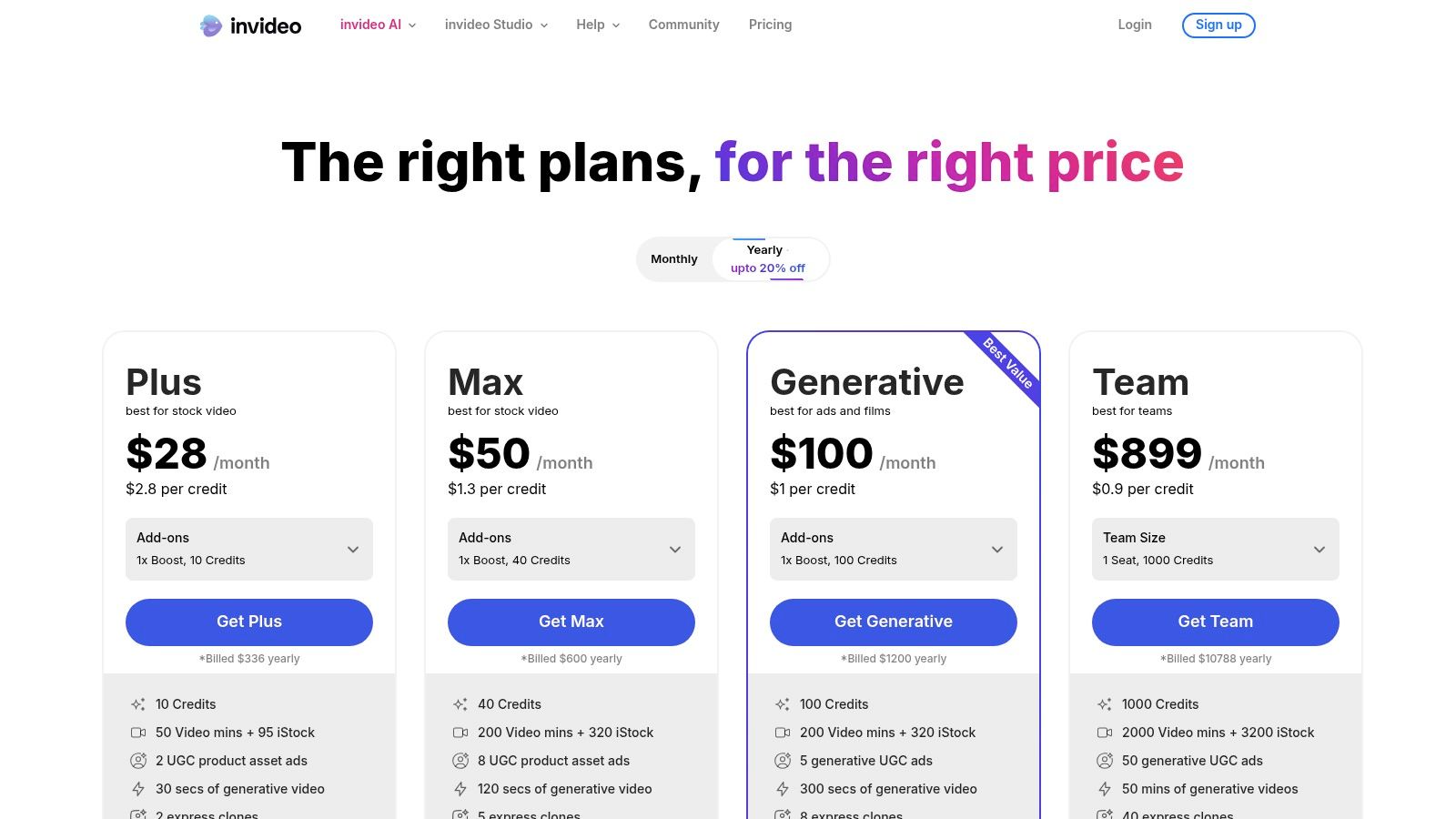
| Plan | Price | Key Features |
|---|---|---|
| Free | $0/month | 10 minutes/week AI generation, 4 exports/month (with watermark) |
| Plus | $20/month (billed annually) | 50 minutes/month AI generation, 80 stock assets, no watermark |
| Max | $48/month (billed annually) | 200 minutes/month AI generation, 320 stock assets, no watermark |
Pros and Cons
| Pros | Cons |
|---|---|
| Extremely user-friendly for beginners | Free plan videos contain a prominent watermark |
| Generous weekly free video generation minutes | Generative AI features are limited on the free tier |
| Fast workflow from idea to finished video | AI-selected stock clips can sometimes feel generic |
| Integrates premium stock media libraries | Less granular control than professional editors |
Website: https://invideo.io/pricing
8. VEED.io
VEED.io merges a full-featured online video editor with a suite of powerful AI tools, positioning itself as a comprehensive platform for content creators and marketers. Instead of focusing solely on generation, VEED treats AI as an enhancement to the entire editing workflow. This allows users to create AI-generated clips, add AI voices, and auto-generate subtitles all within the same timeline-based interface.
The platform excels in its practicality, particularly for teams creating marketing content, social media videos, or educational material. By integrating generative AI directly into a familiar editing environment, VEED lowers the barrier to entry. This makes it a strong contender for the best AI video creator for users who need a complete, end-to-end solution.
Key Features & Use Cases
VEED’s feature set is designed to enhance and accelerate the video editing process.
- Integrated AI Video Generator: Create short video clips from text prompts directly within the main video editor for seamless integration.
- Auto-Subtitles & Translation: Automatically transcribe audio to generate subtitles with high accuracy and translate them into multiple languages.
- Text-to-Speech & Voice Cloning: Generate realistic voiceovers from text or clone your own voice to maintain brand consistency.
- Full Video Editing Suite: Access a complete set of editing tools, including trimming, transitions, filters, and stock media libraries.
Pricing and Plans
VEED offers a tiered subscription model that unlocks more advanced features and higher export quality at each level.
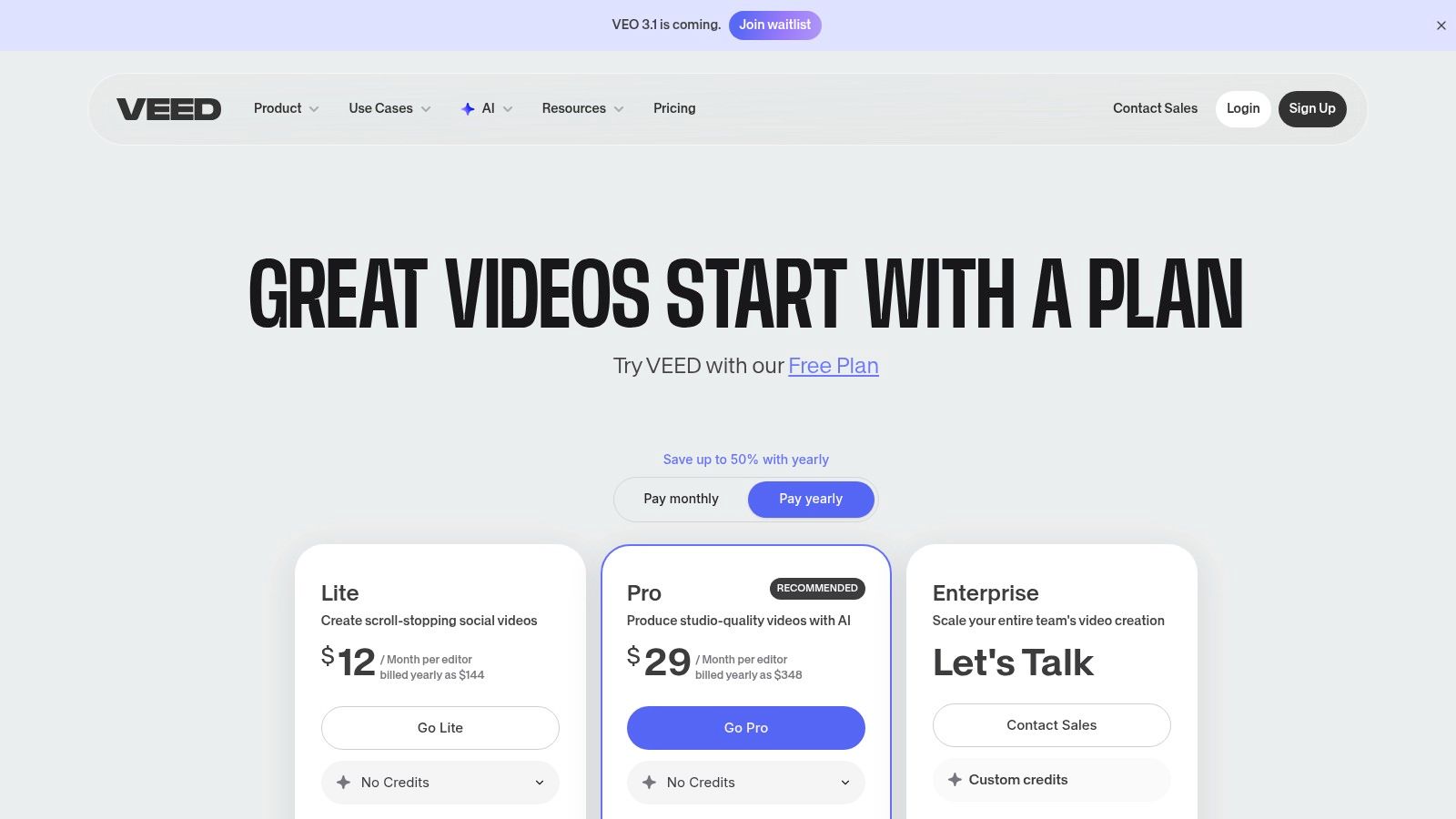
| Plan | Price | Key Features |
|---|---|---|
| Free | Free | 720p exports with watermark, 10 mins of subtitles/month |
| Basic | $12/user/month (billed annually) | 1080p exports, no watermark, 120 mins of subtitles/month |
| Pro | $24/user/month (billed annually) | 4K exports, translation tools, access to AI video generator |
| Business | $59/user/month (billed annually) | Voice cloning, team collaboration, custom branding |
Pros and Cons
| Pros | Cons |
|---|---|
| Complete end-to-end editing with AI tools | AI video generator is not on the free tier |
| Excellent auto-subtitling and localization features | Some users have reported occasional billing issues |
| Intuitive and user-friendly interface | Generative features are less advanced than dedicated tools |
| Strong tools for social media and marketing | Credit system for AI can be confusing for some users |
Website: https://www.veed.io/pricing
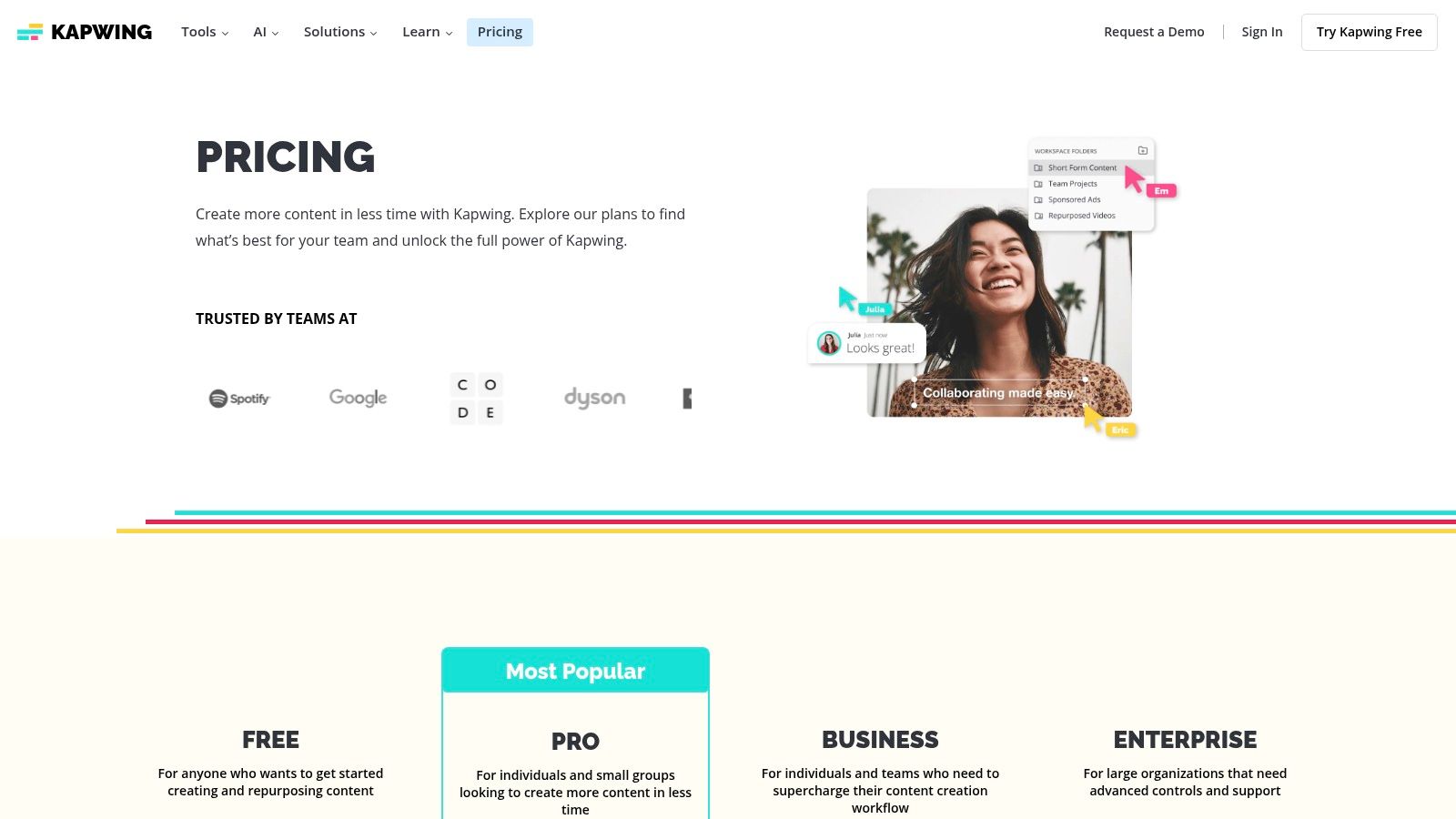
9. Kapwing
Kapwing is a collaborative, browser-based video editor supercharged with practical AI tools. It excels not as a pure text-to-video generator but as a platform for repurposing existing content, making it a go-to for social media managers. Its strength lies in simplifying complex editing tasks into one-click AI actions, like auto-generating subtitles, cleaning up audio, and transforming documents into video outlines.
The platform is designed for speed and efficiency, particularly for creating short-form content. Features like shared team workspaces and brand kits streamline the workflow, allowing teams to maintain brand consistency across all video assets. This focus on utility makes Kapwing a powerful AI video creator for marketing and communications.
Key Features & Use Cases
Kapwing’s toolkit is geared toward enhancing the editing process.
- AI-Powered Editing Tools: Includes smart features like automatic subtitling, AI-powered lip dubbing, and a script-to-video generator.
- Collaborative Workspaces: Allows teams to share projects, assets, and brand kits, ensuring a consistent look and feel.
- Browser-Based Platform: Requires no software installation, making it accessible from any computer and ideal for remote teams.
- High-Quality Exports: Paid plans offer up to 4K resolution exports, suitable for professional social media channels and marketing campaigns.
Pricing and Plans
Kapwing’s pricing is straightforward, with clear limits on features like AI credits and export length.
| Plan | Price | Key Features |
|---|---|---|
| Free | Free | 720p exports, limited to 4-minute videos, 10 AI credits/month |
| Pro | $16/user/month (billed annually) | 4K exports, 2-hour video length, 300 AI credits/month, Brand Kit |
| Business | $50/user/month (billed annually) | 600 AI credits/month, team billing, advanced AI features |
Pros and Cons
| Pros | Cons |
|---|---|
| Fast learning curve for social media teams | Advanced AI features are on higher-tier plans |
| Excellent for repurposing content | Not designed for long-form cinematic generation |
| Clear limits on AI actions and credits | Can be slower with very large projects |
| Strong collaboration and brand kit features | AI credit system can be limiting for heavy users |
Website: https://www.kapwing.com/pricing
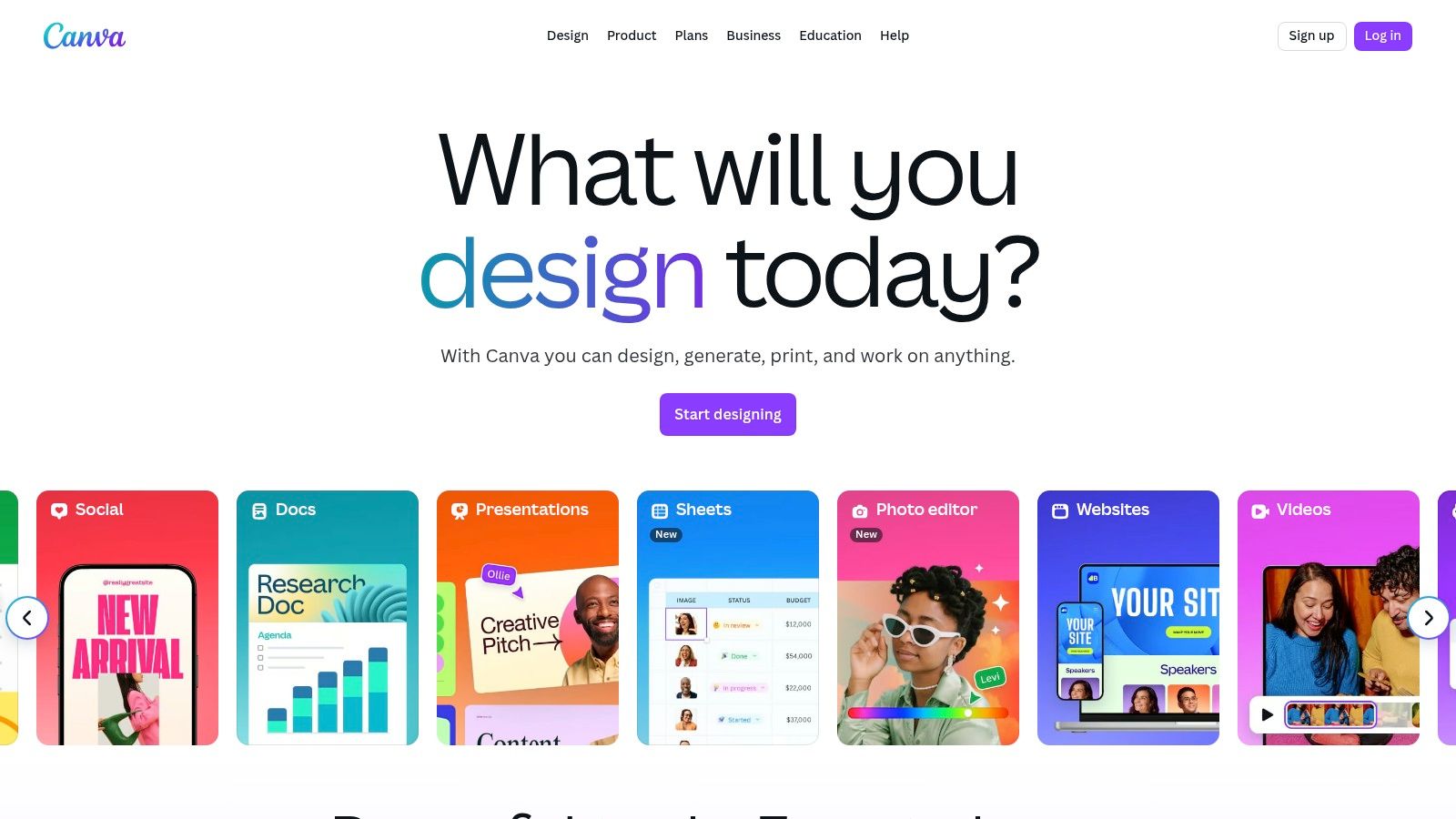
10. Canva (Magic Media)
Canva integrates AI video generation directly into its widely-used design ecosystem through its Magic Studio suite. Instead of being a standalone tool, Magic Media’s text-to-video function is an added feature within a platform already familiar to millions. This makes it the best AI video creator for marketers and small business owners who need to produce on-brand social media content quickly, without learning a new, complex software.
The platform’s key advantage is its all-in-one nature. A user can generate a short AI video clip and immediately place it into a professionally designed template, add branded text overlays, and incorporate stock music from Canva’s vast library. This seamless workflow streamlines the content creation process from start to finish.
Key Features & Use Cases
Canva’s AI features are designed for accessibility and brand consistency.
- Integrated Design Workflow: Generate video clips directly within Canva projects, allowing immediate integration with templates and text.
- Brand Kit Consistency: Apply brand fonts, colors, and logos to any project containing AI-generated video.
- Vast Template & Media Library: Access thousands of templates for social media posts, presentations, and ads, plus a large library of stock media.
- Team Collaboration: Provides workflows for team permissions, approvals, and shared asset libraries, making it suitable for collaborative marketing.
Pricing and Plans
Magic Media’s video generation is available on both free and paid plans, tied to a credit system that varies by subscription tier.
| Plan | Price | Key Features |
|---|---|---|
| Free | Free | 50 lifetime text-to-video credits, access to basic templates |
| Pro | $14.99/month (1 person) | 500 monthly credits, Brand Kit, premium templates |
| Teams | $29.99/month (first 5 people) | 500 monthly credits per person, real-time collaboration |
Pros and Cons
| Pros | Cons |
|---|---|
| Extremely accessible for non-designers | AI video credit usage is limited by subscription |
| Seamless integration with a full design suite | Generative video quality is less advanced than specialized tools |
| Excellent for creating on-brand social content | Recent pricing changes require careful review |
| Supports multiple content types in one platform | Lacks granular control over AI generation |
Website: https://www.canva.com/magic-studio/
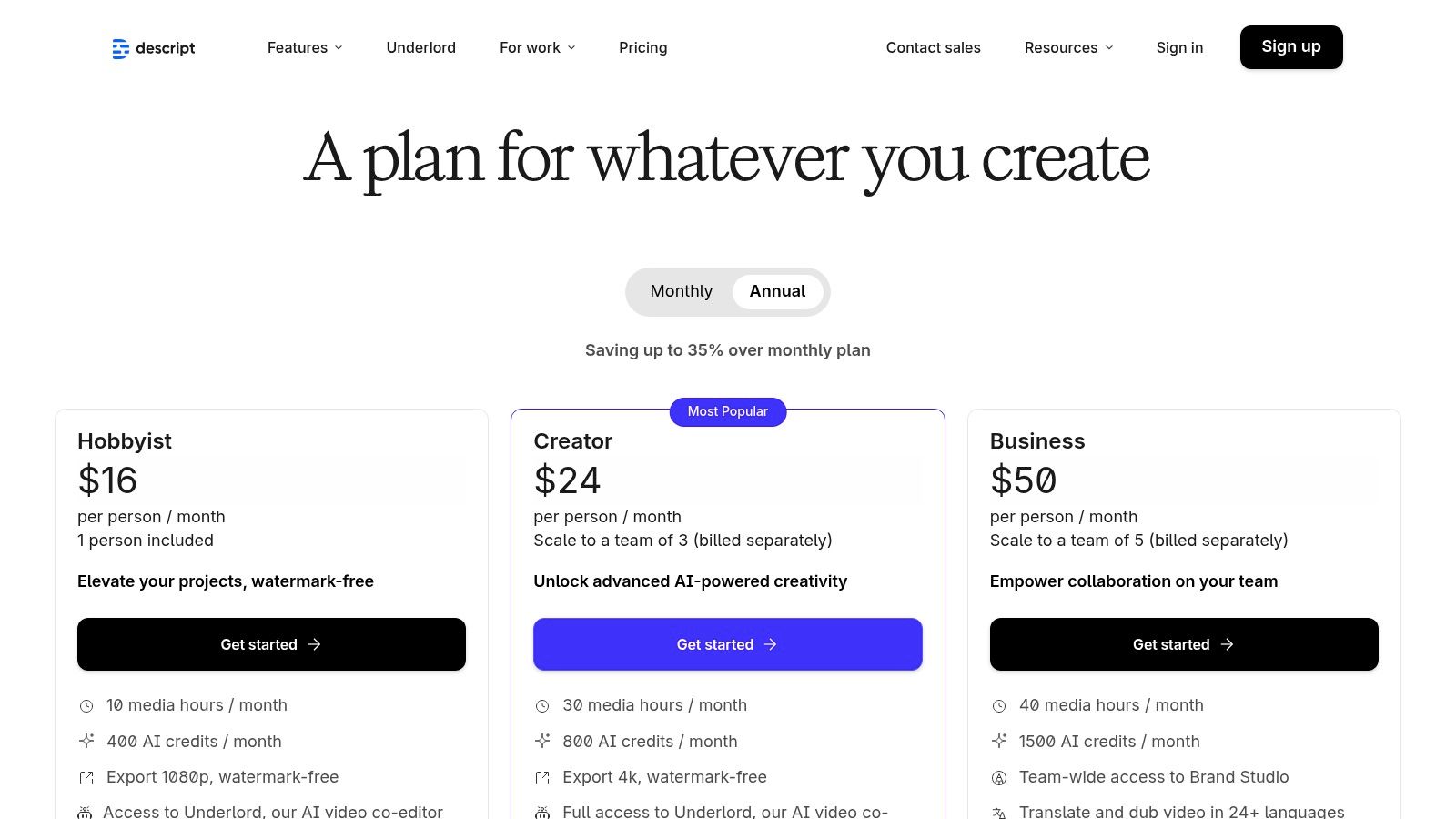
11. Descript
Descript offers a fundamentally different approach to video editing, making it an essential tool for creators who work with spoken-word content. It operates like a word processor for audio and video, transcribing your media so you can edit it simply by deleting or rearranging text. This unique workflow is a game-changer for podcasters, educators, and marketers who prioritize speed and efficiency.
Rather than being a traditional text-to-video generator, Descript uses AI to streamline post-production. Its standout features, like automatic filler-word removal and AI-powered voice cloning, significantly cut down on manual editing time. This makes it the best AI video creator for anyone looking to quickly produce polished walkthroughs, interviews, or course content without a steep learning curve.
Key Features & Use Cases
Descript’s feature set is optimized for dialogue-heavy video and rapid content repurposing.
- Text-Based Video Editing: Edit video by simply editing the transcribed text. Deleting a sentence in the script automatically removes the corresponding segment.
- AI Overdub & Voice Cloning: Correct audio mistakes or add new narration by typing, using a clone of your own voice for seamless integration.
- Filler Word Removal: With one click, the “Studio Sound” feature can remove “ums” and “uhs,” instantly cleaning up your audio.
- Screen Recording & AI Co-Editor: Easily record your screen and webcam, then use AI to find the best moments and generate titles.
Pricing and Plans
Descript’s plans are structured around transcription hours and access to advanced AI features.
| Plan | Price | Key Features |
|---|---|---|
| Free | Free | 1 hour of transcription/month, 1 watermark-free export at 720p |
| Creator | $12/user/month (billed annually) | 10 hours of transcription/month, unlimited 4K exports |
| Pro | $24/user/month (billed annually) | 30 hours of transcription/month, unlimited Overdub, AI features |
| Enterprise | Custom | Dedicated account representative, security review, SSO |
Pros and Cons
| Pros | Cons |
|---|---|
| Radically speeds up editing for spoken-word content | Not designed for cinematic, visual-first generation |
| Excellent for repurposing long-form content | Heavy AI usage requires a Pro subscription |
| Intuitive, text-based workflow is easy to learn | AI clip generation is more for summaries than creative visuals |
| Transparent pricing and a generous free tier | Can be resource-intensive on some computers |
Website: https://www.descript.com/pricing
12. Wondershare Filmora
Wondershare Filmora bridges the gap between traditional desktop video editing and modern AI capabilities. As installable software for Windows, Mac, and mobile, it offers a familiar timeline-based interface enhanced with a suite of AI-powered tools. This makes it a strong candidate for the best AI video creator for users who want the power of a dedicated application rather than a browser-based tool.
The platform excels by integrating AI not as a replacement for the editor, but as an assistant. Features like the AI Copilot for editing suggestions, text-to-video for quick content generation, and smart scene cutting automate tedious tasks. This hybrid approach is ideal for YouTubers, educators, and marketers who need both granular control and efficient workflows.
Key Features & Use Cases
Filmora’s feature set is designed to streamline editing for both beginners and experienced users.
- AI Copilot Editing: Provides intelligent suggestions and automates common editing tasks directly within the timeline.
- Text-to-Video Generation: Quickly creates a video draft from a text prompt, complete with stock media and music, ready for refinement.
- Smart Scene Cut & Object Removal: Automatically detects scenes or removes unwanted objects from clips, saving manual effort.
- Cross-Platform & Perpetual Licenses: Offers the flexibility of annual subscriptions or a one-time perpetual license.
Pricing and Plans
Filmora offers both subscription and perpetual license options, with AI features tied to a credit system.
| Plan | Price | Key Features |
|---|---|---|
| Annual Plan | $49.99/year | Cross-platform access, all features, 1000 AI credits/month |
| Cross-Platform | $69.99/year | Includes desktop, mobile, tablet & web access, 2000 AI credits/month |
| Perpetual Plan | $79.99 (one-time) | Lifetime access to Filmora 13, 2000 AI credits (one-time) |
Pros and Cons
| Pros | Cons |
|---|---|
| Familiar timeline UX with AI accelerators | Resource-heavy effects may require powerful hardware |
| Available perpetual licenses without recurring fees | Some advanced AI features consume monthly credits |
| Cross-platform support for flexible workflows | Primarily a traditional editor with AI, not a pure generator |
| Transparent AI credit allotments per plan | Updates to new major versions may require extra payment |
Website: https://filmora.wondershare.com/shop/buy/buy-video-editor.html
Comparison Of Best AI Video Creation Platforms
| Platform | Core Features & AI Capabilities | User Experience & Quality ★ | Value Proposition & Pricing 💰 | Target Audience 👥 | Unique Selling Points ✨ |
|---|---|---|---|---|---|
| 🏆 LunaBloom AI | 50+ languages, customizable AI avatars, voice cloning, auto subtitles | ★★★★★ User-friendly, pro-grade output | Flexible plans incl. free starter, affordable | Content creators, marketers, educators, businesses | Hyper-realistic avatars, multilingual, scalable pricing |
| Runway | Gen-3/4 AI text/image-to-video, timeline editor, 4K upscaling | ★★★★ Mature workflows, editor + assets | Credit-based, clear budget control | Creators, marketers, studios | Timeline editing, ProRes export |
| Pika | Multiple AI models, scene tools, 1080p output | ★★★ Competitive speed-price ratio | Credit system, evolving features | Rapid clip producers, marketers | Frequent updates, creative scene tools |
| Luma AI – Dream Machine | Photorealistic, physics-consistent videos, HDR | ★★★★ Strong realism, consistent motion | Credit plans with commercial license | Realistic B-roll creators, concept artists | HDR options, rapid ideation mode |
| Synthesia | 140+ languages, multi-avatar scenes, AI dubbing | ★★★★ Business-grade governance | Credit system, API access | Enterprises, training, marketing teams | Extensive avatars, API & SCORM export |
| HeyGen | 500+ avatars, voice cloning, team collaboration | ★★★★ Competitive pricing, team features | Credit-based API, scalable plans | Teams, developers, marketers | Large avatar library, strong localization |
| InVideo AI | Templates, avatars, stock libraries, script-to-video | ★★★ Beginner-friendly, free video quota | Free plan with watermarks, paid upgrades | Social media users, beginners | Integrated stock and script tools |
| VEED.io | AI generation + editor, subtitles, TTS, 4K export | ★★★★ Complete editing workflow | Tiered plans, AI not free tier | Marketers, video editors | End-to-end editing, strong localization |
| Kapwing | AI toolkit, doc-to-video, auto-subtitles, 4K | ★★★ Fast learning, team support | Clear plan limits on AI, Business tier | Social media teams, repurposers | Team billing, brand kits |
| Canva (Magic Media) | Text-to-video in design, brand kits, templates | ★★★★ Very accessible non-designers | AI credits limited by plan | Marketers, social content creators | Integrated in Canva ecosystem |
| Descript | Text-based editing, voice cloning, clip regen | ★★★★ Saves editing time | Transparent pricing | Podcasters, explainer video creators | AI overdub, filler removal |
| Wondershare Filmora | AI Copilot, text-to-video, object removal, 4K | ★★★★ Familiar UX, perpetual license | Perpetual & subscription options | Desktop users, advanced editors | Cross-platform, perpetual licenses |
Final Thoughts: Choosing Your AI Video Partner
Navigating the expansive landscape of AI video generation can feel overwhelming. But as we’ve explored, the key isn’t finding a single “best AI video creator” for everyone. The true power lies in identifying the platform that aligns perfectly with your specific creative vision, workflow, and audience. The right tool acts as a partner, amplifying your ideas.
Our deep dive into platforms from the cinematic powerhouse Luma AI to the all-in-one editor VEED.io reveals a clear trend: specialization is key. Your ideal choice hinges on a precise understanding of your primary use case.
Actionable Takeaways for Your Decision
To move from analysis to action, consider these final guiding principles. Think of this as a strategic checklist to help you filter the options and pinpoint your perfect match.
- For Cinematic Storytellers and Artists: If your goal is to create visually stunning, high-fidelity video clips from text or images, your focus should be on Runway, Pika, and Luma AI’s Dream Machine. These platforms are at the bleeding edge of generative video, prioritizing aesthetic quality and creative control above all else.
- For Marketers and Corporate Trainers: When the objective is clear communication through training modules or product demos, Synthesia, HeyGen, and our own LunaBloom AI are the undisputed leaders. Their strength lies in creating professional-grade videos with photorealistic AI avatars and multi-language support.
- For Social Media Managers and Content Creators: If your workflow demands speed, efficiency, and tools for turning ideas into shareable content, then InVideo AI, VEED.io, and Canva are your go-to solutions. They excel at integrating AI features into a familiar, user-friendly editing environment.
- For Podcasters and Educators: For those who work heavily with audio and transcribed text, Descript offers a revolutionary editing paradigm. The ability to edit video by simply editing a text document is a game-changer for cleaning up interviews and lecture content.
Final Factors to Consider Before You Commit
Before you invest your time and budget, remember that the “best AI video creator” is the one that seamlessly integrates into your existing processes. Take advantage of the free trials offered by nearly every tool on this list.
Test the same simple prompt across your top three contenders. Pay close attention to the user interface: is it intuitive or frustrating? Evaluate the output quality: does it match your brand’s aesthetic? Most importantly, assess the speed of generation. A great tool that takes too long can become a bottleneck rather than an accelerator. The world of AI video is evolving rapidly. The tool you choose today should not only meet your current needs but also demonstrate a commitment to innovation that will support your growth tomorrow.
Ready to create professional, scalable video content with lifelike AI avatars in minutes? Discover how LunaBloom AI is empowering businesses and creators to communicate more effectively. See for yourself why it stands as a leading contender for the best AI video creator for training and marketing. Explore our features and start your first project today at LunaBloom AI.




