
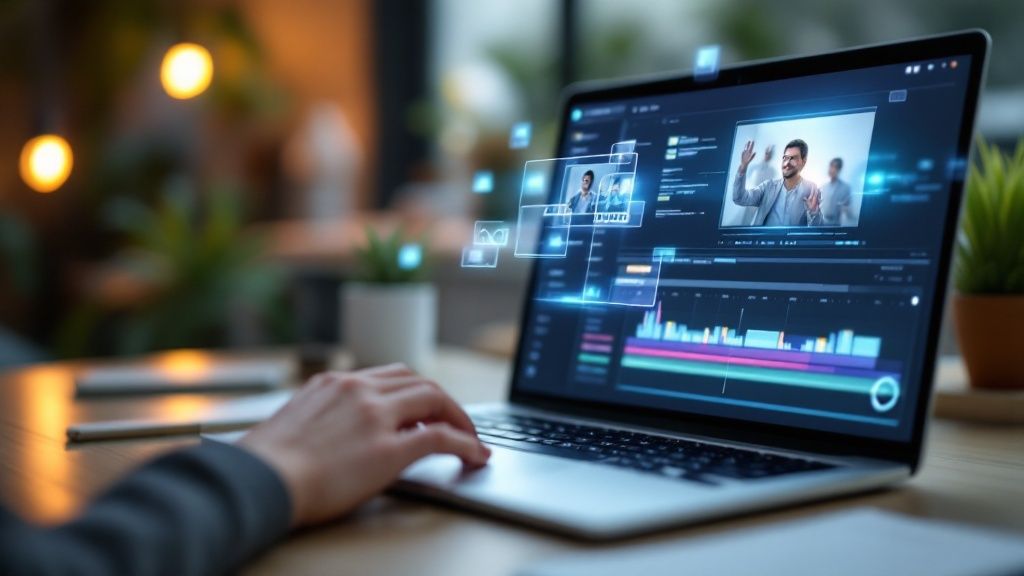
Gone are the days when creating a compelling video meant wrestling with complicated software or shelling out for expensive gear. Today, making an AI video is refreshingly simple: you write a text prompt describing your scene, pick a tool like LunaBloom AI, and let it generate the footage.
From there, you can layer in voiceovers, music, and other custom touches. It’s a completely different way to think about video production—one that’s accessible to literally anyone.
Why AI Video Generation Is Changing Content Creation
We’ve entered a new chapter in video production. The old barriers—huge budgets, technical know-how, and weeks of work—are quickly disappearing. AI video has become an indispensable tool for marketers, creators, and businesses who need to create great content without the traditional hassle and cost.
It’s not just a minor upgrade; it’s a fundamental shift in how we tell visual stories.
The technology behind it is surprisingly straightforward. It all starts with a simple text prompt. You just write down your idea—describing a scene, an action, or a specific mood—and the AI gets to work, turning those words into a high-quality video clip. This means you can whip up content for social media, marketing campaigns, or training materials in a fraction of the time it used to take.
The Driving Force Behind the AI Video Boom
This isn’t some niche trend, either. The demand for quick, affordable, and scalable video content is exploding across every industry.
- Marketing: Teams can now generate dozens of ad variations for A/B testing in a single afternoon. No more waiting weeks for a new cut.
- Education: Instructors can create engaging visual aids and explainers without ever touching a video editor.
- Corporate Training: Businesses can produce consistent, multilingual training modules quickly and cost-effectively, ensuring everyone is on the same page.
This massive adoption is fueling some serious growth. The global AI video generator market is on track to hit around $1.5 billion by 2029, growing at an incredible compound annual growth rate of 20.0%. These numbers aren’t just hype; they show that AI is solving real-world production problems for countless people. You can dig into more AI video generator statistics to see the full picture.
The real power of AI video is that it puts the creator back in charge. It removes the traditional gatekeepers of cost, time, and skill, allowing anyone with a good idea to bring it to life visually.
Ultimately, learning to make AI videos is more than just picking up a new piece of software. It’s about unlocking a faster, more creative workflow. It lets you focus on the most important part of the process: the story you want to tell.
Choosing the Right AI Video Generation Tool
Picking the right tool from a sea of options is your first real move in making AI videos. With dozens of platforms all promising the world, it’s easy to get lost. The goal isn’t to find the single “best” tool, but the one that actually fits what you’re trying to do. A generator that’s amazing for corporate training videos might be completely wrong for creating a viral TikTok clip.
It all comes down to matching the features to your project. For instance, if you’re cranking out marketing ads, you’ll need a platform with a massive library of high-quality stock footage and music. On the other hand, an educator building a series of explainer videos would care more about realistic AI avatars and accurate voice cloning to create a consistent, trustworthy persona.
Evaluating Core Features and Capabilities
Once you start comparing tools, you have to look past the slick marketing pages and dig into what they can actually do. How well does the text-to-video engine handle specific instructions? I’ve seen some tools that are great at creating beautiful, abstract visuals but fall flat when you ask for something simple, like a character picking up a coffee mug.
Here are the non-negotiables I always check:
- AI Avatar and Voice Quality: Listen to the voice samples with good headphones. Do they sound human, or do they have that tell-tale robotic drone? And look at the avatars. Can you tweak their appearance enough to feel like they belong to your brand?
- Media Library Access: A deep, high-quality stock library is a huge time-saver. Check the variety of video clips,
- images, and audio tracks they offer. Is it fresh and modern, or does it look like it’s from 2010?
- Customization and Editing Suite: Remember, the first AI generation is just your starting point—a rough draft. A good tool must have an editor that’s easy to use for trimming clips, adding text, and uploading your own assets like logos and brand fonts.
This is a great breakdown of how a project flows from just an idea to a finished video.
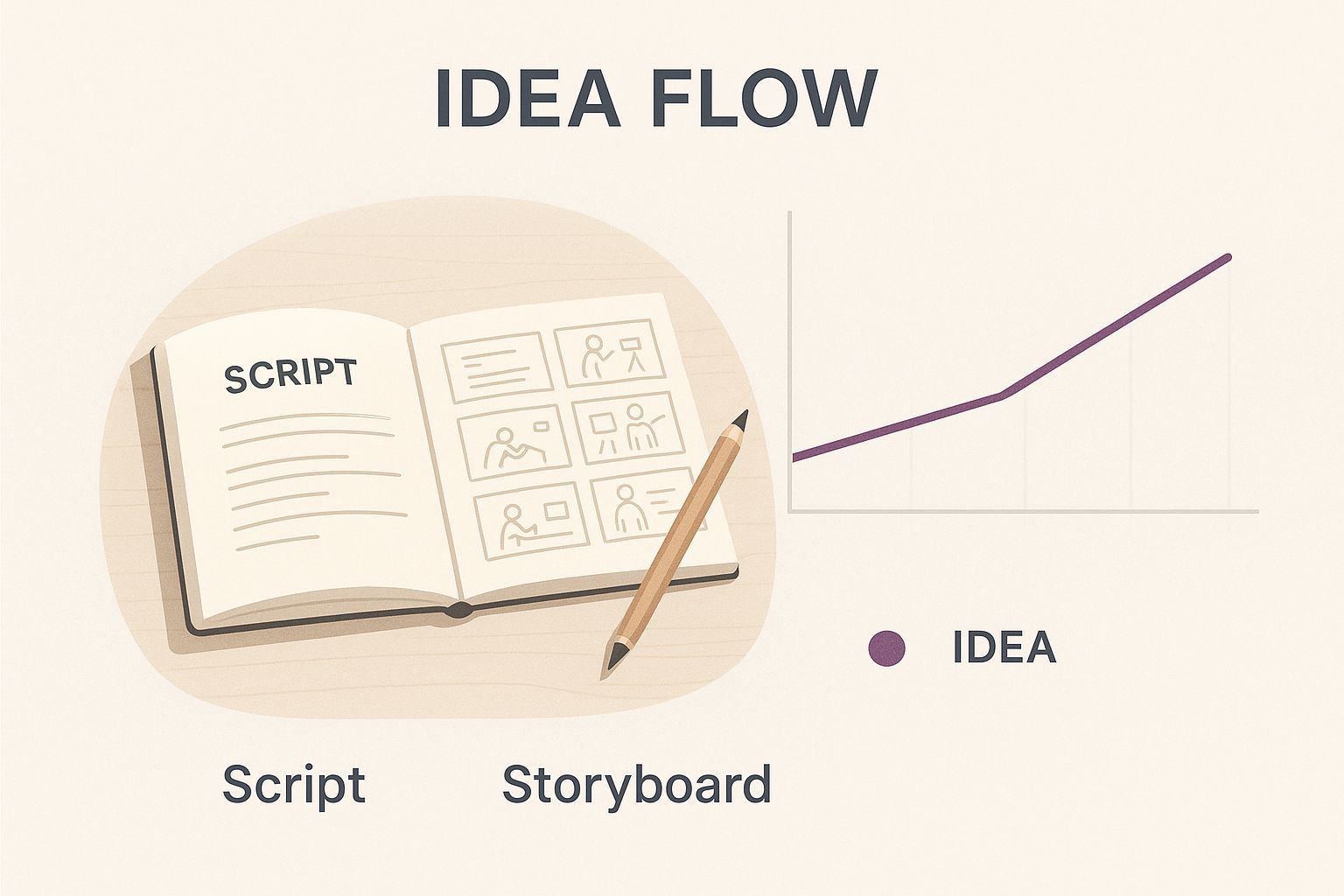
As the image shows, the best AI videos don’t just happen. They start with a clear plan—a script and a storyboard—long before you even click “generate.”
Matching the Tool to Your Use Case
With so many tools on the market, it helps to have a clear idea of what matters most for your specific needs. The table below breaks down some key features to help you decide.
AI Video Generator Feature Comparison
Picking the right AI video generator depends entirely on your project’s goals. A feature that’s critical for one person might be useless for another. This comparison highlights essential features and explains what they mean for you in practical terms.
| Feature | What It Means for You | Ideal Use Case |
|---|---|---|
| Realistic AI Avatars | Creates a consistent, human-like presenter for your videos without needing to film anyone. | Corporate training, educational content, and company announcements where a consistent “face” is important. |
| Extensive Stock Media Library | Saves you time and money by providing a vast collection of video clips, images, and music directly within the platform. | Marketing ads, social media content, and any video that needs diverse, high-quality B-roll footage. |
| Advanced Editing Suite | Gives you fine-tuned control to adjust timing, add text overlays, upload custom assets, and perfect the final video. | Brand-heavy marketing content, detailed product demos, and videos requiring precise branding elements. |
| Voice Cloning & Custom Voices | Allows you to create a unique voice for your brand or clone an existing one for ultimate consistency. | Audiobooks, podcasts converted to video, and brand storytelling where a specific vocal identity is key. |
| API Access | Enables you to integrate the AI video generation capabilities into your own applications or workflows for automated creation. | Large-scale content operations, personalized video marketing campaigns, and tech-savvy businesses building custom solutions. |
Ultimately, the best tool is the one that fits your workflow and helps you achieve your creative vision without a steep learning curve or a prohibitive price tag.
Your specific situation is what really matters. A small business owner probably just needs a simple, all-in-one tool for whipping up quick social media posts. A big company, however, might invest in a more robust platform to create standardized, on-brand training videos for hundreds of employees.
Don’t get stuck in analysis paralysis. The absolute best way to figure this out is to just start making things. So many of these platforms have free trials. Use them. Test the workflow and see if it clicks with how you think and create.
If you’re just starting out, a platform like LunaBloom AI offers a great mix of features that work for all kinds of projects, from marketing to e-learning. Getting your hands dirty with a tool like this is the quickest way to understand the real-world process of AI video creation. In the end, the right tool feels less like software and more like a creative partner that helps you bring ideas to life.
Crafting Your First AI Video From Scratch
This is where the magic happens—turning an idea in your head into a real, watchable video. To make this practical, let’s create a short promotional clip for a fictional coffee shop called “Morning Ritual.” The goal? A cozy, 30-second spot perfect for social media.
It all starts with the prompt. Think of the prompt as your direct line to the AI, and just like talking to a human, clarity is key. A lazy prompt like “make a video about coffee” is going to get you a generic, soulless result. You need to put on your director’s hat and give specific instructions for every part of the scene.
Writing a Prompt That Actually Works
A great prompt doesn’t just ask for something; it paints a picture with words. For our “Morning Ritual” promo, we need to get descriptive.
Here’s how I’d structure the prompt:
- Scene: A close-up shot of a barista’s hands expertly pouring latte art into a ceramic mug. Steam gently rises from the coffee.
- Setting: The background is a warm, rustic coffee shop with soft morning light filtering through a window. Wooden textures and green plants are visible but slightly out of focus.
- Mood: Cozy, inviting, and peaceful. The feeling should be one of comfort and craftsmanship.
- Style: Cinematic, high-quality, 4K resolution with a shallow depth of field.
This level of detail gives the AI exactly what it needs to work with. It understands the subject (latte art), the environment (rustic shop), the feeling (cozy), and the visual style (cinematic). Small tweaks here can completely transform the final video.
From Text to First Draft in Minutes
With your detailed prompt ready to go, head over to your AI tool’s generation page. Most platforms, like LunaBloom AI, keep it simple with a text box where you can paste your prompt. Once you hit “generate,” the AI gets to work. This usually takes a few moments.
What you get back is the first draft—a raw clip based entirely on your instructions. Don’t worry if it isn’t perfect right away; that’s totally normal. In my experience, generating a few different versions is the way to go. I’ve found that changing just one word in the prompt, like swapping “soft morning light” for “golden hour light,” can produce a dramatically better result.
This image shows just how well AI can capture a specific artistic style from text alone.
The AI has clearly understood the stylistic cues and produced something complex and visually coherent.
Adding Audio and Voice
Okay, you’ve got a few video clips you like. Now it’s time to add sound. A silent promo on social media is just going to get scrolled past.
- Pick a Voiceover: Most tools have a library of AI voices you can browse. You can usually filter by gender, accent, and tone. For our “Morning Ritual” spot, a warm, calm female voice would be perfect. Then, you just type in a simple script like, “Start your day the right way. Morning Ritual Coffee, crafted with care.”
- Find the Right Music: The soundtrack really sets the emotional tone. You’ll want to find an instrumental track that matches the cozy vibe maybe a gentle acoustic guitar or a soft piano melody. The music library in your tool should let you search by genre and mood to find the right fit.
Remember, the first generation is a starting point, not the final product. The real magic happens when you start combining clips, refining the audio, and adding your own creative touch.
Following these steps, you can get a solid first draft of your coffee shop promo ready in less than 15 minutes. You’ve gone from a simple idea to a complete video with visuals, a voiceover, and music—all without ever touching a camera. This is the foundation you’ll build on during the editing phase.
How to Refine and Customize Your AI Video
Getting a great first draft from your AI tool is a fantastic start, but that’s all it is—a start. The real magic happens when you step in and add that essential human touch. This is where you transform a decent AI video into a great one that actually feels like it came from your brand.
Think of it less as fixing mistakes and more as elevating the content. Small tweaks to the pacing, audio, and branding can make the difference between a video that feels automated and one that feels polished and intentional. It’s a vital part of learning how to create AI videos that genuinely connect with people.
Fine-Tuning Pacing and Flow
The raw output from an AI generator can sometimes feel a bit… off. A little disjointed. Your first task is to put on your editor’s hat and focus on the rhythm and timing of the whole piece.
Start by trimming scenes. Does a shot hang around for too long? Does another cut away too fast? Shaving off even half a second can completely change a video’s energy. For our “Morning Ritual” coffee shop ad, that might mean tightening up the shot of the latte art pour to give it more punch.
Next, turn your attention to the AI voiceover. Even the best AI voices can sound a little unnatural in their cadence. Most platforms, including LunaBloom AI, let you add or remove pauses to shift the emphasis. A tiny pause right before a key phrase, like “…crafted with care,” can give it the weight it needs to really land with the viewer.
Pro Tip: Try watching your video with the sound completely off. Does it still tell a coherent story? This simple test is a brilliant way to check the strength of your visuals and pacing, ensuring your message gets across even to people scrolling without audio.
Infusing Your Brand Identity
A video that looks generic won’t do your brand any favors. This is the stage where you make the content unmistakably yours by layering in your specific brand elements. For any marketing or professional content, this step is non-negotiable.
Your brand kit is your best friend here. Applying your visual identity consistently builds recognition and trust. Here’s what to focus on:
- Logo Placement: Add your logo as a subtle watermark in a corner. It keeps your brand visible without being obnoxious.
- Custom Fonts and Colors: Any text on screen should use your brand’s specific fonts and color palette. Ditch the default font and use the one from your website for captions or calls to action.
- Branded Outro: Finish strong with a simple end screen showing your logo, website, and social media handles. It’s a professional touch that tells viewers what to do next.
Enhancing Visual Engagement
Alright, let’s add some visual flair to keep people from scrolling away. The goal is to make every single frame as engaging as you can.
Simple text overlays can work wonders for highlighting key points from the script. For example, as the narrator says “crafted with care,” you could have those words fade in gently on the screen.
Another powerful move is to blend your own media with the AI-generated clips. Have a great shot of your actual coffee shop interior? Mix it in! Combining real footage with AI footage adds a layer of authenticity that makes the whole video feel more believable and trustworthy.
The ability to refine AI output is quickly becoming a crucial skill. By 2025, it’s predicted that 30% of marketing messages will be shaped by AI, which will handle everything from scripting to final edits. This shift is making video production faster and more accessible for everyone. You can dig deeper into these video marketing trends and statistics to see what’s coming next.
Advanced Techniques for Standout AI Videos
How to create realistic voice overs with AI
Once you’ve got the hang of the basics, it’s time to dig into the features that really separate generic AI videos from memorable, high-impact content. Moving beyond simple text-to-video generation unlocks a whole new level of creative control, letting you build a distinct and consistent brand presence automatically.
This is where you stop being just a user of an AI tool and start becoming a director. It’s all about taking full command of the creative process to produce videos that aren’t just faster and cheaper, but flat-out better and more effective.
Develop Your Custom AI Avatars and Voices
One of the coolest features in modern AI video tools is the ability to create your own custom avatars. Instead of choosing from a stock library of presenters, you can design one that perfectly embodies your brand’s personality—whether that’s a friendly instructor for training modules or a polished corporate spokesperson for company updates.
Even better, you can pair this with voice cloning. By uploading a short audio sample of a real person’s voice, platforms like LunaBloom AI can create a digital replica that will narrate any script you throw at it. This ensures absolute consistency across all your video content, reinforcing your brand’s unique sound. Over time, a consistent voice builds serious familiarity and trust with your audience.
Use AI for Strategic A/B Testing
Knowing how to make AI videos is one thing, but knowing which videos actually work is the real game-changer. This is where AI becomes an incredible optimization partner. You can quickly generate multiple versions of the same video to test different elements and see what truly clicks with your audience.
Think about some common A/B testing scenarios you can run in minutes:
- Varying Calls-to-Action (CTAs): Pit “Learn More” against “Shop Now” to see which one drives more action.
- Swapping Soundtracks: Does an upbeat, energetic track outperform a calm, inspirational one? Your audience might surprise you.
- Testing Different Avatars: See if a male or female presenter gets a better response from your target demographic.
Because generation is so fast, you can run these tests at a scale that would be completely unthinkable with traditional video production. This data-driven approach shifts your video strategy from guesswork to a precise, results-oriented machine.
By automating the creation of test variants, you can focus your energy on analyzing performance data and refining your strategy. It’s not just about making videos; it’s about making videos that work.
There’s no denying that video is a must-have business tool now. By 2025, an estimated 89% of businesses will use video marketing, and 93% of marketers are already reporting a positive ROI from their video campaigns. AI is what makes this strategy scalable and ruthlessly effective. You can learn more about the future of video marketing and discover more insights about its growth on sundaysky.com. These advanced techniques are your ticket to capitalizing on this trend.
Common Questions About Making AI Videos
As you get started with AI video, a bunch of questions are bound to come up. The tech is moving so fast that what was a pipe dream last year is a standard feature today. This section cuts through the noise and answers the most common questions you’ll have.
Getting a handle on what these tools can do—and just as importantly, what they can’t do yet—is the key. It helps you set realistic expectations and figure out where your creative touch will make the biggest difference.
Can AI Videos Truly Replace Human Creators?
Not a chance. Think of AI as an incredibly powerful collaborator, not a replacement. It’s brilliant at doing the grunt work—like finding b-roll, generating a solid first-draft voiceover, and spitting out a rough cut in minutes.
This frees you up to focus on the stuff that actually matters: the big-picture strategy, the creative direction, and telling a story that connects with people. The best content comes from mixing AI’s speed with a human’s creative instinct. You’re still the director; the AI is just your very efficient, tireless production assistant.
What Are the Current Limitations of AI Video Tools?
AI video generators are amazing, but they aren’t perfect. One of the biggest hurdles right now is visual consistency. You might find that a character or an object looks slightly different from one scene to the next, which can be a bit jarring for the viewer.
Nailing subtle human emotions or complex hand gestures is also still a work in progress. And while AI voices are getting scarily realistic, they sometimes miss the nuanced delivery and emotional tone of a professional voice actor. Knowing these limitations isn’t about being negative; it’s about learning to work around them creatively.
We’re still in what I call the “cool because it’s AI” phase. The tech itself is impressive, but the real win will be when AI seamlessly handles production tasks, and nobody can even tell the difference.
How Do I Stop My AI Videos From Looking Generic?
This is the big one. The secret to avoiding cookie-cutter content is customization. You have to inject your own brand and style into the video instead of just sticking with the default settings.
Here’s how to make your videos uniquely yours:
- Upload Your Brand Kit: This is non-negotiable. Get your logos, brand colors, and specific fonts loaded in right away. It’s the fastest way to make every video feel like it came from you.
- Write Rich, Descriptive Prompts: Don’t just say “a person working on a laptop.” Get specific. Describe the vibe, the lighting, the camera angle, the style. Is it a cozy café with warm light, shot from a low angle? The more detail you feed the AI, the more original the output will be.
- Refine and Iterate: The first version is never the final version. Jump into the editor to tweak the timing, swap out scenes that feel off, and fine-tune the audio until it’s just right.
- Mix in Your Own Media: This is the ultimate pro move. Weave in your own video clips, photos, or customer testimonials. Combining authentic, real-world footage with AI-generated scenes creates a level of originality that a purely AI video just can’t touch.
Ready to put these answers into action? LunaBloom AI has all the tools you need to create, customize, and polish your videos. Start your free trial today and see what you can build.





