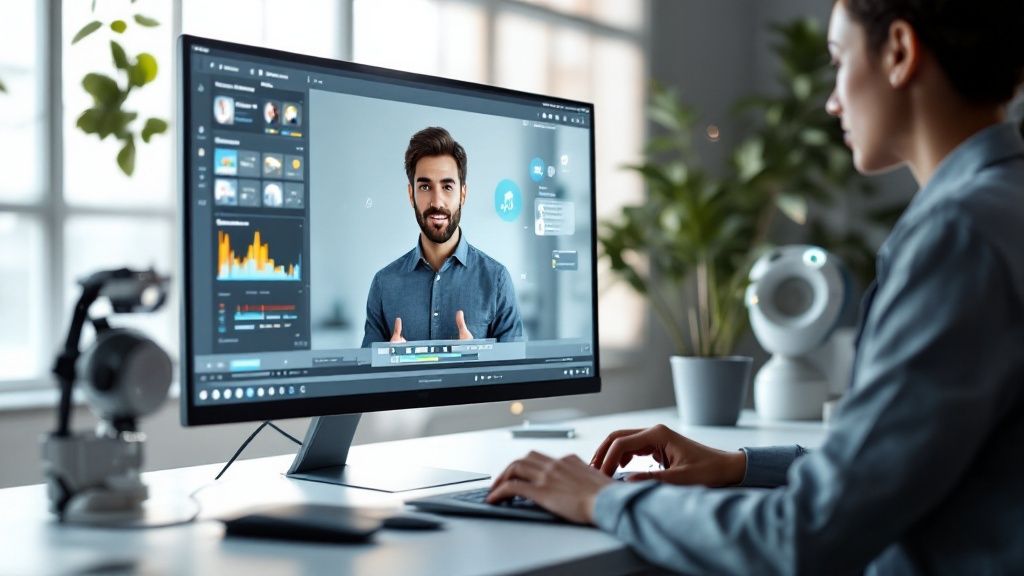
At its core, an AI avatar video is a piece of content where a digital character delivers a message from a script. It’s all powered by artificial intelligence. Using text-to-speech and lip-syncing tech, you can create a lifelike presenter without ever needing a camera, a real person, or a studio.
Why AI Avatar Videos Are a Content Game Changer
The content creation world is always moving. Businesses and creators are in a constant race to produce more video to keep their audiences hooked, but let’s be honest—traditional video production is a huge drain on time and money. This is exactly where AI avatar videos come in and completely change the game.
Forget about scheduling shoots, casting actors, or getting lost in complicated editing software. Now, you can generate a professional video presenter just by typing out a script. It’s a massive shift that lowers the barrier to entry for video marketing, company training, and even customer support tutorials.
The Exploding Demand for Digital Humans
This isn’t just a niche trend; it’s a reflection of a bigger shift in how we communicate. The numbers back it up, too. Projections show the global AI avatar market is set to skyrocket from USD 0.80 billion in 2025 to USD 5.93 billion by 2032. That’s a compound annual growth rate (CAGR) of 33.1%, which signals a major change in how businesses approach video. You can dive deeper into this incredible growth trend in AI avatar technology.
This screenshot shows just how far avatars have come in computing.
We’ve gone from simple 2D icons to photorealistic 3D models, showing a clear desire for more relatable and lifelike digital characters.
Practical Applications Driving Adoption
The real magic of an AI avatar video is just how versatile it is. Companies are already putting this technology to work in practical, high-impact ways to solve real business problems.
- Marketing Teams: They can quickly spin up personalized ad creative, social media videos, and product announcements tailored to different audiences.
- E-Learning and HR: It’s perfect for developing consistent training modules or onboarding materials that can be easily updated or translated into multiple languages.
- Customer Support: Imagine creating clear, step-by-step tutorial videos to answer common questions. It’s a great way to take some of the pressure off your support staff.
By getting rid of the logistical headaches of traditional video, AI avatars let teams concentrate on what really matters: the message. The fact that you can edit a video just by changing a text file makes iterating on content ridiculously fast and almost effortless.
How to Choose the Right AI Avatar Platform
Picking the right tool to create your ai avatar video is your first big decision, and honestly, the number of options out there can be overwhelming. Not all platforms are built the same—some are great for quick social media clips, while others pack the features you need for professional training content. The platform you choose will shape the quality, cost, and scalability of everything you produce.
The trick is to look past the shiny marketing promises and figure out what actually matters for your goals. You have to get into the weeds and look at the core functions that make a tool a good fit.
This graphic really breaks down the decision-making process, showing how different needs point you toward different platforms.
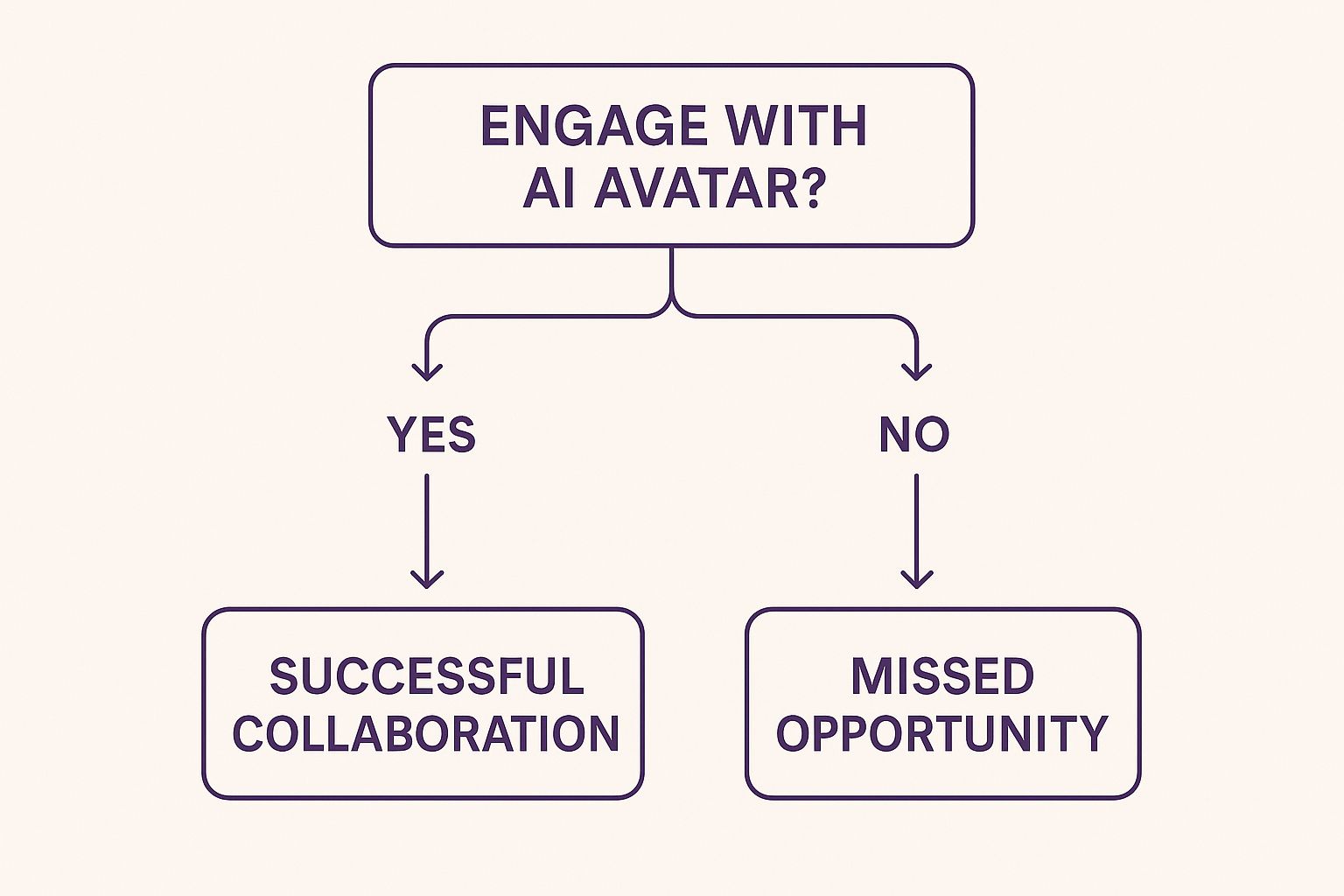
As you can see, the best tool is all about your project’s complexity and who you’re trying to reach. It helps you zero in on the features that will actually make a difference for you.
Evaluating Core Features
When you’re comparing your options, focus on the features that deliver a believable, professional final product. These are the non-negotiables that separate a great AI avatar platform from a mediocre one.
First up, check out the avatar quality and customization. Can you create a digital presenter that actually looks like it belongs to your brand, or are you stuck with generic, slightly creepy characters? A platform like LunaBloom AI really shines here by offering a wide range of high-def avatars and even the option to create your own custom ones. This ensures your digital human feels authentic and can actually connect with your audience.
Next, listen closely to the voice capabilities. High-quality voice cloning and a big library of natural-sounding text-to-speech voices are must-haves. The ability to control the tone, pacing, and emotion in the voiceover is what separates a video that sounds human from one that sounds like a robot reading a script. For instance, being able to clone your own voice adds a massive layer of personalization that’s hard to beat.
To help you see how different platforms stack up, here’s a quick comparison of some of the most important features you should be looking for.
AI Avatar Platform Feature Comparison
| Feature | LunaBloom AI | Platform A | Platform B |
|---|---|---|---|
| Custom Avatars | Yes, high-fidelity creation from photos | Basic options only | Yes, but with long processing times |
| Voice Cloning | Yes, authentic and fast | No | Yes, limited to top-tier plans |
| Multi-Language Support | 50+ languages and accents | 10 languages | 25+ languages, robotic voices |
| Ease of Use | Intuitive drag-and-drop interface | Steeper learning curve | Simple but lacks advanced features |
| Integration Options | API access, LMS compatibility | Limited API | Zapier only |
| HD Export | Up to 4K resolution | 1080p maximum | 1080p, with watermarks on lower plans |
This table gives you a starting point. Your final choice will depend on balancing these features with your budget and specific project needs. A platform that checks all the boxes for one person might not be the best fit for another.
Beyond the Basics: What to Look For
Once you’ve confirmed the fundamentals are solid, it’s time to dig a little deeper into the features that will support your workflow and help you reach a wider audience.
- Multi-Language Support: If your audience is international, this is a game-changer. Platforms that support dozens of languages and accents let you turn a single video into a global campaign with minimal effort. This can slash your translation and production costs by over 80%.
- Ease of Use: An intuitive interface is so important. You shouldn’t need a degree in video editing just to make content. Look for drag-and-drop editors, pre-made templates, and a clear, simple process for scripting and rendering your videos.
- Integration and Export Options: The tool needs to play nice with your existing workflow. Can it integrate with software you already use? Does it give you flexible export settings for different platforms like YouTube, Instagram, or a corporate learning management system (LMS)?
Choosing the right platform isn’t just about the features available today; it’s about finding a partner that can grow with your content needs. A versatile tool provides the foundation to experiment and scale your video strategy effectively.
Making an informed decision means balancing these features against your budget and how technically savvy you are. For those still exploring, you can get a full rundown of what’s possible by checking out the features on the LunaBloom AI website to see how it compares. A little research upfront will make sure you invest in a tool that actually helps you create better content, faster.
Designing a Lifelike Digital Presenter
Once you’ve picked your platform, the fun part begins. This is where your idea for an ai avatar video starts to take shape as a real, digital presenter. The goal is to build a character that not only looks the part but also connects with your audience in a way that feels genuine.
Your first big call is whether to go with a pre-made stock avatar or create a custom one. Stock avatars are fantastic for getting things moving quickly with a professional look right out of the box. But a custom avatar, which is usually made from a photo or video, gives you a unique digital identity that’s 100% yours and fits your brand perfectly.
You can see here how the best platforms offer a huge library of high-quality stock avatars to get you started.
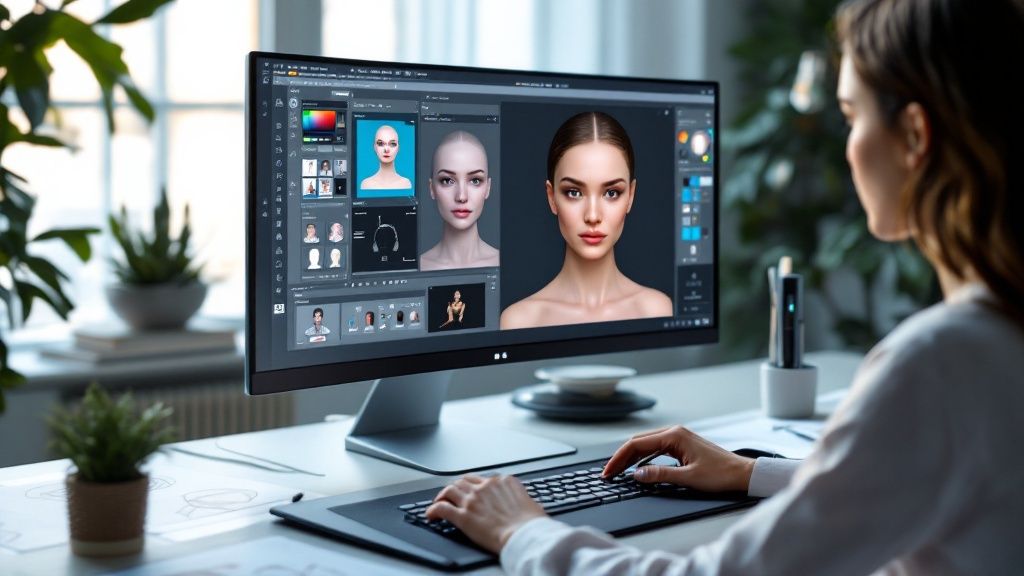
The diversity in age, ethnicity, and professional style shows that these tools are built for global business, making it easier to find a presenter who truly represents your audience.
Choosing Between Stock and Custom Avatars
For a lot of us, speed and cost are king. It’s no surprise that preset avatars are incredibly popular, making up about 40% of the market today. Big companies love them because they can get videos out the door fast. This is all happening within a market that’s absolutely exploding—the AI avatar space was valued at USD 2.5 billion and is expected to hit a massive USD 63.5 billion by 2034, with a huge growth rate of 38.2% CAGR. You can dig into more of this data on customization trends in the AI avatar market.
A custom avatar, though, is the ultimate branding move. Just think about it: your company’s CEO or a key brand ambassador could be available 24/7 for training modules and marketing videos, without ever having to get in front of a camera again. That creates a consistent, powerful presence that a stock avatar just can’t match. With LunaBloom AI, you can just upload a clear video to generate a digital twin of anyone on your team.
The choice between stock and custom isn’t just about budget. It’s a strategic decision. A stock avatar is perfect for rapid content production, while a custom avatar is a long-term investment in brand identity and authenticity.
Fine-Tuning Your Avatar for Authenticity
Making a digital presenter believable is about more than just picking a face. It’s the little details that make all the difference, turning a digital puppet into someone your audience can connect with. Inside the LunaBloom AI editor, you get to control all these small-but-mighty elements.
- Attire and Appearance: Dress your avatar for the occasion. A serious business presentation needs professional clothes, while a casual social media video might call for something more relaxed. Keeping the wardrobe consistent helps reinforce your brand.
- Background Setting: Put your avatar in a setting that makes sense. You can go with a simple colored background for a clean, modern feel, upload a picture of an office, or even use a video background to make things more dynamic.
- Facial Expressions and Gestures: The AI handles a lot of the expressions automatically based on your script, but you can definitely influence the overall tone. If you write your script with more emotional or energetic language, you’ll trigger more natural micro-expressions and avoid that stiff, robotic look.
Avoiding the Uncanny Valley
We’ve all seen it. The “uncanny valley” is that creepy feeling you get when a digital human looks almost real, but something is just… off. It’s a huge pitfall when creating an ai avatar video because it pulls viewers out of the message and makes them lose trust.
The best way to steer clear of it is to focus on subtlety. Don’t go for over-the-top gestures or dramatic vocal tones that the AI might struggle with. It’s also a smart move to test your video on a small group first. They’ll catch any awkward movements or weird pauses you might have missed.
The key is to aim for believability, not perfect hyper-realism. A well-designed avatar that has a bit of style is often way more effective than a photorealistic one that just feels slightly wrong.
Scripting and Voicing Your AI Avatar
Having a great-looking digital presenter is only half the story when you’re making an ai avatar video. The other, more critical half is the script and the voice delivering it. That’s what really connects with your audience. A clunky script or a robotic voice can completely break the spell, causing your message to fall flat.
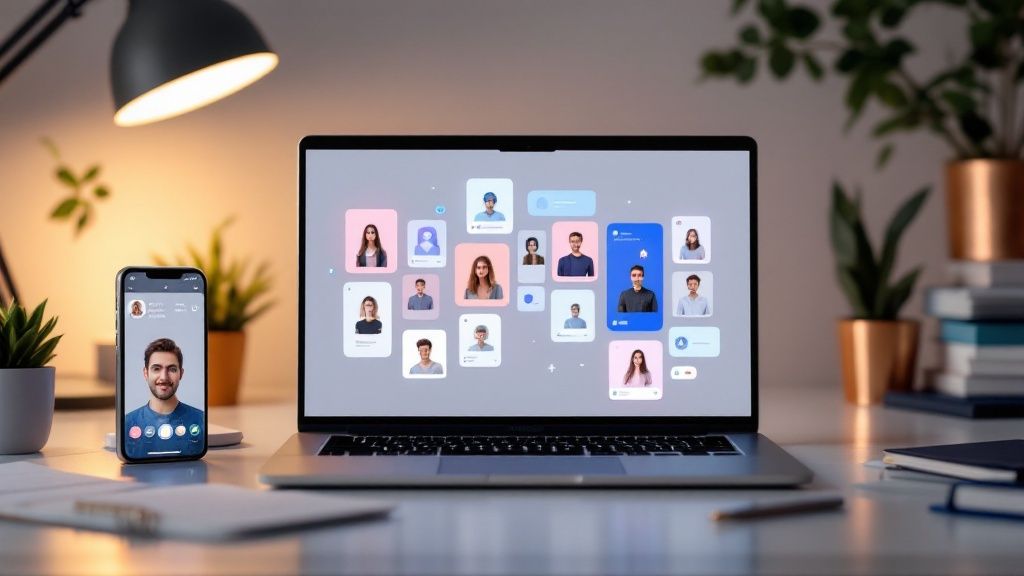
Here’s a little secret I’ve learned: you have to write for the ear, not just for the eye. Scripts meant for an AI voice need a more direct, conversational tone than your average blog post. Think shorter sentences, simpler words, and a clear, logical flow. This makes it so much easier for the AI to sound natural.
Writing Scripts for an AI Voice
Before you even start playing with the voice settings in LunaBloom AI, your script has to be rock-solid. It’s the foundation for the whole video. A well-written script makes the AI’s job a breeze and the final product way more engaging.
A great trick is to read your script out loud. Seriously. Does it sound like something a real person would say? If you find yourself tripping over complicated sentences or running out of breath, that’s your cue to simplify.
Here are a few quick tips that always work for me:
- Keep it Punchy: Get right to the point. Every single sentence should have a purpose and move your story forward.
- Talk Like a Human: Ditch the corporate jargon and stiff language. Write as if you’re explaining something to a friend over coffee.
- Create Breathing Room: Use pauses and shorter paragraphs in your script. This gives both the AI and your audience natural breaks to process the information.
When you write this way, the text-to-speech engine can generate a delivery that feels human and is easy to follow, which is a game-changer for keeping viewers hooked.
Your script is the blueprint for your avatar’s performance. The more natural and clear you make the written words, the more lifelike and persuasive the final AI voiceover will be.
Choosing the Right Voice and Tone
Okay, script’s ready. Now for the fun part: bringing it to life inside LunaBloom AI. The platform has a massive library of text-to-speech voices, so you have plenty of options to find the perfect match for your brand’s personality.
Don’t just settle for the first voice you hear. Think about who you’re talking to and what you want to achieve. Creating a serious corporate training module? A calm, authoritative voice is probably your best bet. But if it’s a fun ad for social media, you’ll want something with more energy and enthusiasm.
The Power of Voice Cloning
For that next-level brand consistency, nothing beats voice cloning. This is an amazing feature where you can upload a short audio clip of your own voice, and the AI learns to replicate it for any script you feed it. It’s a powerful way to add a genuinely personal and authentic feel to your ai avatar video content.
Just imagine your CEO narrating company-wide announcements or your lead trainer guiding new employees through onboarding—all without them ever having to step into a recording booth. This feature blends the efficiency of AI with the trust and familiarity of a real human voice. It’s a game-changer.
Finally, don’t forget to use punctuation as a tool. Commas create little pauses, and periods create longer ones. You can even toss in an ellipsis (…) to add a moment of drama or thought. These small tweaks give you incredible control over the pacing and rhythm, making the final audio sound polished and professional.
Assembling and Exporting Your Final Video
You’ve designed your avatar and generated the voiceover, and now it’s time to put all the pieces together. This is where the real magic happens inside the LunaBloom AI editor, as you turn those separate assets into a seamless ai avatar video. Think of it as your own digital editing suite where you layer everything to build the final story.
Your first move is placing your avatar onto the timeline. From there, you can drag and drop your background visuals. It could be a simple branded color, a static image of an office setting, or even a dynamic video clip to give your scene more life and context.
And the timing couldn’t be better. The AI video generator market, which is closely tied to this tech, was already valued at USD 554.9 million in 2023. It’s expected to explode to USD 1.96 billion by 2030. Unsurprisingly, software solutions account for 63.3% of this market, proving how essential platforms like LunaBloom AI are becoming. You can dig deeper into the numbers behind this rapid growth in the AI video generator market.
Adding Professional Touches and B-Roll
A video that’s just a talking head can get stale, fast. To keep your audience hooked and drive your points home, you need to add supporting visual elements.
This is where you can easily overlay your company logo to keep things on-brand or add text callouts to emphasize key data points. It’s also the perfect place to weave in B-roll footage—those extra clips that show what your avatar is talking about.
For instance, if your avatar is explaining a new software feature, you can cut away to a screen recording of that feature in action. Combining a presenter with visual aids is a tried-and-true method for making information stick.
- Logos and Branding: Pop your logo in a corner to maintain brand presence throughout the video.
- On-Screen Text: Use text overlays for important stats, powerful quotes, or clear calls to action.
- Supporting Footage: Drop in short B-roll clips or relevant images to break things up and keep viewers engaged.
The best AI avatar videos strike a perfect balance between the presenter and relevant visuals. The goal is to show, not just tell, by using all the tools in the editor to create a truly dynamic experience.
Optimizing Your Video for Export
Once every element is in its perfect place, the last step is exporting your masterpiece. LunaBloom AI gives you different settings to make sure your video looks incredible on any platform you share it on.
Pay close attention to resolution and aspect ratio. A high-resolution 16:9 format is your go-to for something like a YouTube tutorial. But if you’re aiming for Instagram Reels or TikTok, you absolutely need a vertical 9:16 aspect ratio. Nailing these export settings from the get-go saves you a ton of headaches later and ensures your ai avatar video is primed for maximum impact.
Answering Your Questions About AI Avatar Videos
As you start exploring how to make an ai avatar video, you’re bound to have some questions. This space is moving incredibly fast, so it helps to get a clear picture of what these tools can actually do. Let’s tackle some of the most common things people ask.
A big one is always about realism. Just how convincing can a digital presenter be? Honestly, the quality of modern AI avatars is pretty staggering, especially when you’re using a top-tier platform. We’re talking lifelike facial expressions and lip-syncing that’s nearly spot-on.
Of course, the final result depends on the tool you pick, how much you tweak the customizations, and the quality of your script. While some basic tools might still give off a slightly robotic vibe, the best in the business are getting scarily close to hyper-realism.
What Can They Actually Do for Me?
When you boil it down, the advantages of using an ai avatar video come down to three things: cost, scale, and speed. Think about it—you immediately cut out the need for expensive cameras, studio time, and actors. That alone slashes your production budget and timeline.
This opens up a ton of flexibility. Need to update a video? Just edit the script. No reshoots, no hassle. Better yet, you can produce the same video in a dozen different languages using the same avatar, which is a game-changer for global marketing or training programs.
The ability to instantly scale video production across multiple languages and markets without multiplying costs is perhaps the single most powerful benefit of using AI avatars. It opens up global communication in a way that was previously unimaginable for most businesses
Can It Sound Like Me? Personalization and Voice Cloning
This question comes up all the time: “Can the avatar use my own voice?” Absolutely. Advanced platforms like LunaBloom AI have a fantastic feature for this called voice cloning.
The whole process is much simpler than you might think:
- Record a sample: You’ll provide a short, clear recording of your voice.
- Let the AI work: The system analyzes everything that makes your voice unique—the pitch, the tone, the rhythm.
- Generate your audio: From there, it can generate audio for any script you feed it, speaking in a voice that’s authentically yours.
This is the perfect way to keep your brand consistent and add a personal touch. You get the massive scale of AI combined with the trust and familiarity of your own voice. It’s truly the best of both worlds.
Ready to create your own professional, engaging videos in minutes? Discover the power of LunaBloom AI and start building your first AI avatar video today.