Dense training manuals and sleep-inducing slide decks are a waste of time. To create training videos that make an impact, you need content your team actually wants to watch. This isn't just a nice-to-have; it's a critical part of any modern learning and development strategy.
Why Better Training Videos Are No Longer Optional
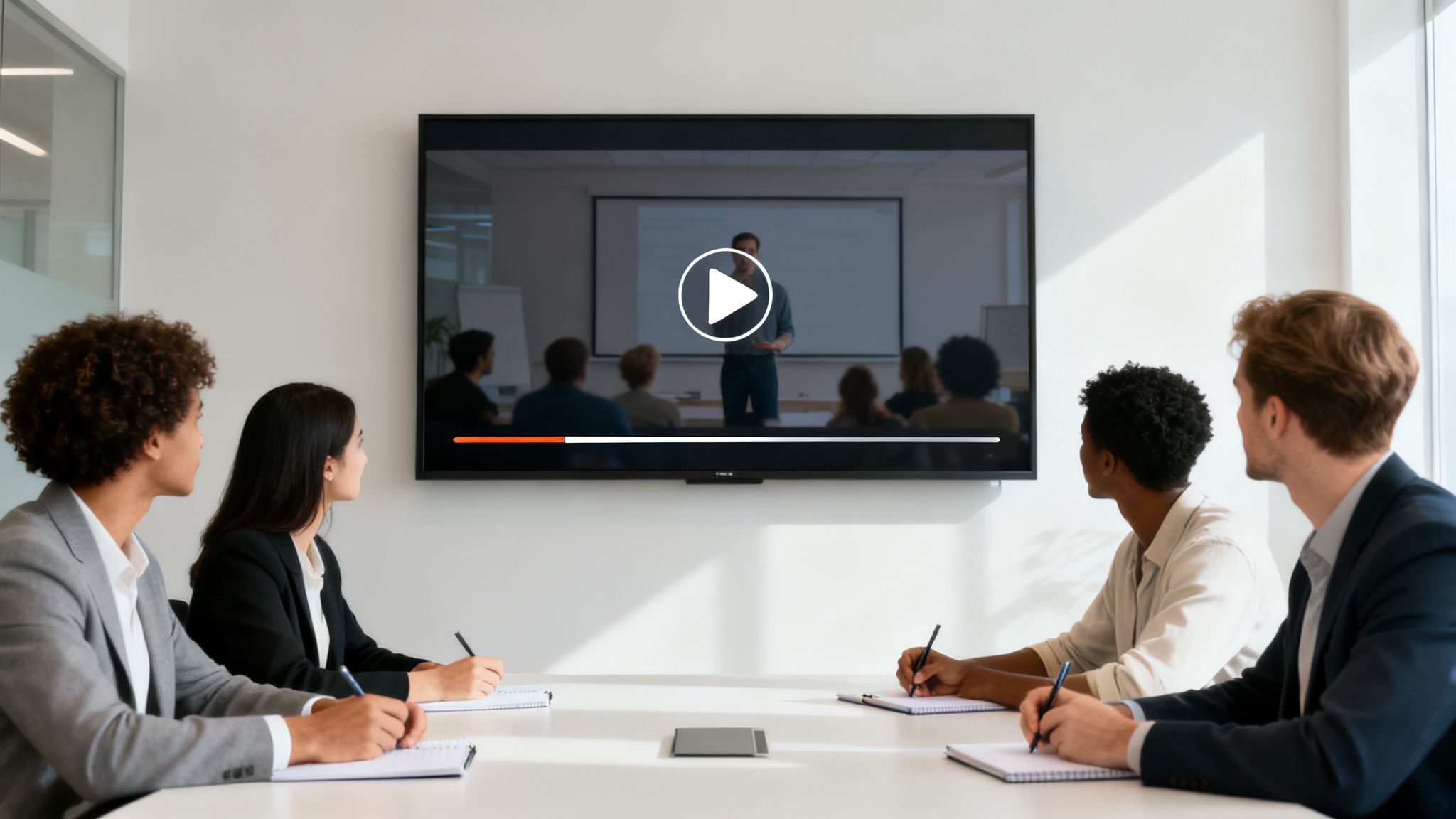
The days of herding everyone into a conference room for a PowerPoint marathon are over. With remote and hybrid work as the new standard, training must be flexible, accessible, and engaging enough to hold attention. Video is the perfect solution, evolving from a "nice-to-have" to an essential business tool.
The reason for this shift is simple: video works. We are visual learners by nature. Think about it—would you rather read a 20-page PDF on a new software feature or watch a 5-minute video that shows you exactly what to do? The choice is clear for most, and it leads to far better knowledge retention.
The Power of Scalable Learning
One of the biggest advantages of video training is its scalability. You can create one excellent video to onboard every new hire, upskill your current team, or explain a new company policy. This ensures every single person receives the exact same message, every single time. No more worrying about different trainers delivering slightly different information.
By investing in a solid video training library, you're not just creating content; you're building a scalable knowledge base that empowers your team to learn on their own schedule, wherever they are.
AI Is Making Professional Videos Accessible to Everyone
Not long ago, creating high-quality video was a major undertaking—expensive, complex, and requiring a full production crew. That barrier has now vanished, thanks to artificial intelligence.
The data speaks for itself. The AI video generation market is projected to skyrocket from a few billion in 2026 to an astonishing USD 24.89 billion by 2036. This isn't just hype; it reflects a massive shift in how we work. Already, 85% of businesses use video for training, a huge jump from just 12% in 2018. The result? They're seeing engagement rates 75% higher than with traditional static content.
Before AI, creating training videos was a major production. Now, tools like LunaBloom AI put the power of a video studio into anyone's hands.
Traditional vs AI-Powered Video Production
| Factor | Traditional Method | AI-Powered Method (e.g., LunaBloom AI) |
|---|---|---|
| Time | Days, weeks, or even months | Minutes or hours |
| Cost | High (equipment, crew, actors, locations) | Low (affordable subscription) |
| Expertise | Requires a team of specialists (camera, editing, sound) | No technical skills needed |
| Scalability | Difficult and expensive to produce in bulk or multiple languages | Effortless to scale and translate |
| Consistency | Can vary between productions and teams | Uniform brand and message every time |
This table illustrates a fundamental change. AI-driven platforms enable any company, regardless of size or budget, to produce polished, professional training materials. It's a strategic advantage that directly boosts employee performance and business growth. There's no longer an excuse for sticking with outdated, ineffective training methods.
Planning Your Video for Maximum Impact
An effective training video is crafted long before you hit the record button. Solid planning is the key differentiator between a sharp, memorable video and one that falls flat. This is the stage where you define what success looks like and map out your path to get there.
Think of it like building a house: you wouldn't start without a blueprint. Diving into production without a plan leads to wasted time, confusing content, and a video that doesn't achieve its goal. A good plan ensures your message is tight, compelling, and perfectly aligned with your training objectives from the start.
Define Your Learning Objectives
Before writing a single word of the script, answer this crucial question: What should the viewer be able to do or know after watching this video? The answer forms your learning objectives. These should be specific, measurable outcomes that guide every decision you make.
Avoid vague goals like, "teach employees about the new software." A much stronger objective is: "After watching this video, the employee will be able to log into the new CRM, create a client profile, and assign a task." That clarity is everything.
Nailing your objectives helps you:
- Focus Your Content: Easily eliminate anything that doesn't directly contribute to the learning goal.
- Measure Success: Create assessments or quizzes that directly test the intended outcomes.
- Keep Viewers Engaged: Deliver direct, valuable content that respects their time.
Scripting for Clarity and Engagement
With your objectives set, it's time to write the script. This isn't about simply listing facts; it's about crafting a narrative that's easy to follow and holds attention. For training videos, a conversational and natural tone is almost always the best approach.
Write like you speak. Avoid corporate jargon and complex sentences. A great practice is to read your script out loud. If it sounds robotic or you stumble over words, rewrite it until it flows naturally. To ensure your videos are truly effective, it's also worth exploring foundational best practices for instructional design.
The best scripts anticipate the viewer's questions and answer them before they're even asked. Structure your content logically, starting with the basics and building up to more complex ideas.
Visualize Your Video with a Storyboard
A storyboard is a simple yet powerful tool for visualizing your video before production begins. Think of it as a comic-strip version of your script, with a quick sketch or note for each key scene. It doesn't need to be a work of art—stick figures and basic notes are perfectly fine.
A storyboard helps you map out:
- Visual Elements: Such as on-screen text, graphics, or animations.
- Pacing and Flow: To ensure the video moves at a good pace without feeling rushed or slow.
- Camera Angles: Or the specific screen captures needed for each segment.
This step is a lifesaver for catching potential issues early. You might realize a concept is too complex to explain with a voiceover alone and requires a supporting graphic or screen recording. It's much easier (and cheaper) to address this during planning than to fix it in post-production. At LunaBloom AI, we understand the importance of planning, which is why our platform is designed to turn your well-crafted scripts into professional videos. You can learn more when you read about our mission.
Using AI Avatars and Voices to Create Your Video
With a solid plan in place, it's time to bring your training video to life. This is where the old rules of video production no longer apply. Forget expensive cameras, studio bookings, or searching for on-screen talent. Modern AI platforms make the entire process accessible, turning your script into a professional video with just a few clicks.
This is a monumental shift. Not long ago, if you wanted to create a training video, you faced a budget of thousands for equipment and a production crew. Today, that complex workflow is consolidated into a simple, text-based interface.
The explosive growth in the AI video generator market highlights the significance of this change. Valued at USD 788.5 million in 2025, the market is projected to reach an incredible USD 3,441.6 million by 2033, with a compound annual growth rate of 20.3%. This indicates rapid adoption by businesses worldwide.
Choosing an AI Avatar That Represents Your Brand
The first step in this new production process is selecting your presenter. AI avatars are digital characters that deliver your script with lifelike expressions and movements. The key is to choose an avatar that aligns with your company's brand and resonates with your audience.
Consider these factors when choosing an avatar:
- Brand Persona: Is your brand formal and authoritative, or friendly and approachable? Select an avatar that reflects this personality.
- Audience Demographics: Who are you training? Choose an avatar your learners can relate to. A diverse library of options is a major advantage.
- Content Tone: Is the material highly technical or more conversational? The avatar's appearance should match the tone of the topic.
This simple diagram shows how the core planning stages flow directly into production.
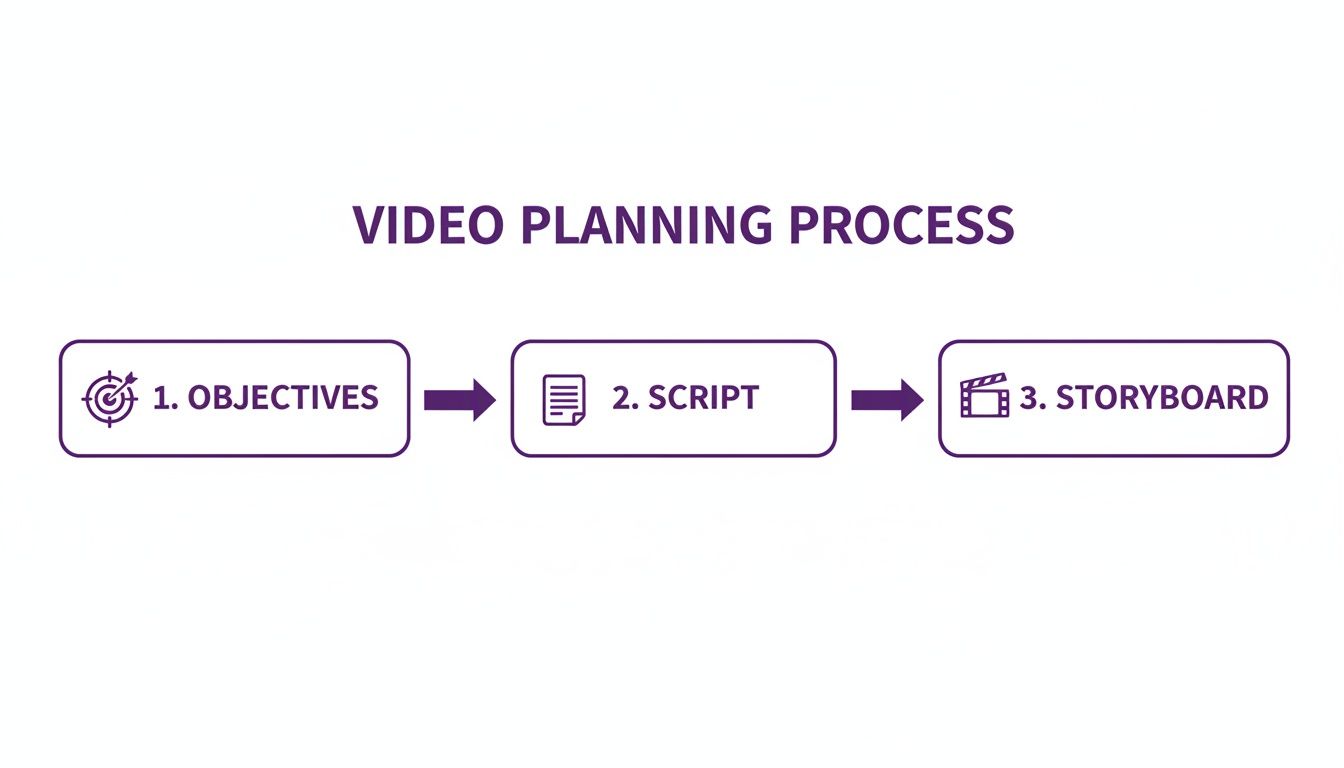
As you can see, solid objectives and a clear script are the foundation. Without them, even the most advanced AI tools won't deliver the results you need.
Tapping Into the Power of AI Voice Technology
Once you've chosen your avatar, the next element is the voice. This is another area where AI provides incredible flexibility, far surpassing traditional methods.
You have two powerful options. First, you can use high-quality, pre-built text-to-speech voices. These have become remarkably natural and are available in dozens of languages and accents, making it easy to create content for a global team.
The second, more personalized option is voice cloning. This technology allows you to create a digital replica of a real person's voice, such as your CEO, a top trainer, or your main brand spokesperson.
Voice cloning provides a level of consistency and brand recognition that is hard to replicate. Imagine every training video narrated by the same familiar, trusted voice, reinforcing your company culture with every lesson.
This feature is a game-changer for building a cohesive training library. It eliminates scheduling conflicts and variations in recording quality, ensuring a perfect, consistent narration every time.
Generating Accurate Subtitles Automatically
Accessibility is not an optional feature; it's a fundamental part of effective training. Subtitles ensure your content is accessible to employees who are deaf or hard of hearing, non-native speakers, or anyone watching in a noisy environment.
Manually transcribing and timing subtitles is a tedious and time-consuming task. AI-powered platforms eliminate this chore entirely. With a single click, you can generate perfectly synchronized subtitles for your entire video.
This saves time and ensures accuracy, making your training inclusive by design. For even more creative visual control, you can explore features like AI face swap technology. Platforms like LunaBloom AI integrate these tools seamlessly, allowing you to focus on your content, not the technology. You can see how easy it is to start—just check out the LunaBloom AI app.
Polishing Your Content with Smart Editing
This is where the magic happens. Whether you're using AI-generated footage or your own recordings, the editing stage transforms raw clips into a polished, professional training video. It's your opportunity to refine every detail, ensuring the final product is engaging and easy to understand.
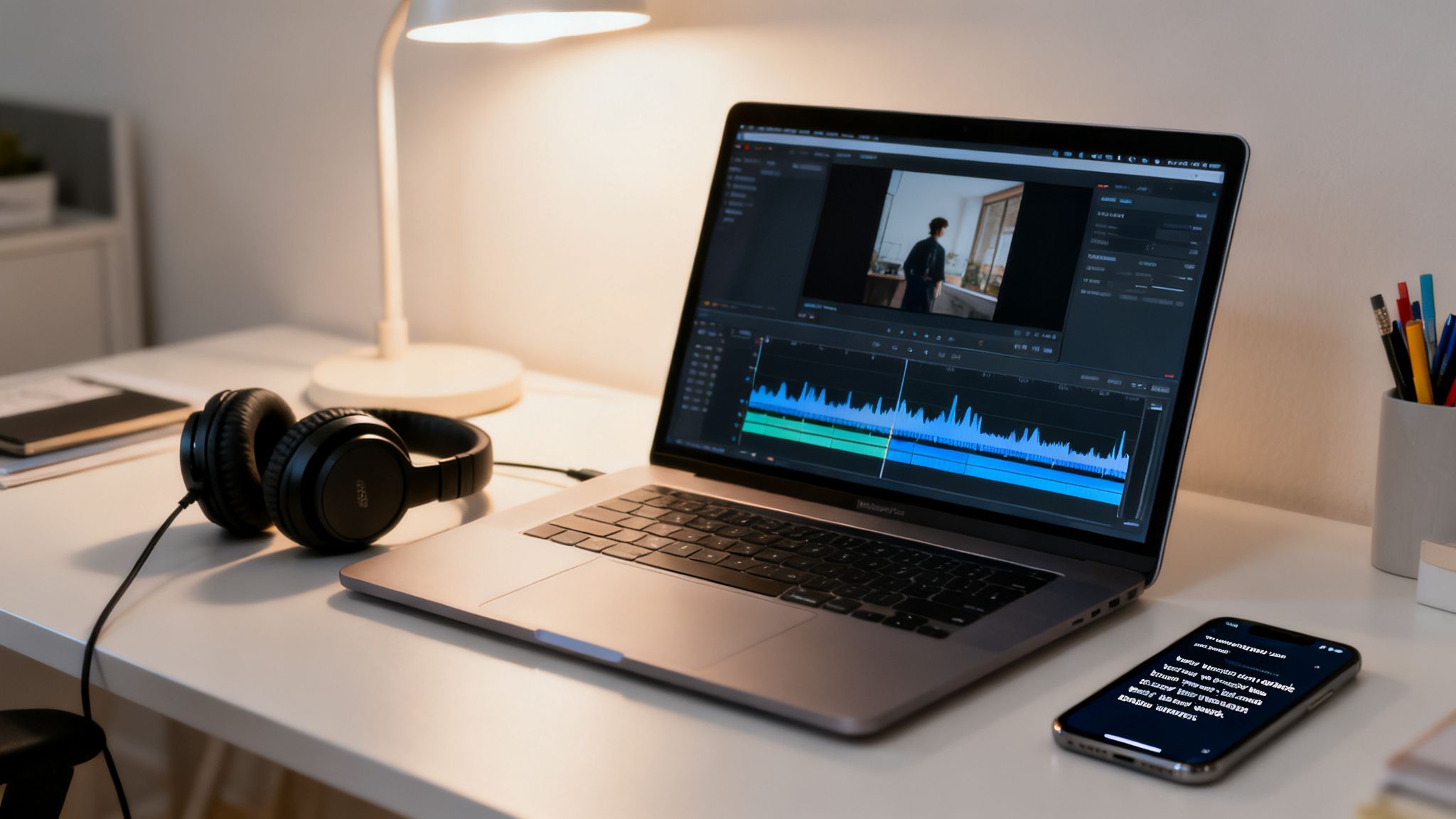
Don't underestimate the power of a final polish. A video with smart pacing, clear visuals, and crisp audio commands attention. Conversely, sloppy editing can undermine your efforts, confuse learners, and make your content feel unprofessional. Good editing elevates a simple recording into a powerful learning tool.
Fine-Tuning Your AI-Generated Video
When you create a training video using an AI platform, much of the heavy lifting is already done. Instead of spending hours trimming raw footage, you can jump directly to refining the details within the platform's editor. This process is less about traditional video editing and more about making strategic enhancements.
Focus on these key areas:
- Adjusting Scene Timing: Ensure each scene is long enough for viewers to absorb the information without dragging. Pacing is crucial for maintaining engagement.
- Selecting Background Music: Choose an audio track that complements the tone of your training. It should be subtle and professional, enhancing the experience without distracting from the narration.
- Adding Brand Elements: Incorporate your company logo, apply brand colors, and use standard fonts for any text overlays. Consistency builds trust and reinforces your brand identity.
Think of the AI platform's editor as your command center for final touches. It’s designed to make these high-impact adjustments quickly, allowing you to focus on the learner's experience, not on complex software.
Weaving in Screen Recordings and Mixed Media
Sometimes, the best way to teach a process is to show it directly. For software tutorials or workflow demonstrations, screen recordings are essential. Most modern AI video tools are designed to accommodate this, allowing you to easily upload and integrate your own footage into the video timeline.
The goal is to create a seamless transition between different media types. For example, an AI avatar might introduce a topic, followed by a screen recording that walks through the specific steps. This combination of context (the "why") and practical demonstration (the "how") is a highly effective teaching method.
If you're looking for a simple platform to get started, you can explore the features in the LunaBloom AI starter app.
Best Practices for Your Own Recordings
If you're incorporating clips you recorded yourself, a little preparation goes a long way. You don't need a Hollywood budget to capture clean, professional-looking footage.
Lighting Tips for Clear Visuals:
- Use Natural Light: The simplest and most effective trick is to sit facing a window. This provides soft, even light that looks much better than harsh overhead lighting.
- Avoid Backlighting: Never sit with a bright window or lamp directly behind you, as this will turn you into a silhouette.
- Use a Simple Ring Light: An inexpensive ring light can eliminate shadows and provide consistent, flattering light at any time of day.
Audio Tips for Crisp Sound:
- Use an External Microphone: Your laptop's built-in microphone is a last resort. Even the microphone on your headphones will provide better sound quality. A simple USB mic is a great investment.
- Record in a Quiet Space: Choose a room with soft surfaces like carpets, curtains, or a bookshelf to absorb echo. Avoid empty rooms with bare walls.
- Do a Quick Sound Check: Before recording the full session, capture a few seconds of audio and play it back to check for distracting background noise, like an air conditioner or computer fan.
By applying these simple editing and recording tips, you can ensure your final training video is sharp, professional, and ready to make a real impact.
Distributing and Measuring Your Video's Success
You've done the work, and your training video is ready. But creating it is only half the battle. Real success comes from getting it in front of your team and determining whether it achieved its goals.
Distribution isn't just about publishing; it's about strategy. A great training video is useless if no one sees it. Worse, what if everyone watches it but learns nothing? A smart distribution plan and a focus on the right metrics are essential for understanding your video's true impact.
Choosing the Right Distribution Channels
Where you share your video is as important as its content. The goal is to meet your team where they already work, making training a natural part of their workflow. A common mistake is to create great content and then bury it where no one can find it.
Consider where your team spends their time. Here are some of the most effective channels:
- Learning Management System (LMS): This is the ideal platform for formal, structured training. An LMS allows you to assign videos, track completions, and pair them with quizzes or other resources.
- Internal Communication Tools: For quick tips or process updates, sharing a video directly in Slack or Microsoft Teams is highly effective. It places information directly within their daily conversations.
- Company Intranet or Knowledge Base: Hosting videos on a central hub like Confluence or SharePoint creates a permanent, searchable library, allowing employees to find information whenever they need it.
The adoption of AI-driven video is accelerating for good reason. The market for generative AI in video creation grew from USD 336.1 million in 2023 and is projected to reach USD 2,298.8 million by 2033. Businesses are seeing significant returns, particularly in training, where video can increase completion rates by up to 50%. You can read the full research about generative AI in video creation to understand this trend better.
Moving Beyond Simple View Counts
When measuring success, it's easy to get fixated on vanity metrics like view counts. But a "view" is meaningless if no learning occurred. To understand the true impact of your training, you need to dig deeper.
The question you should be asking isn't "How many people watched it?" It's "Did the people who watched it learn what they were supposed to?" This shift in focus from views to performance will completely change how you measure success.
Focusing on the right data not only proves the value of your training but also provides the insights needed to improve future videos. For more content strategies, explore other articles on the LunaBloom AI blog.
The Metrics That Truly Matter
To truly understand your video's performance, you need to track a combination of engagement and performance data. These numbers provide a complete picture and highlight areas for improvement.
Here's a look at the data that actually counts:
- Completion Rate: What percentage of viewers watched the entire video? A significant drop-off could indicate it's too long, not engaging, or irrelevant.
- Audience Retention: At what points do people stop watching? Most video platforms provide a retention graph. Dips in this graph pinpoint moments where the content isn't connecting with the audience.
- Engagement Scores: How are people interacting with the video? Are they clicking links, downloading resources, or leaving comments?
- Assessment Results: Did they pass the quiz? Can they perform the task you trained them on? This is the most direct measure of knowledge transfer.
Key Metrics for Training Video Success
Tracking the right metrics is essential for understanding your video's impact and justifying the investment. Here are the most important ones to keep an eye on.
| Metric | What It Measures | Why It's Important |
|---|---|---|
| Completion Rate | The percentage of viewers who watched the video from start to finish. | A low rate signals issues with length, relevance, or engagement. High rates mean you've captured their attention. |
| Audience Retention | The point-by-point viewership throughout the video. | Pinpoints specific moments where viewers lose interest, helping you identify weak content segments for future improvement. |
| Engagement Score | Interactions like clicks, comments, shares, and downloads. | Shows that viewers are actively participating with the content, not just passively watching. |
| Assessment Scores | Performance on quizzes, practical tests, or follow-up evaluations. | Directly measures knowledge transfer and skill acquisition—the ultimate goal of any training video. |
| Time to Competency | How quickly an employee can perform a task after watching the video. | A powerful business metric that connects training directly to on-the-job performance and efficiency gains. |
By tracking this data, you move from simply producing content to strategically improving your team’s performance.
Frequently Asked Questions About Training Videos
Diving into video production often raises a few questions, even with user-friendly tools. You might be wondering about budget, the right style, or how to keep viewers engaged. We've addressed the most common challenges people face when they decide to create a training video to help you start with confidence.
How Much Does It Cost to Make a Training Video?
This is often the first question, and the answer varies widely. A training video can cost anything from a small monthly subscription to a five-figure sum, depending on its complexity, length, and production method.
Hiring a traditional production agency can cost anywhere from $3,000 to over $50,000. Another option is hiring an in-house videographer, which involves an average salary of around $70,000 per year, plus equipment costs.
AI video platforms have completely changed this equation. Instead of a large per-video cost, you pay a monthly subscription—often under a hundred dollars—to create as many videos as you need. This makes professional-quality video accessible for almost any budget.
The real savings with AI tools extend beyond production costs. You also eliminate hidden expenses like hiring actors, renting locations, or paying a camera crew, which traditionally cause project budgets to soar.
What Is the Ideal Length for a Training Video?
For training videos, shorter is almost always better. In a world of competing priorities, your videos need to deliver value quickly. The goal is to provide a concentrated dose of knowledge that viewers can watch, absorb, and apply immediately.
As a general rule, aim for the 2 to 6-minute sweet spot. This "microlearning" format is effective for several reasons:
- Higher Completion Rates: People are more likely to finish shorter videos. Committing to a 4-minute clip is much easier than sitting through a 20-minute lecture.
- Improved Retention: We absorb information better in focused, bite-sized chunks. A short video on a single topic is more memorable than a long one that covers too much ground.
- Easier Updates: If a process changes, updating a 4-minute video is simple. Overhauling a 30-minute video is a much larger project.
If you have a complex topic, break it down into a series of shorter videos. This creates a more manageable learning path and allows your team to learn at their own pace.
How Do I Keep My Learners Engaged?
Engagement isn't about flashy effects; it's about connecting with your audience and making the content relevant to them. Boredom is the enemy of learning, so your primary goal is to capture and hold their attention.
Here are a few proven techniques:
- Start with a Strong Hook: Begin with a compelling question, a surprising statistic, or a relatable problem your video will solve. Give viewers a reason to keep watching within the first 10 seconds.
- Use a Conversational Tone: Write your script as if you're explaining something to a colleague. Avoid corporate jargon and stiff language. A friendly, natural voice is instantly more engaging.
- Vary Your Visuals: Don't just show a talking head for five minutes. Mix things up with screen recordings, text overlays, simple animations, or relevant stock footage to keep the video visually interesting.
- Incorporate Interactivity: If possible, add short quizzes or reflection questions within the video. This simple tactic transforms passive viewing into active participation.
Ultimately, the most engaging videos are those that solve a real problem for the viewer. If your content helps them do their job better, they will pay attention.
Ready to stop planning and start creating? With LunaBloom AI, you can turn your scripts into professional, engaging training videos in minutes, not weeks. Choose from a diverse library of AI avatars, clone a trusted voice for brand consistency, and generate perfectly synced subtitles in over 50 languages—all with a few clicks. Transform your training strategy and empower your team with videos that truly work. Discover how easy it is to create your first training video with LunaBloom AI.