It's the second week of December and someone in the family chat has decided the holiday card should be a video this year. You dig out a photo of your kid from the summer, open an app, upload it, pick a dance, and thirty seconds later a small elf with her exact face is doing the disco across your screen. The laugh is real. So is the file you just handed over.
A photo of a face is personal data, not just a creative input, and a dancing elf clip is a face-animation pipeline wearing a costume. This guide covers both halves of the job: how to get a clip that looks right, and how to make one you're allowed to share, keep, and delete on your own terms.
Pick a Source Photo the Tracker Can Read
Head angle ruins more clips than any other trait. A dancing-elf tool doesn't paste a face onto a body. It segments the face and hair, fits a landmark mesh, transfers head pose and expression onto the elf, retargets a dance skeleton, then renders the elf ears, hat, hair and costume before compositing the frames. The character-animation survey on arXiv walks through that exact sequence and treats it as a coupled facial-reenactment and full-body motion problem rather than a swap. Landmark accuracy, lip-sync quality, joint kinematics and beat consistency all get measured, and all of them start from your photo.
That's why the source image sets the ceiling on the whole result. A profile turn gives the mesh nothing to lock onto, and once the landmark fit is off, the error rides along for the entire dance instead of clearing after the first second.
Source photo traits and how they affect the elf video
| Photo trait | Why it matters | Choose | Avoid |
|---|---|---|---|
| Head angle | Pose transfer and landmark fit break on turns | Front-facing with eyes level | Strong profile or tilted head |
| Lighting | Harsh shading makes the face mask unstable | Even, soft daylight | Side light or backlit window |
| Resolution | Fine detail is lost after animation | Original, uncompressed file | Small or re-shared screenshot |
| Hair and accessories | Hair, hats and hands cross the face | Hair tied back, face clear | Loose long hair, low hat brim, hand near mouth |
| Expression | Wide open mouth distorts the mouth mesh | Neutral or gentle smile | Wide open mouth or extreme expression |
The table reads like common sense until you're the one scrolling a camera roll at midnight. Two rows do most of the damage: head angle, because pose transfer fails first on turns, and hair and accessories, because loose hair or a hand near the mouth crosses the face mask and drags the elf ear and costume render along with it.
What no photo can fix
The failure points come from the photo far more often than from the model: profile turns, rapid head motion, hands or props crossing the face, exaggerated elf ears, long hair, and low-resolution source images. A screenshot of a screenshot is the worst offender, because the compression has already eaten the eyelashes and lip edges the tracker needs to find.
Shoot for the job rather than grabbing a flattering selfie. Stand near a window with soft daylight on the face, hold the phone at eye level, keep the mouth neutral or in a gentle smile, and send yourself the original file rather than the version that came back through a messaging app.
Quick test: open the photo at full size. If you can't find the edges of the face quickly, the tracker won't either.
How to Make Your Face Dance as an Elf
You want this finished tonight, and it can be. Work through the steps in order and the clip is done in under an hour, provided the photos are chosen before you open the app.
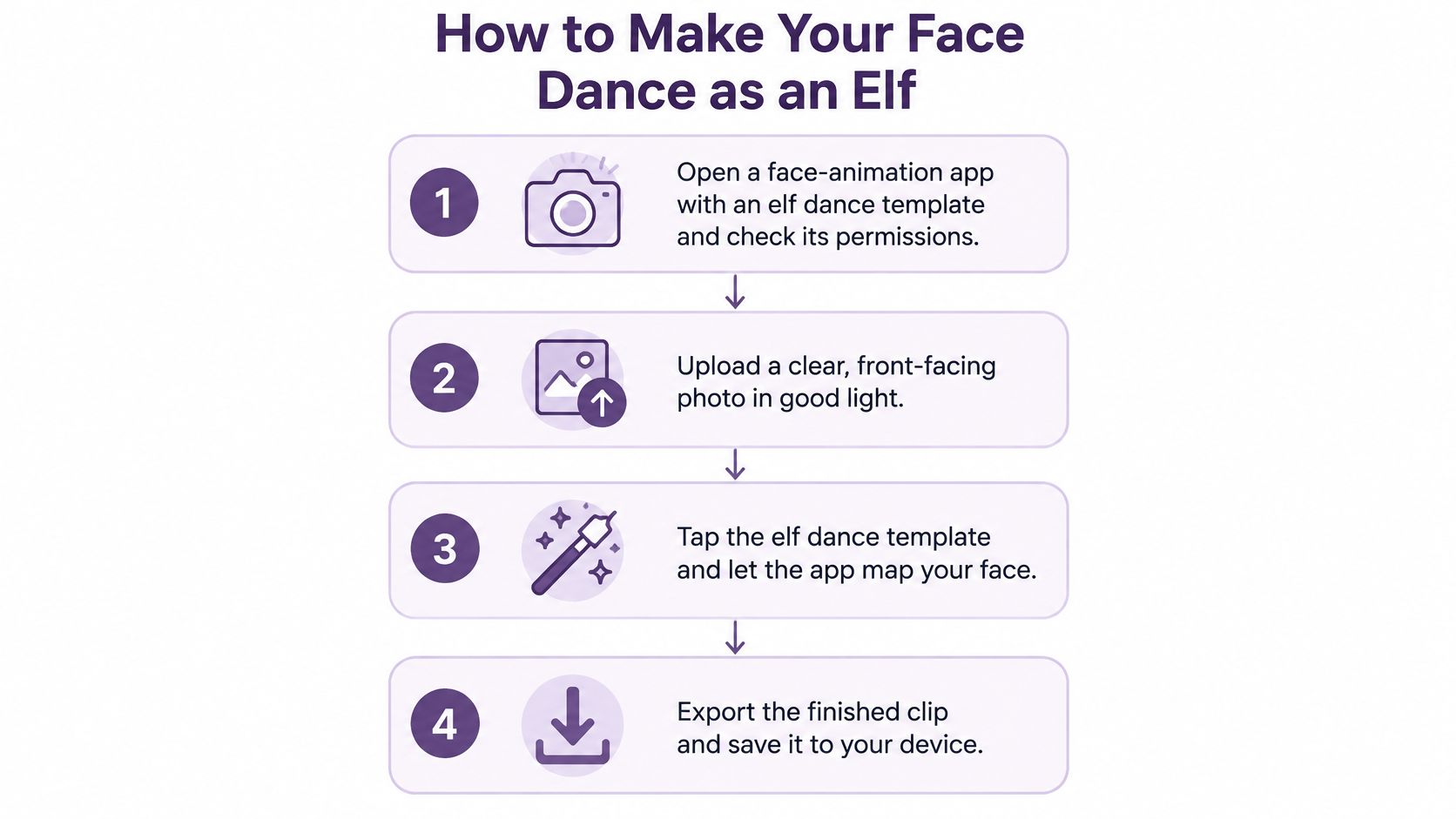
- Check the face limit before you recruit the family. The ElfYourself app allowed users to add up to 5 faces to a dancing-elf video in 2025, according to Sensor Tower's app data. Settle the group first, because a sixth person means a second video.
- Pick one clean portrait per person. Front-facing, evenly lit, face and hair fully visible. One good photo beats five options pasted in at the last minute.
- Upload and assign each face to an elf, then watch the preview. If the tracking drifts on the first frame, the full render won't rescue it. Pulling a photo from someone's public profile is the shortcut that causes trouble later, and this walkthrough on avoiding legal risks in face swaps covers the image rights side in plain language.
- Choose a steady dance template. Spinning, fast and profile-heavy routines drift more than a simple side-to-side number. The official ElfYourself app listing describes the finished clip as one of dozens of personalized videos, so the template library is the product, not an afterthought.
- Render a few seconds as a test. Check the eyes, the mouth and the hat edge before you spend time on a full export.
- Render the full clip at the resolution you plan to post. Rendering small and upscaling later softens exactly the face detail you worked to capture.
- Save the photo, the export and the settings together. When something looks off a week later, you can trace which photo and which template produced it.
The format has a long track record, which is part of why it keeps coming back. The original OfficeMax campaign generated approximately 11 million customized elves and drew 36 million visitors during its five-week launch period, as Chief Marketer's account of the ElfYourself campaign records.
Price the dance before you render
In 2025 the individual dance options, including HipHop, Classic and Disco, were priced at $0.99 each, according to Adapty's paywall library. The same app supported up to 27 personalized dancing-elf videos, TechRadar reported, which is why a big group becomes several clips rather than one crowded frame. Budget the per-dance cost before you promise the whole office a video.
If you'd rather watch the flow once before touching an app, the clip below runs through the same steps.
What a good result looks like
Judge the finished clip on three things: the face stays recognizable through the whole dance, the mouth moves with any audio you add, and the ears and hair edges hold still instead of shimmering. If the preview drifts, regenerate from a different photo rather than cycling through three more templates. When you want the same portrait to carry a longer holiday greeting instead of a 30-second dance, LunaBloom AI is the studio I'd open next.
Check the Clip Before It Leaves Your Device
Don't let a realism score or a deepfake detector sign off on your clip. In a real-world deepfake-video study, the strongest evaluated detector reached 77% F1, every tested system stayed below 69% precision, and H.264 encoding at constant-rate factor 23 dropped one pretrained detector from 98% accuracy to 61.2% (deepfake detection study on arXiv). Most platforms re-encode uploads, so the file that viewers see is often compressed again.
Your eyes are the better instrument. Watch the whole clip once at normal speed, then scrub through it at 100% scale looking for the artifacts that motion hides in a single frame. Because the input is a face, run the privacy pass with the quality pass: a clip can look clean and still be wrong to post if consent, retention or child safety was never settled.
The checklist below covers the checks to run before any clip leaves the device.
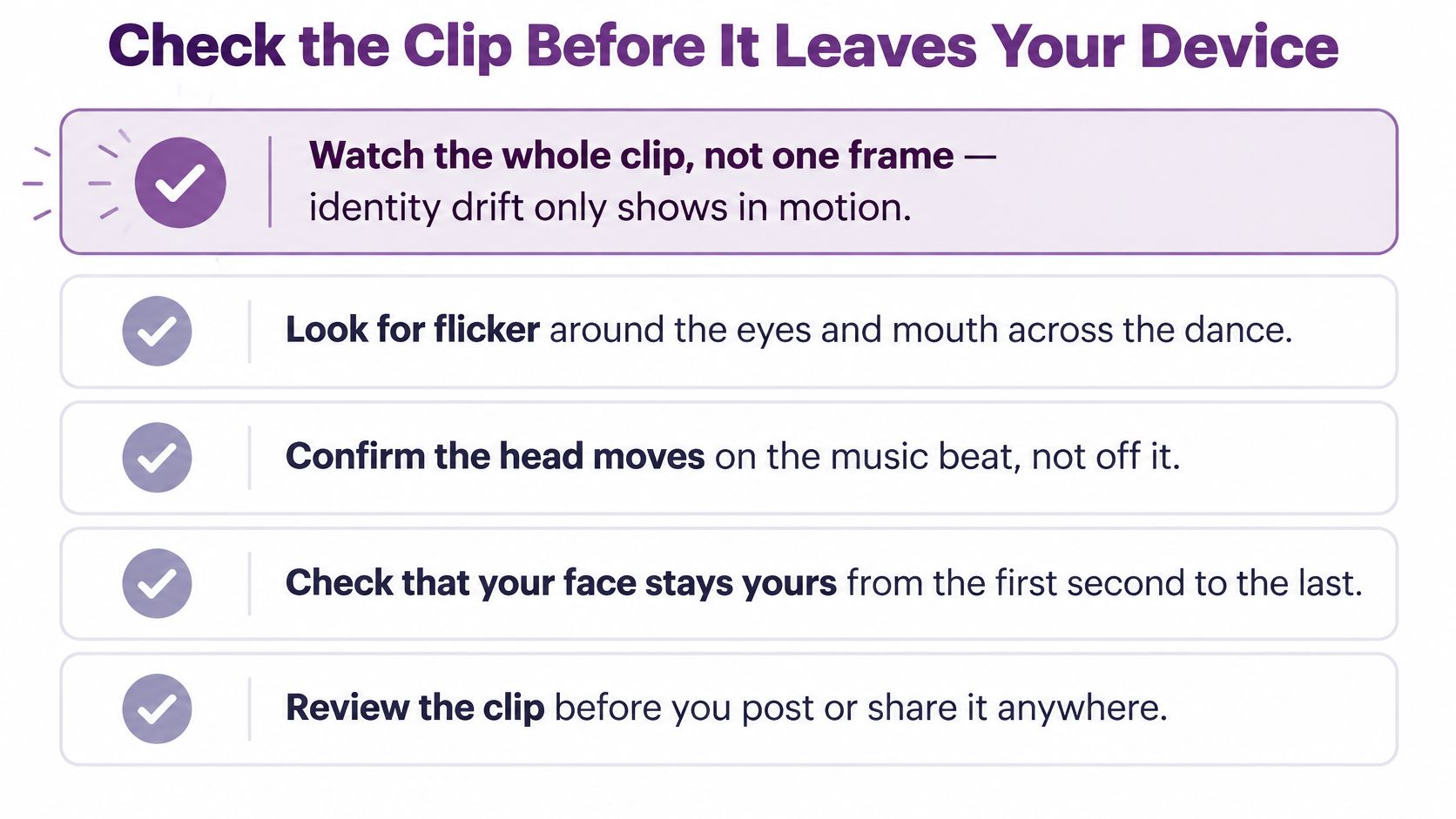
Pre-publish checks for an elf face clip
| Check | What to inspect | Pass signal |
|---|---|---|
| Identity drift | Eyes, nose and jaw at 100% scale in sampled close-ups | Person stays recognizable in every sampled close-up |
| Temporal flicker | Ears, hair edges and hat outline frame to frame | No more than one noticeable artifact per short shot |
| Lip sync | Mouth against any voice or sung audio | Mouth shapes match the audio on landmark distance and LSE-C rather than a detector score |
| Beat alignment | Cuts and head bounces against the music | Every cut lands on a beat after manual review |
| Platform export | Clip after resize, frame-rate change and compression | Same pass signals after compression; expect detector scores to move after re-encoding |
| Use and retention | Who agreed to this post, where the portrait is stored, when it is deleted | Every face is cleared for this specific use and the source photo has a keep-or-delete decision |
| Automated detectors | Deepfake or realism scores | Useful as a screen only; real-world detectors miss fakes and flag ordinary footage |
The release rule
Two thresholds do most of the work: zero visible identity drift in sampled close-ups, and no more than one noticeable temporal artifact per short shot. A shot that fails gets regenerated from a different source photo. Re-exporting through more compression only adds mush to the areas that were already weak.
Practical rule: a failed shot is cheaper to regenerate than to rescue.
Keep the original photo, the export and the generation settings together, label synthetic media where the platform supports it, and put a person in front of the clip before it publishes. Treat the portrait as personal data, not a prop: if the clip is for family only, store the source somewhere private; if a child's face is involved, be stricter about where copies can travel. That is what provenance looks like in practice, and it holds up better than a score that shifts with every generator and every round of post-processing.
One more pass before the file leaves: play it on the screen where it will be shown. A clip that looks clean on a phone can stutter or lose audio on a venue projector, and a compatibility checklist for venue playback covers codecs, resolution and audio routing so the elf doesn't freeze mid-spin at the family party.
Who Must Agree Before Any Face Is Uploaded
The permission that matters most is the one people assume they already have. Agreeing to a private holiday clip is not agreeing to a public post, a company page, a paid ad or a face-matching feature. Each of those is a separate use with its own yes.
Start by treating the upload as sensitive. The FTC's biometric policy statement defines biometric information to include depictions or recordings of facial features, plus data derived from those images when a person could reasonably be identified (FTC biometric policy statement). That covers three things worth keeping separate in your head: the portrait you upload, any measurements or template built during processing, and the finished elf video. They aren't interchangeable, and neither is the permission for each.
The consent question starts before the first upload, not after the clip is funny.
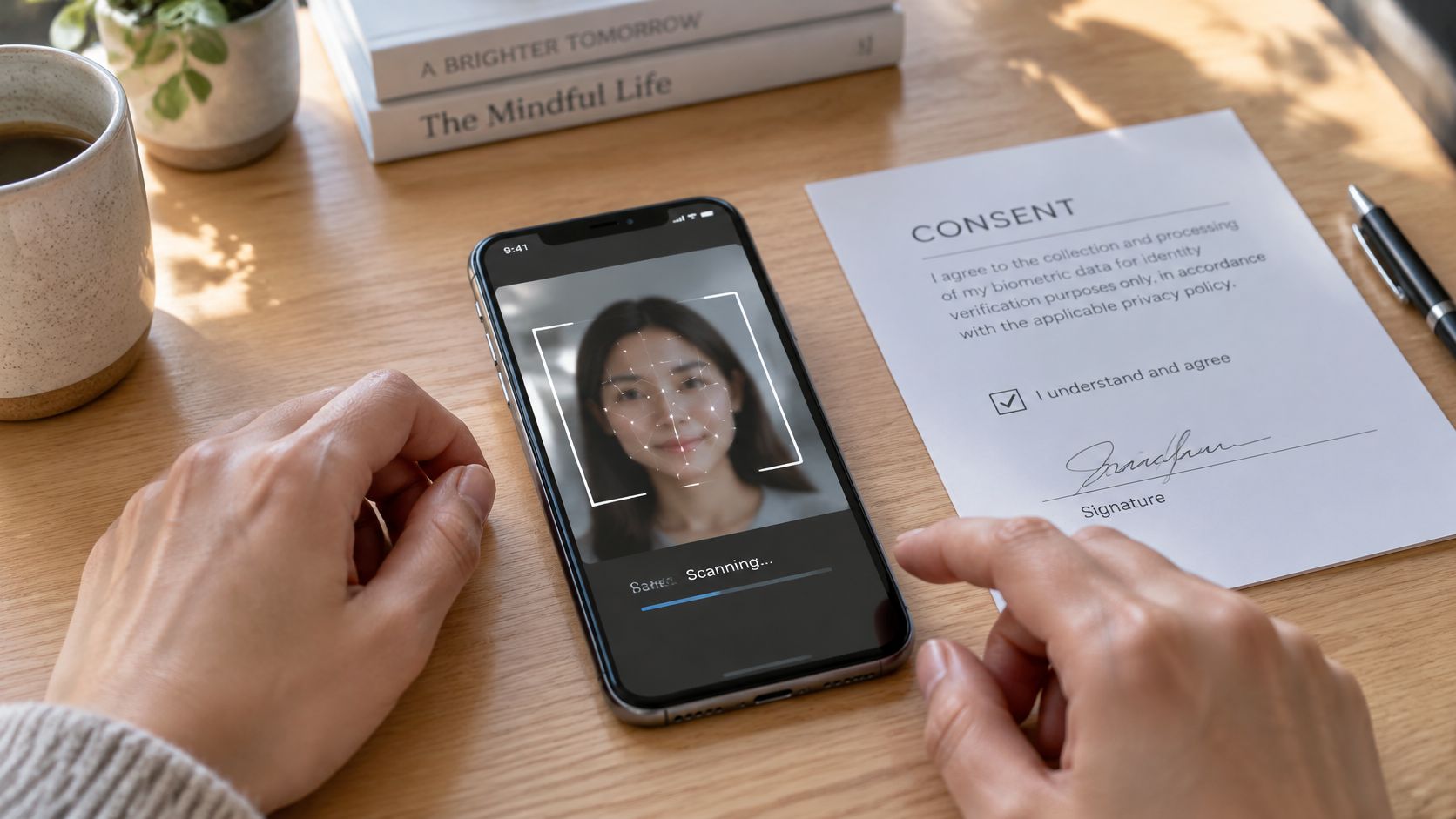
Purpose limitation in practice
The FTC's facial recognition best-practices report recommends affirmative express consent when a company uses a consumer's image or biometric data in a materially different way from the purpose represented at collection, and it says systems shouldn't identify an anonymous person to someone who couldn't otherwise identify them (FTC report on facial recognition technologies). In plain terms: one permission for making the clip, another for posting it, and a third for anything that resembles matching one face to another.
Consent requirements by use case
| Use case | Who must agree | Extra step |
|---|---|---|
| Private family clip | Each adult whose face is uploaded | Keep off public feeds and delete the source photo after sharing |
| Public social post | Each person shown, in writing | Confirm each person accepts public posting before upload |
| Workplace or brand video | Each employee or customer shown, plus the business | Disclose AI use and offer a non-AI alternative |
| Child's face | A parent or guardian | Follow children's privacy rules and share privately by default |
| Photo of a stranger | No one can grant this | Do not upload |
Ask the service, and check the answer, on four points: what facial data is collected, how long it's retained, who can access it, and how you delete it. The FTC's guidance on facial recognition technologies recommends an easy way for consumers to decline collection, turn the feature off, and permanently delete biometric data previously collected from photos (FTC press release on facial recognition best practices). If you can't find the deletion route before you upload, don't upload. Running this inside a business means putting permissions in writing first, and the LunaBloom AI terms are the kind of document to read before a campaign rather than after one.
Protecting Children's Faces in Holiday Clips
The assumption worth breaking is that a cartoon elf is automatically privacy-neutral. A stylized face is still a child's face. The risk sits in three places: the source photo you upload, the details that travel with the finished clip, and how long the face data stays on someone else's server.
The FTC's 2025 COPPA rule draws the line clearly: an avatar may not count as personal information by itself when it's temporary or doesn't resemble the user, but an avatar generated from a child's image becomes personal information once it's combined with other identifiers (Children's Online Privacy Protection Rule in the Federal Register). A holiday clip meets that second condition routinely, because the face arrives with a family name, a date, a caption and often a school uniform or street sign in the background.
A child-safety checklist
- Get verifiable parental permission before any upload, including when the video puts your child next to a friend's child. The other child's parent has to agree too.
- Collect the minimum. Skip the profile fields, birthdays and school names a renderer doesn't need. Every extra field you fill in is more data tied to the face.
- Share privately by default. A link sent to grandparents is not a public feed post, and a private link limits who can download or repost the clip.
- Ask about retention and training before the upload. Confirm how long the photo is stored and whether uploaded images feed model training; a child's face should not become someone else's training data.
- Strip identifying detail from the video, captions and file names: no names, uniforms, house numbers or street signs.
- Watermark anything that travels beyond the family group, so a reposted clip still traces back to you.
A cartoon face still identifies a child to anyone who knows her, and elf ears don't change that.
Platform rules are a separate check from consent. Pinterest and other platforms set their own requirements for labeling synthetic or AI-edited media, so read those rules before any clip showing a child's face goes public. If a pin carrying the clip also uses affiliate links, Pinterest affiliate link rules explained covers what that disclosure has to include.
Close the loop when the season ends: delete the source photo from the service and your device, and confirm the deletion in writing if the tool offers that option. Before you leave any face photo with a tool, read the LunaBloom AI privacy policy or the equivalent document for the service you chose, since the retention terms there decide how long your child's face stays on file.
Match the Elf Clip to the Audience
Sort the finished clip by who will see it, because tolerance changes with context and the same elf can charm one audience and dent trust with another.
- A novelty share with friends stays private, is labeled as a fun edit, and goes out only after every adult in the frame has agreed to it.
- An employee or customer greeting needs written permission from each person shown, a clear line that the elf is AI-generated, and a face-free version for anyone who opts out.
- A paid advertisement is the weak fit. A July 2025 CivicScience survey reported by eMarketer found that 31% of consumers said AI in advertising made them less likely to choose a brand.
That reaction argues for transparency over a fully synthetic elf ad: name the AI, keep the brand voice recognizable, offer a non-AI alternative, and localize the joke rather than translating it word for word. Add captions for viewers who cannot hear the music and a short audio description of the dance for viewers who cannot see it. If a child is in the frame, treat distribution as a data decision too: who can view it, download it, keep it, and delete the source photo. Before a campaign render, check the preview with glasses and across a range of skin tones, since both change how the face mesh lands.
For a longer, non-holiday version, LunaBloom AI's birthday video templates are the adjacent use case, and the platform generates videos with multilingual voiceovers, background music, and customizable visuals without requiring advanced editing skills.
LunaBloom AI can turn an image and a script into an edited video with avatars, captions and multilingual voiceover. Use the free pay-as-you-go trial to make one draft, run it through the same consent, deletion and quality checks, then decide which audience, if any, should receive it.