You hit publish, then the retention graph drops before the offer even lands. The footage is fine. The brief still says "make it engaging," as if a color grade could hold someone who was never asked to do anything. Passive video loses attention fast because the only job is to sit still and hope the ending pays off. Interactive video asks viewers to click, choose, answer, or explore, and that small shift changes how long they stay and what they remember.
Interest is already ahead of what most brands ship. In 2025, 77% of surveyed U.S. and U.K. consumers said they were interested in interactive video from brands, while 30% reported having received one, according to Atomik Research's study for Idomoo. These interactive video examples cover eight formats that close that gap, from branching films to live shopping streams. Each one needs a clear mechanic, a build you can repeat, and a trade-off you accept before you book the shoot.
Match one format to one job, a sale, a lesson, or a tour, and test it on a short clip. A feature-length tree can wait.
1. Branching Narrative Films (Choose-Your-Own-Adventure Video)
Black Mirror: Bandersnatch (Netflix, 2018) showed mainstream audiences that a film can fork. At a key moment the viewer picks what happens next, and that choice plays a different scene. Viewers become co-creators instead of passengers. Brand ads use the same idea in miniature when they ask someone to pick the next scene.
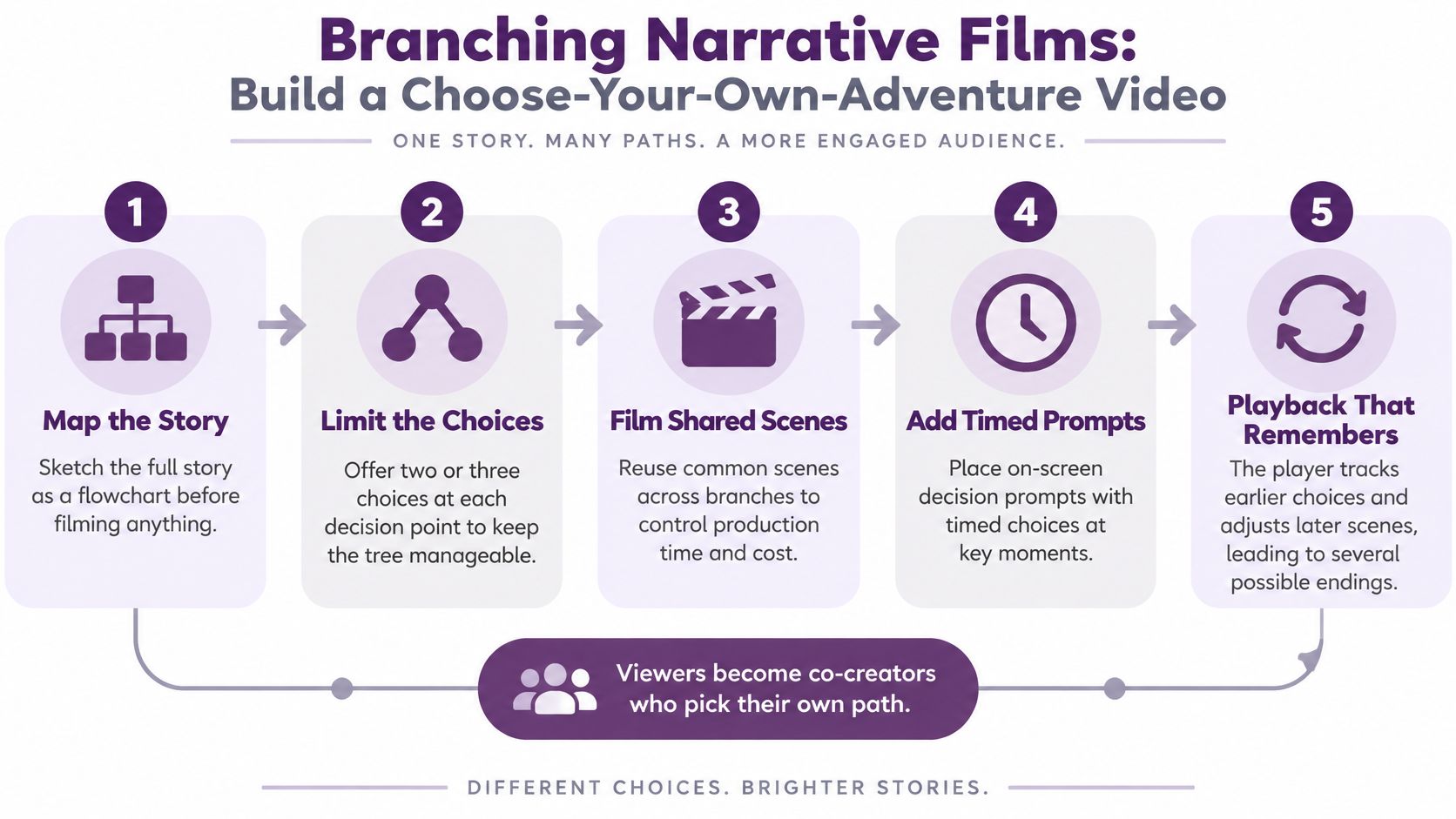
Behind the player, the story is a flowchart, not a timeline. Every choice is a node. Every node needs footage, a default if nobody clicks, and a way back so the tree doesn't trap people.
Build the tree before you roll
- Map first: Draw choices and endings on paper before anyone blocks a scene.
- Cap the options: Two or three choices per beat keep the shoot from doubling overnight.
- Share the setup: Reuse hallways, reactions, and establishing shots. Only the payoff changes.
- Generate variants: Use LunaBloom to spin scene variants from scripts, then stitch them in a branching player.
A summary published by Linearity found that 66% of marketers cited stronger audience engagement and 44% pointed to longer viewing times as advantages of interactive video. Branching only earns that time when the fork changes the story. A cosmetic choice that snaps back to the same ending teaches people to stop clicking.
Practical rule: If two branches share a three-minute setup, shoot it once and cut away at the decision.
The trade-off is schedule math. Five decision points with three options is not five extra scenes. It is a pile of unique endings unless you force paths to merge. Social cutdowns should stop at one choice.
2. Shoppable Product Videos with Clickable Hotspots
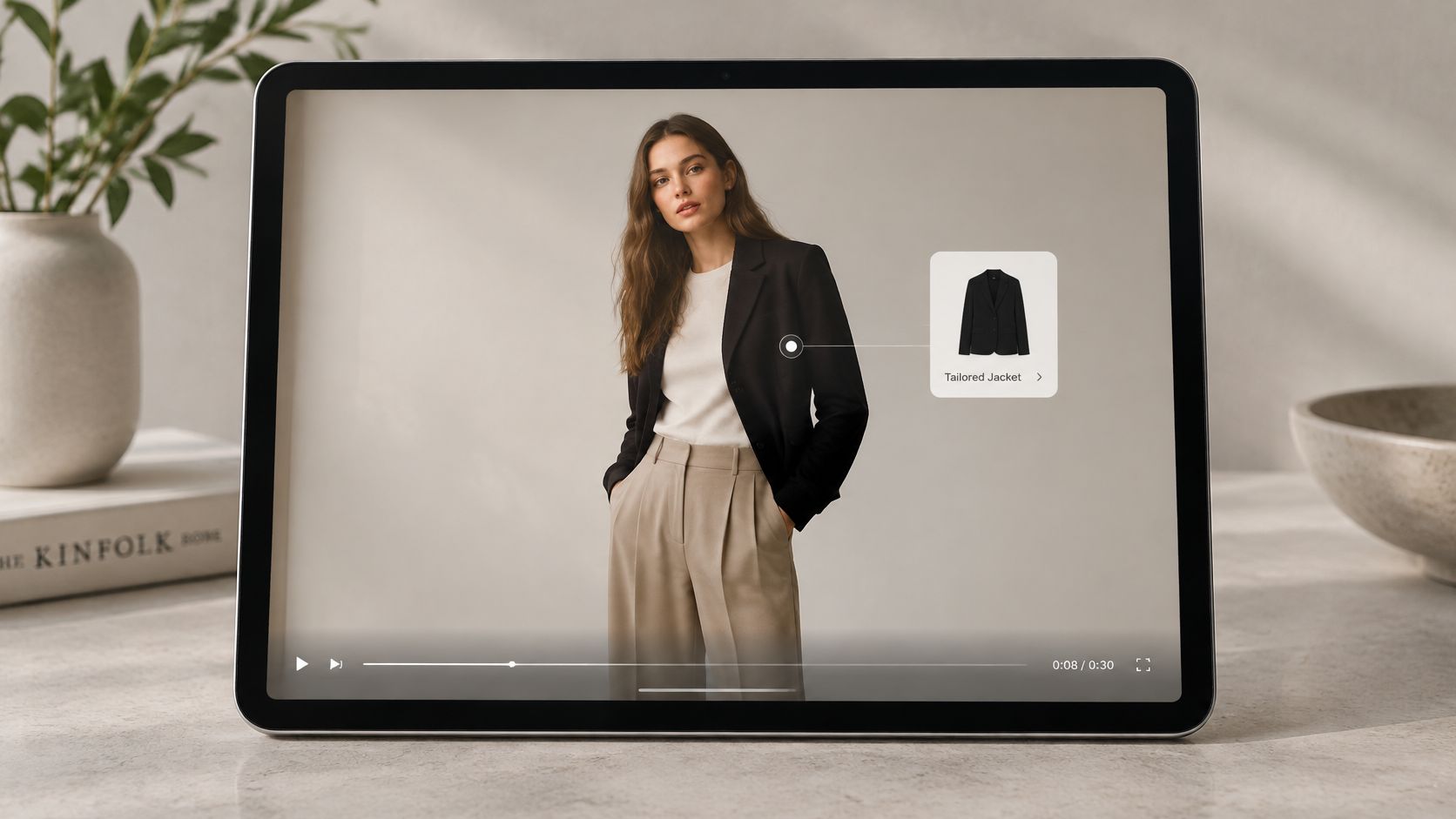
A blazer fills the frame in a lookbook. Once the viewer can see its shape clearly, a hotspot opens the price, fabric details, or a cart link without leaving the video. The product remains the focus; the tag provides a direct route to more information or purchase.
YouTube product tags appear in haul and unboxing videos, while Instagram Shopping tags can be used in Reels. Fashion lookbooks can tag individual pieces in an outfit. A Digiday and PadSquad survey of 90 brand and agency respondents found that 58% used shoppable overlays or commerce integrations. The same survey shows that shoppable overlays and commerce integrations are already a common choice for brands. Treat the result as a signal about production workflows, not a universal benchmark.
What actually holds up in the edit
Give the product a clear, steady shot before the tag appears. Motion blur makes the target hard to identify and tap. Limit the number of tags in a scene. Too many pulsing dots compete with the product and make the video feel like a menu.
Keep product names consistent across the caption file, hotspot, and product page title. That gives search and analytics a shared label to match. Pair the tagged shot with a short demonstration of a useful detail, such as the closure, fit, or stain resistance. Viewers need to understand the product before a purchase link can help.
Wait until the product is settled in frame before showing its tag. A hotspot that appears while the item is still entering the shot is easy to miss.
The production trade-off is visual clarity versus catalog coverage. Tag only the products that matter in the scene. A full outfit breakdown fits better on a product page or in a separate chapter than across every shot. For paid distribution, ecommerce advertising insights from Wojo Media offer context for pairing the creative with traffic that is ready to shop.
3. Embedded Quiz and Knowledge-Check Videos
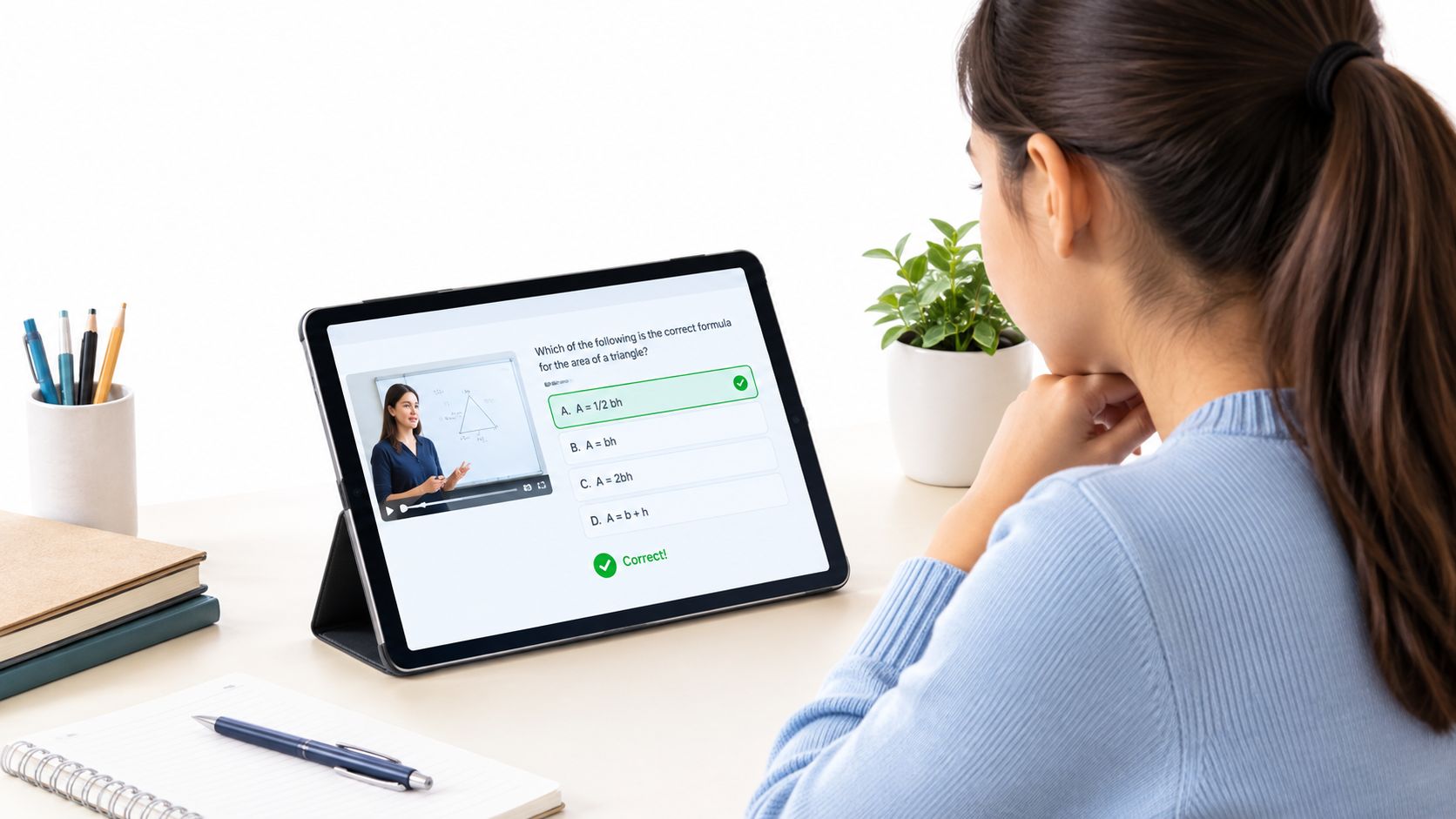
The picture pauses. A question covers the lower third. The learner answers, reads one or two lines of feedback, and the lesson continues. That's an embedded quiz. A lecture becomes a session because the viewer has to prove they were there.
Edpuzzle is the usual classroom tool for K-12 and university assignments. The open-source H5P Interactive Video type drops questions, notes, and tracking onto a file inside many course platforms. Onboarding teams use the same pattern. Watch the system tour, pass a short check, then get access. No quiz, no login.
Pacing that doesn't feel like a pop quiz
Place a question about every two to three minutes, right after the idea, not at the end of a twenty-minute file. Ask for application. "Which setting stops the duplicate charge?" beats "What was the product name?" Write feedback that states the correct move in a sentence or two. Start with one pilot lesson and watch where people stall before you build the full course.
Say a geometry clip shows how to mark a right angle. The pause should ask the learner to pick the diagram that matches, then explain the miss. Memorized definitions don't transfer to the homework.
Google's accessibility guidance for video flags missing audio descriptions, visual-only cues, inaccessible controls, and weak screen-reader support as major barriers. A quiz button that only exists as a colored box fails the same learners the lesson claims to serve. Keyboard focus, a text alternative to the question, and captions have to ship with the pilot, not as a later export checkbox.
The trade-off is momentum. Too many stops and completion craters. Too few and you still don't know who understood step three.
4. Interactive Music Video Experiences
Arcade Fire's The Wilderness Downtown (2010), directed by Chris Milk and built for Google Chrome, asked for a childhood address. Street-view imagery then folded into the song. Location was the input. The picture changed because of something the fan typed, not because an editor picked a B-roll bin.
Newer versions swap the address box for a camera feed, a cursor, or an AI performance. Artists ship sing-and-dance clips that swap the face, the city, or a lyric line so a fan can post their own cut. The mechanic is still one or two inputs driving a preplanned visual system. It is not an open world.
Keep the input smaller than the song
Limit personalization to a single prompt plus one visual response. A second input, say both a city and a dance style, multiplies render failures and support mail. Plan a final frame or a short export fans can share. If they can't post it, the personalization dies inside your player.
I would test on a phone before you fall in love with the desktop build. Music discovery lives in vertical feeds, and a Chrome experiment from 2010 will not survive a thumb-first layout. LunaBloom's lip-synced visuals and AI-generated songs are a practical way to cut several variations without a second shoot day. Lock the chorus, swap the verse treatment, and publish the one that holds attention past the hook.
What breaks is latency. If the personalized street or face pops in late, the song feels dubbed. Pre-render the likely variants, or design a graceful default that still looks finished when the input fails. One strong shareable ending beats a clever input nobody waits for.
5. Interactive Sales and Product Demo Videos
A buyer doesn't want your twelve-minute tour. They want the permission model, or the import, or the price. Interactive demos put chapters, a form, and one hard call to action on a normal walkthrough so they can jump and book without hunting a separate page. Wistia and Vidyard are the players most marketing teams already have for this.
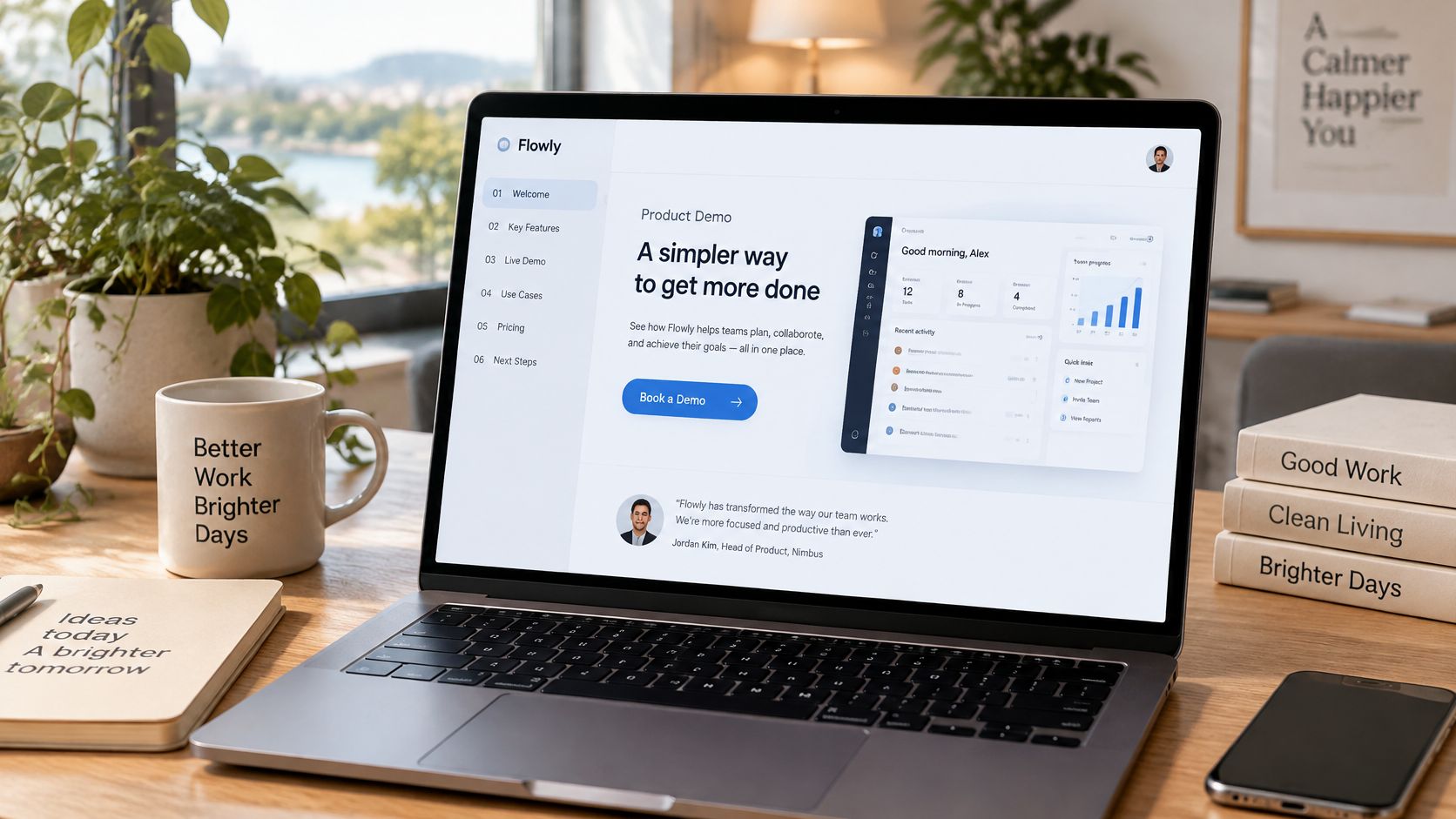
Picture a SaaS tour emailed to a prospect. Chapter titles are benefit-led, "Cut the weekly export," not "Tab four." The book-a-demo button appears after that feature plays, not in the logo sting. The same pattern works in prospecting email when the embedded player carries the calendar link.
Read the skip, then cut the skip
Heatmaps tell you which chapters people abandon. Shorten those sections or move the proof earlier. Don't average every video into one completion score. A Ford interactive CTV campaign recorded a 5.00% engagement rate, a 1.70% click-through rate that was 76% above the industry benchmark, a 9.98% interaction rate, and a 55.00% video-completion rate. Completion, interaction, and the click are different jobs. High completion with almost no clicks usually means the prompt was late or vague.
Use LunaBloom when you need the same demo in another market, with a regional accent and rewritten on-screen labels, instead of reshooting the product UI. One primary interaction and one CTA per version is enough to compare.
The trade-off is length versus proof. Cut too hard and the buyer doesn't trust the feature. Leave the full UI tour in and they never reach the button. How software demos influence deals is worth reading alongside your chapter list, because the meeting is won in the order of proof, not in the player skin.
6. 360-Degree and Immersive Walkthrough Videos
Drag, or tilt the phone, and the room turns. You're not watching a hallway. You're choosing a viewpoint. Real estate listings, hotel tours on booking sites, and museum or venue previews all use that freedom. The viewer picks the kitchen, the exit, or the ballroom because the camera never locked a single angle.
That freedom is also the failure mode. With no eyeline, people spin, miss the amenity, and leave. A guided line in the first ten seconds, "Start at the island, then look left for the pantry," gives the exploration a spine without turning it back into a linear ad.
Shoot for the phone, publish a flat twin
- Hotspots with a job: Mark the kitchen, the amenity, the exit. Don't tag every wall.
- Weight: Compress for mobile networks. A gorgeous stitch that stalls on hotel Wi-Fi is a brochure nobody opens.
- A flat cutdown: 360 players are clumsy in social feeds. Export a normal edited tour for sharing, and keep the sphere for the listing page.
A venue walkthrough is the clean test. One clip of the empty room, three hotspots, a twenty-second narration, and a link to book. If people never open the hotspot for the stage, your label is wrong or your lighting hid the stage.
The trade-off is presence versus control. You give up the editor's choice of what matters in frame. If the story depends on a face at a precise second, shoot that as a standard video and use 360 only for the space around it. Stitching errors at the nadir, the floor under the tripod, will show up in every review screenshot, so budget a cleanup pass.
7. Shoppable Livestream Video Commerce
A host holds the product, the chat asks if it runs small, and a card on screen is already the SKU. Shoppable livestreams combine a live camera, a product list, and a clock. Alibaba's Taobao Live, launched in 2016, scaled that pattern across brands and influencers and pushed live commerce well past a single region. Holiday streams on social platforms use the same bones, just with a shorter run of show.
The behind-the-scenes document is a rundown, not a script to memorize. Product order, offer windows, and who answers chat. If the host improvises the sequence, inventory and the on-screen price drift apart.
A rundown that survives a bad connection
Plan the order, the discount, and the minute each SKU appears. Pre-record the tricky demo, a zipper, a shade comparison, a size chart, and drop that segment in if the live table fails. Answer the first chat question inside the opening minute of each product. Silence reads as "they're not really selling this."
After the stream, cut the best sixty seconds for paid and organic ads. The live event is the shoot. The clips are the campaign that keeps running when the host logs off.
Say a retailer has eight SKUs and forty minutes. That's about four minutes each, including the question and the offer. Nine products will blur. I'd rather sell five cleanly and replay the winners than rush a catalog nobody can tap.
The trade-off is liveness versus reliability. Chat rewards a real person. A crash, a wrong price, or a host who can't find the sample punishes you in public. Pre-recorded inserts feel slightly less spontaneous and save the show when the lamp dies. Keep a producer on the product buttons so the host never hunts a SKU mid-sentence.
8. Interactive Scenario-Based Training Videos
A caller is already angry. The learner picks a reply. The next clip shows the customer hang up, calm down, or escalate. Scenario video trains the decision, not the policy slide. You'll see it in call-center de-escalation, harassment and compliance courses, and Articulate Storyline branching used across corporate learning.
Write from a real incident, with the names removed. Invented dilemmas feel like school. Three to five decision points is the limit. After each consequence, ask one reflection question so people can say why they chose it, not only which button they hit.
Roles without a casting day
LunaBloom's multi-character dialogue and avatars can play the customer and the manager when you can't book actors for every branch. You still need a human to approve the wording. A synthetic face delivering the wrong escalation line will train the wrong habit, faster than a bad classroom.
WCAG 2.2 requires captions for prerecorded audio in synchronized media, and those captions include meaningful non-speech information, not dialogue alone. A slammed door or a raised voice is part of the scenario. If the choice depends on a visual-only cue, that cue needs an audio or text equivalent at the same moment. Captions on the opening clip don't cover a branch the learner reaches later.
The trade-off is realism versus maintainability. Full performance branches feel true and rot every time policy changes. Short consequence clips plus a clear correct path are easier to reshoot when legal rewrites the rule. Track the first choice someone makes, before the feedback, or your report only shows the second guess.
How the Eight Interactive Video Formats Compare
The production choice comes down to what viewers do and what the team can reliably measure. Use the comparison below to match each format to its interaction, a practical measurement, and the work it adds.
| Item | Best For | Core Interaction | Measurement | Main Trade-off |
|---|---|---|---|---|
| Branching Narrative Films (Choose-Your-Own-Adventure Video) | Entertainment brands, storytelling campaigns, and creators seeking high-engagement series content | Viewers choose timed prompts that direct the story through different paths and endings | Path choices, completion by branch, and replays | Each branch increases production and scripting complexity |
| Shoppable Product Videos with Clickable Hotspots | E-commerce brands, retailers, and influencers selling physical products | Viewers tap product hotspots to view details or shop | Product-level hotspot taps and click-throughs | Manual tagging takes time; hotspots can clutter mobile screens |
| Embedded Quiz and Knowledge-Check Videos | Educators, corporate trainers, and onboarding teams | Questions pause the video for answers, feedback, and continued learning | Progress, completion, and question-level errors | Too many questions can disrupt viewing; good assessment design takes skill |
| Interactive Music Video Experiences | Musicians, labels, and creators seeking fan-driven music content | Viewer inputs personalize visuals that react in sync with the music | Shares, replays, and completion | Custom development can be costly and device compatibility can vary |
| Interactive Sales and Product Demo Videos | B2B marketers, sales teams, and small businesses selling software or services | Viewers navigate chapters, click calls to action, or submit forms | Chapter drop-offs, rewatches, CTA clicks, and CRM-linked activity | Too many calls to action can reduce watch time; CRM integration takes work |
| 360-Degree and Immersive Walkthrough Videos | Real estate agents, hospitality businesses, and tourism brands | Viewers pan and tilt to explore a space, with optional hotspots or guided tours | Hotspot taps, time per viewpoint, and booking-link clicks | Specialized capture, large files, and unguided viewing can hide key details |
| Shoppable Livestream Video Commerce | Retail brands, direct-to-consumer companies, and influencers with active audiences | Hosts demonstrate pinned products and answer questions live as viewers shop | Concurrent viewers, add-to-cart rate, and orders per SKU | Requires skilled hosts and consistent staffing; live technical issues are difficult to recover from |
| Interactive Scenario-Based Training Videos | Enterprises, HR teams, and educators running onboarding or compliance programs | Learners choose responses in realistic scenarios and see consequences | First-choice patterns, choice-based scores, and completion records | Branches add production and review time; learners may guess their way through |
The metric should match the interaction. A hotspot tap shows product interest, while a click-through shows movement toward shopping. For a walkthrough, time per viewpoint helps reveal which areas viewers explore; booking-link clicks show whether that exploration leads to action. Livestream teams can compare concurrent viewers with add-to-cart activity and orders by SKU, while music video teams can track whether viewers finish, replay, or share the experience.
These measures also expose production trade-offs. More branches create more versions to script and maintain. Hotspots and calls to action need clear placement, especially on mobile, or they compete with the video. A focused test of the format's main interaction makes the result easier to interpret than a single blended engagement measure.
Pick One Format and Build a Small Test First
The strongest interactive videos start small. Choose the format that matches the job in front of you. Sales wants a hotspot or a chaptered demo. Retention wants a branch or a music prompt people will share. Training wants a quiz or a scenario with a recorded first choice. Build a short pilot with one or two interactions, not a platform rewrite.
Instrument the pieces separately. Chapters, hotspots, polls, product selectors, and CTA clicks are different events. A blended "engagement" number hides which one failed. A PepsiCo Doritos Xbox campaign treated interaction as a funnel. Average time spent ran 2.1 times the applicable benchmark, engagement was 2.47% (2.2 times benchmark), and click-through was 2.7 times benchmark. They also ran a brand-lift study against a control group. Copy that discipline. Keep a non-interactive cell, report lift against exposure, and split results by device and interaction type so a busy tap isn't mistaken for a sale.
A useful read on the ratio is simple. High completion and low interaction means the prompt was weak or late. Strong interaction and a weak click means the offer or the landing page is the bottleneck, not the edit. Compare creative versions instead of averaging every file into one score.
Tools like LunaBloom can speed scripting, avatars, localization, and multi-version production so the pilot doesn't require a studio week. Generate the alternate scene, the regional voice, or the second character, then spend your human time on the choice design and the measurement plan. If the pilot's paths, captions, and tap targets aren't solid on a phone, don't scale the tree.
When you outgrow a one-person edit, a guide to digital media production helps you see which pieces stay in-house and which need a crew. Start with one format, one outcome, and a control. Expand only the interaction people finish.
LunaBloom AI turns scripts, prompts, and images into edited videos with voiceover, captions, avatars, and localized versions, so you can pilot these interactive video examples without a full crew. Use it to spin branching scenes, product demos, training roles, and music variations, then publish the cut that viewers click most. Visit LunaBloom AI and build the short test before you scale the format.