Learning how to AI voice clone starts with a number that changes your job. A 2026 report in Fortune citing McAfee testing found that approximately three seconds of recorded speech generated a clone achieving an 85% match to the original speaker. A small number of additional clean files raised the match to 95%.
That does not mean your next campaign needs only three seconds and a script. It means the recording step is now the easy part. The hard part is proving who agreed, what that agreement covers, and which finished file came from which approved voice. Treat how to AI voice clone as a rights and provenance workflow. Get the paperwork right, record enough clean speech for the actual job, test lines the tool has never heard, and keep one locked take in the video.
Consent Records That Hold Up Across Markets
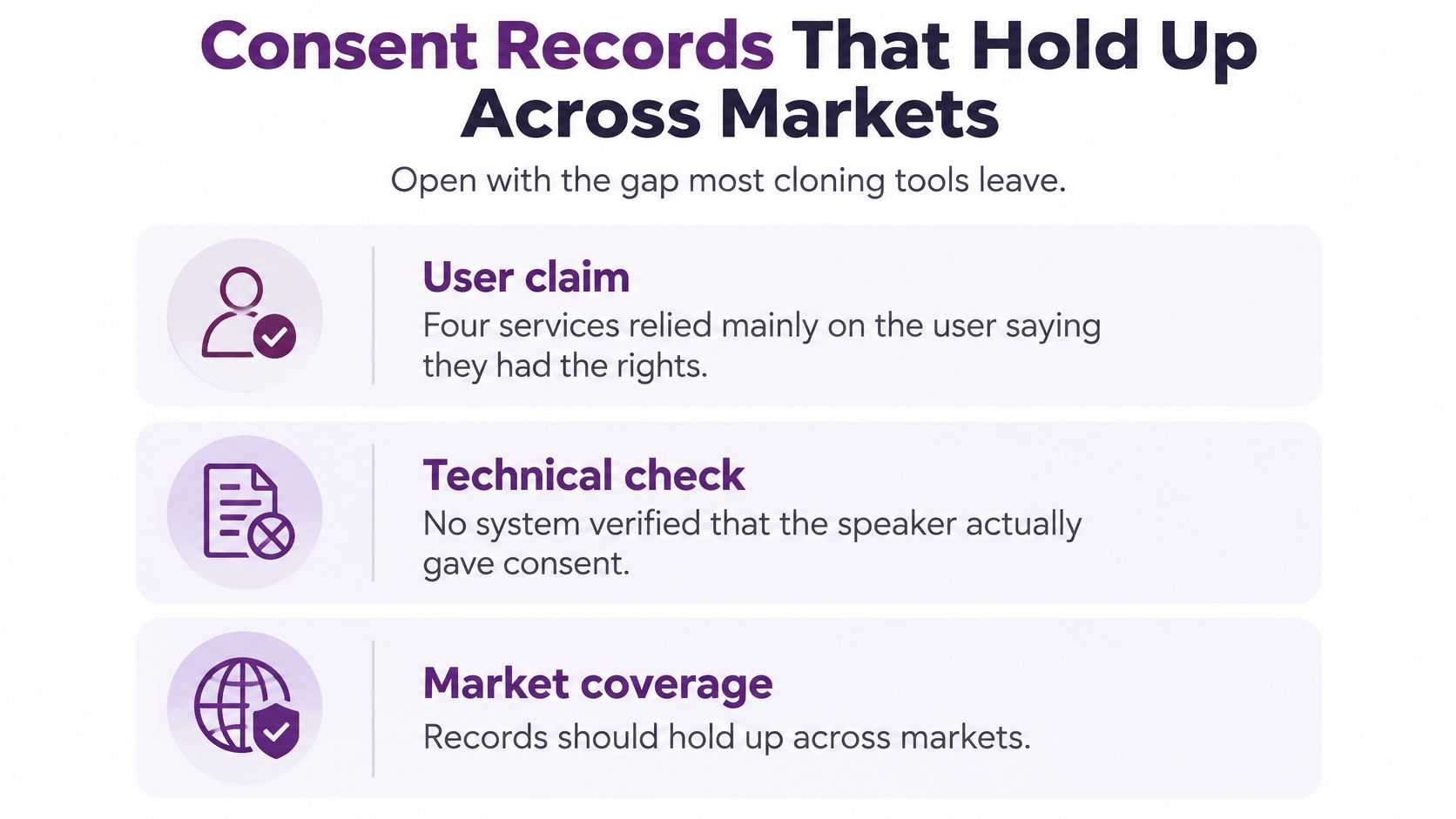
Most tutorials skip the gap that gets teams into trouble. A 2025 Consumer Reports assessment summarized in an analysis of the three second voice theft problem found that four of six voice cloning services relied primarily on a user's self-attestation of legal rights, without technical verification that the speaker had consented.
A checkbox is not proof. If a client sends you a podcast WAV, a Zoom recording, or an old interview clip, you have a file. You don't automatically have permission to build a reusable voice model from it. A recording right covers that recording. A model right covers new words, new languages, new emotions, and future campaigns the speaker never recorded.
Build a Consent Ledger Before You Upload
Put one ledger in the project folder with the script, source audio, and final exports. Don't leave it in a chat thread, an email chain, or somebody's personal drive. When a client asks six months later who approved the German version, you need one record you can open in a minute.
| Field | What to write down | Why it matters |
|---|---|---|
| Speaker identity | Legal name plus a verified ID or contract party | Stops cloning a public clip you merely downloaded |
| Permitted uses | Tutorials, ads, emotion, translation, subcontractors, or a narrower list | A recording right is not a model right |
| Places and languages | Territories and the languages or accents covered | Campaigns cross borders faster than contracts |
| Duration and pay | End date, renewal, and compensation | An indefinite model is a different deal |
| Revocation and deletion | Who can revoke, and who deletes model plus source audio | Speakers need a real off switch |
| Call and disclosure rules | TCPA consent for US AI voice calls; EU machine-readable mark plus a perceivable deepfake label | Natural sound does not remove the legal label |
Name the speaker and the approver as two fields. They are often the same person for a solo creator. For an agency, they usually aren't. The voice talent consents to the clone. The brand manager approves the script. The producer approves the final export. Write all three down.
Be specific about permitted uses. A tutor may agree to course narration but not paid ads. A founder may agree to product demos in English but not emotional testimonials in Spanish. A voice actor may prohibit subcontractors from opening the model. Vague wording such as general marketing use creates the dispute later.
Calls and Disclosure Are Separate Jobs
Separate ordinary video voiceover from phone outreach. The rules are not the same, and a natural sounding clone doesn't change that.
In the United States, the Federal Communications Commission February 8 2024 declaratory ruling confirmed that AI-generated voices qualify as artificial or prerecorded voices under the Telephone Consumer Protection Act. Covered calls generally need the called party's prior express consent, unless an emergency purpose exception applies. Your team still has to honor opt-outs and check federal and state telemarketing rules before any outbound campaign.
In the European Union, the European Commission guidance on AI Act transparency obligations separates two duties. Providers of synthetic audio systems must apply a machine-readable marking so outputs can be detected as artificially generated or manipulated. Deployers of audio that constitutes a deepfake must also give people a clear and perceivable disclosure. Hidden metadata alone is not enough when a clone would falsely appear to be an authentic recording of a real person.
Artistic, creative, satirical, or fictional work gets a narrower disclosure treatment. The manipulation still has to be communicated appropriately. Do not treat fiction as a blank exemption.
If the ledger cannot answer who approved this language in this country, do not generate the spot.
Store the ledger where your team handles project data and access controls, and review how personal data is treated in the LunaBloom privacy policy before you upload source audio. Limit who can open the model, log every export, and write down who deletes both the model and the enrollment audio when consent ends. That deletion record matters as much as the signature at the start.
How Much Audio an AI Voice Clone Needs
A clean two to five minute recording covers most creator and business voiceovers. A three second clip only supports a private test. That is the practical answer, even though controlled testing shows how little audio a model can use.
Modern systems split voice into two jobs. The sample supplies timbre, pitch, rhythm, and pronunciation. The script or conversion signal supplies the new words. That split is why you don't rerecord every sentence, and why a short sample can sound close on simple lines.
Choose the Row Before You Record
| Job | Clean speech to record | What testing showed | Use it for |
|---|---|---|---|
| Private likeness test | About 3 seconds | About 85% match in a controlled test | A private demo only, never a campaign |
| Social voiceover | 30-60 seconds | Moves toward the 95% band once extra clean files are added | One script, one language, low stakes |
| Reused narrator | 2-5 minutes with questions, numbers, and a short story | Higher stability than a single short clip | Ads, tutorials, and light localization |
| Accent and emotion hold | 10 minutes or more, varied pace | Not a published match percentage; quality depends on noise and delivery | Multi-market videos and character lines |
The three second result is a controlled ceiling, not a promise for your spare bedroom. Background noise, echo, very emotional delivery, uncommon accents, and poor microphones reduce both similarity and intelligibility. A laptop mic beside a humming fridge can undo the advantage faster than extra minutes can fix it.
Record the way the finished video should sound. If the final job is a calm tutorial, don't enroll with a loud sales read. If prices and dates matter, include numbers in the sample. If the script asks questions, record questions. A flat list of statements gives the model little help with rising endings.
What a Useful Session Sounds Like
- Quiet room first: Turn off fans, close the window, and put your phone in airplane mode before you start.
- Steady distance: Keep your mouth about a handspan from the mic and do not drift closer on important lines.
- Real delivery: Speak at the pace you want in the published video, not in a special recording voice.
- Variety with control: Add statements, one question, numbers, a name, and a short story without acting five different characters.
Say a teacher wants twenty short lessons from one recording session. Sixty clean seconds may produce a decent first lesson. It may wobble on names, dates, and slower explanations across twenty scripts. Five varied minutes costs a little more time once and saves repeated fixes later.
Get permission even for a three second test. Public podcasts, interviews, livestreams, and social videos can already provide enough material for impersonation. Easy access is not authorization. Pick the sample length that matches your publish plan, then record once, cleanly.
Choose and Set Up Your Voice Cloning Tool
Judge a tool by its controls, not its demo reel. A polished sample tells you nothing about consent, deletion, or whether next month's render will match today's.
Check consent handling first. Does the service verify the speaker, or does it only ask you to tick a box saying you hold the rights? Next, check model controls. Can you delete the trained model and source audio on request, and can you restrict which teammates can open it?
Then inspect the output. You want an uncompressed master, a clean dialogue track, and machine-readable marking or metadata where the tool provides it. For comparing speech engines behind a workflow, the Resemble AI speech generation model is a useful reference point for what a text to speech model can supply before your video editor takes over.
Confirm the languages and accents you need, not a long list you will never use. Ask whether the approved voice can be attached to a LunaBloom project as a narrator or avatar voice and kept as one locked take across scenes. Review the LunaBloom pricing options against export quality, team access, and how many active voices your work requires.
Set Up the Project Folder
- Create one folder for the consent ledger, source audio, scripts, test renders, and approved exports.
- Name every file with a sample ID and date, such as speaker name, language, and take number.
- Run a private test with a held-out sentence before uploading campaign material.
- Record the tool version and settings so another editor can reproduce the approved render.
That boring setup prevents the common rushed campaign failure. Nobody knows which take the client approved, the model gets regenerated overnight, and the person sounds slightly different in scene three.
How to Build the Clone From Sample to Speech
Treat cloning as a small production pipeline. Each step removes one reason the final voice sounds wrong, unclear, or impossible to defend.
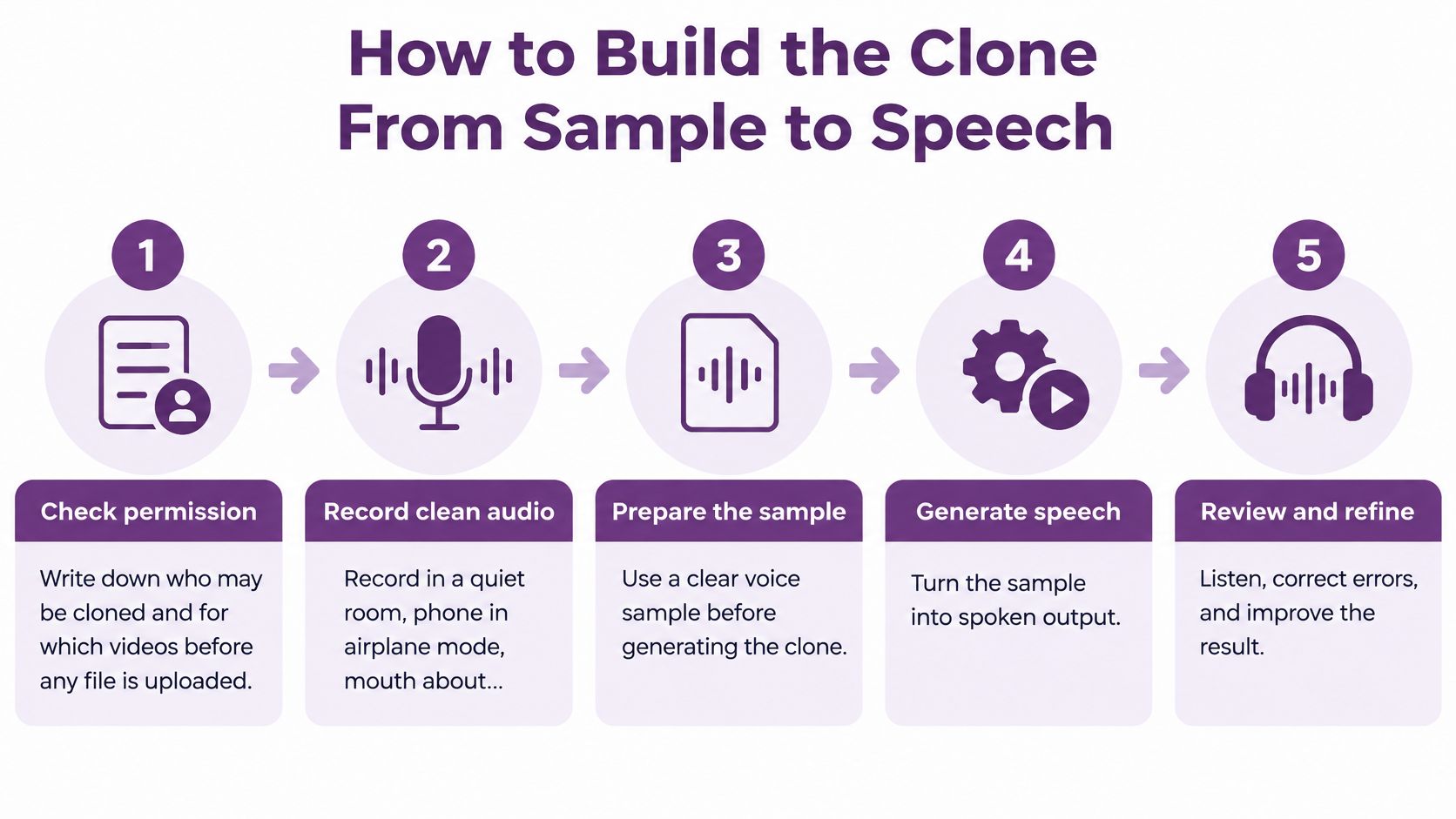
A short visual map helps a new team member see the order before touching the files.
Run the Eight Step Pipeline
- Check permission. Write down who may be cloned and for which videos before any file is uploaded. If the ledger names tutorials only, the ad script waits.
- Record clean audio. Use a quiet room, keep the phone in airplane mode, and stay about a handspan from the mic. Do not record under a ceiling fan and hope cleanup will save you.
- Isolate the target speaker. Use diarization when the source contains other voices. A second person laughing under the main line can contaminate the sample.
- Transcribe and segment. Cut the recording into clean sections with matching text. Short, accurate segments are easier to inspect than one long file.
- Remove bad audio. Delete overlaps, music, clipping, long silences, and strong reverberation. Adding more bad takes does not average out a bad room.
- Normalize the set. Keep loudness and sampling rate consistent across every segment. Sudden level jumps teach the model the editing, not the speaker.
- Generate speech. Use a text to speech model from a new script or voice conversion from a guide track. Start with one or two test lines.
- Score held-out lines. Test sentences the model never enrolled on. Judge speaker identity and intelligibility separately, because a close voice can still mangle words.
The walkthrough below shows the production sequence in context, so you can compare your own folder, takes, and review points against a finished workflow.
Score It Like a Skeptic
Keep four checks in your project notes. They are speaker-embedding cosine similarity, word-error rate, a short naturalness rating, and a failure pass across accents, languages, emotions, and noisy playback. You don't need a lab to use the idea. You need the same test lines, the same playback conditions, and written notes.
Do not trust ears as a security control. In a study described in research on human perception of AI generated speech, listeners perceived an AI voice as matching the speaker about 80% of the time, while correctly identifying AI-generated speech only about 60% of the time. A colleague saying that sounds exactly like you is a quality note. It is not proof of origin.
Go or no go: If held-out lines sound like the person and every word reads cleanly, lock the take. If they do not, fix the sample before generating a full script.
Add explicit synthetic voice disclosure and provenance metadata or watermarking where available. Put a human approval step before publishing high-impact content. Never use a cloned voice for financial authorization, identity verification, or impersonation without independent verification and explicit consent. That boundary does not bend because a deadline is close.
Tuning the Clone Until It Sounds Like You
Your first pass will probably be intelligible but slightly off. That is normal. It may sound like you on a tired Monday, or like a radio version of you that nobody recognizes from your videos.
Fix the sample before you touch sliders. Replace any enrollment line with room tone, hard plosives, mouth clicks, or energy that does not match the videos you will publish. One clean replacement often does more than ten regenerations of a weak take.
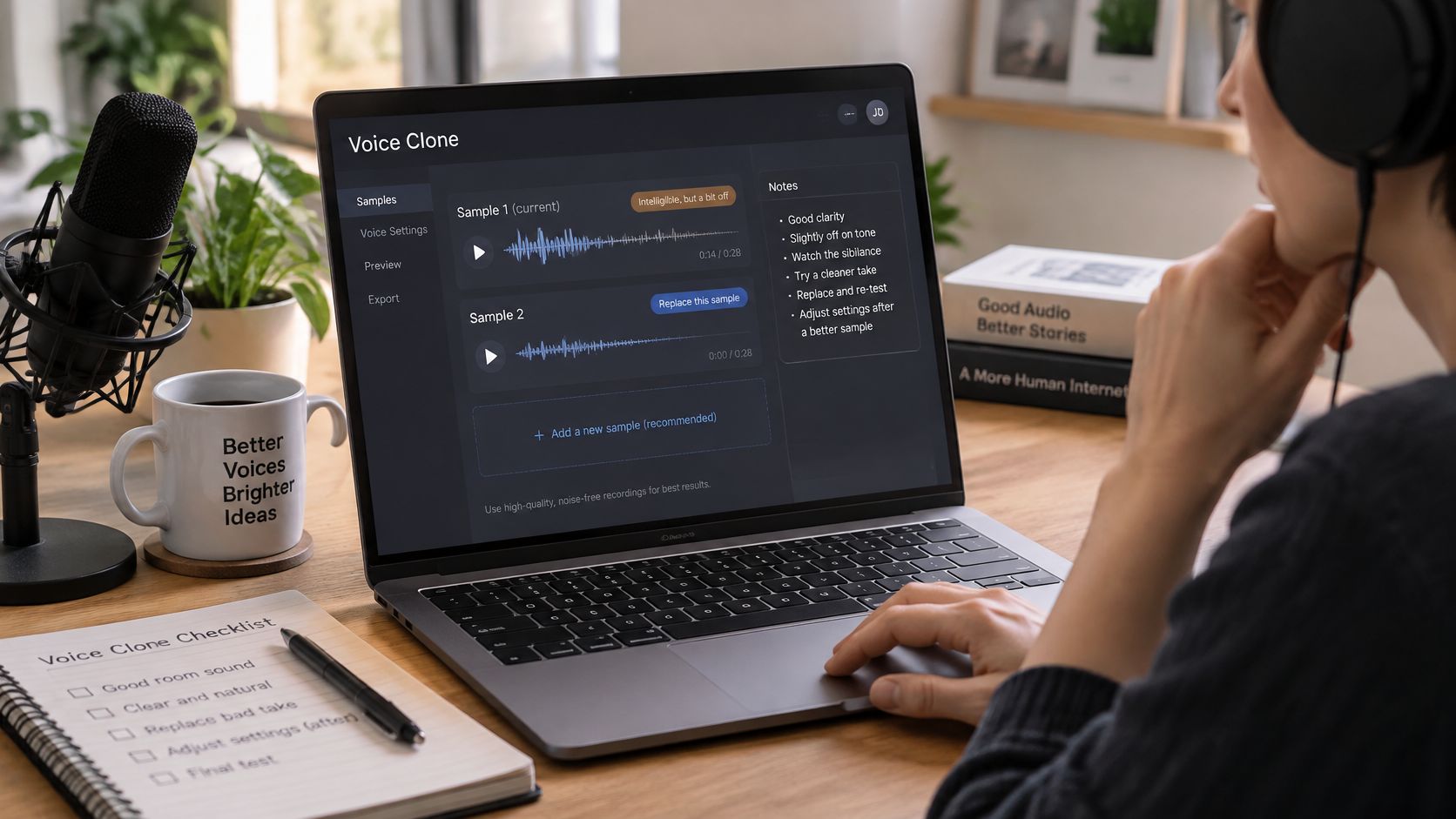
Tune in the Order That Saves Time
Add a short second take only where the voice must do something new. Record a natural question if questions rise too much. Record prices and dates if numbers blur. Record a slower explainer passage if tutorials sound rushed. Do not rebuild the whole sample because one line type fails.
Coach pronunciation inside the script. Give brand names, personal names, and technical terms phonetic hints if your tool accepts them. If it doesn't, spell the problem word in a test version, listen, and keep a pronunciation list with the project. Hoping the model guesses your product name right in five languages is not a plan.
Compare three renders of the same sentence. Make one neutral, one slightly warmer, and one slightly slower. Pick the read that matches the on-screen person. The most polished voice is not always the most believable one, especially when the speaker normally talks plainly to camera.
Localize With Fresh Ears
Clone from speech in the accent you want when you have it. A strong English match does not guarantee correct names, numbers, stress, or tone in another language. Have a native speaker review every translated line before it reaches the editor.
Say a creator sells a course in English and Spanish. The English clone says the product name cleanly. The Spanish version stresses the wrong syllable and turns a price into a different number. Nothing is wrong with the speaker sample. The script needs shorter sentences, a pronunciation note, and a native review.
Do not use a teammate's gut as the only gate. In Podcastle's AI voice research report, 63% of 1,000 surveyed Americans in 2024 incorrectly identified whether a voice clip was human- or AI-generated.
Use a short scorecard instead:
- Likeness: Does the held-out line sound like the same person as the reference?
- Words: Are names, numbers, and calls to action exact?
- Pauses: Do sentences breathe where a real speaker would pause?
- Scene fit: Does the emotion match the picture and the purpose of the line?
When the scorecard passes, lock the winner, name the approver, and stop regenerating. Endless small changes create version drift. A client approves take four, an editor exports take seven, and the narrator subtly changes halfway through a campaign.
When the Clone Sounds Wrong
The first failure is easy to miss. The voice sounds great on the enrollment sentence and wrong on every new line. You tested the material the model already heard.
Switch to held-out prompts. Write fresh sentences with the names, numbers, questions, and emotional turns in the final script. If the clone only works on its demo line, you don't have a production voice yet.
| Symptom | Likely cause | Fix first |
|---|---|---|
| Great on the demo line, wrong on new copy | Tested the enrollment audio | Score held-out sentences only |
| Boxy, echoey, or noisy voice | Bad room or a phone mic | Re-record 30-60 quiet seconds or strip reverb |
| Names and prices come out garbled | Long lines or unseen language | Shorten the script and review with a native speaker |
| Tone flips mid-video | Source energy does not match the scene | Add one calmer or warmer reference and redo that line |
| Fine in the tool, thin on social | Heavy compression of a weak master | Export a clean master and let the video platform encode |
| Someone must prove a sensitive line is synthetic | A single detector fails out of domain | Consent log, disclosure, and a challenge phrase, not one model score |
A muffled or roomy clone usually starts in the room. Don't upload five more files from the same echoey kitchen. Re-record a short clean passage or remove reverb from the best take. A quiet closet full of clothes often beats a large office with glass walls.
Sudden cheerfulness on a serious line usually means the source set was all upbeat. Add one calmer reference and regenerate that line only. A clone that collapses after social export needs a clean master, not a louder one. Let the video platform make its delivery copy from the strongest file you have.
Do Not Trust One Detector
Detection breaks when the generator, language, microphone, codec, or background noise changes. A forensic study of cloned public figure speech used 62 minutes and 22 seconds of speech from eight English-speaking public figures and created 5,889 genuine and 5,889 cloned recordings. Its MFCC-based Random Forest detector achieved only a 0.61 average detection likelihood and performed notably worse for one tested cloning algorithm.
The same source summarizes harder numbers. Speaker-verification bypass rates reached up to 82.7%, and detector equal-error rate degraded from 0.83% in-domain to 24.84% on unseen synthesis models. A separate benchmark in that discussion found randomized challenge phrases raised deepfake-detection AUROC to 88.7%, versus 56.0% for ordinary speech.
Use those figures as a warning, not as a promise that your viewer can spot a fake. For sensitive lines, layer the checks. Keep the clean enrollment audio, calculate speaker embeddings where your tool supports them, test with held-out prompts, and manually review low intelligibility, abnormal prosody, or uncertain provenance. Independent verification protects payments and executive instructions better than one detector score.
A detector can flag a file for review. It cannot replace consent, disclosure, and a second approval channel.
If a fix needs new audio, return to the sample length you picked for the job. Re-record the missing line type. Don't invent a marathon session because one price, one question, or one somber sentence failed.
Put the Approved Clone in a LunaBloom Video
A voice that never lands in a finished video is still a demo. Start from the script or prompt in LunaBloom, attach the approved clone as the narrator or avatar voice, and let the editor handle voice sync, captions, and the cut. Open the LunaBloom app with the locked audio identified by sample ID, not by a file name such as final voice new version.
Use the same locked take in every scene. If you regenerate scene five next week for a small script change, compare it against scene one before export. A new render can change pace, warmth, or pronunciation enough for regular viewers to notice.
Version Each Language and Character
For a second language, duplicate the project and keep the ledger row that allows that language and territory attached to the new version. A native reviewer approves the audio before export. Approval of the English narrator does not approve the French, Hindi, or Portuguese version.
Multi-character spots need a named voice for every character. Write down speaker, model, approver, and permitted use for each one. Do not let a character model drift into narrator work or an ad campaign unless the consent covers it.
Export in HD or Full HD with a clean dialogue stem for paid social or a product demo. Keep the master separate from platform copies. When the campaign is ready, a social media scheduler can queue approved versions without another editor downloading, renaming, and accidentally uploading the wrong export.
Make the Finished Clip Verifiable
Add a perceivable synthetic voice label in the description or end card when viewers could take the audio as a real recording of that person. Keep machine-readable marking where the tool provides it. Then store the script, approver, sample ID, language, ledger ID, and export date with the version, so a client or reviewer can match the file to its approval record without specialized software.
A watermark helps attribution. It doesn't prove the speaker agreed, and it doesn't prove the script is true. Voice-cloning-resistant watermarking research reports over 95% detection accuracy after zero-shot cloning in experiments, compared with roughly 50% for earlier approaches. The same discussion warns that watermarked speech may be used as a prompt to generate a new, unwatermarked clone.
That is why you need layers. Use visible disclosure, persistent metadata, an embedded mark where available, signed production logs, and human review for payments, executive instructions, political messaging, and emergency notices. Design for the dispute before it happens, when somebody asks whether the person really said that sentence.
Make your first publish a small one. Clone your own voice, fill in the ledger, build one short LunaBloom video, label it as synthetic, and check captions against the approved script. Invite a client, a second character, or another language only after that trail works cleanly from enrollment sample to exported file.
Create your first consent-backed voiceover video with LunaBloom AI, where you can combine an approved cloned voice with scripts, avatars, captions, localization, and polished exports in one workflow. Start with your own voice, keep the ledger beside the project, and publish a short labeled video today before scaling into client work or new languages.