You've finished editing a product demo, tutorial, or social video, and the script has changed again. Booking another studio session feels excessive, but a generic text-to-speech voice doesn't sound like you. An AI voice over with my voice can solve that production problem, but only when you treat it as more than a quick upload.
A usable clone depends on clean source audio, strong writing, deliberate direction, and quality control. It also creates an ongoing responsibility around permission, storage, access, disclosure, and revocation. The practical question isn't just whether software can reproduce your vocal tone. It's whether the result sounds natural, fits the edit, and remains trustworthy when other people hear it.
The Rise of Personalized AI Narration
A creator has a finished storyboard, approved visuals, and a launch date approaching. The narration needs a small script change, followed by versions for product pages, training content, and social clips. In a traditional workflow, each revision may involve finding the speaker, arranging a recording session, reviewing takes, and syncing the replacement audio to picture.
A personalized voice model changes that sequence. Once the speaker has authorized the model and the source material is suitable, a producer can generate revised narration without recalling the speaker for every line. That makes the approach useful for product demos, tutorials, onboarding, multilingual campaigns, and creator videos, especially when the same person's identity matters to the audience.
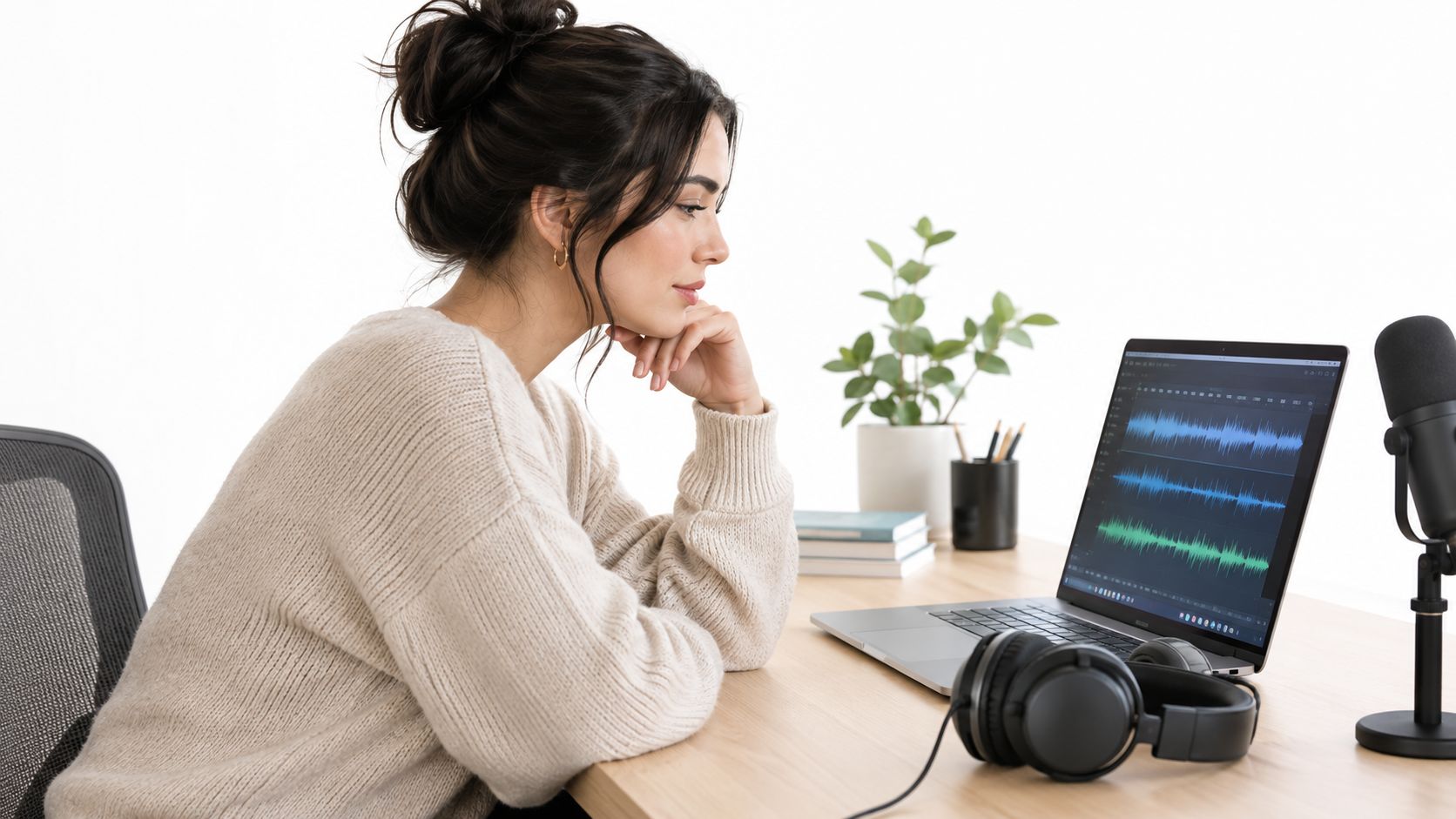
The production advantage is speed, but speed alone doesn't make a voice-over effective. A convincing result still needs a well-written script, correct pronunciation, sensible pacing, emotional direction, and accurate synchronization with the visuals. A cloned voice can reproduce vocal identity without automatically understanding what a line should mean or how strongly it should be delivered.
Why realism changes the production decision
A peer-reviewed 2025 study created AI voice clones for 220 speakers and evaluated them with 604 listeners. When listeners compared a genuine recording with an AI-generated clone of the same speaker, they judged the recordings to represent the same person on a median 83.3% of trials. Yet listeners correctly classified AI-generated clips as artificial only 60.8% of the time, compared with 67.4% accuracy for genuine clips, and about 21% of participants performed at or below chance when judging AI clips. These findings are reported in the Scientific Reports study on human perception of cloned voices.
Those results create a clear professional obligation. If ordinary listeners can accept a synthetic performance as authentic, a cloned voice should be managed as an identity-sensitive asset, not just another audio effect.
Production rule: Use a personalized clone to remove repetitive recording work, not to remove editorial judgment.
For creators, that distinction is important. An AI voice over with my voice can preserve continuity across a growing library, but it shouldn't replace a human review of every published take. Teams using a platform such as LunaBloom AI should establish who can create, approve, export, and publish generated narration before the workflow expands.
Recording the Perfect Source Audio
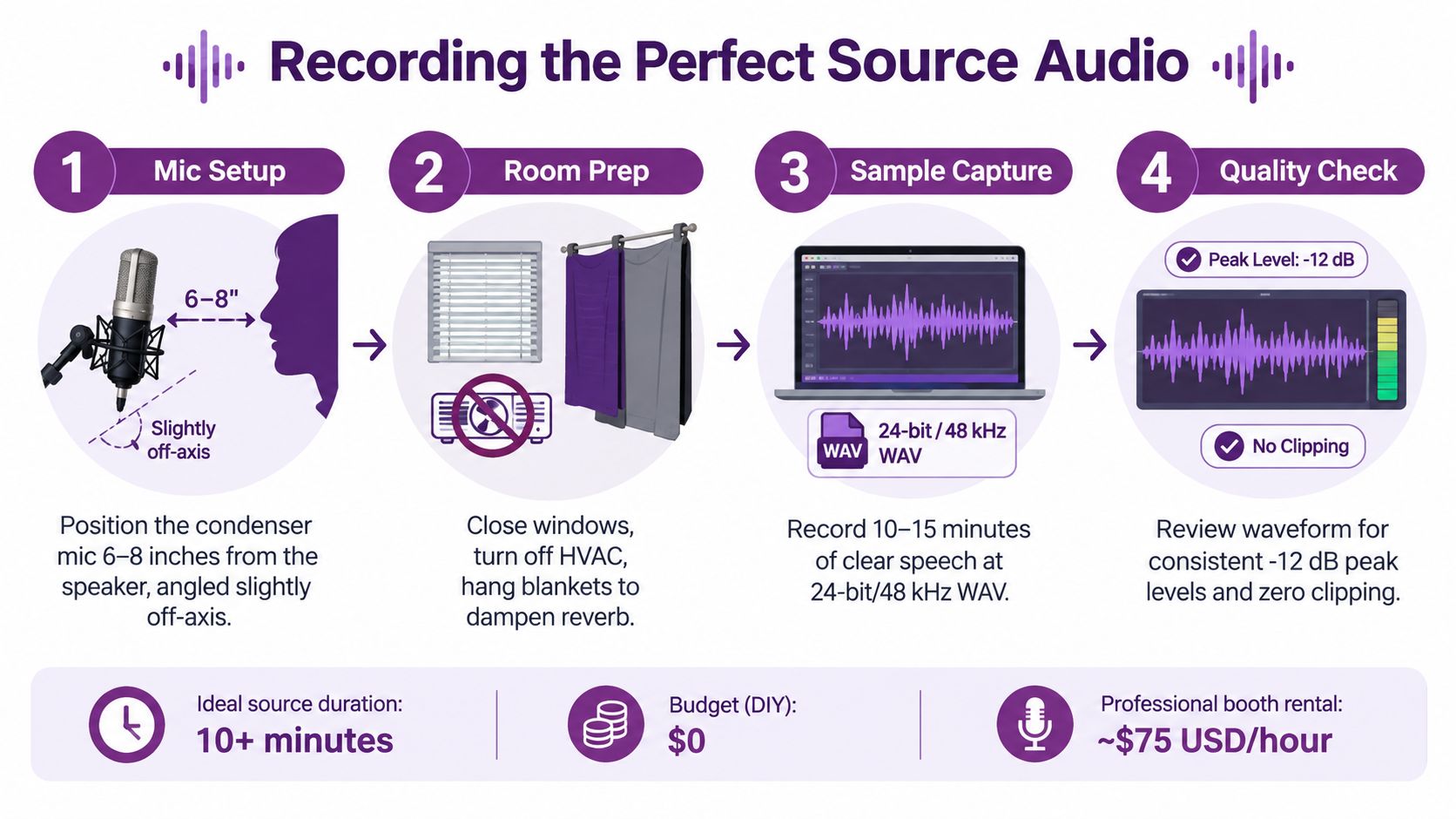
The model can only work with the evidence you give it. A reverberant room, clipped recording, narrow speaking range, or background voice may become part of the clone's behavior. Professional results usually begin with a controlled recording environment rather than with aggressive cleanup after the fact.
Prepare the room and microphone
Use a microphone that captures speech clearly, keep the placement consistent, and reduce reflections before recording. A closed room with soft furnishings is generally more useful than a large untreated space. Close windows, silence HVAC systems where practical, and remove music, overlapping speakers, keyboard noise, and long pauses from the usable material.
Record with consistent distance and a natural delivery. Speak slightly off-axis if that reduces harsh consonants, and avoid moving toward and away from the microphone during a sentence. The aim isn't to create a dramatic performance. It's to create clean, repeatable evidence of your normal voice.
A practical capture sequence looks like this:
- Set the microphone position. Keep the speaker and microphone stable throughout the session.
- Record varied speech. Include questions, statements, short phrases, longer sentences, different consonant combinations, and natural transitions.
- Maintain a steady delivery. Use conversational, instructional, and lightly expressive passages rather than one flat monologue.
- Review before uploading. Remove clipped sections, room noise, music, long silences, and accidental speech from another person.
Short samples can work, but coverage matters
A 2025 academic study noted that modern machine-learning systems can produce a convincing imitation from approximately 15 seconds of spoken audio, while evaluations showed that only 2–3 recordings of roughly 15 seconds were sufficient to obtain good quality and similarity Mean Opinion Score results. The same evidence supports a practical qualification: larger and more varied datasets generally improve pronunciation, prosody, and stability. See the study on cloned-voice phishing and short speech samples.
That doesn't mean a short clip is the best production source. It means the technical barrier to imitation is low. For a branded narration workflow, more phonetic variety gives the system better material for unfamiliar words, punctuation patterns, emotional shifts, and language transitions.
Before creating the initial model in LunaBloom's voice workflow, label the speaker, record the authorization, and keep the source files in a controlled location. A useful reference for organizing and transcribing spoken material is the Verbal Experiment guide to spoken lab records. Treat the transcript as production metadata, not as a substitute for listening to the audio.
Generating Voice Overs in LunaBloom
Once the recording is clean, the generation process becomes an editorial workflow. Upload the authorized source, create the voice profile, enter a short script, and listen for identity, clarity, rhythm, and pronunciation. Don't judge the model from a single sentence. Test it with the type of copy you expect to publish.
Write for the cloned speaker
A script written for a human session may need small changes for synthesis. Break dense sentences into clear thought groups, spell out uncommon abbreviations when pronunciation matters, and add punctuation where you want the voice to breathe. If a product name or place name is frequently misread, test alternate spellings or pronunciation controls rather than accepting the first output.
Start with a neutral read. After the model handles the words correctly, create versions with different pacing and emotional intent. A calm tutorial, an energetic social advertisement, and a reassuring onboarding message may use the same vocal identity but require different direction.
A reliable review pass checks:
- Identity: Does the voice sound like the authorized speaker?
- Intelligibility: Can a listener understand every word without relying on captions?
- Timing: Does the narration fit the intended cuts, transitions, and on-screen actions?
- Emotion: Is the performance appropriate for the audience and subject?
- Pronunciation: Are names, technical terms, numbers, and foreign words correct?
The goal isn't maximum similarity on every syllable. A perfectly matched voice that rushes, pauses randomly, or delivers a serious warning cheerfully still fails as narration.
Generate variations before editing picture
Create several takes for lines that carry important meaning or sit tightly against visual action. Change one variable at a time, such as pace, pause length, or emotional intensity. That makes it easier to choose a performance instead of trying to repair an unsuitable take in the edit.
A 2025 evaluation found that 2–3 recordings of roughly 15 seconds each could produce good quality and similarity MOS scores, while larger, more varied datasets generally improved pronunciation, prosody, and stability. The findings are summarized in this research document on speaker adaptation and voice synthesis.
After approval, place the generated narration against the picture and check sync at normal listening volume. Export a clean master, retain the layered project where possible, and keep the approved script with the corresponding audio version. The LunaBloom starter app can fit this workflow when the same speaker needs narration, captions, translated versions, or edited social formats from one source project.
Legal Requirements and Consent Management
Consent is the foundation of a responsible voice-cloning workflow. A speaker should understand what is being created, who can use it, where it may appear, how long permission lasts, and how the authorization can be withdrawn. A checkbox that says “I agree” rarely answers those operational questions.
This matters for more than celebrity impersonation. A creator may own their personal brand but still need clear agreements with an agency, client, employer, contractor, or production partner. An employee's permission to narrate internal training doesn't automatically establish permission for paid advertising, customer support, political content, or a campaign that continues after the employee leaves.
Keep an authorization record
A practical voice permission record should identify:
- The speaker: Confirm whose voice the model represents and how identity was verified.
- The intended use: Specify narration, advertising, education, internal communication, localization, or other approved applications.
- The scope: Record territory, duration, commercial permissions, channels, and excluded uses.
- The controls: Define who can generate audio, who can export it, and who approves publication.
- The exit process: Document deletion, model suspension, expiration, and revocation requests.
Consumer Reports found that researchers could create clones from publicly available audio in four of six tested services, while the services relied mainly on self-attestation rather than technical consent verification. That finding appears in the Consumer Reports assessment of AI voice-cloning products. Public availability of a recording isn't the same as permission to create a reusable voice model.
EU guidance identifies voice data as personal data requiring consent under GDPR. In the United States, the FCC ruled on February 8, 2024, that calls using AI-generated voices qualify as calls using an “artificial or prerecorded voice” under the Telephone Consumer Protection Act. The FCC ruling on AI-generated voices and the TCPA also states that telemarketing calls generally require prior express written consent, subject to applicable exceptions.
Disclosure belongs in the publishing workflow
Under Article 50 of the EU AI Act, providers of systems that generate synthetic audio must ensure outputs carry a machine-readable mark that allows artificial generation or manipulation to be detected. Deployers may also have disclosure duties. EU guidance describes qualifying AI-generated or manipulated audio that could appear authentic as deepfake content, with disclosure required no later than a person's first exposure and presented in a clear, distinguishable, understandable, and perceivable way. The European Commission FAQ on Article 50 transparency obligations explains the disclosure framework.
Keep voice rights separate from other production rights. A team reviewing music rights for independent artists should apply the same discipline to voice permissions, source recordings, music beds, images, and scripts. Store consent records, generation logs, model access history, and disclosure decisions alongside the project. LunaBloom's privacy information should be reviewed with your organization's own retention and access policies before uploading sensitive recordings.
Troubleshooting Common Cloning Issues
The most common mistake is treating voice similarity as the only quality target. A clone may sound recognizably like the speaker and still produce poor narration because it mispronounces a product name, loses rhythm at a paragraph break, or sounds emotionally wrong for the scene.
Published experiments illustrate that variability. One system reported 2.86% EER, while human similarity averaged 3.28 out of 5, indicating recognizable but not reliably confusable speech. These measures are discussed in the Interspeech research on voice-cloning evaluation. Similarity and naturalness should be evaluated separately.
Diagnose the source before changing the settings
If the output contains strange accents, unstable pauses, or inconsistent tone, inspect the enrollment audio first. Common causes include:
- Room reverberation: Reflections can make the model reproduce an artificial space or soften consonants.
- Clipping: Distorted peaks give the system unreliable evidence about the speaker's voice.
- Narrow phonetic coverage: A voice model may struggle with sounds and word combinations absent from the source.
- Overlapping speakers: Background speech can introduce identity and pronunciation errors.
- Expressive mismatch: A highly dramatic recording may not represent the calm delivery needed for instructional content.
- Language transfer: Cross-lingual narration can lose accent control, phoneme accuracy, or natural prosody when the source lacks coverage in the target language.
Use held-out sentences for testing. If you replay the exact text used during enrollment, you may only be checking memorization. New sentences reveal whether the model handles unfamiliar names, punctuation, sentence lengths, and emotional direction.
Separate the quality checks
Mean Opinion Score, or MOS, can help evaluate naturalness through human listening judgments. Word Error Rate, or WER, helps assess intelligibility, while speaker-embedding cosine similarity or Equal Error Rate, known as EER, helps evaluate identity preservation. These measures answer different questions, so one score shouldn't replace the others.
A professional review should also include waveform inspection, pronunciation checks, timing against picture, and a human approval step. Reject outputs with phoneme substitutions, unstable pauses, clipping, unnatural breaths, or identity drift. Increasing similarity settings may make a voice more recognizable while making the performance less comfortable to hear.
The best take is the one that communicates the message cleanly, not the one that wins a single similarity test.
Advanced Workflows and Quality Verification
A production-ready process combines authorization, clean capture, controlled generation, held-out testing, and human approval. For multilingual work, validate accent, phoneme coverage, and prosody in every target language instead of assuming the original voice will transfer naturally. One study found that code-switched training improved naturalness MOS by 37–38% and speaker-similarity MOS by 20–76%, as reported in the research summary on multilingual voice adaptation. Those results reinforce the need to test each language rather than treating localization as a one-click guarantee.
Maintain a fixed test suite with neutral, emotional, technical, and multilingual lines. Track the approved model version, script version, generated takes, reviewer, disclosure decision, and export destination. For ongoing projects, set access limits and revisit authorization when the scope, speaker relationship, or commercial use changes.
If you're ready to turn an authorized voice sample into repeatable video production, review the available LunaBloom AI pricing options and choose a workflow that matches your approval and export needs.
LunaBloom AI lets creators and teams generate videos from scripts, add cloned voice-over, create captions, and produce localized versions while keeping the narration tied to an approved voice identity. Visit LunaBloom AI to explore a practical workflow for your next personalized voice project.