By 2026, 91% of businesses use video as a marketing tool, and 93% of video marketers say it plays an important role in their overall strategy, according to HubSpot's marketing statistics. Product marketing video has moved well beyond brand awareness. It now sits inside the buying journey, helping prospects understand a product, evaluate its fit, and take a measurable next step.
The teams getting results don't treat video as a creative exercise. They treat it as a performance asset with a defined audience, a specific job, a controlled production process, and a measurement loop tied to conversion or pipeline. This guide shows how to build that system, from the first positioning decision to the final reporting review.
Why Product Marketing Video Is a Performance Channel Now
67% of video marketers prioritize views, 63% prioritize engagement, and 52% prioritize leads or clicks, according to HubSpot data. The spread between attention and action shows how product marketing video is being judged. Reach still matters, but the asset earns its budget when it helps a buyer understand the product, overcome an objection, or take the next step.
Budget patterns support that shift. 46% of marketers allocate a third of their budget or less to video content, which points to video becoming part of regular marketing operations rather than a format reserved for large production teams. A product video can support a product page, sales follow-up, paid campaign, or educational post. The job changes by channel, so the success metric must change with it.
Conversion benchmarks are useful as directional evidence, not promises. Zebracat's video marketing statistics compile the website and landing-page comparisons below, while Ngram's product demo best practices provide the demo-viewer benchmark. The figures belong in context: a focused demonstration can resolve a question that static copy leaves open, while an unfocused video can slow a page and add no selling value.
Practical rule: If the video does not clarify a buying decision or support a measurable action, it belongs in brand content rather than product marketing.
Product marketing video performance benchmarks
| Metric | Without Video | With Product Video | Source |
|---|---|---|---|
| Average website conversion | 2.9% | 4.8% | See linked benchmarks above |
| Landing page conversion | Static page baseline | About 34% improvement benchmark | See linked benchmarks above |
| Video viewer purchase likelihood | Baseline | 1.81x more likely after watching a demo | See linked benchmarks above |
Attention still has a practical constraint. Siege Media's video marketing statistics report that 51% of people consider 30 to 60 seconds the optimal length for an effective marketing video, while 91% prefer videos under two minutes. The implication is not that every product needs a short asset. Each second should answer a buyer question, show a relevant workflow, or direct the viewer toward a useful action.
Complex manufacturing launches may need specialist coordination across positioning, launch planning, and supporting content. Genpire's manufacturing launch help is one resource for that work. Lean teams can apply the same operating principle internally by defining the buyer question before choosing the format or production effort.
Use this performance loop for any launch:
- Define the audience and buying stage, then select the conversion event.
- Reduce the message to one outcome, so the viewer knows what changes.
- Show the product solving a recognizable problem, with evidence the buyer can verify.
- Give the viewer one next action, such as a demo request, trial, or sales conversation.
- Measure downstream behavior, including demo requests and influenced pipeline, not attention alone.
Teams organizing a repeatable creation and publishing workflow can also review LunaBloom AI's content platform. The tool matters less than the loop: connect the video to a decision, track what happens after viewing, and revise the asset or distribution based on that evidence.
Plan Before You Press Record
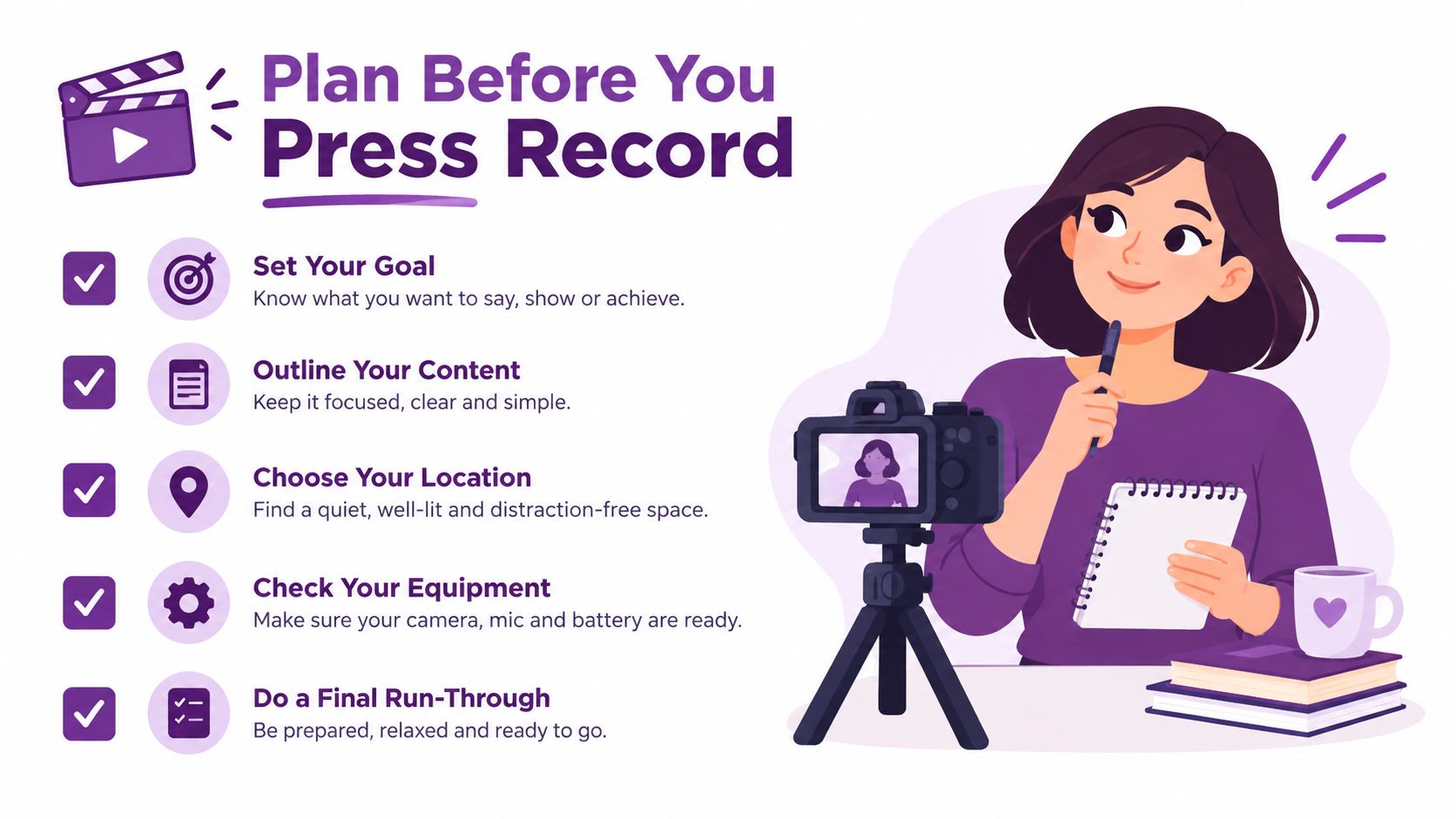
A product marketing video earns its budget before production starts. The team must agree on who will watch, which buying decision the video should support, and what evidence will show that it worked. Without those decisions, production tends to become a request to include every feature, serve several audiences, and fix the strategy in the edit.
Start with one specific audience. “B2B buyers” and “people interested in productivity” are too broad to guide a script. Define the role, funnel stage, and buying job in one sentence.
Audience snapshot
“A [role] at the [awareness, consideration, or decision] stage who needs to [job to be done] without [main frustration].”
For example: “A revenue operations manager comparing attribution tools who needs to identify pipeline sources without rebuilding reporting manually.” This description points to the workflow that deserves screen time and gives the writer a clear standard for relevance.
Reduce the message
A product video cannot carry an entire positioning document. Choose one problem, one consequence, and one product-led solution.
Use this two-line version:
- Problem and consequence: “When [audience] tries to [task], [friction] causes [business or personal cost].”
- Solution and outcome: “[Product] helps [audience] [desired result] by [distinctive mechanism].”
Describe the benefit in terms the buyer can recognize. “Automated workflow routing” names a feature. “Every qualified request reaches the right owner without manual sorting” explains why that feature matters.
Then select one primary goal for the production brief. The video may support other outcomes later, but one outcome should guide the CTA, landing page, and measurement:
- Demo requests for a consideration or decision asset.
- Trial signups when the product has a clear activation path.
- Pipeline influenced when the video supports a broader campaign.
- Sales enablement when representatives need a consistent explanation.
- Brand recall when the immediate objective is awareness.
Decide the format early
The viewing context should shape the format. A prospect seeing a paid social placement needs a faster opening than a buyer who has reached a pricing page. A sales representative can use a longer walkthrough because that viewer has shown stronger intent.
Write the brief before anyone records:
Success metric
“This video succeeds when [audience] completes [action], measured in [KPI] through [tracking method].”
A practical brief might include:
- Audience: Operations leaders evaluating reporting software.
- Message: Manual reporting delays decisions. The product centralizes source data into a usable view.
- Format: Product demo with captions and direct voiceover.
- Goal: Qualified demo requests.
- Success metric: Demo requests attributed or assisted by the video landing page.
That brief protects production time and keeps the edit focused. It also prevents late requests for extra audiences, additional features, or a different CTA. Teams comparing workflow options before committing can review LunaBloom AI pricing during production planning.
Write a Script That Converts
A product marketing video should earn attention, prove the product's value, and guide the viewer toward one measurable next step. The most reusable structure is hook, problem, proof, differentiation, and CTA. Treat the script as a conversion path, not a list of features. Every line should either keep the viewer watching, increase confidence, or make the next action clearer.
The hook needs to arrive immediately. VEED's video marketing guide recommends capturing attention within the first three seconds, then delivering concise value before the call to action. Open with the problem or result the audience already cares about.
A practical 90-second blueprint
Use this structure as a starting point, then adjust the pacing to the channel and buying stage:
- 0 to 5 seconds, hook: Lead with a surprising contrast, a sharp pain point, or the result the viewer wants.
- 5 to 20 seconds, problem: Show what currently goes wrong and explain why the issue affects work, cost, speed, or confidence.
- 20 to 50 seconds, proof: Demonstrate the product handling the workflow. Show the interface, physical product, or relevant B-roll instead of describing every capability.
- 50 to 70 seconds, differentiation: Give one concrete reason this approach is preferable to the obvious alternative.
- 70 to 90 seconds, CTA: Ask for one action, such as starting a trial or booking a walkthrough.
A 90-second structure is an editorial recommendation, not a rule. As shown in the earlier benchmarks, effective demos can be shorter or longer depending on the audience and channel, and viewers who watch demos are measurably more likely to purchase. Keep the core demonstration tight. Create a longer cut only when the viewer has enough intent to justify more detail.
SaaS example
- Hook: “Your campaign report shouldn't take an afternoon to rebuild.”
- Problem: “Data sits across ad platforms, CRM records, and spreadsheets. By the time the report is ready, the decision has already been delayed.”
- Proof: “Connect the sources, choose the reporting view, and see campaign contribution in one workspace.”
- Differentiation: “Instead of exporting another static report, your team works from a shared view that updates as the underlying data changes.”
- CTA: “Book a product walkthrough to see the workflow with your own reporting structure.”
Physical product example
- Hook: “A travel mug that leaks in your bag defeats the point of taking coffee with you.”
- Problem: “Loose lids and awkward cleaning turn a daily convenience into another source of friction.”
- Proof: “Twist the lid into place, show the seal, and demonstrate how the components separate for cleaning.”
- Differentiation: “The design focuses on a secure carry experience and simple maintenance rather than adding unrelated features.”
- CTA: “See the available sizes and choose the model that fits your routine.”
Avoid four script failures:
- Feature-first openings: Start with the buyer's problem before showing specifications.
- Multiple CTAs: “Book a demo, download the guide, follow us, and start a trial” creates indecision.
- Untranslated jargon: Replace internal product language with the words customers use.
- Late hooks: If the first meaningful idea appears after the opening, social viewers may never reach it.
Read the script aloud before recording. If a sentence sounds natural only on paper, simplify it. Then check whether the planned CTA can be tracked through the landing page, form, trial flow, or sales process. That measurement loop shows which message earns attention and which one contributes to conversion.
Pick the Right Format for the Job
Choose the product marketing video format based on funnel stage, buying motion, channel, and viewer attention. A polished walkthrough may support a sales conversation but fail as a cold paid placement. A fast vertical cut can win the first few seconds while leaving a serious buyer without enough detail to assess implementation.
Format comparison
| Format | Primary job | Editorial length | Best channel | Production complexity |
|---|---|---|---|---|
| Product demo | Help an interested visitor understand the workflow | Around 60 seconds to two minutes | Website or product page | Medium |
| Animated explainer | Make an unfamiliar category easier to understand | Around 90 seconds, adjusted to complexity | Paid social or landing page | Medium to high |
| Testimonial cut | Add customer evidence during evaluation | Around 30 seconds | Retargeting and social | Medium |
| Vertical social hook | Stop the scroll and create initial interest | Around 15 seconds | TikTok, Reels, and short-form feeds | Low to medium |
| Sales walkthrough | Support a live or follow-up sales conversation | Up to about three minutes | Sales enablement and follow-up | Medium |
These are working ranges, not performance guarantees. The guidance in Siege Media's research summary supports keeping the main value clear and early. Ngram's product demo guidance also reinforces the risk of delaying the payoff in longer demonstrations. Put the decisive proof near the opening, then let the rest of the video answer deeper questions.
Format changes how viewers judge the asset. Vertical placements need a visible product action and readable captions before the viewer scrolls. Horizontal website and sales videos can spend more time establishing context, showing a complete workflow, or addressing objections. Treat the first cut as a message system, not a single finished file. Build one master around the buyer's decision, then create versions for awareness, evaluation, and sales follow-up.
Match the asset to intent
A website visitor who reaches a product page is asking, “Can this solve my problem?” Show the workflow and its result. A cold social viewer is asking, “Why should I care?” Lead with the pain and make the product reveal immediate. A sales prospect needs objection handling, context, and a clear reminder of the agreed use case.
Use these checks before approving a cut:
- Channel check: Does the opening work without sound or with captions?
- Intent check: Does the viewer have enough context to understand the CTA?
- Aspect check: Is the composition native to the placement rather than a cropped afterthought?
- Proof check: Does the video show the product doing something meaningful?
- Reuse check: Can the master footage produce shorter cutdowns without weakening the message?
- Measurement check: Does each version point to a trackable action, such as a landing-page visit, form completion, trial start, or sales follow-up?
A long product walkthrough rarely belongs in a cold YouTube ad just because the footage already exists. Re-edit for the audience and placement. The production cost is usually lower than distributing a video that asks low-intent viewers for more attention than they are ready to give.
Produce a Polished Video on a Lean Budget
A small team can produce a credible product marketing video without a cinematic set. The budget should protect a clear quality floor: readable interface details, clean narration, accurate captions, and a product flow that matches the script. These details affect whether viewers trust the product enough to continue toward a trial, form, or sales conversation.
Use a practical production stack: a screen recorder, one reliable microphone, a basic editing tool, and AI support for captions, cutdowns, or draft voiceover. AI voiceover helps while the script is changing, because the team can test pacing before booking a recording session. After the wording is approved, choose between a human and synthetic voice based on the product, audience, and channel.
Protect the quality floor
Four production choices have the largest effect on perceived quality:
- Audio: Record in a quiet space, remove obvious room noise, and keep the narration easy to understand.
- Screen capture: Record the product at a readable native resolution. Enlarging a small capture only makes the interface look soft.
- Framing: Keep product interactions consistent. Cursor movement, zooms, and transitions should guide attention and clarify the workflow.
- Captions and text: Review every word, especially product names, interface labels, and technical terms.
Cut production work that does not improve understanding:
- Complex visual effects: Clean cuts usually communicate better than distracting transitions.
- Unnecessary location footage: If the product provides the proof, lifestyle footage can pull attention away from the use case.
A shot list keeps the edit focused and reduces reshoots:
- Opening problem or use case.
- Product entry point.
- One core workflow.
- Result or visible change.
- Differentiator.
- CTA screen.
For marketplace teams, Headline Marketing Agency's guide to product video for Amazon provides context on presenting products in a commerce environment. Apply the same principle to every channel: choose shots that help the viewer make a decision, rather than shots that merely show production effort.
Before publishing, run these quality gates:
- Message: The opening, product proof, and CTA match the approved brief.
- Accuracy: The interface, claims, pricing references, and product behavior are current.
- Audio: The voiceover is intelligible on ordinary speakers and headphones.
- Captions: Captions are synchronized, complete, and reviewed by a person.
- Mobile view: Text and interface details remain readable on a small screen.
- CTA: The destination works and records the intended action.
- Versions: The master, captions file, thumbnail, and cutdowns use consistent messaging.
Teams that need a faster route from script to edited output can assess LunaBloom AI's starter app alongside screen-recording and editing workflows. The tool matters less than preserving the approved message, checking the final asset, and releasing a version that can support the launch goal.
Localize and Distribute for Maximum Reach
Localization starts before the master video is locked. It affects product understanding, credibility, and conversion. A translated voiceover paired with unchanged on-screen text can confuse viewers, while a literal translation may sound correct but unnatural in a local market.
Create one approved source-of-truth script and connect every derivative asset to its version. Record each market-specific change so the team can trace an edit without searching through disconnected folders.
| Asset field | What to record |
|---|---|
| Master script | Approved wording and version owner |
| Market | Language, region, and local reviewer |
| Format | Aspect ratio, duration, and channel |
| Adaptation | Voiceover, captions, on-screen text, or visual changes |
| Metadata | Title, description, tags, chapters, and thumbnail |
| Status | Draft, review, approved, scheduled, or live |
| Outcome | KPI, result, and next iteration |
Adapt the message, not just the words
Translate the voiceover and every visible text element. Keep product names and interface labels consistent, then adapt examples, idioms, and calls to action to the local buying context. Have a reviewer who understands both the language and the market approve the final script.
Build channel-specific edits from the same master:
- YouTube: Write a clear title and detailed description, add chapters where useful, include captions, and use a thumbnail that communicates the product outcome.
- LinkedIn: Lead with the business problem. Let the post copy add context instead of repeating the video.
- TikTok and Reels: Use a vertical composition, fast visual context, and a hook that remains clear during silent autoplay.
- Website: Place the video beside the product question it answers, rather than above unrelated copy.
- Paid placements: Match each version to the placement's attention pattern, format, and CTA requirements.
The HubSpot video marketing report reports that 83% of marketers use short-form video, compared with 39% using long-form video and 14% using live video. Those figures support short-form distribution for discovery and retargeting, but format still depends on the job. A longer walkthrough can give evaluators the product detail they need.
Build the distribution sequence
Use owned, earned, and paid distribution together. Owned channels include the website, email, and sales sequences. Customers, partners, and relevant communities can provide earned reach. Paid placements give the team control over audience selection and delivery.
A practical launch sequence is:
- Finalize the master script and claims.
- Create localized voiceover, captions, and on-screen text.
- Export versions for each channel.
- Prepare metadata and thumbnail variants.
- Schedule the assets with a one-week warm-up, then review early signals.
- Feed performance findings into the next cut.
Tie every derivative to the master. If a product claim changes, the owner should be able to identify every affected version and update it quickly. Teams managing this workflow can assess LunaBloom AI's app for script-based video creation, captions, voice, and publishing workflows. The tool matters less than version control, human review, and a distribution plan connected to the launch goal.
Measure What Matters and Iterate
Views help diagnose distribution, but they do not show whether a product marketing video moved a buyer toward action. Adobe's video marketing measurement guidance recommends tracking business-impact measures such as engagement rate, conversion rate, pipeline contribution, customer acquisition cost, and lifetime value. Pair those measures with watch time, click-throughs, and conversions to connect creative performance with downstream behavior.
Choose the funnel stage and its success metric before launch. That decision keeps reporting focused on the job the video must perform.
Video metrics by funnel stage
| Funnel Stage | Primary KPI | Secondary KPI | Tracking Tool |
|---|---|---|---|
| Awareness | Qualified engagement rate | Watch time and retention | YouTube Studio or platform analytics |
| Consideration | Click-through rate | Average watch time and demo-page engagement | LinkedIn tracking, Wistia heatmaps |
| Decision | Conversion rate | Assisted conversion and last-click conversion | GA4 and CRM attribution |
| Pipeline | Pipeline influenced | Cost per qualified lead and CAC impact | CRM and campaign reporting |
Each tool answers a different question. YouTube Studio retention curves show where viewers leave. LinkedIn demo-fill tracking connects a social interaction to a form action. Wistia heatmaps reveal which sections viewers replay or skip. GA4 assisted conversions help identify videos that influenced a buying journey without receiving the final click.
Use a four-step iteration loop:
- Pull data weekly: Review the video and destination page together, rather than treating them as separate reports.
- Tag every asset: Record format, audience, hook, funnel stage, channel, and message.
- Rank by cost per qualified lead: A high-view video may produce less value than a lower-reach asset that attracts stronger prospects.
- Feed the top three insights into the next script: Keep each lesson specific, such as, “The workflow proof holds attention, but the feature comparison loses viewers.”
Measurement principle: A product video earns more budget when it helps the team predict and improve a business outcome, not when it merely accumulates views.
Create a one-page report for every asset:
- Goal: What action was the video designed to support?
- Audience: Which role and buying stage did it target?
- Hook variant: What opening message did viewers see?
- Format: Demo, explainer, testimonial, vertical cut, or walkthrough.
- Channel: Where was it distributed?
- Spend: What paid or production cost was assigned?
- Outcome: What happened to engagement, clicks, conversions, qualified leads, and pipeline?
- Decision: Keep, revise, repurpose, or retire.
Set the retirement rule before results arrive. Retire any video whose cost per MQL exceeds 1.5 times the channel average, unless a sales or product stakeholder documents a strong strategic reason to keep it. The rule prevents teams from defending familiar creative while stronger messages wait for testing.
Teams that want script-to-publish workflow support alongside measurement can review the LunaBloom AI team and platform background. LunaBloom AI also offers video creation and publishing capabilities for scripts, product demonstrations, captions, voiceovers, and platform-ready edits.
Use the one-page report as your operating template. Choose one upcoming product launch, define the retirement rule before launch, and ship a measured master video with channel-specific versions. The result should be more than a media file. It should leave behind a tested hook, clearer evidence of buyer intent, and a documented decision about what to keep, revise, repurpose, or retire.