You have a campaign brief, a product page, and three channels waiting for creative. The studio budget is gone, the editor is busy, and the launch date hasn't moved. An AI marketing video maker can help, but only if you treat it as more than a button that turns text into moving images. The value comes from building a repeatable system for scripting, generation, review, localization, publishing, and measurement.
What an AI Marketing Video Maker Actually Is
An AI marketing video maker is software that takes a script, brief, product description, or prompt and turns it into a finished or near-finished video. Depending on the platform, it can select or generate visuals, create voiceover, animate an avatar, add captions, arrange music, adapt the layout, and export versions for different channels.
That makes it different from a traditional editor. In an editor, you manually choose clips, place them on a timeline, record or import audio, synchronize captions, and prepare each export. A template tool automates some layout decisions, but usually expects you to supply most of the media and make the central creative choices yourself.
An AI marketing video maker moves more of that work upstream. The marketer provides the communication goal and source material, then reviews the system's interpretation of the message.
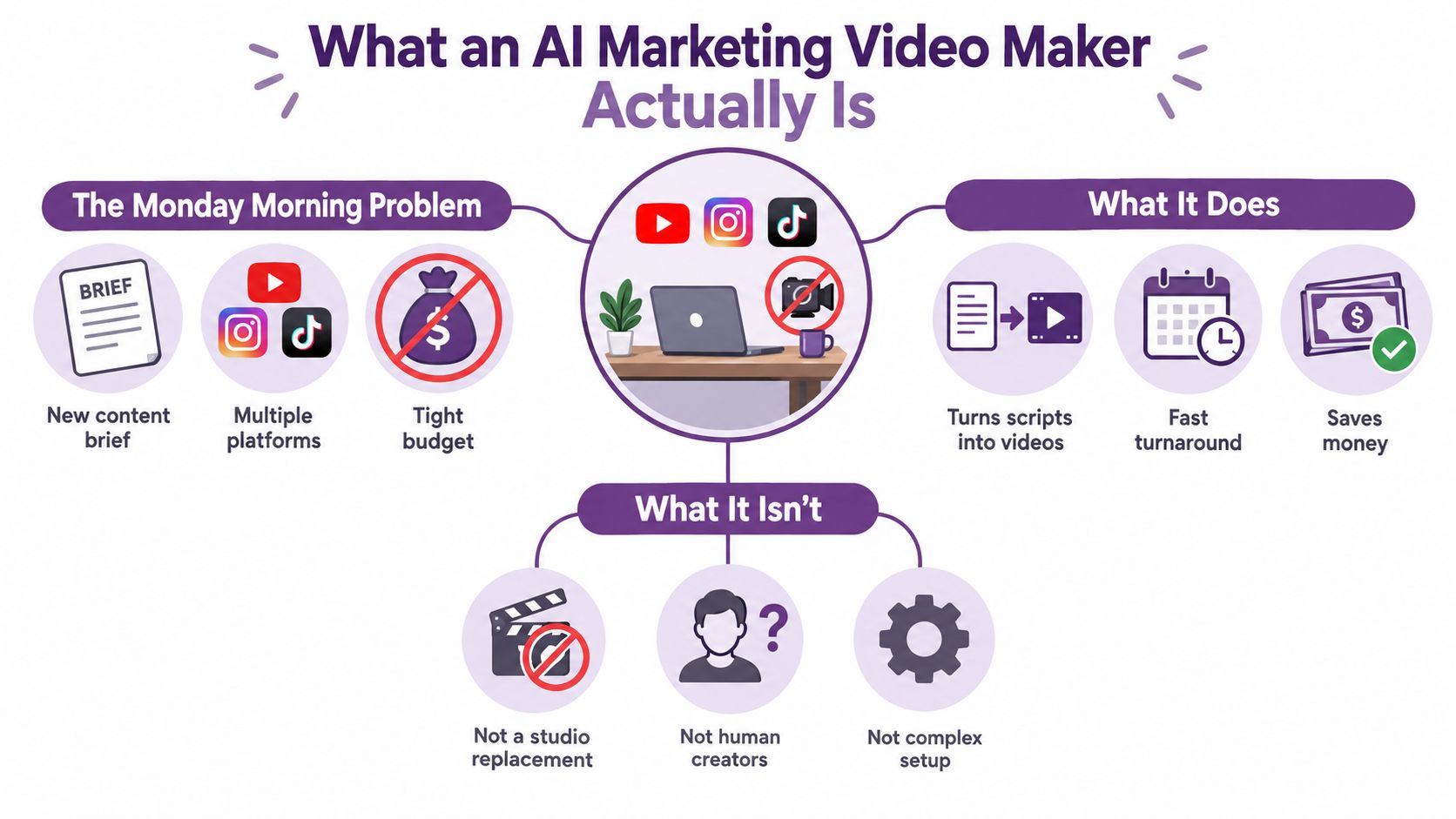
The production problem it solves
Video has become a regular operating requirement for marketing teams. HubSpot's 2024 survey of more than 500 video marketers found that 73% considered video effective for reaching business goals, 83% reported using short-form video, and short-form video ranked first for ROI, lead generation, and engagement among the formats measured, according to HubSpot's video marketing report.
The implication is practical. Teams often need several concise versions rather than one polished hero film. A text-to-video workflow can turn a product brief into a social cutdown, a product explanation, a tutorial, and an educational clip, with each version adapted to its destination.
That doesn't mean the software replaces creative judgment. It changes who handles the repetitive production work. A marketer can define the audience, offer, proof points, tone, and call to action, then review whether the generated scenes and narration support those decisions. Teams evaluating the category can also explore LunaBloom AI's company background to understand how one platform positions this workflow.
The four questions are straightforward:
- What does it automate? Script interpretation, visuals, voice, captions, editing, and export.
- Which features matter? The ones that improve usable output, not merely the length of the feature list.
- Where does it fit? Ads, demonstrations, tutorials, training, onboarding, and internal communication.
- What can go wrong? Synthetic delivery, factual errors, poor captions, weak localization, and untracked variants.
That last question separates a production system from a novelty generator.
How the Technology Works Behind the Curtain
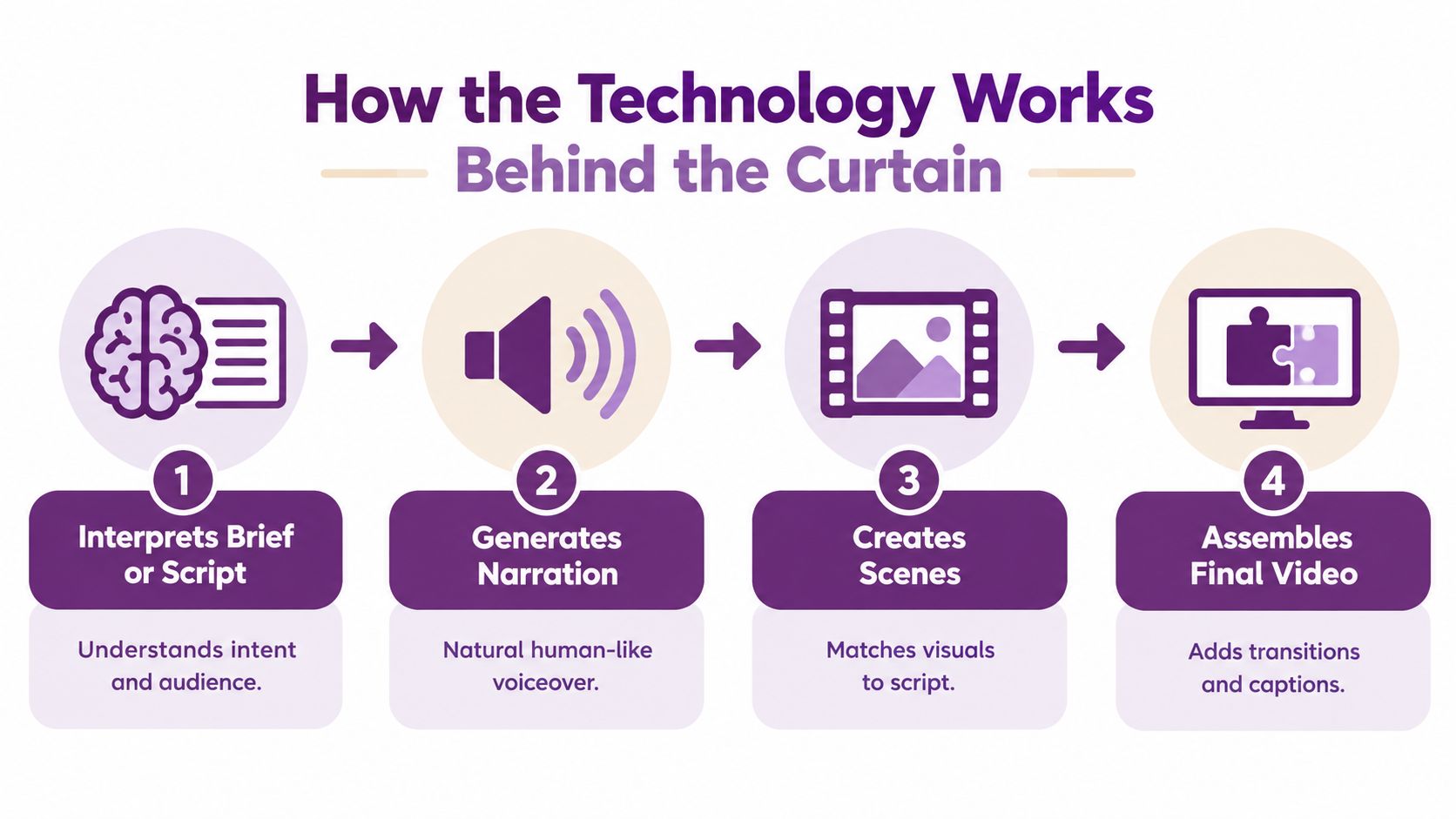
Think of the workflow as a small production team compressed into software. Your brief acts like a casting request. The system interprets the assignment, proposes scenes and performances, assembles the material, and renders a file that still needs editorial approval.
Step one starts with language
A language model reads the prompt, script, uploaded document, or product information. It identifies the subject, audience, intended action, tone, and likely scene structure. A clear brief might specify, “Create a vertical product ad for first-time users, lead with the setup problem, demonstrate the dashboard, and end with a trial invitation.”
The clearer the brief, the fewer assumptions the system has to make. If the source material contains unsupported claims or ambiguous terminology, the model can turn those weaknesses into fluent but inaccurate narration.
The visual and performance layers
A visual generator then proposes scenes. It might select stock footage, compose motion graphics, animate supplied images, or generate new visual material. The system needs to match the visual language to the script, not merely fill every sentence with movement. A product tutorial usually benefits from screen captures and callouts, while a brand story may need people, locations, and a controlled visual rhythm.
Voice and avatar systems add speech and presence. They can produce narration, animate a digital presenter, synchronize lip movement, or stage multi-character dialogue. Pronunciation, emotional tone, gestures, and identity permissions become important editorial checks.
Assembly is not quality control
The final layer combines scenes, audio, captions, music, transitions, aspect ratios, and exports. It may produce a horizontal version for a website, a square version for a feed, and a vertical version for short-form platforms.
Watch this overview for a visual explanation of how an AI video pipeline can move from a brief to an assembled asset:
The business case for this workflow is grounded in adoption. Longitudinal figures summarized from Wyzowl's research show that businesses using video as a marketing tool rose from 61% in 2016 to 91% in 2024. In the same 2024 data, 89% of marketers said video delivered good ROI, while 87% said it increased website traffic and 87% said it increased sales, as reported in this summary of Wyzowl's marketing statistics.
Those figures explain why teams ask vendors about generation speed. They shouldn't stop there. Ask where a human can edit the script, approve the storyboard, correct pronunciation, inspect the source assets, and reject a scene before publication.
Key Features That Matter for Marketing Teams
Feature pages often group generation, editing, publishing, and analytics under one label. Evaluate each capability by the marketing task it removes and by whether the result can move to publication without a separate production system.
| Feature Family | What It Does | Marketing Job It Replaces | Who Cares Most |
|---|---|---|---|
| Creation input | Accepts prompts, scripts, documents, images, URLs, and screen captures | Turning a brief into a first draft | Small businesses, creators, product marketers |
| On-screen presence | Adds avatars, narration, voice cloning, and multi-character dialogue | Booking presenters or recording voiceovers | Training teams, agencies, global brands |
| Finishing and format | Applies captions, translations, aspect ratios, music, thumbnails, and brand styling | Re-editing one concept for every channel | Social teams, agencies, campaign managers |
| Distribution | Publishes or exports versions with metadata, tracking, and analytics | Manually uploading and reconciling results | Enterprise teams and performance marketers |
Creation is the entry point
A useful tool starts with material your team already owns. Upload a product explanation, paste a launch brief, add screenshots, or describe the audience and destination. The system should turn that input into a script or storyboard that someone can approve before rendering.
That checkpoint protects the budget. Editing a weak hook in text takes less effort than correcting a finished video scene by scene. Set an owner for script approval, then require a second check for claims, pronunciation, and brand terminology.
Finishing determines usability
Captions, language variants, safe text placement, aspect ratios, and thumbnail selection often decide whether a video can ship. A talking-head generator may look impressive in a demo, but a marketing team also needs clean exports, consistent terminology, and layouts that keep the call to action clear of platform controls.
Treat accessibility and localization as production requirements. Check caption timing, reading order, translated claims, names, pronunciation, and text expansion in every language. Disclosure also belongs in the workflow when an avatar, cloned voice, or synthetic scene could affect how viewers interpret the message.
Teams comparing campaign systems can use AdCrunch campaign tools as a reference for connecting creative production with campaign execution. The useful question is whether an approved asset can reach distribution without a manual bottleneck, not whether a platform has the largest button set.
For hands-on creation, a workspace such as LunaBloom AI's application represents the script-to-video model, with voice, music, captions, editing, avatars, and social publishing handled within one workflow.
Govern the last mile
Before publishing, label versions by audience, language, format, and claim set. Keep the approved script and source assets attached to each export so a later update does not overwrite the wrong variation. Measure performance at version level, rather than treating every edit as one undifferentiated campaign result.
Whichever team you sit in, the table's fourth row decides whether the tool survives contact with your calendar.
Real Marketing Formats and How to Use Them
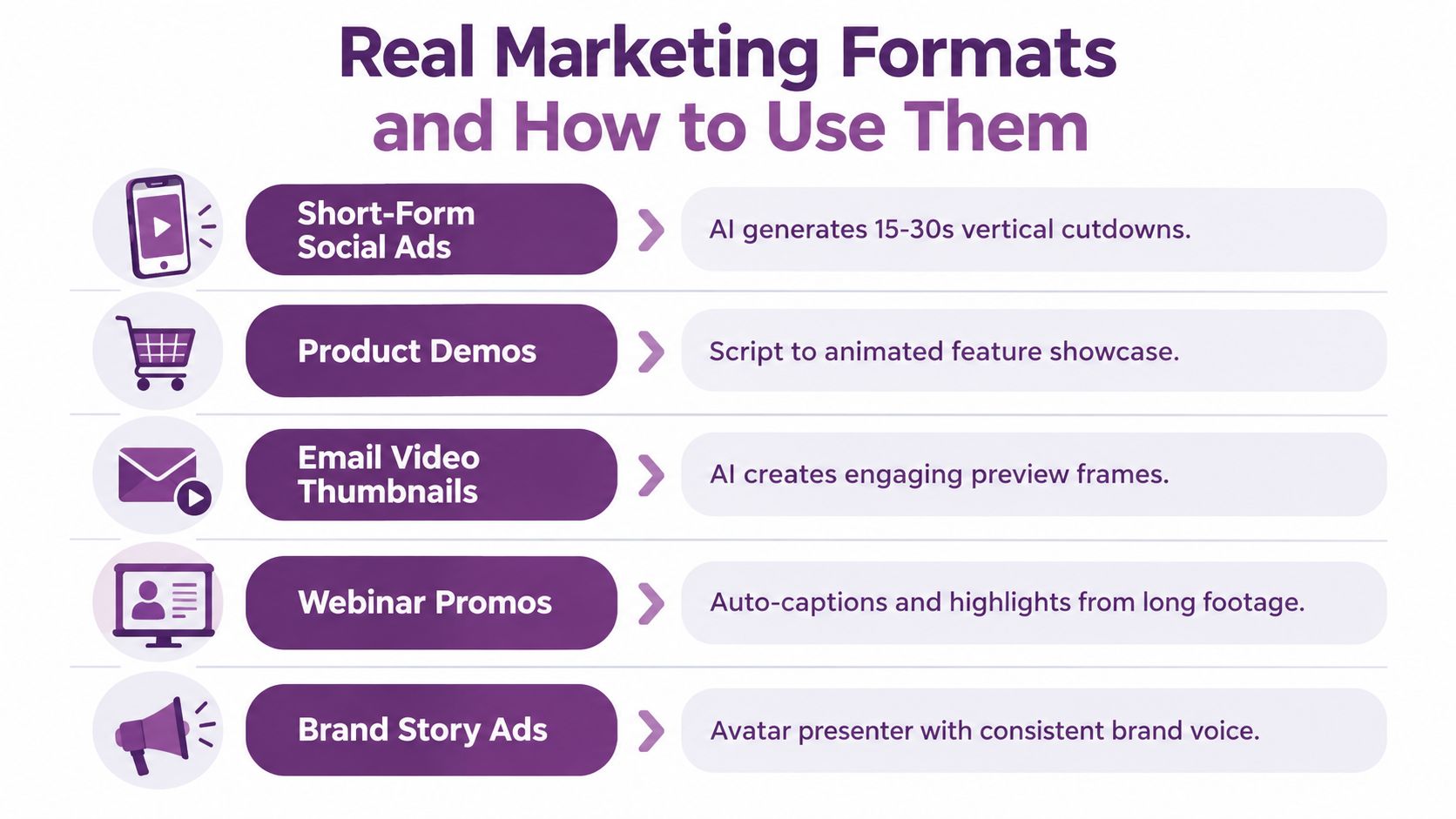
A tool earns its place in a marketing stack when it fits a recurring campaign job. The same generation method won't serve a paid social ad, a product demonstration, and an employee onboarding lesson equally well.
Short-form social ads
Start with the audience problem, offer, proof point, and action. Give the system a short script or prompt, select a vertical preset, and generate several hooks that share the same core claim.
Use a presenter when trust and explanation matter. Use product footage, text, or motion graphics when the audience needs to understand the offer quickly. Caption every version, because many social viewers encounter video without sound.
Product demonstrations
A product demo needs evidence, not just energy. Combine a structured script with screen capture, interface highlights, an avatar or voiceover, and clear transitions between problem, action, and result.
Decide whether the viewer needs a person on screen. A presenter can introduce the workflow, but the product interface should take over when the audience must see where to click.
Tutorials and education
Tutorials benefit from scene boundaries, descriptive narration, captions, and chapter markers. Ask the system to separate setup, action, and troubleshooting rather than producing one uninterrupted monologue.
For multilingual audiences, don't assume translation is enough. Check whether the localized script still fits the screen, whether the reading speed feels natural, and whether technical terms match your approved vocabulary.
Training and onboarding
Consistency matters more than novelty in training. A stable avatar, approved voice, controlled terminology, and version history can help a team update one instruction without recreating the entire course.
Keep a record of which version is live. If a process changes, employees shouldn't encounter two conflicting explanations in different channels.
Internal updates
For an internal announcement, a text brief and a quick render may be enough. A concise presenter-led update can summarize a change, while captions and a transcript make the information easier to scan in email or a knowledge base.
A late-2025 survey of 266 marketing professionals and consumers found that 82% of marketers reported good ROI from video and 85% said video helped generate leads. The same research found that 67% measured views, 63% measured engagement signals, and 52% measured leads or clicks, according to Wyzowl's video data.
That measurement split should influence the format. A social ad may need hook and click data. A tutorial may need completion and support-ticket signals. A training video may need acknowledgement or assessment results.
For practical guidance on making short-form work more consistently, review these AI video automation tips, then adapt the workflow to your own audience, channel, and approval process.
How to Choose the Right AI Marketing Video Maker
A campaign can look polished in a demo and still fail during production. Test the platform with a real brief, because the useful question is whether it can move an approved idea through creation, review, localization, publishing, and measurement.
1. Decide who should appear
Start with the role of the presenter. A product education video may suit a brand avatar, animated character, or voice-led presentation. A testimonial may need a real customer or employee because credibility depends on lived experience.
For example, ask whether one presenter can deliver several approved scripts without changing appearance or tone. Check for permissioned voice cloning, multiple presenters, character consistency, and manual delivery controls.
2. Check audience and localization support
List the languages, regional accents, terminology, and markets required now. Then test a future update, such as changing one product name across localized versions without rebuilding every scene.
Translation must preserve intent, not only words. Review names, product terms, humor, legal language, and on-screen text before approving a market version. Localization QA belongs in the production workflow, with an owner assigned to each language.
3. Match the publishing path to the asset
A website demo, paid social ad, email preview, and internal lesson need different outputs. Confirm the available aspect ratios, caption files, thumbnails, export formats, and direct publishing options.
Google recommends unique, accurate values for thumbnailUrl, name, and description, alongside video structured data, video sitemaps, and Open Graph metadata, as explained in Google's video documentation. A platform that generates fields from the finished asset can reduce errors, but someone still needs to check them.

4. Set governance before production scales
Look for approval flows, version history, role permissions, reusable brand assets, APIs, and analytics connected to individual creative versions. A shared folder cannot show who changed a claim, voice, or localized script.
Record disclosure requirements and permissions for synthetic presenters or cloned voices. Treat accessibility checks, localization review, and version IDs as production controls, not final polish.
5. Score the workflow and commercial fit
Use this checklist while testing:
- On-camera model: Real people, avatars, animation, or a combination.
- Language coverage: Languages, accents, terminology controls, and review ownership.
- Publishing path: Formats, metadata, thumbnails, direct publishing, and captions.
- Governance: Approvals, permissions, history, auditability, and disclosure support.
- Measurement: Variant IDs, campaign IDs, funnel events, and integrations.
- Commercial model: Trial access, usage limits, subscription tiers, and the cost of an approved video.
Whichever team uses the platform, score vendors with one of your real briefs, not a vendor's ideal demo prompt. Compare current plan options through LunaBloom AI's pricing page, then record how many review, localization, and publishing steps the workflow handles.
The Hidden Risks Most Comparisons Skip
More output doesn't automatically create more value. A team can produce attractive videos quickly and still damage trust, exclude viewers, multiply translation errors, or lose the connection between a creative version and a business result.
Trust starts with disclosure
Consumers notice synthetic signals. A 2025 Animoto report found that 83% of consumers had watched a video they suspected was AI-generated. The reported cues included robotic gestures at 67%, unnatural voices at 55%, and weak emotional tone at 51%. The same report found that 36% said AI-generated video would lower their perception of a brand, as reported by Business Wire's coverage of the Animoto report.
The answer isn't to hide the production method. Decide whether disclosure belongs in the caption, on screen, or in supporting metadata. Document permission for cloned voices and review emotional delivery, factual claims, and cultural context before release.
Accessibility is part of production
W3C WCAG 2.1 Success Criterion 1.2.2 requires captions for prerecorded audio in synchronized media, except when the video is clearly an alternative presentation of text. Captions should identify speakers and communicate meaningful non-speech information, including relevant sound effects, according to the W3C guidance on prerecorded captions.
Automatic transcription is only a first pass. Review names, product terminology, punctuation, speaker changes, synchronization, contrast, and placement. For visually essential information, consider an audio description or descriptive transcript rather than assuming captions solve every access need.
Localization multiplies the review burden
A translated video can introduce mistakes at scale. Approved terminology libraries, native-speaker review, version control, and market-level analytics help teams decide which variants deserve additional investment.
Measurement needs version identity
Views are easy to collect, but they don't explain whether a video created qualified demand. Give every creative version stable identifiers for its campaign, audience, language, hook, avatar, voice, and aspect ratio. Then connect exposure to completion, clicks, forms, sales, or another defined outcome.
Privacy and permissions should sit inside the workflow, not in a forgotten document. Review the platform's handling of voices, avatars, uploaded assets, and analytics in LunaBloom AI's privacy information.
A Short Workflow From Brief to Publish
A reliable AI video process has checkpoints rather than one giant generation step. The team should be able to stop, correct, and approve the work before an error reaches every channel.
1. Write a script-shaped brief
Start with the audience, problem, promise, proof, destination, tone, and call to action. Specify what the video must not claim. If the content needs disclosure, accessibility support, or a particular presenter, include that in it.
A useful opening might be: “Create a vertical product explanation for new users. Show the setup problem, demonstrate the first action, use plain language, include captions, and end with a trial invitation.”
2. Choose the format and presence
Select the aspect ratio, approximate duration, presenter type, voice, visual style, and distribution channel. Decide whether the viewer should see a face, a screen, a product image, or a combination.
3. Generate the first cut
Review the script and storyboard before rendering if the platform supports that checkpoint. Look for unsupported claims, missing evidence, weak sequencing, and scenes that don't match the audience's actual question.
4. Review facts and delivery
Listen for pronunciation, names, numbers, product terms, pacing, and unnatural emphasis. Inspect avatar gestures and lip synchronization. Replace visuals that imply a feature or result the product doesn't provide.
5. Localize and caption with QA
Generate language versions only after approving the master. Check timing, line length, speaker identification, punctuation, sound cues, translated terminology, and text overlap. Render each important version instead of trusting a preview alone.
6. Publish with identity and a KPI
Give the asset unique metadata and a version ID. Define the primary measure before publication, such as click-through rate, qualified leads, completion, or attributed revenue. Views can help diagnose distribution, but they shouldn't be the only success criterion.
The production loop should improve the prompt library as well as the video. Store approved hooks, rejected claims, preferred voices, localization corrections, and audience-specific wording so the next brief begins with better inputs.
Before publishing, compare the result with the trust signals identified in the Animoto research. Robotic gestures, unnatural voices, and weak emotional tone can lower audience confidence, so use LunaBloom AI's starter app or any comparable tool as a controlled test environment, not a substitute for review.
Bringing It All Together This Week
An AI marketing video maker is most useful when it becomes a measurable production system, not a magic render button. You need to understand what the software automates, distinguish essential features from decorative ones, match the workflow to the campaign format, and govern trust, accessibility, localization, and measurement from the beginning.
Take three actions this week:
- Choose one recurring format. Start with a job your team repeats, such as product cutdowns, onboarding clips, or social ads.
- Write two human checkpoints into the workflow. Review the script or storyboard before rendering, then inspect facts, delivery, captions, and disclosure before publishing.
- Define one funnel metric beyond views. Choose clicks, qualified leads, completion, signups, or revenue, and attach it to each creative version.
As generation improves, the competitive difference will move away from producing a video. Teams that can prove which version worked, serve audiences accessibly, localize without multiplying errors, and disclose synthetic elements clearly will build the more durable advantage.
LunaBloom AI turns prompts, scripts, and images into edited marketing videos with voiceovers, captions, avatars, localization, and social publishing support. Use LunaBloom AI to test a brief-to-publish workflow, then measure the resulting versions against a real campaign goal.