
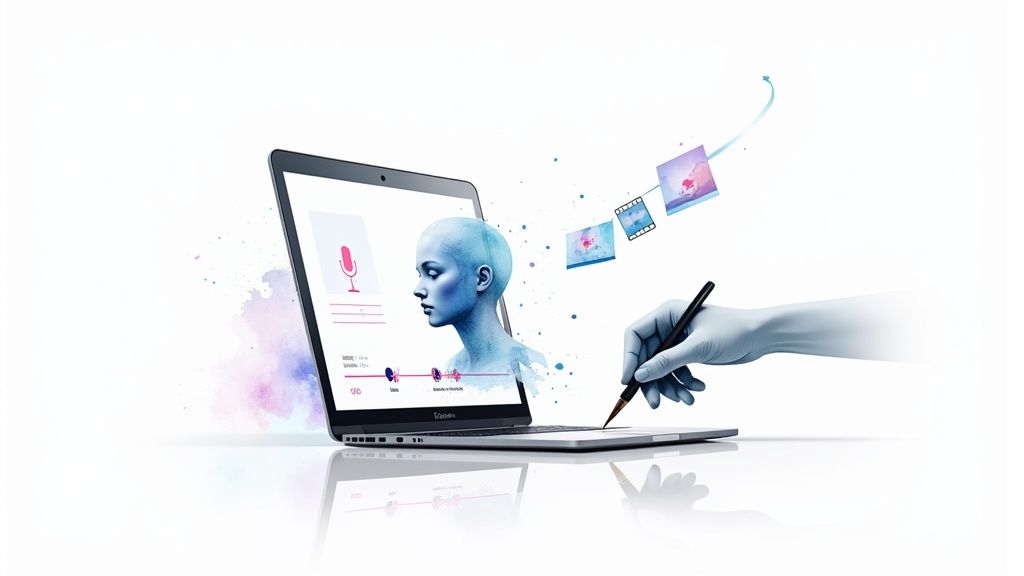
Thinking about how to create AI videos can feel a bit overwhelming, but it’s actually more straightforward than you might imagine. The process boils down to four key steps: writing a great script, choosing a digital presenter, generating a voice, and polishing the final product.
We’ll use LunaBloom AI as our example to walk you through exactly how it’s done, step by step.
Video Creation Has Officially Changed for Good
Let’s face it: the old way of making professional videos was a huge hassle. It often meant juggling film crews, renting expensive gear, and sinking a massive budget into a single project. Thankfully, those days are over.
Today, anyone can turn a simple idea into a slick, engaging video in minutes. This isn’t just a small shift; it’s a complete game-changer for marketers, creators, and business owners. To really get a feel for this new landscape, it helps to understand the basics of AI-generated content and how it’s tearing down old barriers.
At its heart, the process is simple. This graphic gives you a quick visual of the workflow.
As you can see, going from a text prompt to a finished video is a clean, direct line.
Here’s a high-level look at the process. This table summarizes the core steps before we dive into the specific actions and strategies for each phase.
Quick Guide to AI Video Creation with LunaBloom
| Phase | Key Action | What You’ll Achieve |
|---|---|---|
| Foundation | Draft your script or text prompt | A clear, concise message for your video |
| Visuals | Choose or create a custom AI avatar | A digital presenter that fits your brand |
| Audio | Generate a custom voiceover or clone your own | A natural-sounding voice to deliver your script |
| Finalization | Add subtitles, refine timing, and export | A polished, ready-to-share video |
This table maps out the journey, but the real magic happens when you start getting your hands dirty with the tools.
Why AI Video is Exploding Right Now
The AI video market isn’t just growing; it’s rocketing. Valued at USD 3.86 billion in 2024, it’s on track to hit an incredible USD 42.29 billion by 2033. This surge is thanks to machine learning getting smarter and faster, making these tools incredibly powerful.
But this isn’t just about big numbers. It’s about a real shift in how we create and communicate. AI video tools offer practical solutions for so many people:
- Marketers can now churn out social media ads and product demos without blowing their budgets.
- Educators can create fun, instructional videos without ever touching complex editing software.
- Small businesses can finally connect with their audience using personalized videos that don’t cost a fortune.
The true power here is speed and access. What used to demand a whole team of specialists can now be done by one person with a tool like LunaBloom AI. This guide is all about getting practical—no fluff, just actionable steps to get your first project off the ground.
1. Crafting Your Story: From Text to Video Script

Everything starts with the script. Think of it less like writing an essay and more like giving directions to a digital actor. The AI needs a clear, detailed blueprint to work from.
If you give a vague prompt, you’ll get a generic video. The secret to getting something compelling out of a tool like LunaBloom AI is to be laser-focused with your instructions. You have to guide the AI on exactly what to show, what to say, and how to say it.
From Vague Idea to Actionable Prompt
Let’s walk through a real-world scenario. Say you want to create a quick marketing video for a new productivity app. Many people’s first instinct is to write something too simple.
A Weak Script Example (What to Avoid):
““Make a video about our new productivity app. It helps teams stay organized.”.”
This prompt gives the AI almost nothing to work with. There’s no character, no setting, and no specific action. The result will likely be a bland, uninspired video that falls flat.
To nail it, you need to add layers of detail. Who is speaking? Where are they? What’s on the screen? Be descriptive.
The most effective AI video scripts paint a picture with words. They don’t just state what’s happening; they specify everything from the setting and tone to the character’s actions and even the on-screen text..
Crafting a High-Impact AI Script
Okay, let’s transform that vague idea into a detailed script that LunaBloom AI can really sink its teeth into. This “after” version provides all the context and commands needed for a much more polished video.
A Strong Script Example:
Scene 1: [A modern, bright office setting. A confident female avatar named “Anna” stands beside a large monitor.]
Anna (speaking in an upbeat, professional tone): “Feeling overwhelmed by endless to-do lists and scattered team communication?”
On-screen text: [Text appears: “Team Chaos?”]
Scene 2: [Close-up on the monitor, which now displays the app’s clean dashboard interface.]
Anna: “Meet Zenith—the all-in-one platform that brings your projects, tasks, and conversations into a single, beautiful workspace.”
On-screen text: [Text appears: “Zenith: Your Ultimate Workspace.”]
See the difference? This script tells the AI precisely what to do. It establishes:
- A Clear Setting: “A modern, bright office” immediately sets a professional mood.
- A Defined Persona: We have “Anna,” a “confident female avatar,” who acts as the face of the video.
- Specific Dialogue and Tone: The script gives her the exact words and emotional direction with “upbeat, professional tone.”
- Visual Cues: Instructions for “on-screen text” and what to display on the “monitor” guide the visual flow.
This level of detail is crucial. It removes the guesswork for the AI, ensuring the final video aligns perfectly with your vision. When you provide a structured, descriptive prompt, you’re not just writing text—you’re directing a video.
2. Choosing an AI Avatar and Cloning Voices
With a solid script in hand, it’s time for the fun part: giving your video a face and a voice. This is where you bring your words to life by creating a digital presenter. Don’t rush this step—your choice of avatar and voice sets the tone and determines if your message will connect with your audience.
LunaBloom AI makes this easy with a library of stock avatars and an impressive voice cloning tool. Let’s dig into how to make the right choice and build a presenter that feels genuinely on-brand.
Selecting the Right AI Avatar
Picking an avatar is more than just choosing a face you like; it’s a strategic decision. Think about your video’s purpose. For example, a corporate training module on cybersecurity will feel more authoritative with a presenter in professional attire than one in a casual t-shirt. It’s all about building trust.
Also, consider your target audience. A marketing video for a younger crowd might work better with a more energetic and contemporary-looking avatar. LunaBloom AI has a diverse library, so take a minute to browse and find a face that aligns with your goals.
The Power of Custom Voice Cloning
While stock voices are great in a pinch, cloning a real voice adds a layer of authenticity that makes a huge difference. This is a game-changer for founders, educators, or brand ambassadors who want to build a personal connection without being on camera for every video.
The growth in this area is wild. The AI video generator market is projected to jump from USD 64.8 million in 2024 to USD 2.56 billion by 2032. That explosion shows how much demand there is for personalized, realistic AI content.
The cloning process in LunaBloom AI is surprisingly straightforward. The most important thing is providing a high-quality audio sample to work with.
Here’s what you need for a good sample:
- Clarity is Crucial: Find a quiet room. No background noise, no echo.
- Sufficient Length: Record at least one to three minutes of continuous speech.
- Natural Inflection: Speak like you’re having a normal conversation. Use your natural pauses and intonation.
“The most impactful AI videos feel personal and authentic. Cloning your own voice or that of a key team member is one of the fastest ways to build that connection and move beyond generic, robotic-sounding narration.“
Just upload your audio file, and the AI starts analyzing the unique characteristics of the voice—its pitch, pace, and cadence. After a bit of processing, you’ll have a digital voice ready to narrate any script you throw at it, capturing the nuances that make it sound human.
Best of all, that custom voice becomes a reusable asset. You can use it in all your future video projects, ensuring perfect brand consistency every time.
3. Refining Your Video with Custom Edits

Let’s be honest: the first video an AI generates is a fantastic starting point, but it’s rarely the final cut. The real magic happens in the refinement stage. This is where you transform a solid AI draft into a polished, professional video that feels like your brand.
Using a tool like LunaBloom AI’s built-in editor, you can go beyond the initial generation and make precise adjustments. These small tweaks elevate a generic clip into something custom-made and ready for your audience.
And it’s not just us saying this—the market is exploding. The global video creation tool market was valued at USD 653.18 billion in 2024 and is expected to hit USD 1.41 trillion by 2033. This growth reflects the massive demand for video in marketing, education, and entertainment. You can explore the full market analysis to see how user-friendly tools are making video production accessible to everyone.
The bottom line? AI video tools are no longer a novelty; they’re becoming essential for creators and businesses everywhere.
Fine-Tuning Your Video’s Pacing and Flow
One of the most impactful edits you can make is adjusting the timing of each scene. The AI’s default pacing might feel a bit too rushed or, conversely, a bit sluggish. Inside LunaBloom AI’s editor, you can easily drag the edges of each clip on the timeline to shorten or extend its duration.
For instance, in a marketing video for a new app, you might want to extend the scene showing the app’s main dashboard by a second or two. This gives viewers a moment longer to absorb what they’re seeing, making your key features stick.
Customizing Subtitles for Readability and Style
Auto-generated subtitles are a lifesaver, but their default look might not vibe with your brand’s aesthetic. A good editor puts you back in the driver’s seat.
You should be able to easily tweak several key elements:
- Font and Size: Pick a font that matches your brand guidelines and is large enough to be read comfortably on a phone.
- Color and Background: Change the text color so it pops against the video background. Adding a subtle outline or background to the text can make a huge difference in legibility.
- Placement: Nudge the subtitles up or down to avoid covering important visuals, like on-screen text or your product.
Adding Your Unique Brand Identity
To make the video unmistakably yours, you have to add your branding. For any marketing or corporate content, this is non-negotiable.
“A simple logo overlay instantly adds a layer of professionalism and reinforces brand recognition. It’s a tiny detail that completely changes how your audience perceives the content.“
LunaBloom AI makes this easy. You can upload and place your logo as a watermark in a corner of the screen. Beyond that, you can swap out the AI-generated background music for your official brand track or upload your own media, like screen recordings or product shots, and seamlessly drop them into your project.
4. Optimizing and Sharing Your AI Video
You’ve put in the work and your AI video is finally ready. What’s next? Getting it seen. Creating the video is only half the battle. If you just hit export and upload it everywhere without a second thought, you’re leaving a ton of views on the table.
Think of it this way: your AI video is the product, and each social media platform is a unique storefront. You wouldn’t use the same packaging for every shop, right? Tweaking your export settings and the accompanying text for platforms like YouTube, Instagram, and LinkedIn is a must if you want to reach the right people.
Choosing the Right Export Settings in LunaBloom
Before sharing, you need to export your video with the right specs. Inside LunaBloom AI, you’ll see different export options. Picking the right one makes a huge difference in how your video looks and performs.
For example, a standard YouTube video looks best in a 16:9 aspect ratio, usually at 1080p or 4K. But if you’re making an Instagram Reel or a TikTok, you absolutely need a vertical 9:16 format to fill the screen and grab attention. LinkedIn plays well with both square (1:1) and horizontal (16:9) videos.
“Don’t settle for a one-size-fits-all export. Taking a minute to customize your video’s resolution and aspect ratio for each platform is a small tweak that looks way more professional and seriously improves the viewing experience.“
Here’s a quick cheat sheet to help you optimize your videos for the big platforms.
Platform-Specific Video Export Settings
Choosing the right format is the first step to making sure your video looks great wherever you post it. This table breaks down the best settings for top social media platforms to help you get the best quality and reach.
| Platform | Recommended Resolution | Ideal Aspect Ratio | Key Optimization Tip |
|---|---|---|---|
| YouTube | 1920×1080 (1080p) or higher | 16:9 (Horizontal) | Focus on a high-quality thumbnail and a keyword-rich title. |
| Instagram Reels | 1080×1920 | 9:16 (Vertical) | Keep it short and engaging, with subtitles, as many users watch without sound. |
| 1920×1080 or 1080×1080 | 16:9 or 1:1 (Square) | Maintain a professional tone and include a clear call-to-action in the post. |
Getting these settings right saves you headaches later and ensures your audience sees your video exactly as you intended.
SEO Tips for Your AI Video Content
Okay, your video is exported and looks perfect. Now, make sure people can find it. This is where a little video SEO comes into play. Search engines and platform algorithms can’t “watch” your video, so they rely on the text you provide to understand what it’s about.
First up, your title. It needs to be catchy enough to make someone click but also include keywords people are searching for. Learning how to title a YouTube video properly can be a game-changer for your AI video’s performance.
Next, nail the description. This is your chance to expand on what the video covers, add links to your site, and include more relevant keywords. Don’t skip the tags or hashtags—they’re like signposts that guide the algorithm to your target audience.
Finally, design a killer thumbnail. It’s the first thing people see and often the single reason they decide to click play. A great-looking AI video combined with smart optimization is a powerful asset that gets real results.
LunaBloom AI: Your Ultimate Tool for Professional AI-Generated Content
LunaBloom AI is a cutting-edge AI-powered platform that allows creators and businesses to generate professional-grade videos in no time. With its user-friendly interface, LunaBloom simplifies the video creation process, enabling users to create engaging, polished content without the need for extensive video production skills or a large budget. Whether you’re creating marketing videos, educational content, or product demos, LunaBloom provides all the essential tools to bring your ideas to life efficiently and effectively.
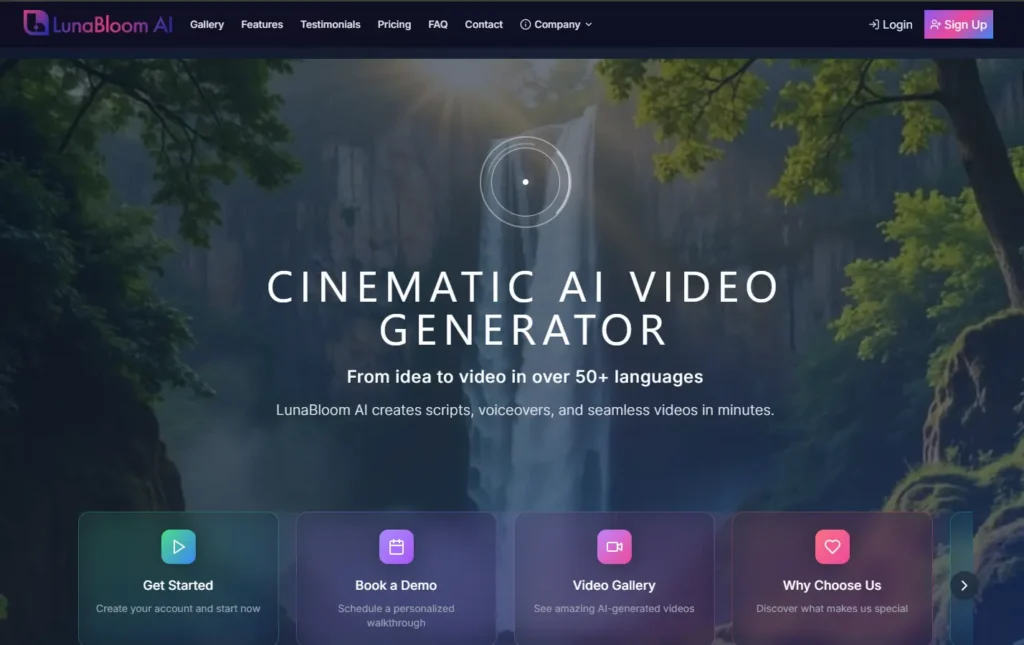
Key Features of LunaBloom AI:
- Custom AI Avatars: Choose from a library of stock avatars or create a fully personalized digital presenter.
- Voice Cloning: Clone your voice or choose a natural-sounding stock voice for personalized narration.
- Text-to-Video Script Generator: Turn your text prompts into a well-structured script that the AI uses to generate your video.
- Built-in Editing Tools: Refine timing, add subtitles, adjust visuals, and incorporate your branding for a professional finish.
- Platform Integration: Easily export your videos to social media platforms like YouTube, Instagram, and LinkedIn, with optimized settings for each.
- Speed and Efficiency: Create videos in minutes, with quick iterations for refining your content, saving time and resources.
- Customizable Branding: Add your logo, select fonts, and adjust visual elements to match your brand’s identity.
LunaBloom AI makes video creation accessible, fast, and cost-effective for marketers, small businesses, educators, and content creators, offering everything you need to produce high-quality AI-generated videos without breaking the bank
Common Questions About Creating AI Videos
As you get started with AI video creation, a few questions are bound to pop up. The technology moves fast, and getting a handle on the practical side makes the whole process feel less intimidating. Here are straightforward answers to the questions we hear most often.
How Long Does It Take to Create an AI Video?
Speed is one of the biggest benefits of AI. If you have a script ready and use a stock avatar from LunaBloom AI, you can create a simple 1-2 minute video in just 10-15 minutes.
For more complex projects—like cloning your voice and fine-tuning scene timing—it might take closer to an hour. Either way, you’re shrinking a production timeline that used to take weeks into a single afternoon.
Can I Use My Own Face and Voice in the Video?
Yes, and this is where it gets really interesting. With a platform like LunaBloom AI, you can create a custom digital avatar of yourself and clone your voice for a completely authentic presence.
Getting it set up is surprisingly simple:
- For your Avatar: You’ll upload a short, well-lit video of yourself for the AI to learn from.
- For your Voice: Just provide a clear audio sample, and the AI will model your unique vocal patterns.
This is a game-changer for founders, course creators, and sales professionals who want to be the face of their brand without stepping in front of a camera for every new video.
What Are the Biggest Mistakes to Avoid When Writing a Script?
The single most common mistake? Being too vague. AI is powerful, but it’s not a mind reader. It needs clear, specific instructions to deliver great results. A prompt like “make a video about marketing” is too broad and will result in a generic, forgettable clip.
You need to think like a director. Be descriptive.
“Instead of something vague, try this: “Create a 60-second video with a professional female avatar in an office setting. She needs to explain three key benefits of content marketing, with bold text appearing on-screen to highlight each point as she says it.”
Another classic pitfall is writing with overly formal or complex language. Keep your script conversational. This not only makes your video more engaging but also helps the AI generate more natural-sounding speech and gestures for the avatar.
Is the Quality of AI Videos Good Enough for Professional Use?
Absolutely. We’ve reached a point where AI-generated videos are a staple for all kinds of professional needs. They’re regularly used for corporate training modules, social media marketing campaigns, product demos, and tons of educational content.
While it’s not going to replace a big-budget Hollywood production, the quality from modern AI tools is sharp, polished, and ready for business. For most communication needs, AI video offers an unbeatable mix of quality, speed, and cost-effectiveness.
Your Turn to Create AI Videos
The world of video creation has fundamentally changed, and the tools to produce high-quality content are now at your fingertips. By following a clear process—crafting a detailed script, selecting the right avatar and voice, refining your edits, and optimizing for your audience—you can create compelling AI videos in a fraction of the time it used to take. It’s no longer about massive budgets or technical skills; it’s about having a great idea and the right tool to bring it to life.
Ready to stop wondering and start creating? LunaBloom AI gives you all the tools you need to bring your ideas to life in minutes. Sign up today and see how easy it is to make your first professional AI video. Get started with LunaBloom AI.





