Pictures of people singing were multimedia storytelling long before social video. The Library of Congress's Lomax Collection preserves 400 snapshot photographs made between 1934 and approximately 1950 during sound-recording expeditions, documenting performers beside their homes, communities, and working environments. That is the job of the frame: make the voice visible before anyone hears it.
Treat each strong singing image as a repeatable recipe. Pick the feeling first: vulnerability, collective joy, creative concentration, or friends performing for friends. Then build around three readable cues: a mouth shaped by a lyric, posture carrying breath, and light that points attention at the face.
- For artist identity: Start with microphone close-ups or a single spotlight.
- For shared experience: Use concert crowds, choirs, or karaoke scenes.
- For creative storytelling: Show a studio session, an instrument-led performance, or a lip-synced portrait.
Give the expression direction. A useful model is facial warm-ups before social dancing: loosen the face first, then let the phrase decide the smile, the jaw drop, or the held breath. For motion, sync the largest mouth shapes to the vowel peaks rather than opening the jaw on every beat.
Try this today: choose one lyric line, write the mouth shape it creates, then frame, light, prompt, or lip-sync the whole image around that shape.
1. Iconic Close-Up of a Singer at the Microphone
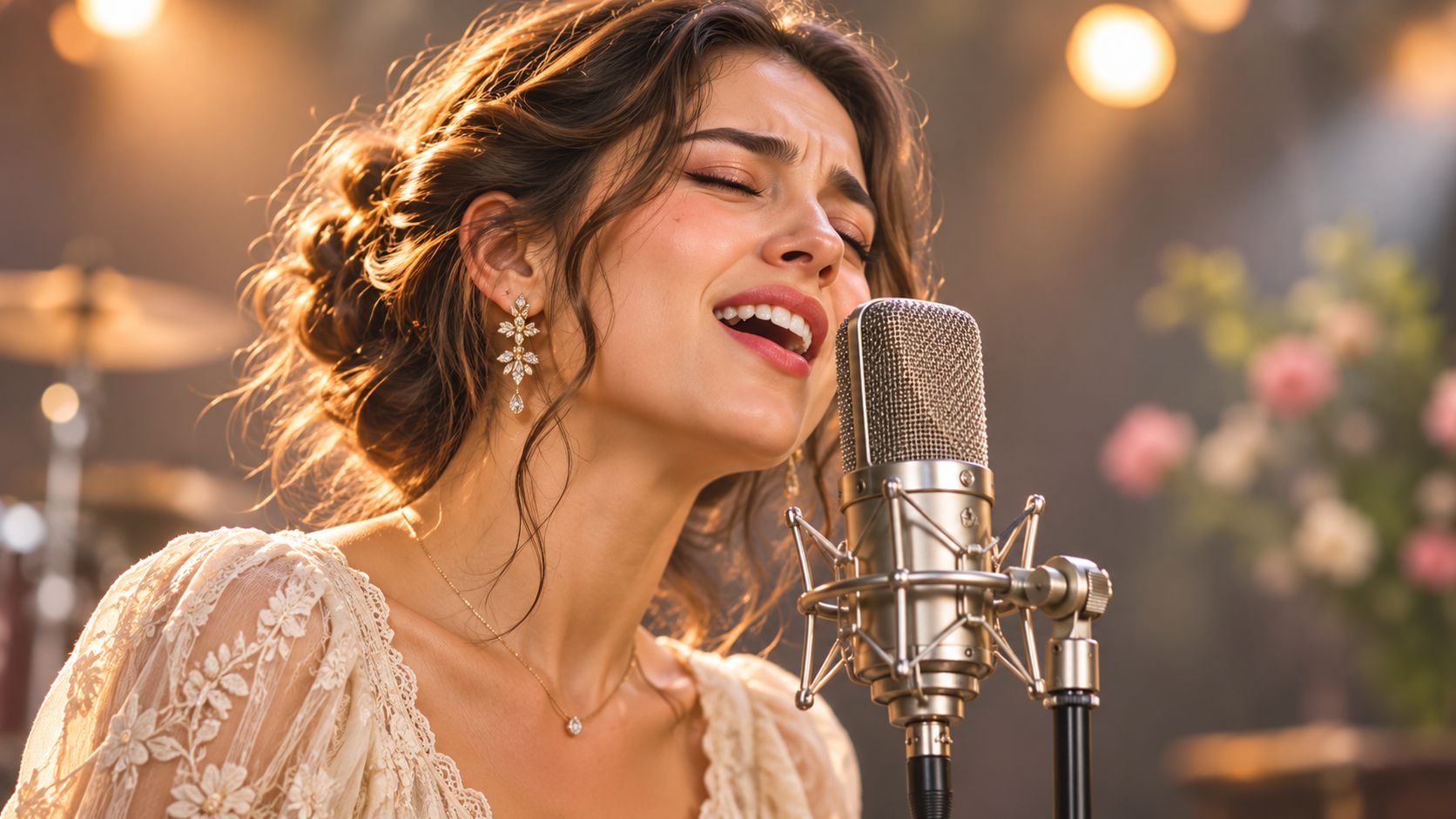
A microphone close-up makes emotion the subject. You can read the lifted cheek, relaxed jaw, and breath behind a lyric without needing an elaborate stage. It's a strong choice for an original-song announcement, artist profile, or intimate album teaser.
Frame from the upper chest upward and place the microphone slightly beside the mouth. A vintage ribbon microphone adds visual character, but a large grille directly in front of the face can hide the very detail that makes the image work.
Build around the mouth and eyes
Use a large, soft light slightly to the side, then let the background fall out of focus. Keep enough detail around the lips to distinguish singing from laughing or speaking.
Prompt recipe: Photorealistic vocalist leaning toward a vintage ribbon microphone, medium close-up, warm side lighting, shallow depth of field, portrait-lens perspective, visible lips, relaxed jaw, emotionally restrained delivery, uncluttered dark background.
- For a photograph: Ask the performer to sing an actual phrase rather than hold an open-mouth pose.
- For a generated still: Reject distorted teeth, duplicated microphone hardware, and a jaw stretched beyond a believable singing position.
- For animation: Start with a short, clearly recorded vocal phrase and request subtle head movement rather than dramatic swaying.
Practical rule: Keep the microphone close enough to explain the performance, but far enough aside that viewers can read the lips.
For a campaign, approve the close-up before building alternate crops or motion assets. Keep the LunaBloom AI website with your project resources, and use a licensed reference portrait when consistent identity matters.
Try this today: make warm and neutral-light versions of the same frame, then compare which expression remains readable at thumbnail size.
2. Soulful Vocalist Under a Single Spotlight
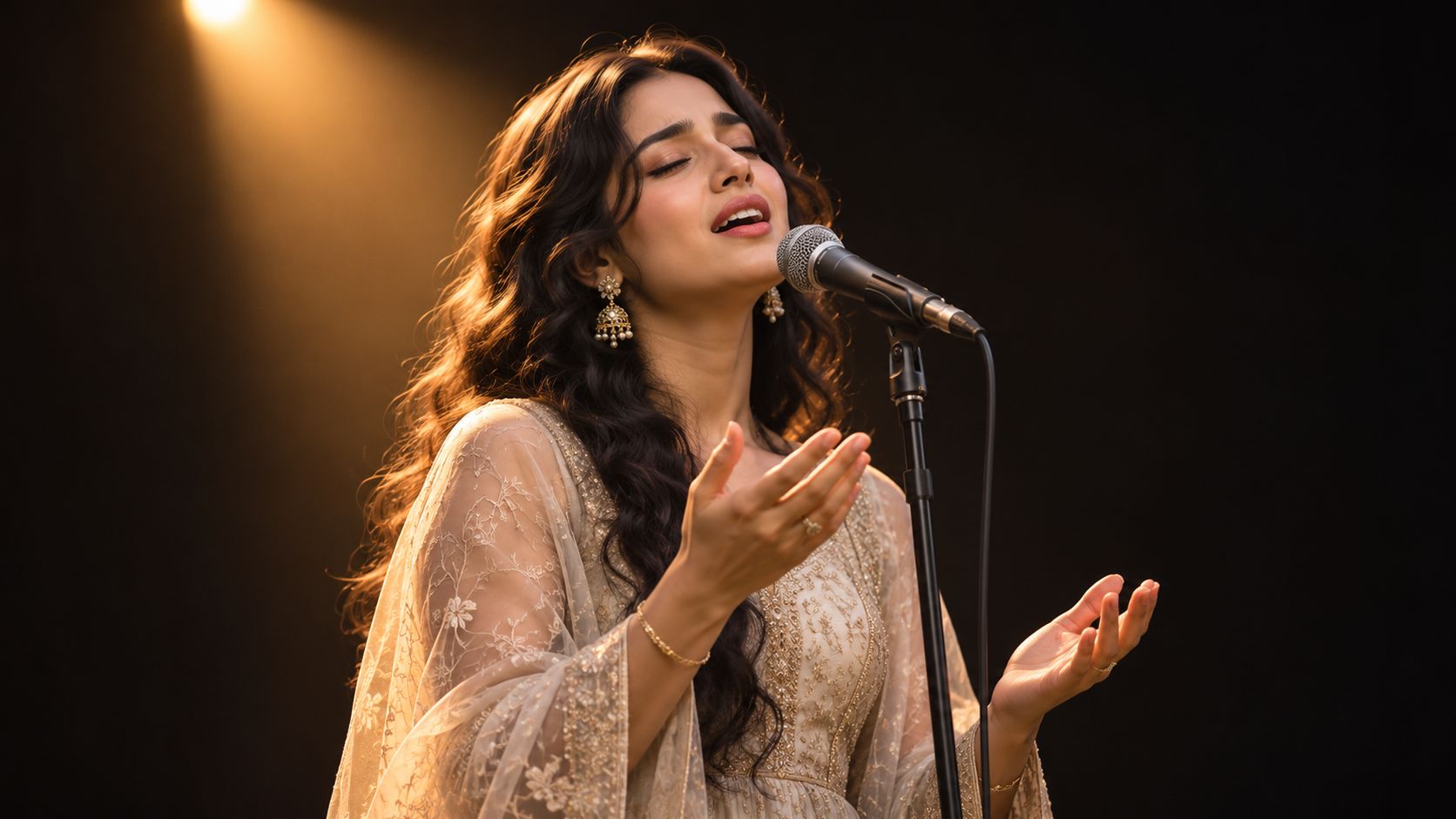
A spotlight portrait turns a performance into a private moment. The dark surroundings remove distractions, while illuminated hands and facial features suggest effort, restraint, or release.
Use this style for a soulful ballad teaser, a gospel soloist's event announcement, or a jazz-night poster. The trade-off is simple: dramatic darkness can also erase the mouth, flatten dark clothing, and leave captions floating without a clear visual relationship to the performer.
Keep the drama without losing detail
Place the main light high and slightly forward rather than directly above the head. Add gentle fill near camera position and a restrained rim light to separate the shoulders from the background.
Prompt recipe: Solo vocalist on a neutral stage, black background, warm overhead-forward spotlight, soft facial fill, faint shoulder rim light, handheld microphone below the lips, expressive free hand, visible mouth detail, generous negative space beside the performer.
For a still, capture the end of a sung phrase when the expression feels resolved. For a moving clip, request controlled breathing, a small head turn, and a hand gesture that finishes rather than loops continuously.
- Audio choice: Preserve the clean vocal as the timing reference. Mix atmosphere underneath rather than burying the singer in reverb.
- Caption placement: Use the darker side of the frame, with sufficient contrast and a safe margin from the face.
- Character direction: Describe vocal mood and stage presence instead of asking for an imitation of a recognizable performer.
Don't solve every lighting problem by increasing contrast. If viewers can't see the mouth, the picture becomes a dramatic portrait rather than a clear singing scene.
Try this today: photograph the same pose with and without gentle facial fill, then check both on a phone screen.
3. Historic Live-Concert Photograph with an Engaged Audience
A concert picture earns its charge from exchange: raised hands, faces tilted toward the stage, and a singer leaning into the room rather than posing at it.
Use history as context, not costume. The National Archives' Jubilee Singers account identifies a spring 1874 portrait of 11 members of Fisk University's African American vocal ensemble during a European fundraising tour. That frame is posed, not a crowd scene, yet it shows how singer imagery can carry shared purpose. For a modern recap, build the image around call and response: a hand reaching up, mouths open on the same beat, the performer's eyes locked on a real section of the room.
Do not fake documentary authority. Grain, date stamps, and caption language can make a synthetic scene look like evidence of an event that never happened.
Separate the scene into readable layers
Prompt recipe: Documentary-style concert photograph, soft audience silhouettes in the near foreground, vocalist sharp at mid-stage, open mouth and clear microphone line, cooler haze behind the rig, a few raised hands catching edge light, believable balcony or barricade scale, restrained grain.
- Foreground: Two or three partial heads and shoulders are enough. Let them blur; keep one hand shape readable.
- Performance area: Give the singer the strongest contrast and cleanest outline. If the mic crosses the lips, move it a touch lower in the prompt.
- Background: Suggest depth with uneven light and haze. A wall of identical flares flattens the room.
For motion, lock attention on lip-sync first, then let the crowd breathe in smaller cycles: a sway, a clap on the beat, one phone lifting late. If every head moves independently, the performance loses priority. Wardrobe should stay period-appropriate to a gig; choir costume references such as from monastic tunics to modern robes solve a different brief.
Use the wide frame as an opener, then cut tighter for the recap. Keep selects, releases, captions, and cutdowns in the project media room so the crowd version and portrait version stay linked.
Try this today: draw three depth zones on paper, place the loudest audience gesture off-center, then render one still with crowd motion reduced by half.
4. Layered Choir Performance with Multiple Singing Faces
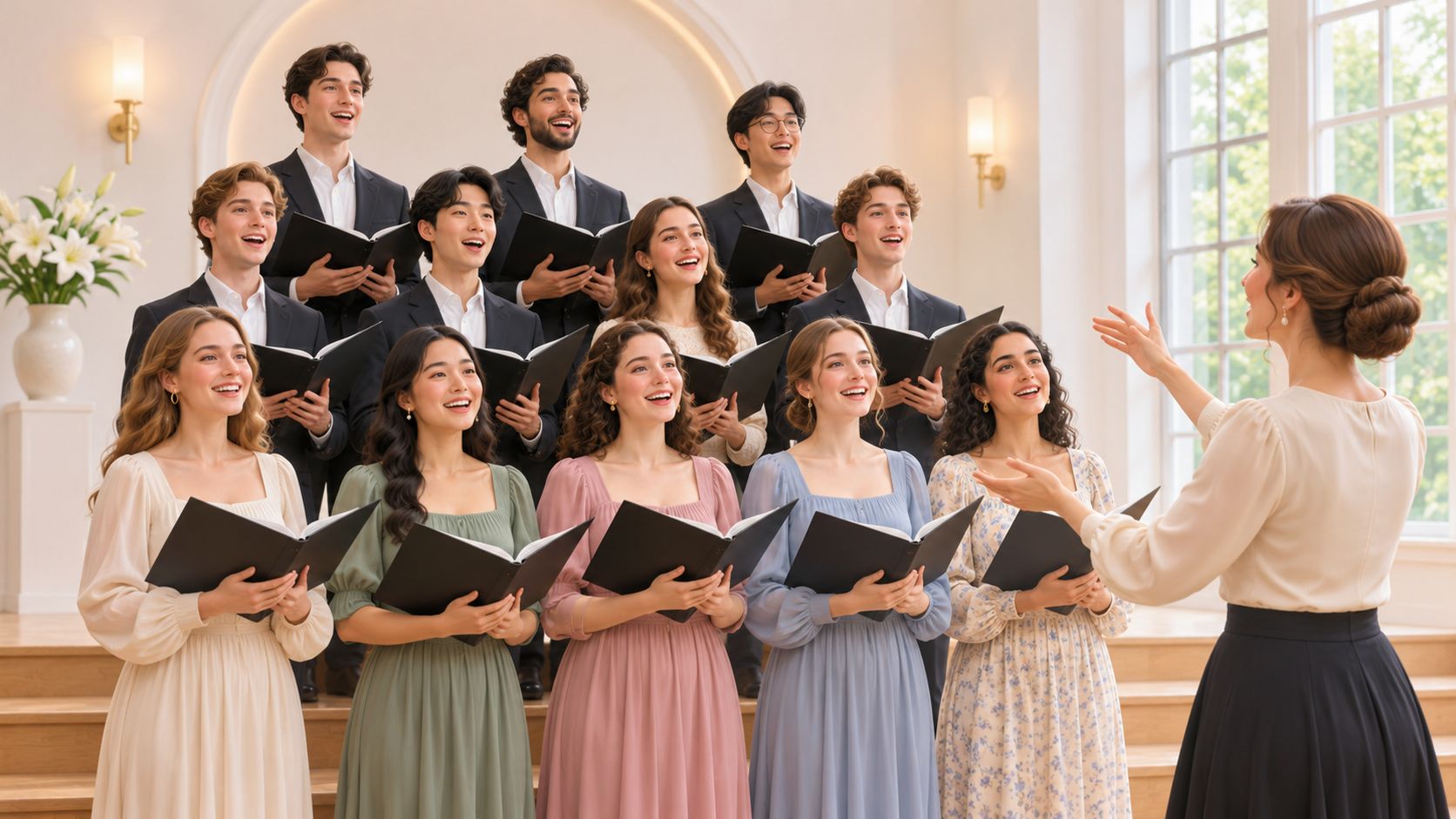
Choir pictures communicate belonging through coordinated differences. The singers share a phrase and posture, but their faces shouldn't look copied. That balance makes the scene useful for school concerts, community campaigns, worship events, and teamwork messaging.
Start with a chamber ensemble arranged in staggered rows. Leave gaps between heads, keep faces on comparable focus planes where possible, and give the conductor enough separation that their arms don't obscure the front row.
Prompt recipe: Community choir in staggered rows inside a modest performance hall, distinct individual faces, coordinated formal clothing, conductor seen from behind at the edge of frame, soft broad lighting, visible singing mouths, natural differences in expression.
Make unity believable
The main failure is excessive uniformity. Identical mouth shapes, synchronized head tilts, and repeated facial features make a group feel manufactured.
For a photograph, capture the ensemble during an actual phrase and check the edges for cropped faces. For generated motion, test a smaller group before expanding the scene, then inspect each visible singer separately.
- Framing: Use a wide composition for collective identity and a closer crop for a featured vocalist.
- Lighting: Favor broad, even illumination over a dramatic spotlight that leaves the back row unreadable.
- Audio: Use a cleared ensemble recording and avoid making every singer appear to deliver the lead part.
A choir should look coordinated, not cloned.
Don't animate identifiable choir members into a new performance without permission. Matching outfits don't remove the need to consider each person's likeness.
Try this today: build a still with clearly separated faces, then cover the conductor temporarily. If the singers no longer look engaged with a shared performance, revise their gaze and posture.
5. Behind-the-Scenes Vocal Recording Session
A studio picture works when you can understand what the singer is doing. Headphones, a microphone, and a focused expression tell a clearer story than a room overflowing with equipment.
Say you're announcing an independent artist's new recording. A side-angle frame showing the vocalist listening between takes can communicate care and concentration, while a performance frame captures the physical work behind the finished song.
Show a specific production step
Prompt recipe: Candid recording-session photograph, vocalist in headphones singing beside a studio condenser microphone, pop filter offset enough to reveal the mouth, side-angle medium shot, music stand softly blurred, warm practical lighting, believable acoustic treatment.
Choose a single foreground prop. A pop filter suggests recording; a marked lyric sheet suggests preparation; a mixing console suggests review. Combining all of them at equal prominence weakens the scene.
- Still-image direction: Keep the near eye visible and avoid letting the headphone band merge with microphone hardware.
- Motion direction: Show a phrase, a breath, and a natural pause. Don't request singing, headphone adjustment, page turning, and console operation in the same shot.
- Sound direction: Use the vocal recording for mouth timing. If narration explains the process, place it over a listening or preparation shot instead.
The underlying image-and-audio approach isn't hypothetical. Ars Technica's coverage of VASA-1 describes generating synchronized facial expressions, head movement, and lip motion from a static face and speech or singing audio. That demonstrates a production method, not a guarantee that every generated studio performance will look natural.
Keep supporting production notes with your creative workflow reading. Try this today: create separate recording and playback-review frames, then choose the one that explains your announcement without a caption.
6. Karaoke Style Photograph of an Everyday Singer
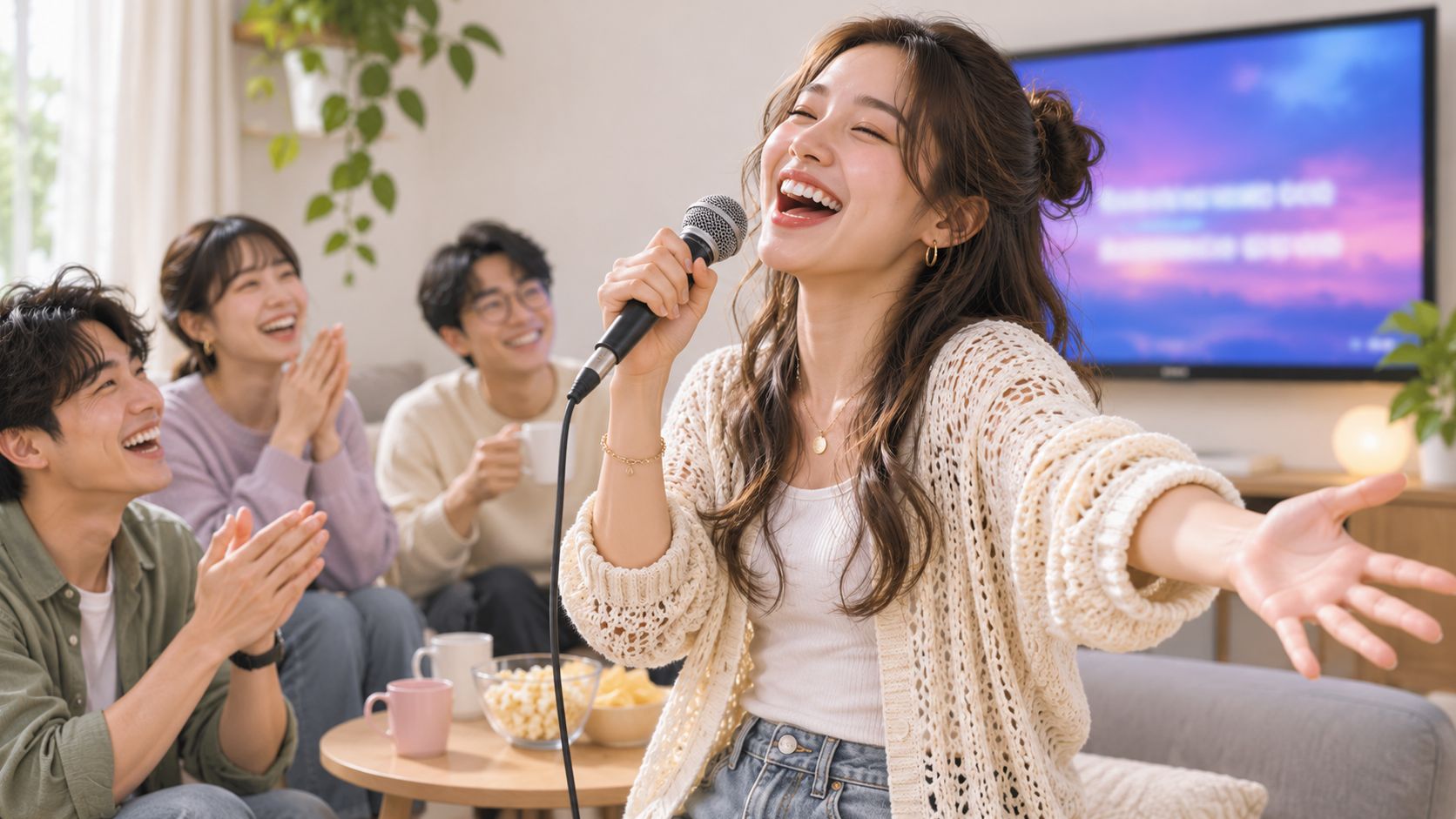
Karaoke pictures should feel slightly unpolished. A tentative grin, an off-center microphone, and friends reacting nearby communicate participation rather than celebrity. That looseness is the recipe, so protect it.
This style works for a neighborhood venue promotion, an employee social invitation, or a relatable party advertisement. The danger is over-directing everyone until a casual evening looks like a coordinated stage show. Keep one imperfection in the frame on purpose.
Prompt recipe: Candid home karaoke photograph, everyday singer holding a handheld microphone slightly off-center, friends reacting naturally nearby, warm household lighting with subtle colored party lights, readable face, comfortable clothing, clear space for event information.
Design for viewers who aren't listening
Keep the singer's gaze near an implied lyric screen, but add actual lyrics in editing rather than relying on generated screen text. Use only lyrics and music you have permission to publish.
A readable mouth alone does not carry a karaoke clip. Captions and on-screen cues communicate the lyric timing, the mood shifts, and the moment the chorus lands, which is the information a muted or Deaf viewer would otherwise lose.
- Show the mood: Let gestures and facial expression communicate whether the moment is playful, tender, or energetic.
- Caption the performance: Time the words to the vocal and describe meaningful musical changes when appropriate.
- Protect readability: Keep lyrics and event details away from faces, hands, and the busiest lights.
For motion, animate the main singer first and lip-sync only that performance to the track. Give friends restrained reactions, a clap or a laugh, rather than making every background character sing the same words.
Try this today: watch your draft muted. If the scene communicates only that people are holding microphones, strengthen the expression, lyric timing, or musical-event captions.
7. Powerful Singer Performing with an Instrument
A guitar or piano gives a singing portrait a second story: the performer is shaping the accompaniment as well as delivering the words. That's useful for singer-songwriter profiles, acoustic releases, and music lessons.
The instrument must belong to the pose. A guitar hanging at an impossible angle or piano hands disconnected from the keyboard can undermine an otherwise convincing face.
Choose a physically possible performance
Prompt recipe: Singer-songwriter performing an original acoustic song, medium shot, face and microphone clearly visible, acoustic guitar resting naturally against torso, fretting hand around the neck, strumming hand above the sound hole, soft window light, intimate rehearsal-room background.
For piano, use a side angle that includes the mouth, microphone, and hands without forcing an awkward twist. A saxophone can appear beside a vocalist or during a break, but don't depict someone singing while simultaneously blowing into its mouthpiece.
- Still-image check: Inspect finger count, wrist position, strings, instrument edges, and the microphone stand.
- Motion check: Keep accompaniment gestures restrained and consistent with the soundtrack.
- Audio check: Use an original or appropriately licensed recording, with a clear vocal available for synchronization.
Trade-off: A tighter crop makes facial errors easier to inspect, but a wider crop makes instrument performance easier to understand.
For an acoustic birthday greeting, a simple guitar scene can feel more personal than a crowded stage. Browse the birthday-video page while planning the occasion, then keep the visual direction focused on the performer rather than decorative party props.
Don't ask the animation to demonstrate intricate fingering unless that accuracy is essential and you can review it carefully. A singing-led clip with modest hand movement is a better starting point.
Try this today: photograph the intended instrument pose yourself and use it to check whether the generated anatomy and equipment placement make sense.
8. Music-Video Portrait with Lip-Synced Creator
A singing portrait becomes a performance when the mouth follows the vocal, not merely the beat. This format suits original-song teasers, creator-led music clips, and stylized characters, but close framing makes timing mistakes especially visible.
Start with a sharp, unobstructed face and a clean vocal recording. Choose straight-to-camera delivery or a slight turn before attempting profiles, large gestures, or changing camera angles.
The embedded example provides a motion reference to inspect.
Evaluate timing separately from appearance
The SingingHead paper describes more than 27 hours of synchronized singing material from 76 individuals across eight music types, illustrating the range involved in modeling a singing face. Don't judge your result only by the sharpest frame.
Prompt recipe: Front-facing creator portrait, soft even facial lighting, unobstructed lips, consistent facial identity, subtle breathing and head movement, restrained expression following the supplied vocal, stable background.
Check consonant closures, sustained vowels, blinks, and transitions from silence into singing. Audio-driven portrait-animation evaluation distinguishes synchronization measures from identity preservation, sharpness, and natural facial behavior, which is a useful separation for manual review too.
- Identity: Does the face remain consistent during wide mouth openings?
- Timing: Do lip movements correspond to the sung sounds?
- Permission: Are the image, voice, recording, and composition cleared for this use?
Label synthetic performers when required, and don't assume photograph permission authorizes a simulated performance. Review the pricing page during production planning; for your own published YouTube assets, the free thumbnail downloader from HypedX can help retrieve a thumbnail for crop review.
Try this today: test a difficult vocal phrase before committing to the full song.
How the Eight Singing Picture Styles Compare
| Example | Best Used For | Visual Style | Production Difficulty | Where It Performs Best |
|---|---|---|---|---|
| Iconic Close-Up of a Singer at the Microphone | Singer profiles, song promos, album launches | Intimate cinematic close-up | Low | Vertical video, website headers, social ads |
| Soulful Vocalist Under a Single Spotlight | Dramatic music storytelling and campaign openings | High-contrast, spotlight-lit portrait | Low | Text-led campaigns and dramatic video openings |
| Historic Live-Concert Photograph with an Engaged Audience | Concert recaps, event announcements, music videos | Documentary-style crowd and stage scene | High | Ticket campaigns and live-music content |
| Layered Choir Performance with Multiple Singing Faces | Community, education, worship, and inclusive storytelling | Group performance with a conductor and venue | High | Community campaigns and organizational stories |
| Behind-the-Scenes Vocal Recording Session | Artist interviews, production lessons, and album announcements | Candid studio scene with recording equipment | Medium | Tutorials, interviews, and process-focused content |
| Karaoke Style Photograph of an Everyday Singer | Karaoke promotions and participatory social campaigns | Informal, candid, and relatable | Medium | Vertical social content and audience engagement |
| Powerful Singer Performing with an Instrument | Singer-songwriter profiles, acoustic campaigns, and music education | Instrument-led performance portrait | High | Artist storytelling and instructional content |
| Music-Video Portrait with Lip-Synced Creator | Short-form music videos and localized creator campaigns | Animated, audio-synced portrait | Medium | Social video platforms and multi-version campaigns |
Turn a Still Singing Picture Into a Full Performance
Match the frame to the message before you touch a prompt. Close-ups emphasize emotion and artist identity. Wide stage frames show audience connection, choirs communicate community, and studio or karaoke scenes make singing feel approachable.
Instrument-led pictures add musicianship, while creator portraits give you a focused starting point for lip-synced animation. They aren't the only scenes you can animate, but they make the face easier to inspect and reduce competing movement.
A repeatable production process matters more than a complicated prompt. Choose a small shortlist of visual directions, approve the still, and only then add performance movement.
Build, inspect, then publish
- Define the subject: Name the performer type, expression, microphone, clothing, and relevant instrument.
- Control the composition: Specify camera distance, light direction, mouth visibility, and space for captions.
- Approve the still: Check anatomy, equipment, facial identity, and whether the image reads as singing at thumbnail size.
- Synchronize the vocal: Use a clear, cleared recording and keep initial movement restrained.
- Review the performance: Inspect the opening closely, then check fast lyrics, held notes, breaths, and pauses throughout.
- Finish for the audience: Add readable captions, meaningful musical descriptions where useful, and an appropriate synthetic-media disclosure.
Keep a compact review note beside each asset: can viewers read the mouth, is the background quiet enough for text, and are the audio and likeness permissions documented? Commercial-use access to a generation platform doesn't replace permission for someone else's photograph, voice, or song.
For this workflow, LunaBloom AI's Starter plan includes text-to-video, image-to-video, dialogue generation, custom music upload, and AI Song & Dance generation. Our creator workflow follows eight steps: Idea, Script, Visuals, Voice, Video, Music/SFX, Captions, and Publish. Automatic Captions help prepare the finished video for viewers who need or prefer text.
You still need an editorial decision at each stage. Approve the expression before animation, verify the mouth timing before polishing transitions, and check the final captions against the actual vocal rather than an earlier draft.
Start with the scene you can explain most clearly. A restrained performance with believable posture, clean audio, and thoughtful captions will communicate more than an elaborate scene whose face, hands, and soundtrack disagree.
LunaBloom AI offers image-to-video creation, AI avatars, music and song videos, and automatic captions for turning a singing portrait into a finished visual performance. Visit LunaBloom AI with a portrait you have permission to use and an original or licensed vocal track, then build a short test before producing the complete song.