The edit is locked. It's Tuesday afternoon. You need 45 seconds of music that lifts at the product reveal, sits under a voiceover, and won't get a client's ad account flagged. There's no budget for a composer.
You open a generator, type something about cinematic and upbeat, and get four tracks in ninety seconds. One of them works. You drop it in, the cut sings, and the client approves. Three weeks later an email lands from their legal team asking where the music came from and whether it can run on YouTube too.
Fitting the picture is not the same as being cleared to publish. That one file still has to be checked for the ad account, for YouTube, and for every other platform the video reaches. Keep a record of the source, the provider terms, and the platforms you approved. I treat that paperwork as part of the edit, not an extra task after the client says yes.
In 2024, 84% of content creators reported using AI-powered tools in their content-creation process, according to Epidemic Sound's Future of the Creator Economy report.
Where AI Music Fits in Your Video Workflow
Start with what a generator hands you. AI-generated music is a track rendered from a text prompt or from settings for mood, tempo, instruments and length, usually in minutes rather than days. That speed is the appeal, and it's also why creators skip the step where they work out whether the file is safe to publish.
The music only earns its place when it lands on picture, so the edit and the score get decided together.
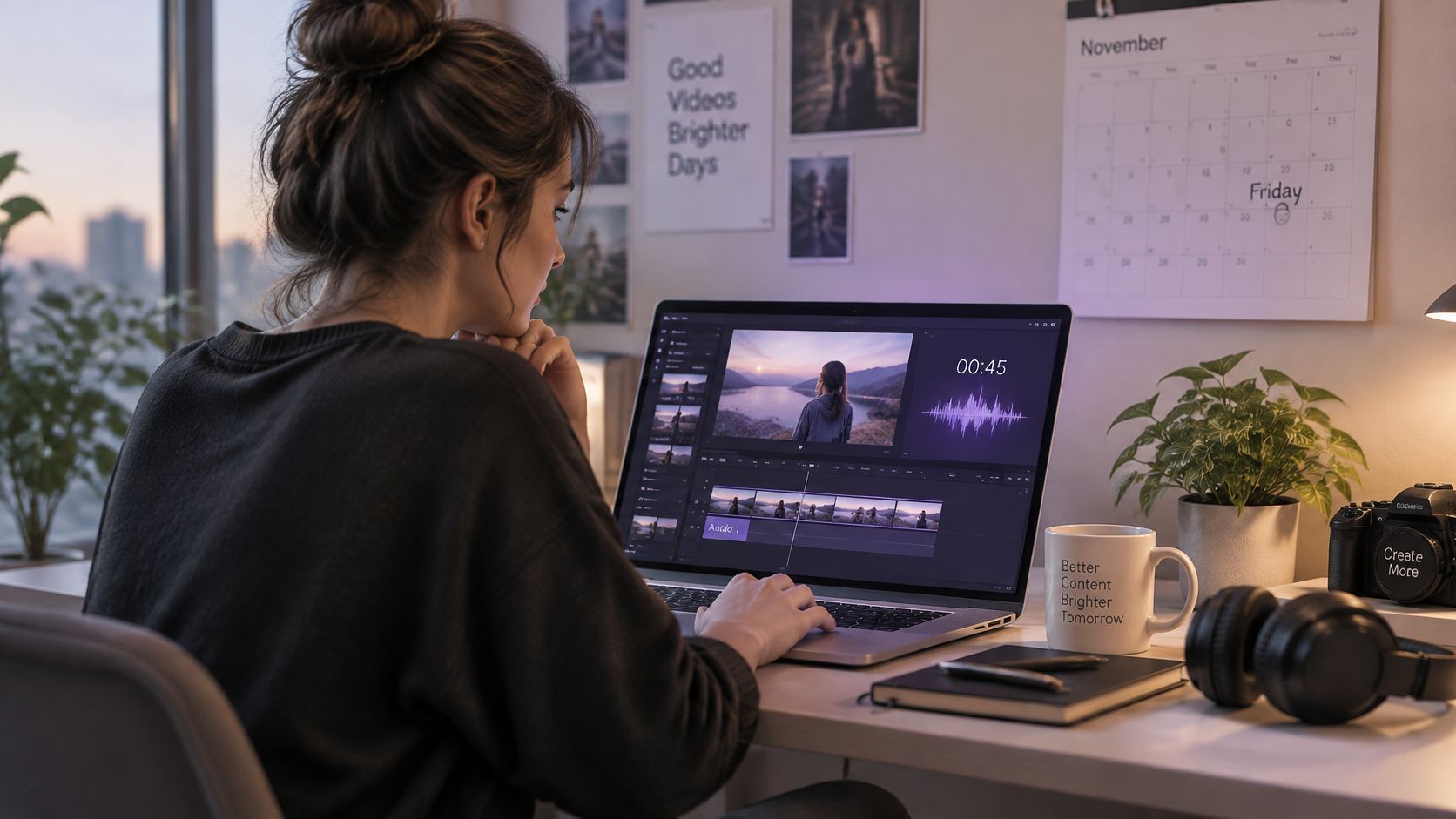
Four sources cover almost every video you'll cut. They differ less in sound than in turnaround, control and paperwork.
Music sources for video compared
| Source | Typical turnaround | Creative control | Main licensing question |
|---|---|---|---|
| AI generator | Minutes | High: mood, tempo, instruments | Provider terms and similarity to existing recordings |
| Subscription stock library | Hours | Low: choose from existing tracks | Licence scope by plan and platform |
| Platform audio library | Minutes | Low: choose from platform tracks | Cleared only on that platform |
| Commissioned composer | Days to weeks | High: briefed and revised | Written contract covering ownership and use |
Supply is no longer the constraint. Reporting on Deezer's catalogue shows fully AI-generated tracks climbing from about 10,000 daily uploads in January 2025, roughly 10% of new uploads, to about 60,000 a day a year later, or 39% of all daily uploads, while AI music accounted for only about 1% to 3% of total streams, per Music Ally's report on the platform data. Plenty of tracks exist. Audiences still aren't listening to most of them.
The practical read: volume tells you a track is easy to make. It tells you nothing about whether it fits your scene, clears for your platform, or survives a client review.
Three rules hold across almost every project:
- Use AI music for background beds, drafts and fast variations. It's unbeatable for trying three energy levels against the same cut before lunch.
- Check clearance before any paid or client use. The moment money or a brand name attaches to the video, the file stops being "just a track".
- Choose the source before you write the prompt. A track from a stock library you already license beats a better-sounding generated track you can't document.
The test is simple. If the video will run on more than one platform or behind paid media, you need documentation, not just a downloaded file. Teams that want to see a scored draft before committing can generate one short clip from a script and judge the workflow on real output.
Clearing AI Music for Every Platform Your Video Reaches
A bakery cuts a spring Instagram ad, then plans to repost the same 20 seconds on YouTube and its website. The footage stays the same; the music clearance may not. A commercial-use setting answers only one part of the question.
Before publishing, check three separate things:
- Provider terms: Does your account and plan permit commercial use?
- Copyright status: Does the music qualify for copyright protection? In the US, purely AI-generated material often does not.
- Distribution rights: Does the permission cover every platform and paid placement where the video will appear?
A provider's commercial-use terms do not automatically clear a track for every platform. Platform libraries can also limit where their music may be used. Adobe's music licensing FAQ for video editors explains that TikTok's Commercial Music Library, YouTube's Audio Library and Meta's Sound Collection are generally cleared for their respective platforms. Reposting may require separate clearance.
Platform music libraries and where each clearance applies
| Music source | Cleared for | Reposting elsewhere |
|---|---|---|
| TikTok Commercial Music Library | TikTok | Check for separate clearance |
| YouTube Audio Library | YouTube | Check for separate clearance |
| Meta Sound Collection | Meta apps | Check for separate clearance |
| AI generator track | Uses permitted by the provider's terms | Check each platform and paid-media use |
For the bakery, the Instagram ad may use music from Meta's collection, but that does not establish permission for the YouTube upload or website embed. Check the terms for each destination, including whether they cover advertising and self-hosted video. The same edit can require different music permissions as it moves through the campaign.
The clearance passport
Keep a clearance record with the project file. Include the details that determine whether the track can travel with the video:
- Source and plan. Record the tool or library, account tier and date you obtained the track.
- Platforms and territories. List each destination, including the client's website and email distribution.
- Paid use. Mark whether the video will run as an ad, boosted post or pre-roll.
- Attribution. Save any required credit wording and note where it must appear.
- Permission evidence. Keep the applicable terms, licence details, receipt and client approval.
Save the provider terms that apply to your account when you generate the track, and review LunaBloom AI's terms of service before using its service. Recheck permissions when the platform, placement or campaign changes. A provider may permit use of its output without guaranteeing that it does not resemble an existing recording.
Ownership and Records You Need to Keep
The U.S. Copyright Office settled part of this in writing. Its January 29, 2025 report states that copyright doesn't protect purely AI-generated material, or output where a person exercised insufficient control over the expressive elements, as the Office explains in its post on the human element in AI art.
The same report is specific about prompts: under currently available technology, merely entering prompts doesn't normally give enough human control to make the user the author.
So a request like "create an upbeat cinematic pop song" may not establish ownership of the melody, the lyrics or the recording. That surprises people who assume the generator is a hired studio and the output is work for hire. It isn't.
Where human contribution starts to count
Human-authored lyrics, original arrangements, creative edits and other perceptible expressive contributions may qualify for protection, but each case is judged on its own facts. That means the difference between a defensible project and a lost one is usually evidence, not talent.
Keep these five things for every music-led video:
- Prompt history and version notes. What you asked for, when, and what changed between versions.
- Lyric drafts. Timestamped documents and edits, especially where you rewrote lines.
- Stems and project files. The working session, not only the final export.
- Arrangement and edit decisions. Notes on structure, instrumentation choices and which generated sections you kept or cut.
- Export dates. A dated trail showing when each version was rendered and published.
A licence is not ownership. A provider's commercial permission is a contract between you and that company. It doesn't transfer copyright, and it doesn't make you the author of anything.
Monetisation needs its own check. The Copyright Office's Part 2 report on copyrightability notes that musical works lacking human authorship aren't eligible for the statutory blanket license under Section 115, the US framework tied to compulsory licensing and royalty administration for digital phonorecord deliveries. Don't assume an AI-generated song registers, licenses or earns mechanicals exactly like a human-written composition. Verify provider terms, check for recognizable third-party material, and read the platform's monetisation rules before release.
Creators are clearly thinking about this. A 2024 study published by Springer Nature collected 137 valid responses on AI-assisted music creation and copyright consciousness, which tells you the questions are common even where the answers aren't.
This file is what you open when a claim arrives or a client asks who owns the song. The platform permissions live in a separate record, the one you build before the first upload.
How to Add AI Music to an Edit Step by Step
A track can fit the brief and still fail the edit if the cue starts in the wrong place or the ending runs long. Build the music around the picture, then check where the finished video will be published.
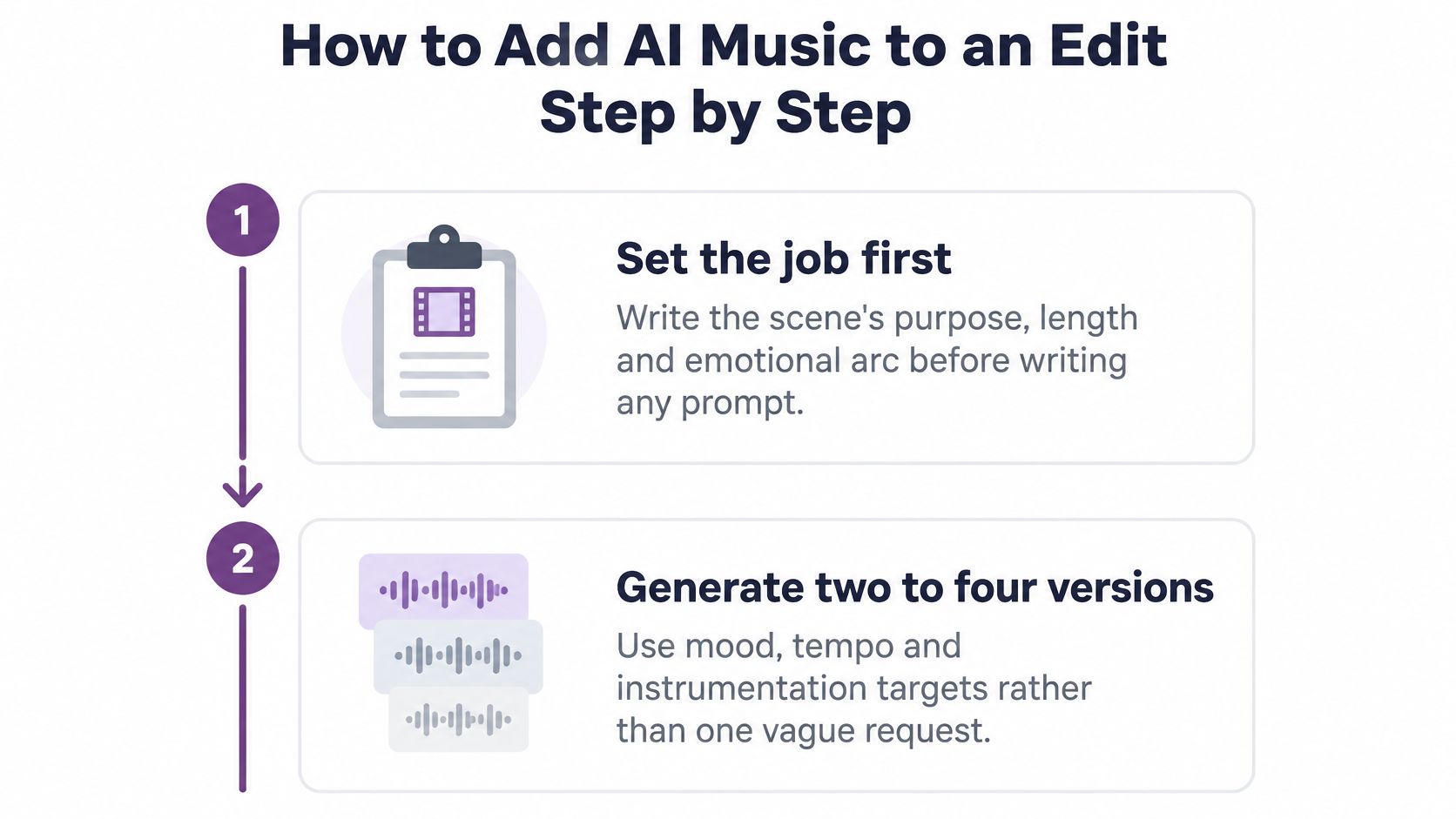
- Set the job before you prompt. Write the scene's purpose, exact duration and emotional arc in one line. Include the instruments or musical character you want, and specify whether the track needs room for dialogue.
- Generate a small set of versions. Try distinct combinations of mood, tempo and instrumentation rather than repeating a broad prompt such as “cinematic upbeat.” Compare each result against the same scene so you can hear which musical choices support the edit.
- Mark cue points on the timeline. Add timestamps for cuts, gestures and product reveals before auditioning tracks. This gives you specific moments to test, instead of judging a song only by its overall feel.
A video walkthrough can help make the cueing process clear:
- Fit the track to the cut. Trim it to the required length and use its intro, build and ending where they suit the scene. Keep tempo changes modest; stretching a track too far can create audible artifacts.
- Mix it under dialogue. For a talking-head edit, music often sits about 12 to 18 dB below the voice. Treat that as a starting point, then check the balance on a phone speaker as well as studio monitors.
- Save the project and its music records. Keep the project file, any stems, the version used and the applicable licence information together. If the edit changes, update the record to match the version you export.
- Complete the platform's AI disclosure field when required. YouTube asks creators to disclose certain realistic synthetic or altered content during upload, and its examples include AI-generated music when music is the main focus of the video, according to YouTube's support documentation. Assess the finished video, not only its visuals.
- Check the intended uses before publishing. A version prepared for one platform may also be used elsewhere, in a different format or as paid promotion. Confirm that the relevant permissions cover each planned use.
Where the sequence usually breaks
Disclosure and permission answer different questions. A platform's AI disclosure field tells viewers about qualifying synthetic content; it does not grant permission to use a melody, voice, sample or likeness.
For repeated production, LunaBloomAI's developer API can be relevant to teams building a programmatic video workflow. Keep the prompt, selected version and export details tied to the finished edit so the record follows the music across its distribution.
Fixing Sync Problems Between Music and Cuts
The most common complaint isn't "the track sounds bad". It's "the drop lands late".
A track can be polished, well-mixed and completely wrong for the cut, because sync is measurable rather than a matter of taste. Research on video-to-music generation separates quality into four dimensions you can score separately: audio fidelity, musical diversity, semantic alignment with the visual content, and temporal synchronization between visual events and audio, as described in research on video-to-music benchmarks. A cue that arrives after the edit point fails the fourth one no matter how good the other three are.
Four checks worth running
- Audio quality. Listen for artifacts, phase issues and clipped peaks on headphones before you fall in love with the arrangement.
- Mood match. Ask whether the track's emotional character agrees with the scene, not whether you personally like it.
- Tempo fit. Count how many bars the cut needs and whether the track's grid divides cleanly into it.
- Accent placement. Confirm that swells, hits and beat drops land on cuts, gestures and reveals.
Software is weak at inferring visual rhythm from frames alone. Research on dance beat tracking using visual information reported a best F-measure of 61.20% on the AIST Dance Video Database, with long temporal sequences and meaningful frame descriptors named as the major challenges, per the ACM paper on the work. That number is a reminder to set cue points by hand on anything that matters.
Sync symptoms, causes and fixes
| Symptom | Likely cause | Fix |
|---|---|---|
| Drop lands after the cut | Cue point set from the waveform, not the visual event | Move the cue to the cut frame and re-render |
| Track feels wrong for the scene | Prompt missed the mood or energy of the footage | Regenerate with mood, energy and instrument targets |
| Accents drift over a long clip | Track tempo differs from the edit rhythm | Stretch tempo slightly or restructure sections to the cut grid |
| Sync is off only in the export | Export frame rate or audio delay shifts the timing | Check the offset on the exported file and adjust the delay |
Aim for beat accents within about one frame of each cut, which is roughly 40 ms at 24 fps, and check that offset on the exported file rather than the timeline. Export settings can shift audio, so the sequence that looked perfect in the session can arrive a frame late in the MP4.
Fixes that take minutes: move a cue, re-cut a bar, nudge an offset. Fixes that need a regeneration: wrong mood, wrong tempo, wrong energy. Diagnose which one you're facing before you touch the prompt.
When a tempo change is the actual problem, tools that change a song's BPM without artifacts can save a track that's otherwise right. Product reveal at 0:08 with the swell arriving at 0:09 is a cue problem, not a music problem, and moving the cue to the reveal frame solves it in one pass.
Three Real Video Types and Their Music Choices
A product ad, a tutorial, and a vertical clip can share one generated bed and still fail for different reasons. The distribution list, not the taste of the prompt, decides whether that track can ship.
A 30-second product ad running as paid media on Meta and YouTube
Paid media is the case that breaks a casual licence. The media buyer needs proof the track is cleared for both platforms and every territory in the buy, and they need that proof before launch.
I would keep the generated track in the cut and hold a licensed library track as the signed-off backup. If the generated version still has no paperwork by the deadline, the backup ships. The risk is scale: the campaign goes live, then the paperwork arrives late.
A 12-minute software tutorial published only on YouTube
Here the music is furniture. One generated bed, low in the mix, calm tempo, cue points only at section changes. Complete the disclosure field at upload. Screen recordings look ordinary, so it is easy to treat the bed as if nothing synthetic is in the file.
The risk is that omission. YouTube is the only destination, which keeps the clearance list short, but the disclosure still has to be filled in.
A 20-second vertical clip for TikTok and Instagram built on a trending mood
Speed matters more than a long arrangement. Generate three versions, play them for a small group of viewers, and pick the one with a clean drop on the first beat rather than a slow first verse.
Check each platform's library rules before that same cut moves. A personal edit follows the same rule. A birthday video built around one song can start in a family group and then land on Reels, and the first clearance does not cover the second post. The risk is a third platform with no new check.
A music video built around an AI-generated song needs disclosure more often than a tutorial with a soft bed under narration, because the song is the subject, not the wallpaper. For all three jobs the record is the same shape: source, plan, platforms, paid status, attribution, and the proof you can hand over.
Choose Your Music Route and Start This Week
A product demo is due Thursday: one YouTube upload, no paid boost. The music choice stays small until the same file is promised to a client who will run it as an ad next quarter. Decide the route before you generate. The clearance record has to match every place the cut will land.
On one platform with no paid use, an AI track is fine. Keep the clearance record and complete any disclosure field at upload. Across several platforms or paid media, document clearance for each destination, or pick a licensed library track that covers the whole list. A file does not carry permission with it when you repost. For client work that transfers ownership, get written terms before delivery. You are handing over a licence to use a file, not the copyright in a composition you did not author.
Generation fits drafts, background beds, and fast variations on a locked cut. Commissioned and licensed tracks fit long campaigns, brand work, and anything a client will reuse for years, because the paperwork is done once and travels with the file. I would rather pay for a library bed on a campaign that will be cut into ads than explain a missing licence after the media buy is live.
Pick one upcoming video and build the clearance record before you generate. Run the workflow in order: Idea, Script, Visuals, Voice, Video, Music/SFX, Captions, Publish. Log the result before you publish. Once that habit is in place, the next video takes ten minutes instead of an afternoon.
LunaBloom AI generates a video from a script with voiceover, background music, and visuals. The free Starter plan includes two videos of up to 10 seconds each, so you can test the workflow before a longer project. The pricing page shows the exact credit cost for length, model, and options before anything renders. Keep the clearance record on that first clip too, including a free one.
Missing paperwork is what surfaces weeks later, after everyone has stopped thinking about the track. Start at LunaBloom AI, and keep the paper trail with the file that travels.