You can make a professional AI story video in minutes by combining a text prompt with a platform like LunaBloom that automates voiceovers, avatar synchronization, and editing. The strongest results come from treating AI as a creative partner, then applying human judgment to the plot, characters, cultural details, rights, and final cut.
You may already have the situation: a strong story idea, a rough script, or a product concept, but no animation team, voice actor, editor, or spare week to turn it into video. AI can remove much of that production friction, but it won't decide whether a character feels authentic, whether a scene repeats a tired stereotype, or whether your ending earns its emotion.
The practical question isn't how to make an AI generated story. It's how to make one that feels intentional, original, and safe to publish.
Why AI Storytelling Is a New Kind of Film Production
A creator with a notebook full of ideas used to face a difficult choice. They could learn animation, recording, editing, sound design, and compositing, or they could pay specialists to handle those tasks. Both paths demanded resources before the first audience member saw the story.
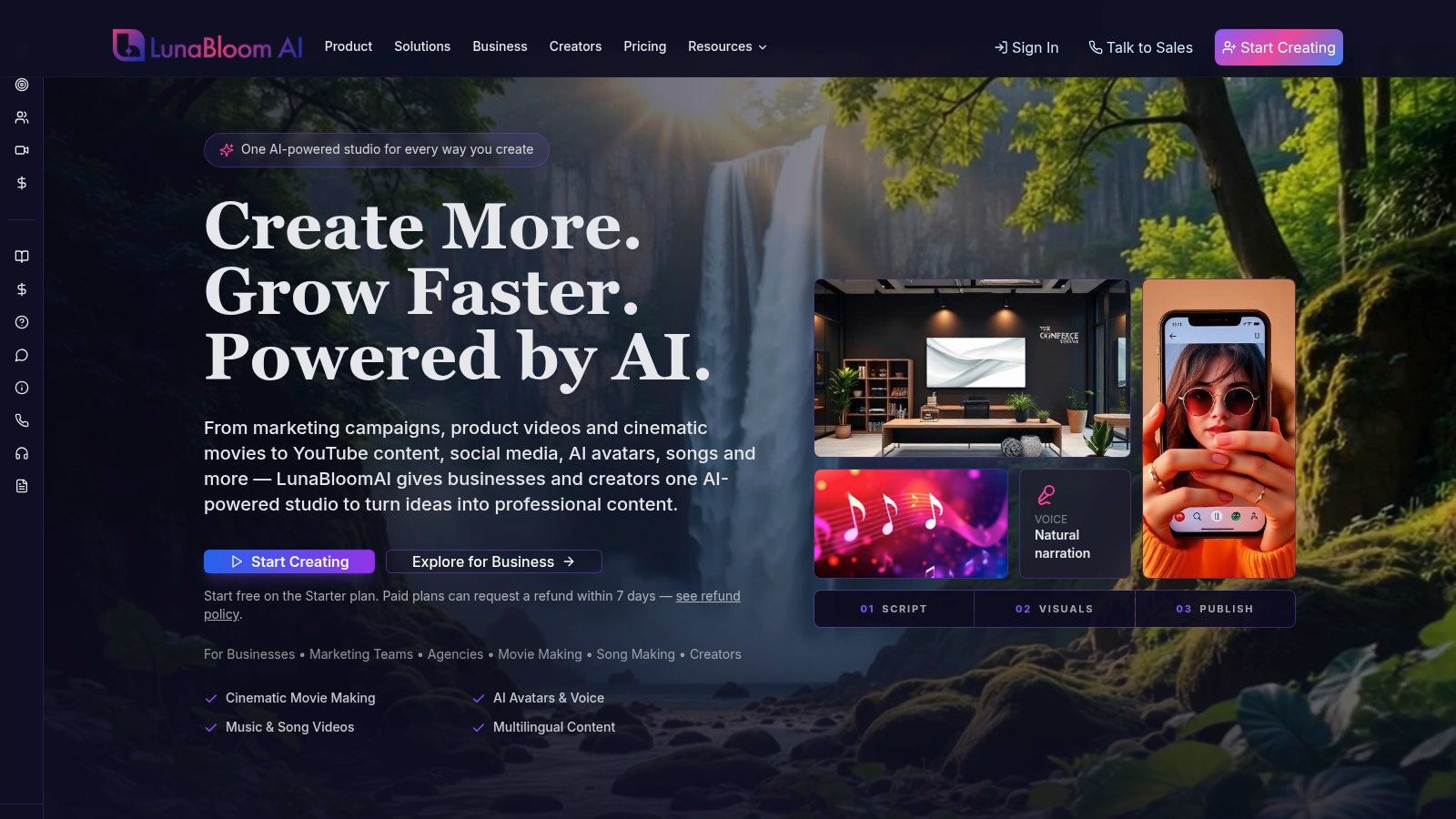
AI video tools change where the work happens. You can write a premise, define the audience, describe the visual language, and generate a first version without manually building every asset. A platform such as LunaBloom's company overview can support the movement from script to narrated video, while the creator remains responsible for the creative decisions.
That distinction matters. An AI system can propose a scene in which a detective enters a rain-soaked station, but it can't know whether the detective's hesitation reflects grief, fear, guilt, or simple plot convenience unless you define the motivation. It can produce fluent dialogue, but fluency isn't the same as subtext.
The director replaces the manual production bottleneck
The creator's role shifts from operating every tool to directing the entire system. You establish:
- Audience: Decide whether the story is for children, customers, employees, students, or a general entertainment audience.
- Promise: Define what the viewer should feel, learn, question, or do by the final scene.
- World rules: Set the time period, location, visual style, cultural context, and limits of the fictional world.
- Editorial standard: Decide what requires verification, what needs sensitivity review, and what AI may not invent.
This approach makes iteration more useful. Instead of accepting the first generated plot, create several distinct premises and compare them against the audience and purpose. A 2024 experiment published in Science Advances found that access to one AI-generated idea increased the novelty of stories from lower-performing writers by 6.3%, while access to five ideas increased novelty by 10.7%. Across participants, AI-assisted stories were approximately 5% more similar to the AI suggestions than human-only stories.
The lesson is practical. Use AI to widen the field of possibilities, then choose and reshape the story yourself. If every creator accepts the first familiar machine-generated premise, individual stories may improve while the overall creative field becomes more repetitive.
The Core Workflow From Script to Video
Start with a script, not a vague request for a “cinematic story.” The script should tell the video engine what happens, why it matters, and what the viewer needs to see.
1. Build a visual script
Write the premise in one sentence, then expand it into scenes. Each scene should contain an action, a setting, an emotional beat, and any essential dialogue.
A useful scene entry might look like this:
- Scene purpose: A courier realizes the package is addressed to her missing brother.
- Visual direction: Small coastal train station at dawn, muted colors, fog beyond the platform.
- Performance direction: She begins confident, then loses composure when she recognizes the handwriting.
- Audio direction: Distant train brakes, restrained piano, a pause before the final line.
- Continuity note: The red scarf remains around her neck throughout the scene.
This format gives the generator more than plot. It supplies the information needed for composition, pacing, voice, and continuity.
2. Create a first scene pass
Paste the script into an AI video platform such as LunaBloom AI's starter app, or use another tool that accepts text and produces scenes, narration, captions, and edits. The system may interpret each paragraph as a visual unit, identify dialogue, select a voice, and assemble music around the narrative arc.
Treat the first render as an edit decision list, not a finished film. Look for scenes that are visually attractive but narratively empty, transitions that arrive too early, characters whose appearance changes, and dialogue that sounds emotionally flat.
Storytelling principles also apply to commercial narratives. If you're creating a branded story, the guide for bedding brands offers useful context on connecting a product with a broader emotional idea rather than forcing a sales message into every line.
3. Revise by cause, not by symptom
When a scene fails, identify the underlying instruction that caused the problem.
- If the video feels slow, shorten repeated exposition or move the reveal earlier.
- If characters feel interchangeable, give each person a distinct goal, vocabulary, and reaction pattern.
- If visuals don't match the narration, add explicit setting and action cues.
- If the ending feels abrupt, plant the emotional or informational payoff earlier.
Generate another pass only after changing the script or direction. Re-rendering the same unclear prompt usually produces a different version of the same weakness.
4. Review the assembled cut
Watch the full video without stopping. Then review it with the sound off and once more without looking at the screen. The first pass tests story flow, the second tests visual clarity, and the third tests whether the narration, captions, and sound design carry meaning independently.
Practical rule: If a viewer needs your explanation to understand a scene, the scene needs revision.
Customizing Avatars and Voice for Maximum Impact
A polished story needs a consistent human presence, even when that presence is synthetic. Viewers notice when the avatar's expression contradicts the dialogue or when the narrator delivers grief, comedy, and urgency with the same rhythm.
Choose the performer after defining the character. A photo-real avatar may suit a training narrative or founder story, while an animated or 3D character may better fit fantasy, education, or a deliberately stylized world. The visual choice should reinforce the genre, not merely demonstrate what the software can render.
Match performance to character intention
Voice selection starts with more than age or accent. Define the character's relationship to the audience and the emotional temperature of the scene.
For a reliable first pass, specify:
- Pace: Measured for reflection, quicker for pursuit or comic tension.
- Energy: Warm, restrained, urgent, skeptical, playful, or formal.
- Texture: Bright, hushed, rough, clear, intimate, or authoritative.
- Pauses: Mark silence before a revelation, after a difficult question, or between conflicting thoughts.
- Pronunciation: Add guidance for names, places, technical terms, and culturally specific words.
A cloned voice can create continuity across a series, but only use it with the speaker's permission. A multilingual voice can improve accessibility, yet translation isn't merely word substitution. Idioms, humor, honorifics, and emotional intensity may change meaning in another language.
Direct the avatar like an actor
Don't ask an avatar to “look emotional” and expect a reliable result. Give it playable instructions. “Avoids eye contact while admitting the mistake” is more useful than “looks sad.” “Smiles briefly, then stops when she notices the empty chair” creates a visible transition.
Use LunaBloom AI's application to test the relationship between avatar, voice, captions, and scene timing in the same draft. Check mouth movement, facial expression, gaze direction, and the moment each line lands.
A voice can be technically clean and still be wrong for the story. Listen for excessive brightness in serious scenes, unnatural emphasis on ordinary words, and pauses that occur where the sentence has no dramatic meaning. Replace a generic performance before adding more visual effects. Emotional precision usually improves a simple scene more than another layer of spectacle.
Ensuring Originality and Ethical Storytelling
Trust doesn't come from adding a generic disclosure at the end. It comes from showing that someone made accountable decisions about the story's origin, content, representation, and final form.
Labeling can affect how audiences receive a narrative. A 2024 Journal of Communication study reported that identifying a narrative as AI-generated reduced narrative transportation, increased counterarguing, and weakened story-consistent beliefs. The same source describes an analysis of 250 human-authored stories and 80 stories generated by GPT-3.5 and GPT-4. In the AI material, 28 of 80 stories, or 35%, used a male creator and female creation structure. Women appeared as creators in 25% of the AI-generated stories compared with 10% of the human stories.
Those findings don't mean audiences reject every AI-assisted story. They show why presentation, labeling, and editorial quality matter. A fluent script can still reproduce narrow assumptions about who creates, who acts, who needs saving, and whose perspective receives authority.
Use a trust review before publication
Run the finished script and video through four separate checks:
- Provenance review: Record whether the premise came from you, a client, licensed material, a public-domain source, or an AI suggestion. Keep drafts and revision history.
- Factual review: Verify every real person, place, historical detail, medical statement, product claim, and quotation. Fictional framing doesn't excuse accidental misinformation.
- Representation review: Check who has agency, who speaks, who changes, who gets blamed, and whether cultural details are specific rather than decorative.
- Rights review: Use owned or licensed inputs, avoid direct imitation of living authors or recognizable franchises, and secure permission for cloned voices and likenesses.
Human judgment is part of the production asset. It shapes what the story means, not just whether the export finishes correctly.
Disclose the process in proportion to the audience's likely concern. Explain whether AI helped brainstorm, outline, draft, translate, narrate, illustrate, or edit. Then state what a person reviewed and approved. “AI-generated” alone leaves the audience guessing about authorship and accountability.
The LunaBloom privacy information is a sensible place to review before uploading sensitive scripts, voices, images, or client material. Your own production record should also note which assets entered the system and whether you had permission to use them.
Copyright requires the same discipline. The U.S. Copyright Office guidance states that copyright protects human-authored expression and won't register material produced solely by a machine or automatic process without creative human input. Human writing, arrangement, selection, and modification may remain protectable, so preserve evidence of those contributions and describe them accurately if you seek registration.
Publishing and Scaling Your AI Stories
A finished render can still fail at publication. Export the video in the dimensions and format required by its destination, then watch the exported file from start to finish. Check captions, audio, scene layers, framing, and transitions instead of assuming the editor preserved every element.
Prepare each version for its audience
Create one master version, then build platform-specific cuts with deliberate editorial changes rather than just cropping the same frame.
- Vertical version: Reframe faces, captions, and key objects for mobile viewing.
- Wide-format version: Use wider compositions when the setting or group interaction carries the story.
- Captioned version: Check line breaks, reading speed, speaker changes, punctuation, and contrast.
- Localized version: Have a fluent human reviewer assess translated dialogue, names, jokes, subtitles, voice performance, and visual references.
- Silent-first version: Make the premise and action understandable when autoplay begins without sound.
LunaBloom supports automated subtitles and translations across 50+ languages, according to the platform overview used for this workflow. Automation can speed up localization, but it cannot confirm that a metaphor, joke, or culturally sensitive line has the intended meaning. Treat each language version as an editorial adaptation, with a reviewer responsible for accuracy and representation.
Before scaling production across a team, review LunaBloom's pricing tiers to match export quality and collaboration features to your output volume.
Make the page explain the video
Search-facing metadata should describe the actual story. Google's AI search guidance says special schema markup is not required for eligibility in generative AI search features. Structured data can still help pages qualify for rich results when it follows Google's general rules, matches visible content, and is validated.
A story page can state the premise, genre, intended audience, character names, production method, and disclosure statement in visible copy. Add structured data only after those details are clear and accurate for readers. The metadata should support trust, not disguise a generic production process as original reporting or lived experience.
Google's SEO Starter Guide recommends unique, clear, concise, accurate title links and short, page-specific meta descriptions. Put the core phrase near the beginning when it reads naturally, then describe the practical value the page provides.
Keep a version record
Save the script, prompt variations, source assets, voice permissions, review notes, subtitle files, translated versions, thumbnail, title, description, and final export together. Version control helps prevent a corrected scene from being replaced by an earlier draft and gives clients or teammates a clear review trail.
Track audience response through the analytics available on each publishing channel. Check where viewers stop watching, which scenes prompt comments, whether captions are understood, and whether the opening establishes the premise quickly. Change one meaningful element at a time so the result can be connected to a specific editorial decision.
Google's guidance on AI-generated content also applies to titles, meta descriptions, structured data, and image alternative text. Review every generated page element for accuracy, cultural context, and misleading implications. Disclose automation where that context helps the audience understand how the content was made.
Visit LunaBloom AI to turn scripts, prompts, and images into edited videos with voiceovers, captions, avatars, and automated scene assembly. Use the platform to reduce manual production work while keeping publication decisions accountable to human review.