You've found the product, opened a polished review, and watched the presenter praise the design, speed, and value. A few minutes later, you still don't know whether it works for your routine, what happens after the novelty wears off, or which buyer should avoid it. That uncertainty is where most product review videos lose the sale.
A strong product reviews video does more than display an item. It answers a decision-stage question with visible evidence, honest limitations, and a clear next step. The format can support discovery, comparison, and conversion, but only when the script, footage, editing, and distribution match the viewer's intent.
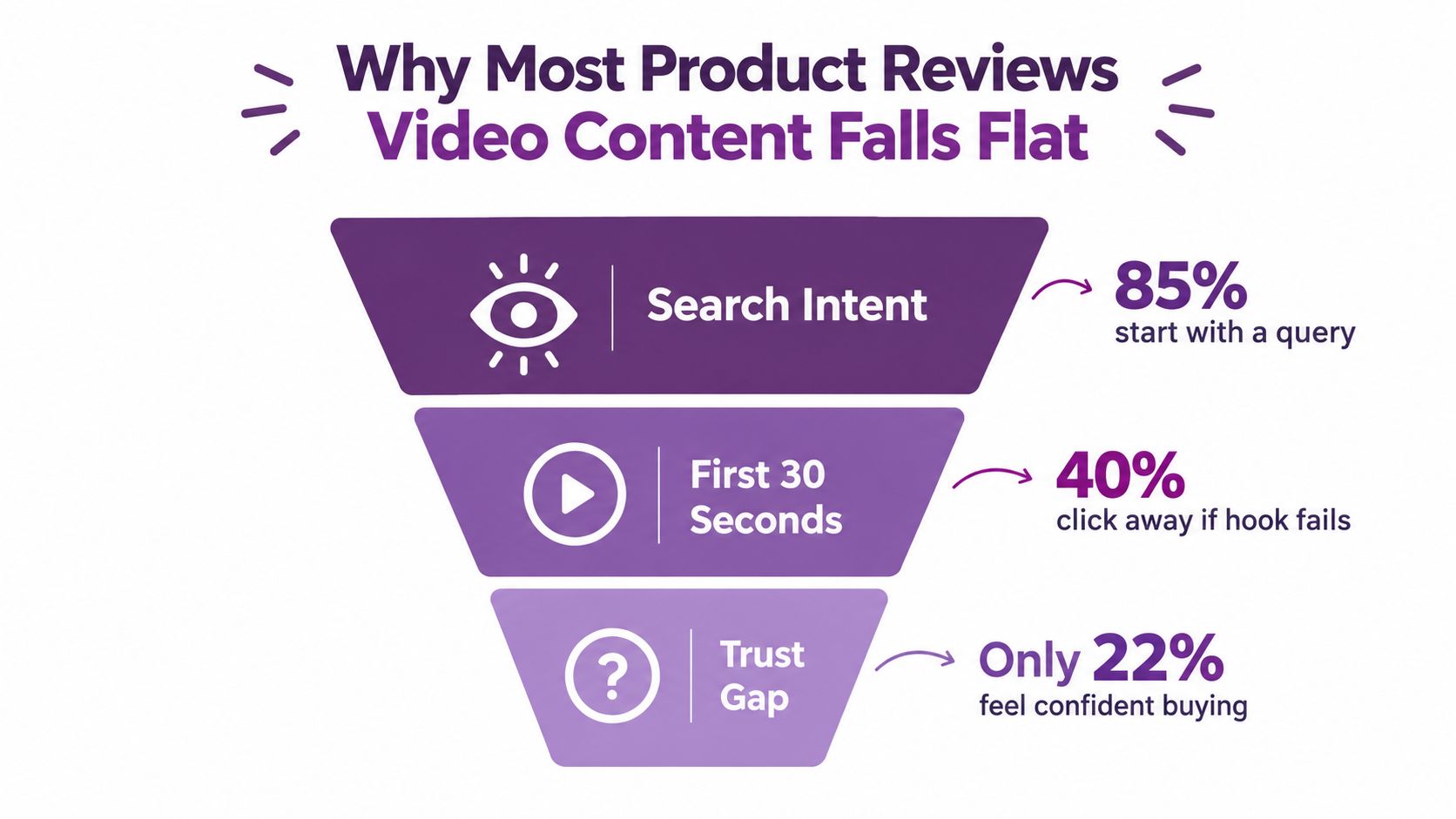
Why Most Product Reviews Video Content Falls Flat
A buyer searches for a review because a product page has left an important question unanswered. They click the first convincing thumbnail, watch the opening, and wait for proof. Instead, they often get a greeting, a slow unboxing, broad praise, and specifications copied from the manufacturer. The video may look professional, but the buyer still can't decide.
That failure usually comes from three gaps:
- Missing purchase context: The video never identifies whether it helps someone shortlist products, compare close alternatives, or make a final purchase decision.
- Unverified claims: The presenter says a product is durable, fast, comfortable, or worth the money without showing test conditions or observable evidence.
- Weak follow-through: The creator publishes once and never updates the review when real-world performance, competitors, or buyer questions change.
Product review videos already have an established role in purchase research. In a 2016 Pew Research Center benchmark, 55% of U.S. adults said they watched online videos to help evaluate products before buying. The figure was 68% among adults under 50, compared with 41% among adults aged 50 and older. That audience isn't asking for entertainment alone. It wants decision support.
Match the format to the buying moment
A shopper at the early discovery stage needs help reducing the field. A comparison article, category guide, or carousel can explain which features matter and narrow several options into a smaller set. A late-stage buyer needs something different, such as a demonstration, side-by-side comparison, setup sequence, or realistic use case.
Research comparing review formats found that text reviews suit early choice reduction, while video reviews perform better during final choice selection, where usability and experiential evidence matter. Matching the format to the stage increased perceived review quality by 9%, engagement by 16%, and purchase intent by 18% in the reported experiment, compared with mismatched formats. See the research summary on display and video reviews for the study context.
That gives producers a practical sequence:
- Publish searchable text or carousel content that frames the category.
- Identify readers or viewers who show high purchase intent.
- Retarget them with a longer review containing demonstrations, comparisons, drawbacks, and a recommendation.
Practical rule: If the viewer is still asking “Which type of product should I consider?”, use content that narrows options. If they're asking “Should I buy this one?”, show the product working.
The same principle changes the opening. A discovery video can lead with a category problem. A decision-stage product reviews video should lead with the result or verdict, then prove it. “This cooler fits a full day outdoors but gets awkward when fully packed” creates a more useful expectation than “Welcome back to the channel.”
Before filming, audit the questions competitors leave unanswered with resources for identifying untapped keywords. A content gap can reveal whether buyers want durability evidence, setup help, alternatives, or a long-term update. The LunaBloom AI about page can also help teams understand where an AI-assisted workflow fits alongside human testing and editorial judgment.
The rest of the production system follows from this decision. Pre-production defines the angle and evidence. Filming captures proof instead of decorative footage. Editing makes the answer easy to follow. Trust calibration exposes incentives and limitations. Distribution gives the finished asset a durable search destination.
Pre-Production Planning That Saves a Filming Day
Pre-production begins with one sentence: “This review helps [specific buyer] decide whether [specific product] is right for [specific use].” If you can't write that sentence, the camera isn't the problem yet.
Choose one primary angle:
- Performance: Does it deliver the promised result in realistic conditions?
- Durability: Does it remain reliable after sustained use?
- Value: Does the benefit justify the cost relative to alternatives?
- Comparison: Which decisive attributes separate it from a named competitor?
- Alternatives: Who should choose an older, cheaper, smaller, or simpler option?
Then build the outline around the buyer's question. Keep the evaluation criteria limited to the factors that can change the decision. A useful structure includes a direct hook, a brief verdict, three to five criteria, one meaningful drawback, and a recommendation for different types of users.
Your shot list should prove each criterion. For a portable monitor, that might include the one-cable setup, screen brightness in a real workspace, stand adjustment, and a side-by-side with a laptop. For a cooler bag, capture loading, carrying, cleaning, insulation, and what happens when the bag is full. Decorative hero footage supports the story, but it can't replace those shots.
Build a one-page production brief
Include:
- Viewer question: The decision the video must answer.
- Evidence list: The tests, demonstrations, comparisons, and screen captures required.
- Narration beats: Hook, verdict, criteria, drawback, recommendation.
- Disclosure: Sponsorship, affiliate, gifted-product, or other relevant relationship.
- Delivery plan: Long-form review, short clips, captions, thumbnail, description, and watch page.
Record the brief before anyone starts filming. It gives a creator, editor, or AI video tool a fixed editorial target instead of a loose request to “make something engaging.” For a script-to-video workflow, LunaBloom AI's starter app is one option for turning prepared text and visual inputs into a draft, while the evidence and final claims still need human review.
Filming Day Setup, B-Roll, and Voice Capture
A review can survive an imperfect background. It rarely survives muffled speech, flickering exposure, or footage that never shows the product in use. Set up for clean evidence before chasing cinematic style.
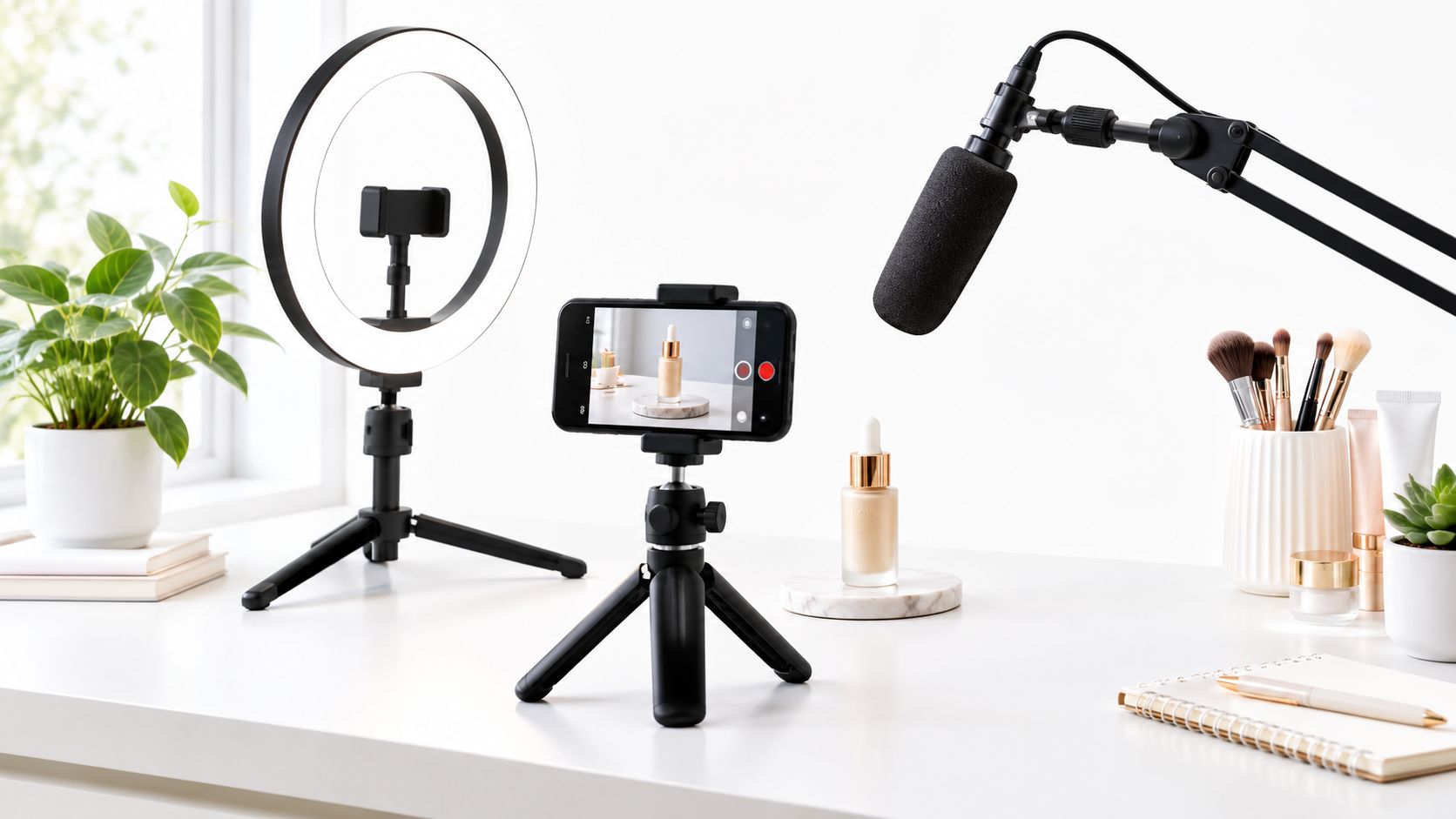
Use a key light at roughly a comfortable angle from the presenter and a weaker fill light on the opposite side. Keep the product away from harsh reflections, especially when filming glossy appliances, screens, packaging, or polished accessories. A lavalier microphone works well for a presenter moving around a workspace, while a USB condenser microphone suits a controlled desk setup.
Mount the camera or phone on a stable tripod at eye level. Lock exposure and focus where possible. Record a short room-tone sample before speaking, because that quiet background recording makes later noise reduction and edits sound more natural.
Capture evidence in sequences
Don't collect isolated clips. Film short sequences that show cause and effect:
- Hero setup: Product front, side, controls, ports, materials, and included accessories.
- Unboxing context: What arrives, how it is packaged, and what requires assembly.
- First-use action: Hands connecting, opening, wearing, loading, cleaning, or configuring it.
- Real task: The product performing the job the buyer cares about.
- Comparison: The product beside the closest alternative, with the relevant difference visible.
- Weakness: The awkward movement, blocked port, bulky shape, slow setup, or other drawback.
- Cutaways: Close-ups, screen recordings, hands, labels, packaging, and environmental details.
Over-capture is cheaper than returning for one missing shot. Record each key action from a wide angle and a close angle, then hold the final position briefly so the editor has room to cut.
A 2022 study reported that 90% of consumers said video helped them make purchase decisions, 87% said it helped them decide faster, and 72% preferred learning about a company's offerings through video rather than text. Those figures appear in the study of consumer-to-consumer video reviews. The implication for filming is practical: show the action that makes the decision easier.
For narration, live delivery can feel immediate, scripted voiceover gives tighter control, and AI voiceover can help create localized versions. Whichever method you use, leave space before and after key claims, avoid rushing through specifications, and capture clean replacement lines when a fact changes during editing.
Editing, Captions, and the Call to Action That Actually Converts
Editing should make the buyer's decision easier, not merely make the video faster. Start with the conclusion the footage can support, then arrange evidence behind it.
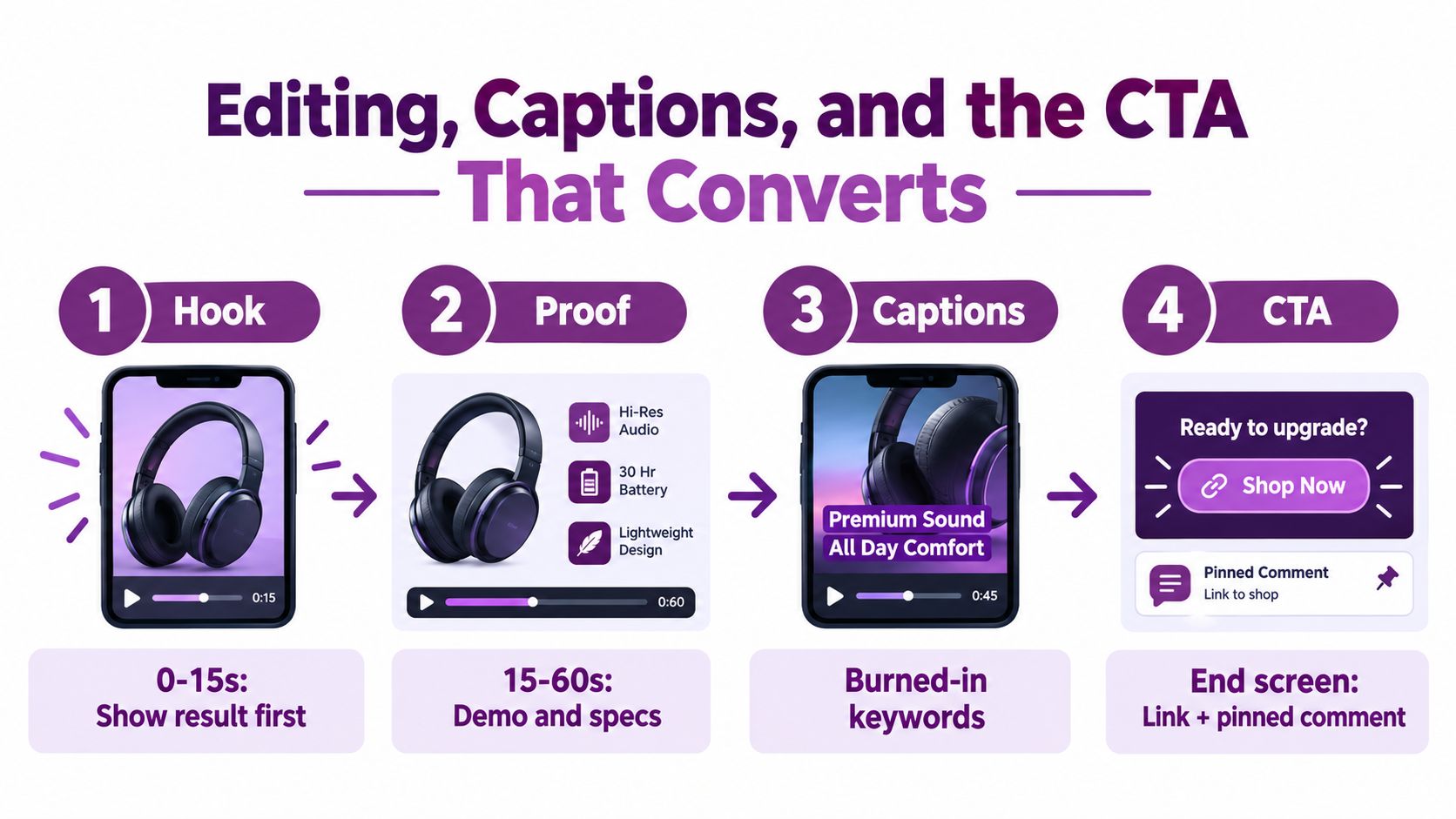
A dependable timeline looks like this:
- Opening: Show the product performing the defining task and state the central verdict.
- Context: Identify who the product suits and what comparison matters.
- Evidence: Demonstrate the criteria in a logical order.
- Trade-off: Give the most important limitation enough screen time.
- Recommendation: Separate the ideal buyer from the buyer who should choose another option.
- Next step: Send the viewer to the relevant comparison, product page, or follow-up review.
Use burned-in subtitles for social clips and separate caption files where the platform supports them. Captions should preserve technical terms accurately, identify speakers when needed, and stay clear of buttons, hands, product labels, and other important visual information. On-screen text should reinforce a claim, such as “one-cable setup” or “bulky when full,” rather than repeat every spoken sentence.
Replace generic CTAs with decision paths
“Subscribe for more” asks for a long-term commitment when the viewer may need one immediate answer. Match the CTA to the review's job:
- Comparison CTA: “See the full comparison with the closest alternative.”
- Alternative CTA: “If portability matters more than screen size, review the smaller option next.”
- Decision-stage CTA: “Check the tested setup and current buying details on the product page.”
A thumbnail should communicate the same decision as the opening. Use the product, the relevant use case, and one readable contrast. Avoid a dramatic expression or an unsupported superlative that the footage can't defend.
Teams that need a repeatable editing standard can study workflows beyond ecommerce, including video production for law firms, where clarity, controlled claims, and audience trust also matter. For an AI-assisted draft, LunaBloom AI's app can combine scripts, visuals, voiceovers, captions, and edited scenes, but an editor should still verify every product statement against the footage.
Trust Calibration Disclosures and Lifecycle Testing
A polished review isn't automatically a credible review. Buyers notice when the presenter avoids limitations, hides the relationship with the brand, or uses impressive footage to substitute for testing.
A YouTube review study involving 611 consumers found that source credibility was especially important in judging information usefulness. A separate study involving 1,042 respondents identified credibility, information quality, perceived information need, video characteristics, and audience interaction as predictors of purchase intention. The findings are documented in this study of YouTube product reviews.
Put the trust layer on screen:
- Disclose incentives early: State whether the product was sponsored, provided for review, or linked through an affiliate relationship.
- State the conditions: Show the test environment, duration, settings, comparison products, and relevant limitations.
- Separate evidence from opinion: Say “the measured result was” for an observed outcome and “my preference is” for a judgment.
- Show a meaningful drawback: Include the limitation that could change the purchase decision.
- Name the wrong buyer: Explain who should choose a different product, size, feature set, or price tier.
Viewers don't need a review without criticism. They need to know whether the criticism is relevant to their use.
Lifecycle testing creates another layer of usefulness. A launch-day unboxing can show packaging, setup, and first impressions. It can't answer whether comfort changes, battery performance degrades, support responds well, or a material becomes difficult to maintain after sustained use.
Schedule follow-ups at 7, 30, and 90 days. At each point, document:
- Actual usage conditions and frequency.
- Performance changes or recurring failures.
- Battery, comfort, reliability, or accuracy observations.
- Cleaning, maintenance, and replacement requirements.
- Customer support experience.
- Recurring costs and total ownership concerns.
Label each update clearly. A newer video isn't automatically more helpful than an older one if the older review contains better long-term evidence. The strongest product reviews video may be less glossy and more specific, with dated notes, repeatable tests, and visible wear.
Distribution and Video SEO That Drives Long-Term Searches
Treat each product review video as a landing page, not a file you upload once and forget. The page needs a clear search subject, useful supporting text, accessible media, and markup that matches the actual video.
Google's video guidance says a product review video must be embedded on an indexed watch page, must not be hidden behind other page elements, and must have a valid thumbnail at a stable URL. Google also recommends structured data, video sitemaps, or Open Graph metadata with unique values for each video's thumbnailUrl, name, and description. The requirements are explained in Google's video search documentation.
Build the watch page around intent
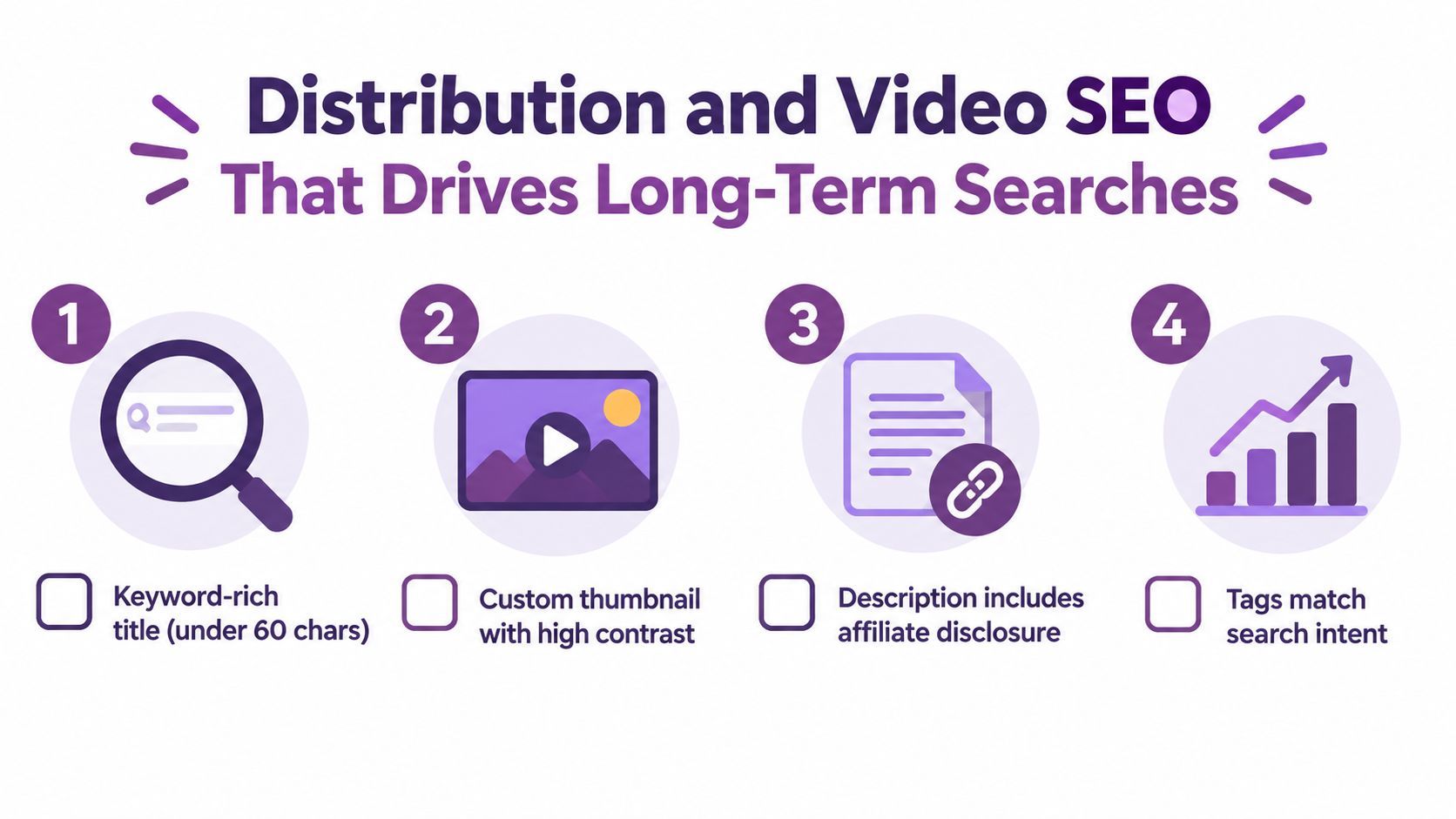
Use the exact product name and the review angle in the title. “Braun Series 3 Review for Sensitive Skin” signals a different intent from “Braun Series 3 Unboxing,” while “Braun Series 3 vs Philips OneBlade” signals comparison intent. Keep the page H1, video title, thumbnail text, and description aligned with what the footage covers.
Google recommends concise, descriptive, page-specific title elements and warns against vague labels and repeated boilerplate. It also recommends unique meta descriptions that summarize the page rather than filling the snippet with generic promotion. The guidance is available in Google's title documentation and snippet guidance.
A practical publishing checklist includes:
- Dedicated page: Give every important review its own crawlable watch page.
- Stable media: Keep the thumbnail URL available and use a custom image that represents the review accurately.
- Matching markup: Ensure structured data describes the video that appears on the page.
- Search language: Place natural product, review, comparison, unboxing, or problem terms in the title, H1, alt text, and internal links.
- Repurposed clips: Cut short-form excerpts that answer one sub-question and send interested viewers back to the full review.
Google's Search Essentials guidance supports using the words searchers use in prominent page locations and adding structured data for non-text formats such as video. Chapters, descriptive captions, and internal links make the page easier for people to scan.
Refresh the page when the tested product changes, a serious competitor appears, or the original recommendation needs qualification. The LunaBloom AI pricing page can be evaluated alongside other production tools when a team needs to create localized versions, captions, thumbnails, or updated cuts at scale.
Your One-Page Product Reviews Video Checklist
Use this checklist before publishing your next review:
- Define the decision stage. Decide whether the viewer needs category education, shortlist reduction, comparison, or final purchase evidence.
- Choose one review angle. Anchor the script to performance, durability, value, comparison, or alternatives.
- Plan the proof. List every demonstration, side-by-side, screen capture, drawback, and real-use sequence before filming.
- Design for comprehension. Put the verdict near the opening, use captions, label key evidence, and end with a CTA that matches the viewer's next decision.
- Add the trust layer. Disclose incentives, state test conditions, separate observation from opinion, and identify the buyer who should avoid the product.
- Schedule the follow-up. Record lifecycle updates at 7, 30, and 90 days when sustained use affects the decision.
- Publish a durable page. Use a crawlable watch page, stable thumbnail, accurate metadata, relevant internal links, and video markup that matches the content.
Avoid the shortcuts that create polished but weak reviews. Don't optimize only for views, bury negative results, reuse one generic cut across every funnel stage, or make AI-generated demonstrations appear to be real tests. Automation can accelerate scripting, voiceover, captions, localization, and editing, but the evidence and disclosures must remain accurate.
For help turning a tested outline into a production-ready workflow, contact the LunaBloom AI team. Bring the product, the buyer question, the evidence plan, and the intended distribution channel, then build the video around the decision rather than the format.
LunaBloom AI turns scripts, prompts, and images into edited product-focused videos with voiceovers, captions, thumbnails, and social publishing options. Use LunaBloom AI to accelerate draft production and localization, while keeping product testing, trust disclosures, and final editorial approval human-led.