You've finished the edit, the visuals are approved, and then the script changes. A product name is updated, a localized version is added, or the presenter needs a different call to action. Booking another recording session can turn a small revision into a production delay. Voice cloning from audio offers a faster alternative, but only when the source recording, evaluation process, and permission trail are handled with equal care.
For video creators, the key question isn't whether software can imitate a voice. It's whether the result is clear, consistent, legally usable, and safe to publish. A convincing voice can improve narration and localization, but it can also create confusion if viewers assume synthetic speech proves a person's identity.
The Power of Custom Voiceovers
A familiar production problem usually starts with a perfectly usable video. The presenter's delivery works, the edit is nearly finished, and then one sentence changes. With a conventional workflow, that revision may require another recording, matching the original microphone position, room tone, pace, and emotional delivery. A custom voice model can generate a replacement line from the revised script, provided the project has proper authorization and the output is reviewed.
That flexibility is especially useful for product demos, training videos, social ads, accessibility narration, and multilingual campaigns. A creator can preserve a recognizable speaker identity while adapting scripts for different markets. The same principle supports brand consistency. Teams exploring creator-led campaigns may also benefit from understanding does brand voice matter, particularly when several people produce content under one identity.
Speech synthesis has progressed from assembling prerecorded fragments to generating new utterances from learned representations of speech. Computer-based speech-synthesis systems emerged in the late 1950s, and researchers produced the first general English text-to-speech system in 1968 at Japan's Electrotechnical Laboratory. Baidu introduced Deep Voice in 2017, while Google's Tacotron 2 combined neural spectrogram prediction with a WaveNet vocoder and achieved a mean opinion score of 4.53, close to 4.58 for professionally recorded human speech, in controlled listening tests, as documented in this history of speech synthesis.
Where the workflow pays off
Microsoft researchers described VALL-E in January 2023, a system designed to generate speech from a three-second recording while preserving speaker identity and vocal characteristics, according to the same speech synthesis reference. That milestone helps explain why voice cloning now fits naturally into video localization and accessibility workflows.
In practice, custom voiceovers are most valuable when:
- Scripts change frequently: You can regenerate individual lines instead of rebuilding an entire recording session.
- Localization matters: A cloned voice can support narration in other languages, although pronunciation and emotional delivery still need native review.
- Brand recognition is important: Consistent vocal identity can connect separate campaigns, explainers, and onboarding materials.
- The speaker's availability is limited: A consented model can support approved production work without requiring the speaker to attend every session.
LunaBloom AI combines script-based video generation with custom voiceovers, captions, avatars, lip synchronization, and localization across more than 50 languages. You can review the available workflow through the LunaBloom AI platform, but the same production principles apply to other voice tools: clean source audio, explicit consent, controlled tests, and a human approval step.
Practical rule: Treat a voice clone as a production asset, not as evidence that the speaker personally approved a particular message.
Capturing High-Quality Source Audio
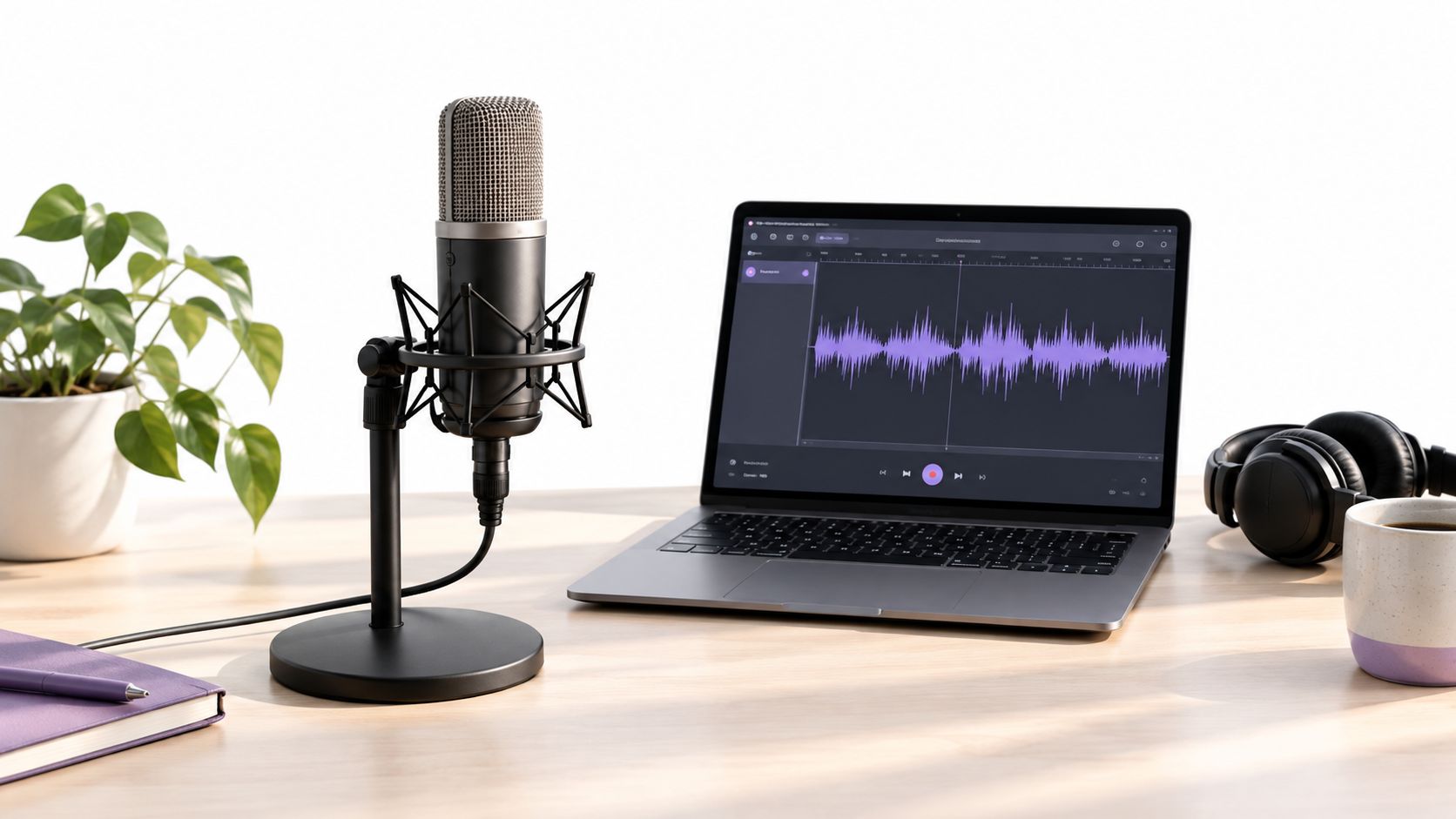
A cloned voice inherits the weaknesses of its source recording. Room noise, strong reverberation, shifting microphone distance, and aggressive processing can become part of the generated voice. For video work, record the source as master material that may support many future edits, not as a quick sample for one scene.
Build the recording environment first
Choose the quietest room you can control. Soft furnishings reduce reflections, and a fixed microphone position helps keep tone and volume consistent. Switch off fans, alerts, and air conditioning where possible. Keep the microphone away from reflective walls, bare desks, and other surfaces that add a noticeable room sound.
Use a lossless format such as WAV when the target tool accepts it. The visual checklist below covers clean recording, sample rate, format, and duration.
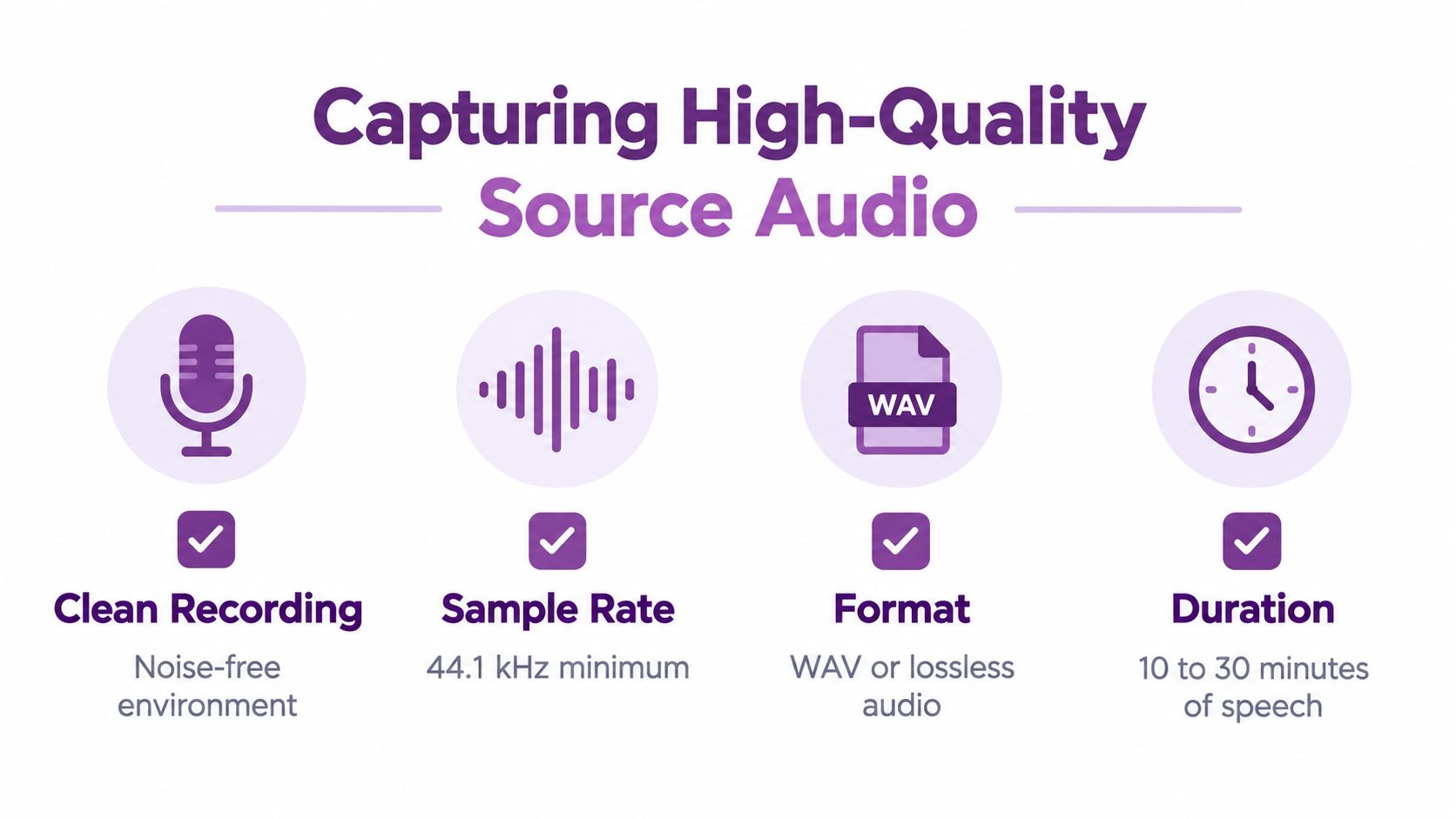
The checklist recommends a 44.1 kHz minimum sample rate and 10 to 30 minutes of speech. Treat those figures as workflow guidance rather than a guarantee. Platforms differ in their accepted formats and sample lengths, so confirm the target tool's requirements before recording a large library.
Record coverage, not repetition
Use varied sentences instead of reading one paragraph repeatedly. Include statements, questions, numbers, names, longer words, short phrases, pauses, and natural transitions. Vary pace and emotion in a controlled way, while keeping the speaker recognizable.
A practical session should cover:
- A neutral read: Establish the speaker's everyday delivery.
- Questions and emphasis: Capture changes in pitch, stress, and rhythm.
- Names and numbers: Surface pronunciation issues hidden by simple prose.
- Different sentence lengths: Short lines support editing, while longer passages reveal breath and pacing.
- Approved emotional range: Record calm, energetic, reassuring, or instructional delivery only when the speaker's permission covers those uses.
Collect consented speech with speaker labels and transcripts, then standardize sampling rate, loudness, silence, and metadata before extracting speaker embeddings, as described in this voice-cloning workflow study. Transcripts connect each utterance to the correct audio and make later quality checks easier.
Before uploading, listen for clipped peaks, mouth noise, sudden room sounds, and changes in microphone distance. Preserve the original files, create a cleaned working copy, and document who authorized the material, which uses were approved, and when permission may be withdrawn. The LunaBloom starter app offers one guided workflow to evaluate alongside those recording and approval requirements.
Cloning and Integrating Your Voice
Once the source files are organized, the process becomes less mysterious. Upload the authorized recording, choose the available voice-cloning mode, create a test script, and assess the output before committing it to a finished edit.
The underlying approach generally falls into one of two categories. Speaker adaptation fine-tunes a multispeaker generative model for a particular person. Speaker encoding infers a speaker embedding from audio and applies it to a multispeaker generator, as explained in this neural voice-cloning research. For a creator, the distinction matters less than the result, but it explains why a system can produce new sentences rather than just replaying the uploaded clip.
Test the voice before editing the video
Start with held-out sentences that weren't included in the reference material. Test the words most likely to break the illusion:
- Product names and personal names
- Dates, prices, measurements, and numbers
- Acronyms and technical terms
- Questions, lists, and short calls to action
- Emotional lines and changes in speaking speed
Listen first for intelligibility. If a viewer has to concentrate to understand a sentence, the voice isn't ready for publication. Then check identity. The output should resemble the intended speaker without becoming a caricature through exaggerated pitch, accent, or breathiness.
Generate short clips rather than a full script on the first pass. This makes it easier to compare settings and catch pronunciation problems before they spread across an entire project. Use punctuation deliberately, split difficult sentences, and spell out names phonetically when the platform supports pronunciation guidance.
Place the narration into the video
Export the approved voiceover and bring it into your editor beside the rough cut. Align the narration with scene changes, captions, and on-screen actions. A technically accurate clone can still feel wrong if the voice finishes a sentence after the visual event it describes.
For presenter-led footage, compare the audio rhythm with facial movement. Lip synchronization tools can reduce visible mismatch, but they won't fix a script that has the wrong pauses or emphasis. Adjust the copy before forcing the animation. Shorter clauses, intentional punctuation, and room for breaths often produce a more believable performance than aggressive speed controls.
This video demonstrates the kind of interface and production context creators may encounter when working with AI-generated video and voice workflows.
Use the LunaBloom AI app as one possible environment for combining script, voiceover, captions, avatars, and localization. Regardless of the tool, keep the generated audio, script version, approval record, and final export connected. That simple habit makes revisions traceable and helps prevent an unauthorized voice from appearing in the wrong campaign.
Navigating Ethics and Legal Boundaries
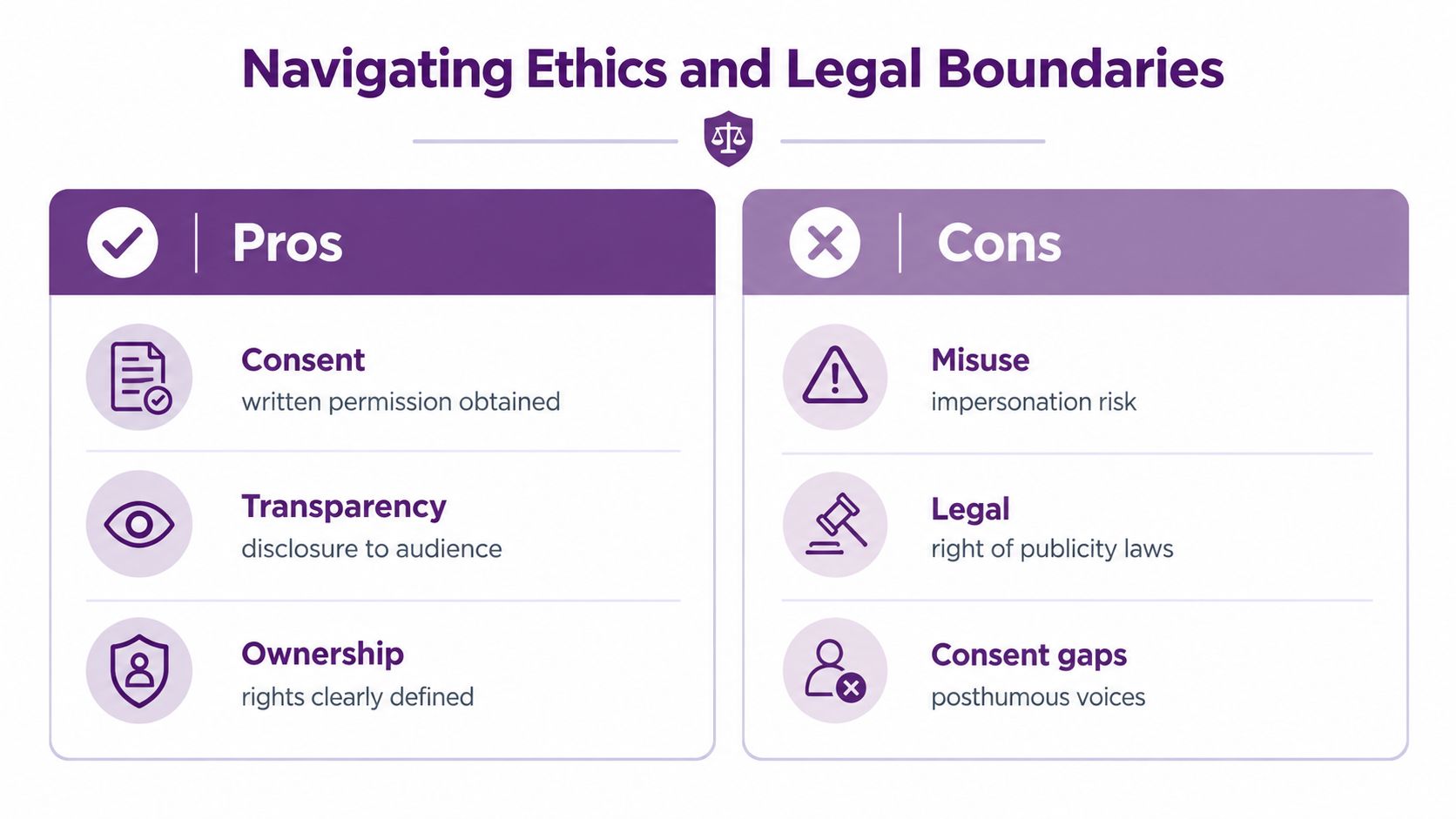
A voice belongs to a person, even when a platform stores it as a file, embedding, or model profile. The safest starting point is to clone your own voice or obtain explicit written authorization from the speaker. A checkbox that says the uploader has rights may protect a platform's intake process, but it doesn't create meaningful evidence that the speaker understood the proposed use.
Consumer Reports assessed six publicly available voice-cloning products and found that four out of six allowed researchers to create a clone from publicly available audio without a technical mechanism verifying the speaker's consent, according to its voice-cloning product assessment. That finding is especially relevant to creators who collect audio from podcasts, livestreams, interviews, or social platforms. Public availability doesn't equal permission to generate new speech.
Document the permission, not just the file
A useful release should identify the speaker, the recordings covered, the permitted applications, the distribution channels, the duration, the territories, compensation where relevant, and the deletion or revocation process. It should also address whether the voice may be used for advertising, training, entertainment, localization, emotional performances, or derivative scripts.
Keep the evidence with the project:
- Speaker identity: Record how the speaker was identified and who approved the release.
- Authorized uses: List the exact content categories and channels, rather than relying on broad language.
- Commercial scope: State whether paid ads, client work, sponsorships, or resale are included.
- Localization: Specify whether translated or multilingual speech is allowed.
- Revocation: Define how the speaker can withdraw permission and how the model and generated files will be handled.
- Disclosure: Decide when viewers should be told that narration is synthetic.
A privacy policy can explain data handling, retention, and deletion, but it shouldn't replace a speaker release. You can review the relevant LunaBloom privacy information when comparing platform practices, then ask whether the product's controls match your own obligations.
Separate creative use from authentication
Listeners aren't consistently reliable at recognizing synthetic speech. In one large evaluation, average detection accuracy was approximately 65% on WaveFake and 71% on ASVspoof 2021, while another study reported correct identification of deepfake audio 73% of the time, with genuine audio correctly classified in 67.78% of trials, as reported in this audio deepfake evaluation. These results don't make every generated voice deceptive, but they do show why a familiar voice shouldn't authorize a payment, password reset, contract, or sensitive instruction by itself.
Laws vary by jurisdiction. The search results identify Tennessee's ELVIS Act and California's 2024 AB 2602 and AB 1836 as significant U.S. measures addressing vocal or digital replicas, while communications and advertising may create additional consent obligations, as summarized in this voice-cloning consent and rights overview. Get jurisdiction-specific legal advice for commercial campaigns, public figures, employee voices, and posthumous performances.
Troubleshooting and Fine-Tuning Tips
A clone that sounds metallic, rushed, or inconsistent usually reflects a problem in the source audio, script, or edit. Aggressive noise reduction can remove vocal detail. Missing punctuation can flatten delivery. Mixed microphone distances and room tone can make one sentence sound unlike the next. Correct those inputs before changing model settings or collecting more training material.
Diagnose by symptom
Unnatural intonation often comes from long sentences or punctuation that does not match the intended delivery. Split the copy into meaningful phrases, add commas only where a speaker would pause, and test a shorter line. If the voice overacts, reduce emotional direction and compare it with a neutral reference.
Mumbled consonants can result from poor source quality, fast generation, or difficult wording. Review names, numbers, and technical terms as separate tests. Re-recording the troublesome phonetic material may improve the result more than adding unrelated speech.
Room tone and background artifacts usually originate in the reference take. Heavy processing may remove natural vocal detail or create watery sounds. Start with the cleanest original file, then compare it with a lightly edited version in the same video mix.
Poor sync often belongs to the edit rather than the voice. Generate short, editable segments, align phrases with visual actions, and reserve enough time for captions. If a presenter's mouth moves before the line starts, adjust the cut or timing instead of repeatedly changing voice controls.
Measure what listeners cannot reliably judge
Human review belongs in the workflow, but it should not be the only check. Measure word error rate, speaker-embedding cosine similarity, and spoofing performance with held-out speakers and content. Test telephone-style compression, background noise, and other conditions that match the final distribution environment.
For identity evaluation, forensic benchmarks can expose weaknesses hidden by clean studio comparisons. One study reported an EER of 0.06 for genuine-versus-genuine comparisons, rising to 0.20 for genuine-versus-cloned comparisons, in research published by Frontiers in Artificial Intelligence. Lower EER is generally better, but an in-domain result does not establish performance for every production setting.
Production check: Ask native listeners to review proper nouns, numbers, emotional lines, accents, code-switching, and noisy playback before approval.
Automated detection supports provenance and consent records rather than replacing them. One evaluation reported a baseline area under the ROC curve of 84.54% and a full-test-set deepfake detection score of 60.82%, with evaluated system scores ranging from 50.52% for XTTS-v2 to 70.67% for Zenos, according to this robust audio-deepfake detection dataset. The variation shows why a detector tested on one generator may perform differently on another.
Before publishing, compare the approved render with the original speaker's known material and document who verified it. That final check connects vocal quality with ethical verification, especially when a cloned line appears beside a real presenter, testimonial, or instruction.
Bringing It All Together
A dependable voice-cloning workflow is less about finding a magic sample and more about controlling the complete chain:
- Start with permission: Clone your own voice or secure written authorization from the speaker.
- Capture clean, varied audio: Keep the room quiet, preserve natural delivery, and include the pronunciation coverage your videos require.
- Prepare the files: Maintain transcripts and labels, then normalize loudness, silence, sampling details, and metadata.
- Generate held-out tests: Don't judge the model only on sentences it has already seen.
- Review in the final format: Test the voice alongside music, compression, captions, accents, and real video pacing.
- Keep records: Store the release, source files, model identity, script version, reviewer decision, and deletion instructions together.
The strongest results usually come from a modest, disciplined process. A voice clone can save a creator from repeated pickups, support localized narration, and help a business keep its videos consistent. It can also mispronounce a customer's name, drift under noisy conditions, or create false confidence if the audience assumes the speaker personally delivered the message.
Choose the use case before choosing the model. Creative narration and accessibility may benefit from a disclosed synthetic performance. Authentication, authorization, and high-impact decisions need additional verification beyond a voice channel. If you're comparing plans and production limits, review LunaBloom AI pricing alongside the consent, export, localization, and review requirements of your workflow.
LunaBloom AI brings script-based video creation, custom voiceovers, captions, avatars, lip synchronization, and multilingual localization into one production workflow. Start with your own voice or a properly authorized recording, test a short project, and visit LunaBloom AI to turn the approved voiceover into a finished video.