The popular advice is simple: paste a transcript into a video description generator, add a few keywords, and publish. That workflow saves typing, but it doesn't solve the harder problem. A useful description must match search intent, reflect what the viewer will see, support platform-specific metadata, and distinguish a discoverability summary from an accessibility-quality audio description.
That distinction matters as video teams publish across YouTube, short-form channels, embedded players, and multilingual markets. The global AI closed captioning market was valued at $3.2 billion in 2025 and is projected to reach $12.8 billion by 2034, with software representing 58.2% of the market and media and entertainment accounting for 32.5% of revenue, according to MarketIntelo's AI closed captioning market report. Automation is no longer a niche convenience. It's becoming infrastructure.
Why Most AI Video Descriptions Fail to Rank
Most weak AI descriptions fail before the generator writes a single sentence. The operator gives the tool a transcript, asks for an SEO-friendly summary, and accepts an output that repeats spoken words without clarifying the audience, the visual content, or the next action.
A transcript is not a description. A summary is not metadata. Neither one automatically qualifies as an audio description for blind and low-vision viewers.
Three outputs that teams keep confusing
A summary tells someone what the video discusses. It might mention the subject, main points, and outcome.
SEO metadata helps a platform understand the topic and helps a viewer decide whether the video answers their query. It can include a title, opening copy, tags, chapters, links, and a call to action.
A visual description communicates information that the soundtrack doesn't provide. The W3C says this can include charts, graphs, speaker names, titles, and email addresses, alongside other visual details needed to understand the content. The terms “video description” and “described video” are also used regionally for what WCAG calls audio description, as explained in the W3C media accessibility overview.
These outputs can share source material, but they serve different users. A marketing description may be concise and persuasive. An audio-description track must be accurate, synchronized, and useful without relying on visual access.
Practical rule: Never ask an AI system to “describe the video” without defining whether you need search metadata, a viewer-facing summary, an audio-description script, or all three as separate outputs.
Why generic summaries underperform
Generic copy usually has four problems:
- It targets a topic instead of an intent. “This video discusses project management” is broad. It doesn't identify whether the viewer wants a tutorial, a comparison, a template, or a product decision.
- It describes speech but ignores visuals. A product demo can show a dashboard state, chart, label, or interaction that the transcript never names.
- It flattens platform requirements. YouTube chapters, short-form captions, social snippets, and embedded-player metadata don't have identical jobs.
- It makes unsupported claims. AI may infer an action, feature, speaker identity, or result that never appears in the footage.
A lightweight resource such as Writingmate's best free tool for YouTube metadata can help produce a starting draft, but the quality still depends on the brief, source material, and review process. Teams publishing at scale should also establish ownership and governance, including clear responsibility for accessibility and approval, rather than treating the generator as an autonomous publisher. That operating context is worth defining alongside the LunaBloom AI about page.
The market's development reflects this broader shift. YouDescribe, a web-based audio-description tool for YouTube, had more than 12,000 average annual visitors, about 3,000 volunteer describers, and over 5,500 audio-described YouTube videos by the point documented in a 2023 accessibility preprint. A later academic source describes VideoA11y-40K as the largest and most thorough video-description dataset for training accessible models, marking a move from community-supported tooling toward dataset-driven development. Those milestones don't prove that any individual generator produces compliant output. They do show why “write a quick summary” is an incomplete product definition.
Mapping Intent and Keywords Before Generating Copy
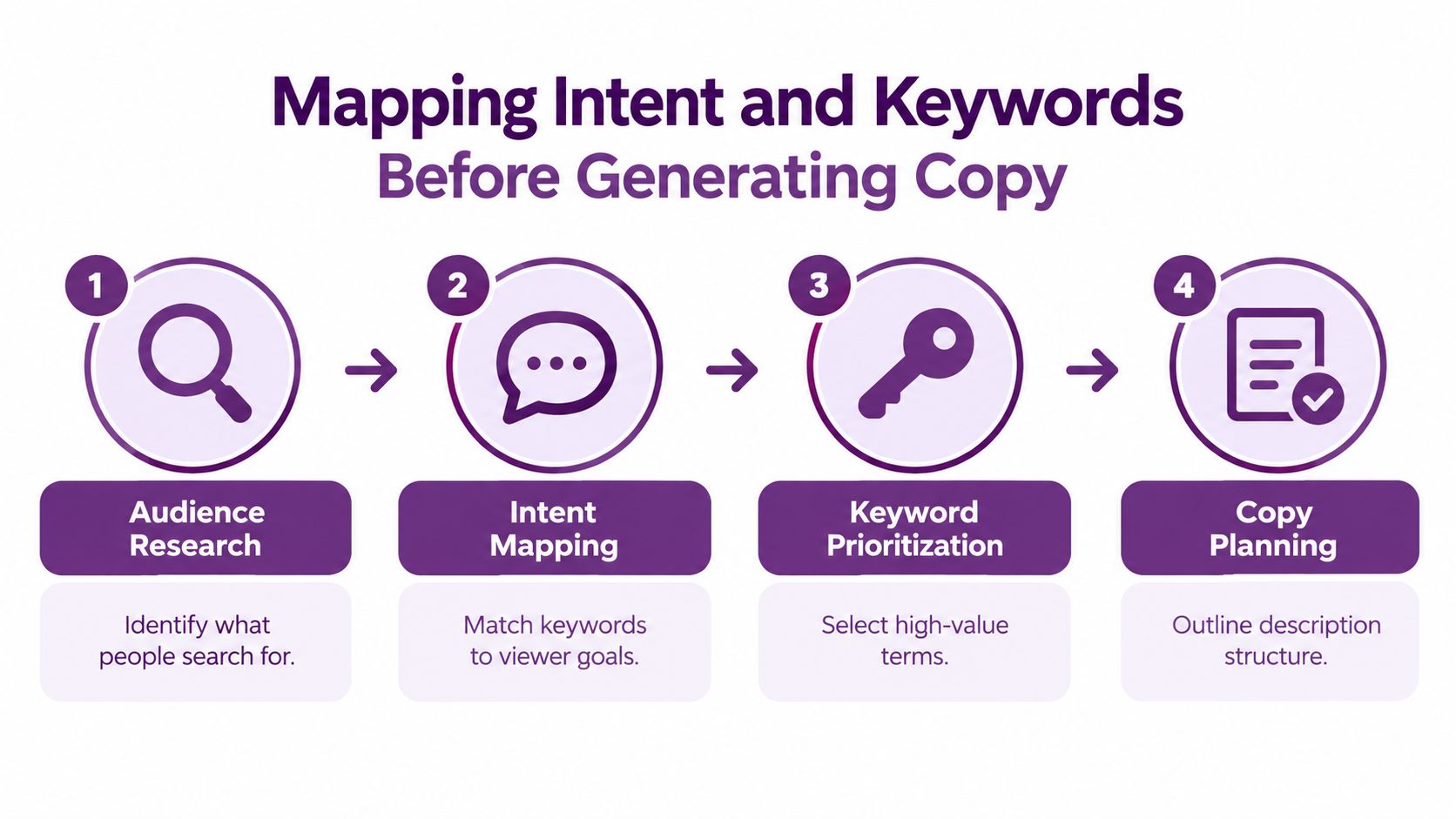
A generator can only optimize the instructions it receives. Start with a keyword and intent brief, not a blank prompt.
Start with the viewer's job
Ask what the viewer wants to accomplish after finding the video. Group the answer into a practical intent category:
- Informational intent: The viewer wants an explanation, definition, tutorial, or answer.
- Transactional intent: The viewer is evaluating a product, service, course, or purchase.
- Navigational intent: The viewer is trying to find a particular brand, feature, series, person, or resource.
Then write the query in the viewer's language. A marketing team might describe a video as “a product walkthrough,” while the audience searches for “how to create an automated content workflow.” The second phrase gives the generator a clearer editorial direction.
Build a compact keyword brief
Use a simple planning sheet with these fields:
| Field | What to record |
|---|---|
| Primary query | The single phrase that best represents the video's main answer |
| Secondary queries | Closely related questions and subtopics |
| Audience | The role, experience level, or problem context |
| Search intent | Informational, transactional, navigational, or a combination |
| Proof points | Features, demonstrations, examples, or explanations actually present |
| Desired action | Watch another video, visit a page, subscribe, download, or contact the team |
| Accessibility notes | Visual details, speakers, graphics, charts, and timing that require description |
Keep the primary query narrow enough to guide the opening copy. Secondary terms should clarify scope, not create a keyword pile. If the video covers “video description generator,” related terms might include YouTube metadata, video chapters, audio description, accessible video, subtitles, localization, or SRT and VTT export. Only include terms the video supports.
Reverse-engineer competing pages carefully
Review competing videos as editorial artifacts, not as templates to copy. Record the wording used in titles, the promise made in the opening lines, recurring chapter themes, calls to action, and obvious omissions. Pay particular attention to content gaps, such as videos that discuss SEO metadata but never explain the difference between captions and audio descriptions.
A gap becomes useful only when your footage supports it. Don't insert “WCAG compliance” into a description merely because it's a valuable keyword. If the video doesn't explain accessibility requirements or demonstrate an accessible workflow, the phrase creates a misleading promise.
Search intent beats keyword density. A concise description that accurately answers a specific query is more useful than a longer block that repeats the same term.
Create separate briefs for different platforms when the content package changes. YouTube may need chapters and a detailed resource path. A short-form channel may need a concise hook and a focused call to action. An embedded player may need a descriptive title and transcript access. This planning work can live in a shared production workspace such as the LunaBloom AI starter app, but the tool won't replace the editorial decision about what each audience needs.
Crafting Prompts for SEO and Accessibility Compliance
A reliable prompt gives the model separate jobs, evidence boundaries, and output formats. It doesn't ask for “an engaging description” and hope the system understands the difference between marketing copy and accessibility content.
Use a source-controlled prompt
A practical prompt formula looks like this:
Analyze the supplied video, transcript, and visual frames. Produce four separate outputs:
- A viewer-facing description for [platform].
- A keyword-informed opening using [primary query] naturally.
- A time-synchronized visual-description script for blind and low-vision users.
- A metadata checklist containing title, chapters, tags, links, and CTA.
Use only information visible or audible in the source. Mark uncertain details as [REVIEW]. Do not infer names, statistics, outcomes, locations, or product claims.
That final instruction is essential. A generator shouldn't convert a visual guess into a factual statement. If a logo is unclear, write “[REVIEW: logo identity]” rather than naming a company. If a chart label can't be read, flag it rather than inventing a trend.
The W3C's audio-description guidance requires a different output from a generic summary. For prerecorded synchronized media, WCAG 1.2.3 at Level A allows an audio-description track or a transcript, while WCAG 1.2.5 at Level AA requires audio description for all prerecorded video content in synchronized media. WCAG 1.2.7 at Level AAA addresses extended audio description when ordinary pauses aren't sufficient. The requirements are about the experience and the timing, not the presence of a paragraph beneath the player.
Separate marketing copy from description tracks
Ask for visual descriptions in a timeline format:
| Timecode | Visual event | Spoken or audible context | Review status |
|---|---|---|---|
| 00:00 | Describe the opening frame and relevant text | Note whether narration explains it | Approved or review |
| 00:12 | Describe the action that changes meaning | Identify overlapping dialogue | Approved or review |
| 00:35 | Describe a chart, interface, or product state | Connect it to the spoken explanation | Approved or review |
The W3C media requirements specify synchronized rendering, availability indicators, multiple description tracks, and independent volume adjustment for the original soundtrack and description. Text-based descriptions should support screen readers and Braille, playback-speed control, voice control, and synchronization points, as documented in the W3C media accessibility requirements.
This is why a generator that produces polished prose can still fail the accessibility test. It may write a compelling overview while omitting the visual information a user needs at the exact moment it appears.
Control tone without sacrificing evidence
Add explicit controls for the viewer-facing version:
- Write for the mapped audience, not for an abstract “general viewer.”
- Put the primary query in the opening only when it fits naturally.
- Explain the practical value before listing secondary topics.
- Use short paragraphs and descriptive labels for chapters.
- Avoid keyword stuffing, unsupported superlatives, and claims not demonstrated in the video.
- Flag missing information instead of filling gaps with assumptions.
- Create a separate accessibility output rather than blending visual description into promotional copy.
Captioning and audio description also solve different problems. Captions cover spoken words and meaningful non-speech sounds. Audio description supplies visual information when the existing audio doesn't explain it, a distinction reinforced by institutional video-accessibility guidance. A single “accessibility paragraph” usually satisfies neither job well.
Use the platform's terms and delivery format in the prompt. Request SRT or VTT when the workflow needs subtitle files, a clean metadata block when the output goes into a publishing system, and a separate timecoded script when a narration or description track must be produced. Review the generated result under the actual playback conditions, including screen-reader navigation and audio mixing. LunaBloom AI's terms page is also the right place to review service conditions before assigning automated content processing to a production workflow.
The following video demonstrates the kind of interface teams may use when shaping AI-assisted video outputs. Treat any generated result as a draft that requires source validation.
Structuring Timestamps, Tags, and Calls to Action
A description block should behave like a small navigation system. The opening earns attention, the middle reduces uncertainty, chapters expose the content map, and the final links give the viewer a sensible next step.
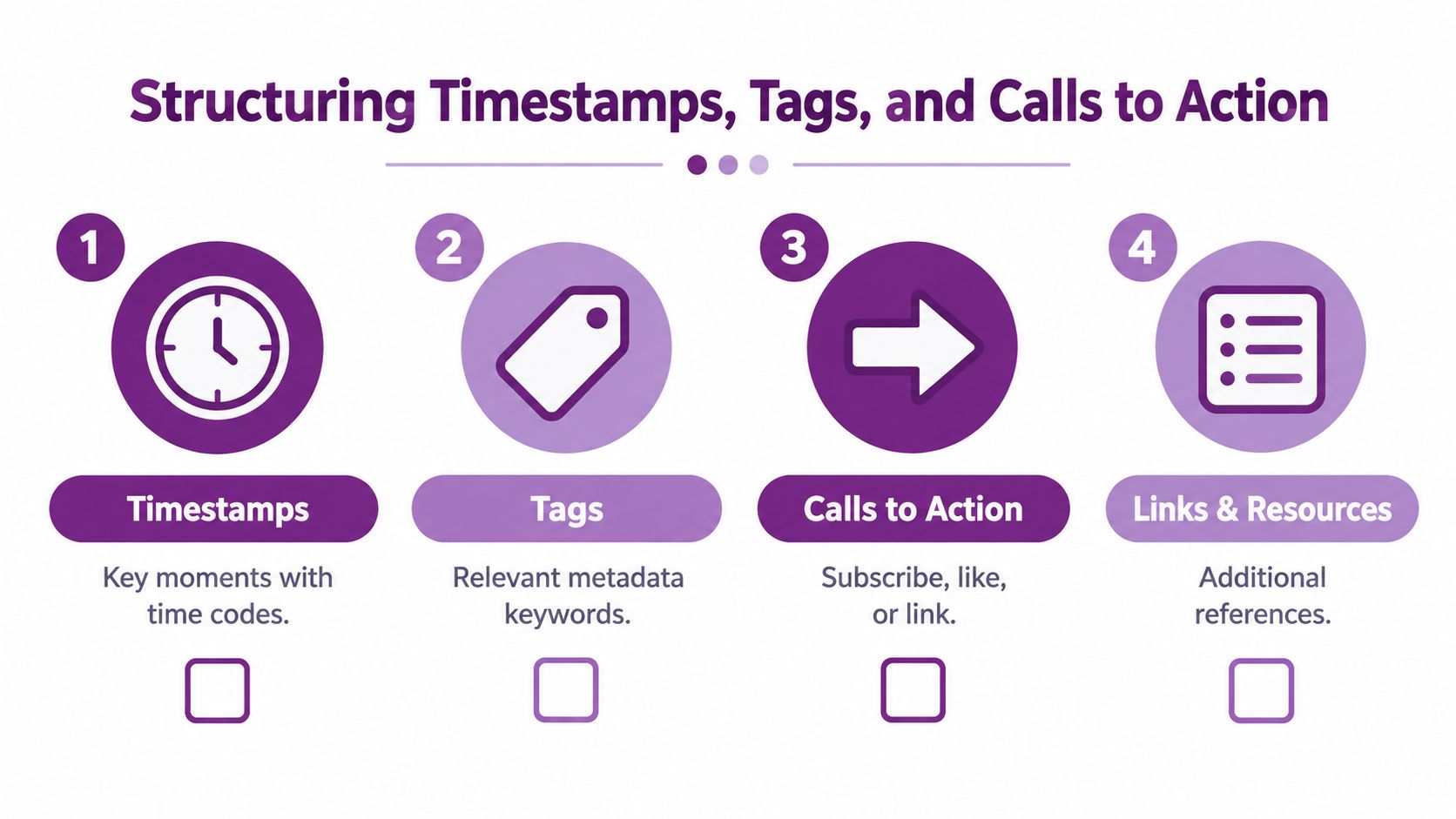
The opening should make one promise
Put the audience and outcome first. A strong opening answers three questions quickly:
- Who is this for?
- What will the viewer learn, compare, or complete?
- Why does this particular video help?
For a tutorial, that might mean naming the task and the intended result. For a product video, it should identify the use case without claiming an outcome the footage doesn't prove. For an accessibility video, name the distinction between captions, transcripts, and audio description so the viewer knows what kind of help they'll receive.
The opening shouldn't become a keyword container. Repetition makes the copy harder to read and can make the promise less credible.
Chapters need editorial verification
Ask the generator to identify meaningful topic changes, then verify every timecode against the actual video. A chapter label should tell the viewer what happens at that point, not merely echo a generic heading such as “Introduction” or “Discussion.”
A useful chapter request is:
Find the major topic or scene changes. Return chronological timecodes, concise labels, and the primary viewer question answered in each segment. Don't create a chapter unless the segment contains a distinct, useful topic. Verify every timecode against the source.
Benchmarking research explains why verification matters. Modern video-caption benchmarks use longer and more diverse videos and assess subject referential consistency, scene transitions, and video-caption relevance. One benchmark spans 1,000 videos ranging from 15 seconds to 600 seconds, while another reported very low motion-caption precision in a GPT-4o-style evaluation, including precision around 11.3 to 13.4 in one motion subtask, as documented in the benchmark research. A description can sound broadly informative and still miss the exact movement or visual fact that makes a chapter accurate.
Tags and CTAs should support the page
Tags should reflect the actual subject, audience, format, and related vocabulary. They shouldn't include every adjacent trend. If the video teaches audio description workflows, relevant terms may include accessible video, WCAG audio description, video accessibility, and synchronized media. Irrelevant tags attract the wrong expectations and make performance analysis less useful.
Place calls to action according to viewer readiness:
- Early CTA: Use only when the video has a clear immediate resource, such as a template or registration page.
- Mid-description CTA: Pair with a chapter or supporting resource that deepens the exact topic.
- Closing CTA: Invite the next action, such as watching a related video, subscribing, downloading a checklist, or contacting the team.
Links need context. “Download the accessibility checklist” is clearer than a bare destination. Keep disclosures near the relevant recommendation when sponsorship, affiliation, or another relationship affects the viewer's decision.
A final publishing check should confirm:
- The title and opening describe the same promise.
- Chapters point to real topic transitions.
- Tags match the footage and audience.
- Links work and lead to relevant resources.
- The CTA asks for one primary next action.
- Captions, transcript access, and audio-description delivery are available where required.
A structured workflow can be maintained inside LunaBloom AI, while distribution teams may use a broader PostPulse distribution guide to think through channel handoffs. The important point is not the brand of tool. It's the separation of generation, review, formatting, and publication.
Evaluation should also go beyond automatic text similarity. BLEU, ROUGE, METEOR, and CIDEr remain useful for quick screening, but they correlate imperfectly with human judgments of fluency, factual accuracy, and reference similarity. Recent evaluation approaches add human assessment or reference-free scoring across accuracy, completeness, conciseness, and relevance, as described in this video-caption evaluation research.
Automating Multilingual Metadata Workflows with LunaBloom
Manual localization becomes unreliable when one source video must produce audience-specific descriptions, caption files, platform templates, and approval records. A scalable workflow treats the video as the source asset, then creates controlled derivatives from one approved content package.
The package should include the final video, locked runtime, verified transcript, approved terminology, audience definitions, market-specific keyword guidance, accessibility requirements, permitted links, primary CTA, and disallowed claims. This structure prevents translators and channel owners from working from different versions of the same message.
Use one source of truth
Generate every language version from the approved source package, not from separate translations of already localized descriptions. That approach preserves product names, feature labels, legal wording, calls to action, and terminology across markets.
The source package should also separate outputs that teams often combine incorrectly:
- Search metadata: title, description, tags, hashtags, and platform-specific copy
- Caption files: time-synchronized spoken dialogue in SRT or VTT format
- Audio-description script: concise descriptions of relevant visual information, timed for blind and low-vision viewers
- Localization files: translated metadata, captions, subtitles, and approved terminology
- Distribution data: destination platform, language, version, approval state, and publication date
LunaBloom AI fits this workflow because its production features can feed several downstream review steps. A team can create or revise video assets from prompts, scripts, or images, then use generated scripts, captions, subtitles, thumbnails, titles, and metadata as draft inputs. Because captions, subtitles, and localized metadata can be developed from the same source asset, terminology review and accessibility review can run against one approved package instead of disconnected per-platform copies. Its support for localization across 50+ languages is useful for teams that need broad language coverage, provided human reviewers still check meaning, regional usage, and accessibility quality.
Add governance gates before publishing
Automation should shorten production time while keeping approval responsibility visible. Use a defined sequence:
- Source approval: Confirm that the video, transcript, runtime, and visual facts are final.
- Generation: Create language and platform variants from the approved brief.
- Terminology review: Check product names, feature labels, regional spelling, and translated CTAs.
- Accessibility review: Verify captions, visual descriptions, timecodes, and player requirements.
- Brand and legal review: Remove unsupported claims and restricted language.
- Publication approval: Confirm the selected language, channel, template, links, and version.
- Live audit: Review the published page, metadata rendering, links, captions, and playback controls.
Translation quality involves more than word substitution. Reviewers need to confirm that each version preserves the intended search query, audience promise, and conversion action. They should also check whether visual descriptions remain concrete and concise in the target language rather than becoming promotional copy.
Choose the right level of automation
A short internal explainer may need automated drafting and one knowledgeable owner. A public product launch, regulated claim, or accessibility-critical training video requires deeper human review, documented approvals, and a clear rollback process.
Use the LunaBloom's metadata automation workspace when the team needs production and metadata tasks connected in one operating flow. The toolchain should still distinguish between an SRT or VTT caption file, a time-synchronized audio-description script, and viewer-facing SEO metadata. Each serves a different user need and follows different quality checks.
One-click publishing has value only when operators can see the destination platform, language, template, approval state, and asset version before release. A changed video can invalidate timecodes. A revised landing page can make an approved CTA inaccurate. Version control therefore belongs inside the publishing process, not in a separate spreadsheet that nobody checks.
For distribution handoffs, use the PostPulse distribution guide alongside the metadata workflow to define channel ownership and publication steps. Assign one person to approve language, another to verify accessibility when appropriate, and a named owner for final metadata. Every automated route should also have a stop condition, such as a failed caption check, unresolved terminology issue, missing link, or changed source video. That structure turns automation into a controlled publishing system rather than a way to multiply unreviewed copies.
Before and After Examples of Generated Descriptions
The easiest way to audit a video description generator is to compare outputs against the same source video. The example below is illustrative, not a performance case study.
Before
Learn about video descriptions, SEO, and AI tools in this helpful video. We discuss how to create descriptions, use keywords, add timestamps, and improve your content. Like, subscribe, and visit our website for more information.
This draft is readable, but it's strategically empty. It doesn't identify the audience, specify the problem, distinguish metadata from audio description, explain what the viewer will get, or give chapters and a relevant resource path. “Improve your content” is too broad to guide search intent, and the CTA asks for several actions without prioritizing one.
After
Video description generator workflows for YouTube and accessible video. Learn how to map search intent, create platform-specific metadata, add verified chapters, and separate SEO copy from time-synchronized audio description for blind and low-vision viewers.
This guide is for content teams, creators, and marketers who want faster publishing without treating a generic AI summary as compliant accessibility content. You'll see how to control hallucinations, flag uncertain visual details, localize metadata, and review captions, descriptions, and links before publication.
Chapters
00:00 Why generic AI descriptions fail
02:10 Mapping audience intent and keywords
05:25 Prompting for SEO and accessibility
09:40 Structuring chapters, tags, and CTAs
13:15 Localizing metadata workflowsNext step: Download the video metadata and accessibility checklist to audit your next upload.
The revised version has a clear audience, a primary topic, supporting concepts, a defined accessibility distinction, useful chapter labels, and one focused CTA. It doesn't claim rankings, conversions, or compliance merely because a generator produced the copy. Those outcomes require platform testing, human review, and evidence from the actual asset.
The same discipline applies to other content types. Teams that already use audited meta descriptions for e-commerce understand the basic principle: generated copy needs a review standard tied to the page's purpose. Video adds another layer because the description may need to reflect timing, motion, sound, visual context, and player behavior.
Before publishing, ask:
- Does the opening match a real viewer query?
- Does every factual detail appear in the source?
- Are metadata, summary, captions, transcript, and audio description treated as distinct outputs?
- Have timecodes been checked against the finished edit?
- Does the CTA match the viewer's next logical action?
- Has the localized version passed terminology and accessibility review?
LunaBloom AI connects script-to-video production with captions, subtitles, localized versions, and structured metadata workflows, so teams can move from an approved source asset to reviewable publishing outputs in one process. Visit LunaBloom AI to explore how its video creation and metadata features can fit into your next accessible, platform-specific content workflow.