You publish a polished video, the visuals look professional, and the voiceover sounds clean. Then the numbers disappoint. Viewers leave before the product appears, muted autoplay makes the opening unintelligible, and the final call to action asks for too much too soon.
The problem usually isn't the video editor. It's the marketing video script. A strong script coordinates the message, pacing, visuals, captions, proof, and next step before production begins. That matters even more now that video has become a primary learning and buying format. One widely cited industry compilation reports that people watch an average of 16 hours of online video per week, while 96% have watched an explainer video to learn about a product or service and 68% prefer video over articles, infographics, ebooks, and presentations for learning about new products or services. (WordStream's video marketing statistics)
A practical script isn't a paragraph for a narrator to read. It's a production system for voice, captions, on-screen text, and proof, built around audience intent. The sections below show how to structure that system, adapt it to different lengths, and prepare it for sound-off, vertical, global, and AI-assisted production.
Why Your Marketing Video Lives or Dies on the Script
A campaign can open with a polished logo, a company introduction, and a list of features, then lose viewers before the product earns attention. The problem is usually sequencing. The script gives each second a job, from the first visual to the final action.
Scripting settles key decisions before a camera, avatar, or editor enters the process. It defines the audience, problem, promise, proof, and next step. Improvisation may sound natural, but it often creates repeated points, vague benefits, late context, and a CTA with no clear reason to act.
Instructional and product videos make this discipline more demanding. Viewers arrive with specific questions: Can this solve my problem? How does it work? Should I trust it? Answering those questions in the viewer's order keeps the message focused. A company history can wait until the viewer understands the immediate value.
What viewers need immediately
The opening must earn the next moment of attention. A slow logo animation, generic greeting, or broad statement about innovation uses that moment without delivering useful information.
Show the product working, name an expensive frustration, or state the expected outcome. A LunaBloom campaign might begin with a finished product demo, a creator struggling through manual editing, or a direct promise to turn an existing idea into a publishable video.
Build the script as four coordinated tracks: voice, captions, on-screen text, and proof. The voice track can handle explanation and nuance. Captions must preserve the message during silent viewing, while on-screen text should spotlight the problem, benefit, feature, or CTA instead of repeating every spoken line. Proof gives the viewer a reason to believe the promise. This structure also makes vertical and AI-generated production easier to plan because each asset has a defined role.
Practical takeaway: Make the value clear before the viewer has to trust the brand.
The commercial goal is a next decision, not attention alone. The WordStream compilation cited earlier reports that 64% of consumers make a purchase after watching branded social videos, reinforcing the need to connect the opening promise with a specific, reasonable action rather than treating the CTA as an afterthought.
For teams creating videos in LunaBloom, start with the audience and desired action, then map those decisions across the four tracks. The LunaBloom company background explains the platform's role in that production process. The writing principle remains straightforward: define what the viewer should decide before choosing the visual style.
The Anatomy of a High Performing Marketing Video Script
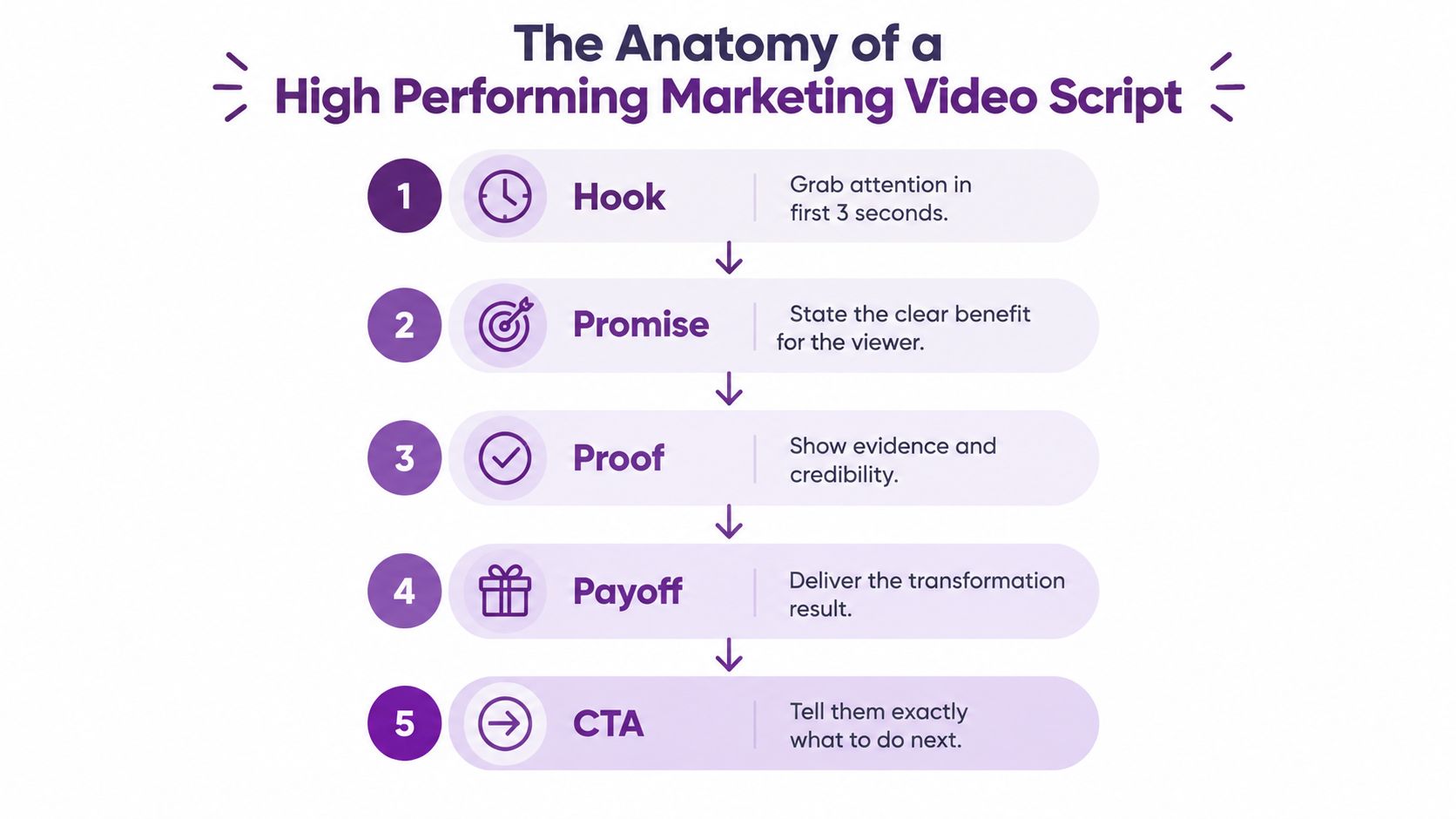
A reliable marketing video script follows a sequence that gives every beat a specific job:
- Hook: Earn attention with a problem, question, visual interruption, or immediate result.
- Promise: Tell the viewer what they'll understand, achieve, or see by continuing.
- Proof: Demonstrate credibility through a product moment, customer evidence, process, comparison, or verifiable claim.
- Payoff: Deliver the explanation or transformation promised at the start.
- CTA: Ask for one clear next action that matches the viewer's intent.
Give each track a separate job
The voice track carries reasoning, emotion, and transitions. Write it as spoken language, then read it aloud. If the sentence sounds formal or crowded, the viewer will hear that friction immediately.
The caption track preserves meaning when sound is unavailable. It should follow the dialogue accurately, with deliberate segmentation rather than dense blocks. The on-screen text track highlights only the words a viewer must notice, such as the problem, product benefit, feature name, or CTA. It shouldn't duplicate every spoken sentence.
The proof track shows rather than merely claims. A product workflow, interface recording, customer quote, demonstrable process, or clearly labeled comparison can make an abstract benefit concrete. Don't add proof that the business can't verify. AI can organize a claim, but a human still needs to approve its accuracy.
Use attention resets without creating noise
A long educational or demo script needs planned changes in visual rhythm. One industry guide recommends a pattern interrupt about every 90 seconds, and reports that scripted videos average 40–60% audience retention compared with 25–35% for unscripted content. It also reports that a pattern interrupt every 90 seconds can lift average view duration by 15–25%, while story-format scripts reach 50–65% retention but require more writing effort. (OutlierKit's YouTube script-writing guide)
An attention reset doesn't mean adding random animation. Change the shot, reveal a product step, introduce a question, switch speakers, display a relevant overlay, or move from explanation to demonstration. Each reset should support the message.
A useful skeleton looks like this:
Hook: “Still [painful task]?”
Promise: “You'll see how to [specific outcome].”
Proof: “Watch [product, process, or evidence] handle [relevant challenge].”
Payoff: “That means you can [meaningful result].”
CTA: “ [One action verb] to [next step].”
Draft this structure before polishing lines or selecting an avatar. The LunaBloom starter app can support the move from script concept to video creation, but the strategic work remains in the message architecture.
Writing for Every Format From 15 Seconds to Long Form
Length shouldn't determine the idea. Funnel intent should. A cold viewer needs enough context to recognize the problem, while a warm prospect may need proof, workflow detail, and objection handling before taking action.
Recent benchmarks illustrate why “shorter is always better” is too simplistic. One 2025 industry report states that videos longer than 60 minutes average a 13% conversion rate, videos under one minute average 1%, and videos between 5 and 30 minutes average 11%. A separate 2026 compilation reports that landing pages with embedded demo videos convert at 4.8% versus 2.9% without video, a 65% lift, and that prospects who engage with product demo videos convert at 7.9 times higher rates than those who don't. (DemandSage's video marketing benchmarks)
Those figures don't prescribe one universal length. They show why the script must match the viewer's intent and placement.
| Format | Goal and Pacing | Script Focus |
|---|---|---|
| 15-second vertical ad | Stop the scroll, communicate one benefit, move quickly | One hook, one proof moment, one CTA |
| 30-second social spot | Establish pain, introduce the solution, make the next step clear | Hook, promise, product glimpse, concise proof, CTA |
| 2-minute explainer | Reduce confusion and establish product relevance | Problem, mechanism, workflow, proof, payoff |
| 5 to 10-minute demo | Help a motivated viewer evaluate the solution | Use case, guided product flow, objections, outcomes, CTA |
| Long-form education | Build understanding and trust over time | Structured teaching, examples, resets, recap, next action |
Compress the core message
For a 15-second script, remove every line that doesn't earn attention or clarify the benefit. Start with the viewer's problem, show the product or result immediately, and use a low-friction CTA such as watching the demo or seeing how it works.
A 30-second version can add one supporting idea. Don't turn it into a compressed webinar. The viewer should understand the problem, the solution, and the next step without remembering a list of features.
Expand by answering real objections
Long-form scripts earn their duration by resolving uncertainty. Demonstrate the workflow, explain where the product fits, show what changes for the user, and address the concern that could block action. Use chapter-like beats so viewers can follow the logic without feeling trapped in one uninterrupted monologue.
A scene plan should record:
- Voiceover: The exact spoken idea.
- Overlay: The short phrase that works without sound.
- Visual: The product action or supporting image.
- Proof: The evidence shown at that moment.
- Timing: The planned duration and reset point.
- Action: The CTA appropriate to that stage.
Teams that manage many variations can also benefit from a guide to automated content workflows from Approved Lux Personal Assistant, especially when a single core message must become multiple channel assets. The LunaBloom app can then fit into a workflow that turns approved scripts into formatted video variations.
Hooks That Stop the Scroll and CTAs That Drive Action
A viewer scrolls past the opening, misses the benefit, and never reaches the CTA. That failure usually starts in the script. The hook must earn attention and qualify the right viewer, while the CTA must match how ready that viewer is to act.
One guide cites up to 47% of campaign value arriving in the first 3 seconds and notes that 20–30% of viewers leave within the first 30 seconds of an average video. It also reports that channels retaining more than 65% of viewers beyond the first minute see 58% higher average view duration across the rest of the video. (Hooked's video scripting guidance) Treat these figures as one benchmark set. They point to the same practical rule: the opening must deliver a reason to keep watching before the viewer has time to settle in.
Hook patterns worth testing
- Pain question: “Still rewriting the same campaign video for every platform?” Use it when the audience recognizes the task immediately.
- Bold claim: “Your product demo doesn't need another feature list.” Follow the statement with a visible alternative.
- Pattern interrupt: Start with an unexpected visual, a sudden format change, or a line that challenges the viewer's usual process.
- Immediate demonstration: Show the finished outcome first, then explain how it was produced.
A weak opening says, “Welcome to our platform. Today, we're excited to introduce our powerful video solution.” A sharper script names the viewer and the friction: “You already wrote the message. Why are you still rebuilding the video from scratch?”
Build every hook as a four-track unit. The voice states the idea, captions preserve the full meaning, on-screen text gives sound-off viewers a fast entry point, and proof makes the claim believable. That structure matters for vertical mobile ads and AI-generated variations, where the visual and text may carry the opening before the spoken line lands.
Match the CTA to intent
Awareness viewers may need “Watch the full explanation” or “See how it works.” Consideration-stage viewers can handle “Explore the workflow” or “Compare the approach.” Conversion-stage viewers may be ready for “Start creating” or “Contact the team.”
Use one primary CTA per video. Competing actions make the viewer choose between options instead of taking the intended next step.
A clear CTA doesn't create pressure. It removes uncertainty about what happens next.
Test hooks separately from CTAs. Keep the product promise and proof stable while changing the first line, opening visual, or action verb. You will learn more from that controlled change than from rewriting the entire script at once.
Sound Off Mobile First and Global Ready Scripting With LunaBloom
A modern script has to work in more than one playback condition. The viewer may see a vertical crop on a phone, hear nothing during autoplay, read captions while multitasking, or encounter a localized version where translated phrases take more space.
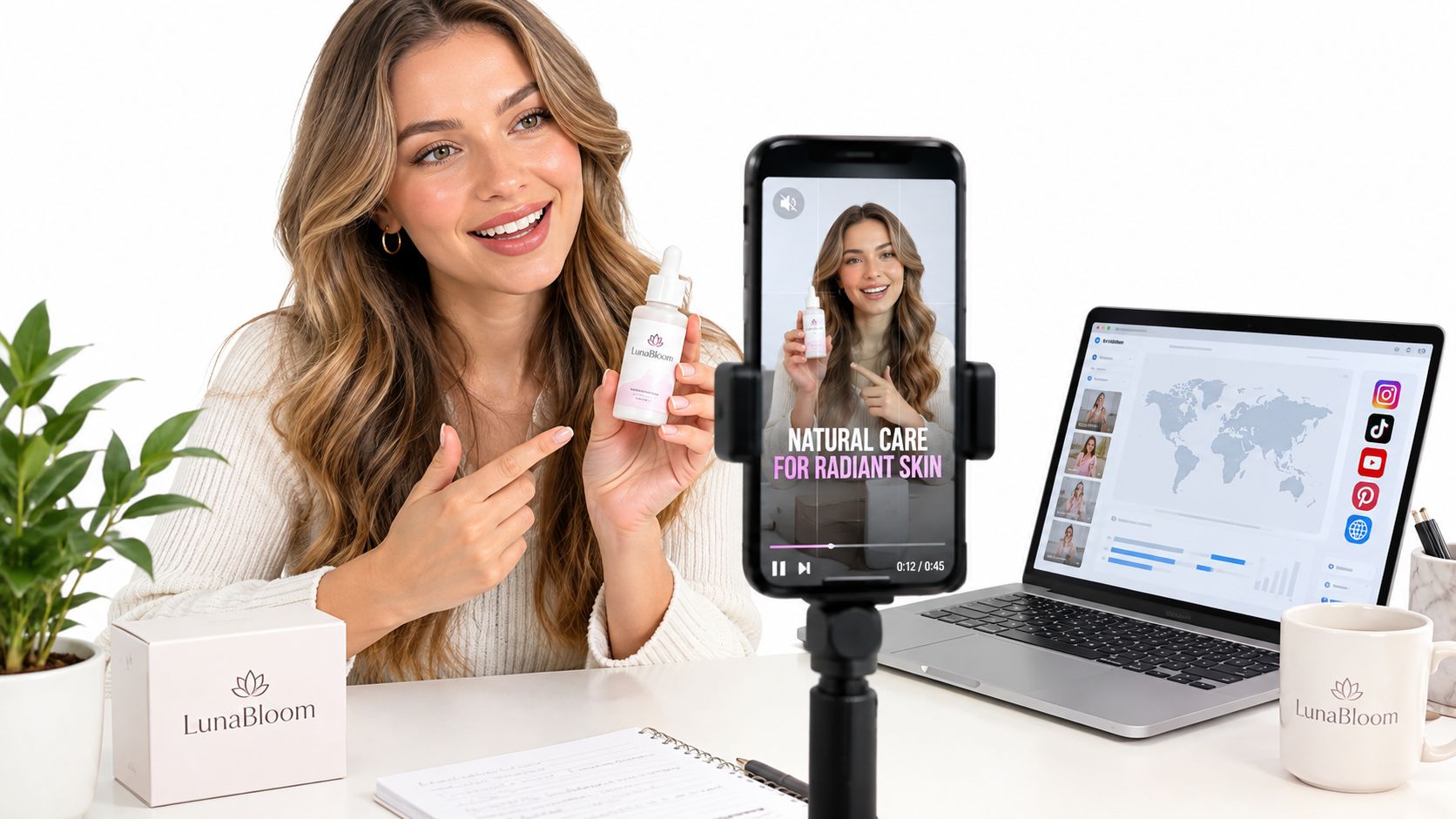
Write the first beat as a four-track unit:
- Voice: The natural spoken sentence.
- Captions: The complete accessible wording.
- Overlay: The essential phrase, short enough to scan.
- Proof: The visual evidence that makes the statement believable.
If the video starts with “We help modern teams streamline content production,” the sound-off viewer gets a vague sentence and no context. A better opening overlay might identify the problem, while the visual shows the workflow and the voice adds the explanation.
Design captions for comprehension
Subtitle readability depends on mechanics, not just accurate transcription. Research identifies contrast, speed, number of lines, kerning, leading, punctuation, word spacing, sentence segmentation, sentence breaks, and location changes as evaluation factors in subtitle readability studies. (Salford subtitle readability research)
Placement matters too. In immersive subtitle research, users preferred always-visible subtitles with arrows, and another study found always-visible subtitles performed better than fixed-position subtitles in presence questionnaires. (Immersive subtitle research)
Before export, check that:
- Captions remain legible against the background.
- Lines break at natural speech boundaries.
- Overlays don't cover faces, products, or interface controls.
- The mobile crop preserves the visual proof.
- The opening makes sense without audio.
- Translated text has enough space to breathe.
Localization also requires more than word substitution. It can involve translation, dubbing, subtitles, and visual alignment. HeyGen describes support for localization into 177+ languages and dialects without re-filming, which shows why language, speaker, layout, and timing should be considered in the original script brief. (HeyGen's video localization tool)
For accessibility context, a study of China's deaf community found subtitles were the dominant accessibility choice, preferred by 69.7% of participants, and participants favored verbatim subtitles that closely reflected the original dialogue. (Journal of Audiovisual Translation study) Teams evaluating advertorial formats can also consult Landra's advertorial conversion benchmarks, while LunaBloom AI offers a practical environment for building videos with voiceovers, captions, avatars, and localized versions.
Your Next Marketing Video Script Starts Here
Start with one audience, one problem, and one action. Write the hook, promise, proof, payoff, and CTA before you touch visual styling. Then split every scene into voice, captions, on-screen text, and proof so the script works for spoken delivery and silent viewing.
Choose the format based on intent. A short vertical ad needs compression and immediate product context. A demo needs room to show the workflow. A long-form educational video needs clear sections and deliberate attention resets, not filler.
A practical drafting loop
- Write the first version: Keep one core promise and remove unrelated benefits.
- Read it aloud: Replace formal phrasing with language a real customer would use.
- Build the four tracks: Add captions, overlays, visuals, and proof beside the voiceover.
- Check the opening: Make the value understandable in the first moments without sound.
- Review every claim: Use only proof the business can verify.
- Create variations: Test a different hook or CTA while preserving the main message.
- Publish and learn: Judge the video against its purpose, whether that's attention, education, engagement, or conversion.
A template gives you speed, but judgment gives the script performance. The best production system still needs a human to choose the right problem, remove empty claims, protect accessibility, and keep the voice credible.
If you need help turning a draft into a production-ready asset, the LunaBloom contact page is the direct place to discuss your video workflow. Start with the next script, not a perfect content library. One focused message is enough to create a useful test.
LunaBloom AI turns prompts, scripts, and images into edited videos with natural voiceovers, captions, custom avatars, and social-ready outputs. Use it to build your next marketing video script as a four-track production plan, then create a sound-off, mobile-ready version you can review and publish. Visit LunaBloom AI and start turning your next clear idea into video.