Ever wonder what "video translate online" really means? It's the process of using web-based tools, often powered by AI, to add multilingual subtitles or even dubbed audio to your videos. It has become the go-to method for creators and businesses aiming to break language barriers and connect with a truly global audience.
This guide will walk you through everything you need to know, from why it matters to the exact steps for getting professional results.
Why Online Video Translation Is a Game-Changer
Here's a simple truth: if your videos only speak one language, you're missing out on a massive portion of the world's audience. Platforms like YouTube and TikTok are global communities. Viewers are overwhelmingly more likely to watch and engage with content in their native language.
This is exactly where online video translation comes in. It’s no longer an expensive, complex process reserved for movie studios. Modern AI platforms have completely changed the game, making it accessible for everyone.
The Rise of AI in Translation
The technology behind this is advancing at an incredible pace. The AI video translation market was valued at around USD 2.68 billion in 2024 and is projected to skyrocket to USD 38.03 billion by 2034. That's not just growth; it's a tidal wave of innovation.
What does this mean for you? The tools are getting smarter, faster, and more affordable every day.
It boils down to this: translating your content leads to more views, broader reach, and a more engaged, diverse community. You're not just adding text to a screen; you're showing a global audience you value their attention.
Subtitling vs. AI Dubbing: Which is Right for You?
You’ve decided to translate your video. Great! Your next decision is choosing between subtitles and dubbing. The best option depends on your content type and audience preferences.
Let's break them down.
Subtitling vs. AI Dubbing at a Glance
| Factor | Subtitling | AI Dubbing |
|---|---|---|
| Viewer Experience | Less immersive, requires reading. | Fully immersive, feels native. |
| Best For | Social media (sound-off viewing), educational content, accessibility. | Tutorials, documentaries, storytelling, entertainment. |
| Cost | Generally lower cost. | Can be more expensive, especially with voice cloning. |
| Production Speed | Very fast to generate and edit. | Takes longer due to audio processing and syncing. |
| Accessibility | Excellent for the hearing impaired. | Less accessible for the hearing impaired. |
| Audience Preference | Preferred by some who want to hear the original audio tone. | Preferred by viewers who want a seamless, effortless experience. |
Ultimately, there’s no single "right" answer. Let's dig a little deeper:
-
Subtitling: This involves adding translated text captions to your video. It's perfect for accessibility and for the huge number of people who watch videos with the sound off (think scrolling on public transport). Tools like LunaBloom AI can generate highly accurate subtitles in minutes.
-
AI Dubbing: This approach replaces the original voice track with a new one in the target language. It creates a much more immersive experience, making it ideal for tutorials or documentaries where you want the viewer completely focused on the visuals, not reading.
How to Prepare Your Video for a Flawless Translation
Before you hit "translate," a little prep work makes all the difference between a professional result and a confusing mess. The quality of your translation is directly tied to the quality of your source material. Think of it like building a house—a shaky foundation will ruin everything.
The most critical element? Crystal-clear audio. AI tools are powerful, but they aren't magic. If your audio is full of background noise, echoes, or people talking over each other, the AI will produce a flawed transcript. This initial transcript is the blueprint for your entire translation, so getting it right is non-negotiable.
Step 1: Create a Clean Transcript
Your first task is to get a clean, accurate transcript in the original language. Most online video translation platforms can generate this automatically, but the raw output will almost always need a human touch.
Be meticulous here. Go through the auto-generated text line by line and fix any mistakes. Look out for:
- Proper Nouns: AI often stumbles on names of people, companies, or specific products.
- Industry Jargon: Specialized terminology can easily get mixed up.
- Homophones: Words that sound the same but mean different things (like "their" vs. "there") are common AI tripwires.
You'll need to clean messy auto-captions to ensure every word is perfect before it's translated. This manual check prevents one small error from becoming a major mistake in multiple languages.
Step 2: Prepare the Video File
With a perfect transcript, the last piece is the video file itself. A few best practices will ensure a smooth process with any video translate online service.
The rule of thumb is simple: a high-quality source video leads to a high-quality translated video. Don't start with a low-resolution or heavily compressed file.
For maximum compatibility, stick with the MP4 format using H.264 encoding. It's the universal standard for web video. Ensure your video resolution is at least 1080p (1920×1080) to provide a crisp canvas for clear, readable subtitles.
Translating Your Video with AI Subtitling Tools
Alright, your video is prepped and your transcript is clean. Now for the fun part. AI tools make this process incredibly fast. Getting started is usually as simple as uploading your video and transcript files into a platform like LunaBloom AI.
Once uploaded, you'll select your target languages. You might just need Spanish for one project or choose a dozen to maximize your reach. The AI then gets to work, aligning your transcript and translating it to generate brand new subtitle files.
The magic starts by converting your video's audio into a text-based script. This step is the foundation for an accurate translation.
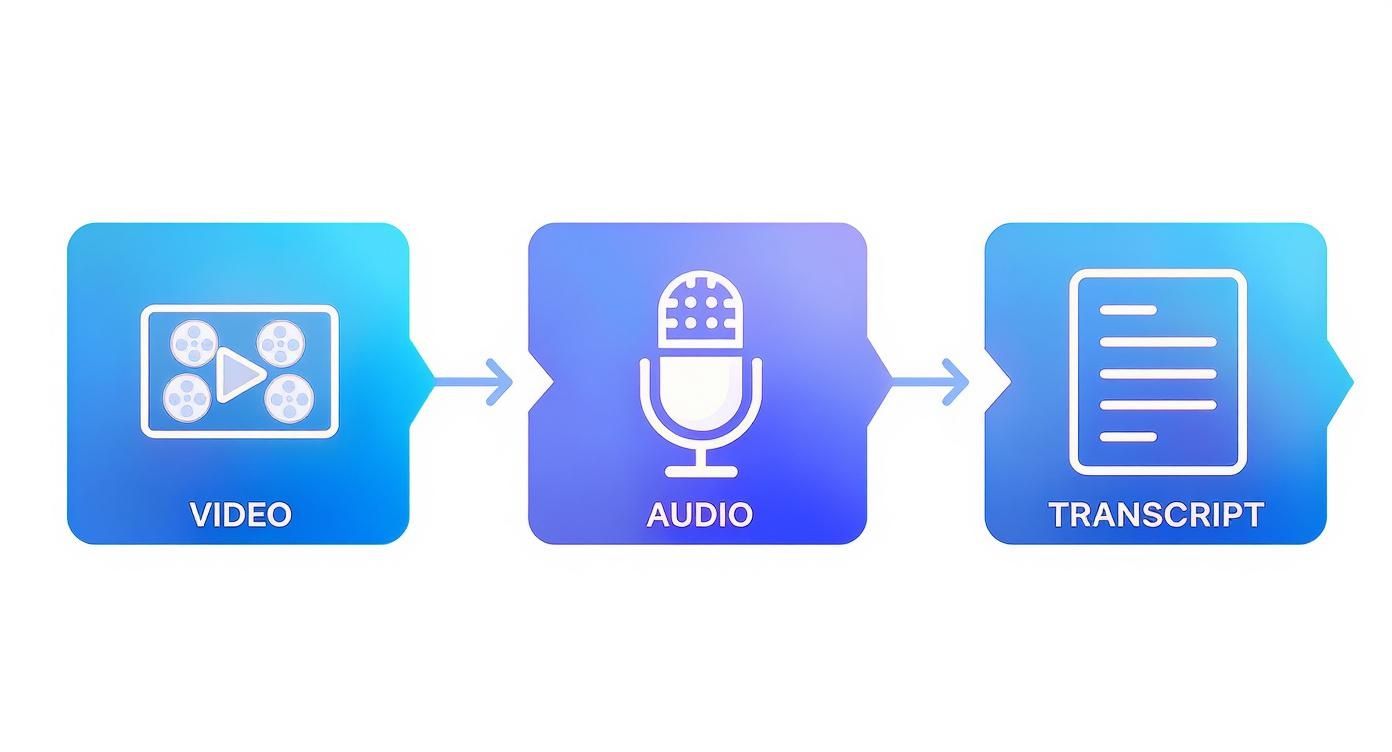
As you can see, clean audio is the bridge to a usable transcript, which is the foundation for everything that follows.
The Crucial Review and Refinement Stage
The AI will generate a subtitle file, usually in the SRT (SubRip Text) format. While the initial translation can be surprisingly good, never skip a manual review. This human touch is what separates a decent translation from one that truly connects with viewers.
Open the SRT file in a text editor or use the platform's built-in editor. Watch your video with the new subtitles and check for these key things:
- Timing and Sync: Does the text appear at the exact moment the words are spoken? You often need to nudge timestamps by a fraction of a second to get it perfect.
- Line Breaks: Are the lines broken logically? Avoid leaving a single word on a line or splitting a phrase awkwardly.
- Cultural Nuances: This is where you add the real value. A literal translation might be technically correct but sound unnatural. An English idiom like "bite the bullet" needs a local equivalent, not a word-for-word translation.
Mastering the Art of Subtitling
To really nail your video translation, you need to master both the technical and creative sides of subtitling. For a deeper dive, there are plenty of detailed video transcription and subtitling guides that cover best practices for readability and audience engagement.
Remember, good subtitles don’t just translate words; they convey meaning. The goal is for the viewer to almost forget they are reading, allowing them to become fully immersed.
This refinement process ensures your final video is professional, accurate, and feels native to the culture you're targeting. The language services industry is expected to hit USD 75.7 billion by 2025, and over 75% of businesses globally are projected to use AI translation tools. This shift highlights the move toward automated, scalable ways to reach people worldwide.
Exploring AI Dubbing and Voice Cloning
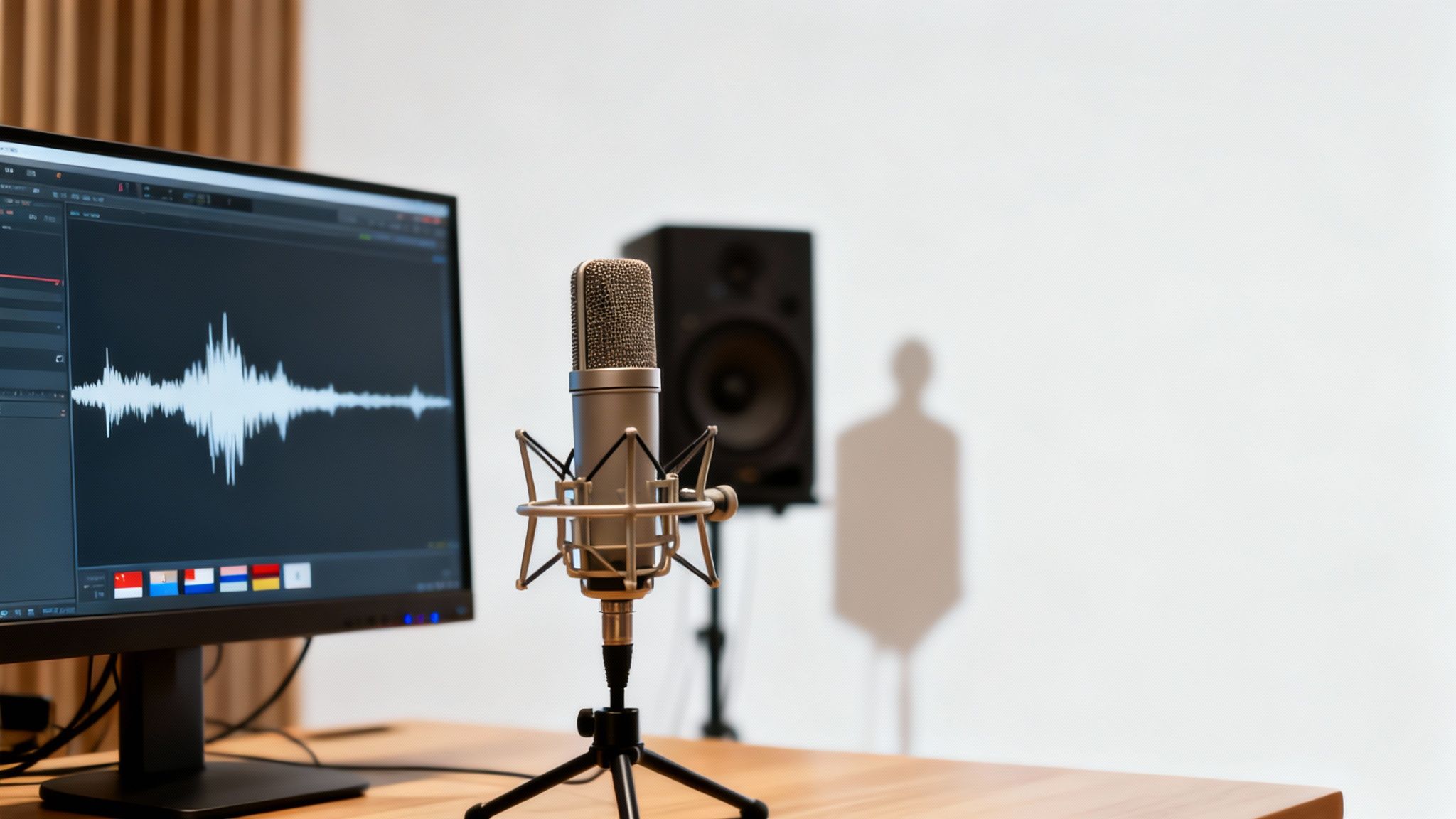
Subtitles are a fantastic way to video translate online, but sometimes you need a more immersive experience. That's where AI dubbing shines. It replaces the original audio with a new voice track in your target language.
This is a game-changer for content where visuals demand full attention, like detailed tutorials or fast-paced documentaries. Modern tools generate surprisingly human-sounding audio that matches the original speaker's timing, effectively erasing the language barrier.
The Power of Voice Cloning
Taking things to the next level is voice cloning. This is where the technology gets truly exciting. Instead of using a generic synthetic voice, the AI analyzes the original speaker’s unique vocal patterns—their pitch, tone, and cadence—and recreates it in the new language.
The goal is authenticity. The voice cloning market is on track to hit USD 1 billion in 2025 with a staggering 42% compound annual growth rate. This growth enables AI to preserve not just what is said, but how it's said. You can learn more about these AI speech translation predictions on kudo.ai.
The result? A video where the speaker talks in Spanish but still sounds like themselves. For creators building a personal connection with their audience, that consistency is priceless.
The AI Dubbing Workflow Explained
So how does this work in a tool like LunaBloom AI? The technology is complex, but the user experience is designed to be straightforward.
Here’s a look at the typical process:
- Transcription & Translation: The AI transcribes the original audio and translates the text, just as it does for subtitles.
- Voice Selection or Cloning: You can choose from a library of high-quality synthetic voices or use the voice cloning feature to replicate the original speaker.
- Audio Generation: The AI generates the new audio track from the translated script in your selected voice.
- Syncing & Mixing: Finally, the tool automatically syncs the new voice track to your video, replacing the original. The best tools also mix the audio so it blends naturally with background music or sound effects.
Is AI Dubbing Right for You?
The choice between dubbing and subtitling comes down to your content, audience, and goals. Dubbing excels in a few key areas:
- Educational Content: For how-to videos, dubbing lets viewers focus on the on-screen action instead of reading.
- Documentaries & Storytelling: Narrative content benefits from a fully dubbed experience that keeps the viewer immersed.
- Younger Audiences: Dubbing is almost always preferred for children's content.
While AI voices are incredibly good, capturing every subtle emotional inflection perfectly is still a challenge. Always review the final dubbed video to ensure the tone and delivery feel right for your brand.
How to Finalize and Publish Your Translated Video
You've done the heavy lifting. The translation is complete, and your subtitles or dubbing are in place. But don't celebrate just yet. This final quality check is what turns a good translation into a great one.
First, watch the entire video from start to finish. Pay close attention to timing. Is the dubbed audio perfectly synced with the speaker's lip movements? Do subtitles appear and disappear at natural points? You're also hunting for any awkward phrases that might have slipped past the AI.
Your Final Quality Control Checklist
Before you export, run through this quick checklist. It will save you from embarrassing mistakes later.
- Synchronization Check: Is every piece of audio or text perfectly aligned with the on-screen action?
- Translation Nuance: Read the subtitles aloud. Do they flow naturally, or do they sound stiff and robotic?
- On-Screen Text: Did you remember to translate text that is part of the video itself, like on charts or pop-ups?
- Cultural Appropriateness: Are there any local idioms, jokes, or visuals that won't land well in the target culture?
This is your last chance to catch small details that make a massive difference.
Choosing Your Export and Publishing Options
Once you're satisfied, it's time to export. If you're using subtitles, you have a key decision: should you burn them in or export them as a separate file?
-
Burned-in Subtitles: This makes them a permanent part of the video image. Viewers can't turn them off. It's a great strategy for platforms like Instagram or TikTok, where videos often autoplay on mute.
-
Separate SRT File: This is a more flexible approach. Platforms like YouTube and Vimeo are built for this. Uploading an SRT file gives viewers control to turn captions on or off and signals to the platform’s algorithm that your video is available in another language—a huge plus for discoverability.
After uploading, be sure to translate your video's title and description as well. This is a massive SEO win, helping native speakers find your content. Finally, consider creating language-specific playlists to make your channel more welcoming for international viewers.
Common Questions About Online Video Translation
As you get started, a few questions are bound to pop up. Let's clear up some of the most common ones.
How much does it cost to translate a video online?
Costs vary widely based on your needs.
- AI Subtitling Tools: This is the most budget-friendly option. Most platforms offer a subscription model (typically $15 to $50 per month) or pay-per-minute pricing ($0.10 to $2.00 per minute).
- AI Dubbing and Voice Cloning: This is more complex and therefore costs more due to the additional audio processing.
- Human Translation Services: For maximum precision, nothing beats a human expert. However, this is the premium route, and costs can add up quickly.
How accurate is AI video translation?
AI translation accuracy is impressive, often reaching 90-95% for common languages. However, the AI is only as good as the audio you provide.
Clear source audio is non-negotiable. Background noise, overlapping speakers, or thick accents will reduce accuracy. AI can also struggle with slang and niche industry terms. That's why a final human review is essential for a professional result.
Think of it this way: AI gives you a fantastic first draft. Your polish gets it to that near-100% accuracy mark.
Can I translate a YouTube video directly?
Absolutely. Many online translation tools are designed for YouTube creators.
You can often just paste the YouTube video's URL into the platform. The tool will pull the video and its transcript to begin the process. Once your new subtitles or audio track are ready, you simply upload the file back into YouTube Studio, making your video accessible to a new global audience.
What is the best format for subtitles?
The undisputed industry standard is SRT (SubRip Text). It’s a simple text file that contains your translated text broken into timed segments.
Its simplicity is its strength. Virtually every video platform—from YouTube and Vimeo to Facebook and LinkedIn—supports SRT files. Choosing SRT when you export is always the safest bet for maximum compatibility.
Ready to take your videos global and connect with a wider audience? Tools like LunaBloom AI make it incredibly simple to add professional subtitles and dubbing in over 50 languages. Start translating your content today and unlock your content's full potential.