Thinking about translating your Spanish videos for an English-speaking audience? It’s a smart move. AI has made this process incredibly fast, affordable, and accessible, turning a complex task into a straightforward way to expand your reach.
This guide will walk you through everything you need to know, from why it’s a huge opportunity to the step-by-step process of getting it done.
Unlock a Global Audience and Higher Earnings
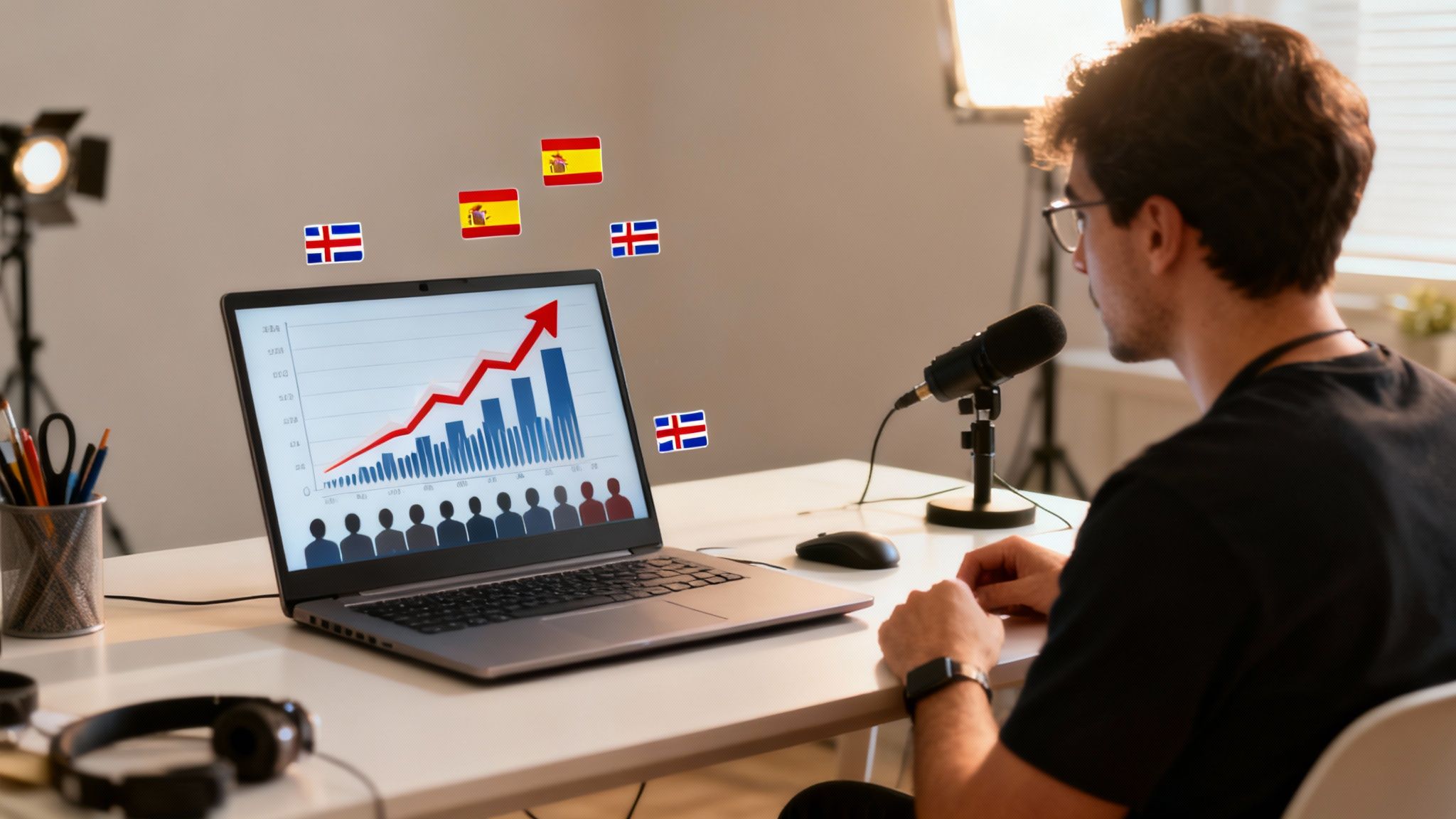
If you have a successful Spanish-language channel, you’re sitting on a potential goldmine. The logical next step is to translate videos from Spanish to English. This isn’t just about getting more views; it’s about tapping into some of the most lucrative advertising markets in the world.
English-speaking audiences, particularly in the US, UK, and Canada, come with much higher CPMs (Cost Per Mille, or what advertisers pay per 1,000 views). This means the same video can generate significantly more revenue just by reaching an English-speaking viewer.
Why Your Existing Content Is a Goldmine
Your video library is more than a collection of past work; it’s a ready-made asset for global expansion. You’ve already done the hard part: creating great stories, sharing valuable information, or making entertaining content. With AI translation, you can repurpose that entire catalog for a high-value audience without starting from scratch.
This strategy offers powerful advantages:
- Enter New Markets Fast: Introduce your brand to the English-speaking world almost instantly.
- Maximize Your ROI: Get more value from the time and money you’ve already invested in your content.
- Compound Your Growth: A new audience brings more views and subscribers, signaling to algorithms that your content is valuable and boosting its visibility everywhere.
Comparing the Market Potential
The financial incentive becomes clear when you look at the numbers. While Spanish has a massive global audience of over 600 million speakers, the monetization rates tell a different story.
CPMs in Spain, for instance, average around $2.80, while in some Latin American countries, they can be as low as $0.55. In contrast, CPMs in the United States often range from $6 to $15 and can climb even higher depending on your niche. For more details, check out this excellent breakdown of the top languages to localize YouTube content from air.io.
By translating your content, you’re not just adding viewers; you’re multiplying your earning potential on every single view. This strategic move can fundamentally change the financial trajectory of your content creation business.
This entire shift is powered by accessible AI. Tools like LunaBloom AI have democratized the process, eliminating the high costs and technical barriers once associated with professional dubbing and subtitling. What was once exclusive to large media companies is now a simple workflow for any creator.
The question is no longer if you can do it, but how quickly you can get started.
AI vs. Traditional Video Translation at a Glance
To appreciate the modern approach, it helps to compare it with the old way of translating videos.
| Feature | AI-Powered Translation (e.g., LunaBloom AI) | Traditional Human Translation |
|---|---|---|
| Speed | Minutes to a few hours | Days or weeks |
| Cost | Low, often a fraction of traditional costs | Very high, requires multiple specialists |
| Scalability | Easily translate entire video libraries | Slow and expensive to scale |
| Consistency | Uniform voice, tone, and quality | Varies between different translators |
| Accessibility | Simple, user-friendly platforms | Requires project management and expertise |
The difference is staggering. AI puts the power of a full localization studio at your fingertips, making global expansion a realistic goal for every creator.
Getting to Know Your AI Translation Workflow
Before we dive into the practical steps, let’s look at the big picture. The AI translation process is a four-part journey that takes your original Spanish video and reimagines it for an English-speaking audience. Mastering this workflow is the key to producing high-quality translated content efficiently.
Each stage builds on the last, starting with understanding the original dialogue and ending with a new, natural-sounding voiceover. A structured approach ensures nothing gets missed, and your final video feels authentic.
The Four Core Stages of AI Video Translation
The entire process can be broken down into four distinct stages. Understanding how they connect provides a solid game plan for your projects.
- Transcription: This is the foundation. An AI listens to the audio and generates a written script of the spoken Spanish. This step is powered by Voice to Text AI technology, creating a text blueprint for everything that follows.
- Translation: With the Spanish text ready, the AI translates it into English. Modern AI is remarkably accurate, but a direct, word-for-word translation can sometimes sound unnatural. A quick human review makes a huge difference.
- Subtitle Generation: Once the English script is polished, the next step is creating perfectly timed subtitles. This involves generating a standard subtitle file (like an SRT) where the text appears on screen at the correct moments.
- AI Dubbing: The final stage is giving your video a new voice. AI voice synthesis technology takes the translated script and generates a new English audio track, effectively replacing the original Spanish audio.
This process is becoming essential for content creators. The language translation industry is booming, driven by the global demand for content. Projections show the market reaching $76.78 billion in 2025 and jumping to $98.11 billion by 2028. This growth is fueled by the massive amount of online video, making the need to translate videos from Spanish to English more critical than ever. You can explore more of these language industry trends from Kent State University.
From Raw Audio to a Polished Final Cut
Think of the transcription as your raw material. A clean, accurate transcription is non-negotiable. Any error in the initial Spanish text will cascade through every subsequent step, from translation to the final voiceover. Always start with the clearest audio possible to give the AI the best chance of success.
The translation stage is where your judgment becomes crucial. AI excels at grammar and vocabulary but can struggle with cultural nuances, slang, or idioms that lack a direct English equivalent. For example, the Spanish phrase “no tener pelos en la lengua” literally translates to “to not have hairs on the tongue.” The actual meaning is “to be blunt” or “to speak one’s mind.”
This is where you guide the machine. The process becomes a collaboration between human and AI. A quick review by someone who understands both languages can transform a technically correct translation into one that genuinely connects with a new audience.
Syncing Subs and Finding the Right Voice
With the English script finalized, creating subtitles is straightforward. Most AI platforms, including LunaBloom AI, handle the timing automatically, generating an SRT file you can upload to YouTube or burn directly into your video. All that’s left is a quick review to ensure the text appears and disappears at the right moments.
Finally, AI dubbing adds that last layer of polish. Modern AI voices are incredibly realistic. Many tools, including our own LunaBloom AI, even allow you to clone the original speaker’s voice for a seamless effect. This preserves the tone and emotion of your original content, creating a much more engaging experience than a generic, robotic voice.
How to Translate Your First Spanish Video
Let’s move from theory to practice. Here’s a step-by-step walkthrough on how to translate videos from Spanish to English using a modern AI platform. I’ll use LunaBloom AI as an example, but the fundamental steps apply to most high-quality AI translation tools.
The process begins with a simple upload and ends with a polished video ready for your new English-speaking audience.
This quick visual breaks down the entire AI-powered workflow.
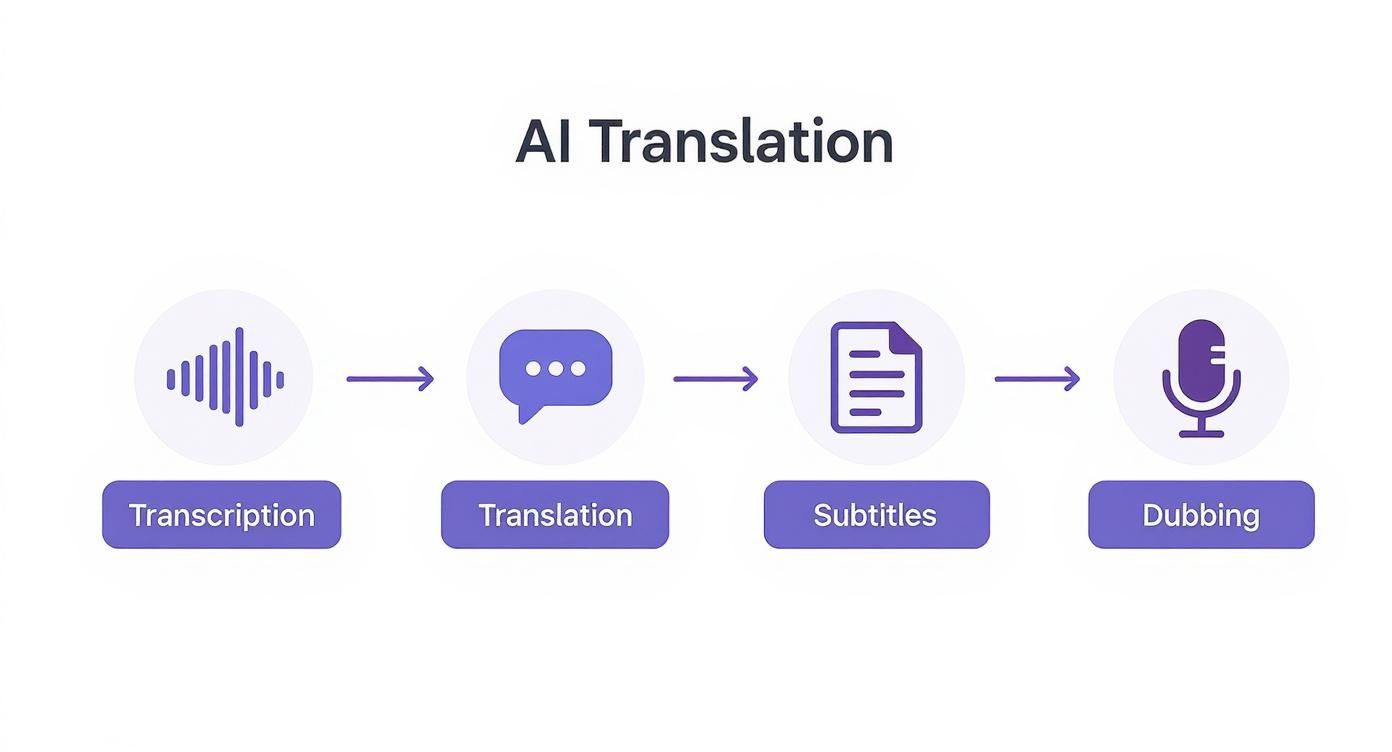
As you can see, it’s a logical flow: the AI converts speech to text, translates the text, creates subtitles from it, and finally generates a new voice track.
Kicking Off Transcription and Translation
First, get your Spanish video into the system. With a tool like LunaBloom AI, you can simply drag and drop the file. The platform will immediately begin transcribing the dialogue into a time-stamped Spanish script. Pro-tip: always use the cleanest audio you have. Background noise can easily confuse the AI.
Once the transcription is complete, a single click is all it takes to translate the entire script into English. The initial AI pass is often very accurate, typically nailing over 95% of the dialogue. However, this should be treated as your starting point, not the final version.
Think of the AI’s first translation draft like a very talented assistant who isn’t a native speaker. It gets the words right, but it needs a human touch to make the language feel authentic and culturally sharp.
Refining the AI-Generated Script
This is the most critical step for ensuring quality. You must review the English script to catch any awkward phrasing, idioms lost in translation, or cultural references that won’t resonate with an English-speaking audience.
For example, a Spanish phrase like “estar en la luna” might be literally translated as “to be on the moon.” An English speaker would understand it, but it sounds unnatural. Your job is to refine it to something more idiomatic, like “to be daydreaming” or “to have your head in the clouds.”
Here’s a quick mental checklist for your review:
- Idioms and Slang: Did the translation capture the meaning behind local sayings, not just the literal words?
- Tone and Formality: Does the language match the video’s style? Is it casual and conversational, or formal and professional?
- Cultural Context: Are there any references that an American or British audience (depending on your target) might not understand?
Generating and Fine-Tuning Subtitles
With a polished English script, creating subtitles is simple. Most AI tools automatically generate an SRT (SubRip Subtitle) file, perfectly timed to the original dialogue. You can upload this file directly to YouTube or Vimeo, allowing viewers to turn captions on or off.
However, “automatically timed” doesn’t always mean perfect. Watch the video with the subtitles on to perform a final quality check.
Here’s what to look for:
- Timing Accuracy: Does the subtitle appear exactly when the speaker begins and disappear when they finish?
- Readability: Are the lines broken up logically? Avoid long, single lines of text. A good rule of thumb is to stick to a maximum of two lines per subtitle.
- Pacing: If the original speaker talks quickly, the English subtitles might flash by too fast. You may need to adjust the timing slightly to give viewers enough time to read.
Selecting a Voice for AI Dubbing
Now for the final creative step: choosing an English voice for your video. This is where AI dubbing truly shines. Modern platforms offer extensive libraries of AI-generated voices, allowing you to select one that fits the video’s tone and the original speaker’s personality.
Consider these factors when choosing a voice:
- Gender and Age: Match the voice to the original speaker for consistency.
- Tone: Is the content serious and authoritative, or upbeat and friendly? The voice should reflect this.
- Pacing: Some AI voices speak faster or slower. Find one that aligns with the video’s natural rhythm.
Many advanced tools, including LunaBloom AI, also offer voice cloning. This feature analyzes the original speaker’s voice and creates a synthetic English version that retains their unique pitch and cadence, resulting in a remarkably seamless final product.
Exporting Your Final Translated Video
With the new audio track ready, you have several options for exporting your final video, depending on where you plan to share it.
- Burned-In Subtitles: This permanently embeds the English subtitles into the video file, which is ideal for platforms like Instagram or TikTok where videos often autoplay on mute.
- Separate SRT File: This is the standard for YouTube. It lets you upload the subtitle file alongside your video, giving viewers full control.
- New Video with Dubbed Audio: This exports a new video file where the English AI-dubbed audio replaces the original Spanish. After exporting the audio, it’s crucial to learn how to sync audio with video to ensure a flawless and professional result.
Before exporting, make sure your settings are optimized for your target platform. Here’s a quick reference guide.
| Key Export Settings for Translated Videos |
| :— | :— | :— | :— |
| Platform | Recommended Resolution | Recommended Bitrate | Audio Codec |
| YouTube | 1080p (1920×1080) or 4K (3840×2160) | 8-15 Mbps for 1080p | AAC-LC |
| Instagram/Facebook | 1080p (1080×1920 for Stories/Reels) | 3.5-5 Mbps | AAC |
| TikTok | 1080p (1080×1920) | 2.5 Mbps or higher | AAC |
| LinkedIn | 1080p (1920×1080) | 5-10 Mbps | AAC |
Getting these settings right ensures your video looks sharp and sounds clear, no matter where your audience finds it.
This workflow breaks down a potentially complex task into simple, manageable steps, enabling you to translate videos from Spanish to English efficiently and at scale.
Advanced Tips for Professional Results
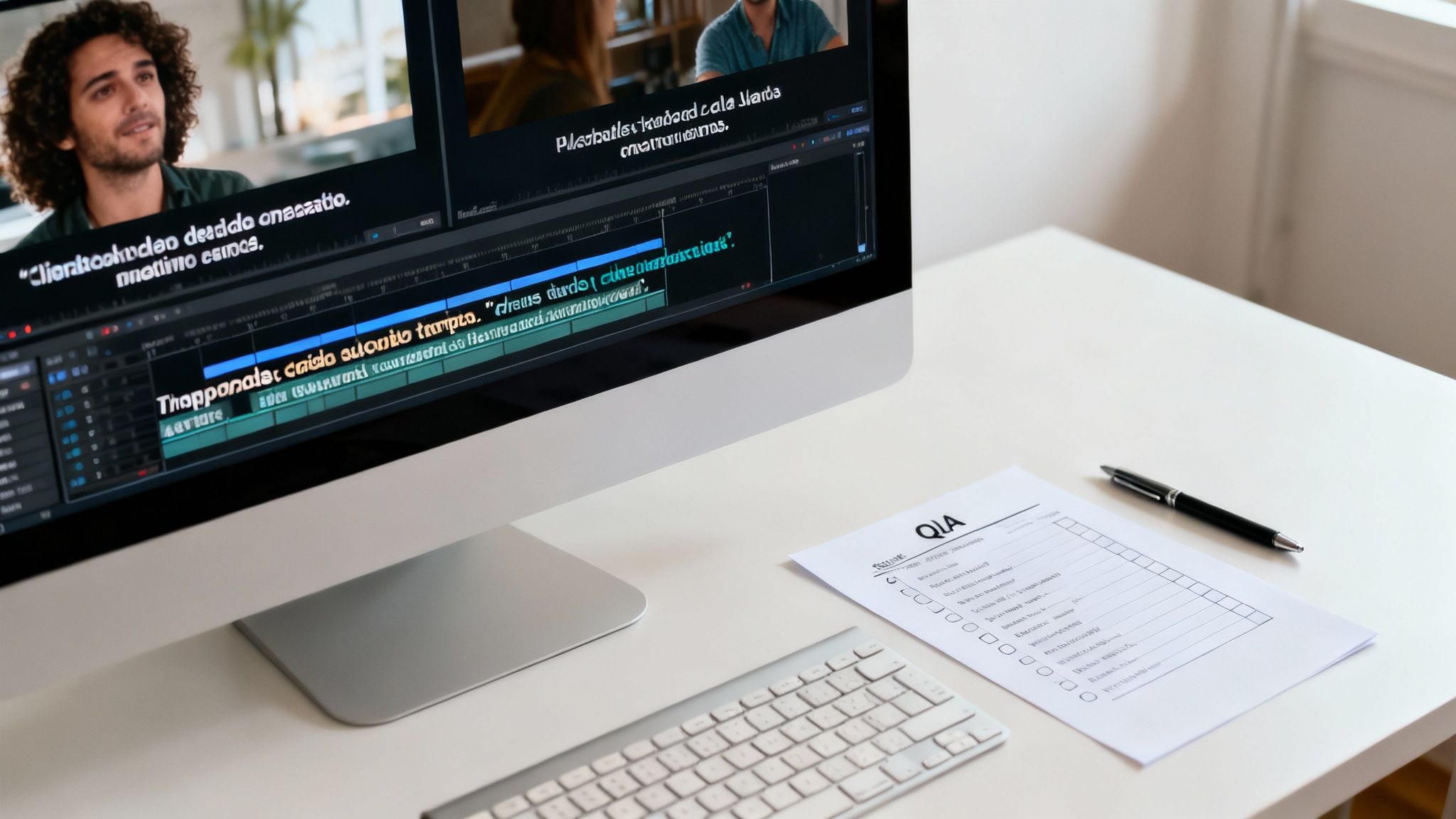
Once you’ve mastered the basic workflow, it’s time to elevate your content. Moving from a decent translation to a professional one means shifting from word-for-word accuracy to genuine cultural connection. It’s the difference between a video that’s technically correct and one that truly resonates with a new audience.
The goal is to make the final video feel as if it were originally created for English speakers. This requires a focus on nuance, cultural context, and the overall viewing experience.
Go Beyond Translation to True Localization
There is a significant difference between translating words and localizing content. Translation involves swapping text from one language to another. Localization is about adapting the entire message to fit a new culture.
For example, a Spanish speaker might use the idiom “ponerse las pilas.” A direct AI translation might produce “put in the batteries,” which will likely confuse an English-speaking audience. A slightly better translation might be “get to work,” but true localization goes deeper. Depending on the context, a more fitting English phrase could be “step it up,” “get your head in the game,” or “time to focus.”
This is particularly important for marketing and educational content. You’re not just trying to translate videos from Spanish to English; you’re trying to persuade, teach, or entertain people who have different cultural reference points.
Your Quality Assurance Checklist
A thorough quality assurance (QA) process is essential for professional results. Before publishing, every video needs a final review. This checklist will help you catch the small mistakes that can undermine your credibility.
- Subtitle Sync: Are the subtitles perfectly timed with the speech? Subtitles that appear too early or linger too long are a clear sign of a rushed job.
- Dub Sync: Does the dubbed English audio align with the speaker’s lip movements as closely as possible? While a perfect match is difficult, jarring mismatches are highly distracting.
- Awkward Phrasing: Read the subtitles and listen to the dubbing out loud. Does anything sound clunky, robotic, or unnatural? If it feels strange to say, it will feel strange to hear.
- Consistency Check: Is key terminology consistent? If you decide on a specific English term for a Spanish concept, ensure you use it every single time throughout the video.
A rigorous QA pass is your last line of defense. It’s the step that elevates content from “AI-generated” to “professionally produced,” building trust with your new viewers.
The rise of AI has made this level of quality far more attainable. Traditional human dubbing can cost anywhere from $75 to over $200 per minute, making it inaccessible for most creators. AI tools have shattered that barrier. It’s no surprise that 41% of marketers now use AI for promotional videos, largely due to the need for effective multilingual voiceovers. To get a better sense of these costs, you can discover more insights about video translation methods from TrueFan.
Optimizing Translated Content for Discovery
Translating your video is only half the battle. You also need to ensure your new English-speaking audience can find it. This means applying SEO best practices to your localized content on platforms like YouTube. Don’t just translate your metadata—optimize it.
Localized SEO Best Practices:
- Keyword Research: Identify the keywords that English speakers in your target regions (like the US or UK) actually use. A direct translation of your Spanish keywords is rarely optimal.
- Compelling Titles: Write a new, catchy title in English that is both keyword-optimized and culturally relevant to your target audience.
- Detailed Descriptions: Rewrite your video description in natural, conversational English. Include relevant keywords and provide context that an English speaker would find helpful.
- Relevant Tags: Use a mix of broad and specific tags in English that accurately reflect your video’s content. Think about what someone would type into the YouTube search bar to find your video, and use those terms.
Taking these extra steps ensures your hard work translates into more views and better engagement, helping you build a new, loyal audience from the ground up.
Overcoming Common Translation Hurdles
While AI makes it easier than ever to translate videos from Spanish to English, the process isn’t always seamless. Knowing the common challenges is the best way to avoid them and keep your projects running smoothly.
Every translation project is unique, but certain issues appear frequently. From diverse dialects to poor audio quality, understanding these potential roadblocks will help you troubleshoot effectively.
Handling Dialects and Slang
Spanish is not a monolithic language. The Spanish spoken in Madrid differs significantly from what you’ll hear in Mexico City or Buenos Aires. This regional variation can easily confuse an AI.
An AI model might correctly transcribe a word that’s common in one dialect but then translate it in a way that sounds odd to an English-speaking audience. For example, “coche” means “car” in Spain. But in parts of Latin America, it can refer to a baby stroller. This could lead to some amusing but unhelpful translations.
Here’s how to manage this:
- Specify the Region: Many advanced AI tools allow you to identify the source dialect (e.g., “Mexican Spanish”) at the start. This significantly improves transcription accuracy.
- Create a Glossary: If your video contains specific slang or regional terms, create a short glossary. This helps guide the AI (or a human reviewer) and ensures consistency.
- Prioritize Human Review: This is where a native speaker is invaluable. They can catch subtle cultural nuances and slang that an AI will almost certainly miss, ensuring the final translation feels authentic.
Troubleshooting Poor Audio Quality
Bad audio is the number one enemy of accurate transcription. Background noise, music, or overlapping speakers can throw off any AI, resulting in a script full of errors and “[inaudible]” tags.
If you’re working with suboptimal audio, it’s almost always better to clean up the audio file first rather than trying to fix a flawed transcription later.
A clean audio source is the single most important factor for an accurate AI transcription. Garbage in, garbage out—if the AI can’t clearly hear the words, it can’t accurately translate them.
If re-recording isn’t an option, try using audio editing software to reduce noise or isolate the dialogue. This one step can dramatically improve the AI’s accuracy.
Managing Script Length Discrepancies
You’ll quickly notice that the English translation often has a different length than the original Spanish. This is known as “language expansion” or “contraction.” English is generally more concise than Spanish, so your translated script might conclude while the speaker on screen is still talking.
This creates significant sync issues for both subtitles and AI dubbing.
Here are a few ways to address this:
- Adjust Subtitle Timing: Manually edit your SRT file to tweak the timestamps. You can extend how long a subtitle remains on screen to better match the video’s pacing.
- Edit the English Script: For dubbing, you may need to adjust the script itself. Try rephrasing sentences—adding or removing a few words—to make the English audio track fit the timing of the original speaker’s pauses and delivery. This small adjustment can make the final dub feel much more natural.
Your Questions About AI Video Translation, Answered
As we wrap up, let’s address some of the most common questions creators have when they decide to translate videos from Spanish to English using AI. Here are direct, no-fluff answers to help you get started with confidence.
How Long Does This Actually Take?
For a typical 10-minute video, the initial automated process—transcription, translation, and AI voiceover—is incredibly fast. You can expect it to take around 15 to 30 minutes.
The total time, however, depends on the human review process. The quality check, where you polish the script and fine-tune the timing, will likely add another 30 to 60 minutes. Even with this essential step, the entire process is significantly faster than traditional methods, which could take days.
Is AI Translation Good Enough for Professional Content?
AI translation has become remarkably accurate, often exceeding 95% accuracy with clear source audio. For professional content, the best approach is a “human-in-the-loop” model.
This collaborative process works as follows:
- AI handles the heavy lifting: It generates the initial transcript and translation in minutes.
- A human provides the finishing touch: A fluent speaker reviews the output, correcting idioms, subtle context, and any unnatural phrasing the machine missed.
This combination delivers a professional-grade result while preserving the speed and cost-efficiency of AI.
AI gets you 95% of the way there in minutes. A human expert perfects that last 5%, transforming a good translation into a great one that truly connects with the audience.
Can I Make it Sound Like My Own Voice?
Yes, and this is one of the most exciting advancements in AI dubbing. Many leading tools now offer voice cloning. This technology analyzes your original Spanish audio, learns the unique characteristics of your voice, and then creates a synthetic version that can speak the English translation.
The result is a dubbed video that maintains your distinct tone, pitch, and speaking style. This is a game-changer for creators whose personal brand is closely tied to their voice.
Which is Better: Subtitles or Dubbing?
It’s not a question of either/or. The best choice depends on your content and audience preferences.
- Subtitles: They are excellent for accessibility and essential for social media, where many videos are watched without sound. Some viewers simply prefer hearing the original audio while reading along.
- AI Dubbing: This creates a more immersive, “lean-back” viewing experience. For longer content like tutorials, documentaries, or entertainment, dubbing is often preferred because it doesn’t require the viewer to read.
My advice? Offer both. Platforms like YouTube allow you to upload multiple audio tracks and caption files, giving your audience the power to choose how they want to experience your content.
Ready to grow your audience and open up new ways to earn? LunaBloom AI makes it incredibly simple to get professional-grade translations for your videos. Start your first translation project today and see just how easy it is to take your content global.