If you want to win on TikTok, you have to think vertically. The ideal TikTok video ratio is 9:16, a format designed from the ground up to fill an entire smartphone screen. This isn't just a suggestion—it's the key to creating that immersive, can't-look-away experience that hooks viewers on the 'For You' page.
Getting this right is your first step to looking like a pro.
Understanding the Essential TikTok Video Specs

Think of the 9:16 ratio as speaking TikTok's native language. When your video is fluent, it blends in seamlessly, looking polished and professional. But if you upload something in a different format, like a widescreen 16:9 video, you get those ugly black bars. It's a dead giveaway that the content wasn't made for the platform, and that's often enough to make someone scroll right past.
The fight for eyeballs is intense. With an estimated 16,000 new TikTok videos uploaded every single minute, every detail matters. Nailing the technical foundation is your first step toward standing out. If you want to dive deeper into just how massive TikTok is, check out these detailed statistics from Thunderbit.
Core Requirements for a Perfect Upload
Nailing the ratio is just one piece of the puzzle. You also need to think about resolution, which is all about clarity. For that crisp, high-definition look on modern phones, you should be aiming for 1080×1920 pixels.
To keep things simple, here are the absolute must-haves for every video you upload:
- Aspect Ratio: 9:16 (This is the non-negotiable standard for vertical video).
- Resolution: 1080×1920 pixels (Full HD gives you that sharp, professional look).
- File Format: .MP4 or .MOV (These are the most common and reliable formats).
- File Size: Up to 287.6 MB on iOS and 72 MB on Android for organic posts.
Mastering these basics is how you create a frictionless viewing experience. It signals to both your audience and the algorithm that your content is high-quality and belongs on the platform, which can lead to much higher engagement.
Getting these elements right from the very beginning saves you from headaches like pixelation, awkward cropping, or those dreaded black bars. It sets a professional tone and gives your creative ideas the best possible stage to shine.
Why 9:16 Is the Only Ratio That Matters
Let’s be blunt: on TikTok, the 9:16 aspect ratio isn't just a suggestion—it's the only one that truly matters. Think of it as a movie screen built to fit perfectly in your hand. This vertical format isn't just a technical detail; it’s a deliberate design choice that makes the entire TikTok experience feel so immersive. It pulls you right into the creator's world without any distractions.
This all comes down to how we actually use our phones. We hold them vertically 94% of the time. When you create content in 9:16, you’re meeting your audience exactly where they are. Your video feels natural, like it belongs in their feed. Asking someone to turn their phone sideways is often enough to make them scroll right past you.
The Psychology of Vertical Video
There’s a powerful psychological pull to vertical video that many people miss. The 9:16 ratio takes over the entire screen, creating a focused, one-on-one connection between you and the viewer. It’s an intimate format that makes your content feel more direct and personal.
The second a horizontal video with big black bars shows up, that magic is gone. The screen shrinks, your content feels small and far away, and the viewer goes from being an active participant to a passive observer.
A full-screen, 9:16 video doesn't just show your content; it builds an entire environment around it. It’s the difference between looking at a picture and feeling like you’ve stepped inside it. This is what grabs and holds attention.
How the Algorithm Rewards the Right Ratio
At the end of the day, the TikTok algorithm has one job: keep people watching. It does this by pushing content that delivers a seamless and engaging experience. Using the correct TikTok video ratio is one of the strongest signals you can send it.
Here’s how it breaks down:
- Higher Watch Time: It’s simple. Immersive, full-screen videos are more captivating. People are less likely to get distracted and scroll away, which boosts your average watch time—a golden metric for the algorithm.
- Increased Engagement: When your video looks like it was made for the platform, people are more likely to interact with likes, comments, and shares.
- Better Discoverability: When the algorithm sees positive signals like high completion rates and lots of engagement, it flags your video as a winner. What happens next? It gets pushed out to a much wider audience on the "For You" page.
Shooting in 9:16 is more than a best practice. It's a strategic move that directly impacts how far your content goes. You're telling both the user and the algorithm, "This was made just for you."
Navigating TikTok's On-Screen Safe Zones
Ever spent hours perfecting a video, only to upload it and find the like button covering your crucial call-to-action? Or maybe your face is half-hidden by your own caption. It’s a frustratingly common problem, and it’s exactly why you need to master TikTok’s on-screen safe zones.
Think of the safe zone as the prime real estate on your screen. It’s the central area where your important stuff—like text, logos, or the main action—needs to live. Why? Because this area is guaranteed to be visible, clear of all the user interface (UI) elements TikTok overlays on your video, like the username, caption, and the like, comment, and share buttons.
Ignoring these zones is a rookie mistake. When viewers can't read your text or see what’s going on, they get annoyed and just keep scrolling.
Defining the Safe Zone Boundaries
While TikTok doesn't give us an official, pixel-perfect template, the creator community has figured out what works. The core idea is simple: leave a generous buffer around all four edges of your 9:16 frame. Anything you place too close to the top, bottom, left, or right is in the danger zone.
Sticking to the 9:16 ratio is your first step. It creates that immersive, full-screen experience that the algorithm absolutely loves.
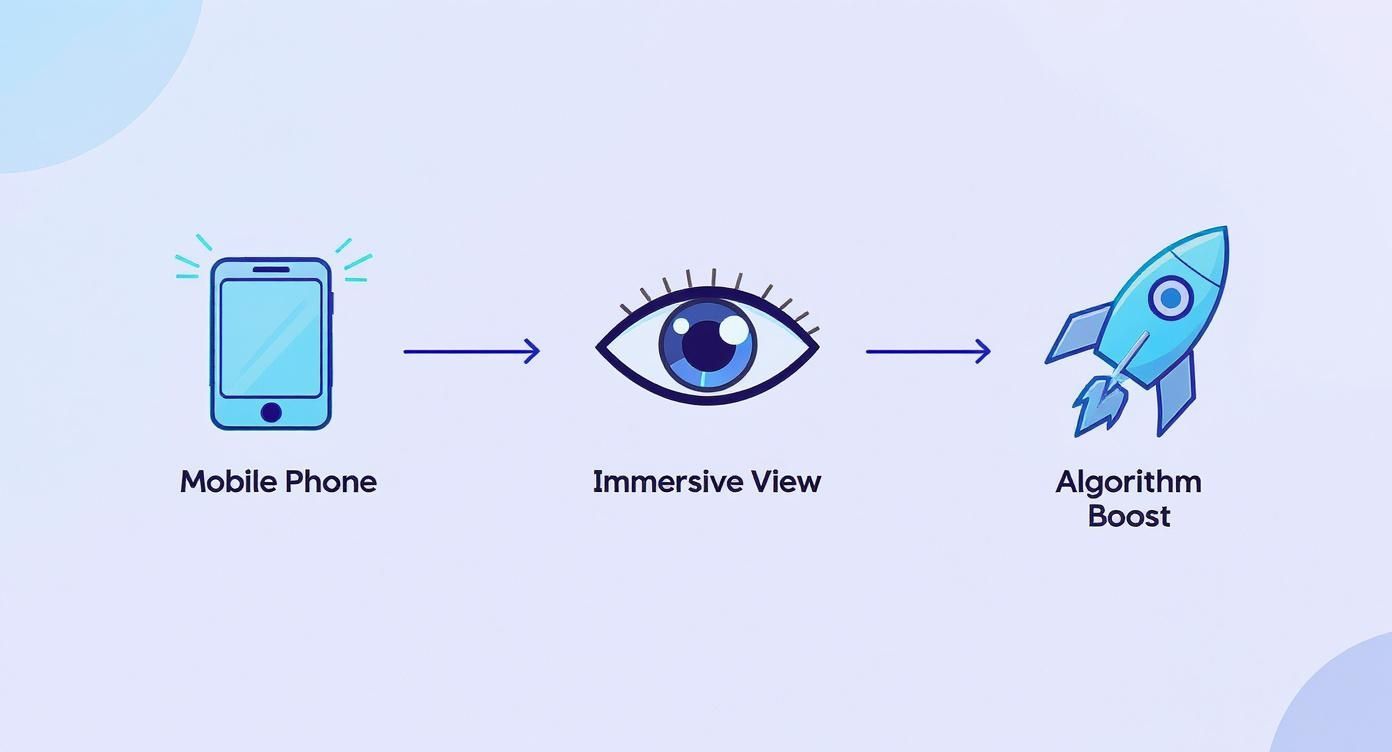
Keeping your key visuals inside the safe zone ensures that immersive view isn't broken by a poorly placed caption or button. Imagine drawing a smaller rectangle inside your main video frame. Anything that must be seen has to stay inside that inner box.
Here’s a quick rundown of the "no-go" zones to avoid:
- Bottom Section: This is the most cluttered area. It's home to your username, caption, sound title, and effects. Never put subtitles or critical calls-to-action down here.
- Right Side: This vertical strip holds the profile icon, like, comment, save, and share buttons. Keep your main subject’s face away from this edge.
- Top Edge: It's less crowded up here, but you can still get banners or in-app notifications. It's always smart to leave a little breathing room at the top.
Practical Tips for Flawless Composition
This screenshot gives you a perfect visual map of where the UI elements sit and highlights the "danger zones" you need to stay away from.
Notice how the truly clear viewing area is much smaller than the full 9:16 frame? That’s why careful composition is a game-changer.
Keeping content within the safe zones isn't just about avoiding overlap; it's about guiding the viewer's eye to exactly what you want them to see, creating a polished and professional look every time.
Nailing the correct TikTok video ratio is step one, but respecting the safe zones is what separates the pros from the amateurs. It’s a small detail that makes a massive difference.
How to Format Your Videos for TikTok
Let's be real—getting the technical stuff right is what separates a polished, professional TikTok from one that gets swiped away instantly. Nailing the TikTok video ratio isn’t just a nice-to-have; it's the foundation of a great video. Here's your game plan for getting it perfect every time.
Your first move happens before you even touch a clip. Don’t just drag your horizontal footage into your editing software and hope for the best. That’s a surefire way to end up with ugly black bars or a blurry, stretched-out mess.
Instead, you need to set up your project correctly from the jump. Manually create your project canvas with a 9:16 aspect ratio and a crisp 1080×1920 pixels resolution. This gives you the right vertical playground to build your video.
Setting Up Your Project Manually
If you’re using classic editing tools like Adobe Premiere Pro, Final Cut Pro, or DaVinci Resolve, this setup is your most important step. Get this wrong, and you’ll be fighting the software the entire time.
Here's how to do it right:
- Create a New Project or Sequence: When that settings box pops up, don’t just fly past it.
- Find the Custom Settings: Look for the option to manually control the frame size.
- Enter the Magic Numbers: Type in 1080 for the width and 1920 for the height. This locks in that perfect 9:16 vertical format.
- Check the Frame Rate: Stick to 30 frames per second (fps). It’s the standard for TikTok and will make your video look smooth.
Once that vertical canvas is ready, you can bring in your footage. If you shot your clips horizontally, you’ll have to zoom in and reposition them to fill the frame, ensuring the most important action stays front and center.
A Smarter Workflow with Modern Tools
Doing all that manual setup can be a drag, especially when you’re trying to create content consistently. This is where AI-powered tools completely change the game by taking the tedious technical work off your plate.
AI video tools are built with the platform’s rules in mind. They don’t need you to tell them to create a 9:16 video; they just do it automatically, eliminating setup hassle and the chance of a formatting mistake.
Take a platform like LunaBloom AI, for instance. You can give it a simple text prompt, and it will generate an entire video that’s already perfectly formatted for TikTok's screen. It's a massive time-saver and guarantees you’ve checked all the technical boxes without ever opening a settings menu.
Plus, these tools are smart enough to handle other crucial details. LunaBloom AI can automatically generate subtitles and place them perfectly within the safe zones, so they never get covered by the UI. This lets you spend less time stressing over pixels and more time on your creative ideas.
Optimizing Technical Settings for a Perfect Upload
Getting your TikTok video ratio right is a huge first step, but a few other technical details can make or break your video's quality once it's live. Think of these settings as the final coat of polish that makes your content look sharp, professional, and ready for the For You Page.
Nailing these specs helps you avoid common headaches like pixelated video, failed uploads, or weird playback glitches.

File Formats and Codecs Explained
When you export your video, you’ll see a few format options. TikTok keeps it simple and mainly supports two: .MP4 and .MOV. While .MOV is common in the Apple ecosystem, .MP4 is the gold standard for its universal compatibility and great balance of quality and file size.
Behind the scenes, the video codec compresses your video file. TikTok recommends using the H.264 codec, the industry standard for squeezing high-def video into a manageable file without trashing the quality. This is key to making sure your video looks crisp on a phone screen.
File Size and Video Duration Limits
File size matters more than you’d think. A massive file might fail to upload or get aggressively compressed by TikTok, which can make your masterpiece look like it was filmed on a potato.
Here’s a quick rundown of the limits:
- Maximum File Size (Android): Up to 72 MB
- Maximum File Size (iOS): Up to 287.6 MB
- Video Duration: You can upload videos up to 60 minutes long, but most viral content is short and punchy for a reason.
If you're running paid campaigns, the rules get even stricter. It's always a good idea to check the official TikTok Ad Specifications to make sure your ads are compliant and set up for the best performance.
To make life easier, modern tools can handle all this for you. For instance, a platform like LunaBloom AI generates videos that are already optimized with all the right technical settings from the get-go, saving you time and guesswork.
Complete TikTok Video Technical Requirements
To pull everything together, here’s a handy table with all the technical specs you need to know for a flawless TikTok upload. Keep this bookmarked!
| Attribute | Specification | Notes |
|---|---|---|
| Aspect Ratio | 9:16 (Recommended) | Full-screen vertical format. 1:1 and 16:9 are allowed but will be letterboxed. |
| Resolution | 1080x1920px | This is the standard for high-quality vertical video. |
| File Format | .MP4 or .MOV | .MP4 is universally recommended for best compatibility and compression. |
| Codec | H.264 | The industry standard for high-quality video compression. |
| File Size (Android) | Up to 72 MB | Keeps uploads fast and avoids compression issues. |
| File Size (iOS) | Up to 287.6 MB | iOS users have a bit more flexibility with file size. |
| Duration | Up to 60 minutes | While long videos are possible, shorter content (under 60 seconds) performs best. |
| Bitrate | 516 kbps (minimum) | Higher bitrates can improve quality but will increase file size. |
| Frame Rate | 24-30 FPS recommended | Most standard video is shot at 24 or 30 frames per second. |
Getting these settings right ensures that what you see in your editor is exactly what your audience sees on their phones. It’s a simple checklist that guarantees a professional, high-quality final product every time.
How Your Video Ratio Impacts Engagement
Getting the TikTok video ratio right isn't just a tiny technical detail. It’s your direct line to grabbing—and holding—your audience's attention. A video that perfectly fits the 9:16 screen does more than look good; it fundamentally changes how both viewers and the algorithm see your content.
When your video fills the entire screen, it creates an immersive bubble. There are no distractions. It feels native, professional, and like it belongs there. This simple fix has a huge impact on key metrics like watch time and completion rate, which are powerful signals to the TikTok algorithm that your video is worth showing to more people.
Maximizing Viewer Retention
Ever seen a video with awkward black bars on the top and bottom? It immediately creates a disconnect. It feels clunky and out of place, making it incredibly easy for viewers to just keep scrolling. They might not even consciously know why they swiped away, but that subconscious barrier was enough.
Using the native 9:16 format removes that friction entirely. You create a seamless, uninterrupted experience that keeps thumbs from moving.
The effect on engagement isn't small. The average engagement rate on TikTok is a whopping 5.3%, and just adding closed captions can lead to 23% more likes. Nailing your video format is the first, easiest step to tapping into that potential. You can explore detailed TikTok statistics to see the bigger picture.
And if you want to see just how much of a difference these optimizations make, you can use a TikTok engagement rate calculator to track your performance before and after.
The goal is to make your content feel like a natural part of the "For You" page, not an ad that breaks the flow. A perfect 9:16 ratio is visually satisfying and encourages people to stick around, watch longer, and ultimately interact.
Final Optimization Checklist
To pull it all together, here’s a quick checklist to give every video you post the best shot at success.
- Stick to the 9:16 Ratio: No exceptions. Always set your project to 1080×1920 pixels.
- Respect the Safe Zones: Keep your key text and visuals away from the edges where the UI can cover them up.
- Use High-Quality Audio: Clear sound is non-negotiable. Using trending audio gives you an extra boost.
- Add Engaging Subtitles: Captions make your content accessible and are proven to increase interaction.
- Keep It Short and Punchy: Get to the point fast. A high completion rate is one of your most valuable metrics.
Common Questions About TikTok Video Ratios
Even after you think you've got all the rules down, a few tricky questions always seem to pop up. Let's clear up some of the most common ones about the TikTok video ratio so you can upload your next video with total confidence.
What Happens If I Upload a Video That Is Not 9:16?
If you upload a widescreen video, TikTok will automatically add black bars on the top and bottom (or sides for a square video) to make it fit.
The result? Your video looks tiny and out of place. It's an instant signal to viewers that the content wasn't made for them, and in the fast-paced world of the "For You" page, that’s a surefire way to get scrolled past.
Can I Use Other Ratios on TikTok?
Technically, yes, you can upload other ratios. A 1:1 square video might work fine for your profile picture video, for instance.
But for the organic content you want to go viral on the "For You" page, 9:16 is king. Sticking to it gives your audience the immersive, full-screen experience they expect and keeps the algorithm happy. Anything else just feels off.
Does Resolution Matter More Than Aspect Ratio?
They are both essential—you can't have one without the other for a great video.
Think of it like this: the aspect ratio (9:16) is the frame, ensuring your video fills the entire screen without ugly black bars. The resolution (1080×1920 pixels) is the picture inside the frame, dictating its sharpness and clarity. A video with the right ratio but low resolution will look blurry and cheap. You need both to look professional.
Ready to create perfectly formatted TikTok videos without the technical headaches? LunaBloom AI generates stunning, high-quality videos from a simple text prompt, complete with perfectly placed subtitles, all in the correct 9:16 ratio. Try LunaBloom AI today and start creating content that captivates your audience.