Making training videos is no longer a massive project reserved for giant corporations with deep pockets. Thanks to modern tools and smart strategies, it's now an accessible way to dramatically boost employee performance, slash onboarding time, and ensure consistent messaging for your entire team, no matter where they work.
This isn't just about looking good. Creating high-quality video content has become a powerful business driver, and this guide will show you exactly how to do it right.
Why Modern Training Videos Are Mission-Critical
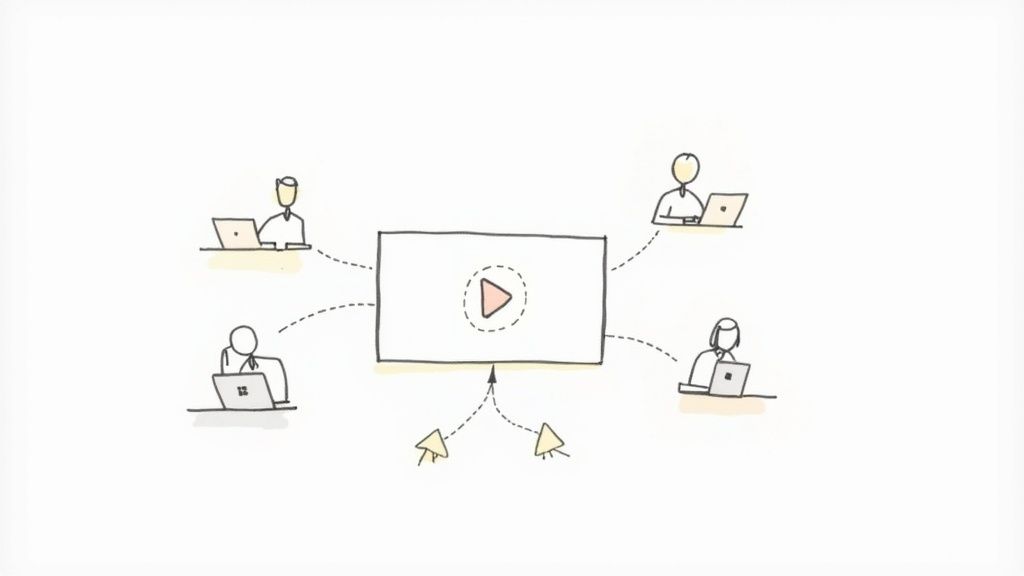
Let’s be honest: old training methods are falling flat. Dense manuals, endless slide decks, and day-long seminars struggle to hold attention, leading to poor knowledge retention and inconsistent skills across the team.
This problem is even more pronounced in remote and hybrid work environments. How do you guarantee everyone is on the same page when they're not in the same room?
That’s where effective training videos come in. They are no longer a "nice-to-have" but a cornerstone of any successful learning and development strategy. By 2025, video has shifted from a perk to an essential tool, accelerated by the need for scalable and engaging training that static modules simply can't provide. You can see more on these top trends in corporate video production on housesparrowfilms.com.
The Real Business Impact of Great Videos
Good training videos do more than just share information—they deliver tangible business results. They ensure every employee, whether at headquarters or working from home, receives the exact same instructions and understands company standards. This level of consistency is invaluable for compliance, brand identity, and critical operations.
The benefits are clear and measurable:
- Faster Onboarding: New hires can get up to speed quickly with a library of on-demand videos, becoming productive team members in a fraction of the time.
- Improved Performance: Visually demonstrating a complex task makes it far easier to understand and remember, resulting in fewer errors and higher quality work.
- Enhanced Scalability: One well-made video can train hundreds or even thousands of employees, saving countless hours that would otherwise be spent on repetitive live sessions.
Before diving into the how-to, it's crucial to understand what makes a training video effective. Not all videos are created equal, and these core components will set you up for success.
Core Components of a Successful Training Video
| Component | Why It Matters | Key Goal |
|---|---|---|
| Clear Learning Objective | If you don't know what you're trying to teach, your audience won't either. | Define one specific, measurable outcome for the viewer. |
| Engaging Content | Boring videos get ignored. Dynamic visuals and a conversational tone keep people watching. | Hold viewer attention from start to finish. |
| Concise Delivery | People are busy. Getting straight to the point respects their time and improves retention. | Deliver necessary information without filler or fluff. |
| Actionable Steps | Viewers need to know what to do next. Vague advice is useless. | Provide clear, practical steps the viewer can apply immediately. |
| High-Quality Production | Poor audio or video quality is distracting and undermines your credibility. | Ensure the video is easy to watch and hear, reflecting professionalism. |
With this framework, you can see how each element works together to create a learning tool that truly makes a difference.
Modern Tools Make It Possible
Just a few years ago, creating professional-looking video content meant hiring a production crew and investing in expensive equipment. That high barrier to entry kept many businesses on the sidelines.
Thankfully, those days are over.
Modern tools like LunaBloom AI are completely changing the game. Now, anyone can produce high-quality, engaging training content without needing a film degree or a massive budget. This accessibility is what makes a robust video training program a realistic goal for any organization.
Now that we’ve established why investing in great training videos is a smart move, the rest of this guide will walk you through the how. We'll cover the practical steps to plan, script, and produce videos that don't just teach, but inspire and empower your team.
Crafting Your Blueprint for Success
Every great video starts long before you hit the record button. Jumping straight into filming without a solid plan is a recipe for a confusing, ineffective video that wastes everyone's time. Think of this pre-production phase as your blueprint—it's the foundation that ensures your final product is sharp, engaging, and achieves its goal.
It all begins with a simple but critical question: What, exactly, do you want your team to be able to do after watching this video?
Pinpoint Specific Learning Objectives
Vague goals lead to vague content. "Train employees on the new CRM" is a topic, not an objective. A powerful learning objective is specific and measurable. For example: "After watching this video, a sales team member will be able to log a new lead, assign it a status, and schedule a follow-up task in the CRM."
This clarity acts as your North Star. It guides what you include and, just as importantly, what you leave out. If a piece of information doesn't directly support that objective, it's just noise. Get rid of it.
Key Takeaway: A well-defined learning objective is your best editing tool. It forces you to be ruthless with your content, keeping it tight and respecting your team's time—which is the secret to making training people actually watch.
Once you know what you're teaching, it's time to figure out who you're teaching.
Understand Your Audience Deeply
Creating a training video for new hires is entirely different from creating one for senior managers. You need to understand their existing knowledge, their role, and the specific problems they face daily.
Consider these key factors:
- Existing Knowledge: Are they beginners who need foundational information, or experts who just need a quick update? Avoid boring them with basics they already know or overwhelming them by skipping crucial details.
- Tone and Language: A video for your IT department can use technical jargon, but that same script would lose the sales team. Your tone must feel natural and relatable to the specific group you’re addressing.
- Relevance: How does this training directly help them do their job better? Frame your content around solving their real-world problems to capture their interest from the start.
Getting familiar with overall video production best practices can also give you a significant advantage, helping you think like a producer from day one.
Choose Your Scripting Style
With your objective and audience defined, it's time to write. Remember, people will be listening to your script, not reading it. Use short, conversational sentences. Always read your script out loud to catch any awkward phrasing that looks fine on paper but sounds unnatural when spoken.
You have two primary approaches to scripting.
The Word-for-Word Script
This is a fully written-out script detailing every word, pause, and on-screen action. It's the best choice for topics demanding absolute precision, like compliance training or complex technical walkthroughs where a single mistake could cause problems. A full script guarantees consistency and accuracy.
The Detailed Outline
For less rigid topics, like a soft-skills video on communication, a detailed outline is often more effective. Use bullet points to map out key talking points, questions, and visual cues. This approach allows the presenter's personality to shine through, creating a more spontaneous and authentic feel. It's ideal for a conversational, less formal tone.
Scenario Example: Software vs. Soft Skills
If you're making a tutorial on a new software feature, a word-for-word script is your best bet. It ensures every step is demonstrated in the correct order—a non-negotiable for process-based learning.
Now, imagine a video on "giving constructive feedback." A detailed outline would be far more effective. It encourages a natural, empathetic delivery that feels more like a coaching session than a lecture, making the topic much more relatable.
No matter which style you choose, tools like LunaBloom AI can provide a massive head start. By inputting your learning objective and audience profile, it can generate a structured narrative, giving you a solid first draft to refine and perfect.
Choosing Your Production Path
When you're ready to start making training videos, a key decision is who will create them. Will you build an in-house team and empower your employees to produce content, or will you hire outside professionals to handle it?
This is a strategic choice that impacts your budget, creative control, and ability to scale your training efforts. There's no single right answer—the best path depends entirely on your goals, resources, and long-term vision.
In-House Production: The DIY Approach
Going in-house means you own the entire process, from scripting to the final edit. This gives you maximum control over your brand voice and message. Your internal team lives your company culture, which is a huge advantage for creating authentic training that connects with employees.
Of course, building this capability requires an upfront investment in equipment and potentially training or hiring team members with video production skills.
Here's a quick breakdown of what that investment might look like:
- The Scrappy Startup Kit (Under $500): A modern smartphone, a basic tripod, a lavalier microphone, and a simple ring light. You can achieve surprisingly high quality with these essentials.
- The Professional Step-Up ($500 – $2,500): A dedicated DSLR or mirrorless camera, a sturdy tripod, a quality shotgun microphone, and a basic three-point lighting kit. This setup offers much more creative control.
- The Full Studio Build ($2,500+): This involves multiple cameras, professional-grade lighting, advanced audio gear, and perhaps a dedicated recording space with sound treatment.
The choice between a full script and a flexible outline can also help determine your needs. This decision tree illustrates how your video's goal shapes that choice.
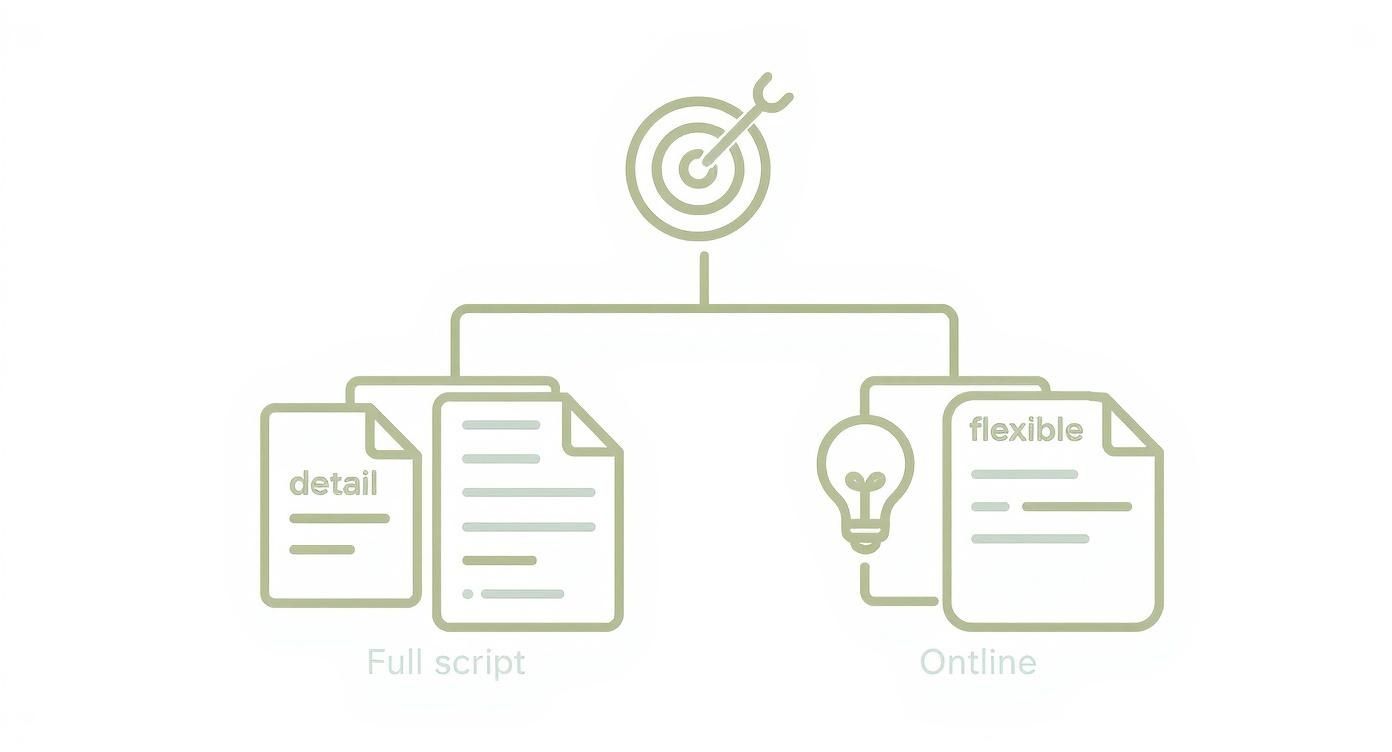
If precision is paramount, a full script is the clear winner. If you're aiming for a more conversational and adaptable feel, an outline is your best tool.
Outsourcing to Professionals
The alternative is to outsource production to a freelance videographer or a full-service agency. This approach is often faster, especially for one-off projects or if you lack in-house expertise. You gain immediate access to a team with the skills, equipment, and experience to deliver a polished product.
The main downsides are typically the higher cost per project and potentially less direct creative control, making it crucial to find the right partner.
When vetting an agency, look beyond their highlight reel. Ask for examples of training videos they've produced for companies similar to yours. A great marketing video doesn't always translate to effective instructional content.
In-House Production vs. Outsourcing: A Comparison
To help you decide, let's compare the key differences between keeping production in-house and hiring an external team.
| Factor | In-House Production | Outsourcing to an Agency |
|---|---|---|
| Cost | Higher upfront investment in gear and training, but lower per-video cost over time. | Higher per-project cost, but no long-term overhead or equipment expenses. |
| Control | Complete creative and brand control. Message is shaped by internal experts. | Less direct control; requires clear communication and trust in the agency's vision. |
| Speed | Can be faster for quick-turnaround projects once the team is established. | Often faster for initial projects as the team is already experienced and equipped. |
| Expertise | Relies on existing team skills or requires hiring/training new talent. | Instant access to specialized skills in filming, editing, and animation. |
| Scalability | Scaling can be challenging and may require more investment in people and gear. | Easy to scale up or down based on project needs without long-term commitments. |
| Brand Voice | Naturally aligned with company culture and internal language. | Requires a thorough onboarding process for the agency to understand the brand voice. |
Ultimately, there is no universally "better" choice. Your decision should balance your budget, timeline, and desired level of control.
Making the Right Financial Decision
Your budget will be a major factor, so it’s helpful to see what other companies are doing.
Recent data indicates that about 50% of companies produce their videos in-house, primarily to maintain control and manage a high volume of content. In contrast, just over 25% outsource this work to agencies or freelancers.
Regarding spending, nearly half of companies spent under $5,000 on video production last year. However, looking forward, more than half plan to increase their video budgets for 2025. You can learn more about these video marketing statistics on Wistia.com.
Choosing your production path is a balancing act between cost, control, quality, and speed. An in-house team is a long-term investment, while outsourcing provides specialized expertise on demand. Weigh your resources and goals carefully to make the smartest choice for your organization.
Bringing Your Vision to Life
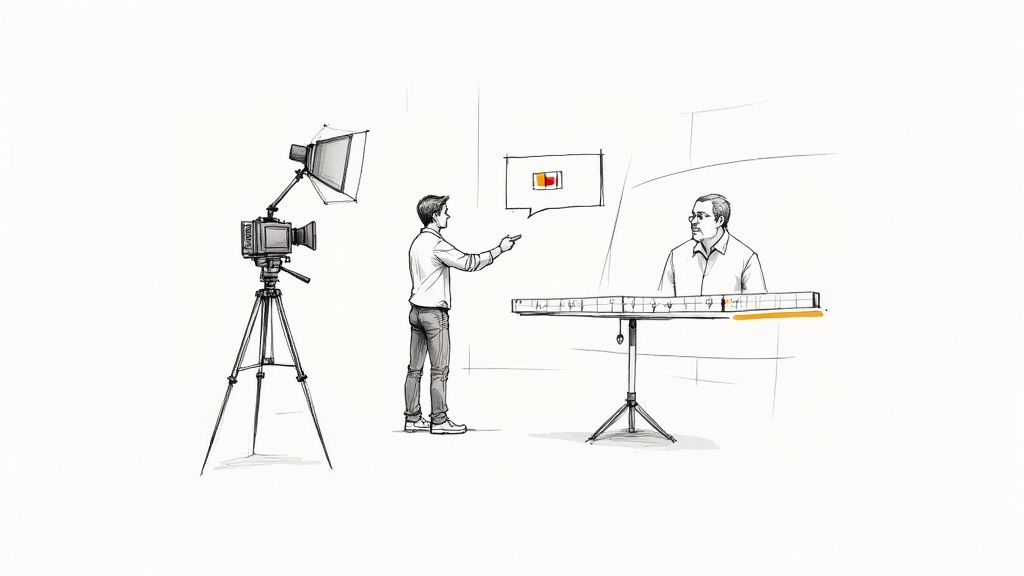
With a solid plan in place, it's time for the exciting part: turning your ideas into a real video. The production phase, which covers filming and editing, can seem daunting, but it doesn't have to be.
By focusing on a few core principles and using the right tools, you can create polished, professional training videos. It all starts with capturing clean footage and clear audio.
Mastering the Filming Fundamentals
You don’t need a Hollywood budget to create great-looking videos. A few simple techniques can make a huge difference, even if you're just using a smartphone. The three pillars of quality video are lighting, sound, and framing. Nail these, and you're 90% of the way there.
Good lighting is non-negotiable. The easiest option is to film facing a window to use natural light. If that's not possible, a basic three-point lighting setup—a key light, fill light, and backlight—will separate your subject from the background and create a professional look.
Next, focus on audio. Viewers will forgive slightly grainy video, but they won't tolerate bad sound. An external microphone is one of the best investments you can make. A simple lavalier (lapel) mic will capture crisp dialogue and eliminate distracting room echo.
Finally, consider your framing. Use the "rule of thirds": imagine a tic-tac-toe grid over your screen and place your subject along one of the vertical lines. This creates a more dynamic and visually interesting shot than centering them in the frame.
Directing On-Camera Talent
Putting a colleague in front of a camera can be nerve-wracking for them. Your goal is to make them feel comfortable so their authentic personality can shine through.
Here are a few tips for directing non-actors:
- Create a Relaxed Atmosphere: Keep the mood light and encouraging. Remind them that it's okay to make mistakes—that's what editing is for.
- Run Through the Script: Do a few practice runs without the camera rolling to help them get comfortable with the material.
- Encourage Natural Delivery: Advise them to speak as if they're explaining something to a single friend or coworker. This helps avoid a stiff, robotic delivery.
When your team members appear confident and authentic, the training content becomes far more relatable and trustworthy.
Assembling Your Story in Post-Production
After filming, the magic happens in the editing suite. This is where you assemble footage, add graphics, choose music, and polish everything. Post-production transforms raw clips into a cohesive and compelling story.
Start by creating a rough cut. Lay out your best takes on a timeline in the correct order, trim the excess, and ensure the core story flows logically. Don't aim for perfection here; just lock in the basic structure.
Next, add layers to enhance the learning experience:
- Graphics and B-roll: Use on-screen text, callouts, and relevant B-roll footage to highlight key points and keep the visuals engaging.
- Music and Sound Effects: A subtle background track can set the tone and maintain energy without being distracting.
- Color Correction and Audio Mixing: Ensure your visuals look consistent and your audio levels are balanced for a professional finish.
Key Insight: Editing isn't just about cutting mistakes; it's about pacing. A well-edited video controls the flow of information, giving viewers a moment to absorb a complex idea before moving on.
The AI Advantage in Editing
This is where modern tools like LunaBloom AI are a game-changer. What used to take hours of manual work can now be done in minutes, dramatically speeding up the post-production process.
Imagine you're editing a mandatory compliance video that needs to be precise and accessible. With an AI-powered platform, you can:
- Generate Automatic Captions: Instantly create accurate subtitles. Learning how to create subtitles for videos is a crucial skill for making training accessible.
- Apply One-Click Branding: Upload your company's logo, fonts, and colors once, then apply them consistently across all videos with a single click.
- Utilize Text-Based Editing: Some tools let you edit your video by simply editing the text transcript. Deleting a sentence in the transcript automatically removes the corresponding video clip, making editing incredibly fast and intuitive.
These features don't just save time; they elevate the final product. By automating repetitive tasks, you can focus on the creative decisions that truly matter in making training videos that connect with your audience.
Supercharge Your Workflow With AI
Artificial intelligence is no longer a futuristic concept—it's here, and it's revolutionizing how we create training videos. The days of spending weeks on shoots, struggling with complex editing software, and exceeding budgets are quickly disappearing.
AI now enables you to produce professional-grade training content faster and more easily than ever before.
This is about more than just saving time. It's about unlocking possibilities that were once reserved for teams with huge budgets. Imagine getting a polished script from a simple idea or instantly creating natural-sounding voiceovers in a dozen languages. This isn't science fiction; it's happening right now.
The demand for video continues to grow. Industry stats show that around 91% of businesses already use video, and a massive 85% of marketers plan to increase their video spending in 2025. Video is now a core part of modern business strategy.
From Blank Page to First Draft in Minutes
We've all stared at a blank page, struggling to start a script. This creative block is a major bottleneck in video production. AI-powered script generators can eliminate this hurdle.
Instead of brainstorming for hours, you can give the AI a simple prompt, like "Create a script for a 3-minute video on new employee cybersecurity best practices." Within seconds, you'll have a solid first draft that your subject matter experts can refine, saving valuable time and effort.
Scale Globally with AI Voiceovers
Training a global team used to be a logistical nightmare. The cost and complexity of hiring voice actors for multiple languages were prohibitive for most projects.
AI completely changes this model:
- Instant Localization: Generate realistic, human-sounding voiceovers in dozens of languages from a single script.
- Guaranteed Consistency: Maintain the same pacing, tone, and style across every language for a unified learning experience.
- Cost-Effective Scaling: Roll out training to international offices for a fraction of the traditional cost.
Suddenly, you can adapt one master training video for teams in Tokyo, Berlin, and Mexico City, ensuring everyone receives the same high-quality information.
Skip the Camera with AI Avatars
Perhaps the biggest game-changer is the ability to create presenter-led videos without ever needing a camera. AI avatars—lifelike digital presenters—can deliver your script flawlessly, removing the entire filming process from your to-do list.
Pro Tip: Use the same AI avatar for an entire training series, like a new hire onboarding program. This creates a familiar face for your training content, building continuity and making the learning journey more cohesive.
This approach offers practical benefits:
- No More Scheduling Headaches: Forget trying to find an open slot in a busy executive's calendar.
- Massive Cost Savings: Eliminate the expenses of camera gear, lighting, studio rentals, and film crews.
- Updates Made Easy: If a policy changes, simply edit the script and regenerate the video. No need for an expensive reshoot.
Tools like LunaBloom AI are leading this transformation, putting all these powerful features into one platform. By combining script generation, voice cloning, and customizable avatars, it removes the friction from making training videos. This allows you to focus on what truly matters: creating training that delivers results.
Your Questions on Making Training Videos Answered
Even with a great plan, questions will come up as you create your videos. Getting clear answers can be the difference between a stalled project and a successful one. Let's tackle some of the most common questions people have when making training videos.
How Long Should a Training Video Be?
There's no single magic number, but the golden rule is to keep it as short as possible. Longer doesn't mean better; it usually just means your audience is more likely to lose focus.
For a single-topic video, the sweet spot is typically between 2 and 5 minutes. This microlearning approach is highly effective for retention. Your team is far more likely to absorb a quick, digestible lesson than a long lecture.
If you have a complex topic, resist the urge to create a 30-minute epic. Instead, break it down into a series of shorter videos. A playlist of five 5-minute clips is much more approachable than one massive module, encouraging viewers to complete the entire training.
Key Takeaway: Constantly ask yourself, "Can this be shorter?" Edit ruthlessly. If a sentence or section doesn't directly support the learning objective, cut it out.
What Are the Most Common Mistakes to Avoid?
Many small things can go wrong, but a few major mistakes consistently undermine training videos. If you can avoid these common pitfalls, you'll be far ahead of the curve.
The three biggest culprits are bad audio, unclear objectives, and information overload.
First, bad audio is a deal-breaker. Viewers will tolerate mediocre video quality, but they have zero patience for scratchy, muffled, or echoey sound. An external microphone is the single best and most affordable investment you can make to improve your video quality.
Second, a video without a clear purpose is a waste of time. Before you write a single word, define one specific, measurable learning outcome. What should the viewer be able to do after watching? This single question should guide every decision you make.
Finally, don't try to cram too much information into one video. This is the fastest way to overwhelm your audience. To maintain focus:
- Keep visuals simple. They should support your point, not distract from it.
- Speak clearly and concisely. Avoid jargon unless it's absolutely necessary.
- Stick to one main idea per video segment to allow the information to sink in.
How Can I Measure the Effectiveness of My Videos?
Success is about more than just view counts. The real question is: are people actually learning? To find out, you need to track the right data.
Here’s what to measure:
- Completion Rate: Are viewers watching until the end? A high drop-off rate is a red flag that your video may be too long, confusing, or boring. Analyze where people stop watching to identify problem areas.
- Engagement Data: Look at which parts of a video are being re-watched. This often indicates a complex point that might need a simpler explanation or its own dedicated micro-video.
- Quizzes and Assessments: The most direct way to measure knowledge transfer is to test it. A short quiz after a video can confirm whether your key points landed successfully.
- Performance Impact: This is the ultimate measure of success. Did a video on a new software feature lead to fewer support tickets? Did a sales training video result in better demo performance? Tying your training directly to business outcomes demonstrates its true value.
By following these steps—from planning and scripting to production and analysis—you can move beyond simply making videos and start creating powerful training experiences that drive real results. You have the tools and the strategy; now it's time to bring your vision to life.
Ready to create high-impact training videos without the hassle of filming or editing? With LunaBloom AI, you can generate professional videos from text in minutes, complete with AI avatars and voiceovers in over 50 languages. Transform your training process and discover what's possible with LunaBloom AI.