Want to make training videos that actually work? The goal is simple: create scalable, engaging content that directly impacts your business goals. This isn't just about recording your screen; it's about crafting learning experiences that boost productivity, slash onboarding time, and help you retain your top talent.
The best part? With modern tools like LunaBloom AI, creating high-impact videos is faster and more accessible than ever before.
Why Effective Training Videos Are a Business Imperative
Let's get straight to the point: training videos are not just a "nice-to-have" for your HR department. They are a core component of building a scalable, efficient, and successful team. The days of dusty handbooks and lengthy seminars are over, replaced by dynamic, on-demand video that meets employees exactly where they are.
This shift isn't just a trend. It's a strategic response to how modern teams learn and operate. In a world of remote and hybrid work, employees need instant, consistent, and clear information they can revisit anytime. Video delivers on all fronts.
The Real Impact on Your Bottom Line
Stop viewing video training as an expense. It's a direct investment in your company's growth, and the data backs it up.
The corporate e-learning market is booming, valued at $163.1 billion in 2023 and projected to grow. A staggering 98% of corporations now integrate e-learning into their training strategies. This isn't just for appearances—42% of companies report a direct revenue increase after implementing e-learning, driven by a more skilled workforce. You can explore the full picture in these corporate e-learning statistics.
So, where does this financial gain come from? It boils down to a few key benefits:
- Faster Onboarding: New hires get up to speed in record time with a library of foundational videos, freeing up senior staff from repetitive training sessions.
- Improved Productivity: When an employee can quickly find a video to solve a problem or learn a new process, downtime is minimized, and work keeps flowing.
- Lower Training Costs: Video eliminates the need for travel, venue rentals, and printed materials associated with in-person training, leading to significant overhead savings.
Let's compare the old way with the new. The difference becomes crystal clear when laid out side-by-side.
Traditional vs. Modern Video Training
| Attribute | Traditional In-Person Training | Modern Video Training |
|---|---|---|
| Cost | High (travel, venue, instructors) | Low (one-time creation, minimal overhead) |
| Scalability | Limited (by room size and trainer availability) | Unlimited (train 1 or 1,000 employees instantly) |
| Consistency | Varies by instructor | 100% consistent every single time |
| Accessibility | Fixed time and location | 24/7 on-demand access from anywhere |
| Engagement | Can be passive; easy to lose focus | Multisensory and engaging; higher retention |
| Updates | Requires entirely new sessions | Quick and easy to update and redeploy |
As you can see, modern video training isn't just a minor tweak—it's a fundamental upgrade to how we approach employee development.
Boosting Engagement and Knowledge Retention
One of the biggest challenges with traditional training is keeping people engaged. After an hour of staring at slides, attention spans dwindle, and most of the information is lost. Video flips the script entirely.
By combining visuals, audio, and narrative, video-based learning can increase knowledge retention by up to 65% compared to text alone. Our brains are simply wired to process visual information more effectively.
This multisensory approach makes complex topics easier to grasp and remember. For example, a video demonstrating the exact clicks needed to complete a task in new software is infinitely more helpful than a dense manual. This clarity ensures the information sticks, leading to fewer errors and better overall performance.
Creating a Scalable and Consistent Learning Culture
As your company expands, ensuring every employee receives the same high-quality training becomes a logistical nightmare. In-person sessions can vary wildly depending on the instructor, leading to frustrating inconsistencies.
Video training solves this problem permanently.
Once you create a stellar video on a core process—like using your CRM or following safety protocols—it becomes a timeless asset. It delivers the exact same message to every employee, every time, whether you're onboarding one person or one hundred. This consistency is crucial for maintaining high standards and fostering a strong, unified company culture.
Blueprint for a High-Impact Training Video
An effective training video isn't an accident. It's built on a solid foundation of planning long before you hit "record." This pre-production phase is what separates high-impact content from videos that get ignored.
Jumping straight into recording without a plan is like building a house without a blueprint. You might end up with something, but it won’t be stable or useful. To make training videos that truly deliver results, you must start with a clear strategy.
This initial planning ensures every element of your video—from the script to the visuals—is purposeful and aligned with your goals. It will save you countless hours in editing and re-shoots later on.
Define Your Learning Objectives First
Before you do anything else, ask this one critical question: What must the viewer be able to do after watching this video? The answer forms your learning objectives. These can't be vague; they must be specific, measurable, and actionable.
Instead of a fuzzy goal like "Teach the team about the new CRM," get specific:
- Objective 1: Demonstrate how to create a new client contact in the CRM.
- Objective 2: Show the three steps required to log a sales call correctly.
- Objective 3: Explain where to find and generate a quarterly performance report.
Defining clear outcomes keeps your content focused and prevents information overload. A video that tries to teach everything often ends up teaching nothing. This targeted approach is essential when you want to make training videos that lead to tangible skill development.
Analyze Your Audience
Who are you making this for? Understanding your audience is non-negotiable. A video for new hires will look and feel completely different from one designed for seasoned managers who need a quick process update.
Consider these key points about your viewers:
- Current Knowledge: What do they already know about the topic? Avoid wasting time on basics they've already mastered.
- Technical Skill Level: Are they tech-savvy, or do they need every click and menu explained in detail?
- Learning Environment: Will they be watching at their desks with headphones or on a loud factory floor with a tablet? This directly impacts your audio and visual choices.
Tailoring your content to your audience's needs makes it far more engaging. It shows you respect their time and are focused on helping them succeed.
A well-planned training video addresses the viewer's specific pain points. It’s not just about what you want to teach; it's about what they need to learn to do their job better.
This infographic highlights how effective video training can impact key business areas.
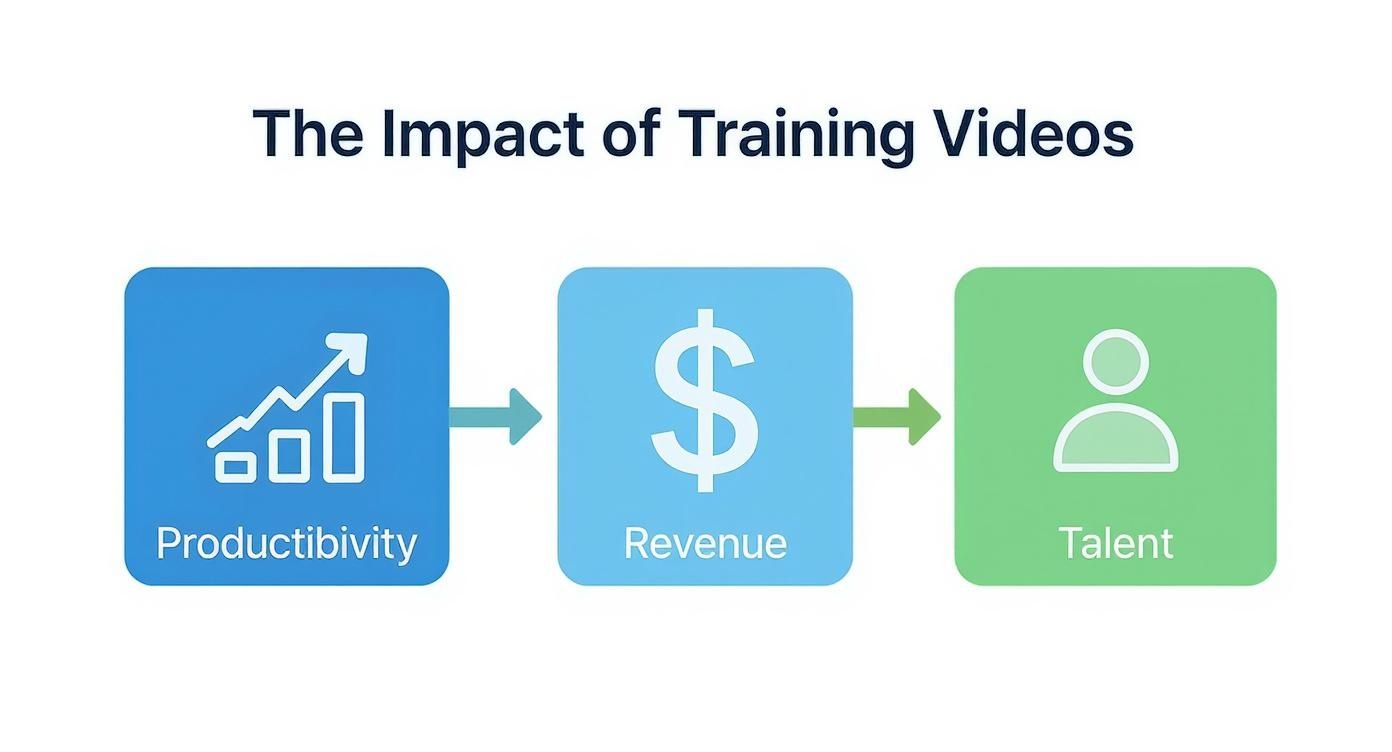
As you can see, investing in quality video training directly contributes to improved productivity, increased revenue, and better talent retention.
Structure Your Content for Engagement
With your objectives and audience defined, it’s time to structure your content. The best training videos break down complex topics into small, digestible chunks. This is often called micro-learning.
Instead of one long, 30-minute video covering an entire software suite, create a series of 3-5 minute videos, each focused on a single task. This structure makes the content less intimidating and allows employees to find the exact answer they need, right when they need it.
A simple, effective structure to follow is:
- The Hook: Start by explaining what the video covers and, more importantly, why it matters to the viewer.
- The Core Content: Walk through the steps or explain the concept clearly and concisely. No unnecessary fluff.
- The Summary: Quickly recap the key takeaways and provide a clear call to action, like "Now, try creating your own client contact in the system."
Scripting for a Natural Tone
Finally, you need a script. Even if you plan to improvise, a detailed outline or a full script is your safety net to stay on track. When you write, aim for a conversational and natural tone.
Write like you speak. Avoid corporate jargon and overly formal language that can make a video feel robotic and impersonal. A great trick is to read your script out loud to catch any awkward phrasing or sentences that are too long. For a more detailed guide, check out these 6 effective ways to create engaging corporate training videos.
A strong script is the final piece of your pre-production puzzle, ensuring your message is delivered clearly and connects with your audience.
Let AI Handle the Scripting and Narration
With your blueprint in place, it's time to tackle the two biggest time-sinks in video production: writing the script and recording the narration. Traditionally, this is where projects slow down due to endless revisions and booking studio time.
This is where modern AI tools become a game-changer.
Using an AI-powered platform to generate a polished script and a human-sounding voiceover from your outline can save you hours of work. It’s not just about speed; it's about achieving a level of quality and consistency that's difficult to manage manually, especially when you need to make training videos at scale.
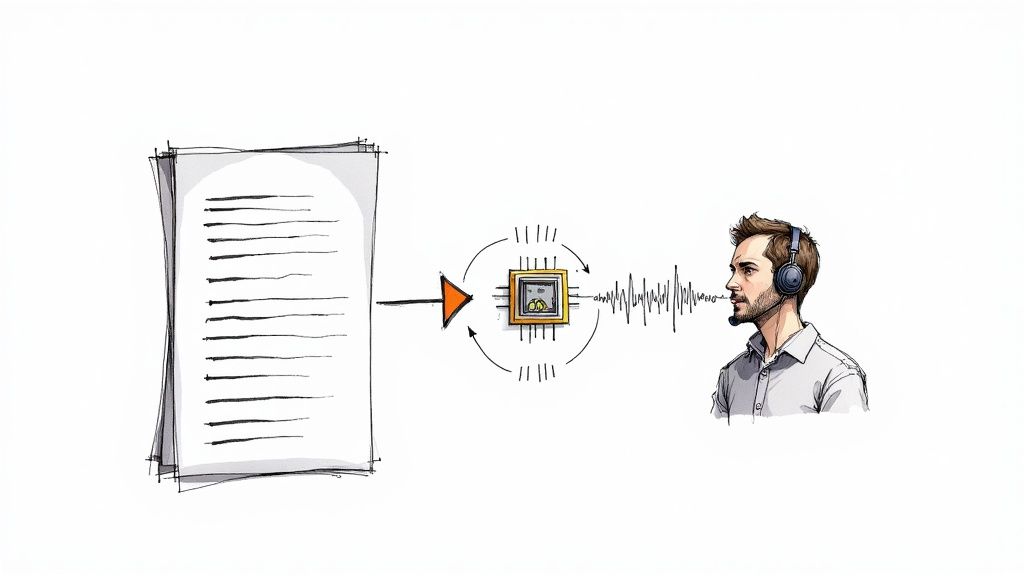
This approach keeps your entire project moving forward, free from common production bottlenecks.
Writing AI Prompts That Actually Work
The quality of an AI-generated script depends entirely on the quality of your instructions. Think of AI as a brilliant assistant who takes everything you say literally. Vague prompts lead to generic, unhelpful content. You must be specific.
To get a script that hits your learning objectives, your prompts should include:
- The Core Topic: Clearly state what the video is about (e.g., "A training video on our new expense reporting software").
- Key Learning Objectives: List what the viewer should be able to do after watching.
- Target Audience: Be specific. "New employees in the finance department who have never used this system" is much better than "employees."
- Desired Tone: Define the vibe you want—professional, casual, encouraging, or direct.
- Important Details: Include any critical steps, key terms, or warnings that must be mentioned.
For example, a prompt like "Write a script about our CRM" will yield poor results. A much better prompt is: "Generate a 3-minute video script for new sales reps on how to log a client call in our CRM. The tone should be friendly and encouraging. Make sure to cover these three steps: finding the client record, selecting 'Log a Call,' and saving the notes." The difference is night and day.
Give the AI Script a Human Touch
Once the AI generates a draft, it's your turn to refine it. This is where you infuse your company's personality and verify all the details. The AI builds the framework, but you add the finishing touches.
Tweak the wording to match your company's voice. Incorporate specific terminology or inside jokes. If a sentence feels robotic, rewrite it to sound more natural. Most importantly, fact-check every detail to ensure the information is 100% accurate.
An AI script is a powerful first draft, not the final product. Your expertise and brand voice are what elevate it from good to great, ensuring the content resonates with your team.
A solid platform can help you turn raw ideas into polished content. To see this in action, you can learn more about turning text into video with LunaBloom AI.
Get a Professional Voiceover Without a Microphone
With your script finalized, you're ready for narration. Audio quality is critical; bad sound can make even the best-looking video unwatchable. AI-powered text-to-speech (TTS) allows you to create a crisp, professional audio track without ever touching a microphone.
Modern TTS engines offer an incredible range of realistic voices, far from the robotic tones of the past. The process is simple:
- Pick the Right Voice: Listen to the available AI voices and choose one that fits your brand—authoritative, warm, or energetic.
- Adjust the Pacing: Control the narration speed. A technical walkthrough may need a slower pace, while a motivational piece can be faster.
- Add Pauses and Emphasis: Use tools to emphasize key words or add pauses for dramatic effect. These tweaks make the narration sound more natural and engaging.
Using AI for your audio ensures consistently clear sound in every video, free from background noise. Better yet, if you need to update the script, generating a new audio track takes mere seconds.
Assembling Your Visuals for Maximum Clarity
With a polished script and a crisp AI narration, it's time to bring your video to life with visuals. The images and clips you select are the backbone of your training video, transforming an audio file into a true learning experience. The goal isn't to create a Hollywood film but to build a visual story that makes your message clear and easy to follow.
The right visuals turn abstract concepts into tangible ideas and simplify complex workflows. They guide the viewer's attention and reinforce the audio narration. When you make training videos, these visual elements are what make the difference between information being forgotten and skills being retained.
Choosing the Right Visual Style
Before you open an editor, consider the best visual style for your topic. Different training goals call for different visual approaches. A software tutorial will look completely different from a video explaining a new company policy.
Here are some of the most effective formats:
- Screen Recordings: The gold standard for any software or process training. Recording your screen as you perform the steps gives learners a clear, first-person view that is easy to follow.
- B-Roll and Stock Footage: For conceptual topics like leadership skills or company values, high-quality stock footage (B-roll) can illustrate your points effectively. A shot of a team collaborating is far more dynamic than a static slide.
- Animated Graphics and Text: Simple animations are perfect for breaking down complex ideas into digestible pieces. Using animated text to highlight key terms or summaries is a great way to boost retention.
Often, the best videos use a mix of these styles. A software tutorial might be 90% screen recording but use animated text for chapter introductions and a bit of B-roll to set a professional tone.
Choosing the right visual approach is key to creating training that resonates. This table breaks down which visual elements work best for different types of training content.
| Training Type | Primary Visual Element | Best For |
|---|---|---|
| Software Walkthroughs | Screen Recordings | Demonstrating step-by-step processes within an application or website. |
| Compliance Training | Animated Graphics & Text | Breaking down complex regulations and legal requirements into simple, memorable points. |
| Soft Skills (e.g., Leadership) | B-Roll & Stock Footage | Illustrating abstract concepts like teamwork, communication, and problem-solving. |
| Product Demos | Screen Recordings & B-Roll | Showing a product in action while also highlighting its real-world benefits. |
| Onboarding & Policy | Animated Graphics & B-Roll | Introducing company culture, values, and key policies in an engaging way. |
By matching the visual style to your training's purpose, you ensure the content is not just seen, but understood and remembered.
Syncing Visuals with Narration
With your visual assets ready, it's time to sync them with your audio track. This is where your video truly comes together. The guiding principle is simple: what the viewer sees on screen should directly match what they are hearing.
If the narration says, "Click the 'Submit' button in the top right corner," the visual must show the cursor moving to that exact spot and clicking it. This perfect timing removes any guesswork and builds the learner's confidence.
When your audio and visuals are perfectly aligned, you lower the cognitive load on the viewer. They don't have to work to connect the dots, which means they can focus all their mental energy on absorbing the information.
The impact of this visual-first approach is well-documented. Boeing reduced its equipment training time by 75% by using video, and Walmart saw a 70% increase in test scores after implementing video-based training. These results happen because tightly synced visuals make learning feel intuitive. You can explore more stats on how video transforms corporate training and drives business outcomes.
Adding Polish with Transitions and Branding
With your core content synced, the final touches will elevate your video from a simple screen recording to a professional training asset. These small details can have a huge impact on the viewing experience.
- Use Simple Transitions: Avoid jarring jump cuts between clips. A simple cross-fade or a smooth slide can make your video flow much more elegantly. Subtlety is key.
- Incorporate Your Brand: Consistently use your company's branding to reinforce a professional identity. Add your logo as a small watermark in a corner and use your brand’s color palette for text overlays or title cards.
- Add Text Overlays: Use text on screen to highlight key terms, summarize a multi-step process, or pose a question. This is especially useful for reinforcing critical information you don’t want viewers to miss.
These polishing steps are essential when you make training videos that feel credible and polished. A clean, branded, and smoothly edited video sends a clear message: this training is important and worth paying attention to.
Getting Your Training Content Out There
Creating a great training video is a major accomplishment, but it's only half the battle. A video can only make a difference if your team watches it and applies what they've learned. A smart distribution and promotion plan is crucial for turning your hard work into improved skills and performance.
When you make training videos, you want them to have an impact. Let’s dive into how you can ensure your content reaches the right people at the right moment.
https://www.youtube.com/embed/3kW21hue1No
Choosing the Right Home for Your Videos
Where you host your video matters. The right platform makes your training easy to find, secure, and trackable. The wrong one can create friction and kill engagement. You have several solid options, each with its own advantages.
- Learning Management System (LMS): If your company already has an LMS, it's the natural choice for formal training. You can organize videos into courses, track completion, and add quizzes to assess understanding.
- Private Video Platforms: Services like Vimeo or Wistia offer robust privacy controls, detailed analytics, and an ad-free viewing experience. They are ideal for sharing sensitive information without the complexity of a full LMS.
- Internal Knowledge Base: For quick, informal tutorials, embedding a video directly into your company wiki (like Confluence or Notion) is a brilliant solution. It places the training exactly where employees already look for answers.
The best choice depends on your goal. Mandatory compliance training belongs in an LMS, while a quick how-to video is perfect for your knowledge base.
Make Your Videos Easy to Find
Once you've chosen a platform, make sure your video is discoverable. Think of it as internal SEO. When a team member searches for a solution, you want your video to pop up first. This requires a few simple but critical steps.
- Write a Clear, Descriptive Title: Instead of "CRM Training," use something specific like "How to Log a Sales Call in Salesforce." This tells your team exactly what the video covers.
- Craft a Detailed Description: Summarize the main takeaways in the description. Adding timestamps allows viewers to jump directly to the section they need, saving them valuable time.
- Tag It Up: Add relevant keywords that employees might search for, such as "sales," "CRM," "Salesforce," or "logging calls."
Spending just a few minutes on your video's metadata can make a world of difference. It transforms a simple video file into a searchable, on-demand resource that people can actually find and use.
Don't forget accessibility. Adding captions is a game-changer for comprehension and searchability. To learn more, check out guides on how to caption videos effectively.
Spread the Word Internally
Don't just upload your video and hope for the best. Actively promote it to maximize your training investment. You need to meet your team where they already are.
Getting proactive is more important than ever. The global corporate training market hit $361.5 billion in 2023 and is expected to rocket to $805.6 billion by 2035, mostly thanks to digital learning. With online training budgets jumping 58%, making sure your content gets noticed is non-negotiable.
Here are a few effective promotion strategies:
- Email Blasts: Send a targeted email to relevant teams with a direct link. Keep it brief, highlight what the video covers, and explain why it's worth their time.
- Team Chat Pings: Drop a message in the appropriate Slack or Microsoft Teams channels. A quick, friendly announcement can drive immediate views.
- Manager Toolkits: Equip managers with a short summary and a link to share with their direct reports. Encourage them to discuss it in their next team meeting.
By using multiple promotional channels, you can ensure your training content reaches its intended audience, driving the skill development your company needs.
Common Questions About Making Training Videos
As you begin to make training videos, questions are bound to come up. It’s a normal part of the process. Getting clear answers to these common hurdles can help you build momentum and create with confidence.
Let's tackle some of the most frequent questions teams ask.
How Long Should a Training Video Be?
The answer is simple: a training video should be as long as it needs to be, and not a second longer.
Forget the myth that every video must be under two minutes. The ideal length is determined by the topic. A quick tutorial on resetting a password should be short—perhaps 30-60 seconds. However, a detailed walkthrough of a complex software feature might reasonably require 10-15 minutes to cover thoroughly.
The key is to focus on a single learning objective per video.
Your goal isn't to hit a specific runtime; it's to deliver clear value. If you chop a video down just to meet some arbitrary time limit, you'll end up confusing your team and wasting everyone's time.
What Equipment Do I Really Need?
You probably already have everything you need to start. High-quality training videos are built on clear content, not expensive gear.
Your smartphone can shoot excellent video, and a simple lavalier microphone that clips to your shirt can dramatically improve your audio quality for a small investment. Remember, good audio is more important than perfect video.
For software tutorials, the list is even shorter:
- A decent computer that can run the software you're demonstrating.
- Screen recording software (many great free and paid options are available).
- A quiet room to record your voiceover.
Don't let the idea of "needing equipment" hold you back. Start with what you have and focus on creating helpful content. You can always upgrade your setup later.
How Do I Make My Videos More Engaging?
Engagement isn't about flashy special effects. It's about respecting your viewer's time and making the information easy to digest. A few simple shifts in your approach can make a huge difference.
- Tell a Story: Instead of a dry title like "How to Use Feature X," frame it around a problem: "How to Solve Friday's Reporting Headache with Feature X." This immediately makes it more relevant.
- Guide Their Eyes: Use on-screen text, arrows, or highlights to point out what's important. This helps people follow along, especially in a dense software interface, and reinforces key takeaways.
- Talk Like a Human: Write your script as if you're explaining something to a coworker over coffee. A relaxed, conversational tone is far more engaging than a stiff, formal delivery.
How Can I Produce Videos Faster?
Speed comes down to two things: planning and tools. "Winging it" is the slowest way to create anything.
A solid plan before you hit "record" will save you from endless re-shoots and frustrating edits. Even a simple bullet-point outline can keep you on track and ensure you cover all essential points.
Of course, using smart tools like LunaBloom AI is a massive shortcut. The platform can generate a solid first draft of your script, create a professional voiceover, and apply a consistent visual style with templates. This can dramatically slash your production time, allowing you to build an entire library of training content instead of getting bogged down on a single video for weeks.
Ready to create polished, effective training videos in a fraction of the time? Discover how LunaBloom AI can automate your scripting, narration, and production process. Start creating with LunaBloom AI today!