Making a video with a voice over comes down to a simple, powerful process: write a script that sounds like a real person, record the audio in a quiet space, and sync it all together in the editing phase. This transforms a simple visual into a compelling story, guiding your audience with a clear, human touch.
Why a Great Voice Over Is Your Video's Secret Weapon
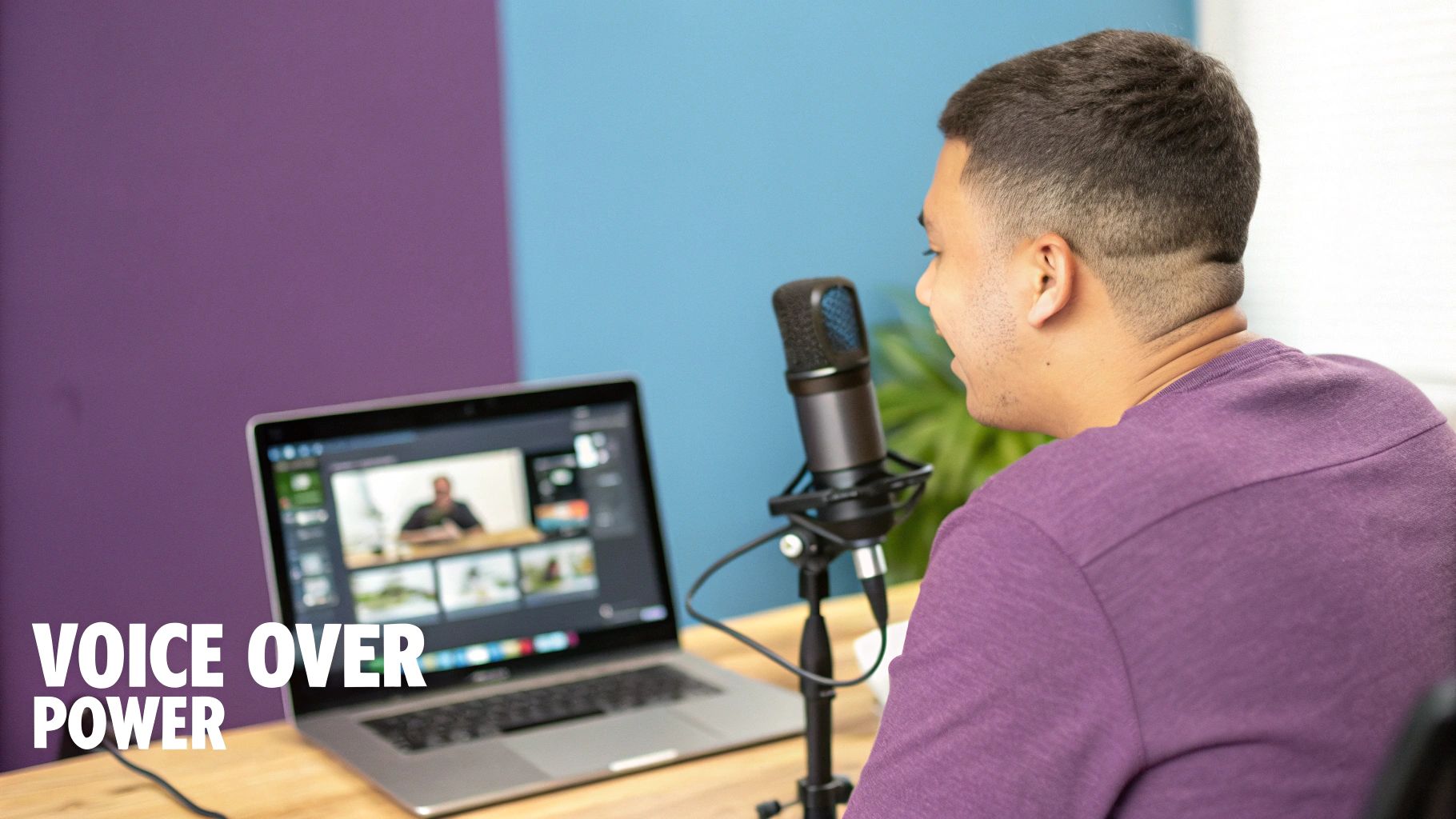
Let's be real—a silent video or one with generic stock music is easy to scroll past. A powerful voice over, however, turns a passive viewer into an engaged listener. It's the secret sauce that builds trust, explains complex ideas, and adds a personal connection that visuals alone can't match.
Driving Engagement and Trust
The right narration makes your content memorable. Think about it: a confident, clear voice explaining a product feature inspires far more trust than on-screen text ever could. This guide isn't just about the technical steps; it’s a practical playbook for creating high-quality voice overs that get results.
We'll cover everything from writing a conversational script to leveraging modern tools like LunaBloom AI that make professional-grade narration accessible to everyone.
This shift toward voice-centric content is significant. In 2025, a massive 52% of clients plan to use more voice talent for brand marketing videos, with another 45% needing it for explainers and animations. This makes sense when you consider videos with strong audio generate 12 times more shares than text and images combined. You can discover more about these 2025 trends to see how voice is shaping the future of content.
Whether you're creating marketing assets, tutorials, or social media clips, you'll learn exactly how to make an impact.
Crafting a Script That Sounds Human, Not Robotic
The foundation of a killer voice over isn't your microphone—it’s the script. Your primary goal is to write for the ear, not the eye. This is a completely different skill than writing a blog post. It's about ditching the corporate jargon and adopting a conversational tone that genuinely connects with people.
Think about how you'd explain something to a friend. You use contractions, ask questions, and your sentences flow naturally. A great voice over script needs that same rhythm.
Write Like You Speak
To make your script sound genuinely human, focus on a few simple but effective techniques. These small adjustments can transform a script from stiff and formal to warm and engaging.
- Use Contractions: This is the easiest win. Say "you're," "it's," and "can't" instead of "you are," "it is," and "cannot." It's the fastest way to sound less robotic.
- Keep Sentences Short: Long, complex sentences are difficult for listeners to follow. Break down your ideas into shorter, punchier statements that are easy to digest.
- Embrace the Active Voice: Instead of, "The video was edited by our team," say, "Our team edited the video." The active voice is more direct, energetic, and keeps the listener engaged.
Pro Tip: Read your script out loud before you even think about recording. If a phrase feels awkward or clunky to say, it will sound even worse in the final audio. Edit any parts that make you stumble.
From Stiff to Conversational: An Example
Let's see this in action. Here’s a typical, formal paragraph from a business presentation.
Before:
"Our organization's comprehensive suite of software solutions is designed to facilitate the optimization of workflow processes for enterprises. Utilization of our platform will result in a significant enhancement of productivity and a reduction in operational expenditures."
After:
"We built our software to make your team's life easier. It helps you streamline daily tasks so you can get more done. That means you'll boost productivity and cut down on extra costs."
See the difference? The "after" version is clear, direct, and sounds like something a real person would say. That’s the magic you're aiming for when making videos with voice overs that people will actually want to hear.
Choosing the Right Voice Over Method for Your Project
When you're ready to add a voice over to your video, you have more options than ever. The best path isn't one-size-fits-all; it depends on your budget, timeline, and goals. Let's walk through the three main routes.
Recording your own voice (the DIY approach) is fantastic for its authenticity and low cost. It’s perfect for personal projects, vlogs, or internal updates where your personality is part of the message. Nothing builds a direct connection quite like your own voice.
Hiring a professional voice actor brings a level of polish and experience that's hard to match. These artists have the training, studio setup, and technique to deliver a flawless performance that can elevate your brand. This makes it the go-to choice for high-stakes marketing videos or formal training modules.
The Rise of AI Voice Generation
A third path has quickly emerged as a powerful contender: AI voice generators. Forget the robotic, monotone voices of the past. Modern AI tools offer a stunning mix of speed, scale, and quality.
AI platforms can generate natural-sounding audio in minutes, not days. This is a game-changer for anyone needing to produce a high volume of content or create voice overs in multiple languages without the logistical challenge of coordinating with different actors.
Choosing your narration style is just as crucial as writing a human-sounding script. This decision tree helps visualize how to refine your tone from corporate-speak to something more conversational and engaging.
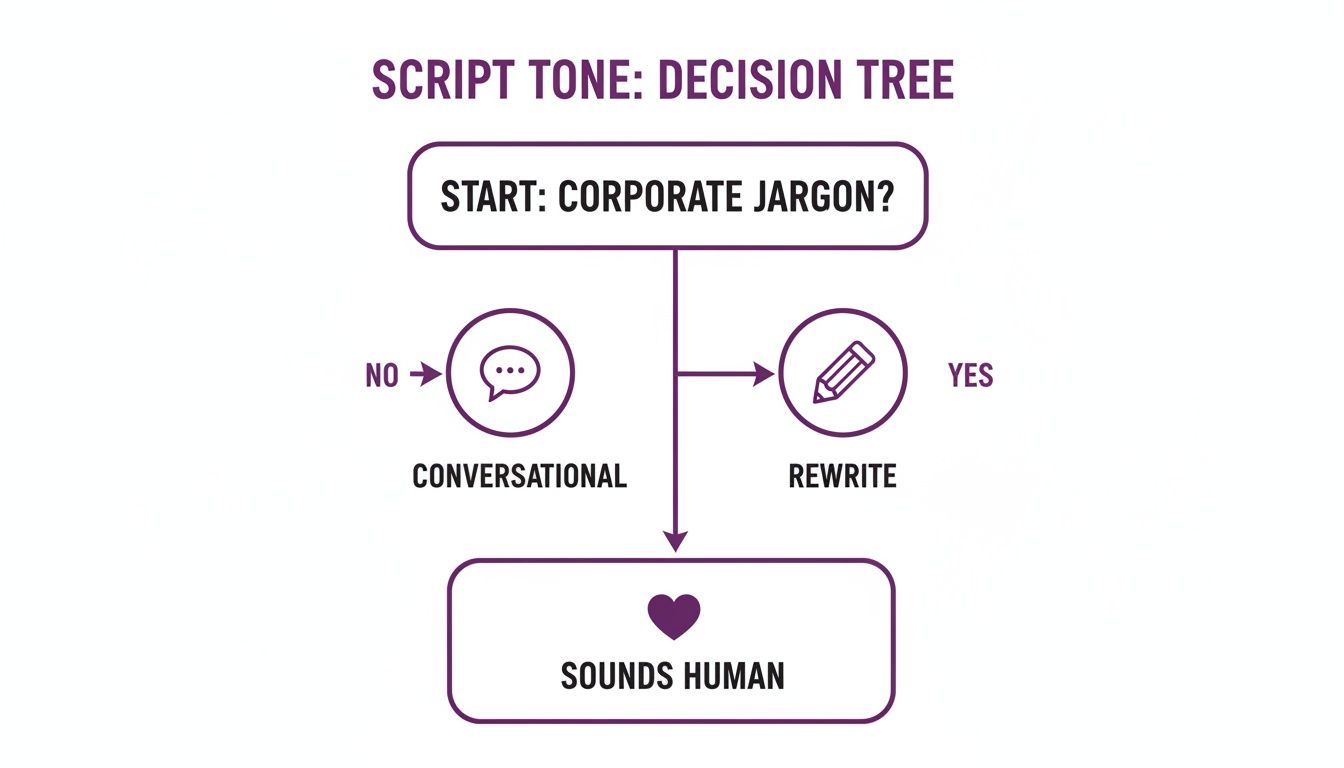
The key insight is that sounding human begins with the script. If you remove the robotic jargon before you even think about the voice, you're already halfway there. This ensures the final voice over connects with your audience, regardless of how it was produced.
Comparing Voice Over Production Methods
To help you decide which path is right for your project, this table breaks down the key differences between recording your own voice, hiring a professional, and using an AI voice generator.
| Method | Best For | Cost | Turnaround Time | Pros | Cons |
|---|---|---|---|---|---|
| DIY Recording | Personal brands, internal comms, low-budget projects. | Free to low (mic cost). | Immediate. | Authentic, full control, no cost. | Quality depends on skill/equipment, can be time-consuming. |
| Hiring a Pro | High-stakes marketing, commercials, e-learning. | $$$ (hundreds to thousands). | Days to weeks. | Highest quality, professional delivery, saves your time. | Expensive, requires finding the right talent, less flexible. |
| AI Voice Generator | Content at scale, multilingual videos, rapid prototyping. | $ (affordable subscriptions). | Minutes. | Fast, scalable, cost-effective, consistent. | Can lack the nuance of a human actor for emotional scripts. |
Each option serves a purpose. The best choice depends on whether you prioritize a personal touch, broadcast-level quality, or sheer speed and efficiency.
Making the Final Decision
So, how do you pick? It comes down to your priorities. If you need authenticity on a tight budget, recording yourself is a great choice. For a flagship marketing campaign where quality is non-negotiable, a professional actor is a worthy investment.
But if you need to create content quickly and consistently without breaking the bank, AI is an incredibly powerful solution. For those looking to explore a fast, high-quality option, you can learn more about generating AI voices at LunaBloom AI.
How to Record and Edit Your Audio for a Professional Sound
You don't need a million-dollar studio to get professional-sounding voice overs. Great audio is less about expensive gear and more about a smart setup and basic editing skills. The goal is clarity and authenticity, not technical perfection.
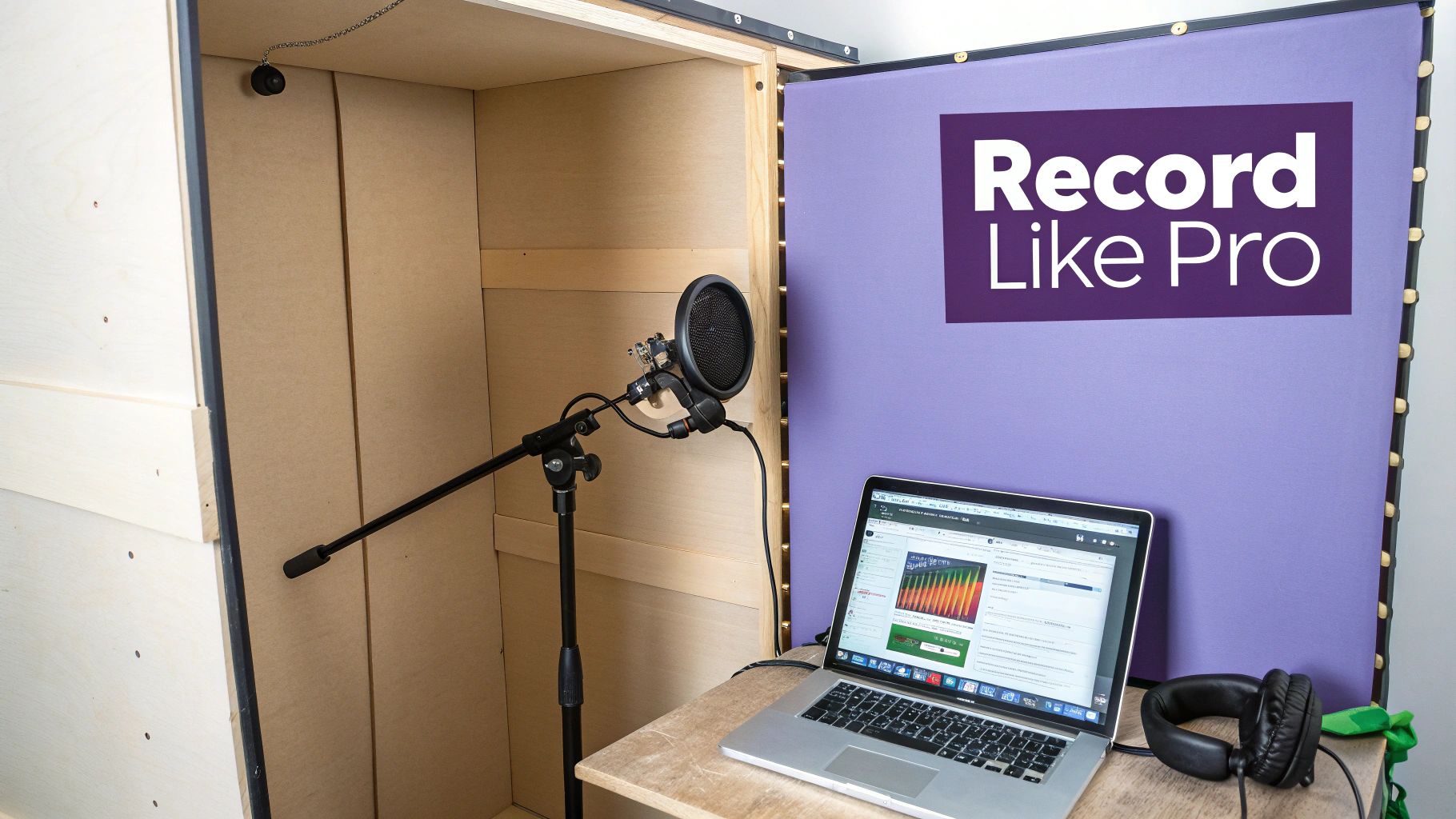
It all starts with your recording space. Echo and background hum are the biggest enemies of clear audio. The good news is you can create a makeshift recording booth for free.
A walk-in closet filled with clothes is an ideal spot. The soft fabrics are fantastic at absorbing sound waves, killing the distracting echo you get in an empty room. No closet? No problem. Build a small fort with blankets and pillows around your desk. It might look silly, but it works wonders for your sound quality.
Getting the Right Gear Without Breaking the Bank
Avoid using your laptop's built-in microphone. Even a small investment in an external mic will make a massive difference in how you sound.
- Affordable USB Microphones: Brands like Blue Yeti or Audio-Technica offer excellent USB mics for around $100. They're plug-and-play, making them perfect for beginners.
- Pop Filters: This cheap accessory is non-negotiable. It’s a small screen that sits in front of your mic to soften harsh "p" and "b" sounds (plosives), making your speech sound much smoother.
- Free Editing Software: You don't need to buy expensive software. Audacity is a powerful and completely free audio editor with everything you need to clean up your recordings.
When you make videos with voice overs, remember that authenticity is king. While industry insights show 34% more businesses are warming to AI voices, a massive 80% demand human-like emotive qualities from them. A genuine, clear voice connects far better than an overly polished one. You can discover more insights on voice over industry trends to see why human connection is so important.
Essential Editing Steps for Clean Audio
Once you have your recording, a few simple edits can elevate it from amateur to professional. Focus on these three key areas to get the job done quickly.
First, cut out any major mistakes, long pauses, or distracting filler words like "um" and "ah." This tightens the delivery and keeps the listener from tuning out.
Next, level the audio. This just means adjusting the volume so it’s consistent throughout the entire track—no quiet whispers followed by loud peaks. Most editing software has a "Normalize" or "Amplify" tool that makes this easy.
Finally, tackle background noise. A comprehensive understanding of how to remove background noise is vital for producing clean voice-overs. Simple tools can easily filter out low-level hums from fans or air conditioners, resulting in a crisp, clear final product.
Expand Your Reach with Multilingual Voice Overs
Why limit your video to one language when it could connect with people worldwide? In today's global market, translating your voice over isn't just a bonus—it's a smart strategy to grow your audience and enter new regions. Going multilingual is no longer a "nice-to-have" but a core part of any growth plan.
Not long ago, dubbing a video was a major headache. It meant hiring multiple voice actors, managing complex timelines, and sinking a lot of money into production. This barrier kept most smaller creators from reaching international audiences.
Technology Has Changed the Game
Thankfully, technology has completely changed video translation, especially for creating voice overs for a global audience.
Modern AI platforms can take your script, translate it instantly, and generate a natural-sounding voice over in dozens of languages. We're not talking about clunky, word-for-word translations. We're talking about a localized experience that resonates with the culture. This opens the door for creators of any size to compete on a global stage without a massive budget.
Of course, a great voice over starts with a great script translation. Understanding the best practices for document translation is key to making sure your message lands just right.
This shift toward global content is happening fast. Reports show that 58% of clients now specifically request multilingual voice talent. Languages like Spanish, Mandarin, and Hindi are at the top of the list, driven by the massive audiences on social media and streaming platforms.
When you use tools for multilingual voice overs, you're not just translating words. You're building trust and forging a genuine connection with viewers in their own language—the key to unlocking massive growth.
Common Voice Over Questions Answered
When you're starting to make videos with voice overs, you're bound to have questions. Getting these early hurdles sorted out can make all the difference, so let's tackle the most common ones.
What Software Is Best for Recording Voice Overs at Home?
If you're new to this and on a budget, Audacity is your best friend. It’s a fantastic free tool that handles all the basics—like noise reduction and simple edits—with no fuss. For those ready to level up, Adobe Audition is the industry standard for professionals.
Of course, if you want to skip recording and editing entirely, AI platforms can create the voice over directly from your script without any software downloads.
How Do I Make My Voice Sound More Confident?
Vocal confidence comes down to practice and good posture. Before you hit record, read your script out loud a few times to get comfortable with the flow.
When it’s time to record, stand up straight. This simple trick opens your diaphragm, giving your voice more power and resonance. Here's another pro tip: smile while you're speaking. It adds a surprising amount of warmth to your tone. Finally, slow down slightly from your normal speaking speed to make your delivery sound clearer and more intentional.
What's the right script length for a 60-second video?
A good rule of thumb is to aim for about 150 words per minute. For a one-minute video, that puts your script in the sweet spot of 140 to 160 words. This pace feels natural and leaves room for you to breathe and pause.
Don’t have a fancy mic? You can get great results with a modern smartphone. Just find a quiet spot with soft surfaces, like a closet full of clothes, to absorb echo. For an easy upgrade, an inexpensive lavalier mic that plugs directly into your phone works wonders.
Ready to create flawless, professional-sounding voice overs in minutes without any recording equipment? With LunaBloom AI, you can generate high-quality audio from text in over 50 languages. Discover how LunaBloom AI can transform your video creation process today.