If you want to learn how to increase Instagram engagement, you need to stop chasing likes. The real game is earning genuine attention through saves, shares, and actual conversations. Success on Instagram today means creating content so valuable that your audience feels compelled to bookmark it, send it to a friend, or jump into your DMs. That's the currency that truly matters.
This guide will give you a clear, actionable plan. We'll break down what engagement means now, which content formats win, and how to build a community that actually cares.
Understanding Modern Instagram Engagement: What Really Matters
Forget the old popularity contest of likes. The Instagram algorithm has gotten much smarter, and it's no longer impressed by simple vanity metrics. Instead, it measures what people do with your content after they see it.
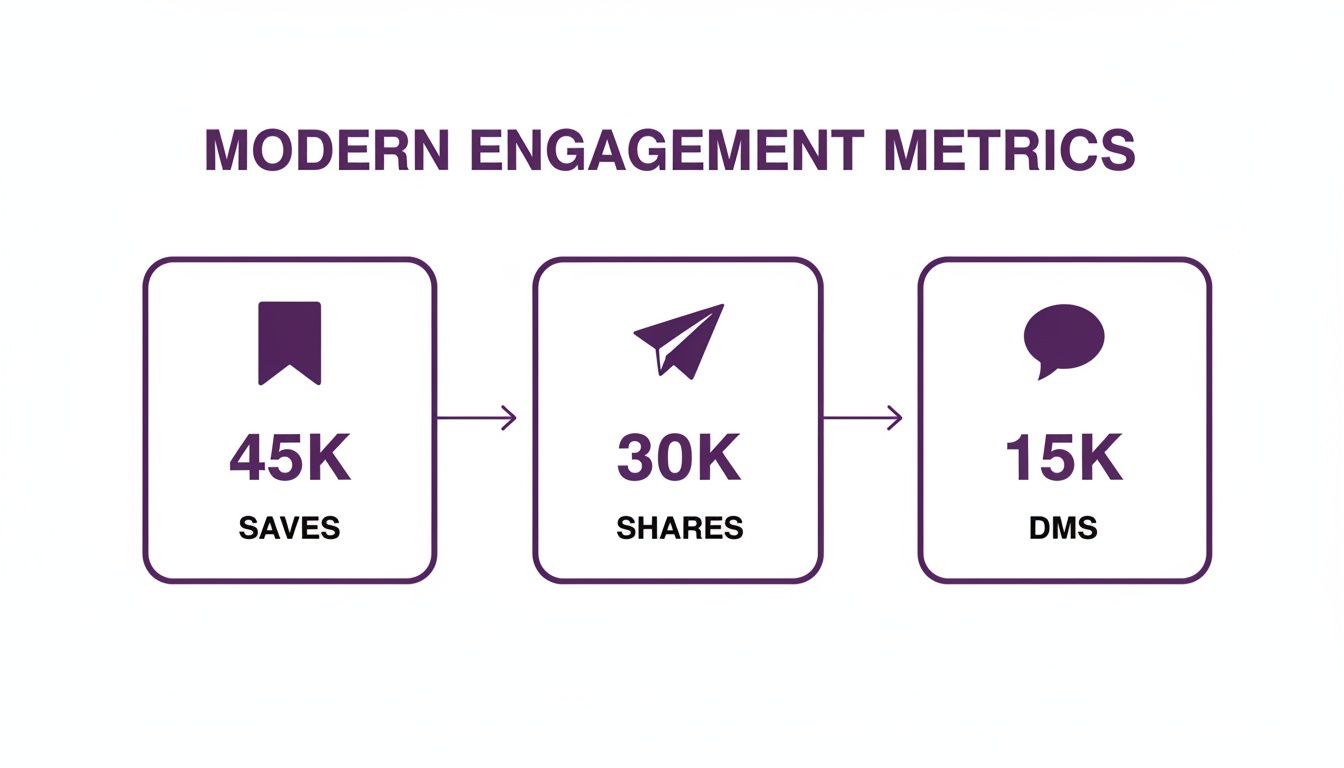
Think about your own habits. A double-tap is a fleeting nod. But when you hit "Save," you're telling the algorithm, "This is so good, I need to see it again." When you share a Reel with a friend, you're giving it a personal stamp of approval. Those actions signal real value and carry far more weight than a simple like.
This shift reflects how we use the platform now. Conversations have moved into private spaces like DMs. A share to a group chat is a powerful sign that your content resonated. A comment that sparks a real discussion is infinitely more valuable than a string of fire emojis. These are the signals that prove you're building a genuine connection.
The Big Shift to Intentional Interactions
The goal has shifted from passive scrolling to active participation. You need to create content that stops the scroll and inspires someone to do something. This is where high-value metrics come into play because they are direct signals of that intent.
Here are the engagement signals that actually move the needle:
- Saves: This tells Instagram your content is a resource—something educational, inspiring, or useful enough to come back to.
- Shares: When someone shares your content to their Stories or DMs, it’s a personal endorsement that expands your reach organically.
- Comments: Meaningful comments (think more than a few words) that spark conversation show your post is building community.
- Profile Visits & Follows: If a post is compelling enough to make someone tap through to your profile and hit "follow," you've won.
Engagement Metrics That Move the Needle
To understand what the algorithm prioritizes, it helps to see how different actions stack up. Some signals are much stronger than others.
| Metric | User Action | Why It Matters to the Algorithm |
|---|---|---|
| Saves | Bookmarking a post for later | The strongest positive signal. It says your content is high-quality, evergreen, or a valuable resource worth revisiting. |
| Shares | Sending a post to a friend (DM) or sharing to Stories | A powerful form of organic reach and personal endorsement. Instagram sees this as a sign of highly relatable content. |
| Comments | Leaving a thoughtful comment (not just an emoji) | Shows your content is sparking conversation and building community. The longer the comment, the better. |
| DMs | Sending a direct message in response to content | A strong signal of interest and a direct line to building a relationship with your audience. |
| Profile Visits | Tapping on your username to view your profile | Indicates that your content was compelling enough to make someone want to learn more about you. |
| Follows | Following your account after seeing a post | The ultimate conversion from a piece of content, showing it effectively captured a new audience member. |
| Likes | Double-tapping the post | The weakest signal. It's a low-effort interaction that shows passive approval but little deep engagement. |
As you can see, actions requiring more effort send a much stronger signal to Instagram that your content is worth showing to more people.
Why Quality Engagement Beats Quantity Every Time
Focusing on these deeper metrics isn't just about feeding the algorithm—it’s about building a real, sustainable brand. An account with 10,000 highly engaged followers who save, share, and comment is far more valuable than an account with 100,000 passive scrollers.
The data backs this up. Analyses consistently show engagement shifting toward these private, intentional actions. When you focus on getting more saves and shares, you'll see better content distribution and, ultimately, more growth.
The big takeaway is this: Stop creating content for likes. Start creating content for saves and shares. Every piece of content should have a purpose designed to elicit one of these high-value actions.
For more proven tactics to get your audience interacting, you can find a ton of great ways for how to get more engagement on Instagram. Once you embrace this new way of thinking, you'll be on your way to authentic growth and a much stronger community.
Mastering Content Formats for Maximum Interaction
If you want to crack the code on Instagram engagement, you have to accept a simple truth: not all posts are created equal. The format you choose can make or break your content's performance.
Sure, single-image posts still have their place. But the real engagement powerhouses right now are Reels and multi-slide Carousels.
These formats fundamentally change how people interact with your content. A static image is a quick glance and a scroll. A Reel or Carousel, on the other hand, invites them to stick around. They encourage users to spend more time on your post, either by watching a video or swiping through helpful slides. That extra "dwell time" is a massive thumbs-up to the Instagram algorithm.
Why Reels Dominate the Engagement Game
Let's be clear: short-form video isn't just a trend. It’s how people consume content now. Reels are built for discovery, giving you the potential to reach huge audiences far beyond your current followers. If you're serious about growth, mastering them is non-negotiable.
The secret to a great Reel is its structure. You need a powerful hook in the first 1-2 seconds to stop the scroll, a compelling middle that keeps them watching, and a clear call to action (CTA) at the end.
- Create Irresistible Hooks: Start with a bold statement, a provocative question, or a visually jarring clip. For instance, instead of a boring product shot, show an unexpected or satisfying way to use it.
- Use Trending Audio and Effects: Using trending sounds is an easy win. It helps the algorithm categorize your Reel and show it to people who have already engaged with that audio.
- Tell a Quick Story: Even a 15-second video can have a beginning, middle, and end. A simple "before and after," a mini-tutorial, or a "day in the life" clip gives people a reason to keep watching.
To get this right, you also have to know the rules. Understanding the different Instagram video length limits for Reels, Stories, and feed posts is key to optimizing your video content.
The Untapped Power of Carousel Posts
While Reels are fantastic for grabbing new eyeballs, Carousels are the undisputed champions of saves and shares. They let you package a ton of value into a digestible, swipeable format that people want to bookmark and come back to later.
Recent data shows Carousels and Reels blow single-image posts out of the water. One analysis found carousels can generate up to 3.1× more engagement than a static image. We've seen brands shift their strategy to be more carousel-focused and report incredible results, with one fashion brand seeing a 150% jump in carousel engagement. This isn't just luck; it's a deliberate strategy that works.
The magic of a Carousel is its ability to turn a simple post into a valuable micro-resource. It's not just a picture; it's a guide, a story, or a lesson.
To make your Carousels a must-save, focus on delivering so much value that hitting that little bookmark icon is a no-brainer.
Designing Carousels That People Actually Save
A great Carousel feels like a mini-presentation. Each slide should build on the last, creating a cohesive and satisfying journey for the user.
Here are a few structures that work wonders:
- The Educational Guide: Think "how-to" guides or breaking down a complex topic into simple steps. Use your first slide as a punchy title, the next few for each step, and the last for a quick recap and a CTA.
- The Listicle: "5 Mistakes to Avoid When…" or "3 Tools That Changed My Business." This format sets clear expectations and works incredibly well.
- The Storytelling Carousel: Walk your audience through a case study, a customer success story, or a behind-the-scenes look at a project. Use a mix of compelling images and short text to tell a complete narrative.
Whatever format you choose, don't forget to add a visual cue on each slide—like a small arrow or simple text like "swipe for more." Guiding someone to swipe all the way to your final slide is another strong positive signal for the algorithm.
The Art of the Scroll-Stopping Caption and CTA
A killer Reel or a gorgeous Carousel will get people to pause, but that’s only half the battle. The real work happens in the caption. This is your moment to turn a passive scroller into an active part of your community.
Your caption adds context, shows off your brand's personality, and, most importantly, tells people exactly what to do next. A great visual makes them look; a great caption makes them care. If you're not using this space wisely, you're leaving a ton of engagement on the table.

Crafting Captions That Drive Connection
Stop thinking of your caption as a label and start treating it like a mini-blog post. It's an opportunity to pack in so much value that people can't help but save, share, or comment. Remember, Instagram only shows the first few lines, so you have to make them count.
That first line is everything. It's your hook, and it has to be sharp enough to stop a thumb mid-scroll.
Here are a few caption frameworks that work time and time again:
- Tell a Story: Share a personal anecdote, a funny behind-the-scenes moment, or a client's success story. We are all hardwired to connect with narratives.
- Go Deep (Micro-Blogging): Share a detailed tutorial, a list of your top tips, or your take on an industry trend. This frames you as the expert and makes your post incredibly save-worthy.
- Give Actionable Tips: Offer quick, practical advice your audience can use right away. Something like, "3 mistakes you're making with your morning routine" is almost impossible not to read.
Don't forget formatting. Use emojis to break up text and add personality. White space is your friend, so use line breaks to make your caption easy to scan on a small screen.
The Psychology of an Effective Call to Action
The biggest mistake brands make is ending a thoughtful caption with a limp "link in bio." A powerful call to action (CTA) is direct, specific, and gives your audience a clear reason to do what you're asking. It’s less of an order and more of an invitation.
Instead of just telling them to do something, frame it as a way for them to join a conversation or get more value. This small shift in wording is key to learning how to increase Instagram engagement and can make a massive difference.
The best CTAs don't just ask for engagement; they create a compelling reason for it. They make your audience feel like their input matters.
A solid CTA can be the difference between a post that gets a few likes and one that ignites the comment section and drives real business.
Actionable CTA Templates for Every Goal
Your CTA needs to match your post's goal. Are you trying to spark conversation? Drive traffic? Encourage saves? Pick your prompt based on what you want to achieve.
Here are a few examples you can steal and tweak:
To Spark Conversation and Comments:
- "Which of these tips was your favorite? Let me know in the comments below! 👇"
- "I'm curious to know your take. Do you agree or disagree with this? Sound off below."
- "If you've ever felt this way, drop a 'YES' in the comments so I know I'm not alone!"
To Encourage Saves and Shares:
- "Save this post for later so you have these tips handy when you need them."
- "Know someone who needs to hear this? Share this Reel to your Story!"
- "Bookmark this for your next project. You'll thank yourself later!"
To Drive Traffic and DMs:
- "Want my full checklist? DM me the word 'GUIDE' and I'll send it straight to you."
- "Ready to see the full transformation? Tap the link in my bio for the complete case study."
See how each one is specific and action-oriented? By mixing up your CTAs, you guide your audience to perform the exact actions the algorithm loves.
Strategic Community Management to Fuel Growth
Creating killer content is only half the battle. Real growth happens when you stop broadcasting at people and start building with them. The magic happens in the DMs, the comment sections, and the Stories. If you're serious about figuring out how to increase Instagram engagement, you have to ditch the "post and ghost" habit.
This is about proactively building relationships that turn casual scrollers into die-hard fans. When you create genuine connections, you send powerful signals to the algorithm that your account is an active, valuable community hub. That's what gets you more reach.

Go Beyond Your Own Comments
The most common advice is to "reply to your comments." Yes, you absolutely should. But that's just the beginning. True community management means stepping outside your own bubble and joining the larger conversation in your niche.
You can't just sit back and wait for people to engage with you. You need a simple, repeatable workflow for finding those conversations. This proactive strategy shows both your audience and the algorithm that you're an active participant.
Here’s how you can expand your engagement footprint today:
- Engage with Your Followers' Content: Spend a few minutes each day scrolling your main feed and leaving thoughtful comments on posts from people who already follow you. This makes them feel seen and appreciated.
- Participate in Hashtag Conversations: Pick 5-10 niche hashtags relevant to your industry and follow them. Jump into the top and recent posts, add your two cents, or ask a question to get a discussion going.
- Interact with Complementary Accounts: Find other accounts in your space that aren't direct competitors but share your target audience. Engage with their posts and even reply to comments left by their followers. It's a fantastic way to get discovered by new, relevant people.
The goal is simple: become a familiar, helpful voice in your corner of Instagram. When people see you consistently adding value, they'll naturally get curious and head over to your profile.
Master the Art of Instagram Stories
Instagram Stories are your secret weapon for casual, daily interactions. They offer a direct, informal line to your audience, making them feel like they're part of an inner circle. The easiest win here? Interactive stickers.
Every time someone responds to a poll, quiz, or question sticker, it sends an engagement signal to the algorithm. This steady stream of micro-interactions deepens your connection with your audience.
A Simple Daily Engagement Routine
Building a community doesn't mean you need to be glued to your phone for hours. A focused, 15-20 minute daily routine can make a huge difference. Consistency is key.
Here's a simple workflow you can steal. I call it the "Daily Community Engagement Workflow," and it's designed to hit the most important community-building tasks without taking over your day.
Daily Community Engagement Workflow
This sample checklist helps you focus on high-impact activities to build and nurture your community every single day.
| Time Allotment | Activity | Goal |
|---|---|---|
| 5 Minutes | Reply to Comments & DMs | Acknowledge every interaction on your own content to encourage more of it. |
| 5 Minutes | Engage with Followers' Posts | Scroll your home feed and leave 5-10 genuine comments on your followers' posts. |
| 5 Minutes | Hashtag & Niche Engagement | Visit a relevant hashtag or a peer's account and leave 5 valuable comments. |
| 5 Minutes | Story Engagement | Post a Story with a sticker (poll, quiz, question) and reply to interactions. |
Sticking to a simple routine like this turns community management from a reactive chore into a proactive growth engine. By consistently showing up for your audience—both on your page and off—you build authentic relationships and a loyal community. That's the real foundation for sustainable growth.
Using Analytics to Refine Your Engagement Strategy
Creating great content is a fantastic start, but if you're just guessing what works, you're leaving growth up to chance. To truly master how to increase Instagram engagement, you need to stop guessing and start making decisions based on data. Your Instagram Analytics are your secret weapon.
Think of your analytics as a direct feedback loop from your audience. They tell you exactly what your followers love, what bores them, and when they're paying attention. By digging into this data, you can double down on what’s working and ditch what isn’t.

Navigating Instagram Insights for What Matters
When you first open up your Instagram Insights, it can feel like a data overload. The trick is to ignore vanity metrics and focus on the numbers that signal high-value engagement.
Here are the key metrics you should be watching:
- Saves & Shares: These are your gold-star metrics. A high number of saves means you're creating valuable, evergreen content. Shares mean your content is so relatable that people are vouching for it.
- Reach: This shows you how many unique accounts saw your post. If your reach is growing, it means the algorithm is pushing your content to new people because initial engagement was strong.
- Audience Retention (on Reels): This metric is everything for video. Dive into the average watch time and the retention graph. If you see a massive drop-off in the first few seconds, your hook isn't working.
- Profile Visits & Follows from a Post: This tells you which specific pieces of content are compelling enough to make someone check out your profile and hit "Follow."
By checking these numbers regularly, you'll start spotting patterns. Maybe your "how-to" carousels get more saves than your behind-the-scenes Reels. That's pure gold.
The Power of Simple A/B Testing
Once you have a handle on your baseline numbers, it's time to experiment. A/B testing sounds technical, but on Instagram, it's simple. The idea is to change one single thing between two similar posts and see which one performs better.
This methodical approach takes the guesswork out of content creation. It replaces "I think this will work" with "I know this works." Over time, these small, informed adjustments lead to massive improvements.
Think like a scientist. Form a hypothesis ("I bet a question-based hook will get more comments"), run the experiment, and let the data tell you if you were right. This is the fastest way to build a strategy that works for your audience.
Actionable A/B Tests You Can Run This Week
You don't need any fancy software to get started. A simple spreadsheet or notebook is all you need to track your results.
Here are a few easy A/B tests to try:
-
Test Your Hooks: Post two Reels with similar content but change only the first two seconds.
- Version A: Start with a bold text hook like "3 Mistakes You're Making…"
- Version B: Start with a surprising visual or a quick shot of the final result.
- Metric to Watch: Audience Retention in the first 3 seconds.
-
Test Your Calls to Action: Create two similar carousel posts. On the very last slide, change only the CTA.
- Version A: "Save this post for later!"
- Version B: "Which tip was your favorite? Tell me below!"
- Metrics to Watch: Saves vs. Comments.
-
Test Your Visual Style: Post two carousels on a similar topic but with different designs.
- Version A: Use your bright, loud brand colors.
- Version B: Go for a more muted, minimalist aesthetic.
- Metrics to Watch: Overall engagement rate (saves, shares, comments combined).
-
Test Your Posting Times: Your Insights suggest when your audience is most active. Try posting at the beginning of a peak window versus the middle to see if it impacts initial traction.
- Metric to Watch: Reach and engagement in the first hour.
By consistently running small experiments, you’ll develop a deep understanding of what makes your specific audience tick. You'll move beyond generic "best practices" and build a finely tuned content strategy built on real data from your own community.
Frequently Asked Questions
Even with a solid game plan, you're bound to run into specific questions. Let’s clear up a few of the most common ones.
How often should I post to increase engagement?
There’s no magic number. Quality and consistency always beat pure volume. For most accounts, posting 3-5 times per week to the main feed is the sweet spot. This is sustainable and gives you enough time to create high-value Reels and Carousels.
The real goal is to avoid burnout while making sure every single post provides genuine value. You can supplement your feed content by posting daily to Instagram Stories (think 5-10 frames) to stay top-of-mind. The best trick? Dive into your Instagram Insights to pinpoint when your audience is most active and schedule your posts for those peak hours to get that crucial initial burst of visibility.
Are hashtags still effective for increasing engagement?
Yes, but their job has changed. Don't think of them as a magic wand for reach. Instead, see them as a way to categorize your content for both users and the algorithm. Using them correctly is a key piece of the engagement puzzle.
We recommend a mix of 5-15 highly relevant hashtags per post. A good blend includes:
- Broad Industry Tags: Think #DigitalMarketing or #SocialMediaStrategy.
- Niche Community Tags: Get specific with tags like #ContentStrategyTips or #SmallBusinessMarketing.
- Post-Specific Tags: Use keywords describing the actual content, like #InstagramReelsIdeas.
The algorithm is now smart enough to weigh the relevance of your hashtags against your visual content and caption. Forget about using irrelevant or banned tags. Their main purpose now is to help Instagram understand your content so it can show it to the people who will actually care.
The new game with hashtags isn't about casting a wide net; it's about precision targeting. Use them to tell the algorithm exactly what your content is and who it's for. That’s how you get high-quality engagement from the right audience.
Can buying followers or likes help my engagement?
Absolutely not. We can’t stress this enough: buying followers or likes is one of the fastest ways to kill your account's health. You're paying for bots or ghost accounts that will never engage with your content in a meaningful way.
This tanks your engagement rate (the percentage of followers who interact with your posts). To the Instagram algorithm, a plummeting engagement rate is a massive red flag signaling low-quality content. As a result, Instagram will stop showing your posts to your real audience, making your hard work pointless.
Building a genuine, engaged community takes time and effort. But the authentic connections and tangible business results are more than worth the patience. Stick to the organic strategies in this guide—that's how you build something that lasts.
Ready to create stunning videos for your Instagram but don't have the time or technical skills? LunaBloom AI lets you generate professional-quality videos from simple text in minutes. Create engaging Reels and video content with AI avatars, voice cloning, and automatic subtitles to stop the scroll and boost your engagement. Start creating today at https://lunabloomai.com.