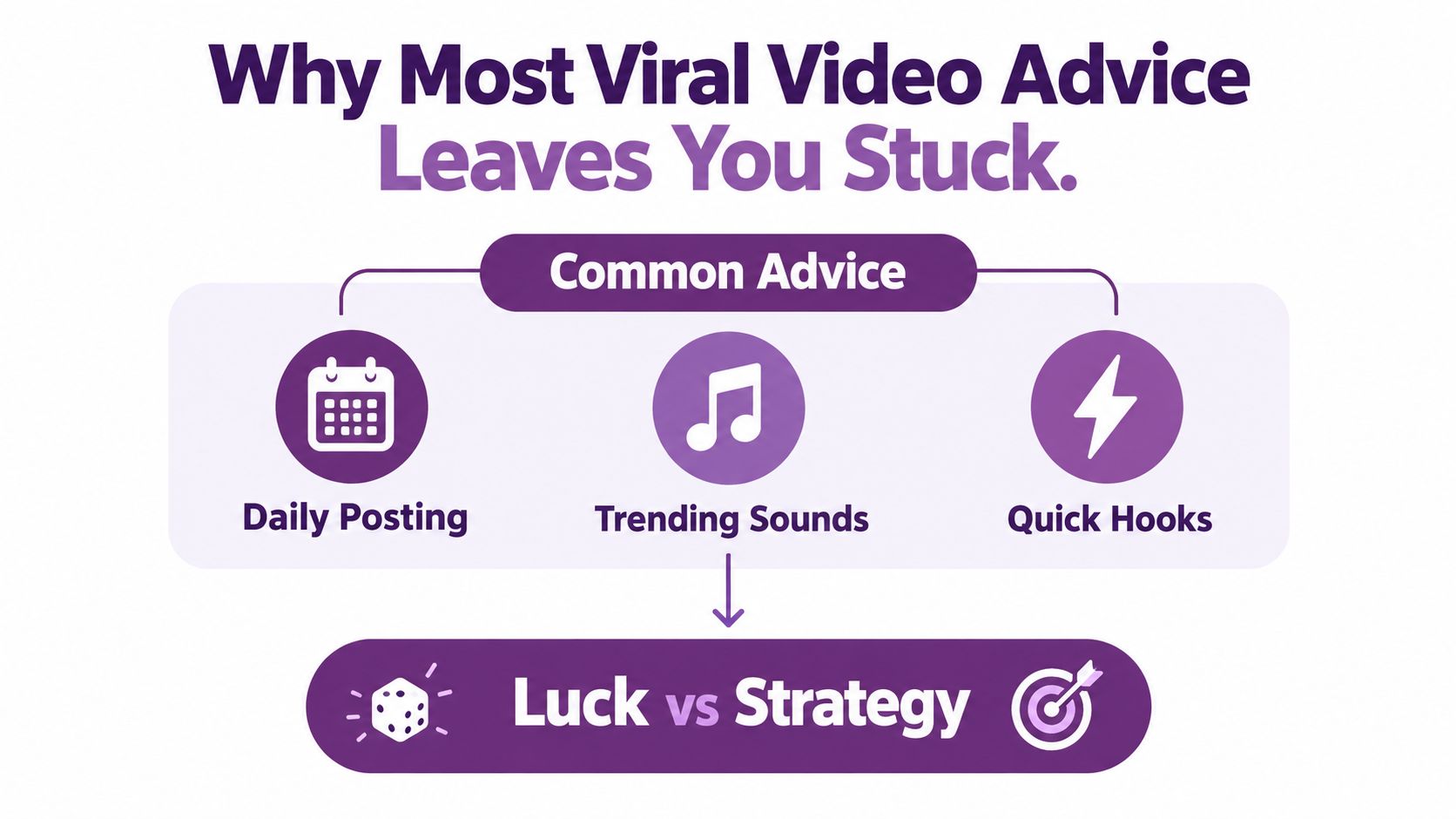
Most advice about how to create viral videos is backwards. Posting daily, copying trending sounds, and forcing a fast hook can increase your output, but none of those tactics explains why someone shares a video with a friend. Virality isn't a lottery ticket. It's a creative system built around emotional design, retention, distribution, and disciplined iteration.
The better question isn't “How do I get more views?” It's “What reaction should this video create, and what should that reaction lead to?” A video can earn broad reach without producing shares, meaningful comments, clicks, leads, or sales. Build for the entire path, from the first visual interruption to the next valuable action.
Why Most Viral Video Advice Leaves You Stuck
The “post more and hope” approach fails because it treats distribution as the product. It isn't. Distribution only amplifies what viewers already find memorable, useful, entertaining, or emotionally charged.
Research analyzing 1,000 online video advertisements found that high-arousal videos were shared about twice as often as low-arousal videos, while high-arousal positive videos generated roughly 30% more shares than other emotional responses, according to the study on emotional response and video sharing. The practical lesson is simple: information may earn attention, but a noticeable emotional reaction gives people a reason to pass the video along.
The four parts of a repeatable system
Start with emotion. Decide whether the viewer should feel amusement, awe, surprise, warmth, suspense, or constructive anger. Then shape the opening, proof, and ending around that reaction.
Next comes retention. Every beat should add information, visual movement, tension, or evidence. If a sentence doesn't advance the story, cut it.
Distribution matters after the creative is ready. Use platform-specific versions, relevant communities, localized captions, and accurate metadata. Finally, build an iteration loop that changes one variable at a time.
Practical rule: Views tell you that a platform delivered attention. Shares, replays, completion, and downstream actions tell you whether the idea earned it.
Independent research separates memorable content, share-enabled network structures, willingness to spread word-of-mouth, and strategic seeding as distinct contributors to virality, rather than treating reach as proof of success. That distinction should change your Monday morning workflow. Don't publish one video and wait for the algorithm to judge you. Create a clear premise, produce comparable variants, measure the response, and improve the strongest mechanism.
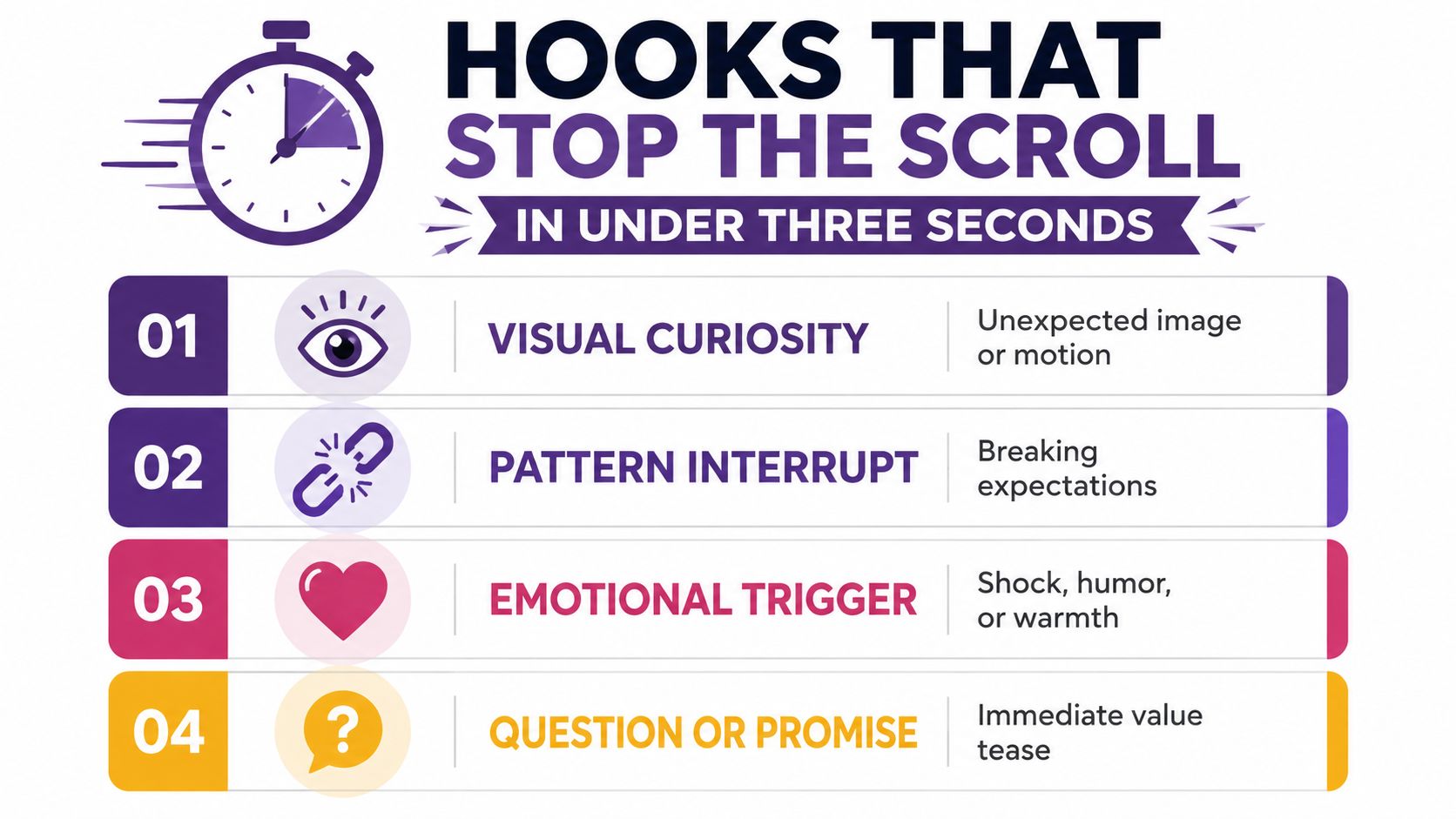
Hooks That Stop the Scroll in Under Three Seconds
A hook isn't just the first sentence. It's the combined effect of the first frame, movement, on-screen text, voice, and promise. If the viewer can't understand the situation quickly, the hook has already failed.
Use four hook families:
- Bold claim: “Your product demo is losing buyers before the feature appears.”
- Immediate transformation: Show the messy starting point, then reveal the finished result before explaining how it happened.
- Problem-first scenario: “Your captions are covering the only detail viewers need to see.”
- Curiosity gap: “This tiny edit changed the way the entire video felt.”
The right family depends on the content. A bold claim suits a marketing lesson. A transformation fits beauty, design, fitness, food, and product content. A problem-first opening works well for education and troubleshooting. Curiosity works when the payoff is concrete and credible.
Make the hook survive silent viewing
Write the spoken line, then design the visual version beside it. The viewer should see the subject, the tension, and the promised benefit without relying on audio.
A weak opening says, “Today I'm going to talk about video strategy.” A stronger opening shows a video losing viewers, overlays “Your hook is too late,” and immediately demonstrates the fix. The second version creates a problem the audience recognizes and promises visible resolution.
Use this quick review:
- Frame clarity: Can someone identify the subject immediately?
- Readable promise: Does the opening text communicate value without a voiceover?
- Visual tension: Is something changing, breaking, revealing, or being challenged?
- Credibility: Can the video deliver what the opening implies?
- Share logic: Will the viewer know who should see this?
A useful external starting point is the Linkboost hook generator, especially when you need several opening-line directions before recording. Treat generated hooks as raw material. Keep the version that matches the actual footage, not the one that sounds most dramatic.
Use LunaBloom AI to turn those opening concepts into comparable video variants with different voiceovers, visuals, or captions. The point isn't to automate judgment. It's to reduce the time between an idea and a test.
Don't bury the hook behind a logo, greeting, or brand explanation. Put the promised payoff first. Brand recognition can arrive through the visual language, voice, product, or closing action after the viewer has a reason to stay.
Story Arcs, Pacing, and Sound-Off Editing
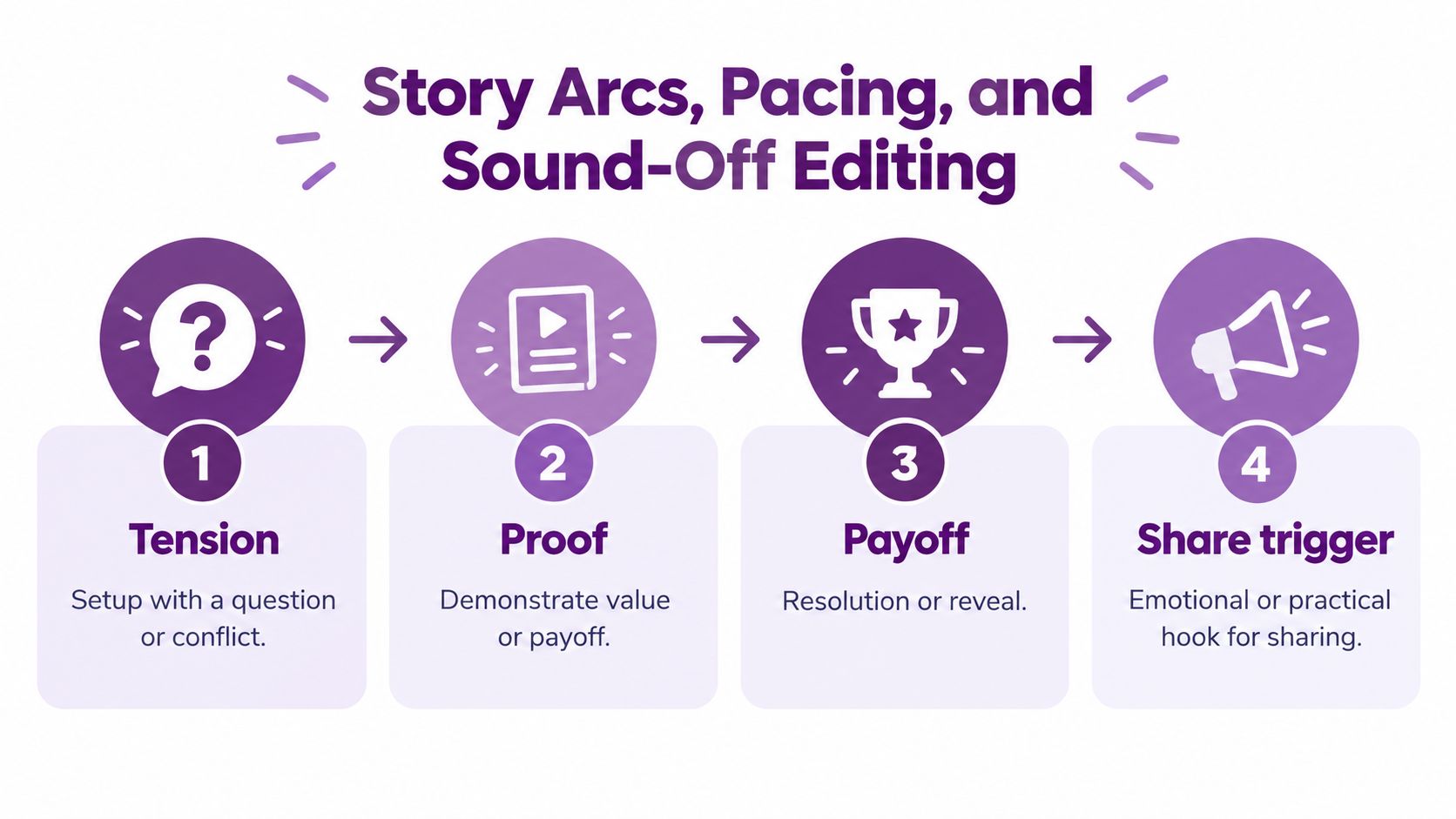
A strong hook earns a second of attention. A compact story earns the rest. Build each video around four beats: tension, proof, payoff, and share trigger.
Tension creates an unanswered question or visible conflict. Proof demonstrates that the promised result is real. Payoff delivers the transformation, explanation, or reveal. The share trigger gives the viewer a social reason to send it, such as “this explains my problem,” “my colleague needs this,” or “you have to see the result.”
Edit for continuous information gain
Remove pauses that don't create suspense. Change the visual when the idea changes, not because a template tells you to. Put the strongest proof before the point where viewers are likely to leave.
A practical sequence looks like this:
- Open with the consequence. Show the result or problem immediately.
- Create a question. Explain what needs to be solved, tested, or revealed.
- Show evidence. Use a screen recording, demonstration, comparison, or human reaction.
- Deliver the payoff. Make the answer visible, not merely verbal.
- Trigger the next action. Invite a share, save, click, or continuation that fits the story.
A 2025 industry report estimated that roughly 80% of short-video viewers scroll without sound, making first-frame clarity and caption design central to global reach. Captions need enough detail to carry meaning, but they shouldn't cover the product, face, demonstration, or key visual evidence.
Choose the cut for the job
| Length | Typical Retention | Best Use Case |
|---|---|---|
| 15 seconds | Higher completion potential when the idea is tightly scoped | A visual reveal, punchline, reaction, or single tip |
| 30 seconds | Enough room for a compact setup and payoff | A product demonstration or problem-solution clip |
| 60 seconds | More space for proof and context | A tutorial excerpt, explanation, or case narrative |
| 2 minutes | A fuller short-form argument with several beats | An educational video that needs evidence and a clear next step |
These aren't rigid platform laws. They're editing choices. If the idea lands in a short cut, don't stretch it with filler. If the viewer needs proof, give the proof enough room to be understood.
Create a sound-on master and a sound-off version. Use burned-in captions, high-contrast text, generous safe margins, and visual demonstrations that make sense when the audio disappears. For a faster production workflow, LunaBloom's starter app can support script-based creation, voice, captions, and editing before you adapt the final export for each feed.
Scaling Production With AI Video Tools
Once the creative system works, production speed becomes the constraint. You don't need more ideas if each idea takes too long to script, record, edit, caption, localize, and approve.
In 2026, AI video generators are reducing production times to minutes and enabling professional-quality content without technical knowledge, turning a script into a fully edited video with voiceovers, music, and transitions in a single pass, as described in LunaBloom's overview of AI video generators. That changes the economics of testing. You can spend more time selecting the strongest premise and less time rebuilding the same edit.
Build one source into a content family
Use this workflow:
- Write one master script. Define the audience, emotional reaction, promise, proof, and next action.
- Generate several hooks. Keep the body of the script stable while testing a bold claim, transformation, and problem-first opening.
- Render multiple cuts. Produce a short discovery edit, a fuller explainer, and a version designed to lead into a product page or tutorial.
- Localize the message. Create translated captions, regional voiceovers, and market-specific opening lines while preserving the original meaning.
- Create metadata. Write an accurate title, description, thumbnail concept, and platform caption for each version.
- Route the attention. Connect the short video to a longer tutorial, product demo, newsletter, community, or offer.
AI helps most with repetitive assembly, but your team still decides whether a claim is accurate, whether an avatar feels appropriate, whether the voice matches the brand, and whether the emotional beat earns trust.
A thoughtful introduction to the broader workflow is Bazzly's take on AI marketing. The useful principle is to treat AI as a production multiplier, not a substitute for audience understanding or editorial control.
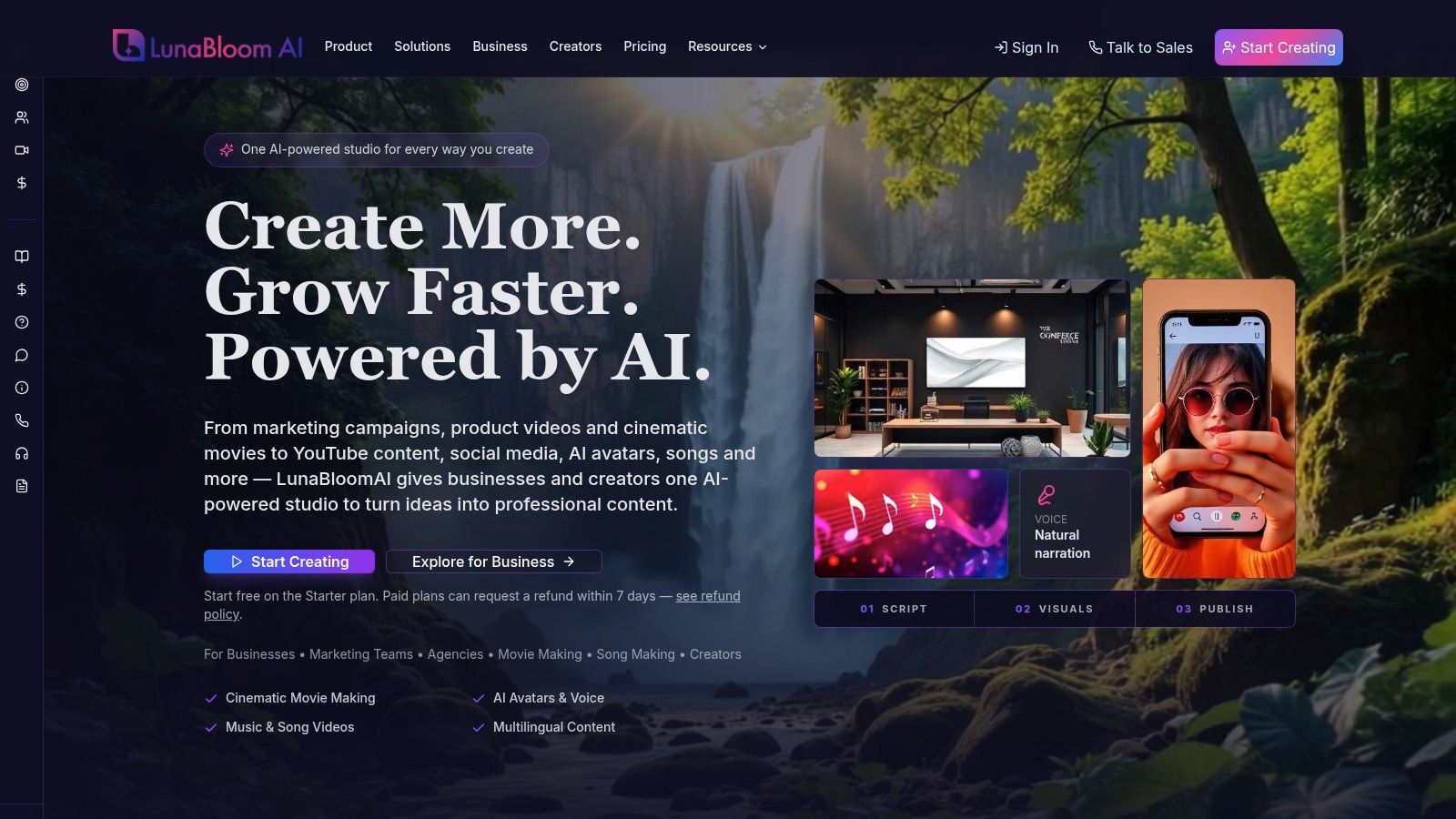
LunaBloom AI supports script-to-video creation with generated voiceovers, music, captions, editing, avatars, localization, and social publishing. Its AI video workspace fits best when a creator or team needs to turn one approved concept into several controlled versions.
Keep a human approval gate before publication. Review pronunciation, translations, faces, claims, captions, brand references, and calls to action. Speed is valuable only when it produces content you can publish confidently.
Platform Specs and Format Choices That Matter
A viral video isn't one universal file. It's a family of versions adapted to the viewing environment, interface, caption behavior, and audience intent of each platform.
Use vertical framing for mobile-first feeds, keep essential text inside safe margins, and build the first frame so it works as both an opening image and a preview. Don't assume that a successful TikTok export will make the strongest YouTube asset.
| Platform | Aspect Ratio | Caption Style | Primary Signal |
|---|---|---|---|
| TikTok | Vertical mobile-first framing | Large, high-contrast burned-in captions | Watch quality, replays, shares |
| Instagram Reels | Vertical mobile-first framing | Readable captions positioned away from interface controls | Completion, shares, saves |
| YouTube Shorts | Vertical mobile-first framing | Clear captions with an accurate title and thumbnail | Watch time, replays, viewer response |
| YouTube long-form | Horizontal or platform-appropriate video framing | Full subtitles and chapter-friendly structure | Watch time, satisfaction, return viewing |
A video-marketing survey reported that 71% of respondents consider videos between 30 seconds and 2 minutes the most effective length, according to Wyzowl's video marketing survey. Use that as a testing range, not a universal rule. Produce 30-, 60-, and 120-second cuts when the idea supports them, then let completion and engagement decide.
Adapt the master without rebuilding it
- Reframe the subject: Keep faces, products, and demonstrations in the vertical center.
- Rewrite the first frame: Make the promise readable before the viewer hears anything.
- Move captions: Check that text doesn't sit beneath interface controls or cover evidence.
- Change the title: Use a searchable, accurate title for YouTube and a more immediate caption for social feeds.
- Export the right ending: A short-form viewer may need a direct next step, while a long-form viewer may need a related video or chapter.
Avoid stuffing a horizontal edit into a vertical canvas with tiny subject matter and unreadable text. Recompose the shot. If necessary, create a new opening for the vertical version while keeping the same core proof and payoff.
Testing, Analytics, and the Iteration Loop
Views are an output, not a strategy. Measure whether the video held attention, created active response, and moved qualified viewers toward the next step.
Track:
- Average watch time: Shows how long viewers stayed.
- Completion rate: Reveals whether the full promise landed.
- Replays: Indicates that the visual or explanation deserved another pass.
- Shares per impression: Measures word-of-mouth more directly than raw reach.
- Comments per impression: Shows whether the idea created conversation.
- Conversion rate: Connects attention to clicks, sign-ups, sales, or another defined outcome.
A creator with one product tutorial can run a clean weekly test. Version A opens with a bold claim. Version B starts with the finished transformation. Version C begins with the customer's problem. The creator keeps the body, duration, caption style, and call to action consistent, then compares retention curves and sharing behavior.
The winning version doesn't automatically become the final video. Keep its emotional premise, then change one variable in the next round:
- Opening sentence
- First visual
- Caption density
- Pacing
- Voiceover
- Ending
- Thumbnail
Changing everything at once creates noise. You won't know whether the improved result came from the hook, the duration, the voice, or the offer.
Testing rule: Change one meaningful variable, keep the comparison fair, and record the result before you start the next experiment.
For search visibility, Google's video documentation recommends unique thumbnail, title, and description values for each video, plus SeekToAction markup for important moments. Use distinct metadata for each variant so analytics, indexing, and audience expectations remain aligned.
A practical pricing and production check belongs in the workflow too. Review LunaBloom AI's pricing options only after you've defined the number of variants, languages, approvals, and publishing destinations your process requires.
Localization, Accessibility, and the Viral-to-Value Bridge
A video travels further when viewers understand it without perfect audio, shared cultural references, or the original language. Build the emotional mechanism so it survives translation, silent viewing, and regional context.
YouTube's history shows why this matters. By 2015, Psy's “Gangnam Style” had surpassed 2.3 billion views and was the platform's most-watched video, according to CBC's account of YouTube's viral milestones. A distinctive premise, recognizable movement, visual humor, and repeatable structure cross borders more reliably than dialogue-heavy content.
Build for silent and multilingual viewing
Start with one approved master concept. Adapt the parts that affect comprehension and response:
- Translated hooks: Preserve the promise while matching how people speak in each market.
- Regional voiceovers: Match accent, rhythm, and pronunciation to the audience.
- Localized captions: Keep lines short, readable, and synchronized with the visual beat.
- Market-specific thumbnails: Use the clearest emotional image and culturally natural wording.
- Accessibility checks: Avoid tiny type, flashing visuals, low contrast, and captions that cover the product or demonstration.
- Meaningful visual proof: Make the core transformation clear even when viewers cannot hear the narration.
Word-for-word translation often weakens a joke, idiom, or cultural reference. Preserve the intended reaction, then rewrite the line for the local audience.
Connect the spike to a next step
A spike with no destination is rented attention. Give every video a logical continuation:
- Hook video: Earn attention with the emotional premise.
- Localized explainer: Answer the most obvious follow-up question.
- Tutorial or demonstration: Prove the method or show the product in use.
- FAQ response: Remove the objection viewers raise in comments.
- Conversion asset: Invite the viewer to sign up, buy, book, subscribe, or join.
- Retargeting asset: Remind interested viewers of the specific benefit they already saw.
Keep the sales path consistent with the opening promise. A video that promises a fix should lead to the full fix. A product transformation should lead to a demonstration. A question should receive an answer before the viewer sees a purchase request.
Use an audience-first editorial standard throughout. Google's people-first content guidance emphasizes serving a real audience, demonstrating relevant expertise, fulfilling the page's purpose, and giving visitors enough information to accomplish their goal. Read LunaBloom's audience-first approach before building your own viral-to-value bridge.
Make the rollout measurable:
- Days 1-3: Define the audience, emotional reaction, promise, and conversion path.
- Days 4-5: Write one script and generate three hooks.
- Days 6-10: Produce, publish, and measure variants.
- After publishing, develop the tutorial, FAQ, and conversion assets that support the strongest premise.
The answer to how to create viral videos is a repeatable pipeline. Make the video immediately understandable, emotionally shareable, accessible without sound, and connected to a useful next step. Then use performance evidence to improve the next version.
LunaBloom AI helps creators and marketing teams turn scripts, prompts, and images into edited videos with voiceovers, captions, music, avatars, localization, and social-ready versions. Visit LunaBloom AI to create hook variants and build a viral-to-value video workflow.