The most useful format of documentary script is a two-column A/V layout: video on the left says what the audience sees, audio on the right says what they hear, and each row represents one scene or beat. But how do you write that row when the interview hasn't happened and you don't know how the story ends?
You separate what you intend to capture from what you can verify. A documentary script develops from a treatment into a shooting plan, then into an edit built around recorded material. The layout gives everyone a shared working document without pretending that real events will follow your outline.
The Two-Column Layout at a Glance
Create a table with video on the left and audio on the right, keeping related picture and sound beside each other. Don't write a page of narration and leave the editor to guess which images belong underneath it.
The Writing for Documentary academic guide describes the parallel relationship between visuals and sound, with each row functioning as a scene that can be revised to match the material captured.
Standard two-column A/V layout
| Column | Answers | Typical entries | Example entry |
|---|---|---|---|
| Video (left) | What the audience sees | Shots, B-roll, archive, photographs, graphics, on-screen text | Wide shot of harbour at dawn, TO FILM |
| Audio (right) | What the audience hears | Narration, interview excerpts, music, sound effects | NARRATOR/VO: The mill ran for forty years. |
| Row | One scene or beat | Sequence ID, duration, timecode | SEQ OPENING; estimated duration; source in/out timecodes |
The mill narration is illustrative wording, not a factual claim about an actual factory. In a working documentary, you'd attach evidence before treating that sentence as ready to record.
Build a row someone else can use
Start each row with a sequence ID, estimated duration and source timecode when footage exists. You can place these details at the beginning of the video cell or in a narrow metadata area, while preserving the picture-and-sound pairing.
The video entry should describe something visible. For example, medium shot of plant manager beside locked gate gives the camera operator a subject, framing and location. The impact of closure doesn't tell anyone what to film.
The audio entry should identify something audible. If the manager's recorded answer plays over the gate shot, name the speaker and include the selected words. If there's no speech, specify location sound rather than leaving the cell blank.
For solo filmmakers, the script also sits alongside permissions, schedules and administrative records. AurenWell's paperwork templates for one-person businesses can be a useful companion resource for organizing that business paperwork, separate from the editorial script.
Row test: Can another person read this row and understand exactly what appears on screen and what is heard?
Before filming, a row expresses an intention. After filming, replace assumptions with asset references, confirmed quotations and usable footage.
Three Documents in the Documentary Workflow
Say you're making a film about a factory closure. You have access to a former manager, but you haven't interviewed workers or located the company records. Writing polished final narration now would hide the gaps rather than solve them.
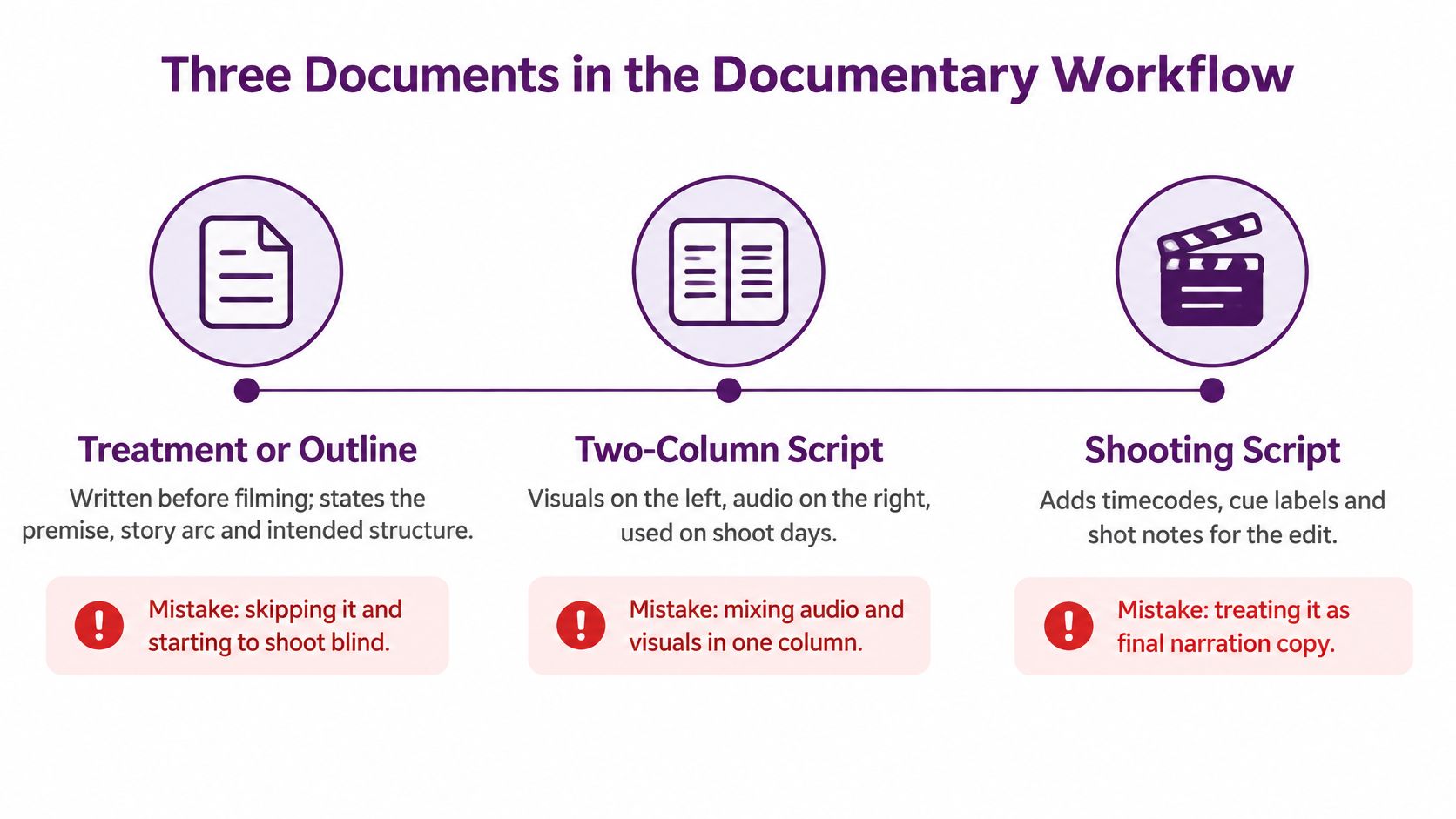
A better sequence is treatment, shooting or A/V script, then paper edit. The Edit at Ease documentary-format guide describes these working forms and the progression from development through transcript-based editorial planning.
Treatment or outline
Your treatment states the premise, themes, participants, intended sequences and research direction. Its essential content is the question the film will investigate.
For the factory film, that might be: How did the closure change the people who worked there? You can propose a journey through the final shift, the closure decision and life afterward without claiming to know what every contributor will say.
The common mistake is promising an answer before investigating it. Write competing explanations as possibilities to test, not conclusions to illustrate.
Shooting or A/V script
Convert the treatment into a beat outline, then build rows around situations, interview goals and visual evidence. Give every row a sequence ID and estimated duration so the crew can identify and schedule it.
A planned interview entry might say Ask the manager to describe the final shift. It shouldn't contain invented dialogue presented as testimony.
Mark desired footage TO FILM and identify archive needs separately. If access to the factory fails, record an alternative, such as filming an exterior from an authorized location, rather than assuming the original scene remains possible.
Paper edit
After filming, select material from transcripts and organize it into a narrative. Every interview excerpt needs an in/out timecode, and visual references should identify confirmed material rather than hoped-for coverage.
Perhaps the manager discusses machinery but never mentions the final shift. Your paper edit must reflect that answer, even if it changes the opening.
Keep these distinctions visible:
- Planned: A question, desired shot or proposed source.
- Recorded: Material exists and has an identifiable location.
- Verified and cleared: The material has passed the relevant factual and usage checks.
Short projects can combine documents in a single file. The stages still matter: develop the question, plan the capture, then revise against the evidence. Document names vary between teams, so agree on their purpose rather than assuming a filename tells everyone what's inside.
Audio and Visual Labels Writers Use
Every audio entry should name its source, and every visual entry should reveal whether the asset is planned, captured, archival or generated. Labels make that distinction readable at a glance.
The ScriptCut two-column script guide recommends explicit audio cues, asset-status labels and handoff details such as speaker identification, timecodes, rights notes and revision status.
Audio and visual labels with meanings
| Column | Label | Meaning | Example line |
|---|---|---|---|
| Audio | NARRATOR/VO | Narration read over picture | NARRATOR/VO: The mill ran for forty years. |
| Audio | INTERVIEW | Interview dialogue used as sound | INTERVIEW: Maria Costa describes the final shift; exact quote pending. |
| Audio | SYNC | Sound recorded with the picture | SYNC: Forklift reversing on the factory floor. |
| Audio | MUSIC | Score or licensed track | MUSIC: Low strings, fades under narration. |
| Audio | AMBIENCE | Background room or outdoor sound | AMBIENCE: Harbour gulls and wind. |
| Audio | SFX | Added sound effect | SFX: Metal door slam. |
| Video | TO FILM | Shot not yet captured | TO FILM: Wide shot of the workshop at dusk. |
| Video | ARCHIVE | Existing footage or photo needing rights | ARCHIVE: Local news report; permission and credit pending. |
| Video | GENERATED | Created or AI-generated asset | GENERATED: Map animation of the trade route. |
| Video | AVAILABLE | Captured and usable | AVAILABLE: Workshop wide; filename and source in/out logged. |
These are example cues, not claims about a real production. Once you select a recorded interview excerpt, replace the summary with the contributor's exact words.
Separate asset type from permission
ARCHIVE identifies where material comes from; it doesn't mean you've licensed it. Add a clearance field beside the row so the editor can distinguish an identified clip from an approved clip.
Likewise, GENERATED describes how an image was made, not whether it accurately represents an event. A generated factory exterior mustn't pass as footage of the actual site.
Use AVAILABLE only under your project's agreed definition. If it means captured and usable, a corrupt file or restricted interview doesn't qualify merely because it's on a drive.
Add shot scale and action when they affect the edit:
- Wide: Establish the workshop and its empty floor.
- Medium close-up: Hold on the manager during a difficult answer.
- Insert: Show the padlock closing, without implying when it happened unless verified.
Define the label set on the opening page. Include speaker names, lower-third wording, caption requirements and language versions where relevant, so editors, translators and voice tools don't have to interpret inconsistent shorthand.
Timing a Script Against Runtime
A correctly formatted screenplay page is roughly a minute of screen time, according to the Vinc screenplay-format guide. That's a planning estimate, not a dependable measurement for a documentary A/V page.
For narration, Framitor's documentary-script guide recommends approximately 150 words per minute, which gives about 3,000 words for a 20-minute documentary if narration fills the entire runtime.
The following conversions apply those assumptions. They're starting calculations, not recommended narration budgets.
Approximate script length by runtime
| Runtime | Narration words | Screenplay pages | Planning note |
|---|---|---|---|
| 10 minutes | 1,500 | 10 | Full narration, tight pacing |
| 20 minutes | 3,000 | 20 | Benchmark length for narration |
| 30 minutes | 4,500 | 30 | Expect pauses and interview time to cut narration |
Why documentary pages drift
A densely written page might contain narration, overlapping interview audio, visual instructions and rights notes. Another page might describe a long observational scene with hardly any speech.
Neither page's physical length tells you how long the audience needs to watch it. Music transitions, pauses, archive playback and readable graphics all occupy screen time.
Say your factory sequence includes a quiet walk through the workshop. If you write narration for the entire sequence, you've already spent the space that could let viewers hear footsteps and experience the room.
Treat word count as a capacity check, not a requirement to fill every available second.
Time the spoken material aloud at the intended delivery. Then place it against the visual sequence, including breaths, transitions and moments when the audience needs to inspect a document or image.
Screenplay settings are a reference, not an A/V standard
The screenplay guide cited above gives 12-point Courier, approximately 1.5-inch left margins, 1-inch top, bottom and right margins, and about 55 lines per page. It places uppercase character names roughly 3.7 inches from the left edge, with upper-right page numbering beginning on page two.
Those settings help explain the conventional page estimate. They don't establish a universal documentary-script standard.
For an A/V script, prioritize legibility: keep matching cells together, make metadata easy to find and avoid shrinking the type to force a sequence onto a page. Time the actual audiovisual sequence before locking the running order.
Writing Interview, B-roll and Archive Cues
A useful cue tells the editor what to retrieve, how you intend to use it and what still needs checking. Keep retrieval details close to the creative instruction rather than in an unrelated email.
Write cues in a repeatable order
Use this pattern for the hypothetical factory film:
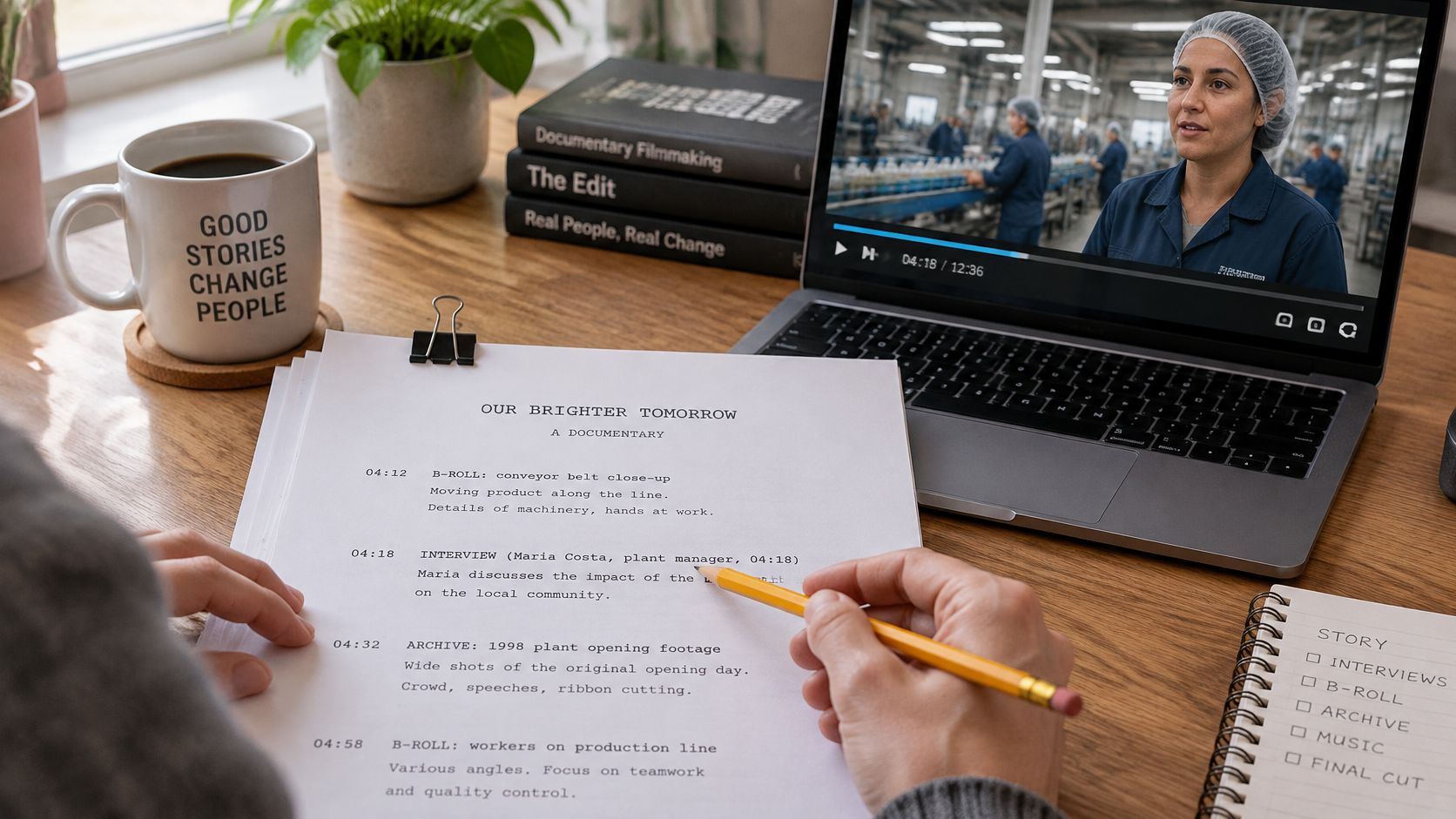
Speaker line. Identify the contributor, role and source position. For example:
INTERVIEW (Maria Costa, plant manager, 04:18). Add the source filename so the timecode points to a specific recording, not an ambiguous transcript.Quote or interview goal. Before filming, write Explore what happened during the final shift. After selection, paste the exact transcript excerpt and its in/out references. Don't turn an interview goal into a quotation merely because it would fit the scene.
Interview framing. Specify the useful production details: Medium shot, interviewer just off-camera, gate visible behind contributor. Record the question that prompts the answer when the question's wording affects its meaning.
B-roll cue. Describe an action and its editorial relationship. A hypothetical entry could read:
B-ROLL: empty workshop, 0:08, under narration line 3. That tells the editor which passage needs coverage, but the footage must still support the claim rather than merely match its mood.Archive cue. Include the supplying collection, item identifier, date, rights status and required credit. For example: Local television report, broadcast date to verify, licence pending, credit wording awaiting licensor. Unresolved fields should remain visible.
Give contributors distinct editorial jobs
An interview map helps you avoid asking every contributor to deliver the same background explanation. Assign the manager to production decisions, a worker to the final shift and a local business owner to changes outside the factory, while remaining open to evidence that challenges those assignments.
Keep a contributor log and a clip-level cue sheet. The contributor log tracks identity, role and participation conditions; the clip sheet tracks the particular excerpt, source reference and intended use.
A contributor's name alone can't tell the editor which answer you mean. Likewise, a collection name alone can't identify the archive clip or establish permission.
Before handoff, check whether every cue is retrievable. If someone needs to ask you which interview, which workshop shot or which news report you meant, the entry isn't finished.
A Sample Two-Column Script Excerpt
This completed formatting example uses an invented factory-closure scenario. The names, claims, dialogue and timings are illustrative, and the mixture of asset statuses makes it a working planning excerpt, not a verified paper edit.
Read each line as SEQ | Video (sees) | Audio (hears) | Duration.
- SEQ 01 | Aerial of the closed mill at dawn, GENERATED | NARRATOR/VO: The mill ran for forty years. | 0:20.
- SEQ 02 | Medium shot of plant manager at the gate, TO FILM | INTERVIEW (Maria Costa, plant manager, 04:18): We kept the gate open until the last shift. | 0:35.
- SEQ 03 | Empty workshop, AVAILABLE, 00:12:40 to 00:13:05 | AMBIENCE: machinery silent; MUSIC: low strings under | 0:25.
- SEQ 04 | Archive newsreel, ARCHIVE, licence pending | Archive newsreel sound, rights note on the row | 0:30.
- SEQ 05 | Map animation of the trade route, GENERATED | NARRATOR/VO: Orders moved to plants overseas. MUSIC: continues under. | 0:20.
Read the choices as an editor
SEQ 01 establishes the setting, but the generated aerial can't establish what the actual mill looked like. Specify an on-screen reconstruction label where needed, and independently source the narration about its operating history.
SEQ 02 exposes a useful distinction. The interview image is still planned, while the audio entry looks like a selected recording. In a real script, that combination is valid only if the interview audio already exists and the gate shot is a separate pickup; otherwise replace the apparent quotation with an interview goal.
SEQ 03 identifies an existing workshop shot and its source range. Describe the ambience as recorded room tone or another actual sound source, since machinery being silent is an absence, not a sound file the editor can retrieve.
A precise-looking timecode doesn't prove that a quotation exists. Verify the recording behind the reference.
Prepare the excerpt for the edit
SEQ 04 keeps the rights problem beside the asset. The row should also identify who supplied the newsreel, what the licence covers and the required credit; don't bury a pending clearance in general production notes.
SEQ 05 distinguishes explanatory animation from captured evidence. A trade-route map may help viewers follow a sourced account, but the animation itself doesn't substantiate the claim that orders moved overseas.
After filming, change captured TO FILM entries to AVAILABLE and attach their source ranges. Remove or replace scenes you couldn't obtain, resolve archive permissions, and check generated visuals for accurate presentation and disclosure.
Adapt the pattern to your project's vocabulary. Keep the creative intention readable, but never let a polished row conceal an unresolved factual or production question.
Attribution, Consent and Sourcing in the Script
A signed release and a source folder don't make a sequence ready for review. The script must show which evidence supports which claim, and what conditions govern the material's use.
The National Film and Sound Archive's documentary ethics guidance emphasizes seeking truth, avoiding distortion, disclosing information sources, crediting outside material and helping contributors understand why they're being filmed.
Translate those principles into entries a reviewer can check. Attach research references to narration, identify interview speakers and context, and place archive rights and credit details beside the relevant clips.
Keep testimony separate from established fact
If a worker says management ignored warnings, preserve that as attributed testimony unless additional evidence supports a broader factual statement. Don't rewrite it into narrator certainty.
For the hypothetical factory film, a production note might say Closure explanation disputed; compare manager interview with company announcement. That note belongs beside the claim, not inside the spoken narration.
Consent also needs a record. The Documentary Film Making Ethics guide treats informed consent as an ongoing process that includes explaining the project, intended audience, likely use and relevant welfare risks.
Record restrictions, anonymity requests, safeguarding concerns and changes in intended use. If a change requires renewed agreement, contact the contributor and log the outcome rather than assuming the original discussion covered it.
Make the review trail easy to follow
A reviewer should be able to locate these items in under a minute:
- Claim source: The document, recording or other evidence supporting each factual statement.
- Quote context: Speaker, role, source recording and surrounding exchange.
- Archive permission: Rights status, restrictions and required credit for each asset.
- Contributor consent: Participation record, agreed conditions and relevant updates.
Keep narration separate from production notes so nobody accidentally records a caveat as dialogue or overlooks it as background paperwork. A clear script supports review; it doesn't replace legal advice where the production needs it.
Choose the Right Document for Each Project
Start with the production situation, not a blank template. Ask whether the ending and key evidence are known, whether contributor access is reliable, and whether usable footage already exists.
For uncertain stories, the Doc Film Academy documentary-script guide supports an approach built around research and developing structure rather than treating the script as fixed dialogue.
The contributor range in the comparison below comes from Tutorial.ai's discussion of longer interview-driven productions, which describes 3 to 10 experts or witnesses per segment. It isn't a minimum requirement or a target for every film.
Document set by project situation
| Project situation | Documents to write first | Why |
|---|---|---|
| Story and ending known before filming | Treatment, A/V script | Plans sequences and evidence before the shoot |
| Observational or access-dependent film | Treatment with questions, shooting script, interview map | Ending and facts may change during production |
| Interview-led film with 3 to 10 contributors per segment | Interview map, A/V script | Ties each speaker to a point and timecode |
| Archive-heavy history or journalism | A/V script with ARCHIVE rows, source log | Rights and credits need tracking per clip |
| Footage already shot | Paper edit, revised A/V script | Matches the script to what was actually captured |
| Corporate or training documentary | Treatment, A/V script, consent record | Approvals and consent often pass through several stakeholders |
Choose for the immediate uncertainty
If the factory has already closed and you hold the interviews, start by logging and selecting that material. Writing a fresh shooting script before examining it risks planning a film your footage can't support.
If you're following workers through an unresolved closure process, build around observable situations and open questions. Add alternative sequences for access failures rather than prescribing an ending.
For a training documentary, identify who approves factual content and who approves contributor use. Those may be different people, and the script should preserve that distinction.
Before locking any version, check the consent record against the planned distribution and the actual edit. A document set is useful only when it reflects the production you're making.
Draft Your First Script Page This Week
Choose a manageable opening sequence rather than trying to solve the entire film at once. Use this checklist to turn the idea into an editable page.
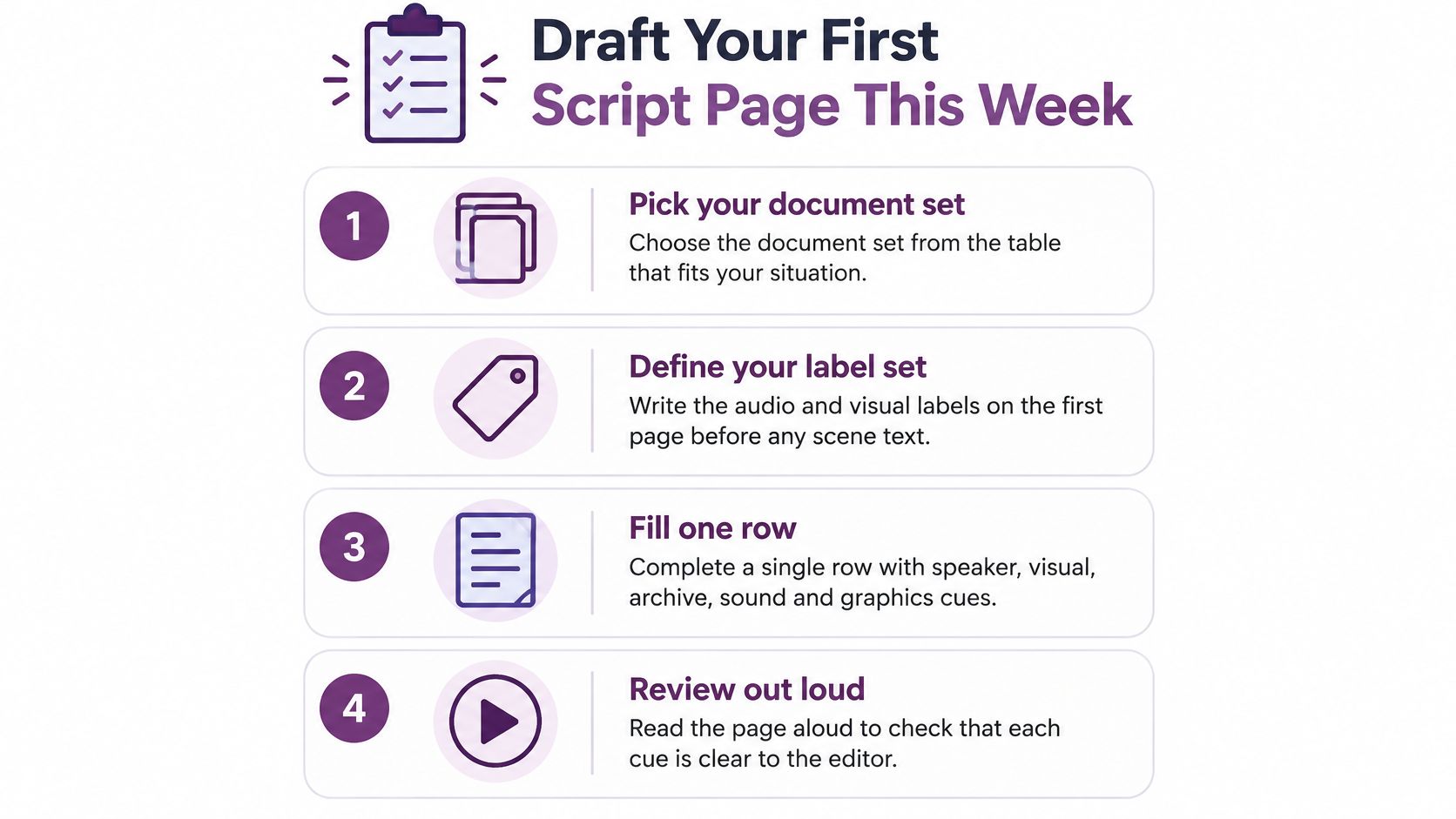
- Choose your documents. Match them to the evidence and access you have.
- Define your labels. Put the audio vocabulary and asset-status definitions on the opening page.
- Draft ten working rows. Include sequence IDs, estimated durations and appropriate TO FILM or ARCHIVE tags.
- Test the timing. Read narration aloud, allow for visual holds and compare the result with your runtime budget.
- Open the supporting records. Start the cue sheet and consent log before interviewing.
After the shoot, update captured rows, log changes and retain the previous version. Revision is normal documentary work, not evidence that the original plan failed.
Our creator workflow runs through eight steps: Idea, Script, Visuals, Voice, Video, Music/SFX, Captions and Publish. A clear script connects those stages through usable cues, honest status labels and traceable sources.
Adapt the sample excerpt today, then keep the reference tables beside your draft as the evidence develops.
We offer Storyboard Creation to shape your video before production and Timeline Editing to refine scenes, sound and timing in one place. Visit LunaBloom AI to develop your documentary's planned visual sequences while keeping generated material clearly distinguished from recorded evidence.