Creating training videos is no longer a luxury—it's a core component of any effective business strategy. The process is simpler than you think and can be broken down into a clear, repeatable flow: plan your goals and script your content, use modern tools to produce the video, refine it in post-production, and then share it with your audience. Following this path ensures your training is not just watched but is genuinely effective and ready to scale with your team.
Why Effective Training Videos Matter More Than Ever
Let's face it: traditional training methods are losing their effectiveness. Lengthy manuals and day-long seminars struggle to hold attention in a world where information is always just a click away. This is where creating training videos shines, not as a trend, but as a superior way to handle everything from employee onboarding to customer education.
Modern teams require learning that is fast, accessible, and engaging. Video checks all three boxes. It delivers a consistent message every single time, can be viewed at the learner's convenience, and accommodates various learning styles. This isn't just a minor shift; it's a significant economic and behavioral change.
This simple flowchart provides a bird's-eye view of the entire process, taking you from a spark of an idea to a tangible, impactful result.
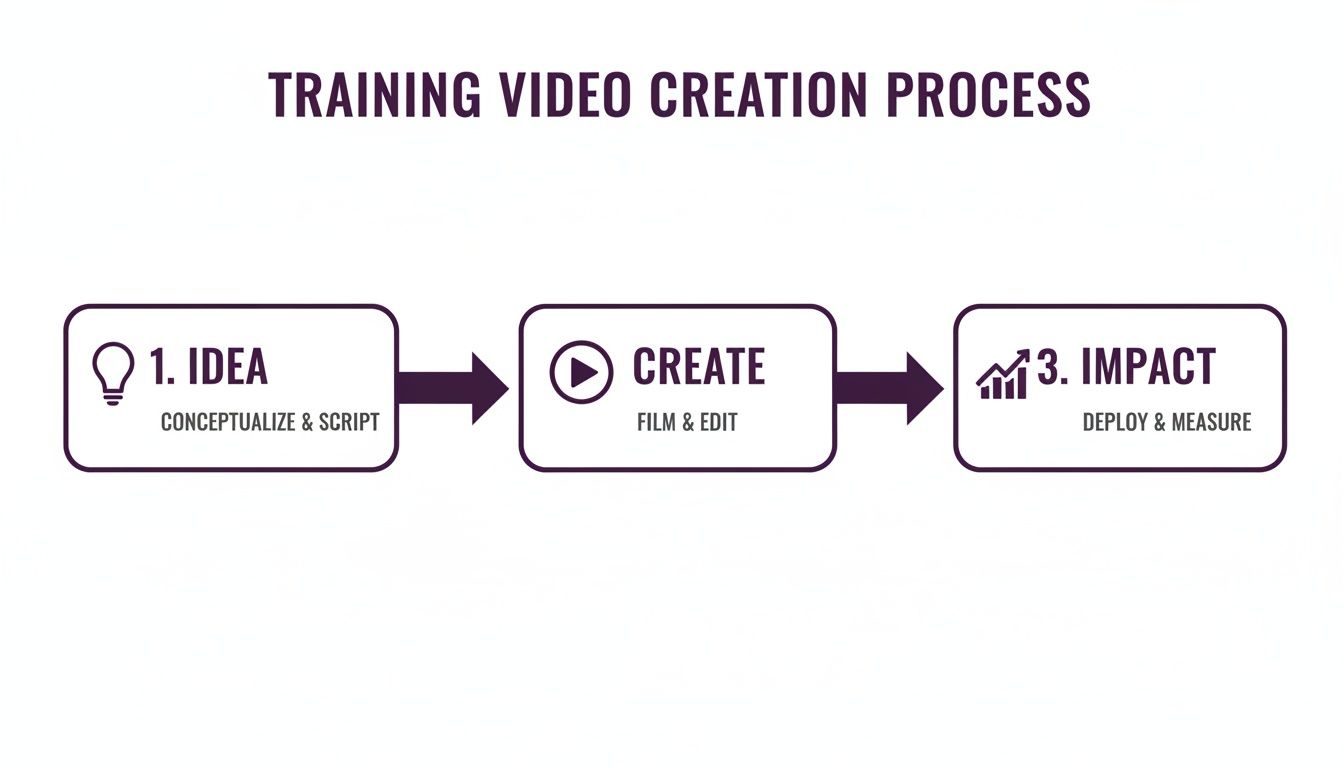
It truly is that straightforward. An excellent training video begins with a clear idea, moves through an efficient creation phase, and is only complete when its impact can be measured.
The Soaring Demand for Video-Based Learning
The statistics speak for themselves. The global corporate training market is projected to reach an astounding USD 264.31 billion by 2032, with video production claiming a significant share of that growth. This surge indicates that creating training videos has shifted from a peripheral tactic to a central pillar of learning strategies worldwide.
What's fueling this trend? A pressing need for efficiency. Companies can no longer afford the slow, costly, and complex production cycles of the past. The best news? You don't need a Hollywood-sized budget to create high-quality content anymore.
The real power of modern video creation is its accessibility. Tools like LunaBloom AI empower teams of any size to produce professional, multilingual training content without needing specialized equipment or extensive filmmaking knowledge.
A Modern Approach to Training
So, what will you learn from this guide? We're providing a practical, step-by-step roadmap for creating training videos that deliver real results. We will cover everything from the initial planning stages to measuring your success on a global scale.
Here’s a preview of what we'll cover:
- Plan and Script: Set clear learning objectives and write scripts that sound natural and conversational.
- Produce with AI: Leverage AI avatars and voice cloning to build professional videos in a fraction of the traditional time.
- Localize Content: Instantly add subtitles and translate videos to support a global workforce.
- Distribute and Measure: Deliver your content to the right audience and track its effectiveness.
To better understand the power of this medium, exploring the impact of corporate training videos can provide valuable context. This guide will equip you with the practical steps to turn that potential into a reality.
Building Your Foundation With Smart Planning And Scripting
Great training videos don't happen by accident. They are built on a solid foundation of meticulous planning and thoughtful scripting, not on a whim and a record button. Investing time in this initial phase will save you countless headaches later and ensure your final video achieves its goals. This is where you define what success looks like.
First, you need razor-sharp learning objectives. What, specifically, do you want viewers to know or be able to do after watching? A vague goal like "understand the new software" leads to a vague video. Be more specific. Aim for something like, "demonstrate how to create and send an invoice using the new software."
That clarity becomes your guiding principle for every decision that follows.
Define Your Audience and Content Structure
Next, consider who you're speaking to. Is it a group of tech-savvy new hires or seasoned veterans who need a quick update on a minor process change? Creating a simple audience profile helps you choose the right tone, language, and examples. A video for developers will sound vastly different from one created for a sales team.
Once you know your what and your who, you can structure your content. Avoid creating a 45-minute video lecture; it's a surefire way to lose your audience. The key is to break your topic into smaller, digestible micro-learning modules. Studies show that shorter, focused videos—typically under six minutes—dramatically increase engagement and knowledge retention.
A simple yet effective framework can make all the difference:
- The "Why": Start by explaining why this training is important. What problem does it solve for the viewer?
- The "How": This is the core of your video. Provide a clear, step-by-step walkthrough of the process.
- The "What If": Address common questions and potential challenges directly. This builds viewer confidence and shows you understand their perspective.
This structure respects your viewer's time and helps make the information memorable. Now, let's get those ideas onto the page.
To ensure you stay on track, use this quick checklist during your planning phase. It's a simple way to verify you've covered all the critical bases before moving into production.
Training Video Planning Checklist
| Planning Stage | Key Action | Why It Matters |
|---|---|---|
| Objectives | Define 1-3 specific, measurable learning outcomes. | Ensures the video has a clear purpose and measurable success. |
| Audience | Create a simple profile of the target viewer. | Helps tailor tone, language, and complexity for maximum impact. |
| Core Content | Outline the key steps or information to be covered. | Forms the backbone of your script and keeps the content focused. |
| Structure | Choose a format (e.g., Why/How/What If, micro-modules). | Organizes information logically for better retention and engagement. |
| Call to Action | Decide what viewers should do next (e.g., practice, quiz). | Reinforces learning and encourages immediate application of new skills. |
| Visuals | List necessary visuals (e.g., screen recordings, graphics). | Ensures you have all the visual assets needed before editing begins. |
Completing this checklist provides you with a rock-solid plan, eliminating guesswork and creating a clear path forward as you begin scripting.
The Art of Scripting for the Screen
Writing a video script is different from writing a report; you are crafting a conversation. The goal is to write words that sound natural when spoken, not robotic. The best way to test this? Read your script out loud. It's the quickest method to identify awkward phrasing and stiff language.
Your script is the blueprint for your entire video. A well-written, conversational script not only improves information retention but also makes the production process—especially with AI tools—infinitely smoother.
An effective training video script is direct, uses simple language, and avoids jargon. Once finalized, modern tools can significantly accelerate your workflow. With LunaBloom AI, for instance, you can paste your script directly into the platform to generate an instant video draft, complete with an AI avatar and voice. This allows your team to review a tangible version of the training early, making feedback and collaboration faster than ever.
Producing Professional Videos With AI Avatars And Voice Cloning
Once your script is locked in, it’s time to bring your training to life. Forget about booking studios or struggling with cameras and microphones. Now, you can transform your text into a polished, professional video without the traditional production headaches.
Modern AI platforms like LunaBloom AI are designed to handle the technical heavy lifting. This approach completely revolutionizes the old, time-consuming video creation process, freeing you to focus on the quality of your content rather than the complexities of filming.
The impact of AI on video production for learning and development teams has been dramatic.

The most significant benefit is the massive reduction in production time, enabling teams to create and update training materials with unprecedented speed.
The Strategic Edge of AI Avatars
One of the most powerful tools in this modern workflow is the AI avatar. Instead of hiring actors or asking team members to step in front of the camera, you can select a digital presenter to deliver your training. This offers several key advantages:
- Rock-Solid Brand Consistency: Using the same avatar across all your training videos creates a unified and recognizable brand experience. Learners become familiar with the presenter, which helps build trust.
- No More Reshoots: When a process changes or information needs updating, you no longer need to coordinate a new film session. Simply edit the script, and the avatar delivers the new lines perfectly, saving significant time and money.
- Effortless Global Scale: Need your training in Spanish or Japanese? Avatars can speak any language fluently, making it simple to create localized versions for a global team without sourcing multilingual talent.
When selecting an avatar, consider your audience and company culture. Choose a presenter who feels approachable and aligns with your brand’s tone, whether it's formal and corporate or friendly and casual.
Crafting The Perfect Voice With AI Cloning
Of course, your avatar needs a voice. AI voice cloning technology provides an incredible solution. With just a short, clean audio sample, you can create a unique and natural-sounding voiceover. This means you could clone the voice of a trusted executive or a professional voice actor to become the official narrator for all your company's training materials.
The process is straightforward: upload the audio, and the AI builds a custom voice model. This voice can then read any script you provide, ensuring every video has the same high-quality, consistent narration.
The combination of AI avatars and voice cloning gives you complete creative control. You can produce a high volume of professional-grade videos that are always on-brand, up-to-date, and perfectly consistent.
Before this technology was available, a single training video could easily take a week or more to produce. Today, that has changed. With these tools, 88% of L&D teams complete their videos in under four hours, and over half finish in less than an hour.
That's a time reduction of 80–90% per video, which makes agile content updates a reality for nearly 60% of teams.
If you're new to this technology, it's a good idea to explore different AI course creation tools to see which platform best fits your needs.
The final step is designing your scenes. Platforms like LunaBloom AI allow you to incorporate branded assets like logos and color palettes, add on-screen text to highlight key information, and mix in stock footage or screen recordings. This creates a more dynamic and engaging learning experience that helps people retain information.
Refining And Localizing Your Content For A Global Audience
You’ve produced your video, but you're not quite done. This is the post-production stage, where a little polish transforms a good draft into a fantastic learning tool. It's all about refining the details and preparing your content to scale across different regions and languages.
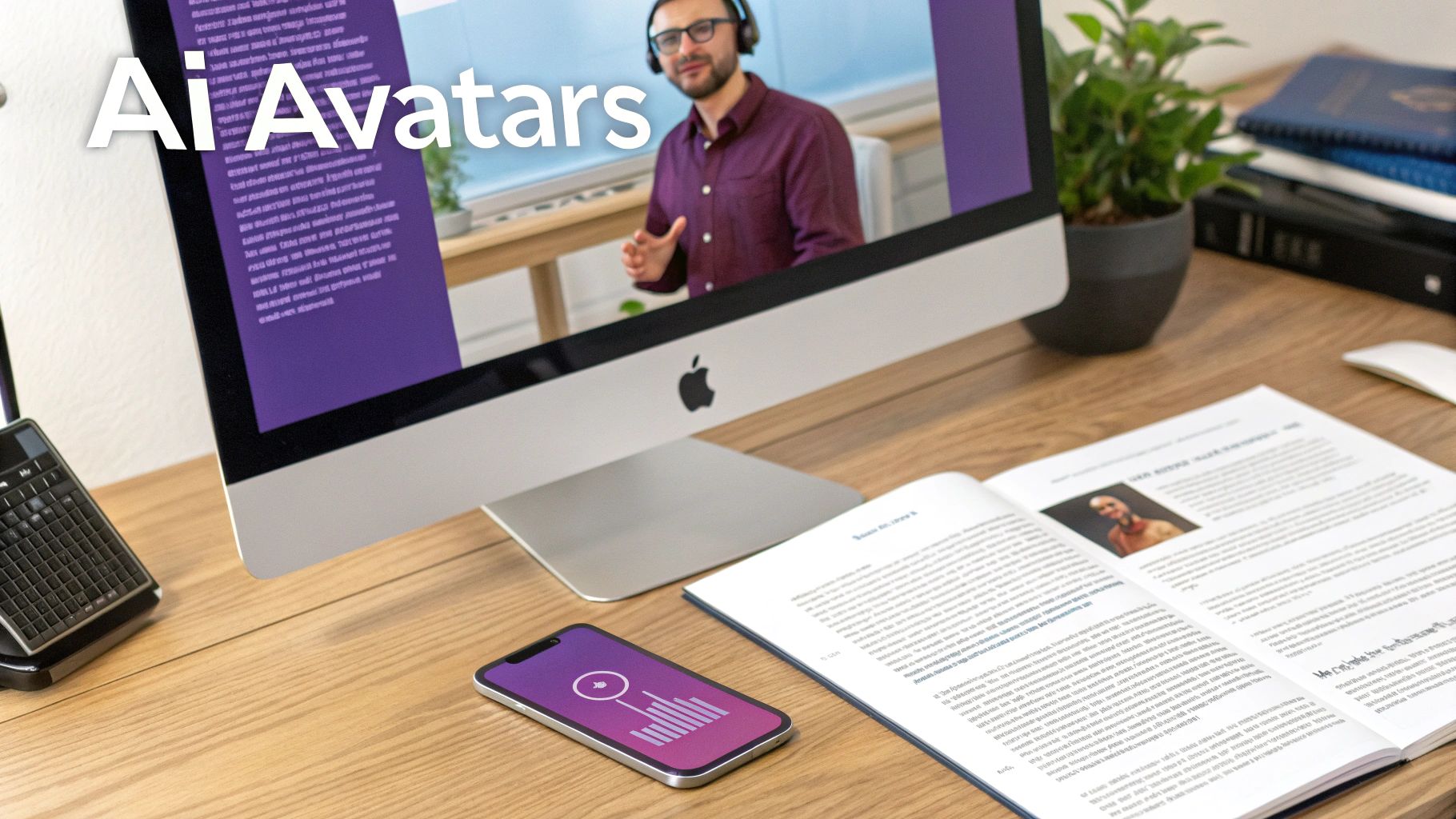
This is where you sharpen your message. Even with a perfect script, you'll likely find opportunities to improve pacing. Modern AI platforms like LunaBloom AI allow you to make these crucial edits directly within the tool, trimming clips and adjusting timing without needing complex editing software. You can even add background music to set the tone and maintain viewer engagement.
These small adjustments can make a massive difference in how your training is received, elevating a simple recording into a truly professional asset.
Scaling Your Training With Smart Localization
Localization is more than just translation—it's about making your content feel natively created for every audience. Mastering this is key to creating training that scales globally, ensuring every team member receives the same high-quality experience, regardless of their language.
AI-powered tools have made this process incredibly efficient. Gone are the days of hiring multiple agencies and waiting weeks for translations. Now, you can generate accurate subtitles and translations in minutes.
- Auto-Subtitling: Instantly generate subtitles for your video. This is a major benefit for accessibility and also helps learners who prefer to watch with the sound off.
- Near-Instant Translation: Translate your original script into dozens of languages. With a tool like LunaBloom AI, the AI avatar can then deliver the training in each language using a natural-sounding voice.
- Cultural Adaptation: This is the expert touch. Ensure your examples, idioms, and visuals resonate with local cultures. A sports analogy that works in the U.S. might not make sense in Japan.
This attention to detail means your training isn't just understood; it truly connects with a diverse workforce.
The goal of localization is to make your training feel like it was created specifically for each local audience. When done right, it removes barriers to learning and shows a genuine commitment to every employee.
Meeting The Demand For Global Skills
The need for accessible, multilingual training has real economic implications. The demand for skilled workers is global, and a staggering 48% of Americans are willing to change jobs for better skills training.
Better training is directly tied to value, as employees in upskilling programs tend to earn about $8,000 more than their peers. This highlights how critical scalable, multi-language training videos are for meeting a global workforce's expectations and retaining top talent. You can find more insights on eLearning market trends on devlinpeck.com.
Imagine taking a single approved script and, in one afternoon, generating finished training videos in English, Spanish, and Mandarin. That's the power now at your fingertips. You can address skill gaps, onboard new teams, and roll out product updates across your entire organization simultaneously, ensuring everyone is on the same page.
Distributing And Measuring The Impact Of Your Training
You’ve done the hard work and created a fantastic training video. Now it's time to ensure it reaches the right people and proves its effectiveness. A brilliant video that no one sees has zero impact.
A smart distribution and measurement strategy is essential for turning your finished video into a tool that drives real learning and business results.

First, let's get your video seen. Simply sending a mass email with a link isn't enough. You need to integrate the training into your team's existing workflows, making it a seamless part of their day rather than another task to complete.
Getting Your Content to the Right People
Effective distribution means meeting your learners where they are. When you place training videos in familiar environments, you reduce friction and increase the likelihood that people will watch them. Consider the platforms your team uses every day.
Here are some of the best channels for distribution:
- Learning Management System (LMS): This is the ideal platform for formal training programs. An LMS allows you to assign specific videos, track completion, and organize content into structured courses for onboarding or certifications.
- Internal Knowledge Base: If your company uses a wiki like Confluence or SharePoint, hosting videos there makes them easily searchable for quick refreshers or on-demand support.
- Team Communication Channels: Don't underestimate the power of platforms like Slack or Microsoft Teams. Sharing short clips or announcing new training modules in a team channel is a great way to deliver quick how-tos and keep learning top-of-mind.
Using a mix of these channels caters to different learning styles and needs, from deep-dive courses in an LMS to quick, informal refreshers in a chat.
Measuring What Actually Matters
Once your video is live, it's time to measure its performance. It's easy to get caught up in vanity metrics like view counts, but these numbers don't tell you if anyone actually learned anything.
The goal of measurement isn't just to prove your video was watched; it's to prove it was effective. Focus on metrics that reveal comprehension and behavior change, not just eyeballs.
To truly understand your training's success, look beyond simple views and focus on metrics that demonstrate genuine engagement and understanding. These are the numbers that prove the ROI of your efforts.
Key metrics to track include:
- Completion Rate: What percentage of viewers watched the video from start to finish? A low completion rate can indicate that your video is too long, boring, or confusing.
- Engagement Scores: Many video platforms provide heatmaps showing where viewers re-watched sections or dropped off. This data is invaluable for identifying confusing parts or highlighting the most useful information.
- Quiz and Assessment Results: Pairing your video with a short quiz provides a direct measure of knowledge retention. It's the clearest way to see if viewers absorbed the material.
- Qualitative Feedback: Don't forget to ask for feedback. A simple survey can uncover powerful insights that analytics alone cannot provide.
Tracking these deeper metrics creates a powerful feedback loop. You'll know exactly what resonates with your audience, allowing you to continually refine your approach and make every training video better than the last.
Common Questions About Creating Training Videos
Even with a solid plan, questions are bound to arise as you start creating your own training videos. That's a natural part of the learning process.
Here are concise answers to some of the most common questions we hear.
How Long Should a Training Video Be?
Keep it short and focused. While the ideal length depends on the complexity of your topic, the sweet spot is almost always under six minutes.
This respects your audience's time and improves information retention. For more complex subjects, break the content down into a series of shorter, bite-sized videos rather than creating one long one.
Do I Need Expensive Equipment?
No, you don't. The days of needing a professional studio to create high-quality video are over. Modern AI platforms enable you to produce polished, professional videos using just a script and your brand assets.
Your focus should be on the quality of your content—the clarity of the script and the value of the information. Let AI tools handle the technical production so you can focus on creating an effective learning experience.
For quick screencasts or informal updates, a smartphone and a simple microphone are often all you need. Don't let a lack of "professional" equipment prevent you from getting started.
How Much Does It Cost to Create a Training Video?
AI has completely changed the cost structure of video production. Traditional methods could easily cost thousands of dollars for a single minute of finished video, factoring in crew, equipment, and editing.
AI-powered platforms operate on a subscription model, providing a predictable and affordable cost. This eliminates variable expenses and allows you to create as many videos as you need while staying within your budget, delivering a much higher return on investment.
Can I Use AI for Highly Technical Training?
Absolutely. In fact, AI is often a better approach for technical training. When explaining complex software or processes, clarity and accuracy are paramount. An AI avatar can deliver dense information with perfect precision every time.
You can easily combine an AI presenter with screen recordings, detailed diagrams, or on-screen text to guide learners through each step. This blended approach reduces the risk of human error and makes complex topics much easier to understand.
Your Path to Better Training Starts Now
Creating training videos is more accessible and impactful than ever before. By focusing on smart planning, leveraging powerful AI tools, and measuring what truly matters, you can develop a scalable training program that engages your team and drives real results. You now have the roadmap to transform your knowledge into a powerful learning asset.
Ready to stop planning and start creating? With LunaBloom AI, you can transform your scripts into professional, multilingual training videos in minutes. Explore our features and see how easy it is to build your next training module today at https://lunabloomai.com.