
You've got a launch video due Wednesday, a CEO script that needs a believable face, and a webinar that should become a week of social content. Traditional production can't always move at that pace. To create marketing videos with AI successfully, though, you need more than a prompt and an export button. The reliable workflow combines creative planning, controlled generation, localization, platform-specific distribution, caption quality, measurement, and transparent disclosure.
A Marketer's First AI Video Project
Monday morning starts with three messages competing for attention. A demand-generation manager opens Slack and finds a VP asking for a product launch video by Wednesday. Minutes later, the CEO sends a LinkedIn script and says it needs a face on camera. Before lunch, a recorded webinar has to become ten short clips for social channels.
A traditional shoot would force difficult choices. You'd need talent, scheduling, locations, lighting, a crew, editing time, and several approval rounds. AI video tools can move those requests into a shared production workflow, but they don't eliminate the need for judgment. They shift more of the work from logistics to decisions about audience, message, quality, and risk.
That shift is already visible in marketing adoption. In 2026, 63% of video marketers had used AI tools to create or edit marketing video, up from 51% the previous year, according to Wyzowl's 2026 video marketing data. The same research context reports that 91% of businesses used video as a marketing tool in 2026, so AI-assisted creation is entering an established channel rather than creating a new one.
The commercial category is expanding too. One forecast places the global AI video generation market at $847 million in 2026, rising from $716.8 million in 2025 and projected to reach $3.35 billion by 2034, while a broader definition that includes editing software estimates $3.67 billion in 2026 and $24.89 billion by 2036, as summarized by Ngram's 2026 AI video market analysis. The definitions differ, but both forecasts point to sustained use across marketing, advertising, and production workflows.
Working definition: AI video means scripts, voices, avatars, or visuals produced or assembled with generative tools, with a human marketer approving the output.
The practical workflow is straightforward:
- Plan: Define the funnel job, viewer, offer, format, and CTA.
- Generate: Assemble avatars, voices, visuals, captions, and scenes.
- Localize: Adapt language, voice, visuals, and terminology for each market.
- Distribute: Create platform-specific cuts, metadata, thumbnails, and tracking.
- Govern: Review claims, permissions, disclosure, accessibility, and brand fit.
For teams evaluating where to begin, a focused LunaBloom AI starter workflow can sit alongside existing editing and publishing tools. The important point isn't to automate every creative decision. It's to make repeatable production possible without allowing speed to lower the standard for trust.
Planning the Video Before You Generate Anything
The fastest way to waste time with an AI video generator is to open it before deciding what the video must accomplish. A generator can produce a polished draft from an unclear brief, but polish won't rescue a video aimed at the wrong audience or funnel stage.
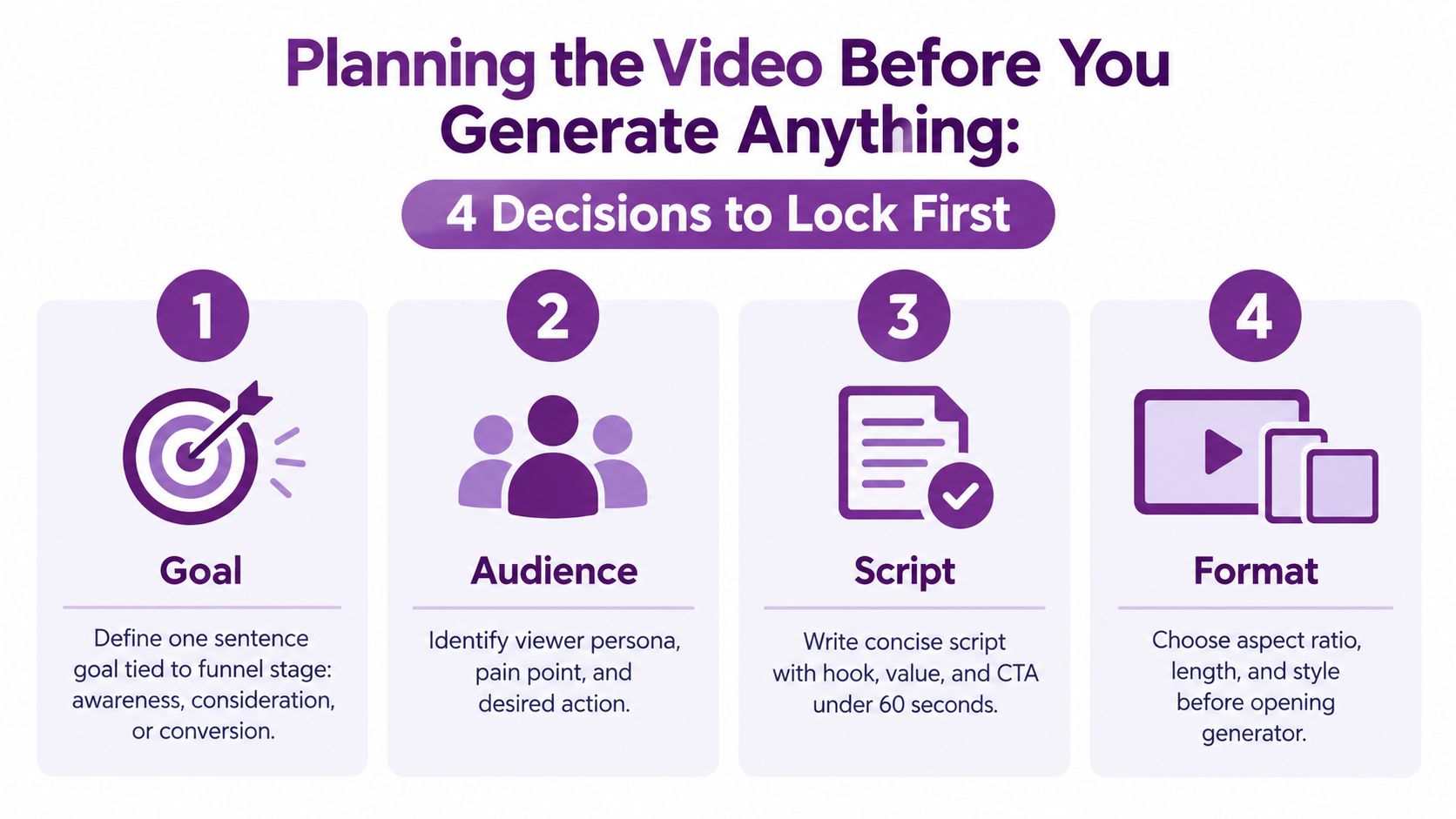
Lock four decisions first
1. Define the job in one sentence. Write a goal tied to awareness, consideration, or conversion. “Build recognition for our analytics product among operations leaders” requires a different opening from “Get trial sign-ups from visitors comparing reporting platforms.” The funnel stage determines the information density, proof, CTA, and acceptable length.
2. Name the audience and the action. Include the viewer's role, immediate problem, offer, tone, and one desired next step. Avoid prompts such as “make an engaging video for our brand.” A stronger brief says, “Create a calm product explainer for operations managers who struggle to reconcile weekly reports, show the dashboard workflow, and ask viewers to book a product tour.”
3. Choose a repeatable format. Start with a small reference set:
- Talking-head explainer: Useful for founder-led awareness and executive communication.
- Product demo with b-roll: Strong when the interface or physical product carries the argument.
- Motion-graphic stat video: Effective for simplifying a single insight, provided every claim is verified.
- UGC-style testimonial: Suitable for social proof, but only when the speaker, likeness, and experience are authorized.
4. Set the format before the script. A 2024 study found a significant inverted U-shaped relationship between video length and engagement, with an optimal length of 34.69 seconds, according to the Marketing Trends Congress research paper. Use that as a useful short-video benchmark, not a universal rule. A landing-page explainer can afford more context than a feed ad, while a retargeting cut may need to reach the CTA quickly.
Build a one-page creative brief
Keep the document short enough that every stakeholder completes it. Include the audience, funnel stage, single promise, proof point, visual references, approved product terminology, CTA, aspect ratio, target duration, and required disclosure.
Before selecting a generator, teams can compare capabilities in a practical guide to find video AI tools for pros. Look for script control, reusable brand assets, voice permissions, caption editing, localization, export options, analytics, and approval workflows, not just visual novelty.
A final pre-generation check should answer three questions:
- What should the viewer understand?
- What should the viewer feel or believe?
- What should the viewer do next?
Documenting those answers through a consistent LunaBloom AI team overview can help align people who write, generate, review, and publish the video. Generation becomes more predictable when the team treats the brief as a production input rather than a casual creative suggestion.
Generating the Video with Avatars, Voices, and Visuals
Generation works best as a sequence of controlled choices. The “magic button” approach usually creates a first draft that looks acceptable in a thumbnail and falls apart when someone checks the lip sync, scene continuity, product details, or spoken claims.
Start with the avatar only if a person improves the message. Match framing to the destination. A close talking-head composition that works in a vertical social cut may feel cramped in a horizontal landing-page video. Wardrobe and setting should support the offer. A technical training video needs a different environment from a playful consumer ad.
Realism also needs restraint. If the audience expects a genuine subject-matter expert, a nearly realistic but slightly unnatural avatar can reduce credibility. A stylized character or clearly synthetic presenter may create a more honest visual contract. If you're using a social avatar, document how to modify and delete TikTok avatars before production so outdated identities don't remain in circulation.
Treat voice as performance direction
Stock voices are useful when speed matters and no individual identity is central to the message. A cloned voice can improve consistency, but only with documented consent and clear usage boundaries. SSML controls for pauses, pronunciation, emphasis, and pacing often solve problems that would otherwise require repeated recording.
For multi-character dialogue, label every speaker in the script and keep turn-taking explicit:
- Maya: “The report is ready.”
- Jordan: “Can we filter it by region?”
- Maya: “Yes, select the regional view.”
Short exchanges are easier to review than dense scenes with several voices speaking over one another. Generate each scene with its visual purpose, then check whether the avatar's expression and gesture match the line rather than accepting the default performance.
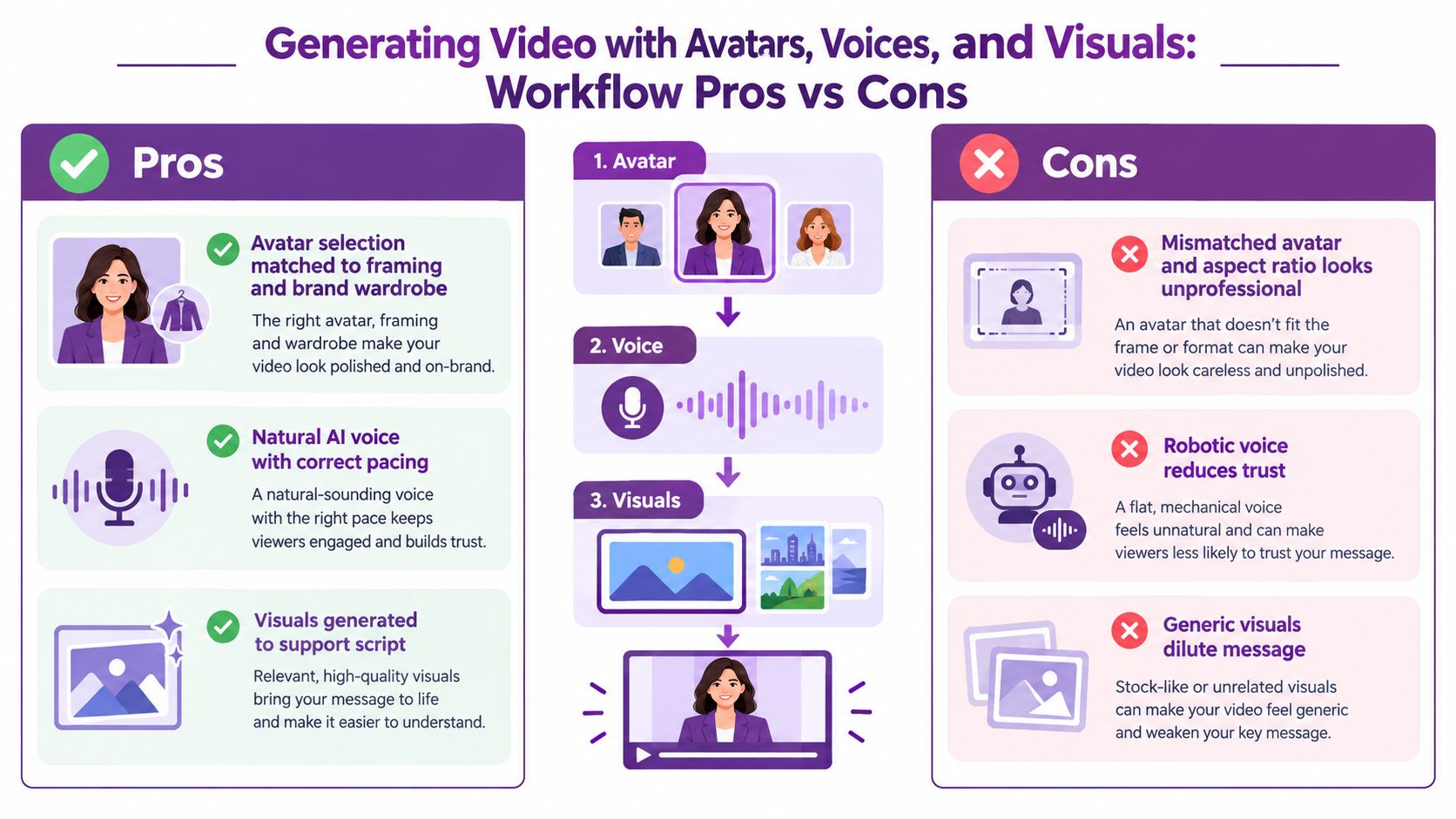
A useful production pattern is to generate the voice and key visuals separately when the tool allows it. That gives the editor more control over timing and makes it easier to replace a problematic shot without regenerating the entire video.
Add brand-safe constraints
Put restrictions directly into the prompt and the approval checklist.
- Do include: Approved product names, audience context, visual style, tone, CTA, and required disclaimer.
- Don't include: Unapproved competitor mentions, trademarked logos, unsupported testimonials, or invented product capabilities.
- Escalate: Medical, financial, legal, safety, pricing, and performance claims for specialist review.
- Verify: Every on-screen statement against the approved script and current product documentation.
A human should review the script, voice, visuals, captions, and final render. LunaBloom AI's creation workspace is one option for turning scripts and images into edited videos with avatars, voiceovers, captions, and publishing support, but the approval gate still belongs to the marketing team. AI can assemble the assets. It can't own responsibility for what the company promises.
Localizing for Global Audiences Without Losing Brand Voice
Localization starts with viewer behavior, not a translation request. Pull performance signals from existing English assets and look for markets where viewers stop watching, miss caption timing, or fail to understand the offer. Those patterns tell you whether the first fix should be language, pacing, visual context, or the message itself.
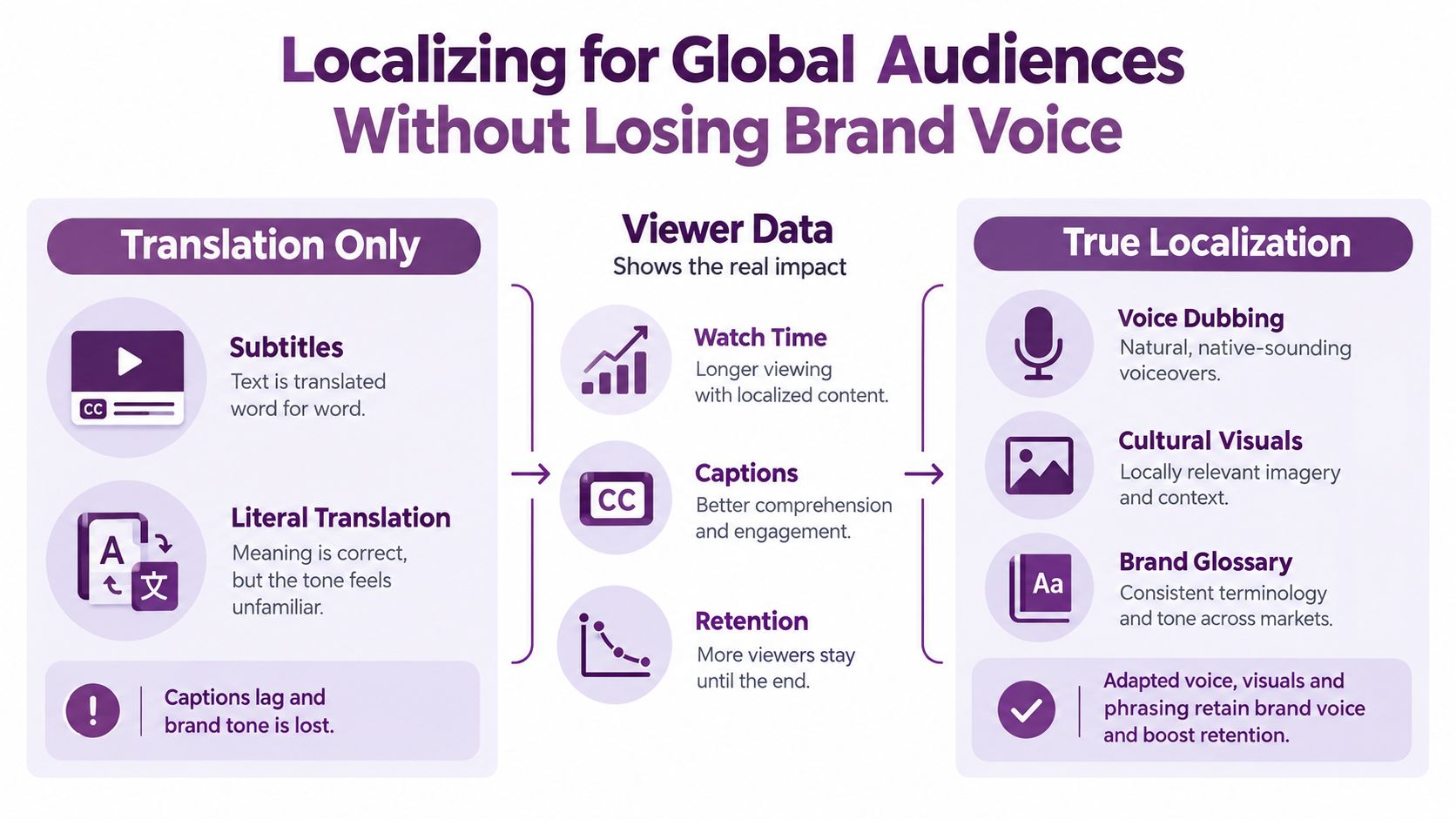
Subtitles are often the fastest route for short product demos and launch announcements. Dubbing takes more coordination, but it can preserve persuasion when the voice, rhythm, and emotional delivery carry the argument. The decision should weigh production effort, time to publish, voice authenticity, and the importance of the video in the campaign.
Evidence supports treating localization as distribution infrastructure. One localization report states that videos with subtitles receive 40% more views and that localized content drives 6x higher engagement than English-only content, as reported by SuperReel's video localization statistics. Those figures shouldn't be applied blindly to every campaign, but they make subtitle and language testing worth planning rather than postponing.
Choose subtitles or dubbing deliberately
Use subtitles when:
- The video is short and visually self-explanatory.
- The launch window is tight.
- The audience can comfortably read while watching the product demonstration.
- You're testing demand before investing in a full localized production.
Use dubbing when:
- The video is a hero explainer or high-spend campaign asset.
- The presenter's delivery creates trust.
- The market expects spoken content in its local language.
- The CTA depends on nuance that literal captions may lose.
Create a brand glossary before translating. Include product names, taglines, technical terms, preferred phrasing, and forbidden expressions. The glossary should be part of the translation input, not a document reviewers discover after the first cut.
Review the localized cut like a native campaign
Check lip-sync drift, pronunciation, gendered pronouns, reading speed, date and currency conventions, gestures, humor, cultural references, and visual examples. Some references should be swapped for local equivalents instead of translated word for word.
Track subtitle completion, dub acceptance, landing-page clicks, and downstream conversion by market. A viewer may finish a localized video without taking the next action, so completion alone can't decide whether full dubbing deserves more budget. If the team needs regional review or campaign support, contact LunaBloom AI can be part of the operational handoff, alongside native-language reviewers who understand the market.
Publishing, Distributing, and Measuring Performance
A finished master file isn't a distribution strategy. Each platform changes how quickly the hook must land, how much text can fit on screen, and how long viewers will tolerate setup before the value appears.
Platform-specific editing matters because audience behavior differs by channel. A 2026 benchmark analysis reports that TikTok videos from 15 to 30 seconds had the highest engagement rate at 6.00%, while videos from 120 to 180 seconds had the highest median views at 11,136. For Instagram Reels, the 45 to 60 second range produced the best mix of engagement and views, according to Socialinsider's video benchmarks. Treat these as directional benchmarks, then validate them against your audience and objective.
Build a platform cut sheet
| Platform | Aspect Ratio | Target Length | Primary KPI |
|---|---|---|---|
| TikTok | 9:16 vertical | Under 30 seconds | Three-second hook rate |
| Instagram Reels | 9:16 vertical | 45 to 60 seconds | Hold rate and engagement |
| LinkedIn and feed ads | 1:1 square | Under 45 seconds | Click-through rate |
| YouTube and website hero | 16:9 horizontal | 60 to 90 seconds | Watch depth and landing-page clicks |
Use one approved master, then derive the cuts rather than resizing a finished edit and hoping it holds together. Burn in platform-native captions after reviewing the transcript. A report on online video caption accessibility says only 28% of online videos meet caption accuracy standards, while 72% have missing, error-prone, or lower-quality captions, and caption-related accessibility complaints have increased by about 300% since 2018. Caption review is therefore an accessibility and operational requirement, not a decorative post-production step.
Track versions and outcomes
Design thumbnails as deliberately as static ad creative. Test a short title overlay, a clear face or product view, and strong contrast, while keeping the image truthful to the video. Store export IDs, aspect ratios, posting windows, approval status, and UTM tags in a shared version sheet.
Assign the KPI to the funnel job:
- Awareness: Hook rate during the first three seconds.
- Consideration: Hold rate around the midpoint and meaningful viewing depth.
- Conversion: Click-through to the landing page and completed action.
Review retention curves weekly. Retire weak openings, rewrite vague CTAs, replace generic visuals, and regenerate only the scenes that need work. The useful output of AI isn't more files. It's a faster learning loop between creative decisions and audience behavior.
Disclosure, Trust, and Brand Safety in AI Video
Synthetic media creates a trust problem when marketers treat disclosure as an afterthought. Viewers may accept an AI avatar, voice, or visual when the presentation is clear, but they can react negatively when a brand appears to hide how the media was made.
The IAB's 2026 findings show that more than half of consumers want advertisers to disclose when an ad is 100% AI-generated, uses AI video, or uses AI images, while nearly half want disclosure for AI voices or AI avatars and virtual characters, according to Genra's summary of 2026 AI video findings. The same source reports that 83% of consumers had watched a video they suspected was AI-generated. Robotic gestures, unnatural voices, and a lack of emotional tone were identified as major clues, cited by 67%, 55%, and 51% of respondents respectively.
These concerns become especially important as generative AI enters ordinary advertising workflows. A projection in the same source says nearly 40% of video ads may use generative AI by 2026, meaning disclosure and authenticity will affect mainstream campaigns rather than a small group of experimental creators.
Use three disclosure layers
On-screen disclosure should appear early, remain legible on mobile, and describe the relevant use. “AI-generated presenter” or “AI voice” is clearer than a vague end-card note. Don't bury the information after the viewer has already formed an assumption about the speaker.
Metadata and provenance can preserve context when the video is downloaded or reposted. Use available platform-native AI labels, provenance information, and internal file notes where supported.
Internal governance should cover consent for voice cloning, likeness rights for avatars, ownership of uploaded assets, and review requirements for videos showing real people, products, medical topics, or financial claims.
Before publishing, record who approved the script, where claims came from, whether the voice and likeness are authorized, whether captions are accurate, and whether the disclaimer matches the target market's advertising requirements. A public policy page can help enterprise buyers understand how your team handles synthetic media. LunaBloom AI's privacy information can be one reference point when evaluating how a video platform addresses data and uploaded creative assets.
Brand-safety rule: If a viewer could reasonably mistake a synthetic person for a real spokesperson, disclose the use and keep a human approval record.
Transparent labeling doesn't make weak creative credible. It does make a strong creative easier to trust. The final review should ask whether the video is accurate, accessible, culturally appropriate, and honest about its production method before the campaign reaches an audience.
LunaBloom AI turns text prompts, scripts, and images into edited marketing videos with avatars, natural voiceovers, captions, localization, thumbnails, and social publishing support. Use LunaBloom AI to build a governed workflow that moves from brief to reviewed export while keeping human approval, brand safety, and measurable distribution at the center.




