Learning how to create a how to video that captivates your audience is a game-changer for any brand or creator. The secret isn't fancy gear; it's a repeatable process. It starts with a solid plan, moves to smart production (often powered by AI), gets polished with your unique branding, and finishes with strategic promotion to reach the right people.
This guide will walk you through that exact process, step by step.
Your Blueprint for Creating High-Impact How-To Videos
Welcome to the definitive guide for making how-to videos that not only teach but also engage your audience from the first second to the last. We're breaking down the entire journey, turning your great idea into a polished tutorial that delivers real value.
Forget the old days of expensive cameras and confusing software. The landscape has shifted dramatically. Today, anyone can produce professional-quality videos right from their computer, thanks to intuitive tools that handle the heavy lifting.
The Power of How-To Content
So, why focus on creating "how-to" videos? The answer is simple: they deliver results. This type of content is a powerhouse for building trust and establishing you as an authority in your field. When you solve a viewer's problem, you instantly become a go-to resource.
Here’s why how-to videos are so effective for growth:
- Boosts Audience Engagement: People are actively searching for solutions. A clear, step-by-step video grabs their attention and holds it.
- Drives Lead Generation: A well-made tutorial can seamlessly guide viewers toward your products or services, making it a powerful marketing tool.
- Builds Brand Authority: Consistently publishing helpful content solidifies your reputation as an expert. Your brand becomes the one people trust.
The entire video creation process can be distilled into four essential phases, taking you from initial concept to final promotion.
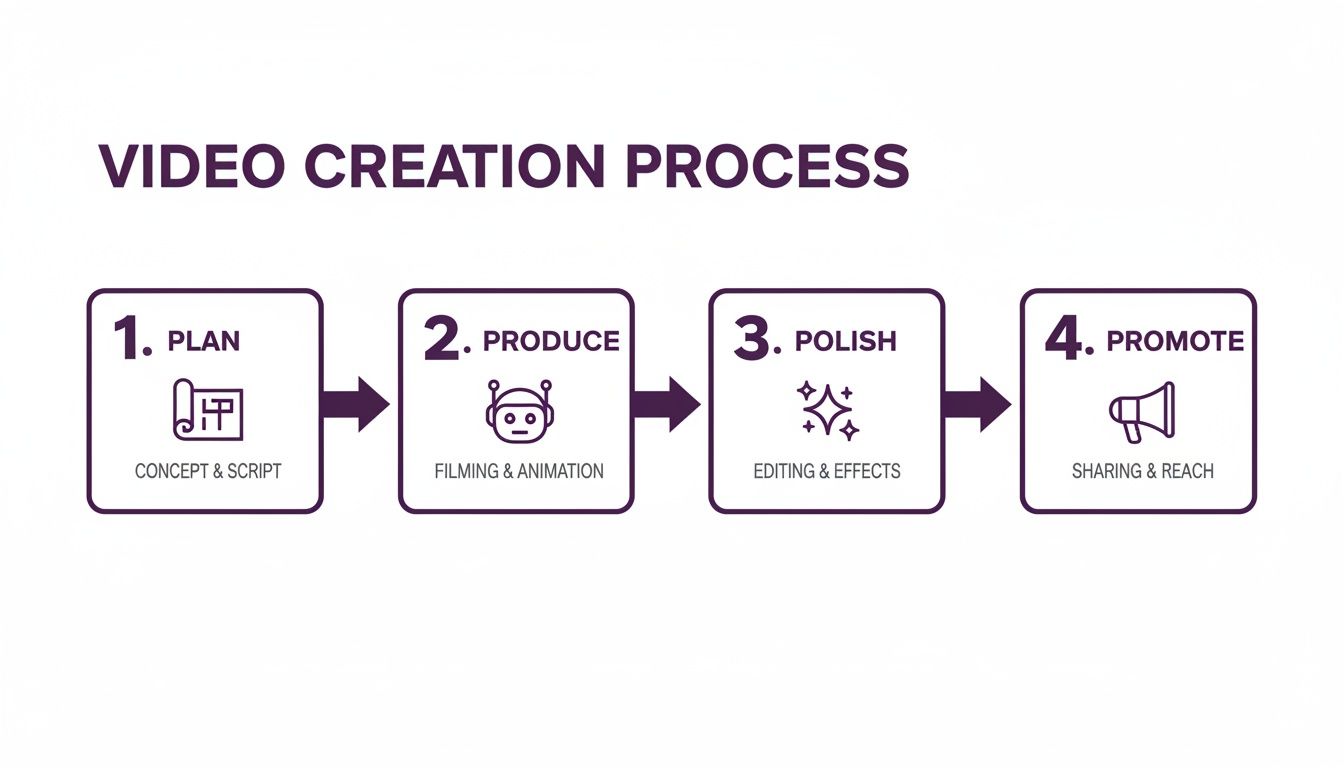
This workflow demonstrates that success isn't about mastering just one step; it's about blending thoughtful strategy with efficient execution across the entire process.
Before we dive deep, let's look at the production roadmap from a bird's-eye view.
The 5 Phases of How-To Video Creation
This table breaks down the essential stages for producing a successful how-to video. Each phase builds on the last, ensuring you create a polished and effective final product.
| Phase | Key Objective | Primary Tools |
|---|---|---|
| 1. Planning & Strategy | Define audience, topic, and goals. Outline the core message. | Audience Personas, Keyword Research Tools, Mind Maps |
| 2. Scripting & Storyboarding | Write a clear, concise script. Plan the visual flow with a shot list. | Scriptwriting Software, Storyboard Templates |
| 3. Production & Recording | Capture or generate video footage and audio. | Camera/Screen Recorder, Microphone, LunaBloom AI |
| 4. Editing & Polishing | Assemble footage, add branding, music, and graphics. | Video Editing Software, Graphic Design Tools |
| 5. Promotion & Distribution | Optimize for search, publish, and promote across channels. | YouTube, Social Media Platforms, Email Marketing Tools |
This structured approach ensures your video is well-planned, professionally executed, and seen by your target audience.
The Modern Video Creation Workflow
The modern approach to video creation has been radically simplified, especially with tools designed for speed and accessibility. Platforms like LunaBloom AI, for instance, allow you to generate complete videos from just a text script, featuring AI avatars and voiceovers. This significantly lowers the barrier to entry.
You no longer need to be a video editing expert to produce professional content. The focus has shifted from technical skills to the quality of your ideas and the clarity of your instructions.
As you develop your process, consider exploring more specialized guides. For example, learning how to create training videos can provide additional insights. This guide offers a foundational framework you can adapt for any instructional video, empowering you to create content that makes a real impact.
Nailing Your Plan Before You Hit Record
Many creators think the magic of a great how-to video happens with expensive cameras or slick editing. That’s a common myth. The real secret weapon is a solid, thoughtful plan. This is the crucial groundwork you lay before you even think about recording.
Jumping straight into production without a clear roadmap is the fastest way to create a confusing video and waste hours in the editing process. A good plan acts as your blueprint, ensuring every second of your video serves a purpose and making the entire creation process smoother and more effective.
Define Your Audience and Their Problem
Before you can offer a solution, you must know exactly who you're helping. Vague descriptions like "small business owners" aren't specific enough. Get granular. What industry are they in? Are they complete beginners or seasoned professionals? What specific problem are they facing right now that your video can solve?
A tutorial on "How to Set Up Google Analytics" for a novice will look completely different from one aimed at a marketing expert. The beginner needs every click explained, while the expert wants advanced, time-saving strategies. Knowing your audience dictates your language, pacing, and the depth of your content.
The most successful how-to videos don't just list steps; they solve a real, urgent problem for a specific person. Your goal is to be the exact resource they were searching for.
Once you have a crystal-clear picture of your ideal viewer, brainstorming relevant topics becomes much easier. You're no longer guessing—you're directly addressing their existing questions.
Brainstorm and Validate Your Video Idea
Now that you know your audience, it's time to generate video ideas that will actually get views. The best topics lie at the intersection of your expertise and your audience's needs.
Here’s a simple framework for finding winning ideas:
- Listen to your audience. What questions appear repeatedly in your comments, DMs, or customer support tickets? These are content goldmines.
- Conduct keyword research. Tools like Google Keyword Planner or Ahrefs reveal what people are actively searching for. Look for phrases that start with "how to," "tutorial," or "what is."
- Analyze the competition. See what’s already performing well in your niche on YouTube. Don't copy. Instead, identify gaps. Can you explain a concept more clearly or share a newer, better method?
Don't just pick an idea and run with it. Validate it first. A quick YouTube search for your topic will show you if there's an existing demand, giving you the confidence that you're creating something people genuinely want to watch.
Master the Art of Scripting
A script is the backbone of your video. It transforms a loose concept into a structured, coherent narrative that is easy for your audience to follow. Many people try to "wing it," which often results in rambling, forgotten steps, and a frustrating viewing experience.
Your script doesn't need to be a word-for-word document, but it must contain these three essential elements:
- The Hook: The first 5-10 seconds are critical. Grab their attention immediately by addressing their pain point or stating the value they'll receive. For example: "In the next three minutes, you'll learn how to permanently fix that annoying email error."
- The Body: This is your step-by-step instruction. Break the process down into clear, logical sections. Use simple language and avoid jargon. This is where you deliver on the promise made in your hook.
- The Call-to-Action (CTA): What should the viewer do next? Tell them clearly. Whether it's subscribing, downloading a resource, or visiting your website, a direct CTA turns a passive viewer into an engaged follower.
If you're new to this, using script templates can be a game-changer. A predefined structure simplifies the writing process. You can even see how the LunaBloom AI starter-app helps turn simple scripts into polished videos. Nailing this planning phase is your shortcut to creating how-to videos that are clear, impactful, and drive results.
Bringing Your Video to Life with AI and Smart Tech
You've done the strategic work of planning and scripting. Now it’s time to turn those words into a tangible, watchable video. For years, this step intimidated creators, who imagined they needed expensive cameras, complex lighting, and soundproof studios.
That's no longer the case. Thanks to incredible technological advancements, video production is more accessible than ever.
You have two main paths forward. The classic route involves recording yourself on camera or capturing your screen. The newer, faster path utilizes an AI video generator to do the heavy lifting. We’ll cover both, but you'll quickly see why AI is revolutionizing the process.
The AI-Powered Production Workflow
Imagine turning your script into a finished, polished video in just a few minutes. Not hours or days—minutes. This is the new reality with AI video generators like LunaBloom AI. These tools have leveled the playing field, making professional-grade video creation accessible to anyone, regardless of technical skill.
The process is refreshingly simple:
- First, copy and paste your final script directly into the platform.
- Next, choose an AI avatar to be the presenter in your video—a perfect solution if you're camera-shy.
- Then, with a single click, the AI generates the entire video, complete with narration, visuals, and timing synchronized to your script.
This level of automation eliminates the biggest barriers in video production: time, cost, and complexity.
Selecting the Perfect AI Avatar and Voice
Think of your AI avatar as your audience's guide. Choosing the right one is crucial for building a connection. You want a presenter your viewers can relate to. Tools like LunaBloom AI offer a diverse library of avatars, allowing you to select one that aligns with your brand's personality—whether it's friendly and casual or formal and professional.
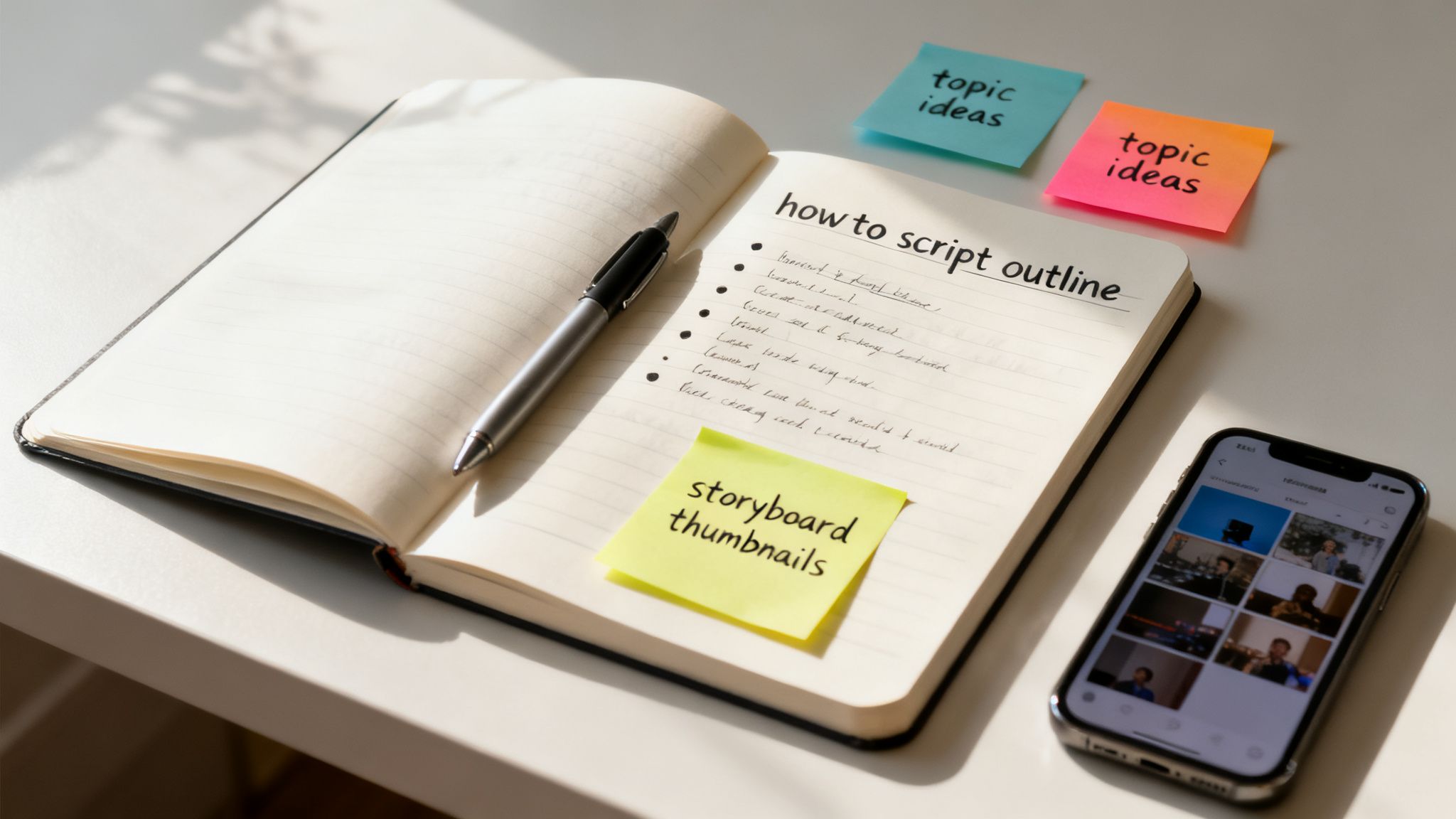
This variety ensures you can find a presenter that feels authentic to your brand and resonates with your target audience.
The avatar's voice is just as important as their appearance. Voice cloning technology enables you to establish a unique and consistent audio identity for your brand. Every video you release will have a familiar, recognizable sound, which builds trust and recognition over time.
Plus, AI handles subtitles automatically. With one click, your video is captioned, making it instantly accessible while also giving your SEO a welcome boost. Anyone who has manually transcribed and synced captions knows what a massive time-saver this is.
Traditional Recording Essentials
If you prefer to be on camera, the traditional recording route is still a fantastic option. While it requires more setup, you can achieve excellent results by focusing on two key elements: clean audio and good lighting.
- Audio is King: Viewers will tolerate slightly grainy video, but they will quickly abandon a video with poor, scratchy audio. An external microphone is the single best investment you can make. Even a simple lavalier (clip-on) mic dramatically improves quality. Record in a quiet space with soft surfaces like rugs or curtains to minimize echo.
- Simple Lighting Works Wonders: You don't need a professional studio. The easiest trick is to face a window for soft, flattering natural light. If that's not possible, an affordable ring light can provide even illumination and eliminate harsh shadows.
No matter which production method you choose, the goal is clarity. Every decision—from avatar selection to microphone placement—should be made to present information as clearly and effectively as possible.
The Rise of AI in Video Creation
The shift toward AI-driven video is not a passing trend; it's a fundamental change in content creation. The AI video generator market is projected to soar from USD 847 million in 2026 to an astounding USD 3,350 million by 2034. This explosive growth signals a major transformation where tasks that once took days can now be completed in an afternoon. You can discover more insights about the AI video market's exponential growth.
For businesses and creators, this means producing high-quality, personalized videos at a scale that was unimaginable just a few years ago. Whether you choose the speed of AI or the hands-on approach of traditional recording, the tools available to create a how-to video are more powerful than ever. Want to see how fast you can turn a script into a video? Explore the LunaBloom AI app and try it for yourself.
Polishing and Branding Your Final Video
With your raw footage or AI-generated clips ready, it's time for the step that separates professional content from amateur efforts: the polish. This is where you assemble the individual pieces into a cohesive, branded, and engaging tutorial that not only teaches but also reinforces your identity.
Think of it this way: the script was the blueprint, and recording was the construction. Now, it's time to add the paint, furniture, and design touches that make people feel at home.
The Essentials of Video Editing
Whether you're using advanced software like Adobe Premiere Pro or a user-friendly built-in editor, the fundamentals of good editing remain the same. Your primary goal is to create a seamless experience that keeps the viewer engaged.
Start by mastering these key areas:
- Pacing and Trimming: Be ruthless. Cut out every awkward pause, mistake, and unnecessary word. A tight, well-paced video feels dynamic and respects the viewer's time.
- Arranging Your Scenes: Sequence your clips in the timeline to follow the logical flow of your script. Each step should transition smoothly to the next, creating an effortless narrative.
- Adding Transitions: Keep it simple. Clean cuts and subtle fades are your best friends. Avoid flashy, distracting transitions that can look unprofessional. The best transition is one the viewer barely notices.
Getting these basics right provides your video with a strong, coherent structure.
Weaving Your Brand into the Video
Branding is more than just adding your logo. It's about creating a consistent look and feel that people instantly recognize as yours. This is how you build a memorable presence and stand out in a crowded space. Consistently branded videos feel more credible and authoritative.
Your brand isn’t just a logo. It’s the combination of colors, fonts, music, and overall tone that makes your content unique. The goal is for someone to recognize your video even with the sound off.
Integrate these branding elements strategically:
- Logo Watermark: Place a small, semi-transparent logo in a corner of the screen as a subtle, constant brand reminder.
- Branded Intros and Outros: A quick, professional intro (3-5 seconds) with your logo and a music cue sets the tone. An outro provides a clear call to action, like subscribing or visiting your website.
- Consistent Colors and Fonts: Use your brand’s color palette and fonts for any on-screen text, lower thirds, or graphic overlays to create a clean, unified look.
Elevating the Experience with Audio
Never underestimate the power of audio. The right sound can completely transform the mood of your video and make it significantly more engaging. A completely silent tutorial can feel lifeless, while poorly chosen music can be distracting.
Start by finding high-quality, royalty-free background music that matches your video's vibe. For a tutorial, you'll want something subtle that sits comfortably beneath your narration.
Simple sound effects can also add a layer of polish. A subtle "swoosh" for on-screen text or a "click" for button presses makes the action feel more tangible. As you optimize your video for different platforms, remember that each has unique requirements. Knowing the specific Instagram video format specifications, for example, ensures your polished content looks great everywhere.
Getting Your Video Seen by the Right People
You've created a fantastic how-to video—but your job isn't done yet. A brilliant video with zero views is like a masterpiece hidden in an attic. Now comes the final, crucial step: getting your video in front of the right audience. This is where strategic promotion and video SEO turn your hard work into a tangible business asset.
Think of your video as a product and your promotion as its launch plan. Without a smart distribution strategy, you’re just hoping people stumble upon it. A deliberate optimization and promotion plan is what separates videos that get a handful of views from those that become go-to resources for thousands.
Optimizing Your Video for Search
Before sharing your video, you need to optimize its home base for success. For most creators, that home is YouTube. As the world's second-largest search engine, proper YouTube optimization is essential for discoverability.
It all starts with understanding what your audience is typing into the search bar.
- Keyword-Rich Titles: Your title is the most important SEO element. It must be clear, compelling, and include your primary keyword. Instead of "Fixing My Laptop," use a specific title like "How to Fix a Flickering Laptop Screen in 5 Easy Steps."
- Compelling Descriptions: The description provides context for both viewers and the YouTube algorithm. The first few lines are critical as they appear in search results. Include your main keyword and a concise summary of the problem your video solves.
- Strategic Tags: Tags act as clues for YouTube's algorithm. Use your primary keyword, several variations, and broader category tags. Ask yourself: what other terms might someone search for if they have this problem?
Nailing these three elements tells the algorithm exactly who your video is for, dramatically increasing its chances of appearing in search results.
The Undeniable Power of the Thumbnail
Your thumbnail is your video's billboard. It is often the single deciding factor in whether someone clicks play or keeps scrolling. A great thumbnail grabs attention and silently promises a solution to the viewer's problem.
A great title gets you ranked, but a magnetic thumbnail gets you clicked. Spending 20 minutes designing a custom, eye-catching thumbnail can boost your click-through rate more than any other single tweak.
An effective thumbnail typically includes three key ingredients:
- A high-quality, expressive image (often a still from the video).
- Bold, easy-to-read text that highlights the video's core promise.
- Contrasting colors and brand elements that make it stand out.
Always create a custom thumbnail; never settle for the auto-generated option.
Building a Multi-Channel Distribution Plan
While SEO is a powerful long-term strategy, you need proactive promotion to generate initial momentum. You can't just upload to YouTube and wait. You need to actively push your video to your audience.
Here’s a simple launch day checklist:
- Embed it in a Blog Post: Write a companion article on your website that elaborates on the topic and embed the video directly. This is a huge SEO win, as it increases the time visitors spend on your page.
- Share it on Social Media: Create short, native teaser clips for platforms like Instagram or TikTok that direct viewers to the full video. Tailor your message to fit the unique style of each platform.
- Send it to Your Email List: Your subscribers are your most engaged audience. Announce the new video in your newsletter and highlight the key takeaways they'll learn.
This multi-channel approach gives your video the initial traction it needs to get noticed by the YouTube algorithm. The generative AI video market is projected to explode from USD 336.1 million in 2023 to USD 2,298.8 million by 2033, driven by creators making videos that can generate 1,200% more shares than text and images combined. You can see the full report on the generative AI video market here.
By combining on-platform SEO with a smart distribution plan, you ensure your effort to create a how-to video pays off by connecting with the audience that needs it most.
Video Distribution Channel Comparison
Choosing where to share your video can be overwhelming. This quick breakdown highlights the strengths of the top platforms to help you decide.
| Platform | Best For | Key Optimization Tip |
|---|---|---|
| YouTube | In-depth tutorials, evergreen educational content, and building a long-term content library. | Focus heavily on keyword-rich titles, detailed descriptions, and custom thumbnails to rank in search. |
| Instagram (Reels/Stories) | Short, engaging tips, quick tutorials, and behind-the-scenes content. | Use trending audio and eye-catching text overlays to stop the scroll. Keep it fast-paced and under 90 seconds. |
| TikTok | Quick, punchy, and trend-driven how-to clips that entertain as much as they inform. | Jump on relevant trends and challenges. Authenticity and a less-polished feel often perform best here. |
| Professional advice, industry-specific tutorials, and B2B-focused instructional content. | Keep the tone professional. Use video to share insights, case studies, or walk through a business process. | |
| Website/Blog | Hosting the "master" version of your video and boosting your own website's SEO. | Embed the video within a relevant blog post to increase page dwell time and provide more context. |
You don't need to be everywhere. Choose one or two platforms where your target audience is most active and focus on creating content that feels native to that environment.
Common Questions About Making How-To Videos
Even with a great plan, questions can arise during the creation process. Getting bogged down by small details can stall your momentum. Let's tackle some of the most common questions right now.
Think of this as your personal FAQ to help you push past those final hurdles and get your video finished and published.
What Is the Ideal Length for a How-To Video?
The short answer is: as long as it needs to be to solve the viewer's problem, and not a second longer. People are looking for efficient answers, not a feature-length film.
Here’s a more practical guide to video length:
- Quick tips for social media (Reels, TikTok): Keep it concise, between 30 to 90 seconds. Focus on one powerful takeaway.
- Standard YouTube tutorials: The sweet spot is often 5 to 12 minutes. This provides enough time to explain the steps clearly without losing the viewer's attention.
- In-depth, complex topics: For complicated subjects, longer videos are fine. Just break them up into a playlist of shorter, digestible chapters to improve the viewing experience.
Ultimately, respecting your viewer's time is key. A crisp, well-edited 6-minute video will always outperform a rambling 15-minute one.
How Do I Handle Mistakes While Recording?
First, relax. Everyone makes mistakes. The beauty of video editing is that nearly everything is fixable. The worst thing you can do is stop recording every time you stumble over a word, as this breaks your flow.
Instead, try this professional trick: when you misspeak, pause for a moment, clap your hands loudly once, and then restart the sentence. The clap creates a distinct spike in the audio waveform, making it incredibly easy to find and cut out the mistake during editing.
Your goal is clarity, not perfection. A small, human imperfection is often more relatable than a flawless, robotic delivery. Authenticity builds trust.
Remember, your audience is there to learn from you, not to critique your public speaking skills. As long as the information is accurate and clear, they likely won't even notice a minor slip-up.
Can I Really Create Videos Without Showing My Face?
Absolutely. This is one of the best parts about modern video creation. If being on camera isn't your thing, you have several excellent alternatives.
- Screen recordings are perfect for software tutorials and digital walkthroughs.
- Animated explainer videos are another engaging option for breaking down complex ideas.
- Simple text-and-graphic videos can also be highly effective for straightforward content.
This is also where AI avatars have become a game-changer. You can use a realistic digital presenter to narrate your script, giving your video a professional, human touch without you ever needing to step in front of a camera. The global AI video market is projected to hit USD 24.89 billion by 2036, partly because AI can slash production time by 80% or more. You can read the full research on the AI video market's growth to see how rapidly this technology is advancing.
It all comes down to choosing the format that best suits your content and comfort level. You can empower yourself to create amazing videos either way.
Conclusion: Your Journey to Video Mastery Starts Now
Creating a high-quality how-to video is no longer a complex, resource-draining task. By following a structured process—from meticulous planning and smart scripting to modern production and strategic promotion—you can craft content that not only educates but also builds a loyal audience. Remember to focus on solving a specific problem for a specific viewer, and don't be afraid to leverage powerful AI tools to streamline your workflow.
The most important step is the first one. Take what you've learned here, choose a topic you're passionate about, and start creating. Your audience is waiting.
Ready to stop planning and start creating? With LunaBloom AI, you can transform your scripts into professional, engaging videos with AI avatars, voice cloning, and automatic subtitles in minutes. Skip the complex editing and expensive gear. Create your first how-to video for free today!