Video has moved from a specialist production format to a mainstream business communication channel. In Wyzowl's 2025 survey, 89% of businesses used video for marketing, 95% considered it important to their strategy, and 93% said it generated a positive return on investment. That's why a corporate video script should be treated as a business document, not just dialogue for a camera.
The right script matches the audience, objective, delivery channel, and required action. A product demo needs proof through the interface, training needs observable steps, and an internal announcement needs context and reassurance. This list gives you seven corporate video script examples for product demos, employee training, social advertising, testimonials, explainers, internal updates, and influencer partnerships. Each framework includes a usable structure, recommended tone, pacing, visuals, CTA design, production choices, trade-offs, and practical deployment notes.
1. Product Demo and Feature Showcase Script
A product demo should answer one question quickly: how does this product solve a problem I already have? Don't begin with a parade of features. Start with the viewer's frustration, then show the action that removes it.
A ready-to-adapt framework
- Problem: “Still switching between tools to schedule one meeting?”
- Solution: “Open the scheduling page and choose your available times.”
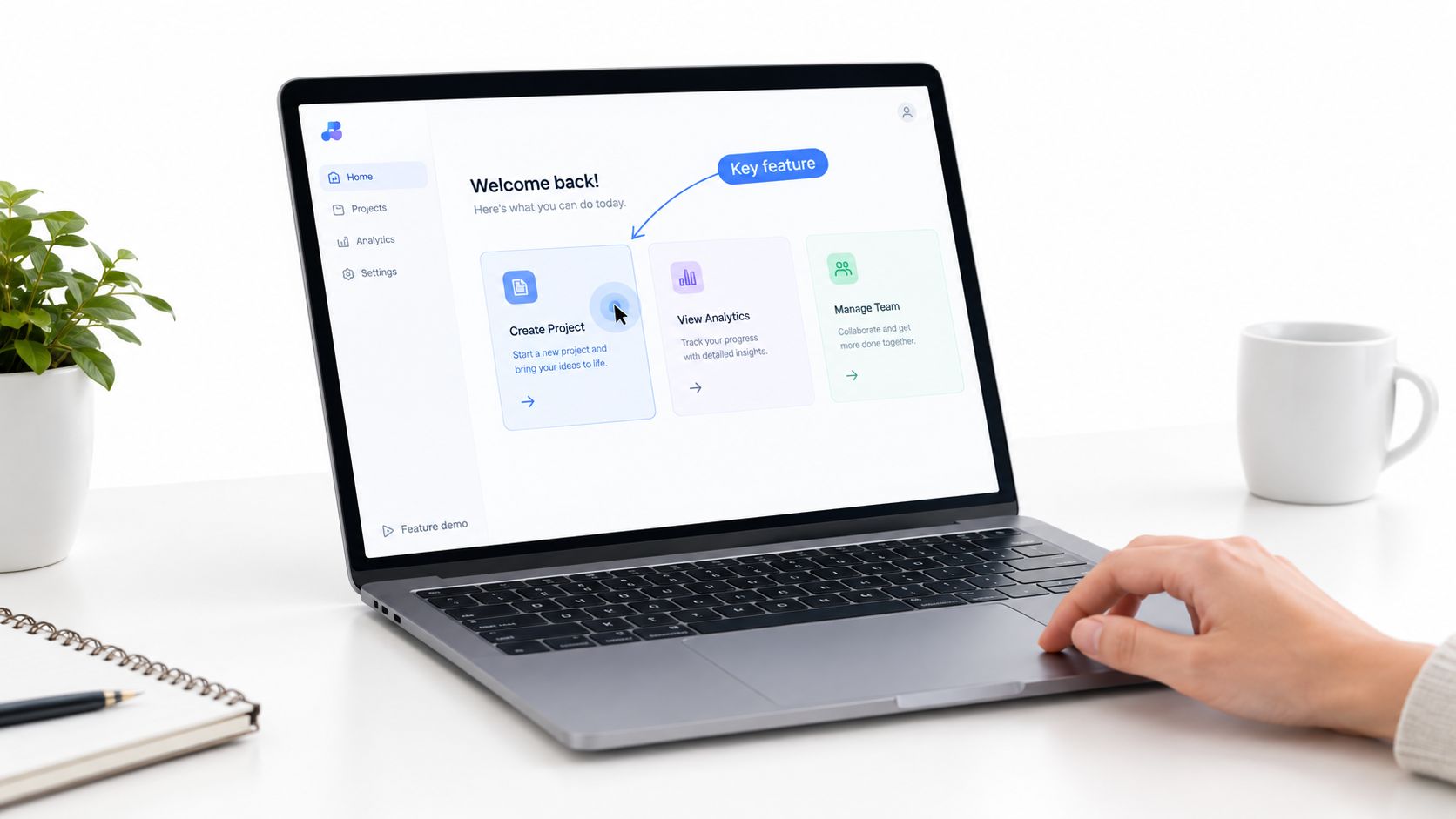
- Demonstration: Show the cursor selecting options, generating a link, and sending it.
- Benefit: “Your contact chooses a time without the usual email exchange.”
- Proof: Display a relevant workflow, integration, or customer-approved result.
- CTA: “Start your setup” or “Book a product walkthrough.”
Keep the voiceover short and action-focused. “Click here to schedule meetings instantly” is easier to follow than a paragraph describing automation. The visual should change whenever the narration introduces a new action. Cursor highlights, zooms, arrow animations, and screen labels help viewers understand where to look.
Examples from Slack feature tutorials, Calendly scheduling walkthroughs, and Canva template guides show why the format needs to follow the user journey. Slack can demonstrate messaging, integrations, and workflow automation. Calendly can show link setup and meeting automation. Canva can focus on how a non-designer customizes a template.
Practical rule: Show one task at a time. If the viewer can't tell what changed on screen, the narration is moving too quickly.
Use a friendly guide, including an AI avatar where appropriate, but don't let personality compete with the interface. Voice clarity matters because every unclear instruction weakens the demonstration. Add captions and distinguish spoken narration from on-screen labels so the video remains useful with sound off.
You can create and revise a product-focused video through the LunaBloom AI video creation app, then produce alternate versions when the interface or feature set changes. A longer website demo can explain the full workflow, while shorter cuts can answer one feature question at a time.
The trade-off is depth versus speed. A feature showcase can explain several connected actions, but a focused demo usually gives the viewer a clearer next step. Measure the result with demo requests, trial starts, feature adoption, or completed setup, not views alone.
2. Employee Training and Onboarding Script
An effective onboarding video turns an unfamiliar process into a sequence employees can follow, practise, and verify. The script should work like a guided route, showing a new hire where to start, what to do, and how to confirm the task is complete. A welcome message alone cannot provide that structure.
Build the script around the employee's progression:
- Welcome: State why the process matters and what the learner will complete.
- Context: Introduce the system, policy, or team in plain language.
- Demonstration: Show one workflow from beginning to end.
- Practice: Ask the learner to pause, choose an option, or complete a task.
- Verification: Add a question, checklist, or linked quiz.
- Next step: Direct the learner to the next module, manager, document, or support channel.
Audience intent determines the level of detail. A new CRM user needs clear screen actions, while a compliance learner needs a realistic situation and a safe response. For software training, the narration might say, “Sign in to the CRM, open the new-contact form, and enter the required fields.” Show each action in order, with the cursor, field, and result easy to identify. For compliance training, show the situation, explain the correct response, and identify where an employee can report a concern.
A controlled e-learning experiment found a mean post-test learning gain of 34.1 points for interactive instructional video, compared with 27.7 points for linear video, according to the published instructional-video study. Add decision points, scenarios, and knowledge checks so the learner makes choices instead of listening to a passive monologue.
Make the learning usable after the video
Use a calm, encouraging tone, especially when new hires may not know internal terms. Explain each term before asking the learner to act. Keep the pacing measured, with one task per segment and pauses where the viewer must practise. Pair the video with a downloadable checklist, quick-reference guide, or template. A checklist pre-arrivo per HR e manager (pre-arrival checklist for HR and managers) can support preparation around the video.
A training series can follow a Day 1, Week 1, Month 1 progression. Use 60 to 120-second instructional segments when a workflow fits into a small unit. Publish the video inside the learning platform, link the quiz in its description, and assess task accuracy, completion, or assessment performance against a baseline.
The systematic review of video in higher education found that adding video was expected to support learning in 88% of true effects, while replacing other instructional activities with video was beneficial in about 50% of implementations. Use video alongside documentation and hands-on practice, not as a replacement for every learning method.
For a structured production starting point, use the LunaBloom AI starter app to turn an approved training script into a video with narration, captions, and visual steps. Evaluate the format by learner performance and next-step completion, rather than views alone.
3. Social Media Advertising Script
A social advertising script has one job: earn enough attention for the viewer to understand the offer and take the next action. It isn't a shortened corporate presentation. It's a compressed story built around a recognizable problem, a visible change, or a strong point of view.
Start with the hook:
“Stop losing leads after the first email.”
Then move directly to the demonstration:
- Hook: Name the frustration or reveal the unusual situation.
- Pattern change: Switch the shot, visual style, speaker, or on-screen phrase.
- Product moment: Show the product solving the problem.
- Reason to act: Give one benefit or offer.
- CTA: Use one action, such as “Try free,” “Shop now,” or “Learn more.”
An e-commerce video might show a handbag organizer transforming a cluttered bag. A SaaS ad can show a lead moving from an unanswered inbox into an automated follow-up workflow. A charity video may use a donor story and show the specific human outcome the donation supports. The tone can be humorous, urgent, warm, or practical, but it should fit the audience and platform.
Keep the text on screen concise. Design for muted viewing with clear captions, bold contrast, and visual context that still makes sense without audio. Animated avatars may suit a playful TikTok concept, while a photo-real presenter may feel more natural in a professional LinkedIn placement. Create several hooks and CTAs from the same core message so the team can learn which angle attracts qualified action.
Video length should reflect intent. Wistia's 2025 analysis found that videos shorter than one minute had the highest average engagement rate at 50%, followed by 46% for videos lasting one to three minutes and 45% for videos lasting three to five minutes. The same analysis reported 82% engagement for how-to videos under one minute, compared with 58% for how-to videos lasting five to 30 minutes.
Use LunaBloom AI to adapt the master script into platform-specific versions, with captions, resized visuals, and different avatar or voice treatments. Track clicks, conversions, and completed actions rather than treating reach as the only outcome.
4. Customer Testimonial and Case Study Script
Trust grows when the customer explains the problem, the decision, and the result in their own words. A testimonial script should feel like a guided conversation, not a sales executive reading praise from a teleprompter.
Open with the transformation when the evidence is approved and documented:
“Before we changed the process, our team spent most of the morning sorting requests. Now, everyone starts with the same view.”
Then structure the story around five questions:
- Before: What problem made the customer look for a solution?
- Decision: Why did they choose this product or service?
- Experience: What changed during implementation?
- Evidence: What result can they substantiate?
- Recommendation: Who would benefit from the solution?
A SaaS case study might show a customer moving from scattered follow-ups to a shared workflow. An education story can focus on a learner's new capability. A B2B video can combine an interview with dashboard footage, office b-roll, or a screen recording of the new process.
Specificity matters, but only use metrics the customer has approved and the company can substantiate. Put before-and-after evidence side by side on screen, identify the speaker accurately, and include a legal disclaimer when the claim requires one. If a real customer can't appear on camera, LunaBloom AI's custom avatars can present a clearly labelled illustrative scenario, but fictional characters shouldn't be presented as real customers.

Ask questions that reveal the customer's actual experience, such as “What surprised you after adopting the solution?” That often produces more distinctive material than “Would you recommend us?” Keep the customer's contribution focused, then use b-roll to break up a continuous talking-head sequence.
The CTA should match the proof. A detailed case study can invite viewers to book a consultation, compare implementation options, or review a related resource. A short testimonial can send them to a product page or pricing information. If the next step is evaluating the offer, direct them to LunaBloom AI pricing information rather than asking for an undefined “learn more.”
The main trade-off is control versus authenticity. Heavy editing creates a polished result, but preserving natural phrasing often makes the story more credible.
5. Explainer and Educational Content Script
An explainer teaches one concept clearly. It doesn't need to describe every product feature or answer every related question. A strong corporate video script example for education begins with the question the audience is already trying to answer.
Use this sequence:
Question, definition, process, application
- Question: “How do search engines decide which page to show first?”
- Definition: Explain the central term without assuming prior knowledge.
- Process: Show the relationship between the main steps.
- Application: Demonstrate where the idea appears in real work.
- Recap: Repeat the central takeaway in plain language.
- Next step: Send viewers to a deeper article, lesson, or related video.
For a marketing audience, an explainer could define a marketing-qualified lead and show how a lead moves through a qualification process. A finance video might visualise how compound growth works. A technology lesson can use animated diagrams to show how AI training connects data, patterns, and outputs.
Use motion graphics for relationships, not decoration. If the narration says “the request moves from intake to review to approval,” the screen should show that sequence with arrows or clearly labelled stages. Define jargon in on-screen text, use large readable type, and avoid introducing a second concept before the first one is understood.
Video length should follow the viewer's job to be done. Wistia's reported engagement data found 47% average viewing for videos under five minutes, 38% engagement for videos lasting five to 30 minutes, and 21% engagement for videos longer than 30 minutes. The same report found that longer videos generated stronger suggested-action behaviour, with 17% of viewers of videos over 30 minutes taking the recommended action, compared with 5% for videos lasting three to five minutes and 2% for videos shorter than three minutes. Use a short explainer for awareness and a deeper lesson when the viewer expects instruction.
Make the script searchable after publication. Google's Video SEO documentation describes key moments as a way for viewers to move through video segments. Name sections directly, such as “What it means,” “How the process works,” and “Next steps,” then preserve those labels in the transcript, description, and metadata.
LunaBloom AI can combine animated avatars, motion graphics, captions, and voiceover in an educational format. For a topic that needs expert input or a branded learning path, use the LunaBloom AI contact page to discuss the production workflow.
6. Internal Company Announcement and Update Script
An internal announcement needs clarity before polish. Employees want to know what is changing, why it is changing, how it affects them, and what happens next. A corporate video script for a restructuring, policy update, product launch, or leadership change should answer those questions in that order.
Open with the reason for the message:
“We're changing how our teams are organised so we can focus more clearly on our core business areas.”
Then provide the essential information without hiding the difficult parts:
- Why now: Explain the business context in language employees can understand.
- What changes: Name the teams, processes, products, or policies affected.
- What stays the same: Protect continuity where appropriate.
- What employees can expect: Explain timing, support, and decision points.
- What happens next: Give a specific meeting, document, manager conversation, or Q&A route.
The tone should be warm and direct. A CEO or senior leader can deliver the message in a real recording, while an AI voice or avatar may help create accessible and localised versions for global teams. Voice cloning should only be used with appropriate authorisation and transparent internal governance.
Keep the main announcement focused, then create a separate FAQ video for detailed questions. Subtitles and translated versions can help employees follow the same message across regions. Include faces where possible, because a serious announcement feels more accountable when employees can see who is speaking.
Avoid vague reassurance. If employees may be worried about roles, reporting lines, or timelines, acknowledge the uncertainty and explain what's known. Don't promise outcomes the company can't guarantee. A clear line such as “Managers will hold individual conversations after this announcement” gives people a practical next step.
The Web Content Accessibility Guidelines guidance on captions states that prerecorded audio in synchronised media requires captions under Success Criterion 1.2.2, unless the video is an alternative presentation of information already available as text. Add accurate captions, speaker identification, and meaningful non-speech cues such as [applause] or [music fades] where they convey information.
Publish the announcement with an FAQ document, manager briefing, and Q&A channel. LunaBloom AI's internal communication workflows can support versions with captions, translated text, and leadership-led presentation. Company context and information about its work are available through LunaBloom AI's About page.
7. Influencer Collaboration and Brand Partnership Script
An influencer partnership works when the creator's normal voice remains intact. The brand can define the message, disclosure, and required product facts, but the creator should shape the story around a real use case.
Start with a creator-first brief:
- Personal context: “I'm packing for a weekend trip and need one bag that can handle work and travel.”
- Discovery: Show how the creator encounters or uses the product.
- Experience: Explain what felt useful, surprising, or convenient.
- Proof: Demonstrate the product in the creator's normal environment.
- Disclosure: Include “#ad” or “sponsored by” clearly in the caption and video.
- CTA: Invite the audience to use a tracked link, code, or product page.
A beauty creator might test a skincare routine. A technology reviewer can show how a laptop fits into an editing workflow. A fitness creator may demonstrate how a meal service supports travel. The product should appear as part of the creator's life, not as an interruption from a different brand voice.
Let the influencer write the first draft after receiving the product and brand guardrails. Give them the brand values, required claims, forbidden claims, disclosure language, and measurement plan. Don't force a rigid ad read that makes the creator sound unlike themselves.
Create a few possible angles for the creator to choose from, such as a review, routine, comparison, or behind-the-scenes use. LunaBloom AI can help the brand and creator revise versions quickly, adapt the same idea for different channels, and produce captioned edits. Keep the visual treatment native to the platform, whether that means handheld footage, a direct-to-camera explanation, or a polished branded segment.
Agree on performance measures before publishing. Track clicks, conversions, engagement, and unique discount codes or links, but don't use a single metric to judge every partnership. A creator whose role is product education needs a different success signal from one whose role is immediate sales.
The central trade-off is consistency versus credibility. Provide enough structure to protect the brand, then leave enough room for the creator's personality to make the recommendation believable.
7-Point Corporate Video Script Comparison
| Script Type | Implementation Complexity 🔄 | Resource Requirements ⚡ | Expected Outcomes 📊 / ⭐ | Ideal Use Cases 💡 | Key Advantages ⭐ |
|---|---|---|---|---|---|
| Product Demo and Feature Showcase Script | 🔄🔄, requires product walkthroughs and timing | ⚡⚡, screen capture, assets, voiceover (easy updates) | 📊 Better product understanding; higher conversions; reduced support, ⭐⭐⭐ | SaaS landing pages, product pages, email, short YouTube demos | Clear feature demos, fast updates, multi-language captions |
| Employee Training and Onboarding Script | 🔄🔄🔄, modular design, SME input, assessment integration | ⚡, higher upfront production and localization effort | 📊 Faster onboarding; consistent training; compliance trail, ⭐⭐⭐ | Internal LMS, HR programs, global teams | Scalable, consistent delivery; leader voice cloning for culture |
| Social Media Advertising Script | 🔄🔄, short, hook-focused, iterative testing | ⚡⚡⚡, low production cost, rapid A/B testing | 📊 High engagement and ROI potential; short lifespan, ⭐⭐⭐ | TikTok, Instagram Reels, Facebook/YouTube Shorts, paid ads | Fast iteration, trend leverage, low-cost testing |
| Customer Testimonial and Case Study Script | 🔄🔄, interview logistics, legal/disclaimer checks | ⚡⚡, interview setup, b-roll, metric verification | 📊 Strong social proof; higher conversion on landing pages, ⭐⭐⭐ | Landing pages, sales enablement, email, LinkedIn | Credibility via third-party validation; emotional storytelling |
| Explainer and Educational Content Script | 🔄🔄, research-heavy, needs clear visual aids | ⚡⚡, moderate production (motion graphics, SME review) | 📊 Organic search traffic; thought leadership; evergreen value, ⭐⭐⭐ | YouTube, blogs (embedded), educational platforms | Authority building, SEO benefits, long shelf-life |
| Internal Company Announcement and Update Script | 🔄🔄, careful tone and FAQ prep required | ⚡⚡, concise production; leader messaging and subtitles | 📊 Consistent company-wide communication; reduces rumors, ⭐⭐ | Company email, intranet, all-hands, Slack | Simultaneous delivery, leader authenticity via voice cloning |
| Influencer Collaboration and Brand Partnership Script | 🔄🔄🔄, coordination, creative freedom, compliance | ⚡⚡, variable (influencer fees, samples, creative edits) | 📊 High engagement and reach; ROI varies by creator, ⭐⭐⭐ | TikTok, YouTube, Instagram, Twitch, long-form/sponsored content | Authentic endorsements, access to creator audiences, flexible formats |
Choose the Script That Matches the Job
The best corporate video script isn't the most cinematic one. It's the one that helps a specific audience complete a specific job.
Choose the product demo when viewers need to understand how a product works. Choose training and onboarding when employees must learn a process and demonstrate that they can perform it. Choose the social advertising script when the audience needs a fast reason to stop, understand the offer, and act. Use a testimonial or case study when prospects need third-party proof before they trust the claim.
An explainer fits a question that deserves a clear educational answer. An internal announcement fits company news that requires context, accountability, and a defined follow-up. An influencer partnership fits a product that benefits from a creator's personal voice and relationship with an audience.
Before production, check these decisions:
- Audience: Who is watching, and what do they already know?
- Single objective: What should the viewer understand, feel, or do?
- Tone: Should the delivery feel instructional, reassuring, energetic, expert, or personal?
- Runtime: Does the length match the viewer's intent and the channel?
- Proof: Which demonstration, customer experience, document, or approved result supports the message?
- Visuals: What will the audience see while each line is spoken?
- CTA: Can the viewer complete one clear next action?
- Accessibility: Will captions, transcripts, speaker labels, and meaningful sound cues be prepared?
- Distribution: Does the script support website, social, internal, mobile, and localised versions?
- Measurement: Which outcome will show whether the video worked?
Write the script in an audio-visual format whenever the production needs coordinated narration, screen actions, graphics, music, and captions. Separate spoken dialogue from text intended for display. Use short sentences, leave room for translated captions, and mark pronunciation or compliance notes before recording.
LunaBloom AI can support this script-to-video workflow with avatars, voiceovers, captions, translations, collaboration, and rapid revisions. The platform can turn a written script into an edited video, add visual and audio elements, and prepare versions for different audiences and channels. Start with one framework above, adapt it to your next business objective, and measure the action that matters rather than stopping at view counts.
LunaBloom AI turns corporate video scripts into videos with voiceovers, avatars, captions, translations, and built-in editing for product demos, training, explainers, ads, and internal updates. Choose a framework that matches your audience and objective, then visit LunaBloom AI to create and adapt your next video.