

Ever wondered how to create videos with AI? It’s simpler than you think. You just write a text prompt describing your vision, and a tool like LunaBloom AI generates a complete video in minutes. This technology eliminates the need for complex editing software, expensive equipment, and years of technical experience, making professional-quality video creation accessible to everyone.
This guide will walk you through the entire process, from your first idea to a polished final product.
The New Era of AI Video Creation

The days of spending weeks on a single video project are fading fast. The shift to AI-driven content isn’t just a fleeting trend; it’s a fundamental change in how we create and share stories. We’ll use LunaBloom AI as our example to show you how to turn your concepts into captivating visuals effortlessly.
This technology is a game-changer for marketers, creators, and businesses. It drastically cuts production time, slashes costs, and removes the technical barriers that once made consistent video creation a massive challenge.
Key Takeaway: The primary advantage of AI video generation is efficiency. It empowers you to produce a high volume of quality content without the typical drain on resources, unlocking new ways to engage your audience.
Why This Matters for Your Content Strategy
Integrating AI into your video workflow provides immediate, tangible benefits. You can quickly test different marketing messages, create tailored content for various social platforms, and keep your feed fresh without burning out.
- Speed and Scale: Imagine generating a dozen video variations for A/B testing in the time it used to take to produce a single clip.
- Cost-Effectiveness: Say goodbye to the high costs of production crews, actors, and professional editors.
- No Technical Expertise Needed: If you can write a clear sentence, you have all the skills required to direct an AI video generator.
The rise of specialized tools, like an AI Post Generator specifically for TikTok, shows how quickly this technology is moving toward fully automated, platform-specific content creation.
The market growth is staggering. Valued at USD 7.6 billion in 2024, the global AI video market is projected to soar to over USD 42 billion by 2033. This explosive growth confirms that AI video is not a niche tool—it’s the future of content creation.
Your First Steps in LunaBloom AI
Jumping into new software can feel daunting, but getting started with LunaBloom AI is surprisingly straightforward. The platform is designed to take you from a raw idea to a finished video as quickly and smoothly as possible.
First, you’ll need to create an account. Simply visit the LunaBloom AI website and register. The quick sign-up process gets you into the dashboard in just a minute or two.
Navigating the LunaBloom Dashboard
Once you’re logged in, you’ll land on the main dashboard—your command center. The LunaBloom team intentionally designed a clean, uncluttered interface to avoid the “too many buttons” overload that plagues so many other tools.
The most important element here is the ‘Create New Video’ button. It’s prominent and placed right where you need it, ready for when inspiration strikes.
This infographic breaks down the simple three-stage process.
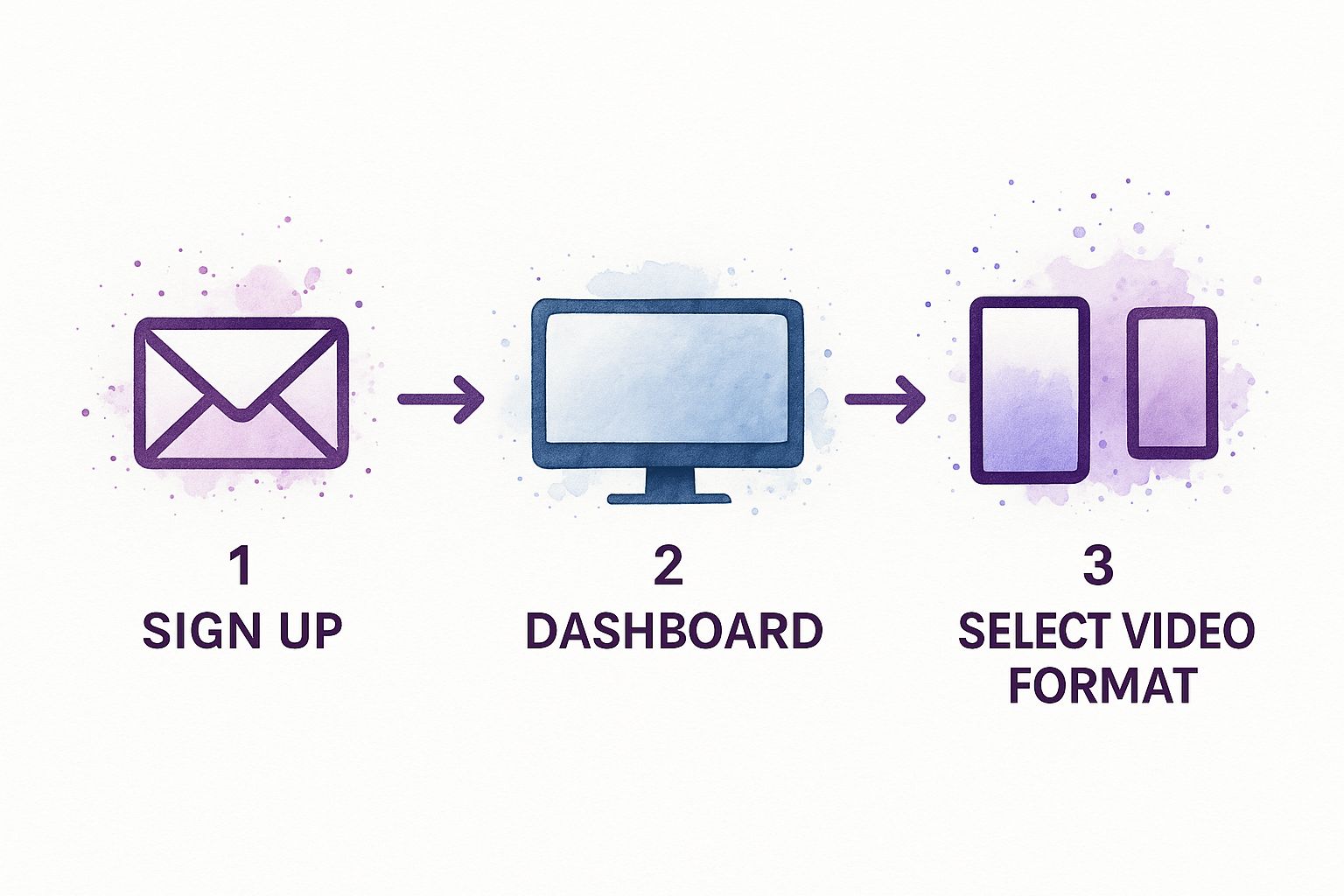
As you can see, the path from signing up to selecting your video format is direct and hassle-free.
Choosing Your Video Format
Before the AI can start creating, you need to tell it what kind of video you’re making. LunaBloom AI supports all standard aspect ratios, each optimized for different platforms.
- Landscape (16:9): The classic widescreen format. This is your go-to for YouTube, website embeds, and most professional presentations.
- Vertical (9:16): Perfect for mobile-first content. Think Instagram Reels, TikTok, and YouTube Shorts.
- Square (1:1): A powerful choice for Instagram and Facebook feed posts, where it maximizes screen real estate.
Selecting the right format from the start is a small but crucial step. It ensures your final video is perfectly optimized for its intended platform.
Turning Your Ideas into a Video Script
This is where the real magic begins. The power of creating incredible videos with LunaBloom AI lies in your ability to clearly communicate your vision. Think of yourself as the director and the AI as your entire production crew. Your script—the text prompt—is your most important tool.
A vague prompt leads to a generic video. A detailed, thoughtful prompt is how you create something special. To get professional results, provide specific, actionable instructions that paint a picture with words, guiding the AI through every scene.
Structuring Your Prompt for Success
The most effective way to write a prompt is to break it down scene by scene. For each scene, focus on three core elements to give LunaBloom AI a clear roadmap.
- Action: What is the subject doing? Don’t just say “a person drinking coffee.” Instead, try: “A woman with curly brown hair smiles as she takes a slow sip from a steaming ceramic mug.”
- Environment: Where is the scene taking place? Describe the setting. For example: “Inside a cozy, sunlit coffee shop with rustic wooden tables and plants on the windowsills.”
- Mood: What feeling are you trying to evoke? Use descriptive words to set the tone. “The mood is warm, relaxed, and inviting, with a cinematic, soft-focus style.”
Combining these elements creates a complete world for the AI to render. This level of detail is what separates a generic clip from a compelling story that connects with your audience.
Pro Tip: Don’t be afraid to direct the “camera.” Including phrases like “close-up shot,” “wide-angle view,” or “slow-motion effect” in your prompts gives you an extra layer of creative control over the final look and feel.
Prompt Crafting for Different Video Styles
The ideal prompt varies based on the type of video you’re creating. A punchy social media ad requires a different approach than a detailed educational video.
| Video Type | Simple Prompt Example | Detailed Prompt Example for Better Results |
|---|---|---|
| Promotional Ad | “A video of our new sneakers.” | “Dynamic, fast-paced shots of a new sleek, white sneaker. Close-up on the logo. A runner’s feet hitting pavement in slow-motion. Energetic, upbeat mood. Urban city background at dawn.” |
| Educational Explainer | “An explainer video about photosynthesis.” | “Scene 1: Animated sun graphic shines down on a green leaf. Text overlay: ‘The Power Source.’ Scene 2: Close-up view of water molecules traveling up the plant stem. Scene 3: A simple diagram showing CO2 entering and O2 leaving the leaf. Bright, clear, and informative style.” |
| Social Media Story | “A person unboxing a product.” | “Over-the-shoulder shot of hands unboxing a luxury gift box. Close-up on the person’s surprised and happy face. Soft, natural lighting from a window. The mood is exciting and aspirational. Use a vertical 9:16 aspect ratio.” |
| Corporate Testimonial | “A customer talking about our software.” | “A professionally dressed woman sitting in a modern office, speaking directly to the camera with a confident smile. Background is slightly blurred. The style is clean, trustworthy, and professional. Medium shot.” |
The more specific you are about the action, style, and shot composition, the closer the AI will get to your vision on the first try.
A Practical Example: A Coffee Shop Promo
Let’s apply this to a real-world scenario. Imagine creating a short promo video for a local coffee shop called “The Daily Grind.”
A simple prompt like “A video about my coffee shop” will produce a generic result.
Instead, let’s build a detailed, scene-by-scene script.
- Scene 1: Wide shot of the exterior of The Daily Grind coffee shop at sunrise. Warm, golden light illuminates the brick building. The shop’s sign is clearly visible. The mood is peaceful and welcoming.
- Scene 2: Close-up shot of a barista’s hands expertly pouring steamed milk to create latte art in a dark green cup. Steam gently rises from the coffee.
- Scene 3: A diverse group of friends laughs at a table, enjoying coffee and pastries. The shot is from a slightly low angle, making it feel vibrant and engaging.
- Scene 4: Slow-motion shot of rich, dark espresso dripping into a clear glass.
- Scene 5: The final shot shows the coffee shop’s logo with the text “The Daily Grind: Your Morning Ritual” appearing below it.
This detailed approach ensures the AI understands the exact story you want to tell, from the overall vibe to the specific shots that will make your video stand out.
How to Customize Your AI-Generated Video
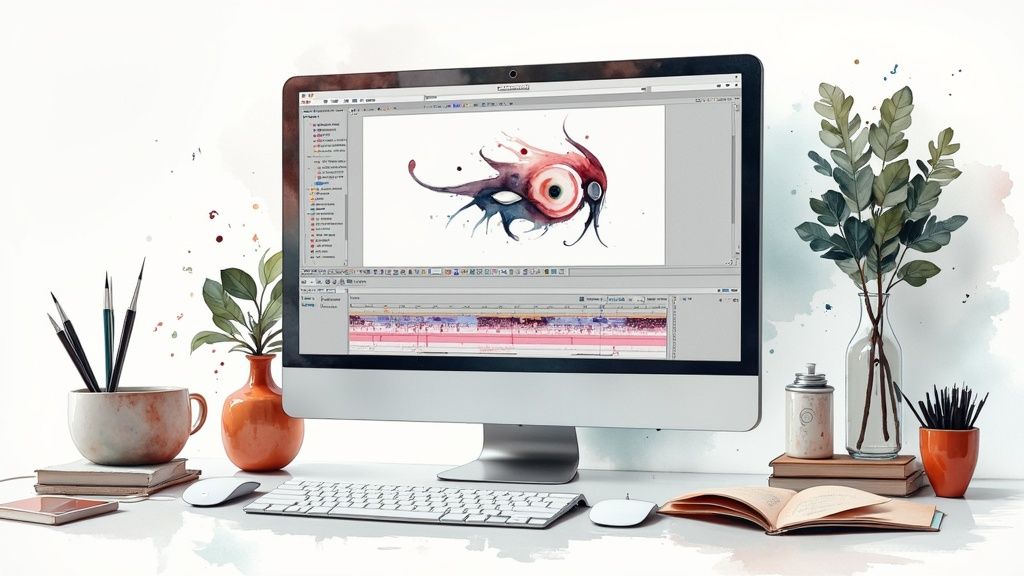
The first video generated by LunaBloom AI is a solid first draft. Now, it’s your turn to add your creative touch and polish it into something that feels uniquely yours and aligns perfectly with your brand.
Think of the AI’s output as raw clay. LunaBloom AI’s intuitive editor lets you fine-tune every detail without needing a film degree. Often, the most significant improvements come from replacing generic AI assets with your own branded content.
Make It Feel Like Your Brand
Let’s infuse your brand’s personality into the video. While AI does a great job finding relevant stock clips, nothing builds connection like authentic, custom media.
- Upload Your Own Media: Drag and drop your own video clips, product photos, or team images into the media library. Swapping them into the timeline is as simple as clicking a placeholder and choosing your replacement.
- Add Your Logo: Use the “branding” or “overlay” feature to upload your logo (a PNG with a transparent background works best). Place it in a corner to keep your brand visible.
- Set Your Brand Colors: Many tools let you define a color palette. Input your brand’s hex codes to ensure all on-screen text, transitions, and graphics match your visual identity perfectly.
Customizing your video is crucial for building brand recognition. A consistent look and feel across all your content builds trust and makes your videos instantly recognizable to your audience.
Dial In the Audio and Voiceover
Audio is at least half of the viewing experience. A few small adjustments here can make your video feel significantly more professional.
The default AI voiceover is a great starting point, but it can be refined. Within the editor, you can adjust the pacing and emphasis of the narration. If a word sounds off, you can often tweak its phonetic spelling for a more natural delivery.
Swapping the background music is another game-changer. The track chosen by the AI might not perfectly match the emotional tone you’re aiming for. Browse LunaBloom AI’s music library to find something that better fits the mood—upbeat for a promo, or calm for a tutorial. This attention to detail elevates the final product.
The AI video generator market is booming for a reason. Valued at USD 534.4 million in 2024, it’s projected to hit USD 2,562.9 million by 2032. Businesses need tools that make video production scalable, affordable, and customizable. You can explore more AI video generator statistics to see just how quickly this industry is growing.
Advanced Techniques for Polished AI Videos
Once you’ve mastered the basics, it’s time to elevate your content from good to unforgettable. Polishing your AI-generated video is what separates amateur work from professional content that stops the scroll.
Ready to move beyond standard templates? One of the most powerful features in LunaBloom AI is Style Transfer. This allows you to apply a specific visual aesthetic—like a cinematic feel, a vintage film look, or a bright animated style—to your entire video with a single click. It’s an incredibly fast way to establish a consistent mood.
Boosting Engagement and Accessibility
Never underestimate the power of on-screen text. Automatically generating subtitles is a crucial step for maximizing your video’s reach.
- Improved Accessibility: It opens your content to viewers who are deaf or hard of hearing.
- Higher Viewer Retention: Many people watch videos on social media with the sound off. Subtitles ensure your message still lands.
- SEO Benefits: Search engines can crawl the text in your subtitles, which can give your video a valuable boost in search rankings.
Another small detail that makes a big impact is the AI voiceover. Don’t just settle for the default. Spend a few minutes exploring the different voices, accents, and tones available in LunaBloom AI to find one that truly fits your brand’s personality and the story you’re telling.
The goal is to make every element feel intentional. From the audio balance to the call-to-action, each component should work in harmony to create a seamless and impactful viewing experience.
This technology’s growth is undeniable. The AI-powered content creation market is expected to reach USD 10,593 million by 2033, a clear indicator of its future importance. Once you have a polished video, the next step is distribution. Exploring strategies for creating viral content is key to ensuring your masterpiece gets the attention it deserves.
Common Questions About AI Video Creation
As you start exploring how to create videos with AI, a few questions are bound to come up. Let’s tackle some of the most common ones to help you get started with a tool like LunaBloom AI confidently.
How long does it take to generate a video?
The biggest advantage is speed. You can go from a script to a solid first draft of a one- or two-minute video in just a few minutes. While you’ll likely spend additional time customizing and refining it, the entire process is a fraction of the time required for traditional video production.
Can I use my own media assets?
Yes, and you absolutely should. While the stock library in LunaBloom AI is extensive, using your own branded content is key to building an authentic connection with your audience.
Uploading your own video clips, product shots, or team photos is simple and is the best way to ensure the final video is perfectly aligned with your brand identity.
What about the quality of AI-generated video?
The quality of AI video has progressed far beyond a novelty. For most business needs—from social media campaigns to internal training videos and marketing promos—AI delivers high-quality, professional-looking results that are both scalable and affordable.
Do I need previous editing experience?
Not at all. This is one of the most significant barriers that AI video generators remove.
These platforms are designed to be intuitive for everyone, regardless of technical background. If you can write a clear prompt and use a simple drag-and-drop editor, you have all the skills you need. The steep learning curve of traditional editing software is no longer an issue.
Conclusion: Your Journey into AI Video Creation Starts Now
We’ve covered everything from crafting the perfect prompt to adding those final professional touches. The world of AI video is no longer a futuristic concept—it’s a practical, powerful tool available to you right now. By following this guide, you can create compelling, high-quality videos that captivate your audience and achieve your goals.
Ready to bring your ideas to life? Join thousands of creators and marketers who are saving time and money with LunaBloom AI. Start creating your first AI-powered video for free today and discover how easy it can be.





