Not long ago, creating an explainer video felt like a massive undertaking. It meant big budgets, production crews, and weeks of work. Honestly, it was a process reserved for companies with deep pockets.
But that’s all changed. AI-powered platforms have completely opened the doors, making it possible for anyone—from a startup founder to a solo marketer—to create seriously professional videos. This guide will walk you through exactly how to use a tool like LunaBloom AI to turn your ideas into videos that actually get noticed.
The Old Way vs. The New Way
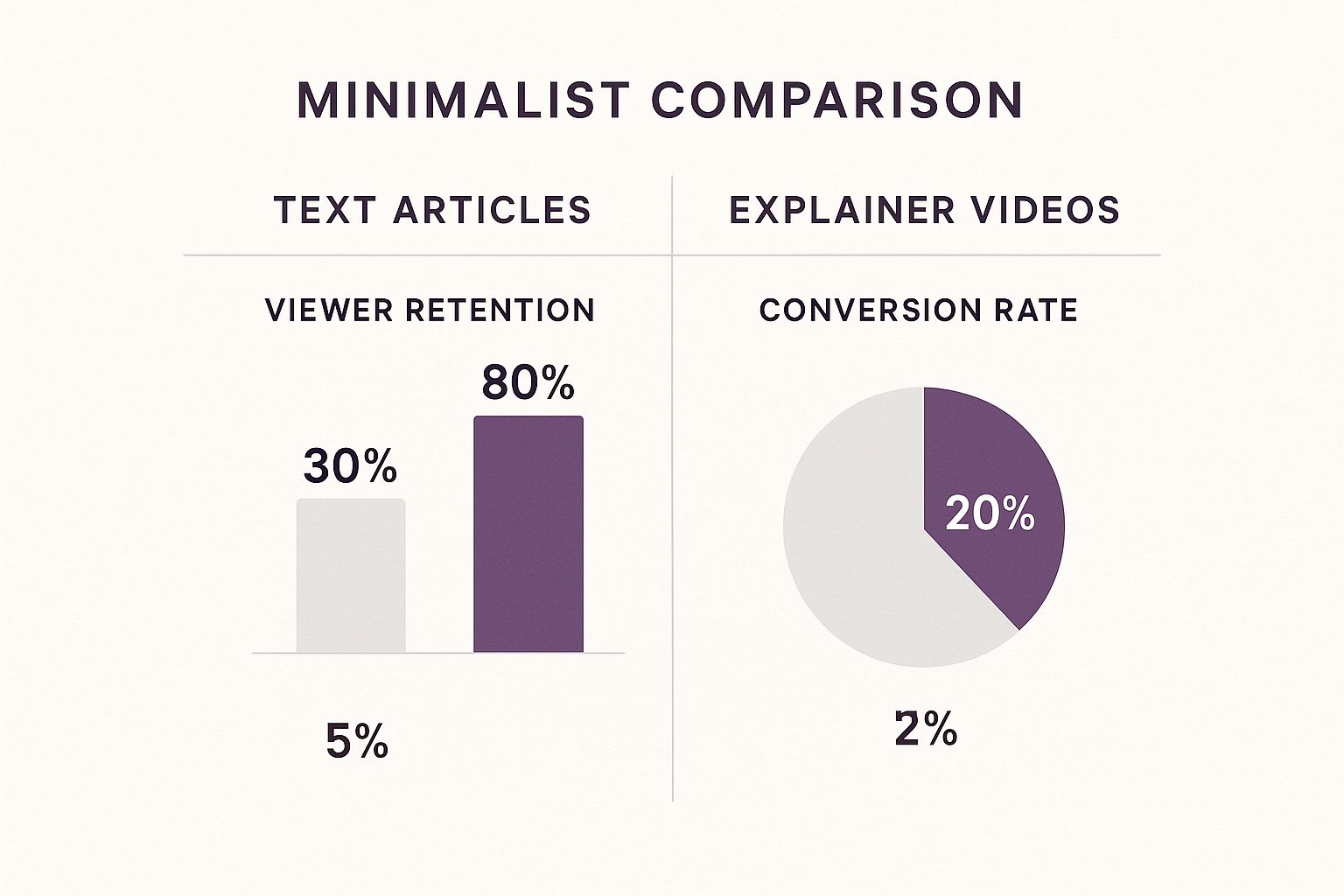
Let’s be real: people prefer watching to reading. That’s why video has become so critical for grabbing and holding attention. Static web pages and dense articles just don’t cut it anymore. Explainer videos are the perfect solution—they break down complex ideas into short, memorable clips that people actually enjoy.
For years, the high costs and technical skills needed for video production were a huge roadblock. You had to hire voice actors, find animators, and pay editors. That world is quickly becoming a thing of the past.
Why AI Is Such a Big Deal for Video
AI platforms like LunaBloom AI put the entire video creation process into a single, easy-to-use dashboard. This isn’t just about saving money; it’s about giving you the creative freedom to experiment and produce content at a scale that was impossible before.
With an AI tool, you can:
- Whip up scripts in minutes: Stuck staring at a blank page? Just feed the AI a simple prompt, and it will generate a solid first draft for your script. No more writer’s block.
- Use AI avatars as your presenters: Forget about booking a studio or finding on-camera talent. You can choose from a library of digital presenters to be the face of your brand.
- Go global without reshooting: Need your video in Spanish, French, or Japanese? AI voices can create realistic narrations in dozens of languages, letting you reach a worldwide audience with a few clicks.
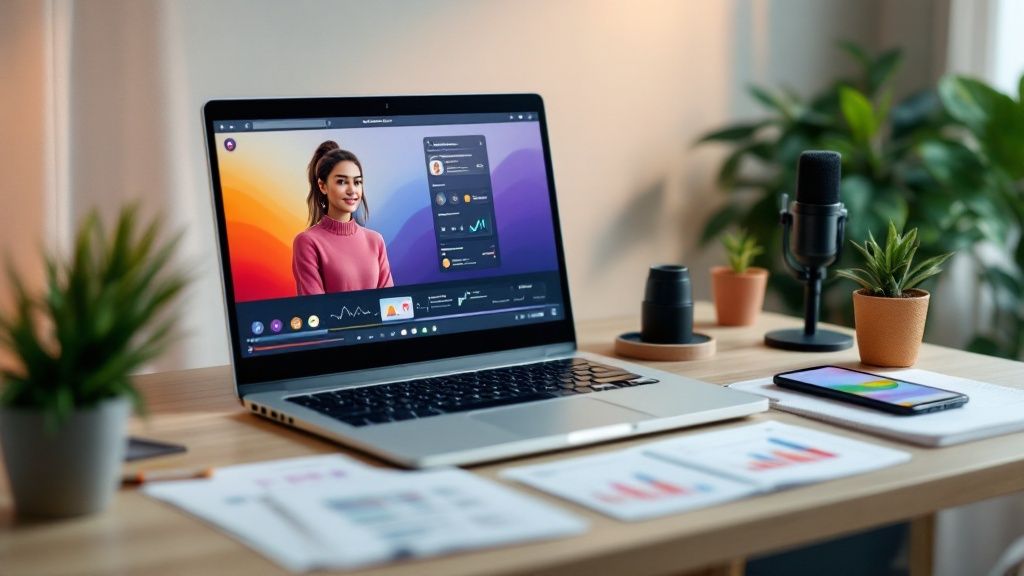
Here’s a peek at the LunaBloom AI interface. It’s designed to be clean and straightforward, so you can focus on your message, not on fighting with complicated software.
Traditional vs AI-Powered Explainer Video Creation
The difference between the old method and the new AI-driven approach is night and day. This table breaks down just how much things have changed for the better.
| Factor | Traditional Process | AI-Powered Process (LunaBloom AI) |
|---|---|---|
| Time | Weeks to months | Minutes to hours |
| Cost | Thousands of dollars (crew, studio, actors) | Affordable monthly subscription |
| Skills Needed | Scriptwriting, directing, filming, editing | Basic computer skills |
| Revisions | Time-consuming and expensive | Quick and easy, done in minutes |
| Localization | Requires reshooting and new voice actors | A few clicks to change language/voice |
As you can see, AI removes nearly all the friction. What used to be a massive project is now something you can handle in an afternoon.
The market is definitely taking notice. The global explainer video software market was valued at USD 1.2 billion in 2023 and is expected to jump to USD 6.7 billion by 2033. That explosive growth is all thanks to the insane demand for video content in everything from e-commerce to corporate training. You can discover more insights about this market growth and see where things are headed.
Key Takeaway: The barrier to entry for professional video production has virtually disappeared. With AI, creating explainer videos is no longer about having a big budget; it’s about having a clear message.
How to Write a Script That Connects
Every powerful explainer video starts not with flashy visuals, but with a solid script. Before you even think about picking an avatar or a background, you have to nail your message. The best way I’ve found to do this is with the classic Problem-Solution-Benefit framework. It’s a simple storytelling structure that just works.
Why? Because it taps into the way people think. We feel a pain point, we search for a solution, and then we weigh the pros and cons. When your script follows that natural decision-making process, it creates an instant connection with your viewer.
Hook Your Audience in the First Eight Seconds
You’ve got a ridiculously short window to grab someone’s attention. Your opening needs to hit on a real frustration your audience deals with every day. Forget the stuffy corporate intro; get straight to the problem.
Instead of a snooze-fest like, “We are an innovative project management software company,” try something that makes them nod in agreement: “Tired of juggling spreadsheets, emails, and sticky notes just to track your team’s progress?” See the difference? That kind of direct, relatable opening makes someone think, “Yep, they get me,” and gives them a reason to keep watching.
A great script isn’t about listing your product’s features. It’s about telling a story where your customer is the hero, and your product is just the trusty tool that helps them win the day.
If you can make your audience feel seen and understood in those first few moments, you’ve earned their attention for the rest of the video.
Define the Problem and Introduce the Solution
Once you’ve hooked them, it’s time to twist the knife a little. Spend a few seconds digging into the problem you just introduced. What does that chaos actually look like? This is where you build empathy and show you really understand their world.
Talk about the consequences. What are the real costs of doing nothing? Are they losing time, money, or just their sanity? Making the problem feel tangible and urgent is key.
Only after you’ve clearly painted that “before” picture can you bring in your product or service as the hero. The transition should feel like a breath of fresh air. Frame your tool as the specific answer to the headaches you just described.
For instance:
- Problem: “Managing team schedules is pure chaos. You’re drowning in last-minute changes, dealing with no-shows, and nobody seems to know who’s working when. It’s a logistical nightmare that kills productivity.”
- Solution: “That’s why we built ShiftSync. It’s a dead-simple scheduling app that puts everyone on the same page, instantly.”
Presenting your solution right after agitating the problem creates a powerful “before and after” contrast that keeps people locked in.
Focus on Benefits, Not Just Features
This is the part where so many scripts fall flat. It’s tempting to rattle off a list of all the cool things your product does, but here’s the thing: people don’t buy features, they buy outcomes. They buy a better version of themselves. Your script has to translate every feature into a real-world win for the user.
Don’t just say what it is. Explain what it does for them. It’s a subtle shift in language that makes all the difference.
| Instead of This (Feature) | Try This (Benefit) |
|---|---|
| “Our tool has an automated reporting feature.” | “Get your weekends back by letting our tool build those weekly reports for you.” |
| “We offer real-time collaboration.” | “Kill the endless email chains and get feedback instantly, so projects actually move forward.” |
| “It integrates with your existing calendar.” | “Never double-book yourself again. All your appointments are in one place, automatically.” |
When you talk about benefits, you help the viewer imagine a better, easier future. That’s what makes your solution feel essential. Your script shouldn’t just inform them; it should leave them thinking, “I need that.”
Producing Your Video with AI Avatars
Alright, you’ve got a solid script. Now for the fun part. This is where you get to see just how powerful AI video creation can be, letting you build a professional-looking video without touching a camera or booking a studio.
Inside LunaBloom AI, the process is all about pairing a digital presenter—your AI avatar—with the right voice. Since the avatar is the face of your video, this choice is a big deal. It’s what shapes your audience’s first impression and determines how well your message lands.
How To Choose the Right AI Avatar
Think of your AI avatar like you’re casting an actor. You wouldn’t hire a stand-up comedian to star in a serious ad for a financial firm, would you? The same gut check applies here. You need an avatar whose look and vibe match your brand and what your audience expects.
For example, if you’re making an explainer for a B2B fintech company, you’ll want an avatar that projects professionalism and trust. Think business casual, confident posture. On the flip side, a video for a trendy e-commerce brand would feel more authentic with a friendly, relatable avatar in a more casual setting.
Here’s a quick mental checklist I run through:
- Brand Personality: Is your brand buttoned-up and authoritative, or is it more playful and casual? Your avatar should feel like a natural extension of that personality.
- Audience Demographics: Who are you talking to? Choosing an avatar that your target audience can see themselves in creates an instant, unspoken connection.
- Video Topic: A complex technical tutorial probably needs a clean, no-nonsense presenter. A big marketing announcement? Go for someone with more energy and expression.
- Key Insight: Don’t just pick an avatar you personally like. Pick one your audience will trust. The right face builds a foundation of credibility before a single word is spoken.
Finding the Perfect AI Voice
Once you have your presenter, it’s time to give them a voice. This is another area where AI really opens up possibilities. The voice you select dictates the entire mood of your video, delivering the nuance and emotion baked into your script. It’s what separates a flat, robotic delivery from one that feels genuinely human.
The platform has a huge library of voices with different languages, accents, and tones. This makes it incredibly simple to create localized content for different regions without the headache and cost of hiring a bunch of voice actors.
So, what feeling are you going for? Do you need a voice that sounds:
- Authoritative and clear for a detailed training video?
- Warm and friendly for a customer welcome video?
- Upbeat and energetic for a new product launch?
The right voice makes your message stick. Research has shown time and again that audio quality and vocal tone dramatically affect how well people absorb and remember information.
Customizing Your Presenter for a Polished Look
The last step before rendering is all about the details. This is what makes a video feel like yours, not just another generic AI creation. LunaBloom AI gives you the controls to fine-tune the little things so your presenter looks and sounds completely natural.
One of the most important adjustments is pacing and pauses. Your script has natural beats—moments where you want a point to land or give the viewer a second to think. You can add these pauses directly into the narration, which stops the AI from just reading the script in one long, monotonous breath. A well-timed pause is a powerful tool for improving comprehension and making the delivery feel conversational.
You can also tweak the visuals. While the avatar’s core appearance is set, you can place them in front of different backgrounds, change their framing in the shot, and make sure the overall look fits your brand’s style guide. If you want to see all the options available, you can explore the full range of AI avatars right on the LunaBloom AI platform.
By taking the time to dial in your avatar and voice, you end up with a seamless, professional video that does its job: communicating your message clearly and making your brand look great.
Adding Polish and Professional Touches

Your AI-generated video is a fantastic starting point, but the final polish is what separates a good video from a great one. This is where you add the small details that make your video feel truly professional and reflect your brand’s commitment to quality.
The good news? You don’t have to wrestle with a complicated external editor. LunaBloom AI has a powerful suite of editing tools built right in. These final touches are essential for creating an explainer video that doesn’t just inform but also builds trust with your audience.
Reinforce Your Message with Text Overlays
Even with the perfect script, some points just need to be seen to be believed. That’s where text overlays come in. Think of them as lower thirds or kinetic typography—they’re perfect for driving home key information, especially since so many people watch videos on social media with the sound off.
Use them strategically to:
- Highlight key stats: Slapping a number like “78% of users reported higher productivity” on the screen makes it stick.
- Introduce a speaker: A simple name and title adds a layer of authority.
- Emphasize your call to action: Make sure no one misses your “Visit our website” or “Sign up now” prompt.
You’re not trying to transcribe the whole video. Just pull out the most important phrases or data points you want people to remember long after they’ve clicked away.
Pro Tip: Keep your text overlays short and sweet. Stick to one or two lines at a time. The goal is to complement the video, not clutter the screen and distract from your avatar.
Integrate Your Unique Brand Identity
A generic-looking video is forgettable. The best explainer videos feel like a natural extension of your brand. LunaBloom AI makes it incredibly simple to bake your visual identity right into your project.
Start with your logo. Upload it and place it subtly in a corner, like a watermark. It’s a constant, gentle reminder of who’s behind the message. Then, move on to your colors. Don’t settle for the default palette; plug in your brand’s specific hex codes for backgrounds and text to ensure everything is perfectly on-brand.
This creates a cohesive look and feel, making your video fit seamlessly on your website or social media feeds next to your other content.
Set the Scene with Custom Backgrounds
The background behind your AI avatar does more than just fill space—it sets the entire mood. A plain white background is clean but can feel a bit sterile. A custom background, on the other hand, can make your video instantly more relevant and engaging.
Think about what environment best fits your message. For instance:
- Doing a software tutorial? Use a screen recording of the app as your background. It’s contextually perfect.
- Talking about remote work? A stylish home office or a clean, abstract graphic reinforces the theme.
- Showcasing a product? High-quality photos or B-roll footage of the product in use works wonders.
LunaBloom AI lets you upload your own images or video clips to use as backgrounds. This one simple move can elevate your video from a generic template to a custom-branded production that feels uniquely yours.
Distributing Your Video for Maximum Impact
Let’s be honest: creating a brilliant explainer video is only half the job. The real win comes when the right people actually see it. Hitting “publish” and hoping for the best isn’t a strategy. A great video collecting dust on YouTube is just a wasted opportunity. To get a real return on your hard work, you need a smart distribution plan that puts your video in front of the people who matter most.
This means ditching the “one-size-fits-all” mindset for good. The 90-second deep dive that’s perfect for your homepage will completely bomb as a social media ad. Every platform has its own audience, its own vibe, and its own rules. Your job is to tweak your video to fit the context so your message hits home every single time.
Tailoring Your Video for Different Platforms
Think of your main explainer video as your master cut. From there, you can slice and dice it into shorter, punchier versions for specific channels. It’s way more effective to create targeted clips than to blast the same full-length video everywhere and cross your fingers.
Let’s look at a few key places to put your video to work:
- Your Website Homepage: This is your digital storefront. A 60- to 90-second video placed right at the top can seriously boost how long people stick around and how many sign up. It needs to quickly answer one question: “What is this, and why should I care?”
- Social Media Ads: Attention spans on social media are practically non-existent. You need a 15- to 30-second clip that’s designed to stop the scroll. Go straight for the hook—the problem—and offer a quick peek at the solution. The goal isn’t to explain everything; it’s to spark curiosity and get that click.
- Email Campaigns: Dropping a video into an email can do wonders for your click-through rates. A video in a welcome email for new subscribers can build an instant connection. A product update video keeps your loyal customers excited and in the loop.
The numbers don’t lie—this isn’t just a trend, it’s a core part of modern marketing. By 2025, explainer videos are on track to be the most common type of video content out there, with 73% of marketers already making them. This is all driven by what customers want: 98% of people have watched an explainer video to learn about a product, and a staggering 87% say a video has convinced them to buy. Read the full research about these video marketing statistics if you need more convincing.
Measuring What Truly Matters
Vanity metrics like view counts might feel good, but they don’t move the needle. A video with 100,000 views that brings in zero leads is a failure. On the flip side, a video with 500 views that results in 50 high-quality sign-ups is a massive success. You have to track the numbers that tie directly back to your business goals.
Stop obsessing over views and start focusing on action. The purpose of an explainer video isn’t just to be seen; it’s to persuade someone to do something.
Here are the key performance indicators (KPIs) you should actually be watching:
| Metric | What It Tells You | Why It Matters |
|---|---|---|
| Play Rate | The percentage of people on a page who actually clicked play. | Shows how well your thumbnail and placement are working. A low play rate is a sign that your first impression needs a rethink. |
| Audience Retention | A graph showing exactly when people stop watching. | This is the most honest feedback you’ll ever get. If everyone bails after 20 seconds, your intro is falling flat. |
| Click-Through Rate (CTR) | The percentage of viewers who clicked your call-to-action (CTA). | This tells you if your video is successfully pushing people to take the next step, whether that’s visiting a landing page or starting a trial. |
| Conversion Rate | The percentage of viewers who completed your main goal (like making a purchase). | This is the bottom-line metric. It directly connects your video’s performance to real business results and helps you calculate your ROI. |
By focusing on these action-based metrics, you’ll get a crystal-clear picture of what’s working and what isn’t. This data-first approach lets you fine-tune your video strategy over time, making sure every explainer you create delivers real, measurable value.
Common Questions About AI Video Creation
Jumping into AI for creating explainer videos can bring up a lot of questions. It’s totally normal. A lot of creators I talk to are worried the final video will feel robotic or that it’s just another tech shortcut that sacrifices quality.
Let’s get into some of the most common hesitations I hear.
One of the biggest concerns is whether an AI avatar can actually connect with an audience. It’s a fair point—authenticity is king. But here’s the thing: the goal of an AI presenter isn’t to trick viewers into thinking they’re human. Its real job is to deliver a clear, consistent, and professional message without the logistical nightmare of a live-action shoot.
Think of the avatar as a clean, reliable vehicle for your script. When you pair it with a warm, natural-sounding AI voice and a script that genuinely speaks to your audience’s problems, the video feels authentic because the message is authentic. The connection comes from the quality of your content, not the origin of your presenter.
Can This Really Save Me Money?
You bet. The cost difference between traditional production and AI video is night and day. Hiring a freelance videographer, voice actor, and editor can easily set you back thousands of dollars for a single two-minute video. Agency prices? Even higher.
With a platform like LunaBloom AI, you’re looking at a predictable monthly subscription. This completely changes the economics. Instead of a massive one-time hit, video creation becomes a manageable operational cost. For a small business or solo creator, this makes professional video accessible for the first time.
You’re not just saving money on production; you’re saving countless hours on coordination, reshoots, and editing. The time you get back is often more valuable than the cash saved.
This newfound efficiency means you can test different scripts, create variations for A/B testing, and produce targeted videos for niche audiences—all without blowing your budget. The return on investment becomes a lot clearer when you can create at scale.
How Do I Make My Video Stand Out?
Another common worry is that all AI-generated videos will look the same. If everyone is using the same pool of avatars, how do you make your brand’s personality shine through? This is where customization becomes your secret weapon.
The AI avatar is just one piece of the puzzle. Your ability to stand out comes from all the other elements you control.
Here’s how you can make your AI explainer video uniquely yours:
- Custom Backgrounds: Ditch the default solid colors. Upload your own branded graphics, photos of your office, or even subtle video loops to create a unique scene.
- Brand-Specific Overlays: Use your brand’s fonts and colors for all on-screen text. Add your logo as a watermark in the corner for consistent branding.
- Unique B-Roll: Weave in your own screen recordings, product demos, or stock footage that matches your visual style. This breaks up the presentation and adds a ton of visual interest.
At the end of the day, the AI is a tool, not the entire creator. Your strategy, your script, and your branding choices are what will make your video memorable. By focusing on these custom touches, you ensure your explainer video reflects your brand, not just the platform it was built on.
Ready to answer these questions for yourself and start creating? Try LunaBloom AI and see how simple it is to produce professional, polished explainer videos in minutes. Give LunaBloom AI a try.