
| Quick Summary Discover the top AI video generators online in 2026, including LunaBloom, Sora, Synthesia, VEED, and InVideo. Create professional videos fast, with AI avatars, voiceovers, templates, and text-to-video automation, perfect for marketers, educators, and creators. |
Video is the future of content, and AI is making it faster and smarter than ever.
Creating professional-quality videos no longer requires hours of filming or expensive equipment at present. Recent studies show that over 80% of marketers report higher engagement when using video content, yet 60% struggle with production time and costs.
Traditional video creation is time-consuming, expensive, and often inaccessible for small businesses and solo creators. This is where an AI video generation tool comes in, automating scripts, visuals, and voiceovers to produce polished videos in minutes. These tools help content creators, educators, and marketers save time, cut costs, and simplify the creative process.
In this blog, we’ll explore the 10 best AI video generator platforms in 2026. You’ll get a detailed look at their features, pros and cons, pricing, and real-world applications, so you can choose the right tool for your needs. Continue reading to explore more!
Which Are The AI Video Generation Tools 2026
More than 80% of online content consumed now is video, making AI-generated clips the fastest-growing form of digital media. Businesses, educators, and creators already rely on these tools to cut production costs and speed up delivery.
This is not the future, it is the present, as AI video tools have become part of everyday content creation. At the same time, many still wonder how to make AI videos for free without compromising quality. The right AI video generation tool makes it possible.
Before we explore the details, here’s a quick comparison of the top AI video generators to help you choose the right tool at a glance. This table highlights their key features, ease of use, pricing, and ideal use cases for a clear overview.
| Platform | Key Features | Pros | Cons | Use Cases |
| LunaBloom AI | AI avatars, multilingual voiceovers, text-to-video, templates | Professional output, fast production | None notable | Marketing, training, social media videos |
| InVideo AI | AI video generator, custom avatars, social media maker, voiceovers | Easy to use, time-efficient | Watermarked free plan | Social media ads, tutorials, demos |
| Pictory AI | Text-to-video, AI editor, URL-to-video, image-to-video | Time-saving, beginner-friendly | Limited customization, no free plan | Marketing, educational content, social media |
| Runway | Gen‑4 video creation, Aleph editing, real-time collaboration | Professional tools, collaborative | Steep learning curve | Films, ads, educational videos |
| Synthesia | AI video generator, AI avatars & voices, 1-click translation | Professional, fast, global reach | Limited customization, higher cost | Corporate training, marketing, e-learning |
| DeepBrain AI | AI avatars, AI voices, video translation, teams & workspaces | Realistic output, fast production | Limited editing options | Training, demos, educational content |
| Lumen5 | Blog-to-video, talking head videos, AI voiceover, script writing | Easy to use, high engagement | Limited customization, watermark | Blog-to-video, social media, marketing |
| Sora | Text-to-video, high-speed video creation, storyboard integration | Fast production, beginner-friendly | Limited advanced editing | Training, e-learning, event promotion |
| VEED.IO | AI avatars & voices, AI editing, AI video generator, auto subtitles | Fast editing, user-friendly, multilingual | Limited free features, watermarks | Product demos, internal training, events |
| Colossyan | AI avatars & voices, AI assistant, translation | Professional videos, quick production, easy to use | Limited customization, higher cost | Training, marketing, e-learning, social media |
Now, let’s take an in-depth look at the best AI video generators online in 2026 and explore their features, pros, and use cases.
1. Lunabloom AI
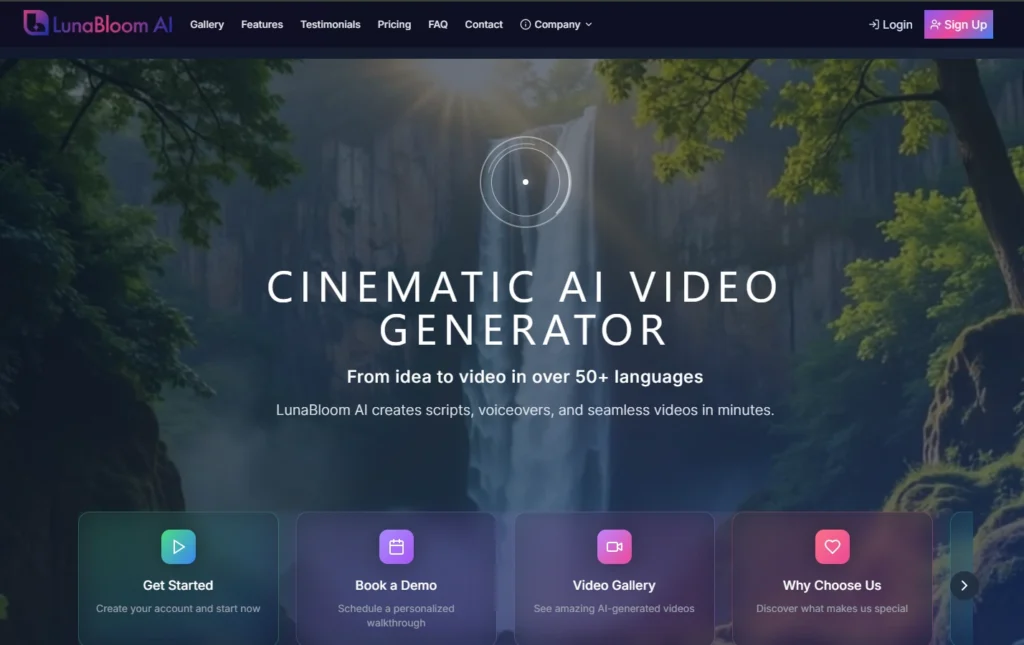
| Best For: Marketers, educators, social media managers, and content creators seeking efficient AI video solutions. |
LunaBloom AI is a powerful AI video generator designed to turn ideas and scripts into professional-quality videos in minutes. It allows users to create engaging content with AI avatars, voiceovers, and multilingual support.
Recognized as one of the best AI video generators, it can also generate videos directly from text using its text feature, making content creation faster and more efficient. Many users searching for an AI video generator online free discover LunaBloom AI as a user-friendly solution to create high-quality content effortlessly.
Key Features:
- Image-to-Video: Transform static images into dynamic, engaging videos in just a few clicks. Whether you’re showcasing a product or telling a brand story, LunabloomAI’s image-to-video feature brings your visuals to life. Perfect for social media, ads, or explainer videos.
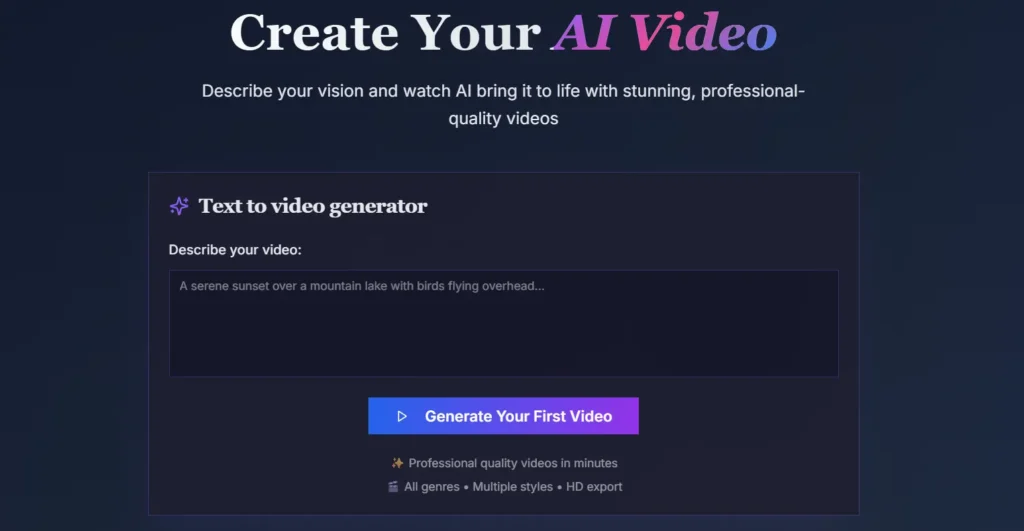
- Text-to-Video: No script? No problem. With LunabloomAI’s text-to-video feature, you can turn any written content into engaging videos within minutes. Simply input your text, and let the AI handle the video creation, adding animations ready to be shared.
- 50+ Languages: Global reach is at your fingertips. LunabloomAI supports over 50 languages, ensuring your videos are accessible to audiences worldwide. Whether you are expanding into new markets or targeting multilingual regions, the platform ensures your content speaks the language of your audience.
- 1-Click Publishing: Publishing video content should be as simple as creating it. With LunabloomAI’s 1-click publishing, you can instantly push your videos to your YouTube Channel. Spend less time on distribution and more time creating and engaging with your audience.
- Realistic Custom AI Avatars: Looking to take personalization to the next level? LunabloomAI’s custom AI avatars allow you to create lifelike virtual presenters or characters that can speak your scripts in a natural, engaging manner.
- SEO-Optimized Thumbnails & Metadata: Stand out in search results with SEO-optimized thumbnails and metadata. LunabloomAI automatically generates thumbnails and tags for your videos, making them more discoverable and improving your content’s performance on platforms like YouTube.
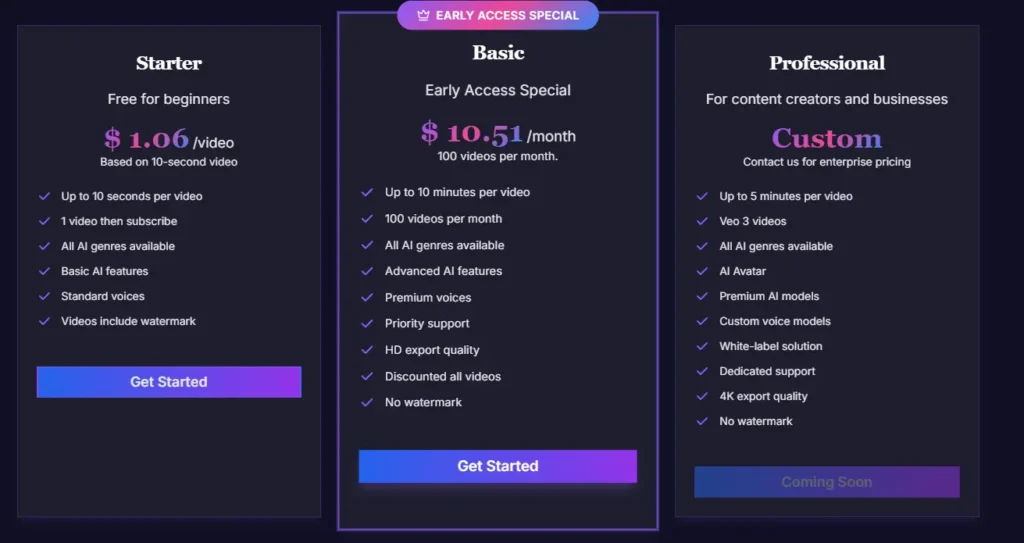
Pricing
Use Cases
- Marketing
Generate social media videos, Facebook ads, Instagram product ads, and explainers using this powerful AI video generation tool.
- Learning & Development
Create AI-powered training, onboarding, and e-learning modules quickly with an automatic video maker.
- Sales Enablement
Deliver personalized sales videos, product demos, and campaign-ready clips that boost engagement.
- Internal Communications
Produce company updates and announcement videos in minutes.
- Content Creation
Scale YouTube videos, Reels, TikToks, or ads for Facebook and Instagram with the best AI video generator.

2. InVideo AI
| Best For: Marketers, social media managers, educators, and content creators who need fast, professional video content. |
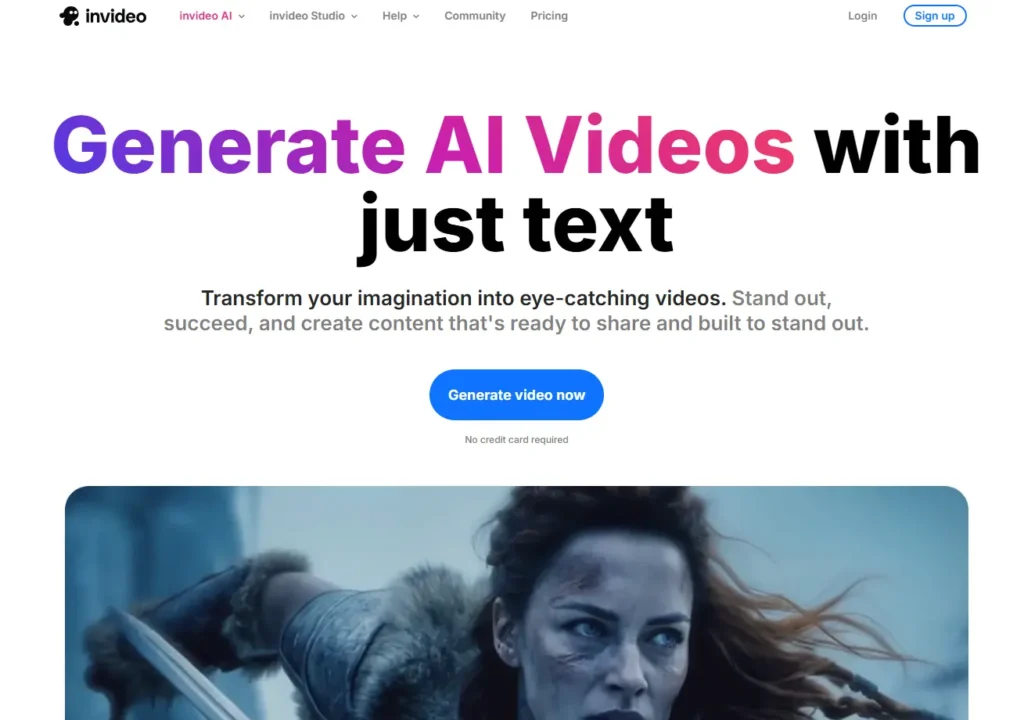
Invideo is a powerful AI video generation tool that transforms text prompts into high-quality, ready-to-share videos. As an AI video generator online from text, it enables businesses, creators, and marketers to produce ads, explainers, and social media content with ease.
The platform removes the need for advanced editing skills, making professional video creation accessible to everyone. With fast automation and a user-friendly interface, Invideo helps turn ideas into engaging videos in minutes.
Key Features:
- Smart AI Video Generator
With InVideo’s AI video generator, you can turn text prompts or scripts into polished, professional videos within minutes. This powerful AI video generation tool is ideal for marketers, creators, and brands looking to save time on editing.
- Custom AI Avatars
Create lifelike digital presenters using the AI avatar generator, perfect for tutorials, training, or product showcases. It works like an automatic video maker, helping businesses produce scalable, engaging content without manual effort.
- Social Media Video Maker
InVideo’s TikTok and Reels video maker helps you design viral-ready short-form content. Many users search for an AI video generator online free, and this feature ensures you get high-performing results tailored to platforms like TikTok, Instagram, and YouTube Shorts.
- AI-Powered Voiceovers
Generate professional, natural-sounding narrations with the voiceover generator to make videos more engaging. Paired with visuals, this tool enhances InVideo’s role as a versatile AI video generation tool for ads, explainers, and learning content.
Pros:
- User-Friendly: Easy to navigate, reducing learning time.
- Time Efficiency: Cuts video production from hours to minutes.
- Multilingual Support: Allows content to reach global audiences effectively.
Cons:
- Limited Customization: Some advanced editing features are restricted.
- Watermarked Free Plan: Free plan exports include watermarks.
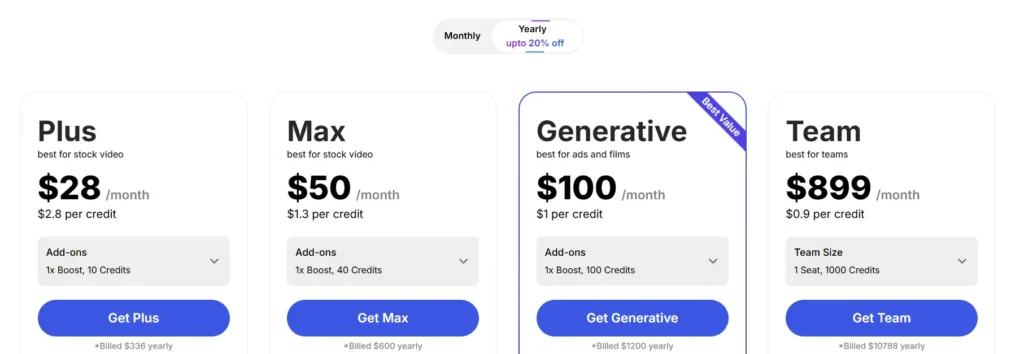
Pricing
Use Cases: InVideo AI is ideal for quickly producing professional videos to engage audiences.
- Social Media Ads: Short, eye-catching videos for Instagram, TikTok, and Facebook.
- Product Demonstrations: Showcase features and benefits visually.
- Tutorial Videos: Step-by-step instructional content.
- Marketing Campaigns: Promotional videos conveying brand messages effectively.
3. Pictory AI
| Best For: Bloggers, content marketers, educators, and social media managers who want to repurpose content into videos. |
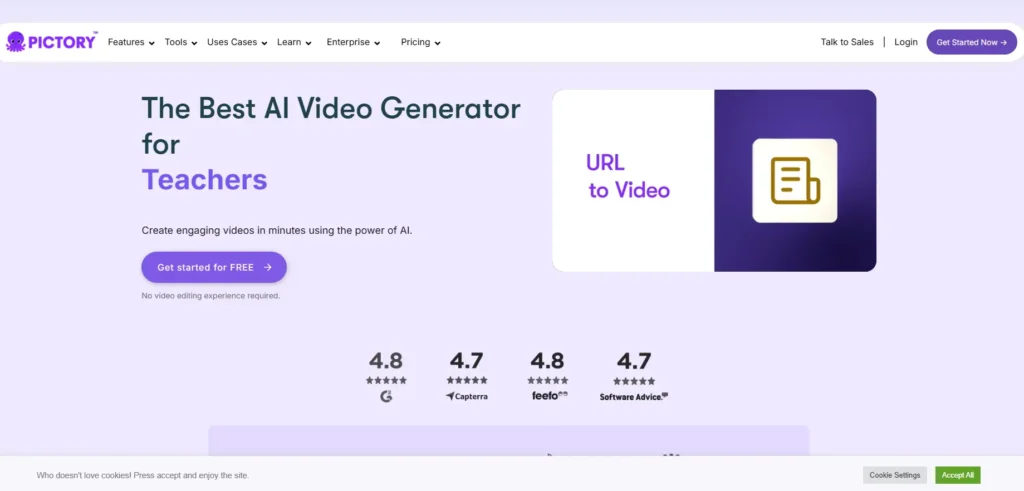
Pictory is an advanced AI video generator that transforms text, URLs, and long-form content into professional-quality videos in minutes. This powerful AI video generation tool saves hours of editing with automatic visuals, captions, and voiceovers.
Acting as an automatic video maker, Pictory enables creators and businesses to scale video production effortlessly. With its ease of use and scalable output, Pictory stands out as one of the most reliable solutions for high-quality AI-powered video creation.
Key Features:
- Text to Video
Instantly transform blog posts, articles, or scripts into dynamic visuals. As a powerful AI video generator, this feature makes it easy to create engaging videos for social media, marketing, or presentations without manual editing.
- AI Video Editor
This tool works as an automatic video maker, helping you polish videos with smart editing features like trimming, captions, and transitions. It saves hours of effort and ensures professional-quality output for creators and businesses alike.
- URL to Video
Convert any web page into a professional-quality video with just one click. This AI video generation tool is ideal for marketers and businesses looking to repurpose web content into shareable, engaging video formats.
- Image to Video
Turn static images into captivating slideshows with music, captions, and seamless transitions. This feature helps educators, creators, and brands bring stories or product showcases to life in a visually compelling format.
Pros:
- Time-Saving: Reduces video production time significantly.
- Professional Output: High-quality videos suitable for marketing and education.
- Beginner-Friendly: Intuitive interface for users with minimal technical skills.
Cons:
- Limited Customization: Fewer advanced editing options than competitors.
- No Free Plan: Doesn’t support free plan.
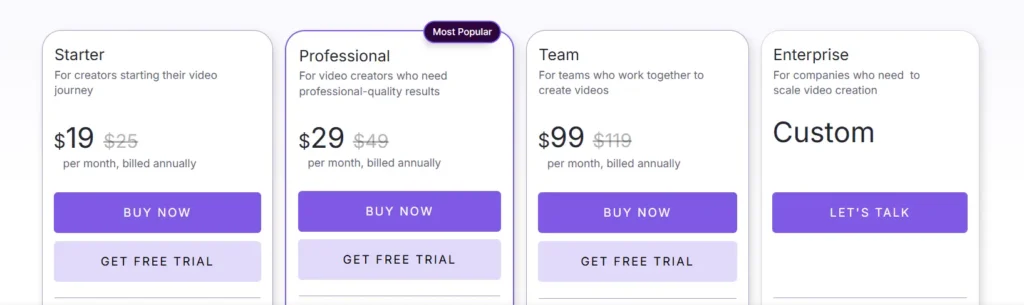
Pricing
Use Cases: Pictory AI is ideal for turning written content into visual videos.
- Marketing Campaigns: Quick, high-converting promo videos for ads and branding.
- Educational Explainers: Blogs or lessons turned into concise explainer videos.
- Product Demonstrations: Products showcased with visuals and voiceovers.
- Social Media Content: Engaging videos for TikTok, Instagram, and YouTube.
4. Runway
| Best For: Video editors, creative agencies, and filmmakers who need advanced AI tools. |
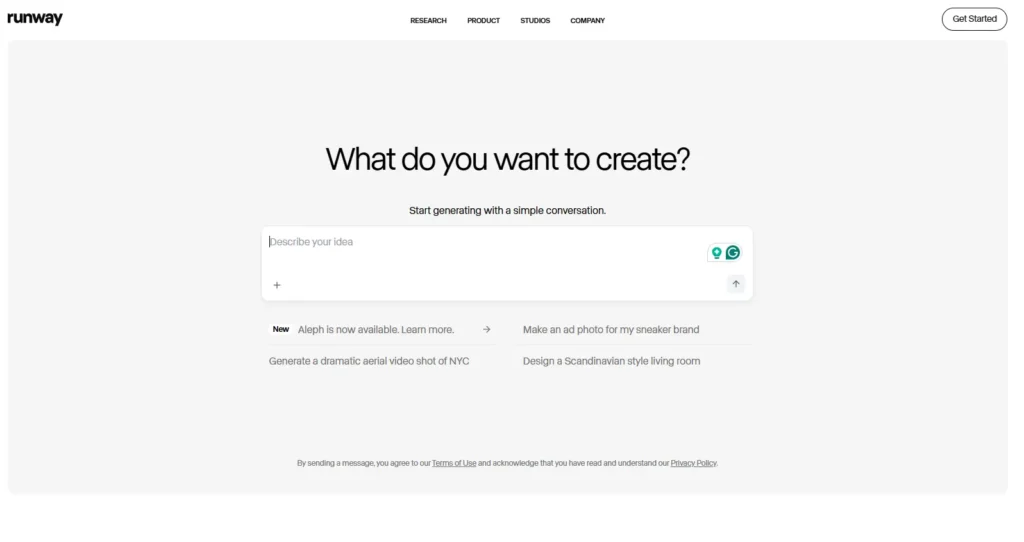
Runway is an innovative AI video generator that transforms ideas into professional-quality videos. This AI video generation tool streamlines editing with automated features like scene detection, transitions, and voiceovers.
Serving as an automatic video maker, it reduces manual effort while enhancing creativity. With its advanced capabilities, Runway enables faster, smarter, and more polished video production.
Key Features:
- Gen‑4: Consistent Video Creation
With Gen‑4, you can generate videos featuring consistent characters, objects, and scenes using just a single reference image, perfect for an AI video generator that produces professional-quality content. It delivers realistic motion, mood, and cinematographic elements without manual fine-tuning, making it a powerful automatic video maker.
- Aleph: Advanced Video Editing & Scene Control
Runway Aleph allows you to edit video content using prompts, including adding or removing objects, changing angles, and adjusting lighting. This AI video generation tool streamlines complex visual edits, saving hours of manual editing for content creators and marketers.
- Real-Time Collaboration & Multi-Motion Control
Runway supports real-time collaboration, letting teams work together seamlessly on projects and improving productivity. Tools like Motion Brush and Camera Control let you direct multiple elements precisely, enhancing any workflow with this AI video generator online.
- Advanced Editing Tools — Gen‑3 Alpha Enhancements
The Gen-3 Alpha model powers Text-to-Video, Image-to-Video, and more, with control features such as physics-based simulation, slow-motion effects, face blurring, and background removal. These advanced tools make Runway an efficient automatic video maker for creating cinematic content quickly.
Pros:
- Professional-Grade Tools: Industry-standard editing features with AI assistance.
- Collaborative Platform: Supports team projects efficiently.
- Cloud Convenience: No need for high-end hardware to edit videos.
Cons:
- Steep Learning Curve: Beginners need time to master features.
Pricing
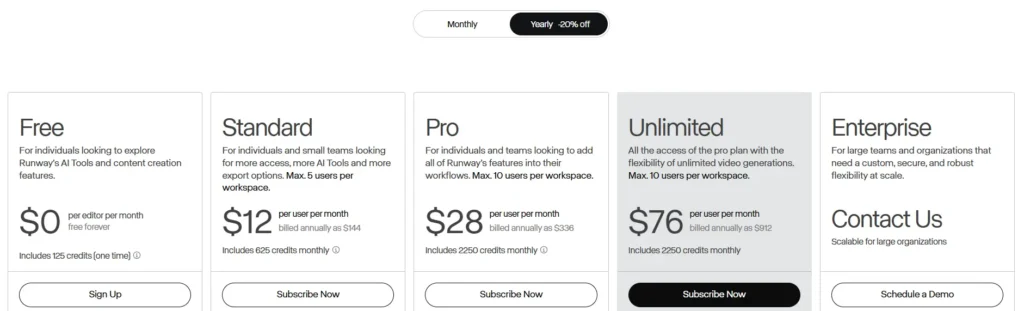
Use Cases: Runway is ideal for creating advanced, high-quality video content.
- Film Production: Short films and cinematic content.
- Advertising: Commercials and promotional videos.
- Educational Videos: High-quality explainer videos for courses.
- Social Media Content: Engaging posts for multiple platforms.
5. Synthesia
| Best For: Corporate trainers, marketers, and content creators looking for professional AI presenter videos. |
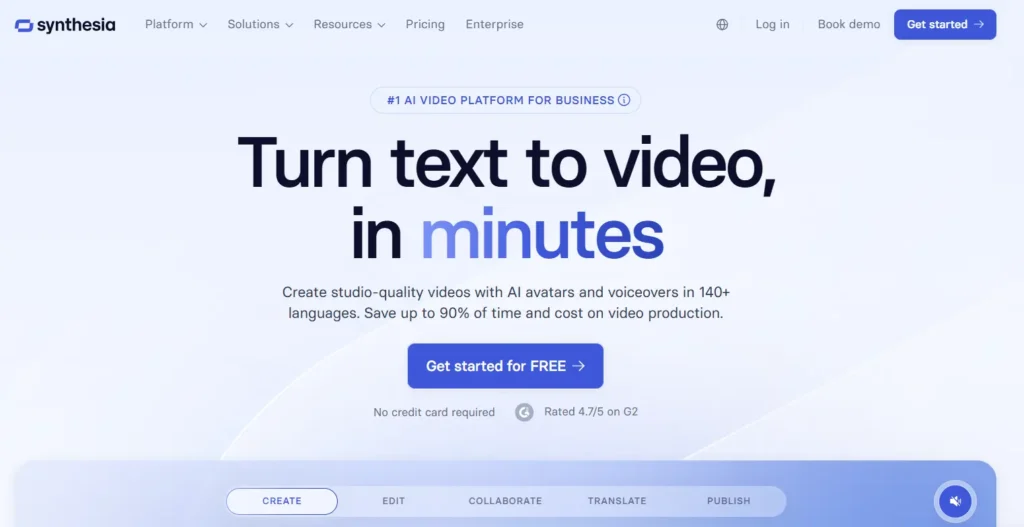
Synthesia is the world’s leading AI video creation platform that allows businesses to turn text into professional studio-quality videos in minutes. With over 230 avatars and support for 140+ languages, it helps teams scale training, marketing, and communication effortlessly.
The platform is trusted by 90% of Fortune 100 companies for its security, compliance, and cost-saving efficiency. By eliminating the need for cameras, actors, or studios, Synthesia makes video production faster, more affordable, and perfectly on-brand.
Key Features:
- AI Video Generator
Create professional-quality videos instantly with an AI video generator, turning scripts into engaging visuals without cameras or actors. This automatic video maker helps businesses save hours of production time while ensuring polished results.
- AI Avatars & Voices
Choose from 230+ avatars and natural-sounding voices to scale content creation with ease. As a best AI video generator feature, it allows brands to produce consistent, high-quality training, marketing, and explainer videos.
- 1-Click Translations
Expand globally with seamless video localization in 140+ languages using this AI video generation tool. Businesses can communicate effectively across regions while maintaining brand tone and accuracy.
- Collaboration Tools
Work with teams in real time using commenting, version control, and live collaboration. These features make the platform not just an AI video generator, but also a powerful solution for enterprises managing large-scale video projects.
Pros:
- Professional Output: Produces realistic, high-quality AI presenter videos.
- Time-Saving: Generates videos quickly without filming or editing.
- Global Reach: Multilingual support allows easy localization.
Cons:
- Limited Customization: Avatars and scenes have predefined settings.
- Higher Cost: More expensive than basic AI video generators.
Pricing

Use Cases: Synthesia is perfect for creating professional corporate or marketing videos.
- Corporate Training: Employee onboarding or educational modules.
- Marketing Videos: Product demos or promotional content.
- E-Learning: Interactive online lessons with AI presenters.
- Social Media Content: Short engaging videos with virtual avatars.
6. DeepBrain
| Best For: Educators, businesses, and content creators who need realistic AI avatar videos. |
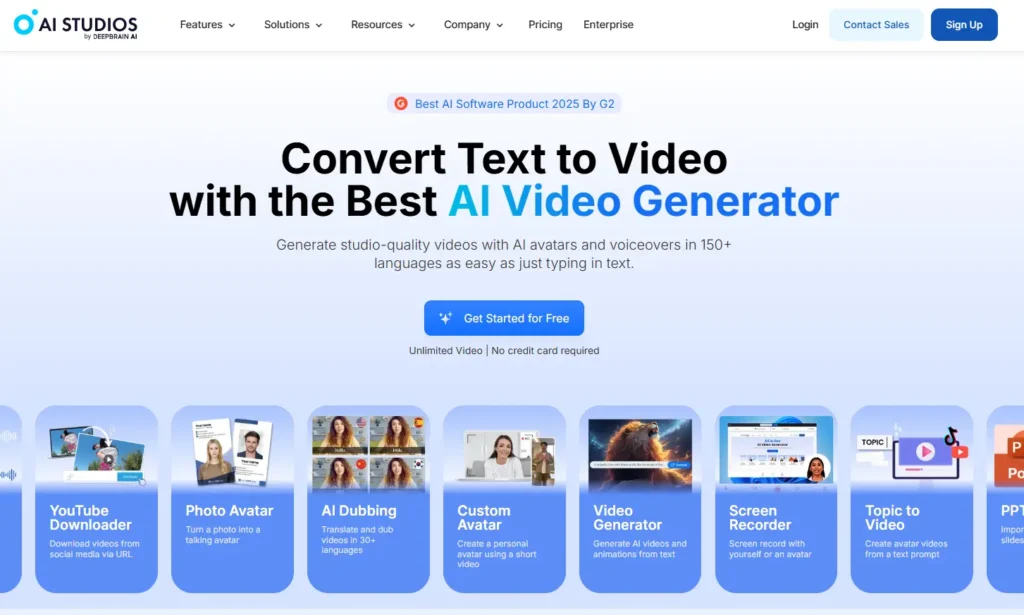
AI Studios by DeepBrain AI is a powerful AI video generator that converts text, PDFs, PPTs, and URLs into professional-quality videos in minutes. It offers automatic video maker features like AI avatars, text-to-speech in 150+ languages, and seamless dubbing for global audiences.
With advanced collaboration, studio avatars, and customizable templates, teams can scale video production efficiently while maintaining brand consistency. Trusted by millions, AI Studios is one of the best AI video generators for creating engaging marketing, educational, and social media content.
Key Features:
- AI Avatars
AI Studios offers 150+ realistic AI avatars that bring your videos to life without actors or cameras. These avatars are perfect for creators using the best AI video generator to produce professional-quality, engaging content.
- AI Voices
Utilize AI voices in 150+ languages for narration, dubbing, or personalized voiceovers. This feature ensures your videos sound natural and professional when using an automatic video maker or AI video generation tool.
- Teams & Workspaces
Collaborate seamlessly with your team using AI Studios workspaces, making video production faster and more organized. Teams can edit, comment, and manage projects in real-time, ideal for enterprises using the best AI video generator for scalable content
- Video Translation
Instantly translate your videos into multiple languages with precise lip-sync and tone retention. This AI video translation feature is essential for reaching global audiences using an AI video generation tool or automatic video maker.
Pros:
- Realistic Output: AI avatars look professional and natural.
- Fast Production: Significantly reduces time to create videos.
- Beginner-Friendly: Easy-to-use interface for non-technical users.
Cons:
- Limited Editing Options: Customization beyond templates is minimal.
- Pricing: Higher plans may not suit small creators.
Pricing
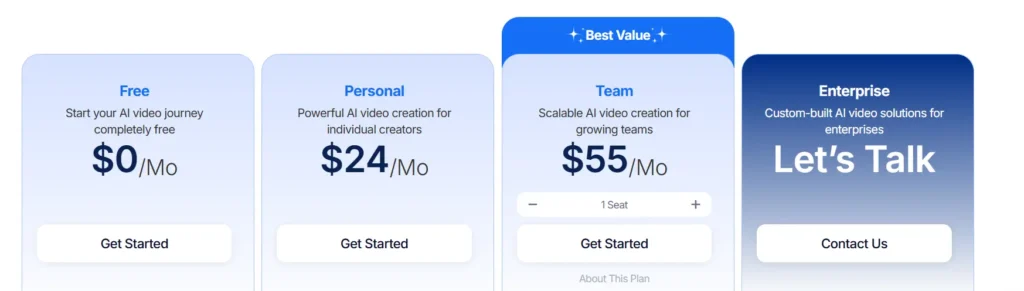
Use Cases: DeepBrain is ideal for professional videos with AI presenters.
- Corporate Training: Onboarding and internal tutorials.
- Product Demonstrations: Present products using AI avatars.
- Educational Content: Create lessons and explainer videos.
- Marketing Campaigns: Engaging promotional videos.
7. Lumen5
| Best For: Bloggers, marketers, and social media managers who want to convert articles or posts into videos. |
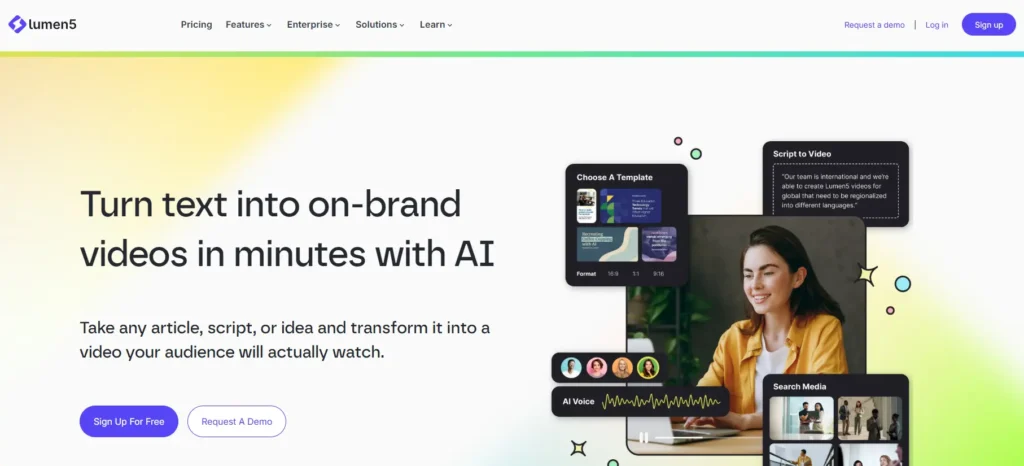
Lumen5 is an AI-powered video generator that transforms articles, scripts, or ideas into professional, on-brand videos in minutes. With its intuitive drag-and-drop interface, users can create high-quality content without any prior video editing experience.
The platform offers branded templates, smart automation, and enterprise-ready tools to ensure videos are consistent, engaging, and scalable. Trusted by millions of companies worldwide, Lumen5 helps marketers and brands turn views into measurable business results.
Key Features:
- Blog to Video
Convert your written content into engaging video content quickly using the best AI video generator. This feature allows marketers and creators to transform blogs, articles, or scripts into professional videos that capture audience attention.
- Talking Head Videos
Generate realistic AI avatars that deliver your message naturally, making your content more personal and relatable. Using this AI video generation tool, you can create professional videos without cameras, actors, or studios.
- AI Voiceover Generator
Add lifelike voiceovers in multiple languages automatically, enhancing video accessibility and engagement. This automatic video maker feature ensures every video sounds professional while saving time on recording.
- AI Script Writing
Instantly generate video scripts from ideas, documents, or URLs to streamline content creation. With this AI video generator, even complex topics can be turned into ready-to-produce scripts for high-quality videos.
Pros:
- Easy to Use: Beginner-friendly interface for quick video creation.
- Time-Saving: Converts long-form content into videos efficiently.
- High Engagement: Matching visuals and music create appealing videos.
Cons:
- Limited Customization: Advanced editing is restricted.
- Watermarks in Free Plan: Free videos include platform branding.
Pricing
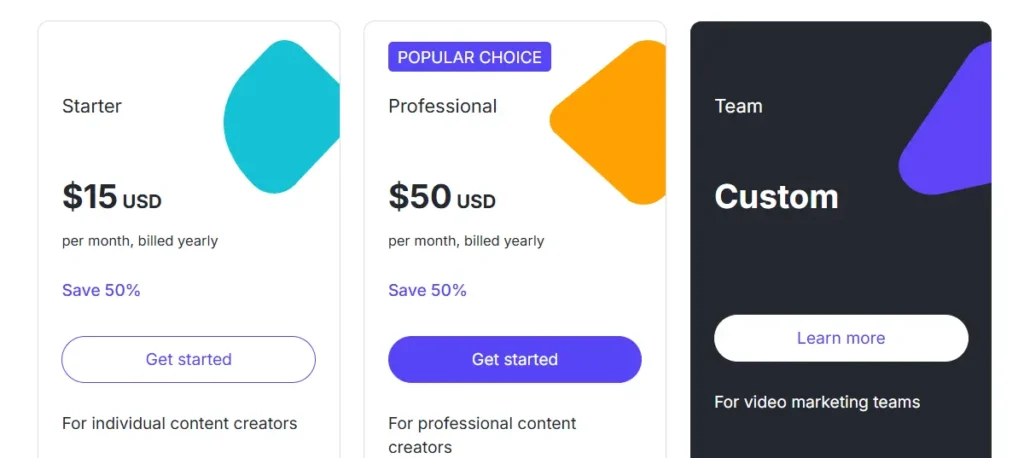
Use Cases: Lumen5 is ideal for creating social media videos from text content.
- Blog-to-Video: Convert articles into shareable videos.
- Social Media Ads: Short, attention-grabbing promotional clips.
- Educational Content: Transform lessons into visual guides.
- Marketing Campaigns: Quick promotional content for campaigns.
8. Sora
| Best For: Small businesses, marketers, educators, and content creators who want fast video production. |
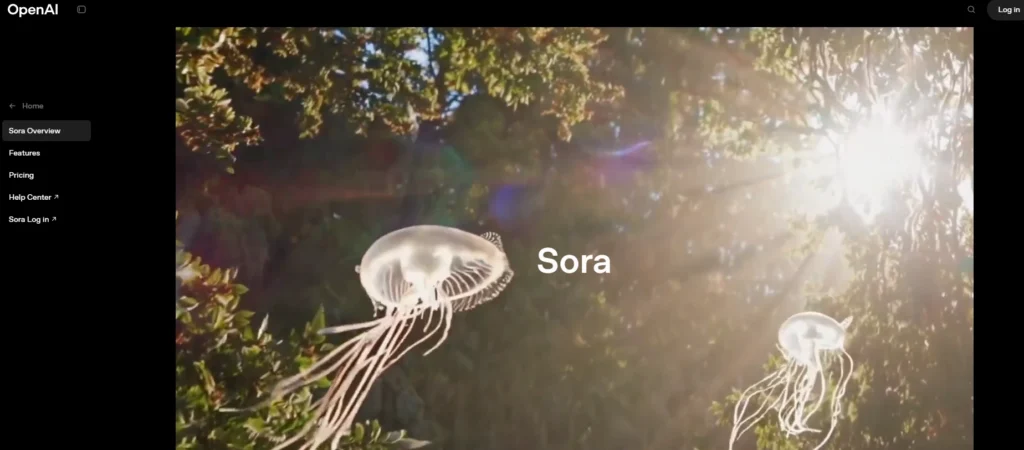
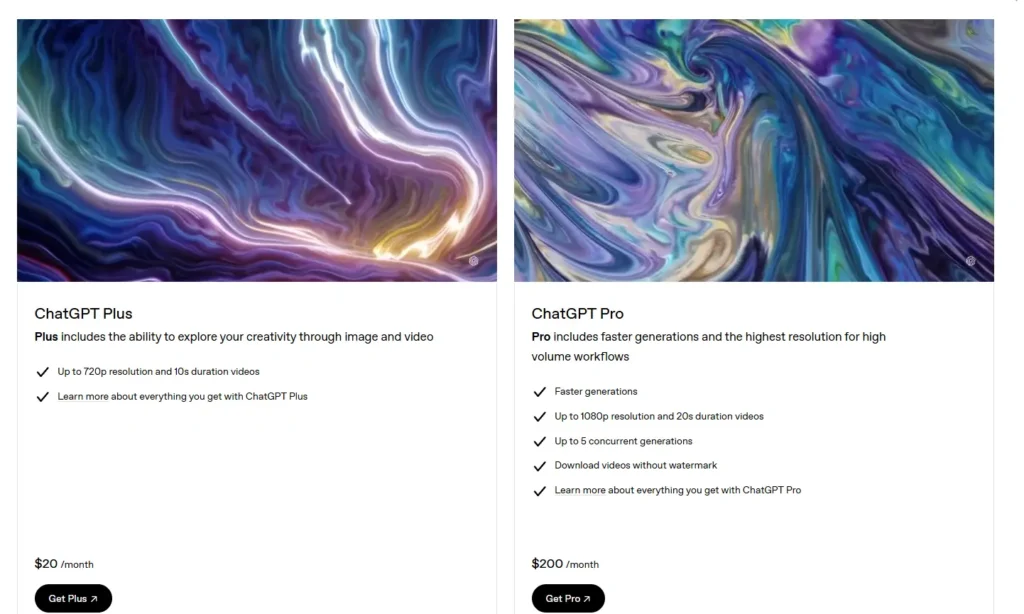
Sora by OpenAI is a cutting-edge AI video generator that transforms text into realistic videos with customizable assets and multiple aspect ratios. Its Sora Turbo version enables faster video creation up to 1080p, making it ideal for creators who need high-quality outputs quickly.
Users can leverage its storyboard tool to precisely control each frame, enhancing creativity and production efficiency. With features like automatic translation, visible watermarks, and safety safeguards, Sora ensures responsible and professional video generation for all users.
Key Features:
- Text-to-Video Generation
Sora allows users to create realistic videos directly from text prompts, making it a powerful AI video generation tool. This feature simplifies video production by turning scripts, ideas, or articles into visual content in minutes.
- Sora Turbo – High-Speed Video Creation
With Sora Turbo, videos can be generated up to 1080p resolution much faster than previous versions, ideal for creators needing quick outputs. This speed enhances workflow efficiency while maintaining professional-quality results, making it one of the best automatic video makers.
- Storyboard & Custom Asset Integration
Users can precisely control each frame using the storyboard tool and integrate their own images, videos, or assets for personalized outputs. This makes Sora an ideal AI video generator for tailored content creation.
- Automatic Translation & Safety Features
Sora supports automatic translation and responsible content generation with visible watermarks and safeguards against deepfakes. This ensures global reach and ethical use, positioning it as a top AI video generation tool for creators worldwide.
Pros:
- Fast Production: Creates videos in minutes without prior experience.
- Easy to Use: Beginner-friendly interface with drag-and-drop functionality.
- High-Quality Output: Produces visually appealing videos for multiple platforms.
Cons:
- Limited Advanced Editing: Customization beyond templates is restricted.
- Feature Limits on Free Plan: Some features require premium access.
Pricing
Use Cases: Sora is ideal for quickly creating engaging videos for various purposes.
- Corporate Training Videos: Quickly create engaging internal training content for employees.
- E-Learning & Educational Content: Develop interactive educational videos for students or online courses.
- Event Promotions: Promote events, webinars, or conferences with dynamic video content.
- Explainer Videos for Websites or Apps: Simplify complex ideas or products into short, clear videos for audiences.
9. VEED
| Best For: YouTubers, social media marketers, and small businesses creating video content. |
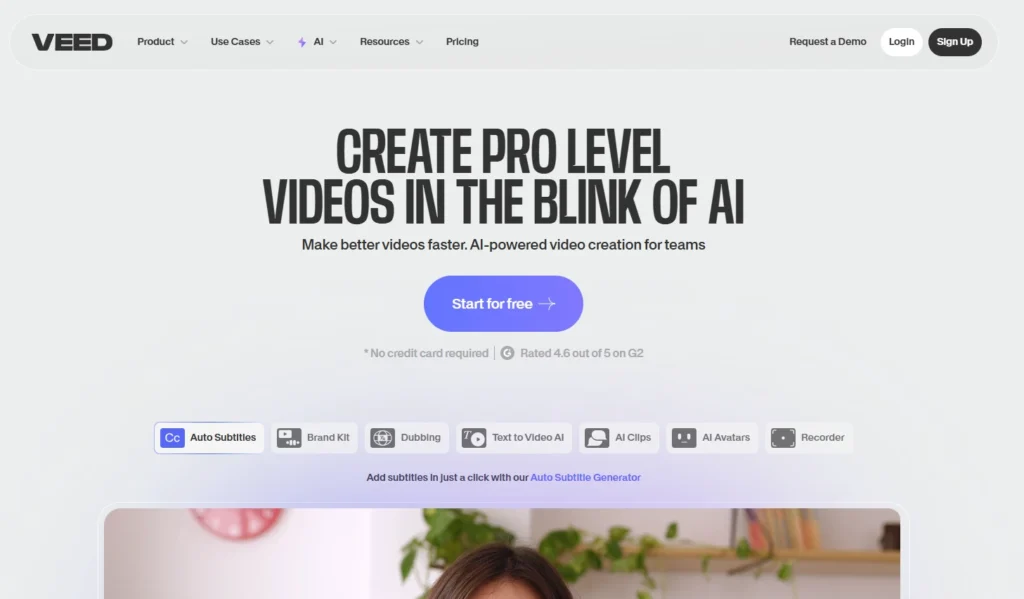
VEED is an all-in-one AI-powered video creation platform that helps teams produce professional videos faster and more efficiently. Its features include AI Avatars, Auto Subtitles, Text-to-Video AI, and AI Voice Generators, enabling users to create talking head videos, marketing content, and educational materials with ease.
The platform also offers collaboration tools, brand kits, and a stock library, making it ideal for team projects and consistent, on-brand content. With VEED, users can edit, publish, and share high-quality videos directly from their browser or mobile device, streamlining the entire video production process.
Key Features:
- AI Avatars & AI Voices
VEED enables you to create realistic AI Avatars and natural-sounding AI Voices, perfect for producing Talking Head videos and AI Voiceover Generator content quickly. Teams can use this to enhance Marketing Campaigns or Tutorial Videos without hiring actors.
- AI Editing
With AI Editing, tasks like Filler Word Removal, Eye Contact AI, and audio-video syncing are automated. This streamlines post-production and ensures professional-quality videos using your automatic video maker tools.
- AI Video Generation
VEED’s AI Video Generator transforms scripts, blogs, or ideas into engaging videos instantly. It serves as the best AI video generator for creating Marketing Campaigns, Social Media Ads, or Product Demonstrations, saving teams valuable time.
- Auto Subtitles & Translation
The Auto Subtitles and AI Translate features create accurate captions and multilingual translations automatically. This boosts accessibility and engagement, making VEED a leading AI video generation tool for global audiences.
Pros:
- Fast Editing: AI tools streamline the video creation process.
- User-Friendly: Intuitive interface for beginners and professionals.
- Multilingual Subtitles: Expands accessibility to global audiences.
Cons:
- Limited Free Plan Features: Some advanced tools require a paid subscription.
- Watermarks: Free plan videos include VEED.IO branding.
Pricing

Use Cases: VEED.IO is perfect for marketers and content creators who need fast video production.
- Product Demos: Showcase your product features in short videos.
- Internal Training: Create quick and engaging team training clips.
- Event Highlights: Capture key moments from events easily.
- Customer Reviews: Display visual testimonials from satisfied clients.
10. Colossyan
| Best For: Corporate trainers, marketers, educators, and content creators needing AI presenter videos. |
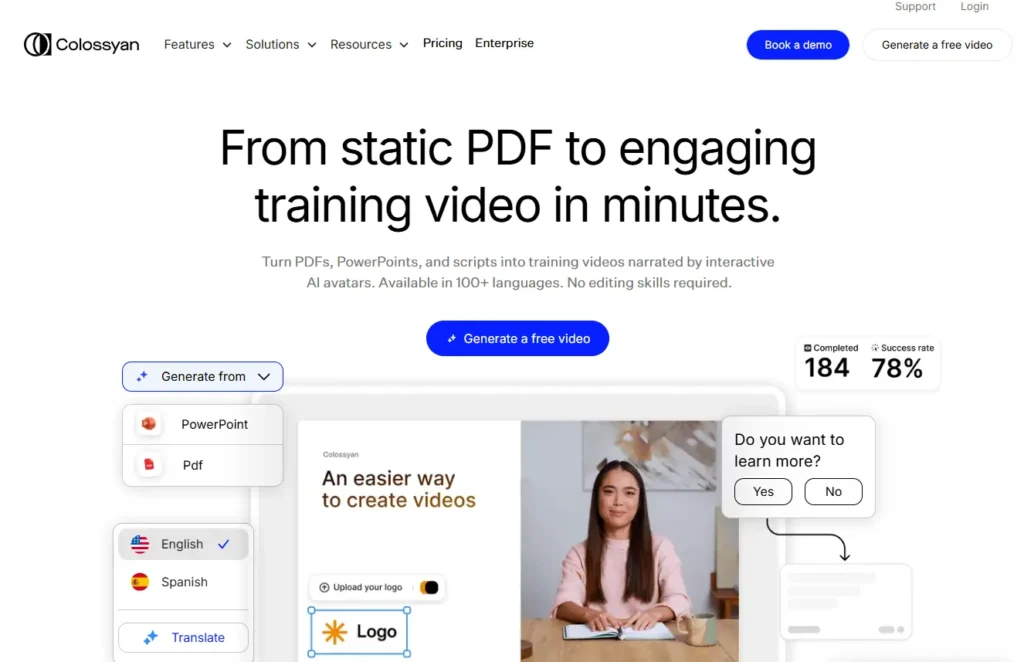
Colossyan is a powerful AI video generator that transforms static PDFs, PowerPoints, and scripts into engaging videos in minutes. Its interactive AI avatars narrate content in over 100 languages, making training accessible and personalized.
Users can easily edit videos with this AI video generation tool, add subtitles, and automate translations for global teams. With Colossyan, organizations save time, reduce production costs, and scale training effectively using an automatic video maker.
Key Features:
- AI Avatars
Colossyan lets you create realistic AI avatars quickly, making it easy to produce professional-looking videos. Ideal for an AI video generator, these avatars bring your content to life in a natural, engaging way.
- AI Voices
With access to 600+ voices in 100+ languages, you can narrate videos globally. This makes Colossyan a top choice for an AI video generation tool or automatic video maker, providing multilingual support without extra effort.
- AI Assistant
The built-in AI Assistant helps you generate video scripts in seconds, streamlining the content creation process. Perfect for beginners, it supports those searching for how to make AI videos for free or using an AI video generator online free.
- Translation
One-click translation localizes your videos for international audiences, including both text and voiceovers. This ensures your content created with an AI video generator can reach viewers worldwide effortlessly.
Pros:
- Professional-Looking Videos: Realistic avatars enhance viewer engagement.
- Quick Video Production: Generate videos in minutes without filming.
- Easy to Use: Beginner-friendly interface with minimal learning curve.
Cons:
- Limited Customization: Predefined avatars and templates restrict creative control.
- Higher Cost: Premium features are relatively expensive.
Pricing
Use Cases: Colossyan is ideal for AI-driven professional video creation.
- Corporate Training: Onboarding and educational modules.
- Marketing Videos: Product demos and promotional cotent.
- E-Learning: Interactive online lessons with AI presenters.
- Social Media Content: Engaging videos with virtual avatars.
Conclusion
Video content is dominating the digital world, and creating high-quality videos no longer has to be time-consuming or expensive. With the best AI video generator and AI video generation tools, anyone can turn scripts, PDFs, or PowerPoints into professional videos in minutes. Whether you are a marketer, educator, or content creator, these platforms simplify the process and save valuable time.
For those exploring how to make AI videos for free or seeking an AI video generator online free, LunaBloom stands out as a user-friendly, efficient solution. With multilingual support, realistic AI avatars, and text-to-video automation, it empowers teams to scale video production effortlessly.
Step into the future of video creation. Try LunaBloom with a free demo today.
FAQ Section
The best AI for video creation depends on your goals, such as marketing, education, or social media content. Tools like LunaBloom, Synthesia, and VEED.IO are top-rated AI video generation tools that offer fast, professional results. They allow you to create videos from text, images, or scripts with minimal effort.
A text-to-video AI generator online is a tool that converts written content into videos using artificial intelligence. Platforms like LunaBloom AI allow you to input text and automatically generate engaging videos within minutes.
An online AI video creator tool works by analyzing your text input and using AI algorithms to generate visuals, voiceovers, and animations, transforming your content into a polished video without any technical skills.
Several platforms allow you to explore AI video creation for free. For example, you can learn how to make AI videos for free with free-tier plans from LunaBloom, InVideo, or VEED.IO. These tools offer AI video generator online free options and even support AI video generator online from text for quick script-to-video conversion
The best online AI video creator tools include LunaBloom AI and Pictory, which offer easy-to-use interfaces and quick video creation by simply entering text or scripts.





