You've finished cutting a 45-second video, the visuals hit every beat, and the dialogue is crisp. Then comes the moment that needs a sharp gasp, a low creature growl, or an intimate whisper under a product shot. You lean into your microphone, push your throat harder for take six, and end up with a sore voice and a clip that sounds harsh on studio monitors and muddy on a phone speaker.
Most creators run into this wall because they treat vocal sound effects as louder, more extreme acting rather than editable production layers. Screen sound history proves why that approach fails. As The Conversation's feature on Foley history notes, Jack Foley began building synchronized effects at Universal Pictures in 1914, and even after The Jazz Singer accelerated synchronized cinema in 1927, effects remained a separate authored layer alongside dialogue and music. The same article cites a 2020 study of vocal sounds from 51 men and women showing that fundamental frequency can increase by as much as tenfold in screams compared with the same person's normal speech.
That gap explains why you can't just yell a line and call it sound design. Demand for expressive voice work keeps climbing, with Research and Markets' November 2025 vocal-effect market report projecting the global vocal-effect market to grow at a 9.0% compound annual growth rate from 2025 through 2031. Getting those sounds right starts with recording a quiet, repeatable source take, building intensity in post-production, and testing every layer against a dry reference before viewers hear it.
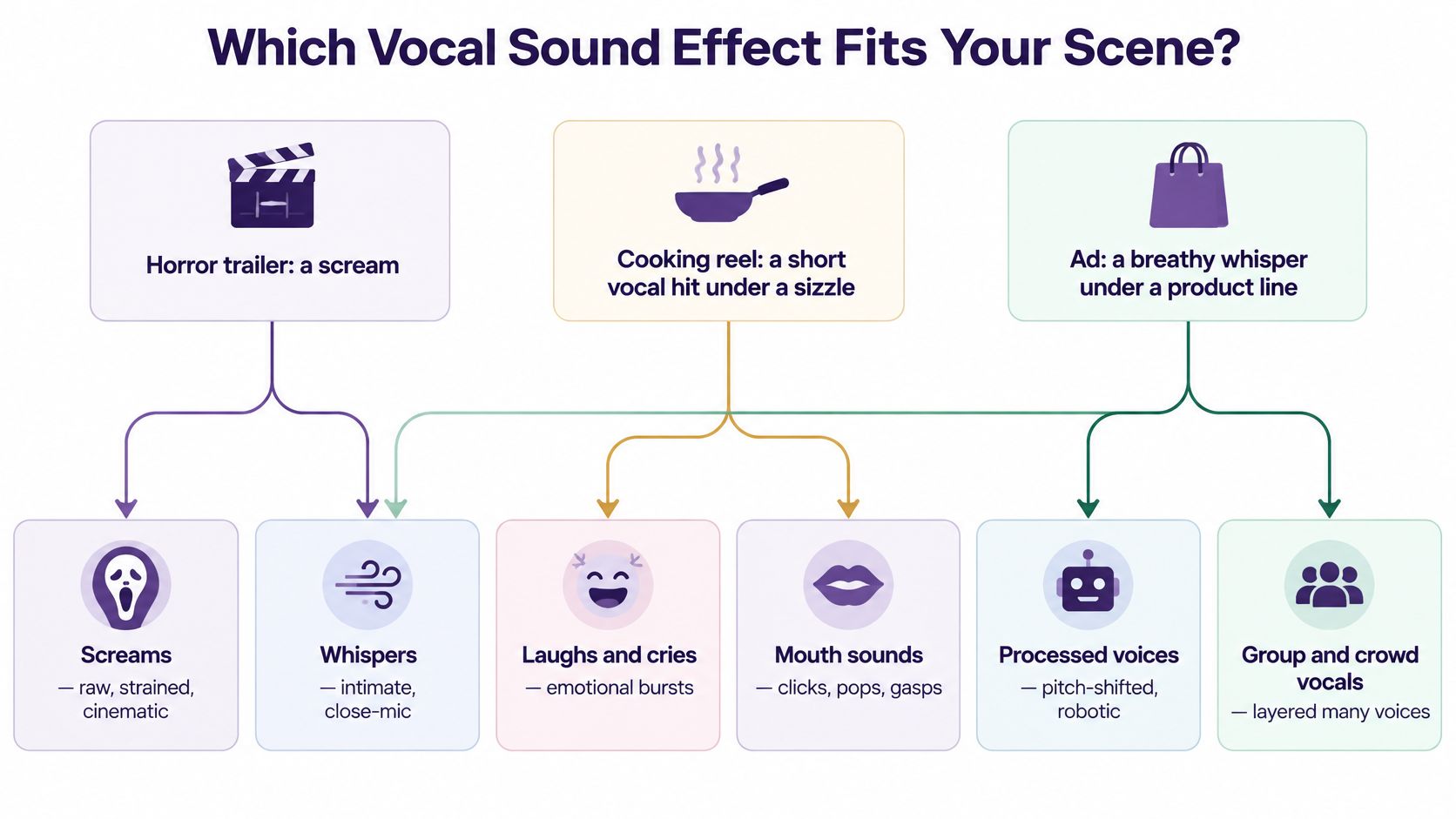
Which Vocal Sound Effect Fits Your Scene
Start with the picture, not your plugin folder. A horror trailer calls for a piercing scream that sells immediate danger. A fast-paced cooking reel benefits from a tight vocal percussion hit layered right under a pan sizzle. A skincare ad often leans on a close, breathy whisper tucked beneath a headline product line.
Those three clips pull from six core families of vocal sound effects: screams and shouts, laughs and cries, breathy whispers, vocal drum hits, harmonic whistles, and creature growls. Below is a quick map connecting everyday video scenes to the vocal families that power them.
Nonverbal vocalizations sit far outside everyday spoken delivery. In a cross-cultural acoustic study published in PMC comparing more than two hours of speech, singing, and nonverbal vocalizations, researchers found that nonverbal sounds reached a median fundamental frequency near 1,000 Hz in men and 2,000 Hz in women, roughly one octave above those speakers' speech range. Harsh, irregular phonation also spiked dramatically: amplitude modulation affected a median 11.5% of voiced frames and deterministic chaos affected 10.9%, compared with about 1% in non-neutral speech and virtually zero in neutral speech.
Because that emotional load lives in vocal dynamics rather than vocabulary, a well-shaped gasp, laugh, or roar crosses language barriers without translation. At the physical level, your vocal folds supply raw energy while your tongue, mouth, and throat sculpt its color. Even percussive mouth sounds rely on coordinated mechanics: a 2021 acoustic and articulatory beatboxing study from Université Grenoble Alpes tracked 12 vocal drum sounds across five categories (kick, snare, hi-hat, rimshot, and cymbal) and confirmed that lips, tongue, glottal control, and breath timing work together to create each hit.
Matching Effect Families to Safe Post-Production Levers
You don't need to perform every acoustic extreme at full throat volume. Look at what drives each family, how much strain it puts on a performer, and which processing lever builds the weight safely.
| Effect type | Main control | Strain risk | Post-production lever |
|---|---|---|---|
| Scream or shout | Pitch roughly one octave above speech, high intensity | High | Layer a gentle take with pitch shift and a presence boost near 2-3 kHz |
| Laugh or cry | Harsh, irregular phonation and breath pattern | Medium | Modulate amplitude on a neutral take and add breath texture |
| Breathy whisper | Amount of breathiness in the mix | Low | Duplicate the track and blend the breath layer under the dry voice |
| Vocal drum hit (kick, snare, hi-hat) | Lip and tongue attack, glottal activity, breath timing | Medium | Layer short transients and trim the tail tight |
| Harmonic whistle | Vocal-tract resonance tuned to upper harmonics | Medium to high, needs training | Use as a short accent, EQ-peaked in the upper mids |
| Creature growl | Irregular phonation and amplitude modulation | High | Apply distortion or formant shift to a quiet, clean take |
Harmonic whistles deserve a quick note because they look deceptive on paper. As explained in a University of New South Wales acoustics chapter on harmonic singing, a performer sustains a low drone while tuning vocal-tract resonance to emphasize upper multiples of the fundamental frequency, producing a whistle-like overtone melody without electronic pitch shifting. That takes practice, so use it for brief alien or metallic accents rather than long cues.
Selection rule: Pick the effect that matches both the scene's intent and the performer's physical limits, and keep any vocal layer carrying actual words noticeably quieter and cleaner than pure nonverbal hits.
How to Record Vocal Effects Without Straining Your Voice
Most vocal injuries in small studios happen during retakes, not the first pass. Repeated yelling, heavy growling, harsh glottal attacks, breath-holding, and forced vocal distortion fatigue the folds fast. Yet convincing intensity rarely requires pushing your larynx to its ceiling. The DAFx 2026 sound-design paper on controllable Foley synthesis points out that while Foley has traditionally been performed live in sync with picture, modern production treats effects as editable, controllable layers where post-production carries much of the acoustic weight.
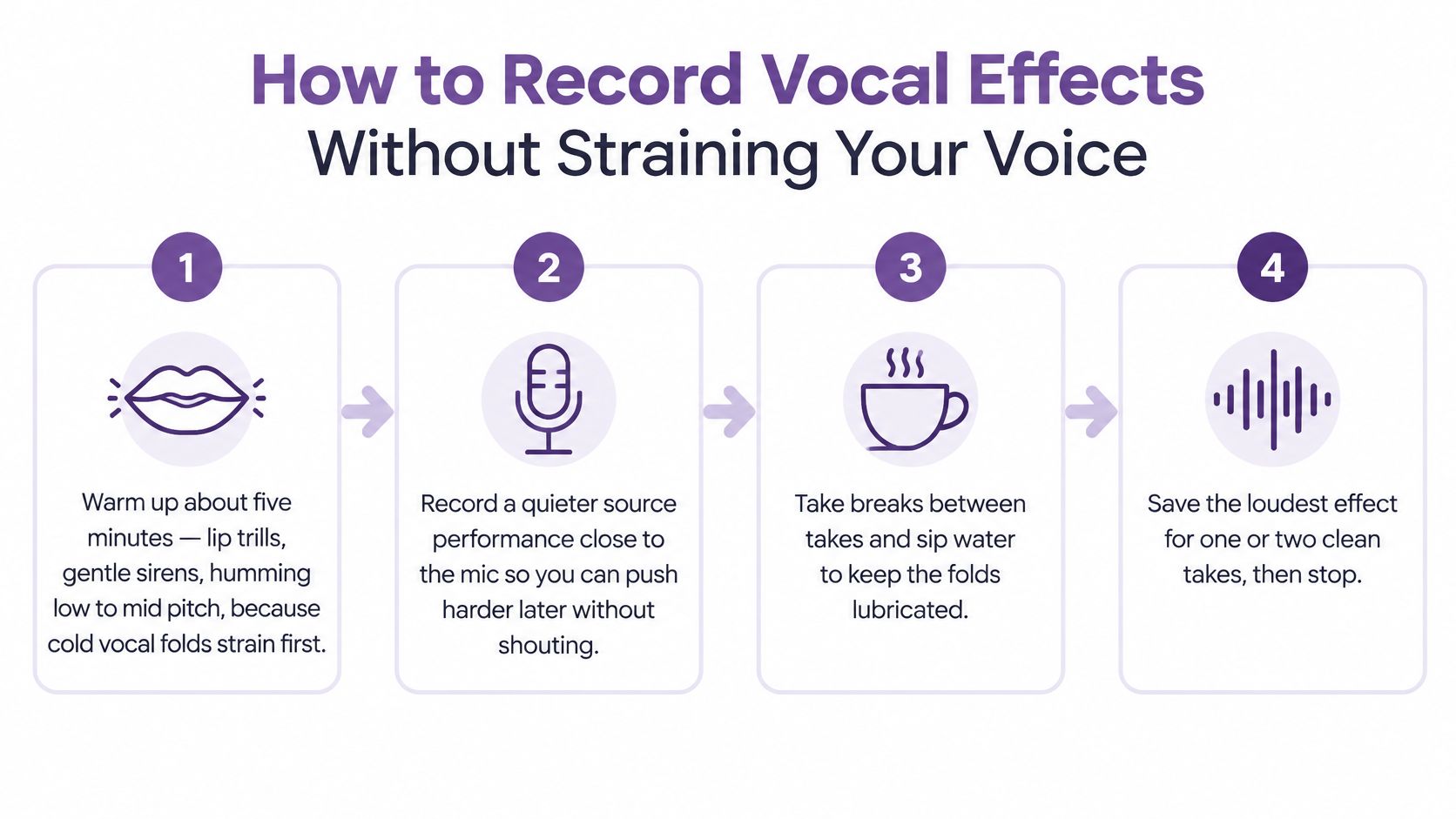
Here is the safe recording sequence I use before hitting record on any demanding session.
Session Setup and Capture Basics
Before warming up your voice, get your capture chain right so you never have to re-record a great performance because of technical noise. Set your DAW to 24-bit at 48 kHz, which matches standard video delivery and gives you plenty of headroom for pitch shifting and heavy compression later.
Place a condenser or dynamic microphone 15-20 cm away, angled slightly off-axis behind a pop filter to tame plosives and harsh wind blasts. Record inside a soft, damped room (hang moving blankets or record near a filled closet if you lack acoustic panels), because room reflections baked into a dry take turn ugly the moment you add saturation or pitch shift. Capture 10 seconds of quiet room tone before you leave the mic; you'll need that natural floor to patch edits smoothly.
Step-by-Step Safe Recording Protocol
- Warm up for five minutes before your first take. Run gentle lip trills, quiet pitch sirens, and easy humming across your low-to-mid register. Cold vocal folds swell and strain faster than warmed tissue, especially on sudden glottal impacts.
- Perform quieter and closer instead of shouting. Bring your energy through clear consonant attack and controlled breath pressure rather than raw loudness. You can always push grit, compression, and presence in your DAW, whereas clipped, raspy raw audio can't be rescued.
- Cap high-intensity takes at three per effect, then rest for ten minutes. Sip room-temperature water between attempts and let your folds recover. If take three still misses the mark, switch to a gentler delivery or blend non-vocal Foley like fabric snaps, wet leather twists, or low sub-bass hits underneath a safe vocal base.
- Always record one clean dry take of the same line. Even when a script asks for a monster roar or panicked shout, capture a calm, intelligible pass at the same tempo. That dry track becomes your intelligibility anchor during mixing.
- Log mic distance, room setup, and take numbers on a quick slate. Write down how far you stood from the capsule and which gain setting you used so pickups recorded a week later match cleanly.
- Stop the session immediately at the first physical warning sign. Do not try to power through "one last take" if your voice starts slipping.
Stop immediately if you notice hoarseness, throat pain, a sudden pitch break, or a dry tickle that makes you cough. Pushing past those signals turns a minor session delay into days of vocal rest.
A healthy source take sounds controlled, repeatable, and steady enough that you could perform it cleanly across a full afternoon. To see how professional voice artists balance physical expressiveness with vocal longevity in the booth, watch the session walkthrough below.
How to Process a Vocal Effect from Dry Take to Final
Raw recordings give you clean clay; your processing chain turns that clay into a monster, a phantom, or a cinematic hit. Effective processing mirrors the voice's source-filter mechanism, detailed in the University of New South Wales guide to voice acoustics. Airflow from the lungs drives vocal-fold vibration (the source), while the throat, mouth, tongue, lips, jaw, and velum filter that raw sound into resonant frequency bands called formants (with F1, F2, and F3 shaping vowel identity).
When your plugins respect those resonances instead of smearing them randomly, even extreme vocal effects still feel physically believable. Resonance tuning also buys loudness without extra shouting: a PMC study on vocal-tract resonance notes that aligning formants with harmonics strengthens radiated sound, and operatic voices use a broad spectral peak near 3 kHz (inside the 2-3 kHz band where human hearing is most sensitive) to cut through an entire orchestra.
The Seven-Step Processing Chain
Build every processed layer in a deliberate order so each plugin fixes or shapes the signal cleanly instead of magnifying earlier mistakes:
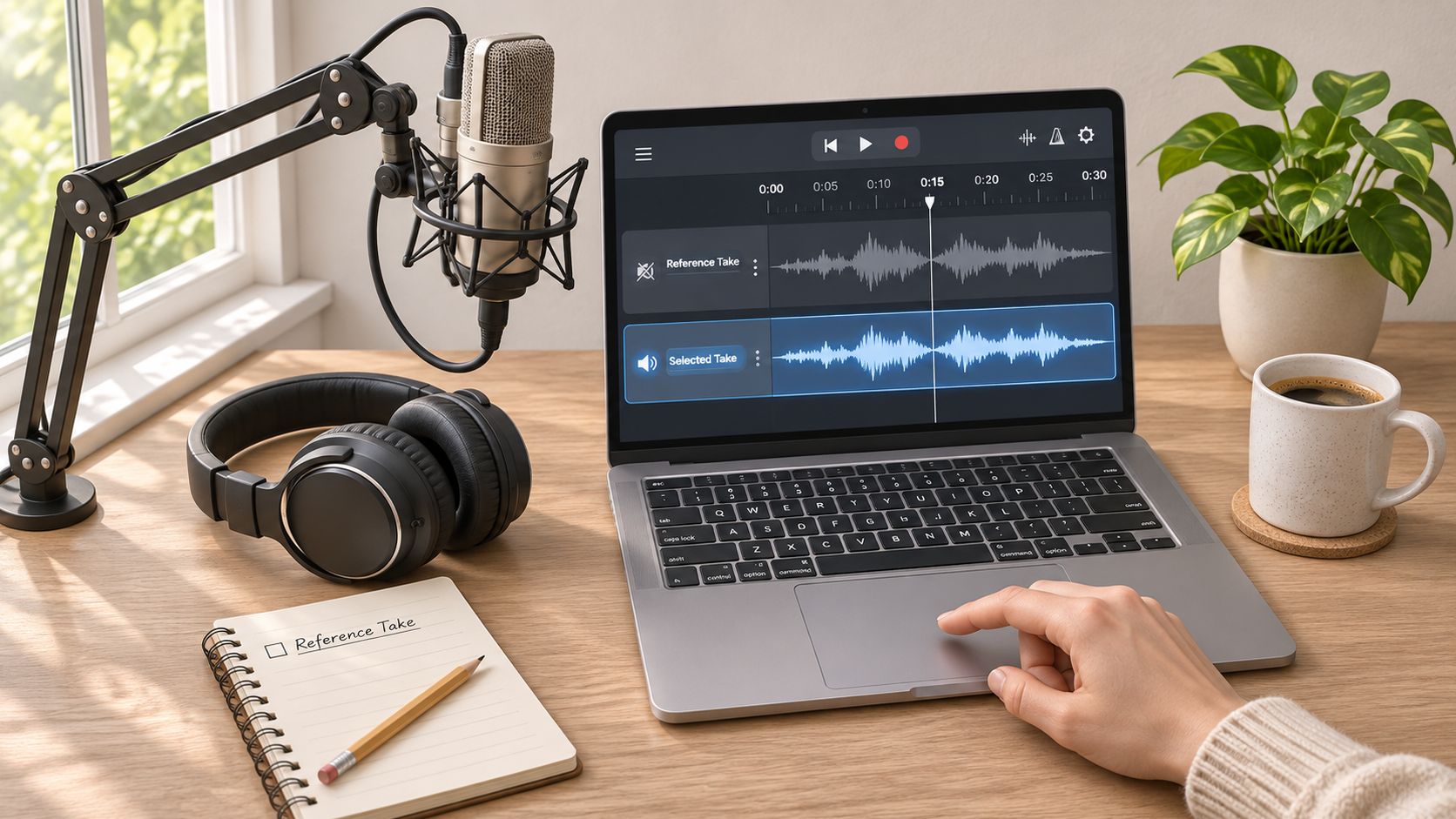
- Lock your original dry take untouched. Mute or solo it only as a reference check so you always know what you started with.
- Duplicate the clip onto a fresh effect track. Run all destructive pitch, formant, and distortion moves on the copy, leaving the clean body intact for parallel blending.
- Shift pitch while managing formants carefully. Use a dedicated shifter like Soundtoys Little AlterBoy, Elastique Pitch, or your DAW's formant-preserving mode so a drop of a few semitones keeps human weight rather than sounding cartoonish. If you want a clearer feel for how pitch intervals and layered harmonies stack cleanly without clashing, this TrueFire breakdown of octave and harmony effects for guitarists translates straight into vocal layering.
- Shape the tone with subtractive and presence EQ. Pull down boxy mud between 200-400 Hz first, then add targeted presence around 2-3 kHz so the effect cuts through background music without blasting overall volume.
- Insert saturation or distortion after EQ. Feeding a clean, de-muddied voice into tape saturation, tube drive, or subtle bit-crushing lets you dial in controlled grit without turning low-end rumble into fuzz.
- Add amplitude or tremolo modulation for organic roughness. Fast, uneven volume modulation simulates harsh, chaotic phonation for creature growls and frantic laughs without forcing your throat to produce it live.
- Place reverb or delay last in the chain. Keep decay times short on any vocal cue containing spoken words so tails never blur into the next syllable.
Starting Presets for Common Vocal Effects
Treat the settings below as solid starting points in plugins like FabFilter Pro-Q 3, Valhalla VintageVerb, or stock DAW tools, then fine-tune by ear on the speakers your viewers use.
| Effect preset | Pitch and formant | EQ | Space |
|---|---|---|---|
| Creature growl | Pitch down 3-5 semitones with formants shifted down | High-pass around 80 Hz, cut mud at 200-400 Hz, gentle boost near 2-3 kHz | Short room or plate, blended under the dry take |
| Scream accent on a quiet take | Pitch up 2-3 semitones, formant kept | Presence boost near 2-3 kHz | Short slap delay or none |
| Breathy whisper layer | No pitch move | High-pass at 150-200 Hz, cut low rumble, soften 5-8 kHz sibilance | Dry, or a tight short reverb automated down under key words |
| Vocal drum hit | No pitch move | Shape punch at 100-150 Hz for kicks, or high-pass above 200 Hz with a 2-4 kHz snap for snares and hats | Dry or very tight room |
| Harmonic whistle accent | No pitch move | High-pass below the drone, narrow peak in the 1-3 kHz range | Dry |
How to Layer and Test Effects Under Dialogue
A vocal effect that sounds thrilling in isolation can ruin a video the second it masks a brand name, price, or punchline. Acoustic research backs up how steeply intelligibility drops when voicing turns unstable. In a 2025 intelligibility study published in PMC testing 1,300 six-digit sequences across 220 listeners and 21,485 trials, a combined nonlinear vocal manipulation reduced intelligibility by 33.7% (95% confidence interval of -39.3% to -27.3%). Continuous chaotic effects cut intelligibility by 14.4%, and intermittent chaotic effects cut it by 19.1%, with the worst failures showing up under street noise when whisper-like voicing or sudden pitch jumps appeared.
Breathiness carries a similar hidden tax. A PMC study on simulated breathy vocal quality found that the acoustic signal-to-noise ratio dropped from 13.5 dB for an approximately original voice down to 7.8 dB at a mild-to-moderate 40% breathiness mix and 6.0 dB at an 80% severe mix (all differences statistically significant at p < 0.001). Listeners had to work harder to follow the speech, and the drop hit hardest in noisy settings or for people with hearing loss.
The Two-Layer Mixing Method
Never replace a dialogue track with a heavily processed version when viewers need to catch every word. Run two synchronized tracks instead:
- Anchor track (dry body): Keep your clean recording center-panned with steady consonant timing and solid periodic voicing so both human ears and automated caption engines lock onto every syllable.
- Color track (effect layer): Blend your growl, whisper, or pitch-shifted double underneath, and automate its fader down during nouns, numbers, calls to action, and multilingual proper names.
- Bed ducking: Pull music and ambient beds down 3-6 dB underneath key spoken phrases rather than pushing the vocal effect louder to win a volume war.
Avoid stacking heavy breathiness, lush reverb, and ambient room noise on top of each other without measuring the fallout. Studio headphones flatter wide, airy layers and hide masking problems that immediately wreck clarity on phone speakers.
The Four-Step Intelligibility Test
Before exporting a single frame, match the dry reference and the effected mix to the exact same perceived loudness, then run this quick check:
- Transcribe blind in a quiet room. Ask a teammate (or step away for an hour yourself) to listen at normal playback volume without captions and write down every word, number, and name.
- Repeat under realistic noise. Play the effected mix through a smartphone speaker alongside traffic noise, café chatter, or your video's full music bed.
- Compare word-for-word against the dry take. Flag every syllable that blurred, disappeared, or required a replay to understand.
- Automate or trim problem zones. Pull the processed track back on missed keywords while keeping the bolder texture intact during pauses, exhalations, and non-essential reactions.
If the core message survives the noisy phone test cleanly, the effect earns its spot. If a viewer misses a key word, dial back the layer or cut it completely rather than turning the whole track up.
That last point is your easiest cue to delete an effect outright: the moment you find yourself raising the fader just to make a stylized voice understandable, the effect is fighting the story instead of serving it.
Using AI to Generate and Clone Vocal Effects Safely
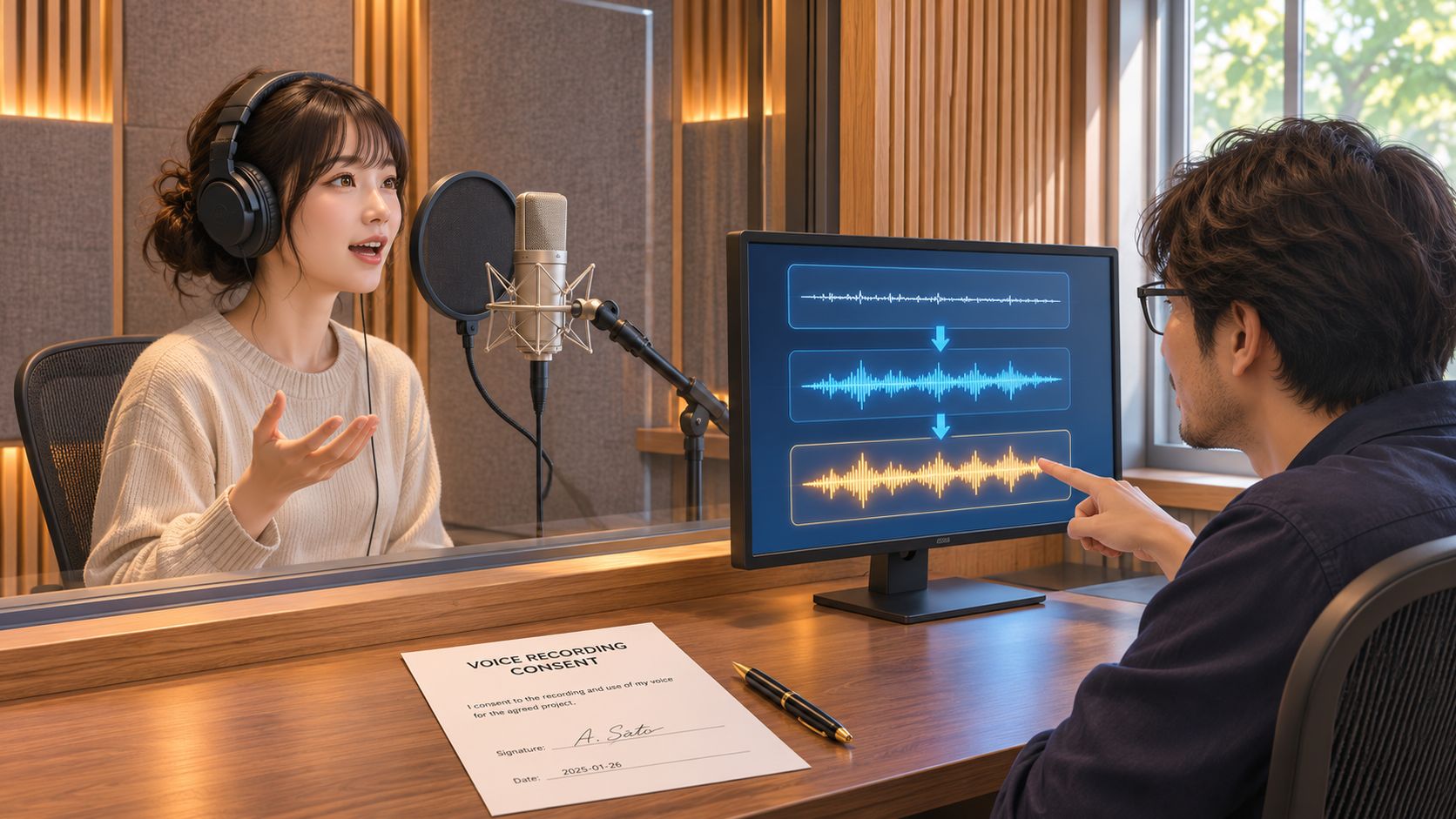
Many creators assume AI audio boils down to a simple yes-or-no question about whether voice cloning is legal. In real video production, that binary view creates serious blind spots. You're rarely working with one monolithic workflow; instead, you pick among three distinct AI paths: describing an effect from scratch in a text prompt, transforming your own quiet dry take through voice-to-voice styling, or cloning a consenting performer's voice to maintain a consistent character across episodes.
If you're comparing platforms before choosing a pipeline, this RedactAI voice cloning software roundup offers a helpful look at how current cloning tools handle voice modeling and output control. Whichever tool you pick, legal and ethical duties attach at four separate stages: collecting the source recordings, processing the data, generating synthetic output, and distributing the finished video.
Edge Cases Creators Overlook
The gray areas rarely look like an obvious deepfake scam. They show up in everyday client and creator timelines:
- Synthetic screams modeled on a performer: Generating an extreme yell from a voice actor's neutral narration files without explicit permission for nonverbal or strained effects.
- Sound-alike character voices: Prompting a stylized monster or narrator that ends up sounding unmistakably like a recognizable living actor.
- Reused client recordings: Feeding audio from last year's product explainer into a new clone to patch a short vocal hit for a fresh ad campaign.
- Buried background effects: Dropping a synthetic gasp or crowd cheer inside a larger commercial video and assuming short length exempts it from consent or disclosure rules.
Rules around synthetic vocal identity are tightening fast, and they aren't uniform across borders. As detailed in MediaLaws' analysis of AI voice cloning and vocal identity, the EU AI Act's transparency obligations for certain synthetic content are scheduled to apply from 2 August 2026, while U.S. restrictions already cover some AI-generated voices used in robocalls. Because legal commentators still disagree on the timeline and scope of U.S. federal legislation, verify requirements for every region where your video runs rather than relying on a single global rule.
Your Pre-Publish AI Vocal Checklist
Run every generated or cloned vocal cue through these seven checks before exporting:
- Written consent with exact scope: Secure signed permission stating whether a performer's voice may be cloned, translated, or reshaped into screams, laughs, or creature sounds, plus how long the clone stays active.
- Voice-similarity screening: Listen back critically and ask whether a reasonable viewer could mistake the synthetic effect for an identifiable real person who didn't consent.
- Clear disclosure placement: Decide where synthetic audio notices belong (in the video description, end credits, or on-screen text) whenever realism could mislead an audience.
- Consent and raw-file archiving: Store signed release forms, prompt logs, and original dry recordings in the project folder so you can prove provenance if questioned.
- Client sign-off on reused voices: Obtain fresh written approval before repurposing any previous client or contractor recording for a new campaign or channel.
- Fast takedown workflow: Keep stems and project versions organized so you can strip out and replace a disputed vocal layer within hours without rebuilding the entire edit.
- Platform labeling compliance: Check the synthetic-media disclosure toggles on YouTube, TikTok, Instagram, and ad networks before hitting publish.
Common Vocal Effect Problems and How to Fix Them
Once your rough mix fails a phone speaker test or sounds off against the music bed, skip random knob-twisting. Run a targeted diagnostic pass instead: identify the exact audible symptom, trace its acoustic cause, and make one surgical fix before testing again.
Diagnostic Reference for Vocal Effect Mixing
The table below orders the problems you'll hit most frequently from top to bottom, pairing each symptom with the single adjustment that solves it cleanly.
| Symptom | Likely cause | Fix |
|---|---|---|
| Effect unintelligible on phone speakers | Too much breathiness and too many abrupt pitch jumps | Reduce breathiness and pitch-jump density on key words, not the overall level |
| Voice sounds thin or tinny | High-pass set too high, no low body | Lower the high-pass filter and restore body near 150-300 Hz |
| Kazoo-like or robotic artifacts | Large pitch shift without formant control | Use formant-preserving processing and halve the shift |
| Click at the start of the effect | Abrupt onset at the edit point | Add a 10-20 ms fade-in right at the clip onset |
| Effect buried under music | Presence region masked by the bed | Boost near 2-3 kHz and duck the music bed |
| Breath layer pumps between words | Static blend level across a whole line | Automate the blend down under the words that carry the message |
| Harsh sibilance on whisper layers | Breath layer pushed hard on s and sh sounds | Apply a de-esser to the breath layer across 5-8 kHz |
| Effect sounds fake or pasted on | No natural room or noise floor | Add matching room tone and a short, tight space |
Two Rules That Keep Fixes from Spiraling
First, always fix the root cause and immediately re-run your transcription check on a phone speaker inside a noisy room. Tweaking an EQ curve on expensive open-back headphones proves nothing until the clip survives real-world playback.
Two-round limit: If two focused rounds of EQ, de-essing, or blend automation still leave a key word fuzzy, delete the processed layer completely instead of pushing its volume higher.
A clean dry delivery with strong timing beats a messy stylized effect every single time.
Build Your First Vocal Effect This Week
You don't need a Hollywood Foley stage or a rack of hardware to build convincing vocal sound effects for your next video. Pick one real moment in a project already sitting on your drive and run it through the full workflow from capture to phone test:
- Choose one effect that serves an actual cut. Match a specific scene (a sharp gasp on a jump cut, a subtle whisper under a product reveal, or a short vocal hit under a transition) to one of the six vocal families.
- Record a warmed-up, quiet source take plus a clean dry take. Keep the mic 15-20 cm away, capture 10 seconds of room tone, and save your throat by letting post-production supply the grit.
- Process a duplicate track using the matching starting preset. Adjust pitch, formants, presence EQ, and space by ear while toggling back to your dry reference so you hear every change clearly.
- Test intelligibility on a smartphone speaker in a noisy room. Keep the layer if every key word reads effortlessly, automate it back where nouns or numbers blur, or cut it if clarity fails.
- Drop the approved stem onto your video timeline and tighten the sync. Nudge vocal hits a frame or two against visual cuts until the sound feels locked to on-screen motion.
Once your creative plan and sound cues are locked, bringing everything together in one workspace saves hours of bouncing files between apps. With LunaBloom AI, Voice Cloning creates content with a familiar and consistent voice across scenes, while the platform generates videos with multilingual voiceovers, background music, and customizable visuals without requiring advanced editing skills. Its Timeline Editing refines scenes, sound, and timing in one place so your vocal layers land cleanly against every visual cut.
Treat generated voices with the exact same discipline you apply to studio recordings: verify written consent, label synthetic audio appropriately, and run every processed cue through the noisy phone test before publishing. Bookmark the diagnostic table above for your next mix pass, pick one scene you've been putting off this week, and build its vocal layer from a quiet, safe take up.
Ready to pair cleaner voice workflows with faster video production? LunaBloom AI combines custom voice cloning, multilingual voiceovers, background music, automatic captions, and timeline editing in one studio so you can synchronize vocal layers, dialogue, and visuals without juggling complex tools. Start building your next video project at LunaBloom AI.