You've finished the script, chosen the visuals, and generated a voice that sounds convincing in a preview. Then the full YouTube render starts to drift. A pronunciation breaks after several minutes, captions arrive late, and the narration sounds less natural once it has to carry an entire explanation. That's the operational reality of AI voiceover for YouTube. Generating audio is easy. Shipping a video that sounds intentional, stays synchronized, and follows YouTube's disclosure rules takes a system.
The Rise of Synthetic Narration in Video Production
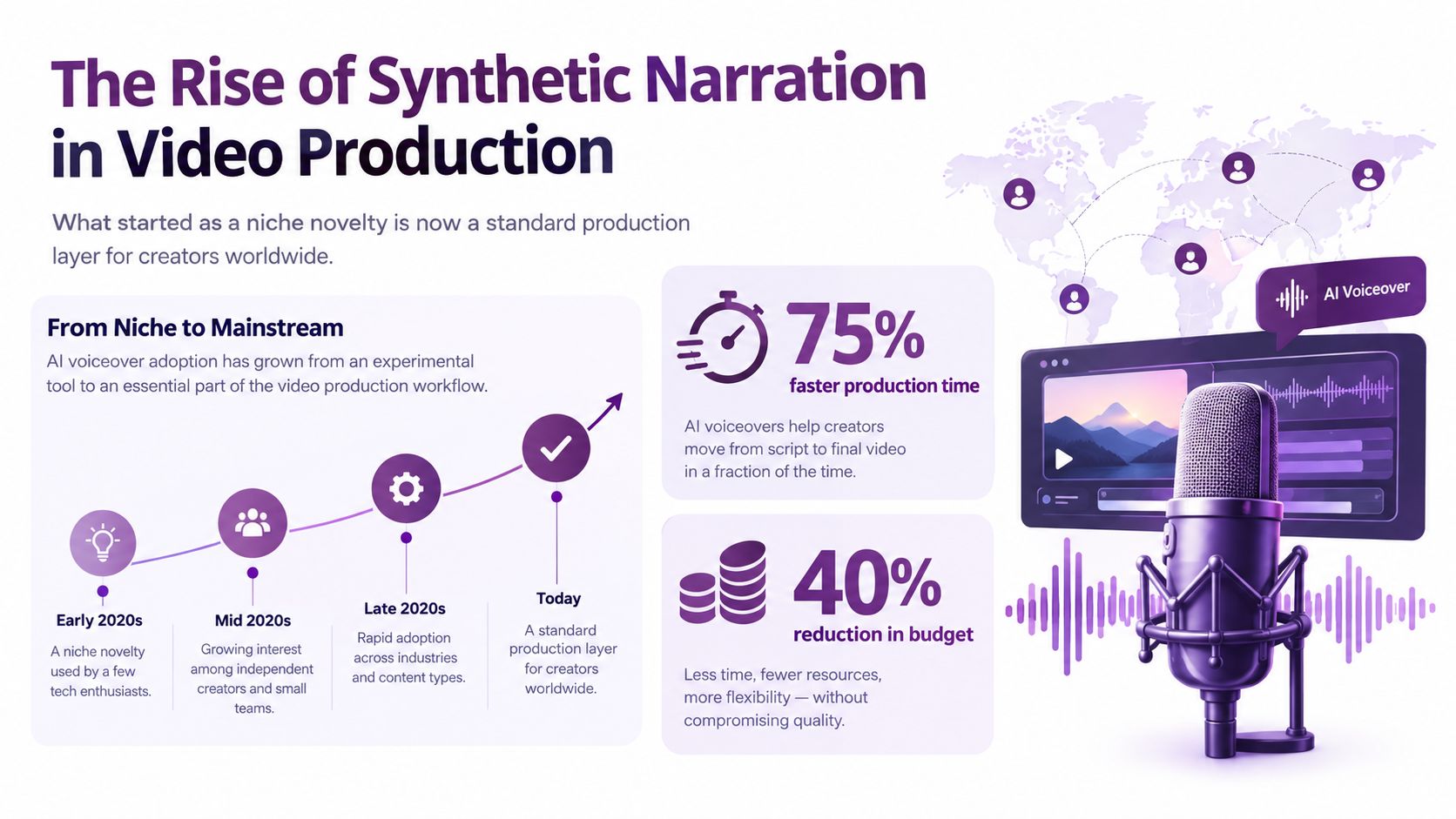
Voiceover used to mean booking talent, preparing a recording space, managing retakes, and waiting for final audio. AI narration changes that production equation, but its importance isn't limited to saving money. It gives creators a repeatable layer for explainers, tutorials, product demonstrations, training videos, dubbing, and multilingual publishing.
The commercial context is substantial. The global AI voice generator market is projected to grow from USD 4.16 billion in 2025 to USD 20.71 billion by 2031, implying a 30.7% CAGR over that forecast period, according to MarketsandMarkets' AI voice generator market analysis. That market explicitly includes narration, voiceovers, dubbing, and localization, so YouTube creators are using a capability that already belongs to a broader digital media infrastructure.
A separate estimate places the market at about USD 3.5 billion in 2023, with growth projected to USD 21,754.8 million by 2030 and a 29.6% CAGR from 2024 to 2030. It also estimates the 2024 market at roughly USD 4.5969 billion, reflecting the scale described in the related MarketsandMarkets industry estimate. The exact market estimates differ, but they point in the same direction. Synthetic speech has moved beyond experimentation into a high-growth commercial category.
Why this matters for YouTube creators
The useful shift isn't “replace every human narrator.” It's separate voice production from recording logistics. A creator can revise a paragraph, regenerate a section, and preserve a consistent vocal identity without scheduling another session. A business can adapt one tutorial for different languages or markets without rebuilding the entire visual edit.
Tools such as LunaBloom AI place narration inside a wider video workflow, alongside scripts, visuals, captions, avatars, and publishing. That can remove handoffs, but it doesn't remove editorial responsibility. A generated voice still needs direction, pronunciation checks, pacing edits, and a clear reason to exist in the video.
The strongest use cases are structured formats where narration carries information and visuals demonstrate it:
- Explainers: Use a steady voice to guide diagrams, animations, or screen recordings.
- Tutorials: Let narration explain the action while the viewer watches the interface.
- Product videos: Keep the message consistent across repeated demonstrations.
- Localization: Adapt narration and captions for audiences who speak different languages.
- Faceless channels: Build recognizable formats without depending on an on-camera presenter.
The weak use case is mass production without a point of view. A synthetic voice can accelerate a bad script just as efficiently as a good one. Viewers notice repetition, vague commentary, awkward pauses, and visuals that merely decorate the narration. The production layer is mainstream now. The competitive advantage comes from using it with judgment.
Choosing the Right Voice Type for Your Channel
The voice decision should follow the channel's job, not the tool's sample gallery. A stock narrator may be perfect for a software tutorial, while a recognizable custom voice may matter more for a recurring show. Cloning a real person introduces additional consent, identity, and disclosure considerations that a standard library voice doesn't create in the same way.
Stock voices
Stock voices are the practical default. They're quick to test, easy to replace, and suitable for channels that need clear delivery more than personal identity. Choose one with a tone that matches the subject. A calm narrator can support technical education, while a brighter delivery may suit product tips or short promotional videos.
The trade-off is distinctiveness. If the voice sounds interchangeable with every other channel, the audience may remember the topic but not the brand. You can compensate with a consistent opening structure, visual language, terminology, and editorial rhythm.
Custom voices
A custom voice is useful when brand consistency matters across many videos. It can give a company, educator, or creator a stable sound without requiring the same person to record every upload. The right target isn't artificial perfection. Small variations in emphasis and timing often make a voice feel more usable than an unnaturally polished delivery.
Before committing, test difficult material rather than a friendly sample paragraph:
- Product names and industry vocabulary
- Abbreviations and measurements
- Questions, lists, and contrasting statements
- Long sentences with several clauses
- Names from the markets you serve
Cloned voices
Voice cloning can support personal branding, localization, or continuity when the speaker has provided clear authorization. It can also create the greatest trust risk. Cloning someone else's voice without permission is not a clever shortcut. It can confuse viewers, misrepresent a person, and create platform or legal problems.
A simple decision rule works well:
| Channel need | Sensible starting point | Main risk |
|---|---|---|
| Clear instructional narration | Stock voice | Generic identity |
| Consistent company content | Custom brand voice | Over-polished delivery |
| Creator-led personal brand | Authorized clone | Consent and disclosure |
| Multilingual distribution | Custom or authorized voice with language support | Pronunciation and cultural mismatch |
Keep a small voice brief for every project. Define the intended age, energy, pace, pronunciation preferences, and words the narrator must treat carefully. That brief makes testing more objective and makes switching tools less painful. If you're evaluating a video-generation workflow, you can explore the available creation path through the LunaBloom starter app, but compare the output against your actual scripts, not promotional demos.
Building Your Script-to-Video Workflow
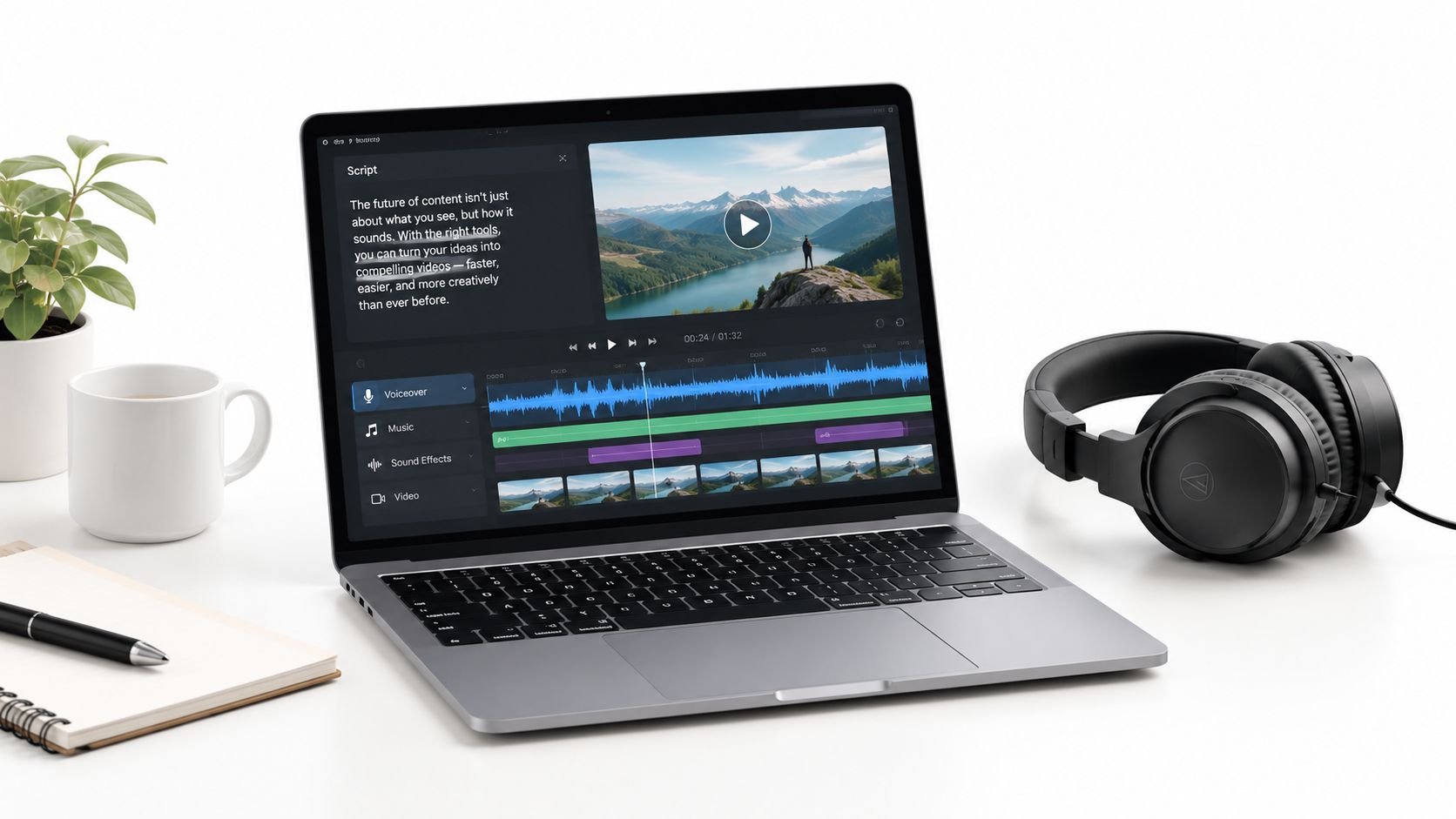
A reliable workflow begins before the voice generator opens. Write for listening, divide narration into production-sized units, and plan the matching visual for each idea. Otherwise, the edit often contains empty footage or forces narration into shots that do not support it.
Start with an audio-ready script
Open with the viewer's problem, then give every section one clear job. Use short sentences, write out abbreviations, and mark names that require special pronunciation. Punctuation affects delivery. Commas, full stops, and explicit pause cues help a generated narrator interpret the intended rhythm.
Long-form production needs deliberate segmentation. Generate narration in sections rather than submitting one large block. For videos longer than 5–10 minutes, split the script into manageable parts, then review the first complete render for pacing drift, breath artifacts, and pronunciation errors that may appear after minute 8. Creatify's guide to AI voice for YouTube covers this workflow in detail.
Build the video in passes
Use a repeatable sequence:
- Prepare the script. Remove repeated ideas, label scene changes, and add pronunciation notes.
- Choose the visual format. Use screen recordings for software instruction, diagrams for concepts, product footage for demonstrations, and an avatar only when a presenter adds value.
- Generate a short audio section. Listen before producing the full project. Check tone, word stress, speed, and transitions.
- Create the first visual assembly. Match each scene to the sentence it supports. Cut any visual that does not clarify, prove, or pace the narration.
- Generate captions and review them against the audio. Automated captions save time, but names and technical terms still require manual correction.
- Render a complete draft. Problems often emerge when sections accumulate and the voice starts sounding rushed or repetitive.
- Perform a human quality pass. Listen with headphones, watch without sound, and ask someone unfamiliar with the script whether the story remains easy to follow.
A tool such as LunaBloom can accept scripts or prompts and combine generated visuals, voiceover, captions, and editing in one workspace. Fewer file transfers can simplify production, but automation may hide errors. Inspect the actual render instead of trusting a completed generation status.
This video gives a useful visual reference for the relationship between script and edit:
For cost planning, this AI voiceover cost comparison lists OpenAI TTS at about $15 per 1 million characters and describes that as roughly one-tenth of ElevenLabs at comparable volume. Treat that comparison as planning context rather than a primary pricing reference. High-volume explainers, list videos, and templated narration may reduce production costs, but difficult lines still need re-rendering and pacing adjustments. A cheaper voice generation step can become more expensive overall when it creates additional editing and review work.
Syncing Audio with Visuals for Maximum Retention
A voice track can be technically clean and still make a video feel slow. The editor's job is to make the narration and the visual change reinforce the same idea at the same moment. If the speaker explains a button before it appears, the viewer has to hold the instruction in memory. If the screen changes before the explanation, the viewer may miss the action.
Start by treating the narration as the timeline's spine. Place the audio segments first, then cut visuals around meaning rather than around arbitrary clip length. Every visual change should answer a question: does it reveal the next step, illustrate the claim, create contrast, or give the viewer a moment to process?
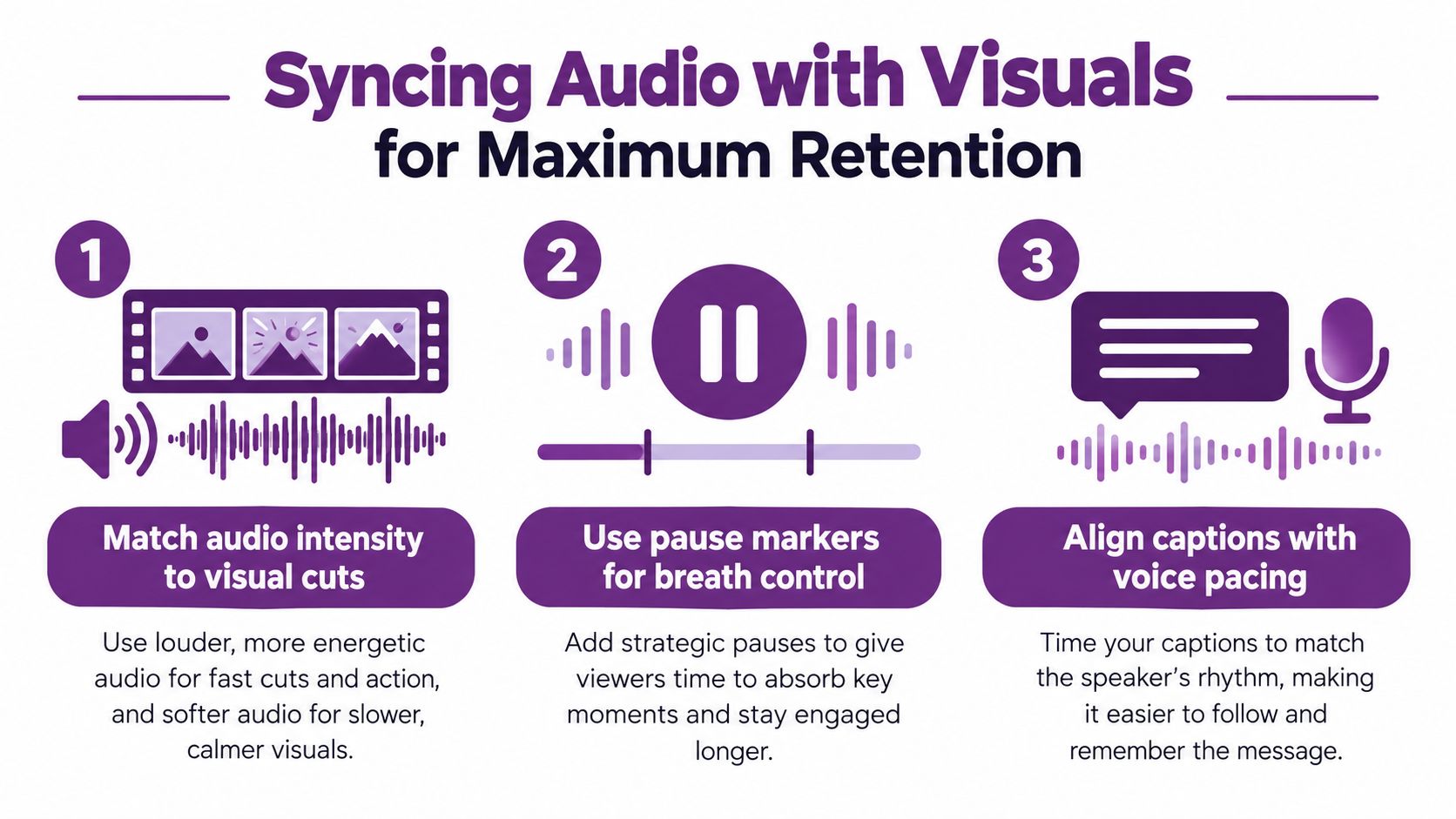
Three timing checks that catch most problems
- Match audio intensity to visual cuts. A high-energy statement needs purposeful movement or a meaningful change on screen. Don't pair urgent narration with a static frame unless the stillness is deliberate.
- Use pause markers for breath control. Add pauses before a key term, after a complex instruction, and between list items. Pause cues prevent the narrator from flattening every sentence into the same rhythm.
- Align captions with voice pacing. Captions should appear when the viewer hears the phrase, not several words ahead. Break long caption lines at natural language boundaries and correct technical vocabulary manually.
Use room tone or restrained background music to avoid an abrupt silence between segments, but keep it below the speech. Music shouldn't compete with consonants, especially in tutorials where the viewer needs exact instructions. Likewise, lip-syncing only helps when the visible speaker is central to the scene. A poorly synchronized avatar is more distracting than a well-designed narrated animation.
A practical review sequence
Watch the first cut three ways:
- Audio only: Listen for robotic stress, clipped breaths, repeated cadence, and pronunciation errors.
- Video only: Mute the sound and check whether the visual sequence still communicates the action.
- Normal playback: Look for mismatches between spoken references and on-screen objects.
For short, tightly edited social clips, the short-form video strategy checklist is a useful companion because it keeps the creative decision focused on pacing, hooks, and visual clarity. The same discipline applies to longer YouTube videos, even when the edit has more room to breathe.
Don't measure pacing by words per minute alone. A dense technical paragraph may need a slower delivery, while a familiar transition can move quickly. The right pace is the one that lets the viewer understand the idea without making the narration sound hurried.
Understanding YouTube Disclosure Policies
The question isn't just whether YouTube permits AI narration. The useful question is whether the finished video contains realistic synthetic content that could mislead viewers about a person, place, scene, or event.
YouTube says creators must disclose realistic altered or synthetic content when a viewer could easily mistake it for something real. Its examples include the synthetic generation of a person's voice to narrate a video, as explained in YouTube's disclosure guidance for AI-generated content. The disclosure flow appears in YouTube Studio, where creators are prompted to indicate whether their content uses AI.
Separate assistance from realistic simulation
Not every AI-assisted production requires the same treatment. YouTube distinguishes realistic synthetic media from minor production help, such as generating a script or outline. Clearly non-realistic material, including animations or fantastical scenes, also falls outside the same disclosure trigger, according to YouTube's policy update on AI content disclosure.
Use this practical test before publishing:
- Is the voice presented as a real identifiable person? If you cloned or simulated that person's voice, treat disclosure and consent as central requirements.
- Could viewers believe the narrated event happened? Realistic audio paired with realistic visuals raises the risk of confusion.
- Does the video use ordinary assistance only? Scripts, outlines, editing help, and clearly fictional or stylized content may fall outside the disclosure threshold.
- Did you select the altered-content setting when appropriate? Make the decision inside YouTube Studio during upload.
- Can you document authorization? Keep permission records for any custom or cloned voice connected to an identifiable person.
The platform has also described a process for requesting removal of AI-generated content that simulates an identifiable individual, including their face or voice. YouTube says creators who consistently fail to disclose required synthetic content may face consequences ranging from content removal to suspension from the YouTube Partner Program, as detailed in its responsible AI policy discussion.
Disclosure isn't the only monetization concern. YouTube's guidance emphasizes originality and transparency, so repetitive, low-effort, mass-produced videos can create more risk than an AI narrator used inside genuinely useful original content. Independent coverage also highlights voice cloning and realistic dubs as policy-sensitive cases in this report on YouTube's mandatory AI disclosure approach.
Keep your workflow records, including the script version, voice authorization, disclosure decision, and final review. You can also review the platform terms that govern a specific production service through LunaBloom's terms, but YouTube's own upload and monetization rules remain the authority for publication decisions.
Optimizing Voice Quality and SEO Performance
A voiceover supports search performance when it makes the video easier to understand and follow. Keywords alone do not improve visibility. Clear narration strengthens comprehension, captions, and the viewer's decision to continue watching, while robotic delivery makes dense terminology harder to process.
Long-form videos need operational planning before generation. Break the script into meaningful narration segments rather than producing one uninterrupted audio file. Each segment should match a visual beat, section transition, or chapter boundary. This makes it easier to replace a pronunciation, adjust pacing, resync an edit, or create a localized version without rebuilding the entire soundtrack.
A spoken keyword should also map cleanly to the metadata. For example:
- Before title: “My Complete Guide to Better Website Content”
- After title: “AI Voiceover for YouTube: How to Make Clear, Search-Friendly Videos”
- Before description: “I explain my process for creating videos with synthetic narration.”
- After description: “Learn how to use AI voiceover for YouTube videos, segment narration, review captions, and improve the viewer experience.”
The revised version reflects the audience's search intent without repeating the phrase throughout the script. Keep the description accurate, answer the viewer's question early, and avoid forcing keywords into narration or captions. YouTube needs a coherent topic, not a pile of repeated phrases.
A quality-control pass that pays for itself
Listen for these failure patterns:
- Pronunciation drift: Brand names, acronyms, names, and specialist terms may need phonetic spelling.
- Uniform emphasis: If every sentence has the same stress, the narration sounds assembled rather than directed.
- Compressed transitions: Short pauses between sections help viewers understand that the topic has changed.
- Artificial breaths: Remove audible artifacts that draw attention to the generation process.
- Unclear numbers: Rewrite figures so the voice can say them naturally, then verify the audio against the script.
Captions work as an accessibility layer and an editorial audit. If the transcript is difficult to correct, the script may be too dense. A free AI humanizer for writers can help identify stiff phrasing, but preserve technical precision and the channel's own point of view.
Keep a production record for each video, including segment versions, pronunciation fixes, voice authorization, disclosure decisions, and the final review. For workflow planning, LunaBloom's about page describes script-to-video creation, multilingual voiceovers, captions, and related production features. Whether you use that platform, a standalone TTS service, or a human narrator, review the full render before publishing and make every spoken line earn its place.
LunaBloom AI combines script-driven video creation with voiceovers, captions, visual generation, and publishing workflows. Use it to test segmented narration, localized versions, and synchronized edits, then visit LunaBloom AI to build a video from your next script.