Meta description: Learn how to write a voice cloning script that sounds natural, records cleanly, and stays legally defensible with practical tips for creators, marketers, and teams.
You're probably in one of two situations right now.
Either you recorded a short sample, ran it through a voice clone, and got back something that technically sounds like you but still feels off. Or you haven't recorded yet, and you're trying to avoid the usual mess of robotic pacing, weird pronunciation, flat emotion, and vague consent paperwork that no one thinks about until later.
Most bad clones don't fail because the model is weak. They fail because the voice cloning script was lazy, the recording session was inconsistent, or the team treated consent like an afterthought. The script sits right in the middle of all three problems. It affects what the model learns, how the voice performs in real projects, and whether you can safely reuse that asset across campaigns, languages, and teammates.
That matters more now because voice cloning is no longer a novelty category. The global market was valued at USD 2.40 billion in 2025 and is projected to reach USD 9.53 billion by 2031, with a 25.84% CAGR during 2026 to 2031, according to Mordor Intelligence's voice cloning market report. In that same market view, 2026 market size is placed at USD 3.02 billion, which tells you companies are actively buying synthetic voice workflows, not just testing them.
Why Your Voice Cloning Script Makes or Breaks the Clone
A bad script can ruin a good voice.
That happens all the time. Someone records thirty seconds of clean audio, but the text is stiff, repetitive, and packed with phrases they'd never say in real life. The clone comes back with the right timbre but the wrong rhythm. It speaks like a transcript, not a person.
The script is the training signal
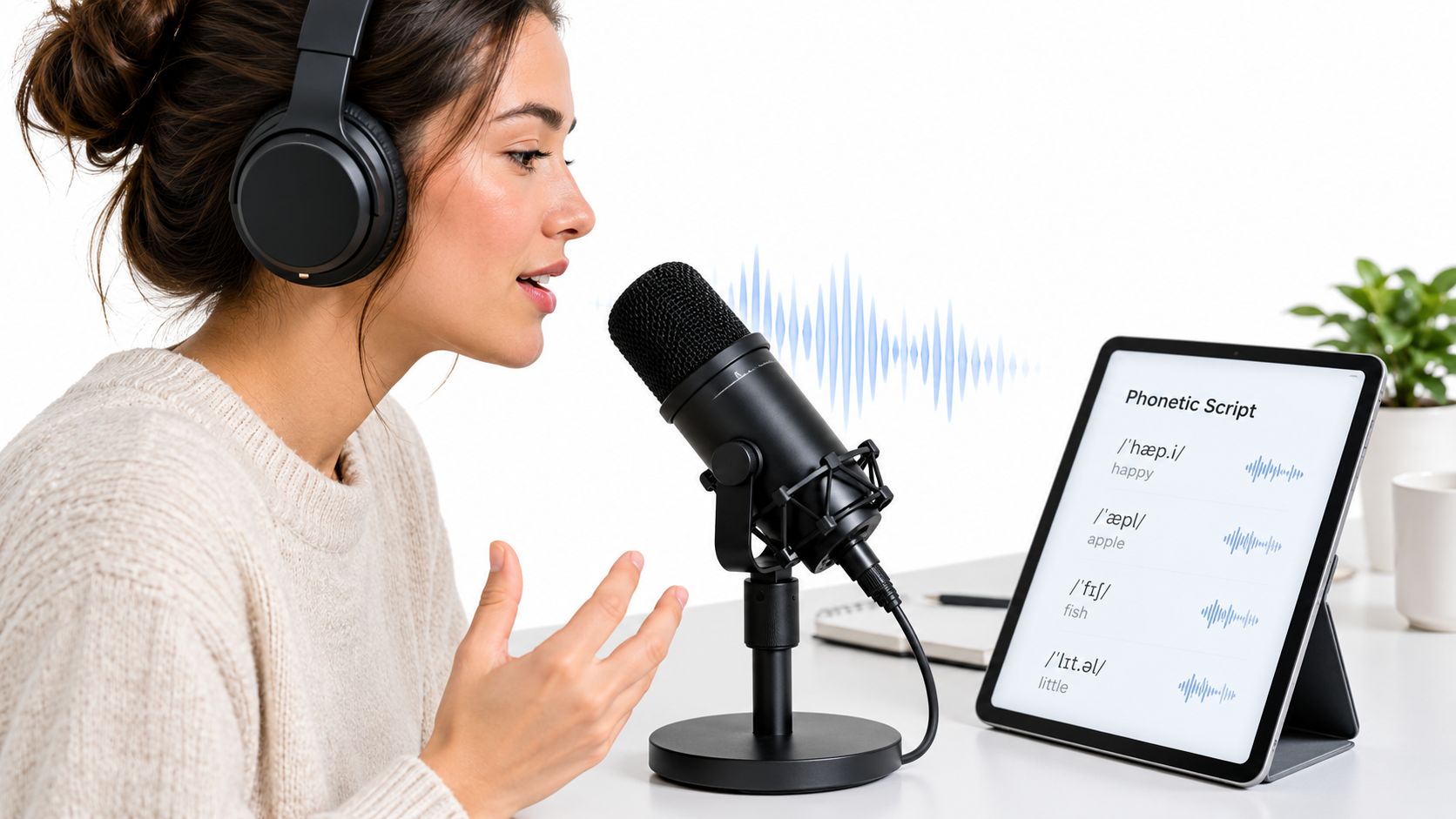
A voice cloning script isn't just a text file. It's the source material that tells the system how this voice moves through language. If your script only contains neutral statements, the clone learns a narrow delivery range. If it skips difficult sounds, unusual names, numbers, or emotional turns, those gaps show up later when you generate actual content.
The practical difference is huge:
- Weak script: clean recording, accurate identity, dull output
- Strong script: clean recording, accurate identity, usable output across ads, tutorials, dialogue, and localization
- Overengineered script: broad sound coverage, but unnatural sentences that teach the model bad cadence
Practical rule: Don't write for coverage alone. Write for coverage that still sounds like a real person talking.
A lot of creators only discover this after generation. The clone handles simple narration, then falls apart on a sales line, a question, a line with urgency, or a sentence with regional pronunciation.
What actually causes robotic output
Three script problems usually do the damage.
First, the text has no conversational rhythm. Every sentence is the same length, same structure, same energy.
Second, the script avoids phonetic edges. There are no hard consonants, no awkward transitions, no mixed sentence patterns, no real-world phrasing.
Third, the recording actor reads the script like a checklist. Even a strong model can't invent natural timing from flat source material.
A stronger workflow combines four jobs in one pass:
- Writing text with phonetic variety and believable pacing
- Recording it with stable mic technique and consistent tone
- Prompting from that script for downstream generation and localization
- Consent that clearly authorizes the clone's use and limits
For teams using platforms such as LunaBloom AI, that script often becomes the seed for voiceovers, localized variants, and multi-character videos. So if the base script is weak, the weakness spreads into every downstream asset.
What success looks like
A successful voice cloning script gives you a voice asset that stays usable after the first demo.
It can handle a short social ad without sounding synthetic. It can read a tutorial without overdramatizing. It can survive translation without losing identity. And it can be documented well enough that another editor, marketer, or producer can use it without legal guesswork.
That's the target. Not “it sounds kind of like me.” A clone you can ship.
Writing a Voice Cloning Script That Sounds Natural
Writing a useful voice cloning script is part copywriting, part phonetic planning, part performance design.
If you only optimize for realism, you may miss key sounds. If you only optimize for coverage, you'll end up with a script that nobody would ever say out loud. Good scripts sit in the middle.
Build for speech, not for reading
The fastest fix is simple. Write the way the speaker talks.
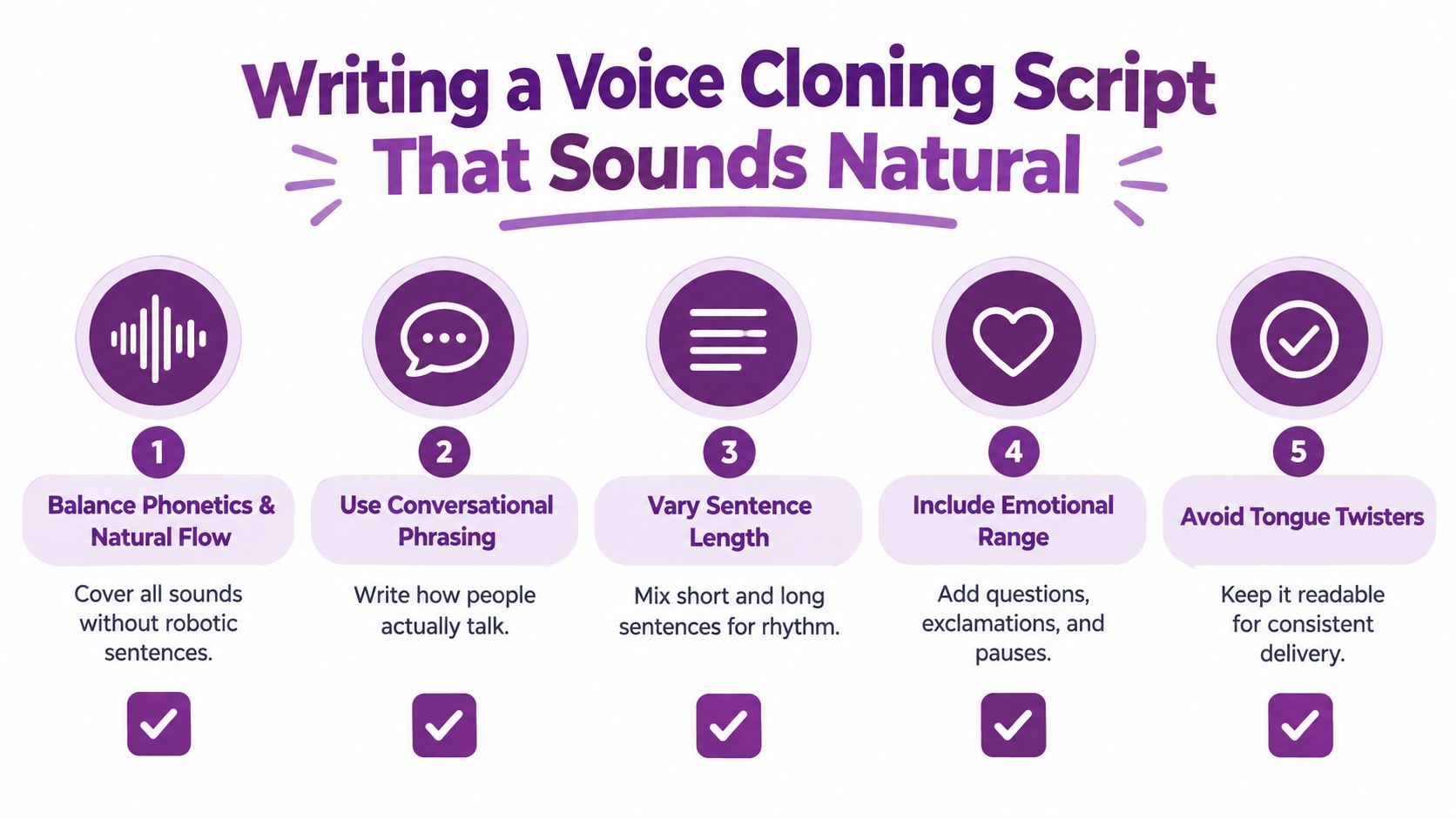
That means contractions, incomplete thoughts where appropriate, and sentence shapes that sound spoken rather than published. If your speaker says “we're” and your script says “we are” in every line, the clone can still work, but it may learn a formal cadence the person never uses.
Use this checklist when drafting:
- Mix sentence lengths: Short lines create punch. Longer lines teach flow and breath control.
- Include everyday vocabulary: A clone should survive normal speech before it touches branded language.
- Add hard cases on purpose: Numbers, dates, product names, cities, acronyms, and uncommon surnames expose weak spots early.
- Write real questions: Questions teach inflection better than flat declarative lines.
- Let tone shift: A script that stays emotionally neutral often produces a narrow clone.
Cover range without sounding like a word list
A lot of scripts fail because they try to “cover all sounds” with random phrases. That usually creates clipped, artificial delivery.
Instead, write compact paragraphs that naturally contain variety. For example, combine a statement, a question, a number, a named item, and a tonal shift inside one short passage. That gives the model richer material without teaching it robotic timing.
A script usually gets stronger when it includes:
| Script element | Why it helps |
|---|---|
| Conversational opener | Captures natural attack and pacing |
| Number or date | Tests rhythm and pronunciation control |
| Named brand or place | Reveals articulation problems |
| Question | Teaches upward or open inflection |
| Warm close | Captures softer landing and breath pattern |
If a sentence feels awkward in your mouth, it will usually sound awkward in the clone too.
Match the script to the job
The right voice cloning script for a product demo is not the right script for character dialogue.
A few practical patterns work well:
For ads
Use contrast. Start with a hook, switch to clarity, end with a call to action. This teaches energy changes without forcing shouting.
For tutorials
Favor calm instructions, sequencing language, and reassuring phrases. Tutorial clones often fail because the source script contains too much promo energy.
For dialogue
Write lines that imply response, interruption, hesitation, or emotional turn. Even if you're cloning a single speaker, dialogue-style passages help the model learn more flexible pacing.
For localization
Use culturally neutral phrasing unless a regional accent is part of the goal. Since some platforms support localization across 50+ languages and regional accents, script simplicity often helps preserve identity when text is adapted later. You can learn more about the company background on the LunaBloom AI about page.
Read it aloud before you record it
This catches almost everything.
Read the full script at normal speed. Then read it again slightly slower. Mark any phrase where you stumble, over-articulate, or unconsciously rewrite the wording as you speak. Those are the lines that need editing.
Good script writing for voice cloning rarely looks fancy on the page. It sounds easy in the room.
Recording Best Practices for Clean Consistent Voice Data
A clean script won't save a messy session.
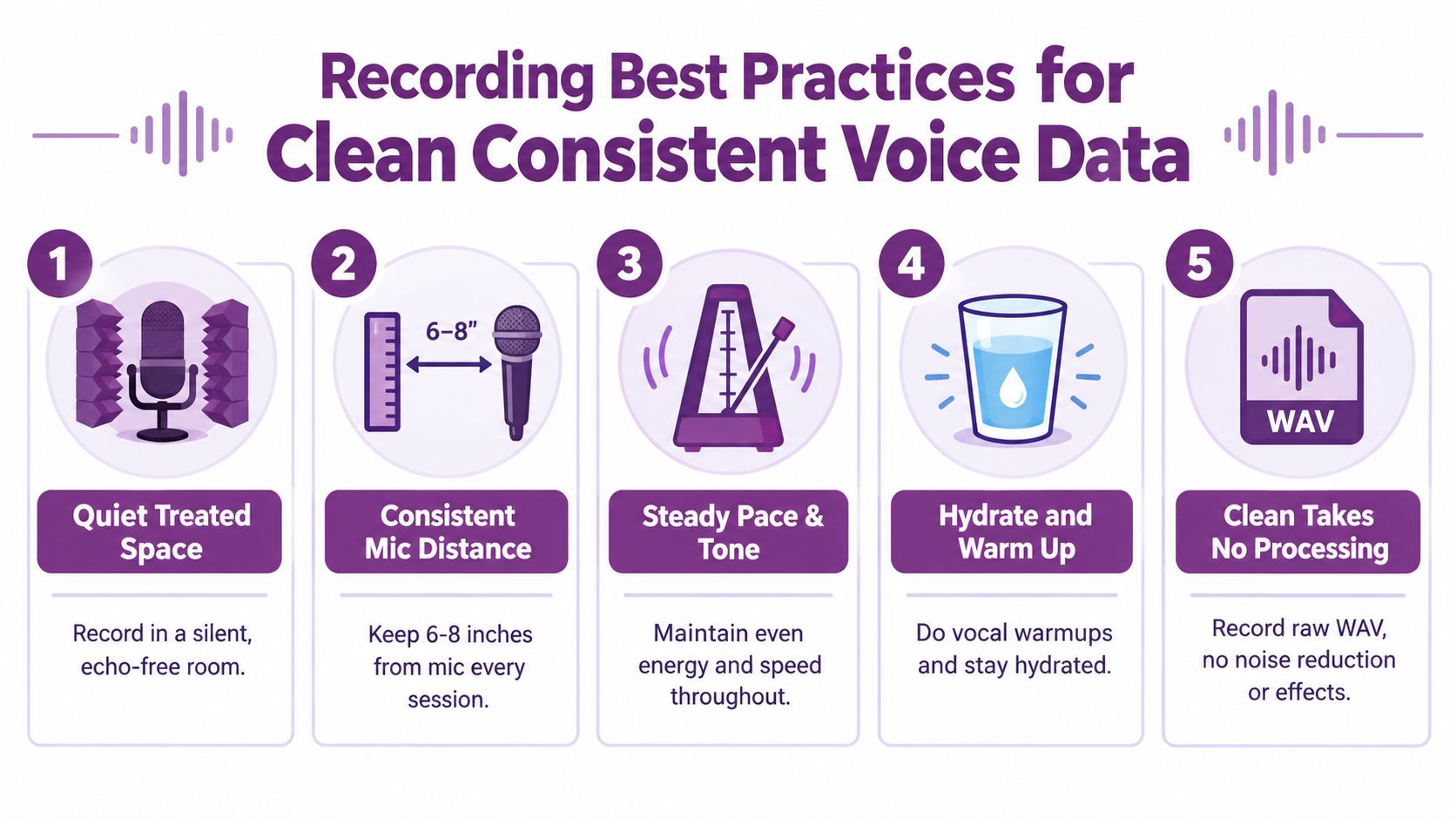
Recording quality has two jobs. It gives the model a stable identity signal, and it preserves performance details like timing, breath shape, and emphasis. Once those are distorted by room echo, inconsistent mic position, or overprocessed audio, you usually can't recover them later.
Short clean audio beats long noisy audio
This is one of the most important trade-offs in voice cloning.
A 2018 NeurIPS paper on neural voice cloning found that speaker-encoding approaches reduced cloning time from about 8 hours of adaptation data in earlier systems to about 0.5 to 5 minutes, and then to roughly 1.5 to 3.5 seconds with a richer multi-speaker base model, as summarized in this RVCBench reference to the paper. That doesn't mean ultra-short samples are ideal. It means modern systems can transfer identity from very little audio, while prosody and pronunciation still remain fragile when the sample is too short.
So in practice:
- Identity transfer can happen fast
- Naturalness still depends on sample quality
- Expression control usually improves when the recording has more consistent, varied material
Give the model stable audio, not polished audio
Creators often over-edit the source. They remove every breath, flatten every dynamic, and run heavy cleanup before upload. That can make the sample sound “produced,” but less human.
A better target is raw, clean, and consistent.
NVIDIA guidance cited in DupDub's voice cloning agreement article says the audio prompt should be a 16-bit mono WAV at 22.05 kHz or higher, with a duration of 3 to 10 seconds, clear speech, and minimal background noise. It also notes that speaker similarity improves with longer samples. That lines up with what works in real sessions. Start clean, stay mono if the workflow expects it, and don't decorate the file.
What to control during the session
The details that usually matter most are boring. They're also the ones people skip.
- Mic position: Keep your distance and angle steady across takes. Warmth changes fast when you drift.
- Pacing: Don't rush one paragraph and drag the next. The model hears inconsistency.
- Energy: Record when your speaking voice is stable, not after a long day of calls.
- Mouth noise: Hydrate, pause, and redo the line instead of hoping cleanup will hide it.
- Room sound: A closet with soft surfaces often beats a reflective office with expensive gear.
Record one voice, in one acoustic space, with one performance profile. Mixed conditions create mixed clones.
Use a simple home workflow
You don't need a studio engineer to capture usable training audio. You need repeatability.
A practical home session usually looks like this:
- Prep the room with soft materials and turn off obvious noise sources.
- Warm up your voice with a few natural paragraphs from the script.
- Record a short test and listen for echo, hum, and harsh consonants.
- Capture the full script in one sitting if possible, so tone doesn't drift.
- Re-record obvious problem lines instead of trying to repair them in post.
The recording step is where many “AI voice problems” are human workflow problems. Fix them here, and the generation phase gets easier fast.
Turning Your Script Into Powerful Prompts and Localized Videos
The handoff usually breaks here.
A clone can sound accurate in testing, then fall apart once it hits a real production brief. The voice is right, but the pacing is off, the emphasis lands on the wrong words, and the localized version sounds like a translation exercise instead of a person. In practice, that failure starts in the prompt. It also starts in workflow discipline. If the person behind the voice did not approve the use case, language set, and distribution scope, a good-sounding result is still a bad asset.
Prompt the output like a producer
Your training script and your generation prompt do different jobs.
The training script teaches the model the speaker's phrasing, tone range, and pronunciation patterns. The generation prompt defines the assignment: who the video is for, what the viewer should understand, how long the read should run, what language or territory it serves, and which delivery constraints the clone should follow. Inworld's voice cloning guidance also puts identity and consent checks up front, including verification of who is being cloned and whether that person approved the intended use, in Inworld's voice cloning best practices.
A weak prompt:
“Read this in a friendly tone.”
A usable prompt:
“Read this script as a one-minute skincare tutorial for first-time buyers on short-form social. Use US English. Keep the tone calm and credible. Pause briefly before ingredient names and stress the safety note at the end.”
That extra detail cuts revision rounds fast. It also creates a clearer record of intended use, which matters if the asset gets reused later.
One script can branch into several assets
A well-written source script should support more than one output without forcing a new recording session every time. I usually build from a master script, then create prompt variants for format, audience, and language instead of rewriting from scratch.
Choosing Prompt Settings for Your Voice Cloning Script
| Use Case | Prompt Focus | Voice Setting Tip |
|---|---|---|
| Social ad | Hook, urgency, brevity | Slightly faster pacing, sharper opening |
| Product demo | Clarity, feature sequencing | Mid pace, neutral accent, clean pauses |
| Training video | Authority, patience, consistency | Calm delivery, lower energy swings |
| Character dialogue | Relationship, contrast, emotional turn | Distinct pacing per speaker role |
| Localized explainer | Meaning retention across languages | Keep syntax simple in source script |
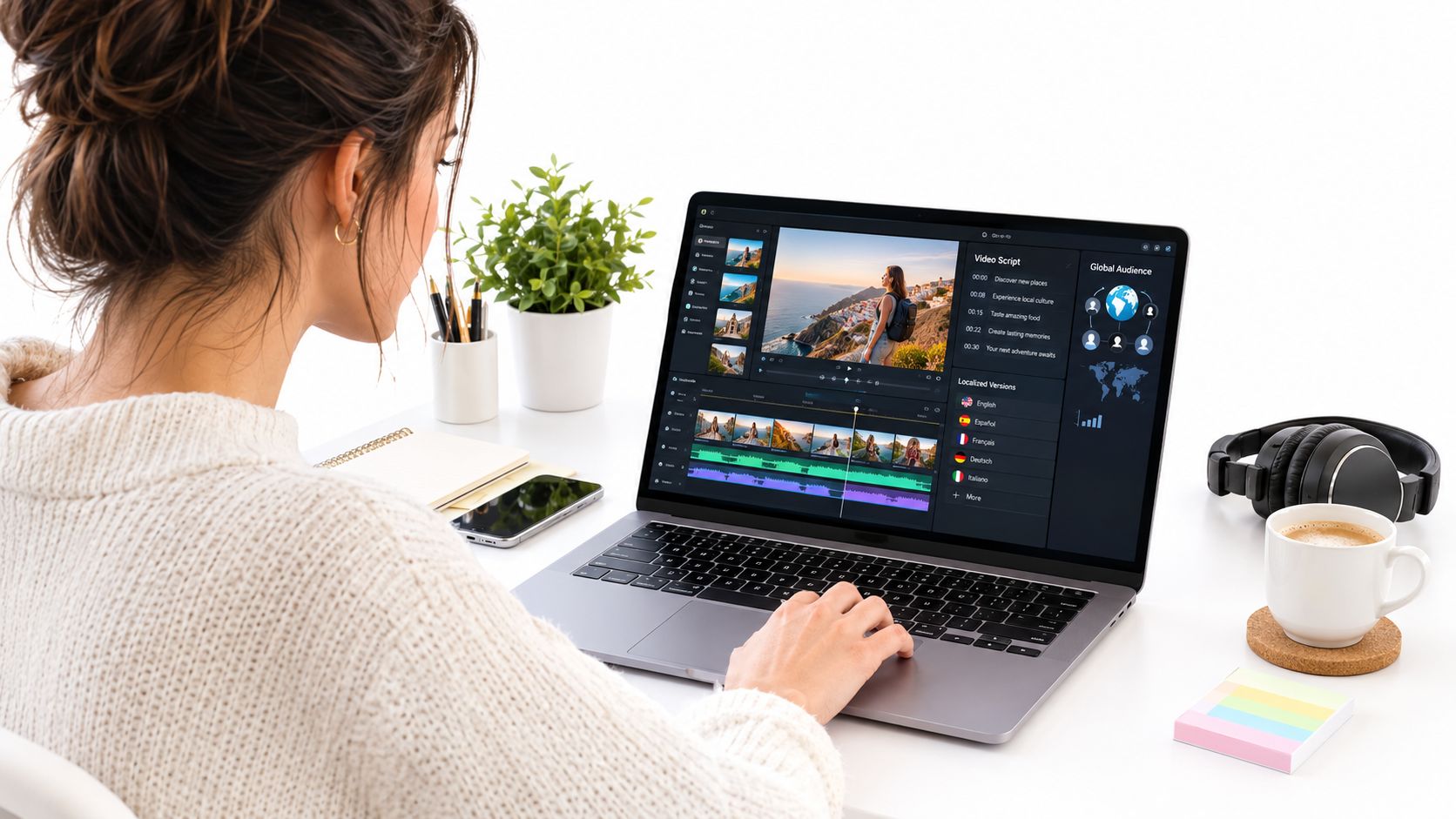
If you're pairing voiceover generation with visual assembly, an AI-powered video creation tool can help turn script structure into scenes, especially when you want to test alternate edits before locking narration.
Localization exposes weak writing fast
Idioms, stacked clauses, and culture-specific references are usually the first things to break.
For multilingual projects, the source script needs clean meaning boundaries. Short sentences travel better. Direct verbs travel better. If a line depends on a pun, a rhyme, or a very local reference, expect the clone to lose some of its naturalness in translation because the problem is in the writing, not the voice model.
I get better localized reads when each line carries one job only: explain the feature, give the instruction, or deliver the CTA. That keeps the translated prompt stable and gives the model less room to guess.
For teams turning one approved script into multiple outputs, the LunaBloom AI starter app for script-to-video workflows is one example of a setup that routes scripts into voiceovers, captions, and edited video variations without separate manual assembly for each version.
A quick walkthrough helps when you're mapping script to visual output:
Keep usage approval attached to each prompt variant
Localization and repurposing create a quiet rights problem. A speaker may approve an English product demo for one brand channel and not approve a translated ad campaign, internal training module, or character read built from the same clone.
Treat prompt variants as usage records, not just creative instructions.
The clean workflow is simple: tie each generated asset to the approved speaker, approved channels, approved languages, and approved time window before you render the final video. That keeps the production side organized and gives you something defensible if a client, collaborator, or voice talent asks how the clone was used.
Legal and Consent Checklist Every Creator Needs
A clone can sound broadcast-ready and still create a mess for the person who approved it, the editor who rendered it, and the client who published it.
I have seen the failure pattern more than once. The team has the WAV files, the read sounds clean, everyone assumes approval is covered, and then someone wants to reuse that cloned voice in a new format, a new language, or a paid campaign that was never discussed. The problem is rarely the model. The problem is a weak paper trail.
Owning the recording does not grant voice clone rights
Having the raw audio only proves you possess a file. It does not prove the speaker agreed to have their identity replicated synthetically, stored for future generation, or reused across new deliverables.
That distinction matters with freelancer sessions, executive voiceovers, archived podcasts, event recordings, and old brand assets pulled from shared drives. A lot of teams treat source audio as if it carries implied permission. It does not. If you want a workflow that holds up under review, separate three approvals in writing: permission to record, permission to train or create the clone, and permission to publish outputs made from that clone.
As noted earlier, voice cloning raises legal and ethical issues that go beyond standard media rights. The practical fix is simple. Attach scope to the clone before anyone generates a line.
The useful question is not whether the clone sounds real. It is whether you can show who approved it, what they approved, and when that approval ends.
What a usable consent record should cover
A consent form that says “approved for AI voice use” is too loose to protect anyone. The record needs enough detail that a producer, legal reviewer, or replacement editor can tell what is allowed without guessing.
Use a checklist like this:
- Identity of the voice donor: Confirm the speaker and confirm they have authority to grant permission.
- Training approval: State whether their recordings can be used to create or improve a synthetic voice model.
- Output types: List the allowed uses, such as narration, customer support, ads, internal training, localization, or character work.
- Channels: Specify where the voice can appear, including web, paid social, broadcast, in-app, internal systems, or live events.
- Languages and regions: Approval for one language or market should not be stretched into another by assumption.
- Time window: Set an end date, renewal terms, and retention rules for source files and generated assets.
- Revocation process: Define who receives the request, what gets deleted, what can remain published, and how long compliance takes.
- Compensation and exclusivity: Spell out any limits on competing use, rate changes, or campaign class restrictions.
This is the part many creators skip because it feels administrative. It is also the part that keeps a good-sounding clone usable six months later.
Spoken proof helps when consent gets questioned
Written approval matters. For higher-risk use cases, I also want an audio record that captures the speaker stating they understand their voice will be cloned for named uses.
That spoken proof does two things. It confirms identity in the person's own voice, and it ties consent to a specific workflow instead of a vague release buried in email. Keep the statement plain: speaker name, project name, allowed use, date, and acknowledgement that synthetic generation is involved.
If your production stack already includes storage and deletion rules, the privacy and data handling guidance from LunaBloom AI is a useful operational reference for who can access voice assets and how requests should be handled.
Consent has to follow the asset
The weak point is usually handoff.
A clone approved for one internal explainer can end up in sales outreach, paid ads, or localized versions after the original editor exports the files and the asset gets copied into another team folder. That is why I treat consent like metadata, not just paperwork. The usage limits should sit next to the model name, source files, prompt history, and final renders.
This applies outside pure voice work too. Teams producing adjacent assets such as fashion AI video production run into the same issue. Reusable digital media spreads fast, so rights boundaries need to travel with the asset from the first approved recording onward.
Putting It All Together for Studio Quality Results
A clone can sound great in a test render and still fail the moment it hits a real project. The usual reason is not the model. It is a weak handoff between script, recording, prompting, and usage rules.
Studio-quality results come from treating those pieces as one workflow. The script needs spoken rhythm, the recording needs consistency, the prompts need production context, and the approval needs to stay attached to the asset after export. Miss one of those, and the clone either sounds thin or becomes hard to defend later.
A simple working workflow
This sequence holds up across explainers, ads, and localized video sets:
- Draft a script built for speech with natural phrasing, sound variety, and a few turns in pace and emphasis.
- Read it out loud before recording and cut anything that feels stiff, crowded, or too formal.
- Capture clean source audio with the same mic position, room tone, and delivery style throughout the session.
- Test the clone on real deliverables such as short ads, training lines, or localized narration, not just easy demo sentences.
- Refine prompts and generation settings first if the output feels off. Bad pacing or overdone expressiveness often comes from prompting, not the source read.
- Store consent, usage scope, and model notes with the asset before anyone shares files with editors, marketers, or localization teams.
What usually works and what usually fails
The strongest projects are usually boring behind the scenes. One script version. One controlled recording setup. A few fast test rounds. Clear notes on what the voice can be used for.
The failures are predictable too.
What works
- Conversational scripts that survive a read-aloud test
- One recording environment for the full dataset
- Light cleanup that removes distractions without flattening the voice
- Prompt revisions tied to the actual video format
- Asset records that include owner, allowed uses, and revocation path
What fails
- Copy written like website text instead of speech
- Source audio stitched together from different days and mic setups
- Heavy denoise or processing that strips out identity cues
- Consent captured once, then separated from the exported model
- Approval based only on simple lines instead of real production use
The best clone usually starts with copy that looks plain on the page and sounds effortless out loud.
For teams that want one place to test script changes, prompt changes, and final renders together, the LunaBloom AI voice and video workflow supports that kind of iteration without splitting the process across separate tools.
Treat the voice cloning script as both performance material and a rights-bound production asset. That is the gap a lot of tutorials skip. Close it, and the result is more useful in practice. It sounds human, adapts better to real video work, and stays inside the permission the speaker gave.