Remember your first day at a new job? That universal mix of excitement and nerves. Too often, companies squander this moment, treating onboarding as a one-day administrative sprint. This is a massive missed opportunity. A lackluster onboarding experience doesn't just create a confusing first week; it can actively drive new hires away. In fact, employees who have a negative onboarding experience are twice as likely to start looking for a new job.
Exceptional onboarding does the exact opposite. It's a strategic process that transforms new hires into engaged, productive, and loyal team members, starting from day one. A well-designed program builds confidence, clarifies what's expected, and fosters a deep sense of belonging—all critical for long-term success. For a general overview of employee onboarding best practices, building a solid foundation is the first step toward a more tailored system.
This guide moves beyond generic checklists to offer 10 actionable strategies. We'll explore how to structure a world-class program, covering everything from the moment an offer is accepted to the crucial 90-day milestone. You'll learn how to implement structured welcomes, personalized goals, and feedback loops. We'll also see how modern tools, like AI-driven video platforms, can create a seamless, scalable, and genuinely human experience for every new hire, whether they're in the next office or on the other side of the world.
1. Structured Welcome Sequence with Platform Overview
An effective onboarding process begins long before an employee’s first day. One of the most impactful employee onboarding best practices is to implement a structured welcome sequence. This isn't just a single welcome email; it's a thoughtfully designed journey that introduces the new hire to the company's culture, team, and essential tools without overwhelming them. This approach sets clear expectations and builds excitement from the moment they accept the offer.
How It Works
A structured welcome sequence uses a multi-channel approach, often blending email, video messages, and access to a pre-boarding portal. The goal is to deliver information in bite-sized, progressive chunks. For instance, instead of bombarding a new hire with all company policies at once, you might send a welcome video from the CEO one week, followed by an introduction to their direct team the next. This method ensures a new team member arrives on day one already familiar with key faces and company values.
Actionable Implementation Steps
To build your own sequence, follow these concrete steps:
- Segment by Role: Tailor the content to different roles. A software engineer's sequence might include early access to developer documentation, while a marketer's could feature key brand assets and campaign calendars.
- Introduce Key Platforms: Create short, guided video tours of essential software. For example, a quick screen recording can demonstrate how to use your core communication or project management tools. This proactive training reduces day-one setup time.
- Incorporate Quick Wins: Design the sequence to include a simple, valuable task the new hire can complete before their start date, like setting up their profile on a company social platform. This fosters an immediate sense of belonging and accomplishment.
- Use Personalized Video: Leverage tools to create personalized welcome messages. Video-based platforms like LunaBloom AI can help you produce engaging, subtitled videos from team leads or the CEO, making the welcome feel personal and accessible, especially for global hires. Keep these initial videos under two minutes for maximum impact.
2. Interactive Product Tours and In-App Guidance
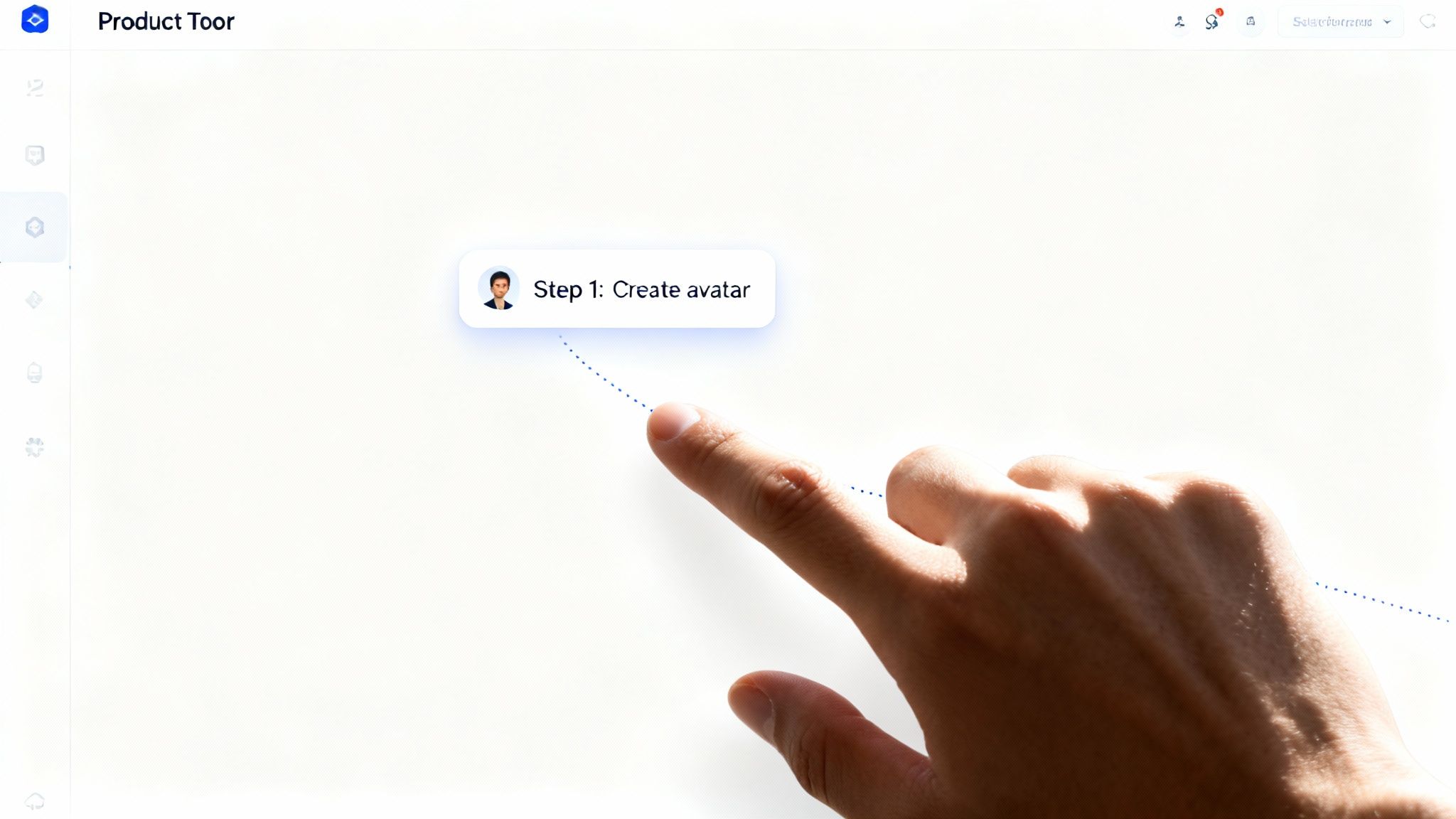
Nothing stalls a new hire's productivity more than struggling with unfamiliar software. A crucial employee onboarding best practice is to integrate interactive product tours and in-app guidance for your core tools. Instead of relying on static manuals or long video tutorials, this method provides contextual, step-by-step walkthroughs directly within the software interface. This approach empowers employees to learn by doing, which reduces frustration and speeds up their time to competency.
How It Works
Interactive tours use tooltips, highlighted elements, and progress indicators to guide users through specific tasks as they navigate a platform. These tours activate at strategic moments, such as when a new user first accesses a key feature like a video editor or an AI avatar creator. This "just-in-time" learning ensures guidance is relevant and immediately applicable, preventing cognitive overload and improving knowledge retention.
Actionable Implementation Steps
To implement this effectively in your onboarding, consider these steps:
- Trigger Tours Contextually: Don't launch a tour the moment a user logs in. Instead, trigger it when they access a specific feature for the first time. This ensures the guidance is directly related to their immediate goal.
- Keep Tours Short and Focused: Each tour should teach one core task and take less than a minute to complete. Use clear progress indicators (e.g., "Step 1 of 3") to manage expectations and maintain engagement.
- Incorporate Video Demonstrations: For complex processes like creating an AI avatar or using voice cloning features, embed short video clips directly into the tour. This visual aid can clarify multi-step actions far better than text alone.
- Make Tours Re-accessible: Allow employees to skip tours and access them later from a help menu or resource center. This provides a safety net for users who prefer to explore on their own first.
By implementing these guided experiences, you transform software training from a passive chore into an engaging, self-directed activity. To see how these principles are applied in a real-world scenario, you can explore the LunaBloom AI platform and its guided features.
3. Personalized Goal-Setting and Outcome Tracking
An exceptional onboarding program moves beyond generic checklists to focus on what truly drives employee engagement: meaningful, personalized goals. This employee onboarding best practice involves creating a clear framework where new hires and their managers collaborate to define specific, role-aligned objectives for their first 30, 60, and 90 days. This approach immediately connects their daily tasks to broader team success and shows you're invested in their professional growth.
How It Works
Instead of handing a new hire a one-size-fits-all task list, this method begins with a collaborative goal-setting session. During the first week, the manager and new employee discuss key performance indicators (KPIs), define "quick wins," and map out longer-term projects. Progress is tracked transparently using performance management software or a shared document, with regular check-ins to provide feedback. This transforms onboarding from a passive orientation into an active, goal-oriented journey.
Actionable Implementation Steps
To integrate personalized goal-setting into your onboarding, follow these steps:
- Use a 30-60-90 Day Plan Template: Create a structured but flexible template that outlines learning goals (30 days), contribution goals (60 days), and initiative-taking goals (90 days). This provides a clear roadmap.
- Identify Early Wins: Ask the new hire to complete a small, impactful project within their first two weeks. For a marketing role, this could be analyzing a recent campaign; for an engineer, it might be shipping a minor bug fix. This builds confidence and demonstrates immediate value.
- Schedule Weekly Progress Check-ins: Dedicate 15-20 minutes each week to review progress against their goals. This creates a consistent feedback loop and allows for real-time course correction, ensuring the new hire feels supported.
- Celebrate Milestones Publicly: Acknowledge when a new hire achieves a key goal. A shout-out in a team meeting or a message in a company-wide channel reinforces their contribution and fosters a sense of accomplishment.
4. Live Onboarding Sessions and Personalized Support
While automated onboarding materials are efficient, one of the most powerful employee onboarding best practices is to incorporate live, interactive sessions. These scheduled group webinars or one-on-one calls provide a human touch that pre-recorded content can't replicate. This approach gives new hires direct access to experts, allowing them to ask role-specific questions, clarify complex processes, and build connections with trainers and peers in real-time.
How It Works
Live onboarding creates a dynamic learning environment where trainers can demonstrate tools, walk through workflows, and address concerns as they arise. This is especially valuable for complex roles where hands-on guidance accelerates comprehension. For example, a company might host weekly group sessions on its core project management software or offer one-on-one meetings for new leaders. This blend of group and individual support ensures everyone gets the attention they need.
Actionable Implementation Steps
To integrate live sessions effectively, follow these concrete steps:
- Offer Flexible Scheduling: Provide multiple session times across different time zones to accommodate a distributed or global workforce. Aim for at least three to four options weekly for core topics.
- Segment Your Content: Don't try to cover everything in one session. Create separate workshops for different needs, like "IT and Security Basics," "Advanced Sales CRM Features," or "Understanding Our Brand Voice."
- Provide Dedicated Support: For enterprise-level roles or new senior leaders, schedule mandatory one-on-one sessions with a dedicated onboarding specialist or department head to provide personalized guidance.
- Record Everything: Always record live sessions and make them available in an on-demand library. This allows new hires to revisit key information and serves as a valuable resource for those who couldn't attend. Learn more about how to create and manage a video content library by exploring the mission behind LunaBloom AI.
- Prepare and Follow Up: Send an agenda and any prerequisite materials at least 48 hours before the session. Afterward, follow up with a summary email that includes a link to the recording, key takeaways, and personalized next steps.
5. Self-Paced Learning Paths with Microlearning Content
Traditional, all-day training sessions often overwhelm new hires with too much information at once, leading to poor retention. A more effective employee onboarding best practice is to use self-paced learning paths built from microlearning content. This approach breaks down complex topics into small, digestible modules that employees can complete at their own pace. It empowers them to take control of their learning journey from day one without feeling overloaded.
How It Works
This method involves creating a curated library of short, focused learning modules—typically 3-7 minutes long—covering specific tasks, tools, or company knowledge. These modules are then organized into logical "learning paths" tailored to different roles. For instance, a new marketing hire's path might include modules on brand voice and social media tools, while an engineer’s would focus on the tech stack and coding standards. This structure provides a clear roadmap with the flexibility employees need.
Actionable Implementation Steps
To implement this best practice in your onboarding program, follow these steps:
- Design Role-Specific Paths: Create foundational learning paths like a "Getting Started" track for all new hires, then develop specialized Basic, Intermediate, and Advanced paths for key roles within the company.
- Prioritize Video for Complex Topics: Use short, subtitled video tutorials to explain complex processes or demonstrate software. This makes the information far more accessible and engaging than a dense manual.
- Gamify the Experience: Encourage progress by incorporating gamification elements. Award badges or certificates upon completion of a module or an entire learning path to create a sense of accomplishment.
- Incorporate Practical Examples: Make the content relevant by including real-world examples. For instance, a module on company values could feature a short video from a team member sharing a story of how they applied that value in their work. This makes abstract concepts concrete and memorable.
6. Onboarding Checklist with Quick Wins
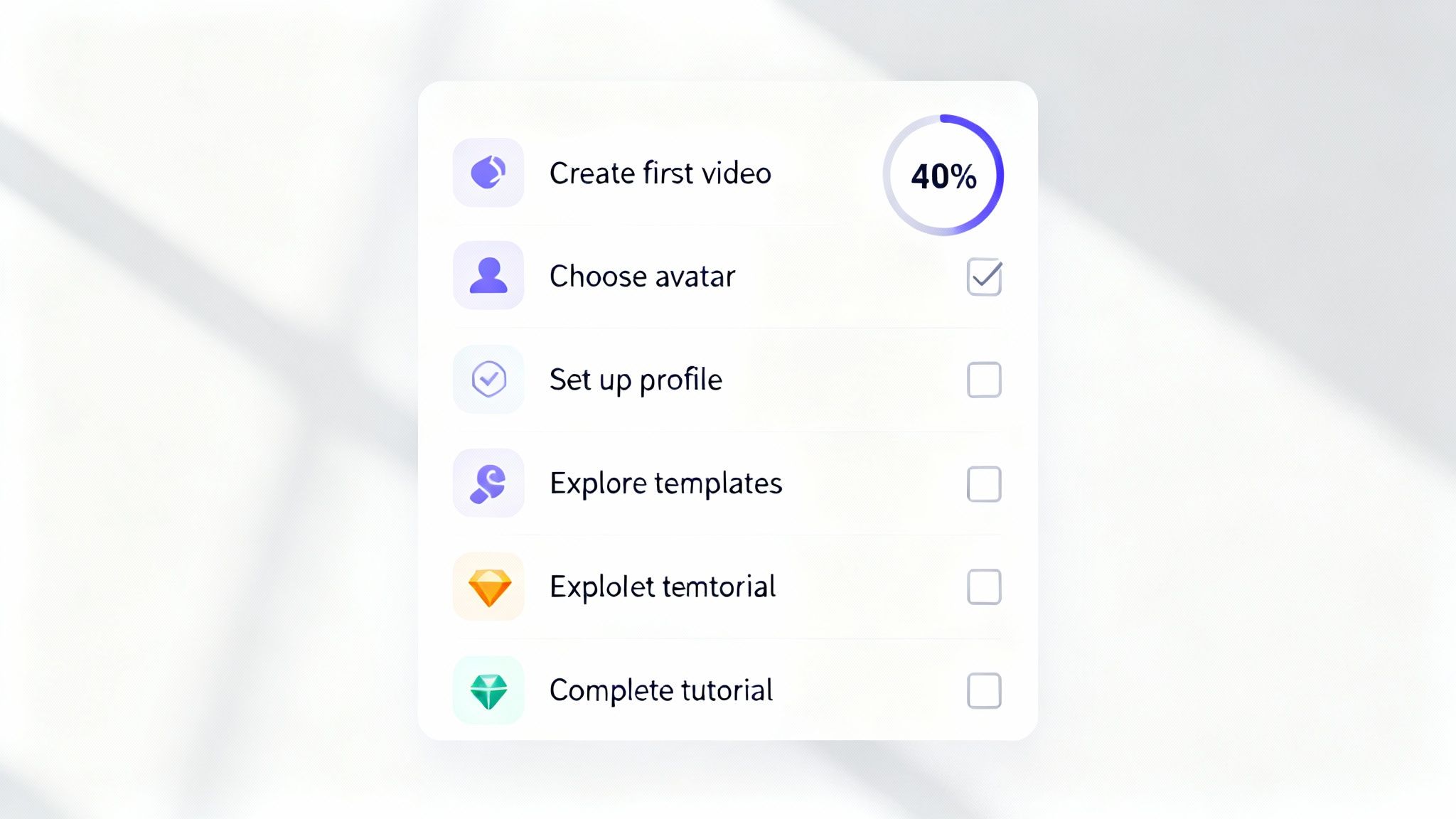
One of the most effective employee onboarding best practices is to transform the process from a long list of duties into a series of small, gratifying achievements. An onboarding checklist with "quick wins" provides new hires with a visible, step-by-step guide to their initial tasks. This approach breaks down complex onboarding requirements into manageable actions, building momentum and confidence from day one. Instead of feeling buried in paperwork, the employee feels a sense of progress.
How It Works
This method gamifies the initial onboarding experience by presenting tasks in a checklist format, often within a company portal or project management tool. New hires see a clear path forward and can track their progress. The key is that each task is small and provides immediate value or a sense of completion. For instance, an early task could be as simple as setting up their profile avatar, followed by an engaging task like creating their first introductory video for the team.
Actionable Implementation Steps
To implement a checklist that drives engagement, focus on these concrete steps:
- Prioritize Simplicity and Speed: Limit the initial checklist to 5-7 core tasks. The very first item should take less than two minutes to complete, such as confirming their login or adding a profile picture.
- Order for Confidence: Structure the list to start with the easiest tasks and gradually move to more complex ones. This builds a new hire’s confidence and motivation.
- Incorporate Creative Tasks Early: Make an engaging activity, like creating a brief self-introduction video, one of the first few items. Tools like the LunaBloom AI starter app make this incredibly simple, allowing a new hire to produce a polished, subtitled video in minutes.
- Use Encouraging Language: Frame tasks with positive language. Use emojis and progress bars to make the experience feel less like a chore and more like an achievement. For example, instead of "Complete HR forms," use "✅ Let's get your official paperwork sorted!"
7. Template and Example Library with Use-Case Collections
One of the most practical employee onboarding best practices is to equip new hires with a rich library of templates and real-world examples. Instead of forcing employees to create crucial documents from a blank slate, this approach provides proven frameworks that accelerate productivity and ensure brand consistency. This resource empowers new team members to contribute confidently from their very first week.

How It Works
A template library is a centralized hub of pre-built assets organized by function and use case. For a marketing hire, this could include social media post templates and email campaign outlines. For an operations role, it might feature project plans or process documentation guides. By providing concrete examples, you dramatically reduce the learning curve and prevent the common paralysis of not knowing where to start.
Actionable Implementation Steps
To create a powerful and useful template library, follow these steps:
- Categorize by Use Case: Organize your templates logically by department (Marketing, Sales, HR) and specific task (project kickoff, client report, internal announcement). This makes the library intuitive to navigate.
- Include Process Documentation: An effective library should include a robust Standard Operating Procedure template to ensure new hires can document and follow key processes with clarity and consistency.
- Show Before-and-After Examples: For creative or complex tasks, showcase a raw draft alongside the polished final output. This visual comparison helps new employees understand quality standards more effectively.
- Tag and Describe Templates: Add descriptive tags (e.g., "15-sec video," "internal," "client-facing") and a short explanation for each template's ideal use case. This helps employees quickly find the most relevant asset.
8. Community-Based Learning and Peer Support
Onboarding shouldn't just be information flowing from the company to the new hire. One of the most dynamic employee onboarding best practices is fostering a community-based learning environment. This approach creates a living ecosystem where new employees can ask questions, share insights, and learn collaboratively from their peers in a supportive space. It accelerates learning and builds a powerful sense of belonging from day one.
How It Works
Community-based learning uses internal communication platforms like Slack or Microsoft Teams to create dedicated channels for new hires. Here, they can connect with their onboarding cohort and seasoned employees. Instead of feeling isolated, new team members can post a query in a Q&A channel, share a project in a "showcase" space, or simply find social connection. This peer support network becomes a go-to resource long after the formal onboarding period ends.
Actionable Implementation Steps
To cultivate a thriving internal learning community, follow these steps:
- Create a Structured Space: Designate specific channels to prevent chaos. Start with essentials like
#new-hires-q-a,#introductions, and#wins-and-shoutouts. A clear structure makes it easy for newcomers to engage. - Seed Engagement Early: Your HR team and "onboarding buddies" should actively post welcome messages, conversation starters, and helpful tips in the first few weeks. This initial activity encourages new hires to participate.
- Recognize Top Contributors: Publicly acknowledge employees who actively help others in the community. A simple shoutout in a company-wide channel can motivate peer-to-peer support.
- Host Community Challenges: Spark engagement with challenges, such as asking new hires to create a short video explaining what they've learned using a tool like LunaBloom AI. This makes learning interactive and fun.
- Archive and Highlight Key Info: Regularly compile the best questions and answers into a searchable knowledge base or a "greatest hits" post. This turns organic conversations into a lasting resource.
9. Feedback Loop and Iterative Onboarding Optimization
Even the best onboarding program can become outdated. A critical employee onboarding best practice is to treat the process not as a static checklist, but as a living program that evolves with your company. Creating a systematic feedback loop allows you to collect data, identify friction points, and continuously refine the experience. This iterative approach transforms onboarding from a one-time setup into a strategic, data-driven asset.
How It Works
This practice involves establishing consistent channels for new hires to share their experiences. The collected qualitative and quantitative data is then analyzed to pinpoint areas for improvement. Much like product teams use A/B testing and user data to enhance their platforms, HR teams can apply the same principles. By tracking metrics like time-to-productivity and new hire satisfaction, you can make informed adjustments.
Actionable Implementation Steps
To build a culture of continuous improvement for your onboarding, follow these steps:
- Deploy Pulse Surveys: Send short, automated surveys at key milestones (end of week one, 30 days, 90 days). Ask targeted questions about their experience, the clarity of their role, and the support they received.
- Track Key Onboarding Metrics: Use your HRIS or onboarding platform to monitor data points like the completion rate of training modules, time-to-value (how quickly a new hire becomes productive), and early-stage employee turnover.
- Conduct Onboarding Interviews: Schedule 30-minute feedback sessions with new hires around the 60 or 90-day mark. Ask open-ended questions to uncover insights that quantitative data might miss.
- Create a Central Feedback Hub: Establish an easily accessible place, like a dedicated Slack channel or an in-app form, for new hires to provide real-time suggestions or report issues as they encounter them.
10. Multi-Touchpoint Communication Strategy Across Channels
A truly modern onboarding experience moves beyond a simple email drip. Implementing a multi-touchpoint communication strategy is a vital employee onboarding best practice that ensures new hires receive the right information, at the right time, through the most effective channel. This coordinated approach uses a mix of email, in-app messages, and even SMS to guide employees without overwhelming them, creating a seamless and supportive journey.
How It Works
This strategy orchestrates communication based on an employee’s progress and specific needs. Instead of a rigid schedule, messages are triggered by actions. For example, completing a compliance module might trigger a congratulatory message, while inactivity on a key platform could prompt a helpful email with a tutorial link. This behavior-driven model makes communication feel personal, relevant, and immediately useful.
Actionable Implementation Steps
To build a multi-channel communication plan, follow these steps:
- Map the 30-Day Journey: Create a 7-10 email sequence for the first 30 days. Start with a welcome and quick-start link on day zero, followed by a task-oriented checklist on day one, and a feature highlight based on platform usage by day four.
- Use Channels Purposefully: Reserve different channels for specific purposes. Use email for structured information, in-app messages for immediate help within software, and SMS only for urgent, time-sensitive updates.
- Segment Your Audience: Tailor communication based on the employee's role or department. A new sales team member might receive messages about CRM best practices, while an engineer gets tips for navigating the internal codebase.
- Leverage Automated Video: Use a platform like LunaBloom AI to embed short, subtitled video tutorials within your communications. A quick video showing how to submit an expense report is far more effective than a dense PDF.
Top 10 Employee Onboarding Practices Comparison
| Onboarding Approach | 🔄 Implementation Complexity | 💡 Resources Required | ⭐📊 Expected Outcomes | Ideal Use Cases | ⚡ Key Advantages |
|---|---|---|---|---|---|
| Structured Welcome Sequence with Platform Overview | 🔄 Medium–High: multi-channel, role-based flows | 💡 High: content, video production, automation & analytics | ⭐ High feature discovery; 📊 Faster time‑to‑value and adoption | New users across roles (creators, marketers, educators) | ⚡ Personalized multi-channel intro; consistent brand experience |
| Interactive Product Tours and In‑App Guidance | 🔄 High: UI integration, contextual triggers | 💡 Medium–High: dev time, product‑tour tooling, UX design | ⭐ Strong task completion; 📊 Fewer support tickets, higher adoption | Task-heavy flows (editor, avatar creation, voice cloning) | ⚡ Just‑in‑time guidance; hands‑on learning |
| Personalized Goal‑Setting and Outcome Tracking | 🔄 High: personalization logic and dashboards | 💡 High: analytics, recommendation engine, backend work | ⭐ High engagement & motivation; 📊 Measurable progress & retention | Users needing ROI tracking (marketers, educators) | ⚡ Tailored guidance with measurable milestones |
| Live Onboarding Sessions and Personalized Support | 🔄 Medium: scheduling and skilled presenters | 💡 High‑personal: CS staff, webinar tooling, prep time | ⭐ High trust & immediate problem resolution; 📊 Better enterprise retention | Enterprise clients, agencies, complex use cases | ⚡ High‑touch onboarding; immediate Q&A and relationship building |
| Self‑Paced Learning Paths with Microlearning Content | 🔄 Medium: modular design and maintenance | 💡 Medium‑High: content creation, LMS or KB, updates | ⭐ Good long‑term retention; 📊 Scalable self‑service reduces support | Learners who prefer flexible pacing; broad user base | ⚡ Scalable 24/7 learning; bite‑sized skill building |
| Onboarding Checklist with Quick Wins | 🔄 Low: simple UI and task hooks | 💡 Low: minimal dev and short content pieces | ⭐ High immediate activation; 📊 Fast time‑to‑first‑value | All new users; those needing quick confidence boosts | ⚡ Fast path to first success; easy to implement |
| Template and Example Library with Use‑Case Collections | 🔄 Medium: templating system and curation | 💡 Medium: designers, sample assets, localization | ⭐ High conversion to first video; 📊 Shorter time‑to‑output | Creators needing starters (social, ads, tutorials) | ⚡ Eliminates blank canvas; accelerates creation |
| Community‑Based Learning and Peer Support | 🔄 Medium: setup, moderation, seeding | 💡 Medium: community managers, platform hosting | ⭐ Strong retention & advocacy; 📊 Peer solved issues reduce support load | Power users, creators, long‑term engagement cohorts | ⚡ Scalable peer support; builds loyalty and UGC |
| Feedback Loop and Iterative Onboarding Optimization | 🔄 Medium–High: analytics, testing, research cadence | 💡 High: analytics tools, researchers, product coordination | ⭐ Continuous improvement of onboarding; 📊 Reduced friction and better KPIs | Mature products focused on optimization & retention | ⚡ Data‑driven refinements that boost long‑term metrics |
| Multi‑Touchpoint Communication Strategy Across Channels | 🔄 High: orchestration, personalization, compliance | 💡 High: automation platform, content, segmentation, legal | ⭐ High reach & engagement; 📊 Improved activation & re‑engagement | Broad user bases needing timed nudges and re‑engagement | ⚡ Timely, personalized nudges across channels; reduced missed opportunities |
From New Hire to Team Champion: Your Onboarding Journey Starts Now
The journey from a promising candidate to a fully integrated, high-performing team member is paved with intention. As we've explored, effective employee onboarding is far from a one-day orientation or a simple checklist. It's a strategic, multi-phased process designed to build confidence, foster connection, and accelerate productivity from the moment an offer is accepted.
By moving beyond a passive transfer of information, you create an active, engaging experience that affirms a new hire’s decision to join your team. The difference between a disengaged employee and a dedicated champion often lies in the quality of their first 90 days.
Recapping Your Onboarding Blueprint
Let's distill the core principles we've covered into a clear, actionable summary. A world-class onboarding program isn't about doing one thing perfectly; it's about executing a series of interconnected strategies consistently.
Remember these crucial takeaways:
- Structure is Your Ally: From pre-boarding communication to the 30-60-90 day plan, a clear structure eliminates ambiguity and anxiety. New hires should always know what's next and what's expected of them.
- Personalization Drives Connection: Generic onboarding feels impersonal. Tailor the experience with personalized goals, role-specific learning paths, and one-on-one check-ins to show you value the individual, not just the role.
- Technology is a Scalable Partner: Modern tools are essential for consistency and engagement, especially for remote or global teams. Leveraging video-based platforms for training and welcome messages creates a rich, accessible, and self-paced learning environment.
- Feedback is a Non-Negotiable: Onboarding is not a "set it and forget it" program. Building in continuous feedback loops allows you to iterate and refine your process, ensuring it evolves with your company and meets the needs of your employees.
Your Actionable Next Steps
Transforming theory into practice is where real change happens. Don't let this comprehensive guide become just another bookmarked article. Instead, take immediate, tangible steps to elevate your program.
Start here:
- Conduct a Gap Analysis: Review your current onboarding process against the best practices outlined here. Where are the most significant gaps? Is it your pre-boarding, the first-week experience, or the long-term integration plan?
- Identify a "Quick Win": You don't have to overhaul everything at once. Choose one high-impact area to improve immediately. This could be creating a video welcome message from the CEO or building a resource library with templates.
- Map Out a Technology Strategy: Evaluate how tools can automate administrative tasks and enhance the human elements of your program. Consider how AI-driven video tools can help you create scalable training content. Implementing these employee onboarding best practices with the right technology is a game-changer.
Ultimately, investing in a robust onboarding experience is one of the highest-ROI activities a company can undertake. It directly impacts retention, engagement, and time-to-productivity. You aren't just filling a position; you are nurturing a future leader, innovator, and advocate for your organization. The effort you invest today builds the loyal, high-performing team you need for tomorrow.
Ready to supercharge your onboarding with engaging, scalable video content? LunaBloom AI makes it effortless to create professional training videos, welcome messages, and tutorials with AI avatars, automated subtitling, and localization features. Transform your employee onboarding best practices into a dynamic experience by visiting LunaBloom AI to see how it works.