
Let's get straight to the point. The ideal TikTok aspect ratio is 9:16. This means your video should be 1080 pixels wide by 1920 pixels tall. This tall, vertical format is the key to creating videos that look native to the platform, filling the entire smartphone screen for a fully immersive experience.
Understanding The TikTok Aspect Ratio in 60 Seconds
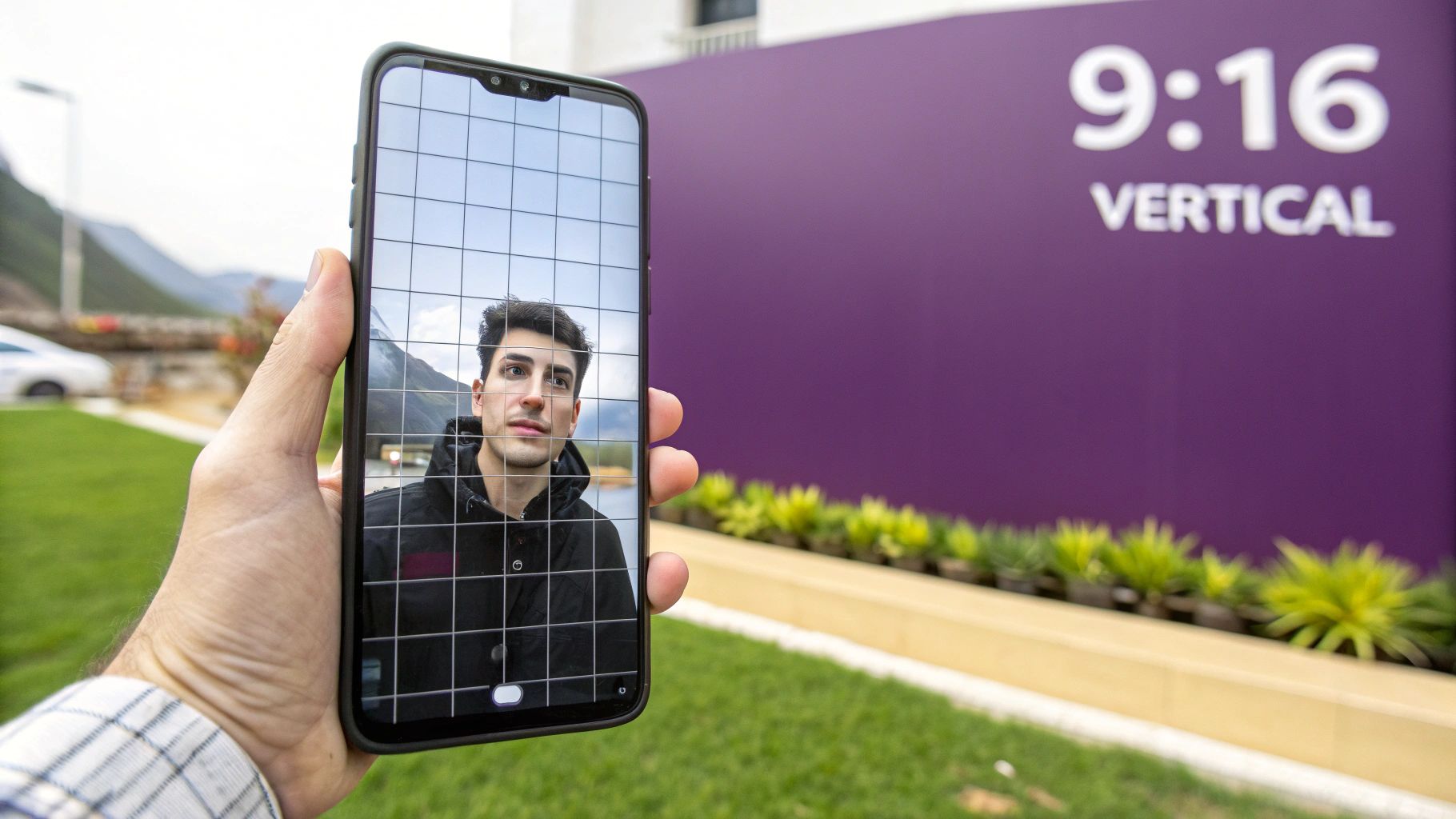
So, what exactly is an aspect ratio? It’s simply the relationship between a video's width and its height. For TikTok, the winning shape is a tall rectangle, the complete opposite of the wide rectangle you see on a TV or in a movie theater.
When you create content in the native 9:16 format, it just feels right. Viewers aren't distracted by ugly black bars at the top and bottom of their screen, which immediately gives your content a more professional and polished look.
Why This Ratio Is Non-Negotiable
Sticking to the 9:16 standard isn’t just about aesthetics; it's about performance. The TikTok algorithm is built to promote content that delivers the best user experience, and a full-screen vertical video is a huge part of that.
Here’s why it’s so critical:
- Maximized Screen Real Estate: A 9:16 video uses every pixel of a phone screen, making your content feel bigger, bolder, and more captivating.
- Improved User Experience: Nobody wants to turn their phone sideways or watch a tiny video. This seamless viewing experience keeps people engaged for longer.
- Higher Engagement: Content that fits the screen naturally performs better. Videos shot in the correct 9:16 format can see up to 30% higher engagement rates because they align with how people hold their phones. You can find more insights on this from the team at SocialPilot.co.
In short, the TikTok aspect ratio isn't just a technical detail; it's a strategic advantage. Nailing this is the first step in creating content that not only looks great but also performs incredibly well.
Why The 9:16 Format Dominates TikTok
Ever notice how vertical video just feels right on TikTok? That’s by design. It’s a smart decision baked into the platform’s DNA, built around one simple fact: we all hold our phones vertically.
Think about it—we hold our phones upright 94% of the time. Instead of fighting this habit, TikTok embraced it, making the 9:16 aspect ratio its signature. This single choice completely changed the social video landscape.
The Power of Full-Screen Immersion
When a video takes over your entire screen, something powerful happens. The 9:16 format creates a captivating, edge-to-edge experience that eliminates distractions. No black bars, no clutter—just your content, pulling the viewer directly into your world.
This immersive feeling is a massive driver for higher watch times, the golden ticket for the TikTok algorithm. The longer you keep someone watching, the more likely the algorithm is to show your video to a larger audience.
Using the 9:16 format is a strategic choice that signals to both viewers and the algorithm that your content was made specifically for them.
This vertical-first approach was TikTok's secret to explosive growth. After its global launch around 2018, the platform's focus on 9:16 reshaped social media. It was a key factor in skyrocketing its monthly active users from 55 million in June 2018 to nearly 700 million by June 2020—a mind-blowing 1,172% increase in two years. Portrait videos boost completion rates by 25-40% because they fit how we use our phones, unlike the traditional 16:9 widescreen format. For more on this growth, you can check out the data in this university research paper.
How Other Platforms Followed Suit
The success was so immense that it forced older platforms to play catch-up. Suddenly, Instagram launched Reels and YouTube rolled out Shorts, both adopting the same vertical, full-screen philosophy that TikTok pioneered.
- It mirrors user behavior: Creators no longer had to ask their audience to turn their phones sideways.
- It simplifies creation: Shooting vertically on a smartphone became the new standard, lowering the barrier for new creators.
- It delivers more impact: Full-screen video is simply more engaging and less cluttered.
Ultimately, the dominance of the 9:16 format is a masterclass in meeting your audience where they already are. By designing for the device in everyone’s pocket, TikTok created a more intuitive and powerful content experience that set the new standard for social media.
Mastering TikTok's On-Screen Safe Zones
Okay, you've mastered the 9:16 aspect ratio. But getting the dimensions right is only half the battle. To create a truly professional video, you also need to understand TikTok's on-screen "safe zones."
Think of your screen as a stage. While the main action happens center-stage, the edges are cluttered with TikTok’s user interface—the username, caption, sound title, and engagement icons.
The safe zone is the central area of your screen that remains completely visible after TikTok adds its interface elements. If you place crucial text, logos, or key actions in the obstructed areas, they'll get covered up. This makes your video look messy and difficult to watch.
What to Keep Inside the Safe Zone
The golden rule is simple: if it's important, keep it away from the edges. The parts of the screen most likely to be blocked are the bottom, the right side, and a thin sliver at the very top.
Follow these guidelines to ensure your message is always clear:
- Keep Your Subject Centered: The main focus of your video, whether it's a person or a product, should always be in the middle of the frame.
- Place Text Overlays Wisely: Any on-screen text should be placed in the upper-middle or central part of the screen, far from the bottom and right edges.
- Check for Obstructions Before Exporting: Visualize where the like, comment, and share buttons will be on the right side. Picture your username and caption at the bottom. Is anything important in their way?
This is why the 9:16 format is so effective. It creates a natural flow: people hold their phones vertically, which enables a full-screen, immersive view that leads directly to higher watch times.
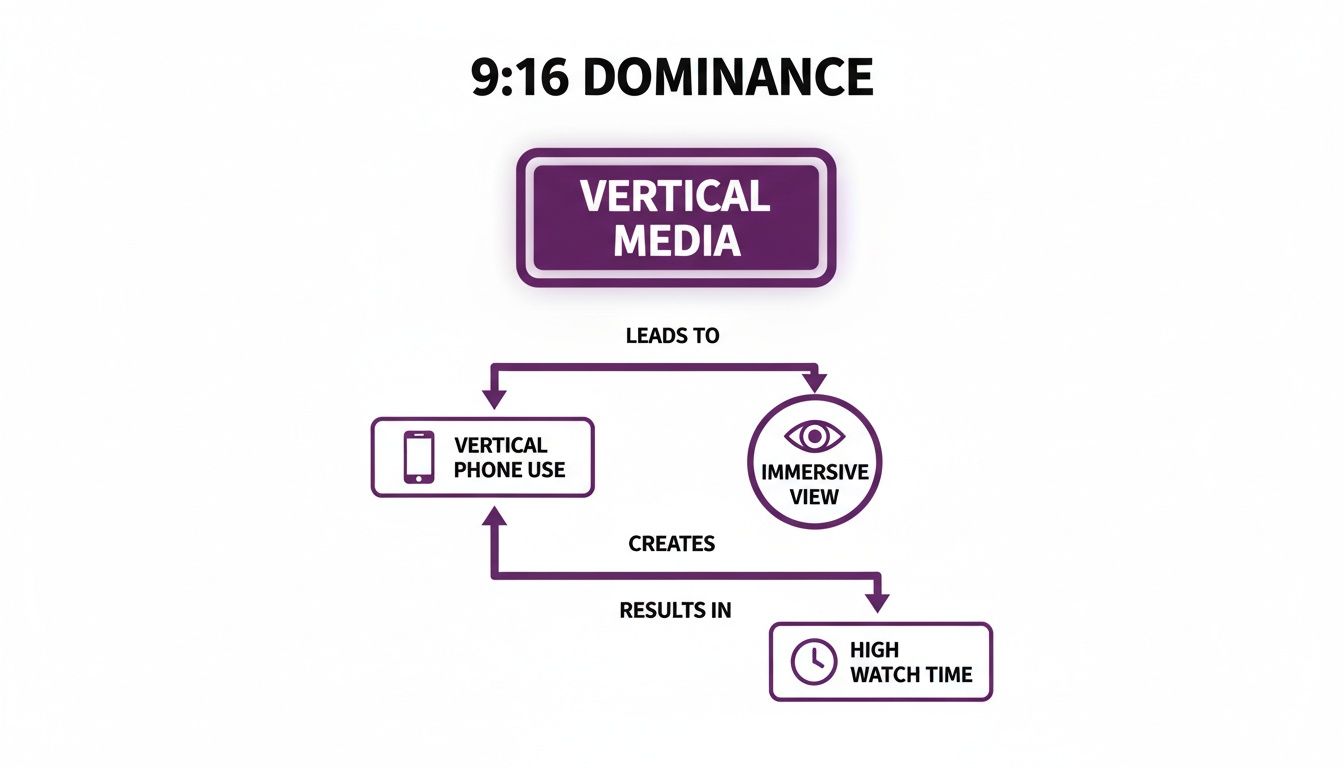
Respecting the vertical format and its safe zones is the foundation of creating content that keeps people watching.
Designing your content with safe zones in mind from the start is the easiest way to guarantee a clean, professional look. It's a simple habit that prevents key information from getting lost and improves the viewer experience.
When to Use Other Video Formats on TikTok
While 9:16 is the undisputed king of TikTok, you might have a fantastic horizontal video and wonder if you can still use it. The short answer is yes, but it comes with significant trade-offs.
TikTok technically supports other formats, like 1:1 (square) and 16:9 (widescreen). When you upload a video in one of these ratios, the app automatically adds black bars to force it into the vertical frame. This shrinks your video and instantly signals "repurposed content" to viewers.
On a platform built for full-screen experiences, those black bars can be a dealbreaker. They create a disconnect, signaling the video wasn't made for TikTok, which is often enough to make someone scroll past. Still, there are a few moments when a non-native format can make sense.
Repurposing Content from Other Platforms
The most common reason for using other formats is efficiency. If you’re posting the same video across multiple channels, using a different aspect ratio can be a practical shortcut.
Here’s when it might be a good idea:
-
1:1 Square Videos from Instagram: The square format is a staple on Instagram's feed. If you’ve already created a great 1:1 video, repurposing it for TikTok is a quick win. It takes up much more screen space than a widescreen video, making it a decent compromise.
-
16:9 Widescreen Videos from YouTube: This is a much tougher sell because the black bars will be huge. However, it can work for specific content like movie trailers, highlight reels, or landscape shots where the wide view is essential.
The trick is to be intentional. Don't just upload a widescreen video and hope for the best. Use on-screen text within the video frame to add context or a call-to-action, making every pixel of that limited space count.
Comparing TikTok Aspect Ratio Performance
So, when should you stick with 9:16, and when can you experiment? It all comes down to your specific goals.
| Aspect Ratio | Best Use Case | Pros | Cons |
|---|---|---|---|
| 9:16 | All organic TikTok content. This is the native format and should be your default for maximum engagement. | Maximizes screen space, fully immersive, feels native to the platform, highest engagement potential. | Requires dedicated filming or editing for vertical orientation. |
| 1:1 | Repurposing from Instagram. Great for quick cross-posting when you don't have time to re-edit for vertical. | Better than 16:9, occupies a decent amount of the screen, easy to cross-post from Instagram feeds. | Still has black bars, feels less immersive, can look lazy if not done intentionally. |
| 16:9 | Cinematic content or YouTube previews. Use only when the wide view is absolutely critical to the content. | Can showcase cinematic shots or content originally filmed for a wide screen. | Huge black bars, significantly reduced screen space, looks out of place, lowest engagement potential. |
While the 9:16 format is the clear winner, knowing these exceptions gives you flexibility. Your primary goal should always be creating content for the vertical screen. But for those times you need to repurpose, a 1:1 or even a 16:9 video can still work—as long as you understand it won't perform as well as native content.
How to Create Perfectly Sized 9:16 Videos
Ready to put this knowledge into practice? Creating a video that perfectly fits the 9:16 format is easier than you think, and there are a few simple ways to do it.
The easiest method by far is to shoot natively. Just grab your smartphone, hold it vertically, and press record. Your phone's camera is already set to shoot in 9:16 by default, giving you perfectly formatted content with zero extra effort. This is the fastest way to create authentic, TikTok-ready videos.
Adapting Existing Footage for TikTok
What if you already have an amazing video that was shot horizontally? Don't worry, you don’t have to reshoot it. You can reformat your existing content for TikTok’s vertical screen using any video editing software.
Here’s the basic workflow:
- Set Your Project to 9:16: Before you do anything, open your editor and create a new project with the dimensions set to 1080×1920 pixels. This creates the vertical canvas you need.
- Import and Crop: Drop your horizontal video into the project. You'll need to scale and reposition the footage to keep the most important action in the frame, which means cropping out the sides.
- Frame with Safe Zones in Mind: While reframing, remember to keep the main subject away from the edges. This ensures nothing important gets covered by TikTok’s interface.
Making sure your vertical content looks great across different platforms is a smart move. Guides on optimal Instagram Reel Dimensions often share similar best practices for video sizing.
Using AI to Simplify Video Creation
If you want to skip the technical headaches, modern tools offer an even simpler solution. For example, platforms like LunaBloom AI can generate perfectly formatted 9:16 videos from a simple text prompt. You describe the video you want, and the AI handles the creation, formatting, and sizing for you.
This approach is incredibly efficient for creating marketing clips, educational content, or social media updates without a camera or editing timeline. It guarantees every video is optimized for the correct TikTok aspect ratio from the start.
TikTok's preference for 9:16 is backed by serious numbers—vertical videos dominate, with 34 million daily uploads optimized for portrait view. For educators and entrepreneurs using LunaBloom AI, this means you can instantly export 9:16 videos with subtitles in over 50 languages, perfect for training content or influencer collaborations that need to scale globally.
No matter which method you choose—shooting natively, editing footage, or using AI—the goal is the same: produce a clean, full-screen video that feels made for the TikTok audience.
Final Thoughts: A Simple Key to TikTok Success
To wrap things up, getting the 9:16 aspect ratio right isn’t just a minor technical detail—it's the foundation of a strong TikTok strategy.
When you create content in the full-screen, vertical format, you're speaking the native language of the platform. You’re meeting your audience where they are and giving the algorithm exactly what it wants to see. It’s a clear signal that your content belongs, and that can make all the difference.
And remember the safe zones. Always keep your key visuals and text clear of the interface to ensure your message lands perfectly.
Think of it this way: this isn’t about limiting your creativity. It’s about giving your ideas the best possible stage to perform on. When you nail the format, you empower your message.
Start putting these ideas into practice. You might be surprised how such a small adjustment can lead to huge gains in how people respond to your videos.
If you want to make content creation even easier, check out tools built for creators like you. See how LunaBloom AI helps you generate perfectly formatted videos without the hassle. It can speed up your workflow, leaving you more time to focus on your creative vision.
Frequently Asked Questions
Here are clear answers to some of the most common questions about TikTok's aspect ratio.
What Happens If I Upload a 16:9 Video to TikTok?
If you upload a horizontal 16:9 video, TikTok will add thick black bars to the top and bottom to make it fit the vertical screen. This shrinks your content, making it look small and out of place. It breaks the immersive experience users expect, leading to lower engagement and watch time as viewers are more likely to scroll past.
Can I Use a 1:1 Square Video on TikTok?
Yes, you can, and a square 1:1 video performs better than a widescreen one. TikTok will still add black bars to fill the screen, but they won't be as large. This format is a common shortcut for repurposing content from an Instagram feed. While it's better than 16:9, it's still not ideal. For best results, always adapt your content to the native 9:16 format.
Does The TikTok Aspect Ratio Apply to Ads?
Absolutely, and it's arguably even more critical for ads. To be successful, your ad needs to blend in with the "For You" feed, not feel like an interruption. An ad that doesn't fill the screen is a dead giveaway that it's a promotion, encouraging users to skip it. To get the best return on your ad spend, ensure your creative is perfectly formatted in 9:16.
What Is The Best Resolution for a 9:16 TikTok Video?
The best resolution for a 9:16 TikTok video is 1080×1920 pixels. This is standard high-definition (HD) quality and ensures your content looks sharp and professional on modern smartphones. While the platform accepts lower resolutions, they can appear pixelated or blurry. Always export and upload at 1080×1920 pixels to guarantee your content looks its best.
Ready to create stunning, perfectly formatted videos without the hassle? With LunaBloom AI, you can generate professional-grade 9:16 videos from simple text prompts, complete with AI avatars and automatic subtitles. Start creating for free today!





