

The human voice is a powerful tool for connection, and today’s technology makes it more accessible than ever. Voice AI platforms are transforming everything from marketing content and corporate training to customer service and entertainment. The question isn’t if you can use a synthetic voice, but which tool is right for the job. With a market full of options—from developer-focused APIs to all-in-one creative suites—finding the perfect fit can be a real challenge.
This guide cuts straight through the noise. We’ve curated and analyzed the top 12 voice AI platforms to help you make a confident decision. Each breakdown covers specific strengths, ideal use cases, and practical pricing models, complete with screenshots and direct links to make your evaluation easier.
So, what will you find inside?
- Key Features: An honest look at voice cloning, TTS quality, language support, and API access.
- Best Use Cases: Practical scenarios for marketing, training, social media, and more.
- Pros and Cons: A balanced view to help you understand each platform’s limitations.
- Clear Recommendations: A concise verdict on who each platform is best suited for.
Our goal is simple: to help you move from research to creation quickly. This comprehensive list is your roadmap to selecting the best platform to bring your audio and video projects to life.
1. LunaBloom AI
Best For: All-in-one, text-to-video creation with integrated voice AI and multilingual avatars.
LunaBloom AI is a powerful, end-to-end video generation suite that goes beyond simple text-to-speech to offer a complete content creation workflow. It’s built for users who need to produce studio-quality videos quickly, integrating realistic voice AI, customizable avatars, and automated editing into a single, cohesive platform. This makes it a standout choice among voice AI platforms because it treats voice as a key part of a larger video strategy, not just an isolated feature.
The platform’s core strength is its ability to turn a simple text or image prompt into a polished, ready-to-publish video. It comes complete with synchronized voiceovers, animated avatars, and auto-generated subtitles, which drastically cuts down on production time and complexity.
Key Features and Capabilities
Where LunaBloom truly shines is in its holistic approach to content localization and branding. The platform supports over 50 languages, allowing creators to generate authentic, region-specific content with natural-sounding voices and accents. Its voice cloning feature also lets businesses maintain a consistent brand voice across all video assets.
- Integrated Video Creation: Automates the entire video production pipeline from text or image input, handling voice generation, lip-syncing with avatars, and subtitle creation.
- Advanced Voice and Avatar Options: Offers a library of over 100 stock voices and allows for custom voice cloning. Users can select from photo-realistic, animated, or 3D avatars.
- Global Reach: Provides robust multilingual support, including automated translations for captions, making it ideal for international marketing and training.
- Streamlined Publishing: Features one-click publishing to major social channels and generates SEO-optimized thumbnails and metadata to boost discoverability.
Pricing and Use Case
LunaBloom’s pricing model is built for scalability. It starts with a free trial that operates on a pay-as-you-go basis, letting you test the platform without a subscription. Paid tiers include Starter at $29.99/month (plus $0.18/sec), Growth at $79.99/month (plus $0.16/sec), and Advanced at $119.99/month (plus $0.15/sec).
Higher tiers unlock premium features like full HD exports, multi-language dialogue, advanced voice cloning, and team tools. This structure makes LunaBloom a great choice for marketers, educators, and corporate teams who need to produce branded video content at scale without the high costs of traditional production. For a deeper dive, you can find more information about LunaBloom AI on their website.
| Pros | Cons |
|---|---|
| End-to-end solution for fast video creation, automating everything from voiceover to subtitles. | Advanced features like custom voice cloning and dialogue generation are gated behind higher-priced tiers. |
| Extensive language support (50+) and voice cloning for creating authentic, localized content. | Per-second usage fees can add up, potentially making high-volume or long-form video production costly. |
| Flexible pricing with a pay-as-you-go trial and scalable plans suitable for individuals and teams. | The platform lacks public awards or security certifications, which may be a consideration for enterprise users. |
| Powerful customization with a wide range of avatars, voices, and integrated publishing tools. | Users are responsible for managing legal considerations like IP rights and consent for voice cloning. |
2. OpenAI — Realtime API & Voice in ChatGPT
Best For: Developers who need to integrate high-quality, real-time voice into applications built on the GPT ecosystem.
OpenAI has moved far beyond its foundational language models to become a major player among voice AI platforms. It offers a powerful, developer-centric suite of tools, including a low-latency Realtime API and high-quality Text-to-Speech (TTS) and Speech-to-Text (STT) capabilities. These are integrated directly into its GPT models and the consumer-facing ChatGPT app, making OpenAI a one-stop-shop for developers building sophisticated, conversational AI experiences.
The platform’s main advantage is its cohesive LLM and audio stack. Instead of patching together separate services, developers can use a single, unified system. This simplifies development and ensures seamless interaction between the AI’s “brain” and its “voice,” perfect for creating live, interactive voice agents.
Key Features & Use Cases
- Realtime Duplex Audio: Uses WebRTC/WebSocket for live, two-way conversations, perfect for responsive customer service bots or AI companions.
- Integrated LLM + Audio: A unified stack where the same powerful GPT models that handle text also process audio, ensuring contextual consistency.
- Developer-First Ecosystem: Comes with robust SDKs, comprehensive documentation, and practical examples to speed up development.
- High-Quality STT/TTS: Leverages advanced models like Whisper for transcription and offers a range of natural-sounding voices for speech synthesis.
Pricing Structure
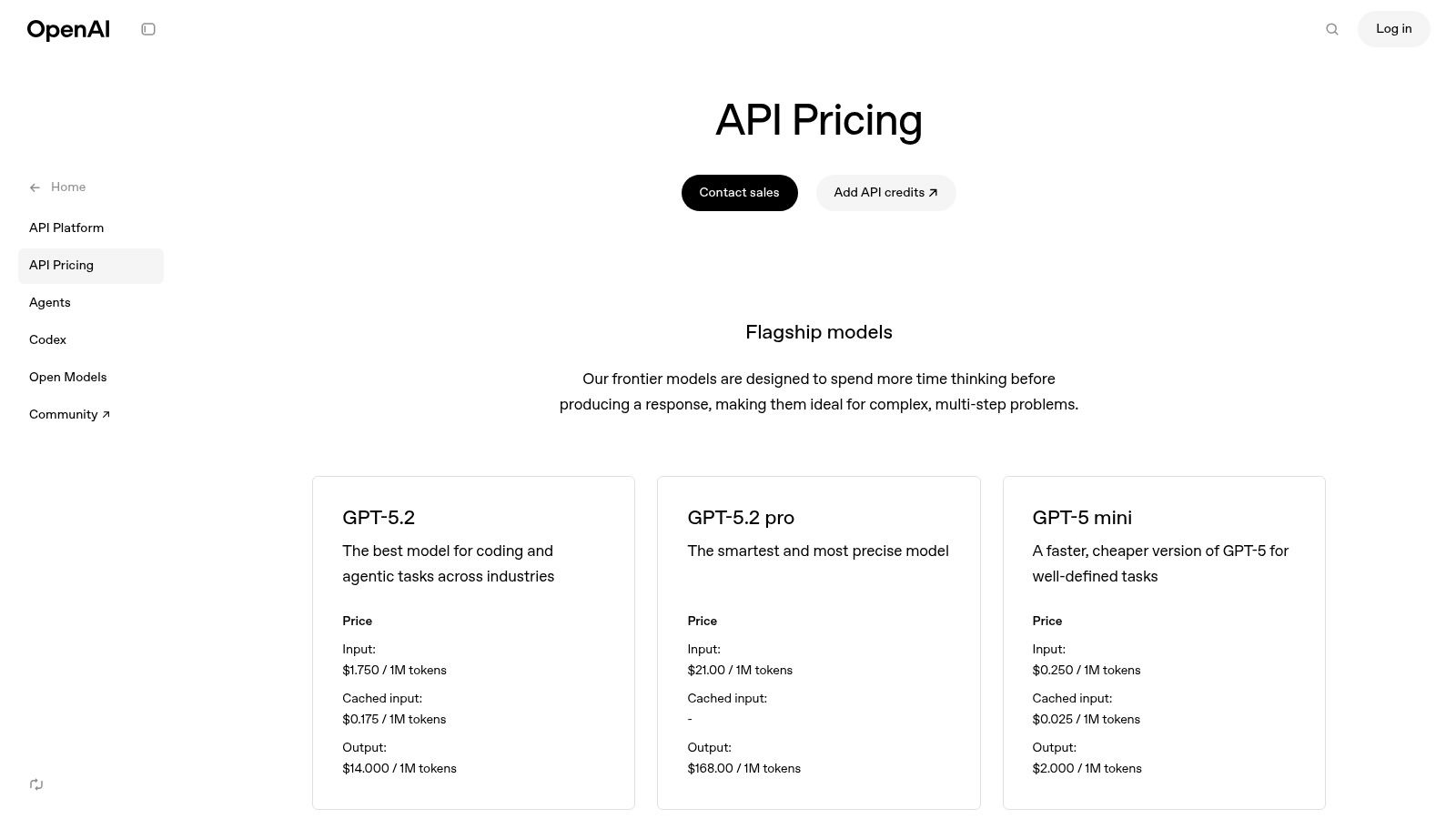
OpenAI operates on a pay-as-you-go, usage-based model. Pricing for its audio models is broken down by function: TTS, STT (Whisper), and the newer Audio API capabilities. This gives you granular control over costs but requires careful monitoring for high-volume apps, as forecasting voice minute costs can be tricky.
- TTS: Priced per 1 million characters.
- STT (Whisper): Priced per minute.
Our Take: For developers already building in the OpenAI ecosystem, adding its native voice capabilities is a smart and efficient move. It’s the top choice for projects that need deep integration between a large language model and real-time voice interaction, like building intelligent conversational agents from scratch.
Pros:
- Excellent developer tools and documentation
- Scalable infrastructure with clear usage-based pricing
- Fast iteration and strong support in major SDKs
Cons:
- Token-based pricing for voice can be hard to forecast
- Limited enterprise-grade controls compared to major cloud providers
Website: https://openai.com/api/pricing/
3. Google Cloud — Dialogflow CX + Speech-to-Text/Text-to-Speech
Best For: Enterprises building large-scale, mission-critical voice automation like contact center AI and complex IVR systems.
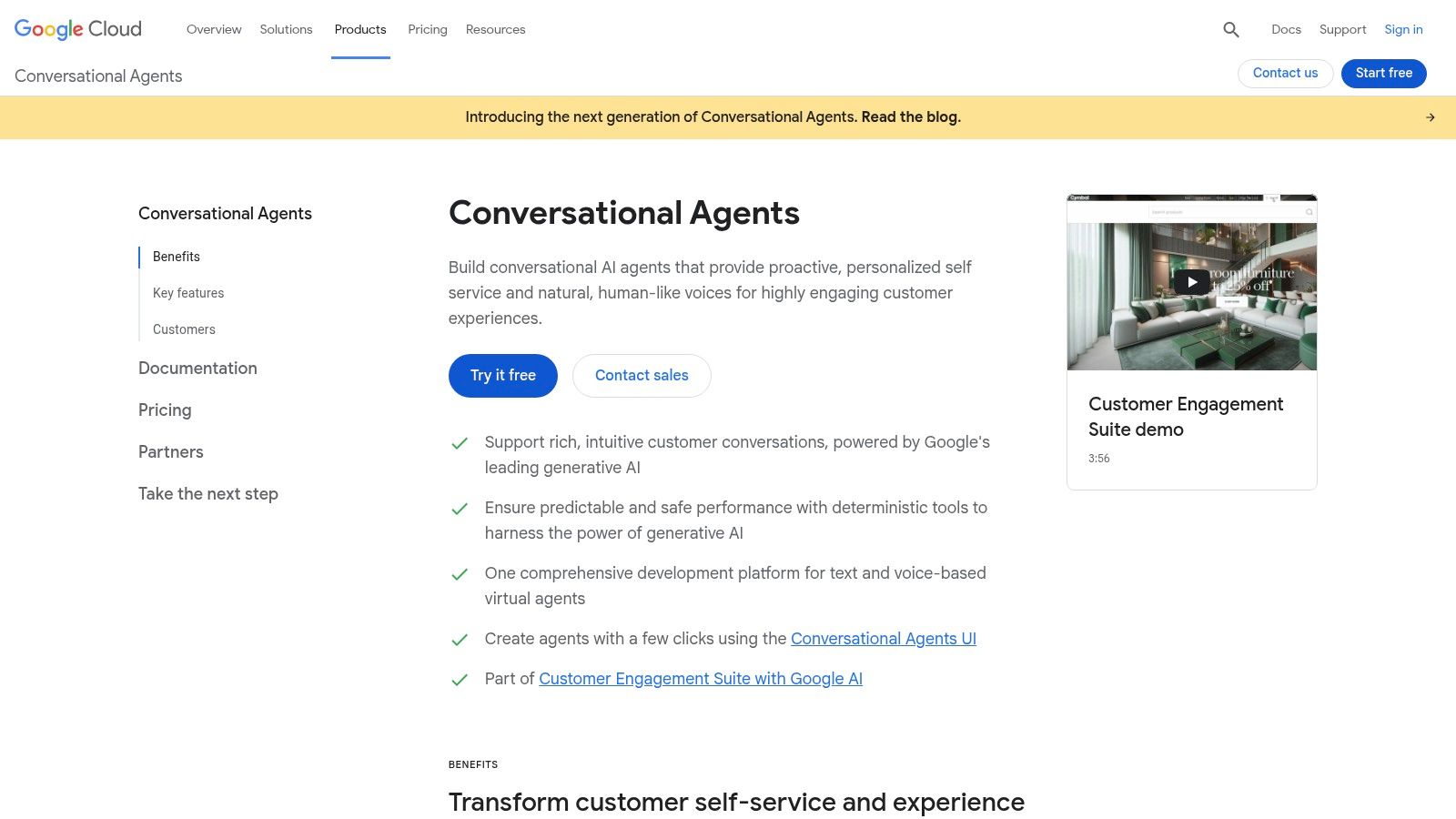
Google Cloud offers a suite of enterprise-grade tools for building sophisticated conversational experiences, making it a top-tier choice among voice AI platforms. Its core offerings—Dialogflow CX for conversation design and separate Speech-to-Text (STT) and Text-to-Speech (TTS) APIs—are designed for creating robust, production-ready voice systems. This combination is ideal for large-scale deployments like contact center automation, IVR, and complex omnichannel bots.
The platform’s key differentiator is its visual, state-machine approach in Dialogflow CX, which lets developers and designers map out complex conversational flows visually. This simplifies managing intricate dialogues and ensures predictable behavior. Paired with Google’s powerful speech models and the broader Google Cloud Platform (GCP) ecosystem, it offers a scalable, secure, and reliable foundation.
Key Features & Use Cases
- Visual Flow Tooling: Dialogflow CX uses a state-machine model to visually design, test, and manage complex, multi-turn conversations.
- Integrated Telephony & Omnichannel: Built-in integrations for telephony partners and support for various channels make it perfect for contact center AI.
- Managed STT/TTS Services: Leverages Google’s best-in-class speech models with options for volume discounts and cost-saving features.
- Enterprise-Ready Ecosystem: Includes production SLAs, comprehensive monitoring tools, and deep integration with the entire GCP stack for security and scale.
Pricing Structure
Google Cloud uses a pay-as-you-go model for its conversational AI services. Dialogflow CX pricing is based on the number of sessions, while STT and TTS are priced per million characters or per minute of audio processed. This modular approach allows for cost control but means managing billing across multiple services.
- Dialogflow CX: Priced per session, with different rates for text and voice.
- STT/TTS: Priced per minute of audio processed or characters synthesized, with free tiers and volume discounts.
Our Take: Google Cloud is the go-to platform for enterprises that need to build, deploy, and manage large-scale, mission-critical voice automation. Its mature tooling, production-grade reliability, and powerful speech models make it an excellent choice for complex IVR and contact center solutions that demand scalability and control.
Pros:
- Mature tooling, monitoring, and robust GCP ecosystem
- Competitive STT pricing and cost-saving options
- High global availability and strong compliance certifications
Cons:
- Requires setting up multiple products, which adds complexity
- Feature differences between API versions can create development hurdles
Website: https://cloud.google.com/dialogflow
4. Microsoft Azure — Azure AI Speech & Voice Live API
Best For: Large enterprises, especially in regulated industries, that need secure, compliant, and customizable voice solutions.
Microsoft Azure stands as an enterprise-grade titan among voice AI platforms, offering a comprehensive suite of tools under its Azure AI Speech services. It’s built for security, compliance, and scalability, providing everything from high-quality Text-to-Speech (TTS) and Speech-to-Text (STT) to speech translation and a Voice Live API for real-time conversational agents. Azure is the platform for organizations requiring robust governance and control.
The platform’s key differentiator is its intense enterprise focus. It offers options many competitors don’t, such as custom voice creation, on-premise deployments for data sovereignty, and adherence to a vast array of global compliance standards. This makes it a go-to choice for regulated industries like finance and healthcare or large corporations building contact center solutions that need to integrate deeply with the Microsoft ecosystem.
Key Features & Use Cases
- Enterprise Security & Compliance: Offers regional US data centers, private endpoints, and broad compliance coverage.
- Custom Neural Voice: Lets organizations create a unique, high-quality brand voice from their own audio recordings for a consistent user experience.
- Flexible Deployment: Supports cloud, on-premise, and containerized deployments, giving enterprises full control over their data.
- Comprehensive Speech Services: Includes real-time and batch STT, speech assessment for training, and multi-language translation.
Pricing Structure
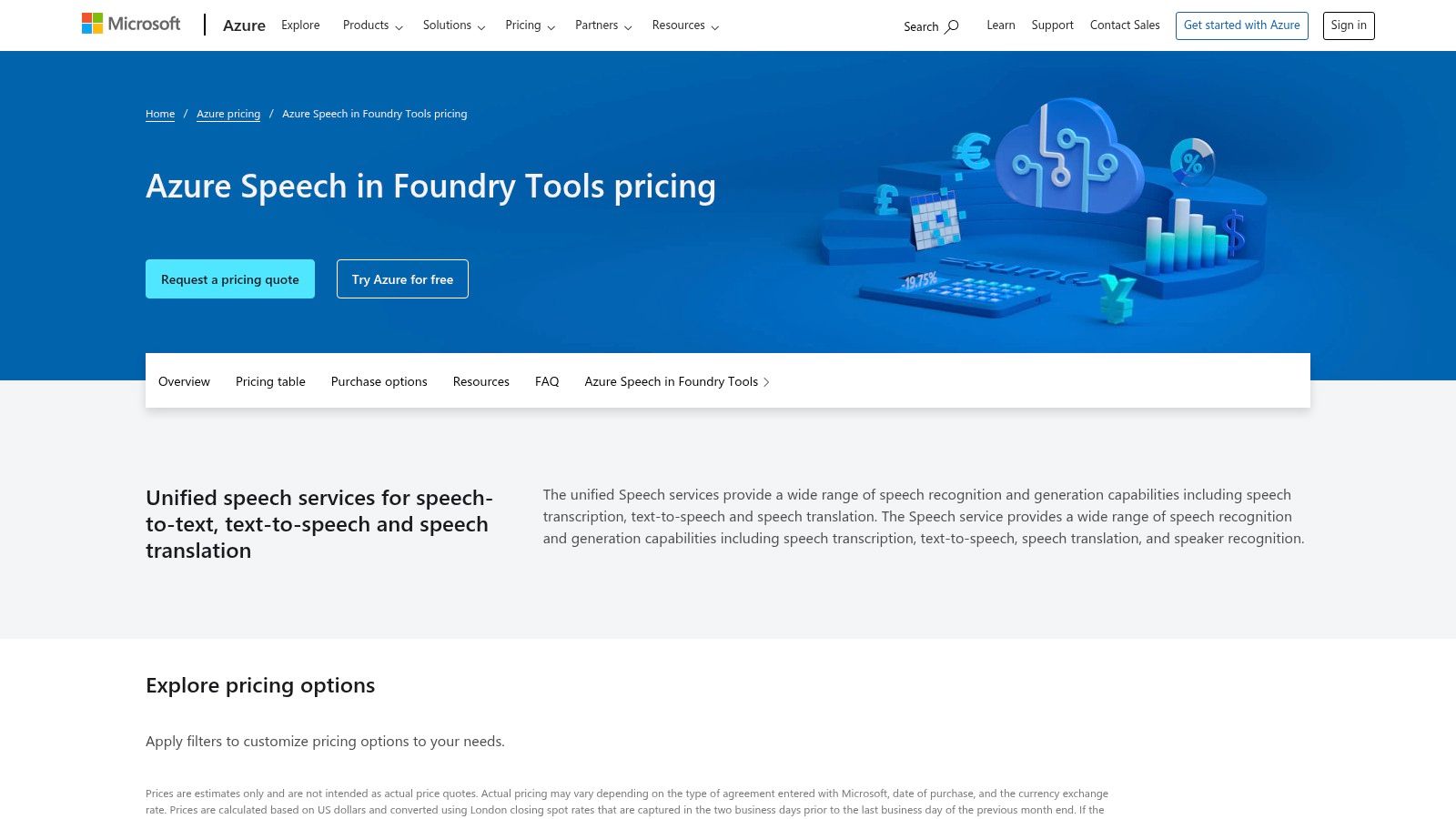
Azure uses a pay-as-you-go model for its Speech services, with pricing broken down by specific features like Neural TTS, Custom Neural Voice training, and real-time STT. It also offers commitment tiers with discounted rates for high-volume usage. While this is flexible, the pricing can be fragmented across multiple services, and understanding the total cost may require careful planning.
- Neural TTS: Billed per 1 million characters.
- STT (Standard): Billed per audio hour.
Our Take: Microsoft Azure is the premier choice for large enterprises, especially those already invested in the Microsoft stack. Its emphasis on security, compliance, and customizability makes it ideal for building production-grade voice agents for contact centers, internal training modules, and other business-critical applications where control and governance are paramount.
Pros:
- Deep integration with the broader Microsoft ecosystem
- Unmatched enterprise security, governance, and compliance
- Flexible deployment options including on-premise
- Powerful custom voice creation capabilities
Cons:
- Pricing structure can be fragmented and complex
- Advanced enterprise features may require direct sales engagement
Website: https://azure.microsoft.com/pricing/details/cognitive-services/speech-services/
5. AWS — Amazon Polly and Amazon Lex
Best For: Enterprises and developers already invested in the AWS ecosystem who need to build scalable and reliable voice applications.
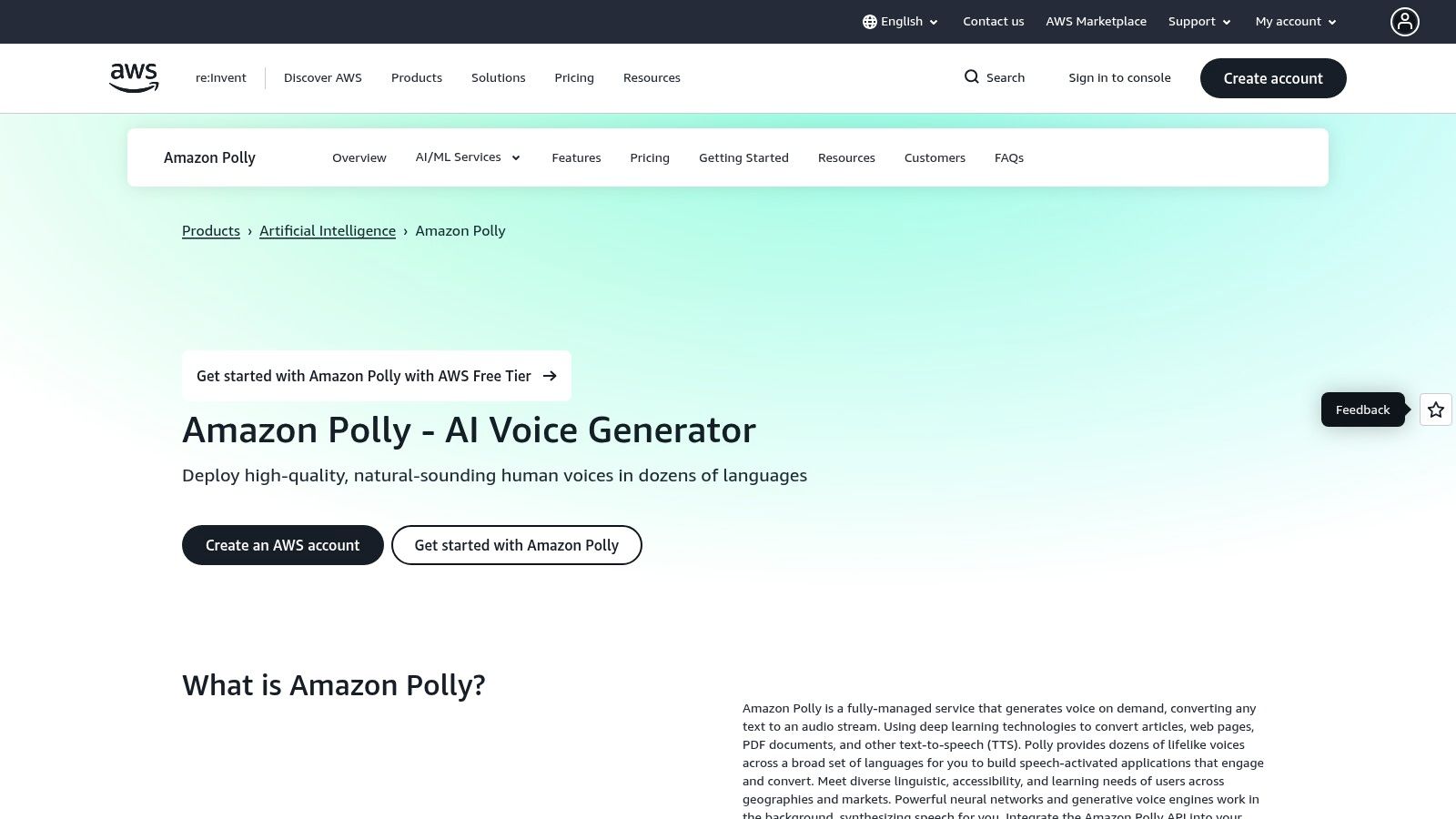
Amazon Web Services (AWS) provides a suite of powerful, enterprise-grade tools that form a robust foundation for voice AI platforms. It separates its offerings into two core services: Amazon Polly for high-quality, neural Text-to-Speech (TTS) and Amazon Lex for building conversational interfaces like chatbots and Interactive Voice Response (IVR) systems. This modular approach lets teams build highly scalable and customized voice solutions that integrate seamlessly into the expansive AWS ecosystem.
The primary differentiator for AWS is its enterprise-readiness. The services are designed for large-scale deployments, offering predictable pricing, deep integration with other AWS services like IAM for security, and a strong focus on compliance and long-term support. This makes it a go-to choice for businesses needing to incorporate voice capabilities into mission-critical applications where reliability and scalability are key.
Key Features & Use Cases
- Neural TTS with Speech Marks: Polly delivers natural-sounding voices and can generate metadata for synchronizing facial animations or lip-syncing avatars.
- Conversational Bot Building: Amazon Lex provides tools for designing, building, and deploying voice bots, with direct integrations for telephony and IVR systems.
- Deep AWS Ecosystem Integration: Natively connects with AWS services for monitoring (CloudWatch), security (IAM), and deployment.
- Predictable Pricing Models: Costs are based on characters for TTS or speech requests for Lex, making it easier to forecast expenses for high-volume workloads.
Pricing Structure
AWS uses a pay-as-you-go model for both services, complemented by a generous free tier for new customers. Polly is priced per 1 million characters of text processed, while Lex is priced per speech or text request. This predictable structure is ideal for businesses that need to budget their cloud spending accurately, avoiding the complexity of token-based models.
- Polly: Priced per million characters processed.
- Lex: Priced per speech or text request.
Our Take: AWS is the quintessential choice for enterprises and developers already invested in its cloud ecosystem. It’s best suited for building scalable, compliant, and reliable voice applications, such as large-scale customer service IVR systems or integrating voice outputs into existing corporate software.
Pros:
- Predictable pricing and robust scaling for enterprise workloads
- Long-running enterprise support and compliance options
- Free-tier credits available for new customers
Cons:
- Building end-to-end agents may require multiple AWS services
- Lex bot design is less visual compared with some competitors
Website: https://aws.amazon.com/polly/
6. ElevenLabs
Best For: Projects demanding the highest quality, most natural-sounding synthetic voices, such as audiobooks, films, and premium content.
ElevenLabs has quickly become a dominant name among voice AI platforms, celebrated for its exceptionally high-quality text-to-speech (TTS) and voice cloning technology. It provides a comprehensive suite of tools—from an intuitive studio interface for creators to a robust API for enterprises—serving use cases in media, gaming, and content creation. The platform excels at producing lifelike, emotionally resonant synthetic voices that are often indistinguishable from human speech.
Its primary differentiator is the sheer quality and realism of its voice outputs, coupled with powerful and accessible voice cloning. Whether you need to create a digital replica of your own voice for scalable content or design entirely new synthetic voices, ElevenLabs offers both the tools and the straightforward user experience to get it done efficiently.
Key Features & Use Cases
- Instant & Professional Voice Cloning: Offers quick cloning from short audio samples and a higher-fidelity professional option for perfect digital voice replicas.
- AI Dubbing Studio: Automatically translates and dubs video content into dozens of languages while preserving the original speaker’s voice.
- Real-time Conversational API: Provides low-latency streaming for building interactive voice agents, AI companions, and dynamic in-game characters.
- Projects for Long-Form Content: A dedicated workflow for producing audiobooks and articles, ensuring consistency across lengthy projects.
Pricing Structure
ElevenLabs uses a freemium model with tiered subscriptions based on character usage and feature access. A free tier allows users to generate a limited amount of audio and test basic features. Paid plans offer higher character quotas, access to Instant Voice Cloning, and commercial licenses. Higher-tier plans unlock Professional Voice Cloning and provide greater API usage allowances.
- Free Tier: Includes 10,000 characters per month and creation of up to 3 custom voices.
- Subscription Tiers: Paid plans are based on monthly character counts and feature access.
Our Take: ElevenLabs is the undisputed leader for projects that demand the most natural-sounding synthetic voices. It’s the ideal platform for content creators, audiobook producers, and developers building applications where voice realism is a critical part of the user experience.
Pros:
- Best-in-class, widely regarded output quality for synthetic voices
- Simple plan structure with a functional free tier for testing
- Frequent and meaningful product updates and feature improvements
Cons:
- The credit system can be confusing for new users
- Pricing for real-time agents can be complex as it doesn’t include backend LLM costs
Website: https://elevenlabs.io/pricing
7. Resemble AI
Best For: Businesses requiring high-quality, scalable, and secure voice cloning solutions with enterprise-grade features.
Resemble AI is an enterprise-grade voice AI platform specializing in high-fidelity voice cloning, text-to-speech, and real-time speech-to-speech conversion. It provides a robust suite of tools tailored for professional applications, including deepfake detection and extensive localization options. This focus on security, scalability, and quality makes it a strong contender for businesses integrating custom voice solutions into their products and workflows.
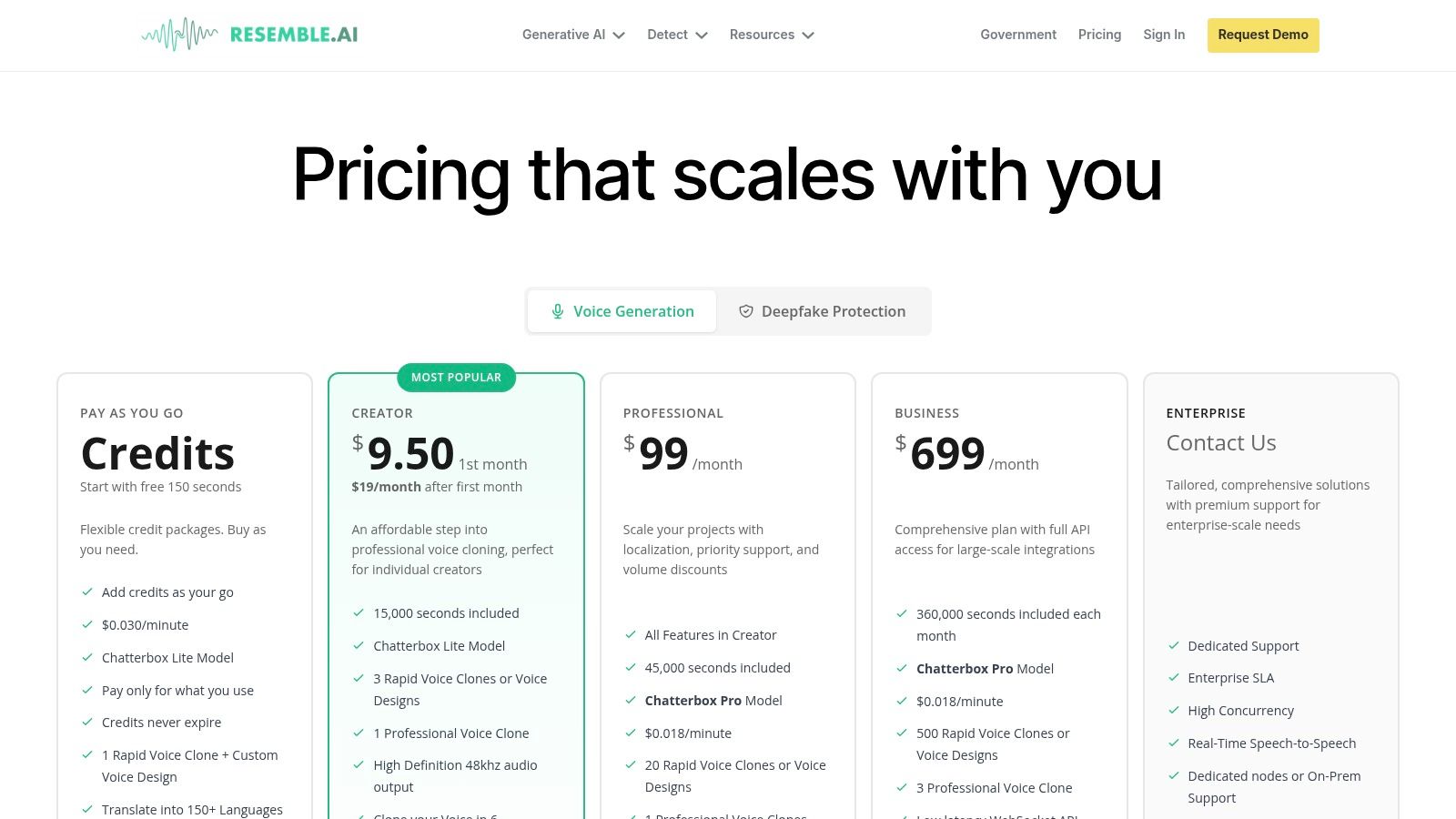
The platform distinguishes itself with a clear path from entry-level use to full enterprise deployment. Developers and businesses can start with flexible pay-as-you-go credits and scale up to plans with dedicated support and high-concurrency APIs. This scalability, combined with its advanced voice synthesis and security features, positions Resemble AI as a versatile choice for sophisticated voice projects.
Key Features & Use Cases
- Professional Voice Cloning: Offers rapid and high-quality voice cloning, ideal for creating branded virtual assistants or personalized audio messages.
- Real-time APIs: Provides WebSocket and high-concurrency API endpoints for building live, interactive conversational agents and dynamic IVR systems.
- Localization Support: Supports over 150 languages on higher tiers, enabling global content creation and multilingual customer support.
- Deepfake Detection: Includes security tooling to identify and prevent malicious use of synthetic voice technology, a critical feature for enterprise trust.
Pricing Structure
Resemble AI uses a tiered model, starting with a free trial and pay-as-you-go (PAYG) credits, and scaling to custom Enterprise plans. The PAYG packs are non-expiring, offering flexibility for projects with variable usage. Higher tiers unlock advanced features like Pro voice models, increased concurrency, and dedicated support.
- Basic: Pay-as-you-go credits for TTS and voice cloning.
- Pro & Enterprise: Custom pricing that includes SLAs, on-premise deployment options, and full feature access.
Our Take: Resemble AI is an excellent choice for businesses that require high-quality, scalable, and secure voice cloning solutions. Its strong enterprise features, including deepfake detection and dedicated infrastructure, make it a reliable platform for building brand-critical voice applications or integrating custom voices into existing products.
Pros:
- Transparent plan ladder from PAYG to Enterprise
- Strong enterprise posture (SLA, dedicated nodes, on-prem options)
- Free starter seconds and non-expiring PAYG credit packs
Cons:
- Full feature set requires higher tiers
- Pricing differs by model type (Lite vs Pro) which adds nuance
Website: https://www.resemble.ai/pricing/
8. WellSaid Labs
Best For: Businesses and content teams needing premium, brand-safe voiceovers for corporate training, e-learning, and professional narration.
WellSaid Labs carves out a niche among voice AI platforms by focusing on studio-quality neural Text-to-Speech (TTS) voices specifically for enterprise and professional use. It provides a curated library of polished, realistic voice avatars with full commercial rights, making it an ideal choice for corporate training, e-learning, and marketing materials where brand consistency and high production value are paramount.
The platform is built for team-based workflows, offering collaboration tools and robust security features that appeal to larger organizations. Its key differentiator is its commitment to ethical AI and data privacy; WellSaid Labs does not use customer data to train its models and maintains SOC 2 Type II compliance, ensuring a secure environment for corporate content creation.
Key Features & Use Cases
- Curated Voice Library: Offers a selection of high-quality, pre-vetted voice avatars ready for commercial use in ads, audiobooks, and training modules.
- Team Collaboration: Enables multiple users to work on projects simultaneously, share files, and maintain a consistent brand voice.
- Enterprise-Grade Security: With SOC 2 Type II compliance and a strict privacy policy, it meets the security requirements of large corporations.
- API & Integrations: Provides API access for developers and direct integrations with tools like Adobe Captivate, streamlining e-learning workflows.
Pricing Structure
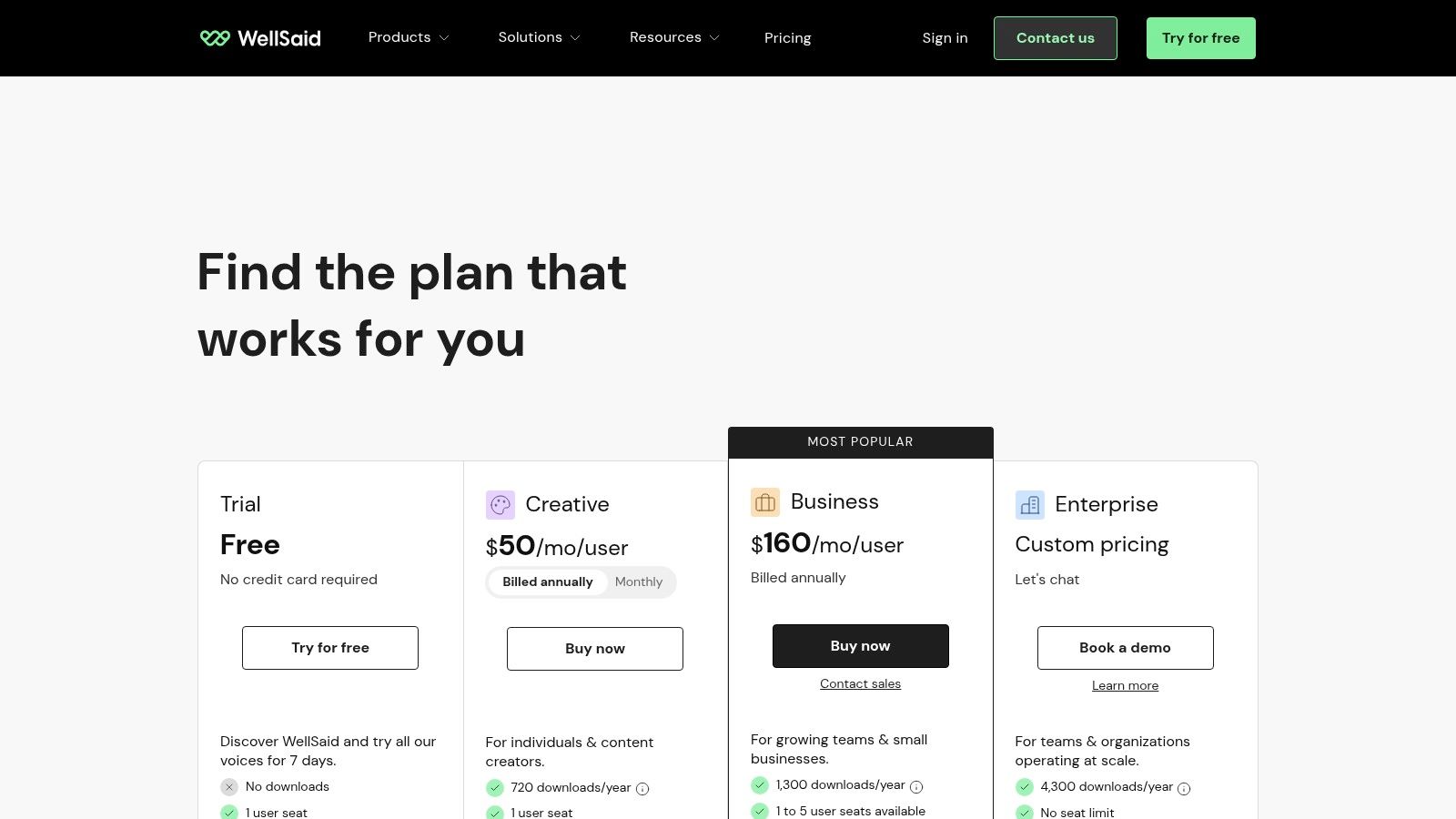
WellSaid Labs offers several subscription tiers based on features, user seats, and download hours. The plans are designed to scale with business needs, from individual creators to large enterprise teams.
- Maker: A plan for individual creators with a set number of download hours.
- Creative & Business: Team-based plans with more hours, collaboration features, and API access.
- Enterprise: Custom plans with advanced security, custom voices, and dedicated support.
Our Take: WellSaid Labs is the go-to platform for businesses and content teams that require premium, brand-safe voiceovers without the hassle of hiring voice actors. It is perfectly suited for long-form narration, corporate training videos, and any application where audio quality and professional polish are non-negotiable.
Pros:
- Exceptional, studio-grade voice quality
- Clear, business-friendly subscription plans for teams
- Strong privacy and enterprise compliance posture
Cons:
- Higher starting price point than hobbyist-focused tools
- Custom voice creation requires direct engagement with the sales team
Website: https://www.wellsaid.io/pricing
9. Speechify Studio
Best For: Individuals and small teams looking for an accessible, all-in-one platform for creating voiceovers, dubbing, and simple voice clones.
Speechify Studio provides a comprehensive, browser-based suite for creating high-quality voiceovers, dubbing, and voice clones. It is designed primarily for creators, marketers, and small teams who need a powerful yet accessible tool for audio production. The platform stands out with its extensive library of realistic voices, multilingual support, and a straightforward credit-based system that simplifies content creation.
The core value of Speechify Studio lies in its all-in-one environment, which includes not just text-to-speech but also dubbing and cloning capabilities within a single user-friendly interface. This integration removes the need to juggle multiple tools, streamlining the workflow for producing everything from social media content to corporate training videos.
Key Features & Use Cases
- All-in-One Studio: A unified platform for voiceovers, video dubbing, and voice cloning, ideal for content creators and marketing teams.
- Large Voice Catalog: Access to over 1,000 realistic-sounding voices across numerous languages and accents.
- Commercial Licensing: Paid plans include commercial rights, allowing users to monetize the content created on the platform.
- API Access: An API is available for developers looking to integrate Speechify’s voice generation capabilities into their own applications.
Pricing Structure
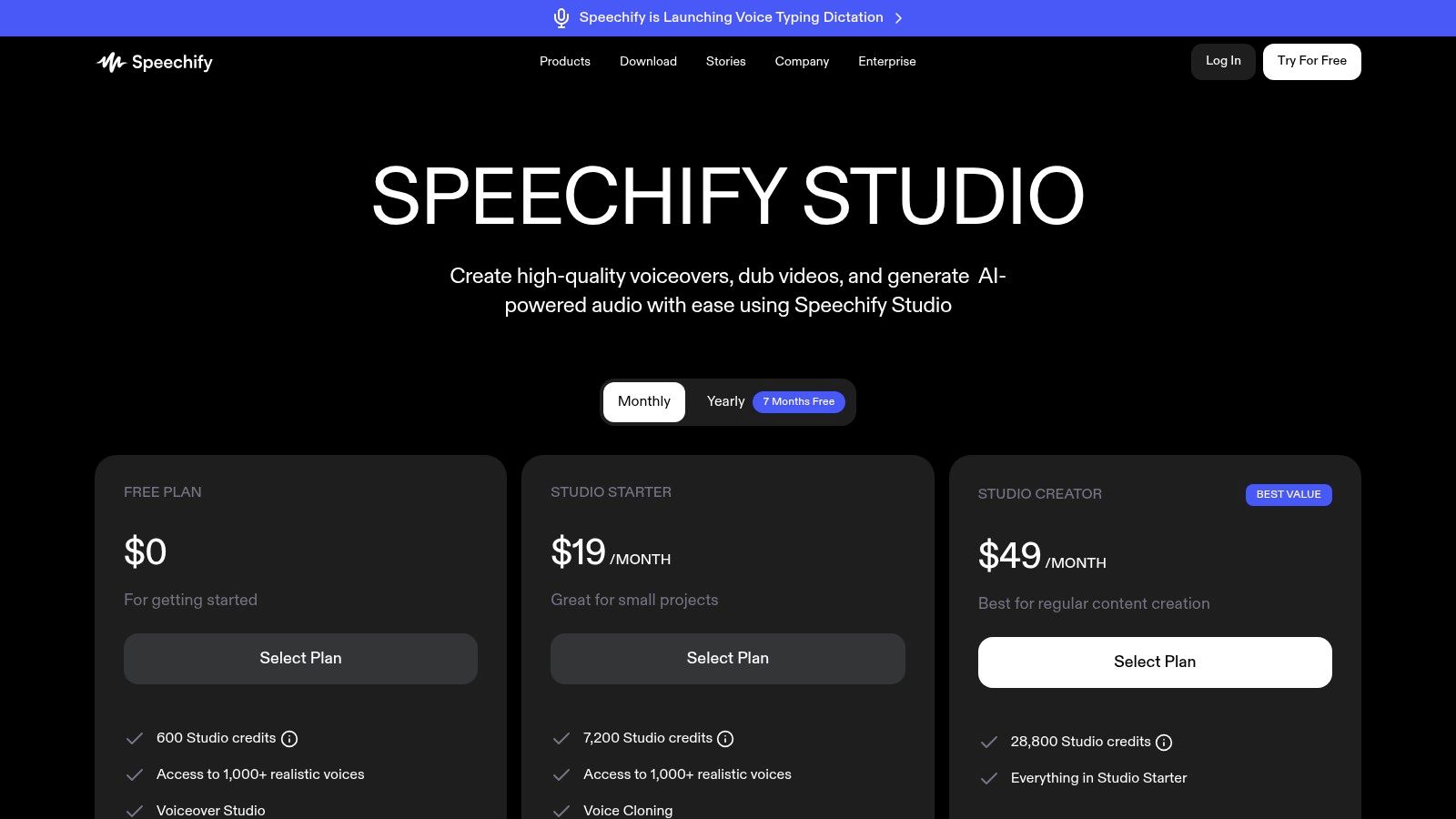
Speechify Studio uses a freemium model with a credit-based system for its paid tiers. The free plan is excellent for testing, while paid monthly plans offer more credits, features like commercial rights, and access to premium voices. Credits are consumed based on generation time and feature usage, requiring users to manage their allocation effectively.
- Free: Limited features and credits for trial.
- Paid Tiers: Monthly subscriptions that provide a set number of credits, advanced features, and export rights.
Our Take: Speechify Studio is an excellent starting point for individuals and small teams diving into AI voice generation. Its user-friendly interface and generous free tier make it highly accessible, while its paid plans provide the necessary tools and licenses for professional and commercial projects.
Pros:
- Generous free tier for trial and prototyping
- Straightforward monthly plans and clear credit consumption
- Useful stock media and SOC2 posture for teams
Cons:
- Credits model requires planning across different use cases
- API and advanced collaboration features are often gated to enterprise tiers
Website: https://speechify.com/pricing-studio/
10. Deepgram
Best For: Developers who prioritize raw performance, speed, and cost-efficiency for building real-time voice applications.
Deepgram has carved out a niche as a developer-first voice AI platform, focusing on providing an extremely fast, accurate, and scalable audio stack. It is renowned for its low-latency Speech-to-Text (STT) models like Nova-2 and its new conversational agent API, making it a go-to choice for applications where real-time performance is critical. Its competitive, transparent pricing further appeals to developers and businesses looking to build high-performance voice experiences without unpredictable costs.
The platform’s core advantage is its deep focus on speed and accuracy. Instead of offering a broad suite of generalized AI tools, Deepgram specializes in the foundational layers of voice: transcription, understanding, and synthesis. This makes it a powerful component for building sophisticated voice agents, analytics platforms, and real-time communication tools.
Key Features & Use Cases
- High-Performance STT: Offers industry-leading speed and accuracy for both real-time streaming and batch file transcription.
- Aura Text-to-Speech (TTS): Provides natural-sounding, low-latency voices suitable for creating responsive, conversational AI.
- Voice Agent API: Simplifies building conversational agents with a clear per-minute pricing model, letting developers bring their own LLM or TTS if desired.
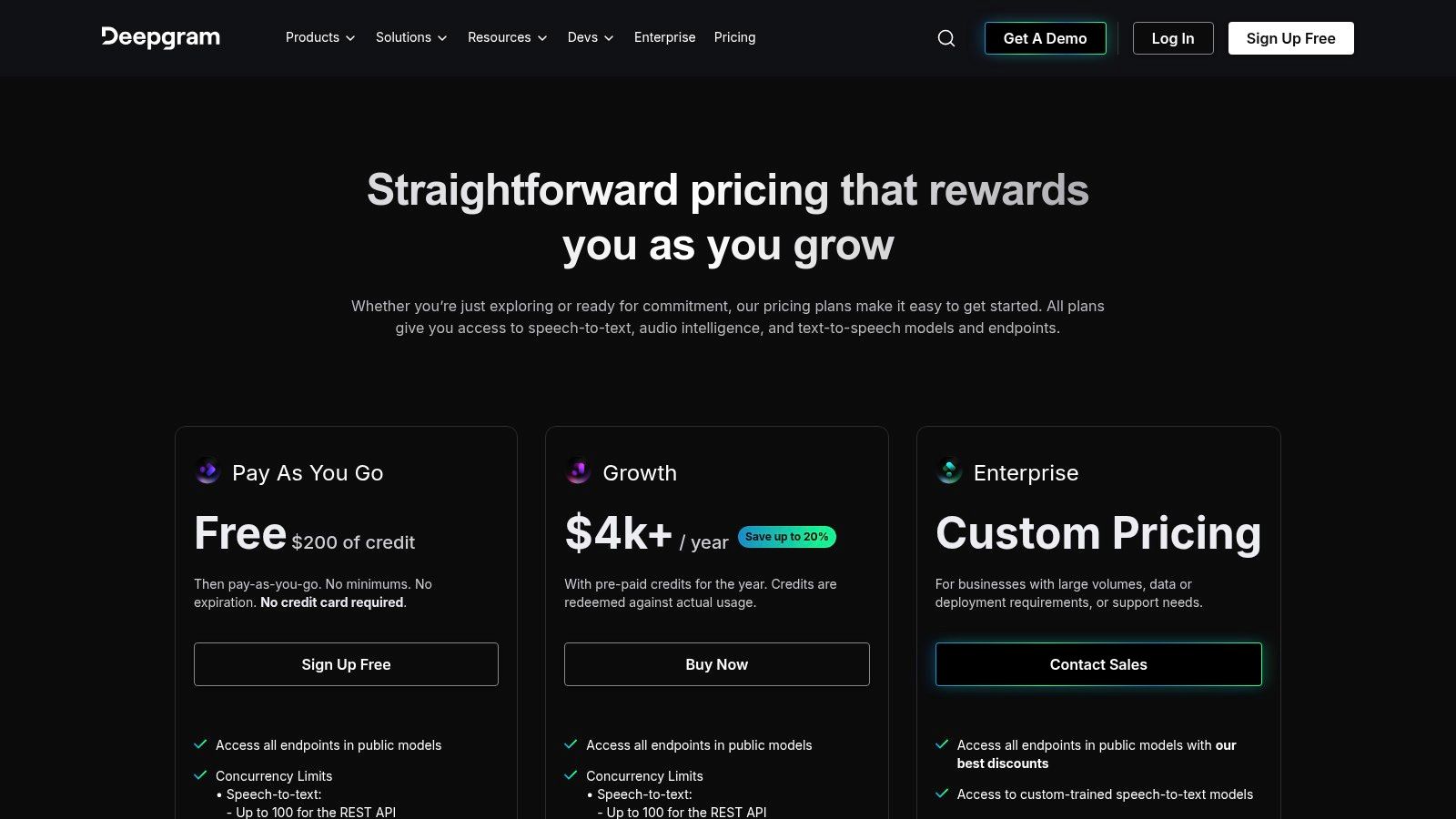
- Developer-Centric Tooling: Features robust SDKs, comprehensive documentation, and a generous $200 in free credits for prototyping.
Pricing Structure
Deepgram uses a straightforward, pay-as-you-go model that is highly competitive. Its billing is granular, allowing users to pay for exactly what they use across its different services. This transparent model is particularly effective for scaling applications.
- STT (Nova-2): Priced per minute of audio transcribed.
- TTS (Aura): Billed per 1,000 characters generated.
- Voice Agents: Billed per minute of conversation.
Our Take: Deepgram is the ideal choice for developers who prioritize raw performance, speed, and cost-efficiency in their voice applications. Its clear, minute-based pricing for voice agents and best-in-class STT make it perfect for building real-time call center analytics, voice control systems, and high-throughput conversational bots.
Pros:
- Aggressive and competitive pricing for STT and agent minutes
- Clear per-minute billing model for voice agents
- Strong documentation and developer tooling
Cons:
- Some enterprise features (HIPAA, on-premise) require contacting sales
- The wide range of models and add-ons can be overwhelming initially
Website: https://deepgram.com/pricing
11. Speechmatics
Best For: Developers building global products that require reliable and accurate transcription across a wide variety of languages.
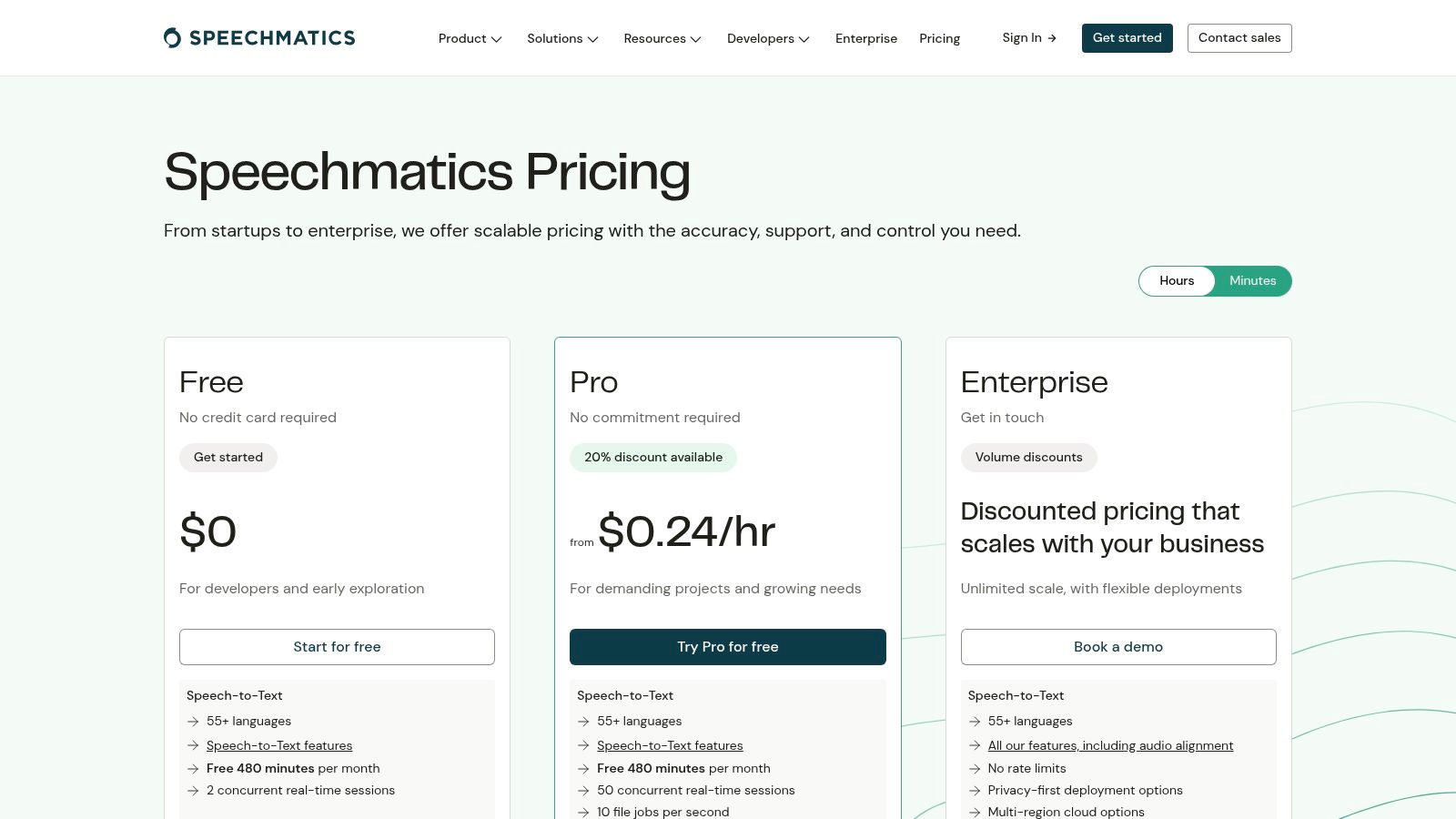
Speechmatics has carved out a strong position among voice AI platforms with its developer-first approach, focusing on highly accurate Speech-to-Text (STT) across a vast number of languages. It is engineered for developers building applications that require precise transcription, voice analytics, or voice control, offering both real-time and batch processing. The platform’s core advantage is its combination of extensive language support and a simple, predictable pricing model with generous free allowances.
The platform’s primary differentiator is its commitment to broad and equitable language coverage. Unlike some competitors that prioritize a handful of major languages, Speechmatics provides high-accuracy models for over 55 languages. This simplifies the process for companies looking to scale their voice-enabled services internationally without needing to integrate multiple transcription providers.
Key Features & Use Cases
- Extensive Language Coverage: Provides leading accuracy in STT for over 55 languages, ideal for global call center analytics and media transcription.
- Real-time and Batch STT: Offers flexible transcription modes suitable for live captioning, voice agent interactions, and offline audio processing.
- Developer-Friendly Free Tier: Includes significant free monthly allowances for both STT and TTS, enabling developers to prototype without initial investment.
- Low-Latency TTS: Features a growing library of natural-sounding voices, perfect for building responsive voice agents and IVR systems.
Pricing Structure
Speechmatics uses a straightforward, usage-based pricing model that is easy to understand. The model is billed per second for STT with automatic volume discounts, making it cost-effective as usage scales. The free monthly quotas for both STT and TTS are a significant advantage for startups and individual developers.
- STT: Billed per hour, with pricing dropping as volume increases.
- TTS: Offers a free monthly character quota, with overages billed per million characters.
Our Take: Speechmatics is the ideal choice for developers building global products that require reliable and accurate transcription across many languages. Its transparent pricing and generous free tier lower the barrier to entry for creating sophisticated voice applications, from media monitoring tools to multilingual customer service bots.
Pros:
- Developer-friendly free quotas for both STT and TTS
- Simple, transparent pricing model billed down to the second
- Strong language coverage for building global applications
Cons:
- TTS language support is still expanding (English is prioritized)
- The Pro tier has monthly hour caps that may push high-volume users to Enterprise plans
Website: https://www.speechmatics.com/pricing
12. Voicemod
Best For: Streamers, gamers, and content creators who need an easy-to-use, real-time voice changer for entertainment purposes.
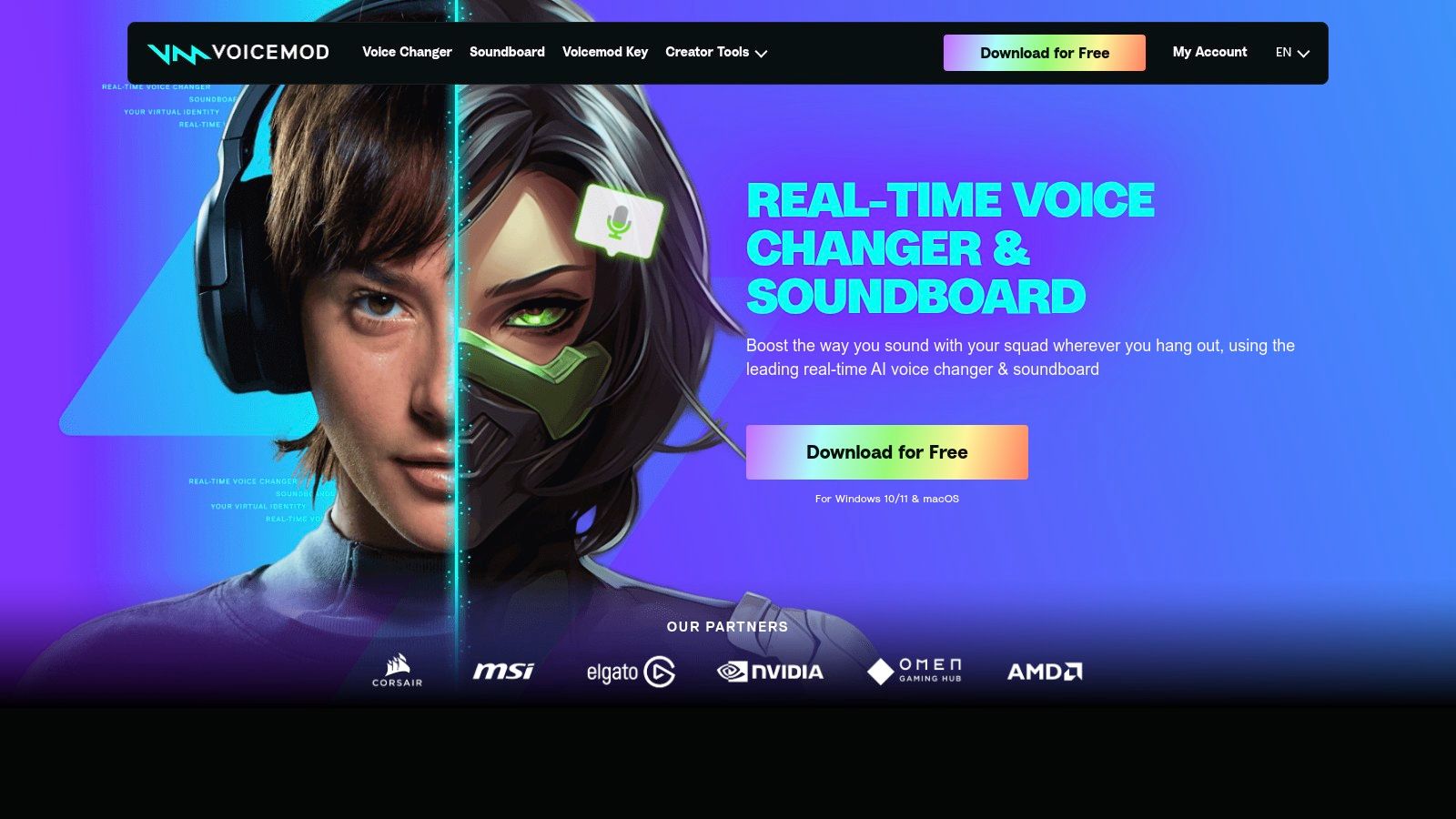
Voicemod carves out a unique niche among voice AI platforms by focusing squarely on the consumer market, particularly gamers and content creators. It provides a real-time voice changer and soundboard for PC and Mac that allows users to instantly morph their voice during live streams, online games, or voice calls. Rather than offering a developer API, Voicemod is a user-friendly application designed for immediate, entertaining voice modulation.
Its primary differentiator is its accessibility and live application. Users can apply a vast library of AI-powered voice filters, from robotic to fantastical, on the fly. The platform also offers console support through its Voicemod Key hardware dongle, bringing its real-time voice-changing capabilities to a wider gaming audience.
Key Features & Use Cases
- Live Voice Morphing: Real-time transformations perfect for streamers, role-players, and online gamers wanting to add personality to their audio.
- Extensive Soundboard & Effects: A large library of pre-made sound effects and voice presets that can be triggered instantly during live sessions.
- Cross-Platform Support: Works on desktop and offers console compatibility via a separate hardware dongle, a major plus for console-based creators.
- Custom Tuning: Users can create and fine-tune their own unique voice filters, providing a high degree of personalization.
Pricing Structure
Voicemod operates on a freemium model. The free version offers a small, rotating selection of voices and limited soundboard access. The premium subscription, Voicemod Pro, unlocks the entire library of over 100 voices, unlimited soundboard customization, and access to the VoiceLab for creating custom filters. Pricing is available through quarterly, annual, or lifetime plans.
- Free: Limited, rotating voices and features.
- Voicemod Pro: Paid subscription (quarterly, yearly, or lifetime) for full access.
Our Take: Voicemod is the go-to choice for streamers, gamers, and content creators who need an easy-to-use, real-time voice changer for entertainment. It is not a tool for building AI agents but excels at providing instant, fun, and engaging audio effects for live content.
Pros:
- Simple setup for real-time AI voice effects on streams and calls
- Console support through an affordable dongle is a unique advantage
- Regular updates with new presets and content
Cons:
- Not a developer API for building production voice agents
- Some user reports cite mixed experiences with payments and support
Website: https://www.voicemod.net
Top 12 Voice AI Platforms — Feature Comparison
| Product | Core features | Quality (★) | Price / Value (💰) | Target audience (👥) | USP (✨) |
|---|---|---|---|---|---|
| LunaBloom AI 🏆 | Text-/image-to-video, AI avatars, voice cloning, auto-subtitles, 50+ languages | ★★★★★ | Free trial + Starter $29.99 ($0.18/sec), Growth $79.99 ($0.16/sec), Advanced $119.99 ($0.15/sec) | Marketers, creators, educators, teams | Pay-per-second economics, deep multilingual support, 1-click publishing ✨ |
| OpenAI — Realtime API & Voice | Realtime duplex audio, STT/TTS via audio GPTs, SDKs | ★★★★☆ | Usage-based (token pricing), scalable for devs 💰 | Developers building live voice agents | Integrated LLM + low-latency audio stack ✨ |
| Google Cloud — Dialogflow CX + STT/TTS | Visual flow tooling, telephony/omnichannel, managed STT/TTS | ★★★★☆ | Volume discounts, enterprise pricing 💰 | Enterprises, contact centers, IVR teams | Production SLAs, omnichannel routing ✨ |
| Microsoft Azure — Speech & Voice Live | Neural/HD TTS, custom voices, real-time STT, compliance options | ★★★★☆ | Enterprise-tier pricing, mixed product pages 💰 | Regulated enterprises, contact centers | Strong security/compliance, on‑prem/container options ✨ |
| AWS — Amazon Polly & Lex | Neural TTS, Lex voice bots, AWS integrations | ★★★★ | Predictable char/min pricing, free tier credits 💰 | Large-scale deployments, telecom/IVR | Scalability and deep AWS ecosystem ✨ |
| ElevenLabs | High-quality TTS, instant/pro voice cloning, dubbing studio, API | ★★★★☆ | Credits & tiers with free tier for testing 💰 | Creators, media, gaming, enterprises | Industry-leading voice naturalness and dubbing tools ✨ |
| Resemble AI | Voice cloning, speech-to-speech, real-time WebSocket, localization | ★★★★ | PAYG credit packs → Enterprise plans 💰 | Enterprises needing localization & security | Deepfake detection, enterprise SLA & on-prem options ✨ |
| WellSaid Labs | Curated studio TTS, team tools, API, SOC2 compliance | ★★★★☆ | Seat-based premium pricing; higher entry cost 💰 | Training, e-learning, corporate comms | Commercial rights, privacy-forward voice studio ✨ |
| Speechify Studio | Browser studio for voiceovers, 1,000+ voices, credits model | ★★★★ | Credits-based with generous free tier 💰 | Creators, small teams | Large voice catalog + easy export/commercial rights ✨ |
| Deepgram | Streaming & batch STT, TTS, Voice Agent API, dev tooling | ★★★★ | Competitive per-minute pricing, $200 free credits 💰 | Developers, voice agents, analytics teams | Developer-first stack with clear per-minute billing ✨ |
| Speechmatics | Real-time & batch STT in 55+ languages, simple billing | ★★★★ | Simple per-second/hour pricing, free monthly quotas 💰 | Global apps, developers | Broad language coverage and prototyping allowances ✨ |
| Voicemod | Live voice morphing, soundboard, cross-platform, console dongle | ★★★☆ | Freemium + paid tiers, consumer-focused pricing 💰 | Streamers, gamers, casual creators | Real-time effects, console support and presets ✨ |
Choosing the Right Voice for Your Vision
The journey through the expansive landscape of voice AI platforms reveals a vibrant and rapidly evolving ecosystem. We’ve explored everything from developer-centric APIs that power complex conversational agents to user-friendly studios designed for crafting polished audio content. The sheer diversity of tools ensures that whether you are a solo content creator, a marketing agency, or a large enterprise, there is a solution engineered to meet your specific needs. The takeaway is clear: synthetic voice technology is no longer a futuristic concept but a practical, accessible tool that can fundamentally transform how we communicate, train, and engage with audiences.
From our detailed analysis, a few key themes have emerged. Platforms like OpenAI, Google Cloud, and AWS offer robust, scalable infrastructure perfect for developers building custom applications that require deep integration and real-time responsiveness. On the other hand, specialized players like ElevenLabs and WellSaid Labs have carved out a niche by focusing on unparalleled vocal realism, making them the go-to choice for high-end narration, advertising, and audiobook production.
Meanwhile, tools like Speechify Studio address the accessibility and productivity market, while innovators such as Deepgram and Speechmatics push the boundaries of transcription accuracy and speed. Each platform presents a distinct value proposition, balancing features, quality, and cost.
How to Select the Perfect Voice AI Platform
Making the right choice from this diverse array of voice AI platforms can feel daunting. To simplify the process, start by clearly defining your project’s primary objective. Your “why” will guide your “what.”
Consider these critical decision-making factors:
- Primary Use Case: What is the end goal? Are you creating engaging social media videos, developing a customer service chatbot, producing internal training modules, or localizing marketing campaigns? A platform like LunaBloom AI excels at video content, whereas Google’s Dialogflow is built for conversational AI.
- Technical Expertise: Assess your team’s technical capabilities. Do you have developers ready to work with an API, or do you need a no-code, web-based interface? Platforms range from requiring significant coding knowledge (Azure, AWS) to being completely intuitive for non-technical users (WellSaid, Speechify).
- Realism and Quality: How important is hyper-realism? For character-driven storytelling or brand-defining advertisements, the emotional range offered by a platform like ElevenLabs might be non-negotiable. For internal announcements or simple text-to-speech functionality, a standard, clear voice may suffice.
- Scalability and Budget: Your project’s scale will heavily influence your choice. Pay-as-you-go models offered by cloud giants are ideal for applications with variable usage, while subscription-based plans are better for predictable, high-volume content production. Always factor in potential future needs to avoid outgrowing your chosen solution.
- Beyond Voice: The Multimedia Ecosystem: Increasingly, voice is just one component of a larger content strategy. If your project involves visual elements, consider platforms that offer an integrated workflow. This is where a solution like LunaBloom AI demonstrates its unique strength by combining text-to-speech with video generation, AI avatars, and automated subtitles, streamlining the entire creation process from script to screen.
Final Thoughts: The Future is Heard, and Seen
The evolution of voice AI platforms is a testament to the power of artificial intelligence to democratize creation. What once required expensive recording studios, voice actors, and video production teams can now be accomplished from a single dashboard. This technology empowers businesses and creators to connect with global audiences in their native languages, enhance accessibility for all users, and produce compelling content at an unprecedented scale and speed.
By carefully evaluating your goals against the features and limitations we’ve discussed, you can confidently select the platform that will not just give your project a voice, but will amplify its impact and bring your unique vision to life. The tools are here; the next voice the world hears could be yours.
Ready to move beyond audio and create captivating video content with lifelike AI voices and avatars? LunaBloom AI integrates state-of-the-art voice generation with a full text-to-video suite, allowing you to produce professional-quality videos in minutes. Explore how you can transform your ideas into dynamic visual experiences by visiting LunaBloom AI on their website today.





