
In today’s fast-paced world, training your employees online is no longer just an option—it’s a critical strategy for building a skilled, adaptable, and engaged team. We’ve moved far beyond simply cutting travel costs. This is about delivering flexible, self-paced learning that empowers people to absorb information effectively and grow their careers.
Why Should You Train Employees Online?
Shifting to online training is more than just uploading old PowerPoint presentations. It’s a fundamental change in how we approach professional development. A dynamic online learning environment fosters a culture of continuous improvement, which is essential for any business that wants to stay competitive.
The data speaks for itself. In 1995, only 4% of U.S. companies used online learning. By 2011, that figure skyrocketed to 77%. The reason is clear: online courses allow employees to learn 40% to 60% faster than in a traditional classroom setting.
To see the difference, let’s compare them directly.
Online vs. Traditional Training: A Quick Comparison
Here’s a simple breakdown of why online training has become the gold standard for modern businesses.
| Attribute | Online Training | Traditional Training |
|---|---|---|
| Flexibility | Learn anytime, anywhere, at your own pace. | Fixed schedule and location. |
| Scalability | Easily train hundreds or thousands with minimal extra cost. | Limited by classroom size and instructor availability. |
| Consistency | Standardized content ensures everyone receives the same message. | Delivery can vary by instructor, leading to inconsistency. |
| Cost | Significantly lower costs—no travel, venues, or physical materials. | Higher costs—travel, venue rental, printed materials. |
| Updates | Content can be updated instantly for all learners. | Requires re-printing materials and scheduling new sessions. |
| Tracking | Simple to track progress, completion rates, and performance. | Manual tracking is time-consuming and often inaccurate. |
The advantages are undeniable. The benefits of training employees online extend well beyond saving money.
What Are the Strategic Advantages of Digital Training?
Taking your training online delivers powerful wins for both employee performance and your company’s bottom line. Need to update a compliance module or roll out a new product feature? You can do it instantly, ensuring your team has the latest information without delay. This agility is a massive competitive advantage.
The flexibility of online learning also drives impressive results. Studies show that when employees can control their learning pace, their performance can improve by 15% to 25%. When people can pause, rewind, and absorb complex topics on their own terms, the knowledge sticks.
Online training levels the playing field. It gives every employee—regardless of location, role, or schedule—the same access to the tools they need to succeed.
For a deeper dive into the mechanics, explore this resource on the impact of video conferencing on corporate training and development. It’s a smart investment in building a future-proof organization.
How to Build a Successful Online Training Program
A common mistake is jumping straight into creating content. Before you write a single script, you must lay the strategic groundwork. A successful plan for training employees online starts with a clear understanding of what you’re trying to achieve.
This process begins with a training needs analysis. Don’t worry, it’s simpler than it sounds. The goal is to identify the specific gaps between your team’s current skills and the skills needed for business success. Are customer satisfaction scores dropping? Perhaps the support team needs training on new product features. Is a new software rollout slowing everyone down? That’s a clear signal for targeted technical training.
When you tie your training directly to business objectives, it becomes an indispensable tool for growth.
From Business Goals to Learning Objectives
Once you know the why, you can define the what. This means creating clear, measurable learning objectives. Vague goals like “improve communication skills” are useless because you can’t measure them.
Instead, get specific about what you expect an employee to be able to do after the training. For example, a much better objective is: “After this module, the employee will be able to resolve a customer complaint using the L.A.S.T. method in under five minutes.”
This clarity is a game-changer for two reasons:
- It guides your content creation. You know exactly what information and activities are needed to achieve that specific outcome.
- It makes success measurable. It’s easy to design a quiz or simulation that tests whether someone can perform the required task.
This simple flow shows how a well-designed program creates a direct line from learning to bottom-line results.
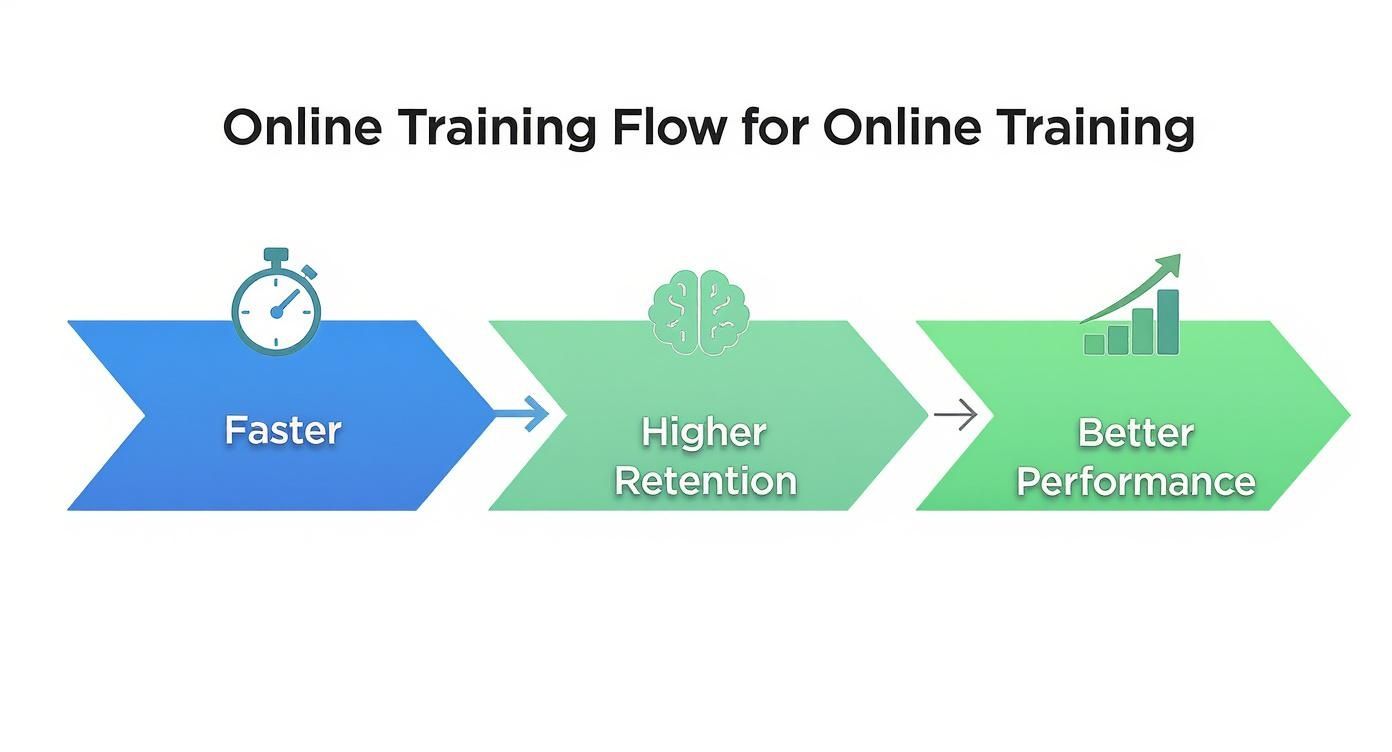
It’s a clear path: more efficient learning leads directly to better job performance.
Defining What Success Looks Like
Thinking about the end goal from day one is absolutely crucial. For every single training initiative, you need to ask: What does success look like for the employee, and what does it look like for the company? Doing this foundational work is what stops you from pouring time and money into training that goes nowhere.
An effective online training program isn’t about how many courses people complete; it’s about what they can do differently and better once the training is over. This strategic groundwork ensures your efforts are targeted, effective, and directly contribute to your organization’s bottom line.
What Technology Do You Need for Online Training?
With your strategy in place, it’s time to choose your technology. The tools you select will power your entire program for training employees online. This decision is critical—it impacts everything from user experience to your ability to measure success.
The core of most programs is a Learning Management System (LMS). Think of it as your company’s digital campus. It’s the central hub where you host courses, manage users, and track progress. The global LMS market is projected to reach $29.9 billion by 2025, driven by the shift to remote work. A good LMS is vital for any modern business.

What Are the Core Features of an LMS?
Not all learning management systems are created equal. Getting a sense of the landscape with a good Learning Management Systems (LMS) comparison is a smart first move. But regardless of the platforms you’re considering, there are several non-negotiable features to look for.
To simplify your evaluation, here is a checklist that breaks down the must-haves versus the nice-to-haves.
LMS Feature Comparison Checklist
| Feature Category | Must-Have Features | Nice-to-Have Features |
|---|---|---|
| Usability & UX | Intuitive, easy-to-navigate interface for learners and admins. Mobile-friendly design. | Customizable branding (logos, colors). Gamification elements (badges, leaderboards). |
| Content Delivery | Supports various content types (video, SCORM, PDF). Course authoring capabilities (basic). | Social learning features (forums, chats). Blended learning support (ILT scheduling). |
| Administration | Robust user management (enrollment, groups). Clear permission and role settings. | Automated enrollment rules. E-commerce capabilities for selling courses. |
| Reporting & Analytics | Detailed tracking of completion rates, scores, and activity. Exportable reports (CSV, PDF). | Customizable dashboards and reports. Predictive analytics on learner success. |
| Integrations | Connects with key HRIS and SSO systems. API access for custom connections. | Integrations with communication tools (Slack, Teams). CRM integration (e.g., Salesforce). |
| Support & Security | Reliable customer support (email, phone). Strong data security and compliance (GDPR, etc.). | Dedicated account manager. 24/7 live chat support. |
This checklist covers the core functionality needed to run an effective training program. Use it to cut through the marketing hype and compare platforms fairly.
Selecting the Right Authoring Tools
If the LMS is your delivery truck, authoring tools are the factory where you build the content. These are the applications used to create courses, quizzes, and interactive elements.
The options here are vast. A small startup might get by with a PowerPoint plugin, while a large enterprise may need a standalone tool for complex simulations. Your choice depends on the type of content you need and your team’s technical skills.
The best tech stack isn’t the one with the most bells and whistles. It’s the one that fits your specific goals, budget, and the technical skills of your team. Don’t overbuy or overcomplicate things right out of the gate.
Many companies are now using AI-powered video tools to produce high-quality training content quickly and affordably. Platforms like LunaBloom AI let you create professional training videos using AI avatars and voice cloning. This approach saves significant time and money compared to traditional video production, making it a smart choice for any organization.
How to Create Content That Employees Actually Complete
Let’s be honest. The number one reason online training programs fail is painfully simple: the content is boring. If you want people to actually finish your courses, not just click “start,” you have to create materials that grab their attention and don’t let go. It’s time to stop converting those ancient slide decks and static PDFs and start building something that respects your employees’ time.
The real key to training employees online is making the learning experience feel less like a mandatory chore and more like a genuine opportunity. That means moving beyond endless text on a screen and embracing formats that are visual, interactive, and directly tied to their day-to-day work.

Embrace Video and AI Avatars
Video isn’t just a “nice-to-have” in online learning anymore—it’s the main event. Short, punchy videos are perfect for explaining tricky concepts, walking through new software, or role-playing tough customer conversations. But let’s face it, high production costs and scheduling nightmares can stop a great video project in its tracks.
This is where AI tools can be a total game-changer. Platforms like LunaBloom AI let you create polished, professional videos without ever needing a camera crew.
- AI Avatars: You can generate a realistic avatar to host your training modules. This gives your content a consistent, professional face without having to work around anyone’s schedule.
- Voice Cloning: Just upload a short audio clip of someone’s voice, and you can generate a high-quality voiceover for any script. Need to update a video? Just edit the text, and the audio is ready in minutes. It’s that easy.
- Automatic Subtitles: Accessibility is non-negotiable. AI can instantly generate and sync accurate subtitles, making sure your training is inclusive for everyone.
Using tools like these slashes the time and budget needed for quality video production, making it possible to scale up your training without breaking the bank.
The goal isn’t just to make videos; it’s to make learning feel personal and direct. An AI avatar delivering a clear, concise message is often far more engaging than a 30-page document.
Design Interactive and Gamified Experiences
Watching someone talk for an hour is passive. And passive learning leads to poor retention. To make knowledge stick, you have to get your employees involved and doing things. That means building interactivity right into your courses.
Think beyond the basic multiple-choice quiz. Try designing branching scenarios where an employee has to make a real-world decision and then see the consequences. For instance, a sales training module could present a tricky client objection with three possible responses, each leading down a completely different conversational path.
Gamification is another fantastic way to boost motivation. It taps into our natural desire to compete and achieve.
- Quizzes and Challenges: Sprinkle short, low-stakes quizzes throughout your modules to reinforce key ideas as you go.
- Points and Badges: Award points for completing lessons or mastering a skill, and hand out digital badges for hitting important milestones.
- Leaderboards: For teams that thrive on competition, a simple leaderboard can spark some friendly rivalry and get more people to the finish line.
Structure Lessons for the Modern Learner
Let’s be real: nobody has the time or attention span for a two-hour training module. The most effective online learning today is delivered in small, digestible chunks. This is called microlearning.
Break your big topics down into bite-sized lessons, ideally just three to seven minutes long. Each tiny lesson should focus on one single learning objective. This makes it easy for an employee to squeeze in some training on a coffee break or between meetings.
This approach isn’t just more convenient for a busy schedule; it’s also proven to improve long-term knowledge retention. By focusing on one concept at a time, you prevent cognitive overload and actually help the information sink in.
How to Successfully Launch and Promote Your Program
You can create the world’s most engaging training, but if no one takes it, the effort is wasted. The launch is where your strategy meets reality. Getting people on board requires more than a single company-wide email. A smart, strategic rollout is essential for training employees online effectively.
Driving adoption starts long before launch day. It begins with getting genuine buy-in from leadership. When managers champion the training, employees see it as a priority, not just another task. Involve them early, show them how the program aligns with business goals, and turn them into your biggest advocates.
Next, build a communications plan that generates excitement. Think of it as an internal marketing campaign. Frame the program around what’s in it for your employees. How will this training help them build new skills, advance their careers, or make their daily jobs easier?
Why You Should Run a Pilot Program
Before a company-wide rollout, run a small pilot with a select group of employees. This is your chance to gather honest feedback and fix any issues. Think of this group as a stress test for your content and technology.
This pilot will help you answer crucial questions:
- Is the content clear and relevant? Does the material genuinely help them in their roles?
- Is the technology easy to use? Did anyone struggle with the LMS or accessing courses?
- How is the pacing? Were the modules too long, too short, or just right?
The feedback you gather here is invaluable. Research shows that 70% of employees would consider leaving their job for a company that invests in their development. A smooth, well-tested program shows you’re serious about that investment.
A pilot isn’t about finding out if your program is good. It’s about finding every opportunity to make it even better before the full rollout. This step transforms a good launch into a great one.
Crafting a Frictionless Onboarding Experience
On launch day, the onboarding process must be seamless. The last thing you want is for an employee’s initial enthusiasm to be crushed by confusing instructions or technical glitches.
Create a simple, step-by-step guide showing them exactly how to log in and get started. Provide a clear point of contact for technical support so anyone who runs into problems can get help quickly. The easier you make it for people to begin learning, the more likely they are to stick with it.
How to Measure Training Impact and Prove ROI
Getting your training program launched is a huge milestone, but the work isn’t over. How do you know if your efforts in training employees online are actually paying off? Simply tracking course completion rates is not enough.
You must measure the impact on your employees and, ultimately, on the business. This means connecting the skills learned in a module to tangible improvements in daily work. This is how you shift the conversation from viewing training as a cost to recognizing it as a strategic investment.

Using Kirkpatrick’s Four Levels of Evaluation
A fantastic framework for this is Kirkpatrick’s Four-Level Training Evaluation Model. It provides a structured way to measure effectiveness, moving from immediate reactions to long-term business results.
Here’s a quick overview:
- Level 1: Reaction: How did learners feel about the training? This is your standard post-course survey. Was the content useful? Was the platform easy to use?
- Level 2: Learning: What did they actually learn? Measure this with quizzes, skills assessments, or practical tests to confirm knowledge absorption.
- Level 3: Behavior: Are they applying what they learned on the job? This requires observation, manager feedback, and performance reviews to see if new habits are forming.
- Level 4: Results: What was the impact on the business? This is the ultimate goal—linking the training directly to changes in Key Performance Indicators (KPIs).
This model provides a clear path for proving the value of your training program with compelling, data-backed evidence.
Connecting Training to Business Outcomes
Level 4 is where you calculate your return on investment (ROI). This requires tracking specific, relevant metrics. For example, after a sales team completes negotiation training, you should track their close rates and average deal size. Did those numbers improve?
If you trained your customer support team on a new CRM, you would look at metrics like average handle time and customer satisfaction scores. If you can show that support tickets are being resolved 20% faster after the training, you have a powerful, quantifiable win.
Proving ROI isn’t just about justifying your budget. It’s about showing that investing in your people directly fuels business growth, builds a stronger case for future training, and solidifies your program’s value to the entire organization.
Common Questions About Training Employees Online
Even with the best-laid plans, a few questions always pop up once you start training employees online. Let’s walk through some of the most common ones I hear from managers and HR pros.
How Do You Keep Remote Employees Engaged?
Keeping remote teams engaged is a top concern for most organizations. The secret is to shift from passive listening to active participation. Ditch the hour-long, one-way webinars and focus on short, interactive sessions instead.
A few strategies that work well:
- Use Quizzes and Polls: Break up content and quickly check for understanding.
- Utilize Breakout Rooms: Splitting into smaller groups during live sessions encourages real discussion and collaboration.
- Gamify the Experience: Leaderboards, points, and badges can introduce friendly competition and boost motivation.
- Ask for Feedback (and Act on It): Show your team you value their input by asking what’s working and what isn’t.
Ultimately, engagement comes down to relevance. If the training helps an employee solve a real problem they are facing, they will pay attention.
Don’t mistake attention for engagement. An employee might be present on a call, but true engagement happens when they are actively thinking, doing, and contributing to the learning process.
What if Employees Are Tech-Averse?
Not everyone is a digital native, and that’s okay. The key to success is a smooth rollout and accessible support. Provide simple, clear instructions and offer help in multiple formats.
A short “how-to” video showing them exactly where to click to log in for the first time can work wonders. Many companies also designate a go-to person for tech support or host drop-in “office hours” during the first week. A little patience and support go a long way in building confidence.
Ready to create professional, engaging training videos without the hassle? LunaBloom AI makes it easy to generate high-quality content with AI avatars and voice cloning, saving you time and money. Transform your training materials today by visiting https://lunabloomai.com.





