You have seven empty slots on the calendar and a shoot with no subject. Make a video. It does not specify the audience or the desired outcome after someone watches.
That freeze is common, and it wastes the week. A homepage walkthrough, a 15-second ad, and an onboarding module are not the same job. A SaaS founder who needs signups wants a different cut than an HR lead who needs new hires productive by Friday. Pick the audience and the next action before you touch a camera or a script.
These ten topics for videos are grouped that way. Demos and explainers serve buyers who must understand an offer. Tutorials and training serve people who must finish a task. Behind-the-scenes clips and testimonials serve trust before a purchase. Short ads, localized versions, avatar presenters, and music spots serve reach, new markets, and memory.
Write one line first: who watches, and what they do next. If you cannot name both, you are not ready to film. A 2026 video production guide for SMEs helps once that line exists, because gear and edit choices follow the job.
HubSpot's survey of more than 500 video marketers found that 73% said video marketing was effective for their companies' overall business goals. Effectiveness still depends on the match. Start with the format that fits this week's goal, not the format that looks easiest to post.
1. Product Demo Videos
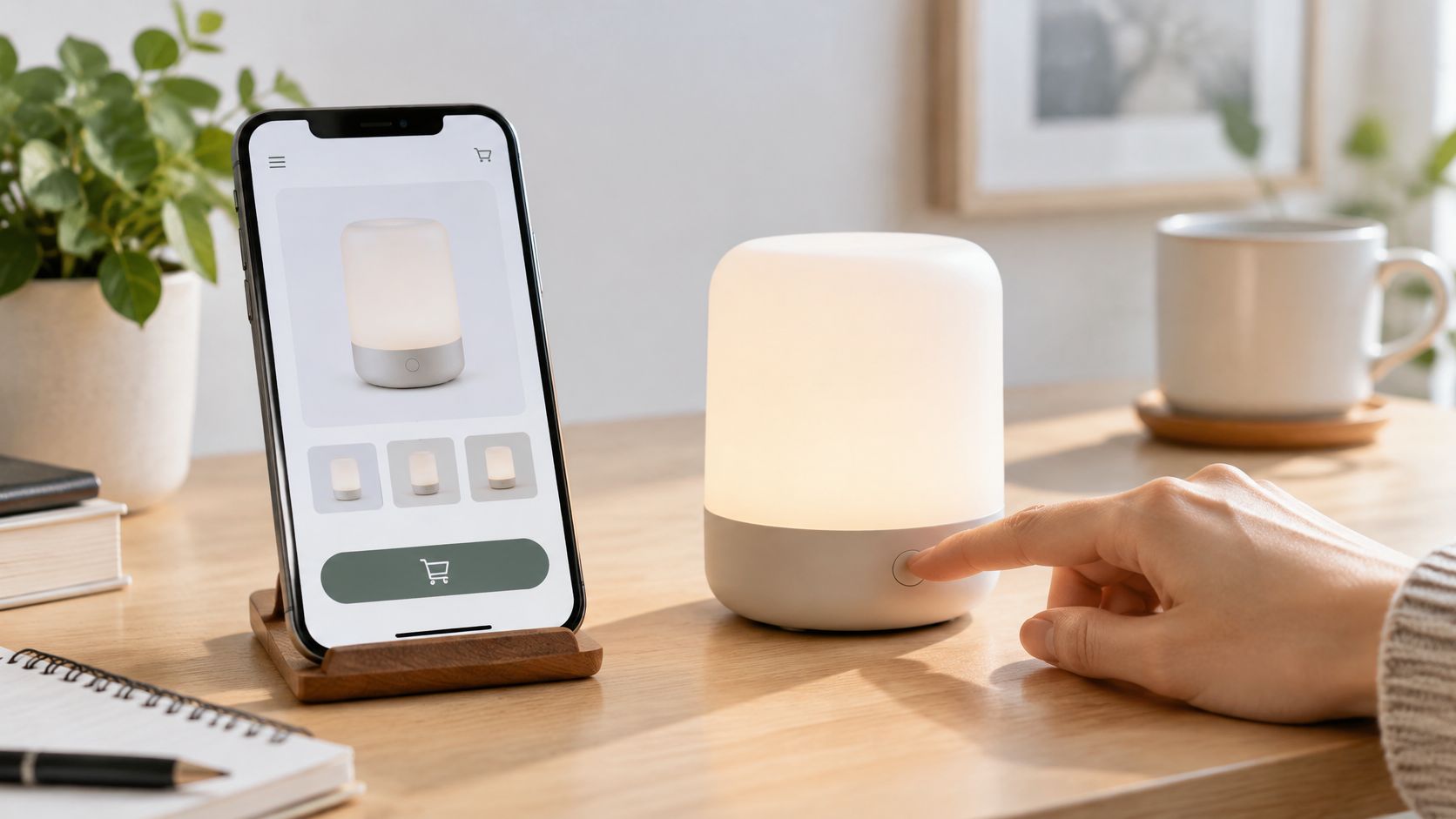
A product demo shows the thing in use, so a buyer can see what it does and why it matters. It fails when it tours every menu. It works when it solves one or two problems in order.
Say a software company puts a 60-second walkthrough on the homepage: open the app, finish one job, show the result. An e-commerce brand does the same with a lamp on a real desk, not a white sweep. Wyzowl reported that in 2024, 44% of consumers said they would most like to learn about a product or service through a short video.
Open on the pain: Name the problem in the first five seconds.
Cap the scope: Three features is the limit. A fourth belongs in a follow-up.
Make it silent-safe: Text overlays carry the steps when sound is off.
Cut two lengths: A 15-second paid version and a longer cut for the product page.
Feature lists go stale the week engineering ships. Keep the script as a short outline you can re-record without rebuilding the whole film. Teams that already publish from LunaBloom AI can swap the visuals when a screen changes and keep the same story spine.
2. Explainer Videos
An HR lead migrating a benefits portal and a founder launching a booking tool hit the same wall: the offer is useful and hard to describe in a paragraph. An explainer clears it in under three minutes. Narration plus motion holds attention where jargon loses it.
Match the format to the person who has to say yes. A SaaS founder chasing signups needs three beats in one animated minute: the mess, the fix, the outcome. A nonprofit explaining a cause to donors gets two minutes and one clear ask. Consumers who watch explainers are usually deciding something, and many say a good one helped them commit.
Write the script before you pick a single visual. Pretty frames cannot rescue a muddy idea.
Show the viewer's outcome, not a feature parade. Keep each sentence on one idea, and end on a concrete next step like a trial link rather than a vague “learn more.” Abstraction is the trade-off: two minutes of motion graphics with no product screen and trust drops. A 45-second problem-led cut usually holds a landing page better than a three-minute brand film, and it costs less to re-cut when the pitch changes.
Test two openings on the same script, one problem-led and one outcome-led, and keep the version people finish. Storyboard the beats first. In LunaBloom AI, storyboard creation shapes the flow before production begins, which keeps the script from drifting once the visuals start.

3. How-To Tutorial Videos
Tutorials teach one task from start to finish. Setup, a recipe, a fix. They pull search traffic because the title can match the question someone typed.
Title the question: “How to set up a team workspace” beats “Workspace tips.”
Stamp the chapters: Viewers jump to the step they need.
Short steps: Keep each step under a minute when you can.
Close with a path: A 20-second recap plus links to the next tutorial.
Software teams publish a series, one feature per film, and support tickets drop because the answer is already public. Educators do the same with lesson clips students can replay.
Google's video guidance says each video should live on a public page, use VideoObject structured data, carry a real thumbnail, and sit in a video sitemap. Titles, thumbnail URLs, and descriptions should be unique and match the page. A tutorial aimed at one outcome gives those systems a clean signal. Broad “everything about our app” films do not.
Watch a tight product walkthrough before you script yours:
Build the first cut in the starter app, then add captions so the steps survive muted playback and non-English search.
4. Behind-the-Scenes Videos
Ads polish the result. Behind-the-scenes video shows the people and the decisions. It feels less like a pitch, which is why small teams use it when the budget will not cover a studio day.
A food brand can film sourcing and a Tuesday prep routine. A creator can show how a script becomes an edit. You do not need every hour. Plan two or three moments a week and stop.
Deloitte's 2025 Digital Media Trends survey found that 56% of Gen Z respondents and 43% of millennials consider social content more relevant than traditional TV and movies, and about half of both groups feel a stronger personal connection to social creators than to TV personalities. Relevance is not the same as credibility. A sloppy trend clip can still feel empty. A plain look at a real constraint often earns more trust.
Use one caption style so the series is recognizable. If you hate being on camera, pair the footage with a voiceover. Scan for whiteboards, customer names, and unreleased screens before you post.

The trade-off is access. Too polished and it reads as an ad. Too raw and you leak something you cannot take back.
5. Customer Testimonial and Case Study Videos
Peer proof beats a brand claim when the buyer is cautious. A testimonial is the customer's words. A case study is those words plus a result and a timeframe.
Ask three things only: the challenge, what changed, and when. One number belongs in the cut, such as hours saved or a revenue shift you can defend. Keep a 30-second clip for ads and a fuller cut for the sales page. Get written approval for claims and logos before anything goes live.
B2B software teams do this with a customer who can cite a metric. Agencies do it with before-and-after campaign results. Skip the customer who can only say “great team.” That clip will not move a deal.
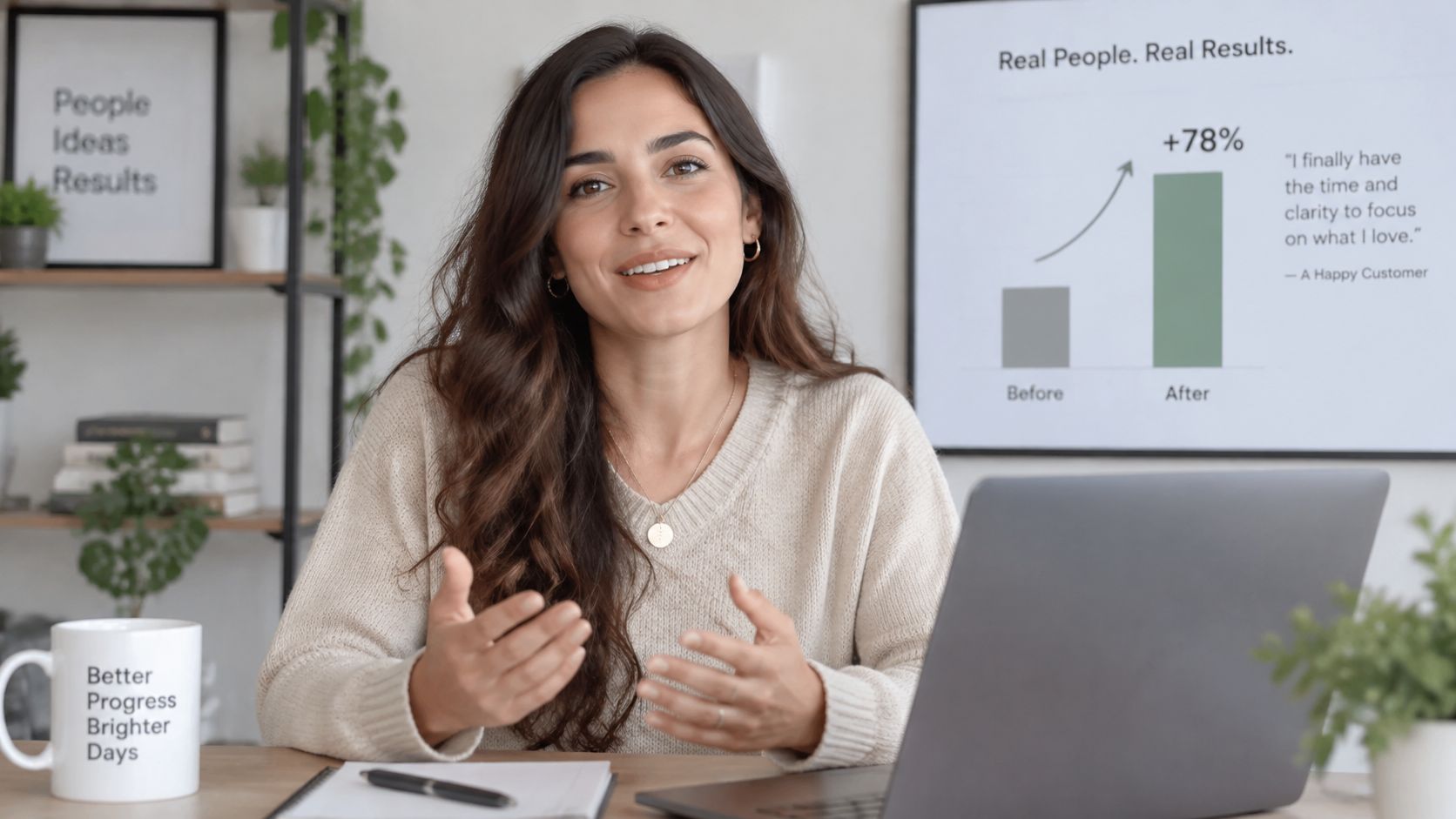
Practical rule: If you cannot show one result and one date, it is a compliment, not a case study.
Brand the short cuts so they match the rest of the site. The longer story can stay looser. Read how the team approaches proof on the about page if you want the same visual system on every clip.
What does not work is a scripted customer who sounds like your homepage. Let them stumble on the problem. Cut for clarity, not for slogans.
6. Short-Form Social Ad Videos
Short ads exist to stop a scroll and force one action. Six to 30 seconds. One hook, fast pictures, one offer. Instagram, TikTok, YouTube Shorts, and LinkedIn all punish a slow open.
HubSpot's 2025 marketing data puts short-form video at the highest reported ROI, chosen by 21.02% of marketers, ahead of livestreaming at 15.53%. The same set says 89% of businesses already use video marketing, so merely “having video” is not a difference. Iteration is.
DataReportal's April 2025 Global Statshot, via Statista, found that 87.5% of online adults watched short formats such as TikToks and Reels weekly.
Write three hooks: Test them. Do not marry the first line.
Show the benefit immediately: Product or payoff in the first two seconds.
Caption everything: Many people watch with sound off.
One call to action: A second ask splits the click.
A direct-to-consumer brand can run three hooks on one product. A local shop can run one offer with a deadline. Compare plan options only after you know which hook earns the click. More variants help. More messages in one variant do not.
7. Employee Onboarding and Training Videos
Live training does not scale across time zones. A short library does. New hires learn the tool, the policy, and the exception without waiting for next Thursday's session.
Break modules at five minutes or less. Put a quiz or a hands-on task after each one. Keep a version note on the file so managers know which cut matches current policy. A global company can ship the same onboarding path in several languages. A retail chain can teach a new point-of-sale flow as a stack of short modules instead of a two-hour meeting.
W3C media-accessibility requirements treat captions as time-synchronized text tied to the media itself, including clean gaps and tracks that stay in sync. For a procedure, a late caption is a wrong step. Build captions as part of the edit, not as an afterthought.
What fails is the 40-minute “welcome” film nobody finishes. What works is one policy, one screen recording, one check. Connect the files to your learning system when you have one, so completion is visible.
8. Localized Multilingual Videos
Translation swaps words. Localization swaps examples, currency, dates, and tone. A joke that lands in one market can confuse another. A price in the wrong currency makes the offer look careless.
Adobe's 2025 research across more than 1,600 marketers reported that 96% had seen content demand at least double over the previous two years, and 71% expected demand to grow more than fivefold by 2027. The same research found that 66% named social content as the fastest-growing demand area and 54% named short-form video. More topics will burn a small team unless one insight becomes a system.
Start with the two or three languages your buyers already use. Have a native speaker read the script before you publish. Keep a master script so a product change flows to every version. Do not duplicate the English film word for word if the example is a U.S. holiday or a dollar price.
Streaming platforms do this with trailers and local voice. Software teams do it with the same tutorial and regional screenshots. Measure retention and signups by market. A view in a language you do not serve is not a win.
9. AI Avatar Presenter Videos
An avatar presenter delivers a script on screen so you are not in a studio every Tuesday. The look can be photo-real, animated, or 3D, with a consistent voice. Educators use one face for course intros. Corporate teams use a digital spokesperson for recurring updates.
Say it plainly when the presenter is generated. Hidden avatars create a trust problem you cannot edit out later. Keep the script short and spoken, not like a memo. Finance brands usually want a restrained, realistic face. Education often wants a lighter animated one. Either way, cut to slides, product, or b-roll. A talking head alone loses people.
W3C guidance on captions says captions should include spoken words, name the speaker when it is unclear, and cover meaningful sounds. Caption files can also be indexed. An avatar film still needs that track. The picture of a person is not a substitute for the words.
You can build that presenter flow in the app. I would not use an avatar for a crisis update or a personal apology. Those need a real person.
10. Music and Sing-Along Brand Videos
A short chorus sticks after the video ends. Jingles, lip-sync clips, and sing-alongs fit launches, seasons, and community posts. They are a poor fit for a safety procedure or a pricing change.
Confirm you have rights to any existing track before you post. A catchy song you do not own is an expensive mistake. Write a chorus people can repeat in one breath. Put lyrics on screen. Cut a short version for vertical feeds and a longer one for the campaign page.
Brands do this with a seasonal jingle. Creators do it with a parody that invites a duet or a stitch. Original audio you generate or license is safer than a trending track that disappears next week.
The trade-off is tone. Music makes a brand memorable and can also make a serious offer feel cheap. If the goal is a signup form, keep the song under the demo, not instead of it.
How each video topic compares by length, best use, and primary goal
| Item | Typical Length | Best For | Primary Goal |
|---|---|---|---|
| Product Demo Videos | 60–120 seconds | Showing products in real-world use | Reduce buyer uncertainty |
| Explainer Videos | 60–180 seconds | Simplifying complex ideas or services | Help viewers understand and act |
| How-To Tutorial Videos | 2–20 minutes | Teaching a specific task step by step | Help viewers complete a task |
| Behind-the-Scenes Videos | Usually short-form | Humanizing brands and showing how things work | Build familiarity and trust |
| Customer Testimonial and Case Study Videos | 60–180 seconds for short versions | Sharing customer experiences and results | Build credibility and support purchase decisions |
| Short-Form Social Ad Videos | 6–30 seconds | Paid social campaigns and audience testing | Capture attention and drive action |
| Employee Onboarding and Training Videos | Short modules, often five minutes or less | Training new and existing employees | Deliver consistent, scalable training |
| Localized Multilingual Videos | Varies by source video | Reaching audiences in different markets | Adapt a message for local audiences |
| AI Avatar Presenter Videos | Varies by use | Regular updates, lessons, and explainers without filming | Deliver scripts with a consistent digital presenter |
| Music and Sing-Along Brand Videos | Usually short | Launches, seasonal campaigns, and community content | Make a brand memorable and encourage sharing |
Pick One Format This Week and Test It
You do not need all ten formats in the next sprint. You need the one that matches the person you are trying to move.
If the goal is a signup, ship a product demo or a short explainer and point the last frame at the trial. If the goal is fewer support tickets, ship one tutorial aimed at a real search question. If the goal is a faster first week for new hires, ship a five-minute training module with a task at the end. If the goal is trust before a sales call, ship a case study with one number and one date, or a behind-the-scenes clip that shows a real constraint. If the goal is a paid click, ship three hooks of the same offer and kill the two that do not hold. If the goal is another country, localize the winner instead of inventing a new topic. Use an avatar when you need a steady face and you will disclose it. Use music when you need memory, and only with rights you control.
Script one focused version. Publish it within seven days. Then make a second variation that changes only the opening or the ask. Compare completion and the action you named, not vanity views. A film people finish and ignore is a failed brief.
Google's people-first guidance asks whether the content serves a real audience, shows first-hand knowledge, and leaves someone able to finish the next step. That is the test for every topic on this list. A broad subject filmed only to fill a calendar fails it.
Statista's compilation of online-video forecasts puts online video at a projected 3.88 billion viewers in 2025, about 79.0% of internet users. Reach is not your constraint. Clarity is. One core question can become a beginner cut, an expert cut, a customer story, and a short ad without becoming the same film pasted everywhere.
Our free Starter plan is free to start, with no monthly commitment, and includes 2 free videos of up to 10 seconds each. Before you generate, the app shows the exact credit cost for length, model, and options, and you only pay when the video finishes. Use that to test the format you picked, not to stockpile clips you have not assigned to a goal.
LunaBloom AI turns a single topic into an edited video with voice, music, captions, and a path from script to publish, which is the practical way to test these formats without a full crew. You can start from a script or a product image, add an avatar or a short song when the format calls for it, and localize the cut that performs. Visit LunaBloom AI and put this week's audience and goal into one first video.