You've recorded a clean Reel, added the visuals, and then hit the hardest part: narration. Recording yourself means finding a quiet room, repeating lines, and matching every sentence to the edit. Instagram Reels text to speech removes much of that friction by turning a written text layer into spoken audio inside the app.
That convenience is real, but it has boundaries. The native tool works well for quick explainers, tutorials, updates, and sound-off-friendly social posts. It becomes less practical when you need a distinctive brand voice, multilingual versions, or detailed control over pacing and pronunciation.
Why Instagram Reels Text to Speech Matters for Creators
A creator can finish the visual edit and still lose momentum when voice recording becomes the bottleneck. You may not want to appear on camera, your surroundings may be noisy, or the script may change after the footage is ready. Native text-to-speech lets you type the narration directly into Instagram and apply an automated voice without exporting the Reel to another editor.
That makes the feature useful for:
- Educational Reels: Explain a process while showing screen recordings, products, diagrams, or demonstrations.
- Quick announcements: Add clear narration to an update without setting up a microphone.
- Faceless content: Keep the creator off camera while still giving the video structure and personality.
- Repeatable production: Reuse a writing-first workflow when several posts need narration.
Instagram introduced text-to-speech for Reels on November 12, 2021, during a broader rollout of new audio tools. Reporting at the time said creators could select two automated voice options, and the feature began rolling out through an app update on iOS and Android in coverage of Instagram's Reels text-to-speech launch. The milestone mattered because text overlays could become spoken voiceovers directly in the Reels editor, without external editing software.
Practical rule: Use native TTS when speed matters more than voice personality. It's a production shortcut, not a complete narration studio.
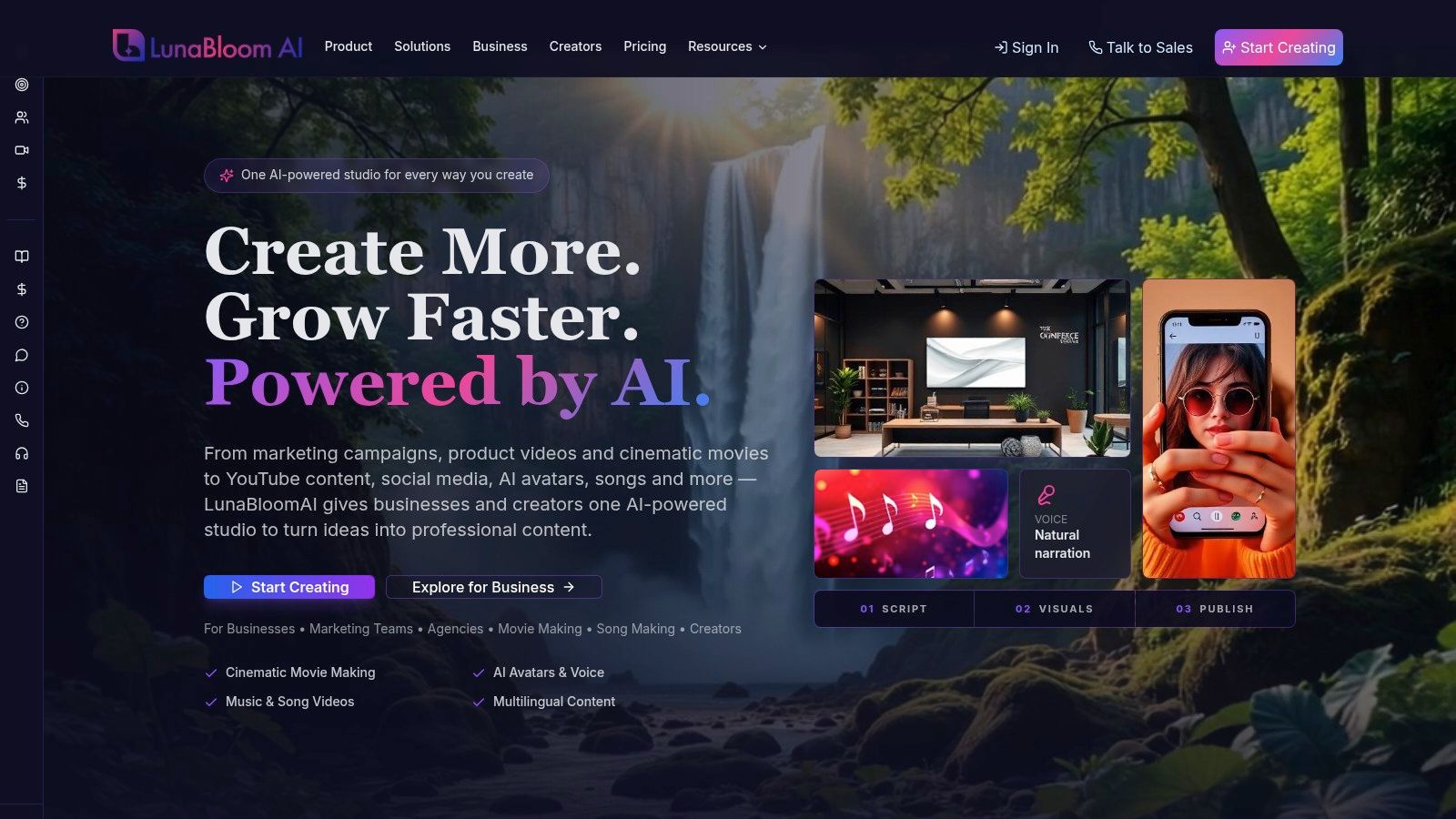
The feature also helped Reels become a more self-contained creation environment. Text, timing, and voice could be handled in one workflow, which suits creators, brands, and educators producing frequent short-form posts. If you're building a repeatable content system, resources such as LunaBloom AI's about page can also help you think beyond one-off clips and toward a broader video workflow.
How to Add Text to Speech to Your Reels
Instagram's native workflow is straightforward, although menu labels can move as the app changes. Start with a new Reel, then either record a clip in Instagram or upload footage from your device.
The native setup
- Open the Reels editor. Tap the create button, choose Reel, and record or upload your video.
- Add a text layer. Tap the text tool, type the sentence you want Instagram to read, and keep the wording short enough to match the visual moment.
- Open the text menu. Tap the text bubble or the menu associated with the text layer. Choose the text-to-speech option.
- Preview the voice. Select an available voice, listen to the result, and check pronunciation before committing to the edit.
- Tap Done. Apply the voice and continue editing the Reel.
The text layer controls both what viewers can read and what Instagram turns into speech. Long paragraphs usually create awkward timing, so divide narration into logical phrases and place each phrase near the visual it explains.
Make the narration match the edit
Instagram lets you adjust the text layer's timing in the timeline. Drag the beginning and end of each text bubble so the spoken phrase starts when the relevant visual appears. Preview the full Reel rather than judging each sentence in isolation, because a technically correct voiceover can still feel rushed when several layers overlap.
For scripts that need more control before they enter Instagram, a separate guide to generate audio from text can help you prepare narration outside the app. You can then compare the external result with Instagram's built-in option before choosing a final workflow. Creators who want to explore a broader creation workspace can also review the LunaBloom AI app.
Before posting, check three things:
- Pronunciation: Names, acronyms, and specialist terms may need rewriting.
- Timing: The spoken sentence should finish before the next visual or text layer takes over.
- Final audio: Instagram audio choices need to be settled before publication. One published guide notes that Reel audio can't be edited afterward, so changing the narration may require deleting and reposting the video.
Understanding the Limitations of Native Voices
Native TTS is useful because it's already inside Instagram. Its weakness is that convenience comes with limited control. Guides commonly describe a small voice selection, often presented as Voice 1 and Voice 2, with fewer customization options than dedicated AI narration tools.
That matters when the voice itself carries part of the brand. A casual tutorial can tolerate a basic automated voice. A campaign that depends on a consistent personality, polished emotional delivery, or carefully localized pronunciation may not.
Instagram has also expanded the feature in stages. By late 2023, it added new English text-to-speech voices alongside other Reels and Stories editing upgrades, as reported in coverage of Instagram's expanded creation tools. Yet independent guidance published in 2025 described Reels text-to-speech as available only in English and only in countries where Reels captions are supported. The listed markets were the United States, United Kingdom, Canada, Australia, New Zealand, Singapore, Ireland, and India.
What the restriction means in practice
The limitation isn't just technical. It affects campaign planning.
- Language: A multilingual account can't assume the native feature will narrate every localized Reel.
- Geography: Availability depends on both language and market, so an account's audience location may not match the feature's access.
- Voice identity: A small built-in selection makes it difficult to establish a recognizable narration style across campaigns.
- Revision control: If a pronunciation sounds wrong, rewriting the text may help, but you won't get the same editing depth as in a dedicated voice workflow.
If your audience spans markets outside Instagram's supported English-language rollout, test availability on the actual publishing account before building a campaign around native TTS.
Use Instagram's tool for a quick post, a low-stakes experiment, or a simple explanation where the voice is functional rather than central. Move to an external workflow when you need non-English narration, consistent voice direction, reusable brand standards, or more deliberate audio editing. Review your broader production and privacy requirements through the LunaBloom AI privacy information before selecting any platform for client or business content.
Comparing Instagram TTS with Professional AI Alternatives
The right choice depends on what the Reel needs to accomplish. Instagram's native option is efficient because it keeps text, voice, and publishing in one place. Professional AI tools generally introduce an additional creation step, but they can provide more control over voice selection, localization, and the final edit.
| Feature | Instagram Native TTS | Professional AI Tool (e.g., LunaBloom) |
|---|---|---|
| Setup | Built into the Reels editor | Usually created before export or publishing |
| Voice selection | Small native selection | Broader voice and style choices may be available |
| Customization | Basic controls | More control over delivery, pacing, and voice direction |
| Language support | Limited English-language availability in supported markets | May support multilingual production, depending on the tool |
| Captions | Text layers and native captions | Can combine generated narration with automated subtitles |
| Brand consistency | Difficult to standardize beyond the available voices | Better suited to repeatable voice and script workflows |
| Editing scope | Focused on the Reel itself | May include complete video editing, music, captions, and export |
A dedicated workflow makes sense when the same narration style needs to appear across several videos. It also helps when you're producing versions for different languages or want to revise the script without rebuilding every element inside Instagram. LunaBloom AI, for example, is described as a video creation platform that combines generated videos with voiceovers, captions, custom avatars, voice cloning, and localization across 50+ languages and regional accents, according to the publisher information provided for this article.
That doesn't make external AI automatically better for every post. It adds planning, file handling, and another tool to the workflow. If your Reel is a fast reaction or a short text-led joke, native TTS is probably enough. If the post represents a product, course, agency, or recurring campaign, control over pronunciation and voice identity becomes more valuable.
For a more detailed look at production choices, AI voiceover for video creators is a useful reference before you commit to an external narration process. Creators evaluating a practical starting point can also review the LunaBloom AI starter app.
Best Practices for Voiceovers and Captions
A generated voice doesn't automatically make a Reel accessible or easy to follow. Many viewers watch with audio muted, so the message must remain understandable through on-screen text. Adobe's guide to Instagram Reels recommends designing for sound-off viewing and using captions or on-screen text to support accessibility and retention.
Keep the spoken script and visible text aligned, but don't force the screen to display every word in a dense paragraph. Break the message into short phrases, use readable contrast, and give each text layer enough time to be processed.
A reliable caption workflow
Instagram's native captions workflow can generate a transcript and let you edit it manually. A practical sequence is:
- Record or upload the Reel.
- Open the sticker menu.
- Select Captions.
- Wait for the automatic transcription.
- Review the transcript word by word.
- Correct names, punctuation, jargon, and obvious recognition errors.
- Check that captions are synchronized with the spoken audio.
- Preview the Reel with sound off before publishing.
Institutional guidance notes that caption availability can be English-only in some environments. Accessibility guidance from RNID's step-by-step Instagram captions resource also emphasizes synchronized captions and open captions, sometimes called burned-in text, for broader compatibility across viewers and devices.
Fix the details that automated tools miss
Automatic transcription is a draft, not a final proofread. Pay particular attention to:
- Proper names: People, places, and product names are common failure points.
- Technical language: Industry terms may be replaced with familiar but incorrect words.
- Punctuation: Missing pauses can change the rhythm and meaning of a sentence.
- Visual placement: Captions can be hidden by interface elements if they sit too close to the screen edges.
- Audio balance: Music and sound effects should support the narration, not compete with it.
If you're working from longer recordings or need to prepare a transcript before editing, a video transcription step by step workflow can help you clean the script before it becomes a Reel caption or voiceover. Test the finished post with audio muted, then with headphones and a phone speaker. A Reel passes both checks when the message remains clear and the narration remains comfortable to hear.
Final Verdict Is Native Text to Speech Enough
Instagram Reels text to speech is enough for speed-focused creators making simple, English-language posts in supported markets. It's free, built into the app, and useful when you need narration without recording yourself.
It isn't enough for every professional workflow. Limited voice variety, staged language and geographic availability, and basic customization create real constraints for global campaigns and brand-led content. Use native TTS for quick production, then switch to a professional tool when localization, consistent voice identity, captions, or full editing control matters. If you need help evaluating that transition, you can contact LunaBloom AI.
LunaBloom AI turns scripts, prompts, and images into edited social videos with natural voiceovers, captions, avatars, and multilingual localization. Visit LunaBloom AI to test a workflow that gives your Reels more control than native text-to-speech alone.