Let's be honest: creating a high-quality voice over video used to be a massive headache. Thanks to AI, that's completely changed. Now, anyone can turn a simple text script into professional-sounding narration in minutes—no expensive microphones or voice actors required.
This guide will walk you through the entire modern process, from writing your script to getting your final video out into the world. Let's dive in.
The New Era of AI-Powered Voice Over Videos
Welcome to the future of video creation. Not long ago, adding a narration track meant booking studio time, auditioning voice talent, and hiring an audio engineer. It was a slow, expensive process that put professional-quality videos out of reach for most small businesses, educators, and solo creators.
Today, that entire workflow is ancient history. AI-powered platforms like LunaBloom AI have torn down those barriers, making it ridiculously easy for anyone to create great videos. The concept is simple but powerful: feed your script into the tool, and it generates a polished voice over instantly.
Why This Is a Game-Changer
This isn't just about making things easier; it's about leveling the playing field. AI tools hand you creative control without the steep learning curve, letting you produce content that sounds incredible and actually connects with your audience, no matter your budget.
And the numbers don't lie. The AI video generator market is expected to jump from USD 534.4 million to a staggering USD 2,562.9 million by 2032. It's already happening, with 50% of small businesses using AI for video creation and 58% of marketing videos featuring AI voices that are practically indistinguishable from humans.
By getting rid of the old gatekeepers—cost, time, and technical skills—AI puts professional narration tools directly into your hands. More stories get told, more ideas get shared, and your content can finally reach the audience it deserves.
To see just how much has changed, here's a quick look at the old way versus the new way.
Traditional vs AI Voice Over Video Production
| Aspect | Traditional Method | AI-Powered Method (e.g., LunaBloom AI) |
|---|---|---|
| Cost | High (studio, actors, engineers) | Low, predictable subscription fees |
| Time | Days or weeks | Minutes |
| Flexibility | Rigid; edits require re-booking | Instant; just edit the text |
| Localization | Very expensive and time-consuming | Clicks to translate into 50+ languages |
| Consistency | Varies with talent and sessions | 100% consistent brand voice |
As you can see, the AI approach isn't just a minor improvement—it fundamentally changes what's possible.
The Real Advantages of AI Narration
So, what makes this method so compelling for creating voice over videos? It’s about more than just saving a few bucks.
- Insane Speed and Efficiency: Forget coordinating schedules. You can generate an entire voice track in the time it takes to brew a pot of coffee.
- Go Global, Instantly: Translate your script and generate voice overs in dozens of languages with a single click. Your content is suddenly ready for an international audience.
- Total Control and Consistency: Need to update a line? Just change the text. Your brand voice stays perfectly consistent across every video, without the hassle of re-recording.
- Creative Freedom: Test out different voices, tones, and accents until you find the perfect fit for your message. You can find more tips on our blog.
This guide will walk you through this exact modern process, from writing your script to getting your final video out into the world.
Step 1: Crafting Your Script and Selecting the Perfect AI Voice
Before you can generate a voiceover, you need a script. This is the foundation of your entire video. Your goal is to write a script that feels natural and conversational, making it dead simple for the AI to interpret perfectly.
Think of it this way: you wouldn't hand a great actor a terrible screenplay and expect an Oscar-winning performance. The same goes for AI. The better your script, the more powerful the final narration will be. This all comes down to clarity, flow, and good old-fashioned structure.
Writing a Script That AI Understands
AI narrators have come a long way, but they can't read your mind. They speak exactly what they see on the page, which means your script has to be crystal clear. Vague wording or overly complicated sentences can trip up the AI, leading to awkward pacing or strange pronunciations.
The trick is to write for the ear, not just for the eye. A simple habit that makes a world of difference is reading your script out loud as you write. Does it flow? Does it sound like something you'd actually say to another person?
Here are a few tips for scripting voice over videos:
- Keep it Conversational: Write like you talk. Using contractions like "it's" or "you'll" immediately makes the narration feel less stiff and more human.
- Use Simple Language: Ditch the corporate jargon and complex words. Simple, clear language helps the AI nail the pronunciation and makes your message easier for your audience to digest.
- Punctuation is Your Pacing Control: This is a big one. Punctuation tells the AI how to breathe. A comma is a quick pause, while a period signals a full stop. Use them deliberately to control the rhythm and make the delivery feel natural.
If you really want to get this first step right, it’s worth spending some time learning how to write a voice over script that genuinely connects with people. A solid script is your best friend in this process.
Finding the Right Voice for Your Brand
Okay, script's done. Now for the fun part: choosing the voice. This is just as critical as your logo or color scheme. The right voice builds trust and makes your message memorable, while the wrong one can make your brand feel completely off.
Modern AI tools offer huge libraries with hundreds of voices. The best place to start is by thinking about your brand's personality. Are you making a high-energy ad for TikTok or a calm, reassuring tutorial? The context will guide your choice.
Your AI voice is the sonic equivalent of your brand's logo. It should be instantly recognizable and perfectly aligned with the personality you want to project. Don't rush this step—experiment until you find a voice that just feels right.
As you listen to different options, consider a few key things:
- Gender and Age: Are you going for a mature, authoritative male voice for a corporate explainer, or a youthful, energetic female voice for a social media campaign?
- Accent and Language: Think about who you're talking to. A specific accent can make your content feel more authentic to a local audience. Plus, with tools like LunaBloom AI, you can generate voice over videos in dozens of languages to take your content global.
- Tone and Emotion: Listen for the little things. Some voices are naturally warm, while others are more crisp and professional. Many tools now let you tweak the emotional delivery, so you can dial up the excitement or empathy as needed.
The Power of Voice Cloning
Want the ultimate in brand consistency? Use your own voice. It doesn't get more authentic than that. Many advanced AI platforms, including LunaBloom AI, now offer voice cloning. This tech lets you create a perfect digital copy of your own voice from just a short audio recording.
Once your voice is cloned, you can generate new narrations just by typing. It’s a game-changer for creators and brands that want that personal touch without having to get behind the mic for every single video. It guarantees every piece of content sounds like you, forging a much stronger connection with your audience.
Step 2: Generating and Syncing Your AI Narration
You've got your script polished and you’ve picked the perfect voice. Now it's time to turn that text into actual audio.
Platforms like LunaBloom AI make this surprisingly simple. You just paste your script into the editor, click "generate," and within seconds, you have a clean audio file. Think of this as your high-quality raw material, ready to be shaped into a professional narration for your voice over videos.
Fine-Tuning Your Narration for a Human Touch
The first audio file you get from the AI will be good, but the real magic happens in the fine-tuning. This is where you can add that human touch, and your main tool for this is punctuation.
AI voices are incredibly sensitive to commas, periods, and ellipses. A comma creates a slight, natural pause between phrases. A period gives you a full stop. An ellipsis (…) can build suspense or create a more thoughtful, drawn-out pause. By playing with the punctuation in your script, you can completely change the rhythm and transform a robotic read into something that flows naturally.
This whole prep process boils down to three key phases: scripting, voice selection, and those final tonal tweaks.
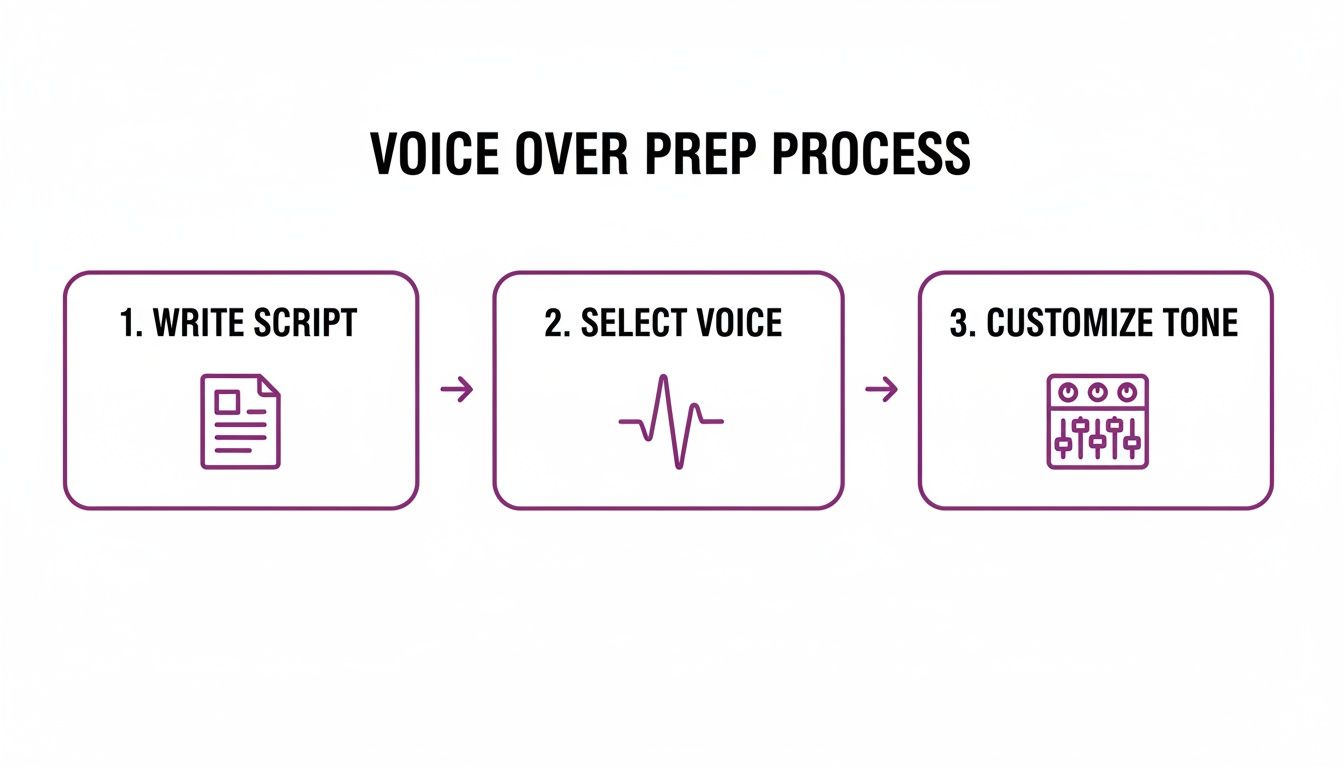
Each step builds on the last, ensuring your final voiceover is not just well-written but also perfectly voiced and toned for your audience.
Tackling Tricky Words and Names
What about words the AI just can't seem to get right? A unique brand name, niche industry jargon, or a foreign phrase can sometimes trip it up.
Most solid AI platforms have a built-in fix for this: phonetic spelling. If the AI keeps mispronouncing "LunaBloom," for example, you can simply type it out phonetically in the editor—something like "Loo-na-bloom"—and the AI will nail it. This gives you precise control, ensuring every single word sounds exactly how it should.
The Critical Art of Syncing Voice and Visuals
Generating a great audio track is only half the battle. The real test of a professional video is how well that audio syncs with your visuals. There’s nothing that screams "amateur" faster than a voiceover that’s out of sync. If the narration mentions a feature before it appears on screen, you'll just confuse your viewer.
The goal is to create a seamless experience where the audio and video feel completely locked in, like they’re one single element.
Perfect synchronization isn't a luxury; it's a necessity. It's the invisible thread that connects what your audience hears with what they see, creating a professional and immersive viewing experience.
Most modern tools, including our LunaBloom AI starter app, come with a timeline editor. This is your command center, where you can see both your audio track and your visual clips laid out, ready for you to align them perfectly.
The demand for this kind of high-quality, localized content is exploding. The global voice-over and dubbing market was valued at USD 4.2 billion and is expected to more than double to USD 8.6 billion by 2034. This growth is largely driven by streaming services, where 65% now rely on dubbing to reach international markets.
Techniques for Perfect Timing
Getting that flawless sync is usually a mix of using the tool's smart features and making a few manual tweaks.
- Automated Scene Timing: Many platforms can automatically adjust how long your scenes or slides are displayed to match the length of the corresponding narration. This gets you about 90% of the way there and saves a massive amount of time.
- Manual Timeline Adjustments: For that final 10%, you’ll want to get your hands dirty. Simply drag the start and end points of your audio clips on the timeline to line them up with specific visual cues. For instance, when your narration says, "…click the subscribe button," you want that phrase to hit at the exact moment the cursor clicks the button on screen.
- Adding Strategic Pauses: Don't underestimate the power of silence. Sometimes you need a beat for a visual to really land. You can easily create these moments by adding extra spaces or punctuation in your script, giving your visuals—and your audience—a moment to breathe.
A Real-World Scenario: Product Demo
Let’s put this into practice. Imagine you're making a product demo, and your script includes the line: "Next, navigate to the dashboard to see your analytics."
- Generate the Audio: First, you’d generate the voiceover for just that sentence.
- Align the Visuals: On your timeline, you’d place the screen recording that shows the user clicking over to the dashboard.
- Sync the Action: Now, you just drag the audio clip so the word "dashboard" is heard at the precise moment the dashboard appears.
By breaking your script into smaller, manageable chunks and syncing each one individually, you get tight control over the pacing and ensure your voice over video is crystal clear, professional, and dead simple for anyone to follow.
Step 3: Building Engaging Visuals with AI Avatars and Media
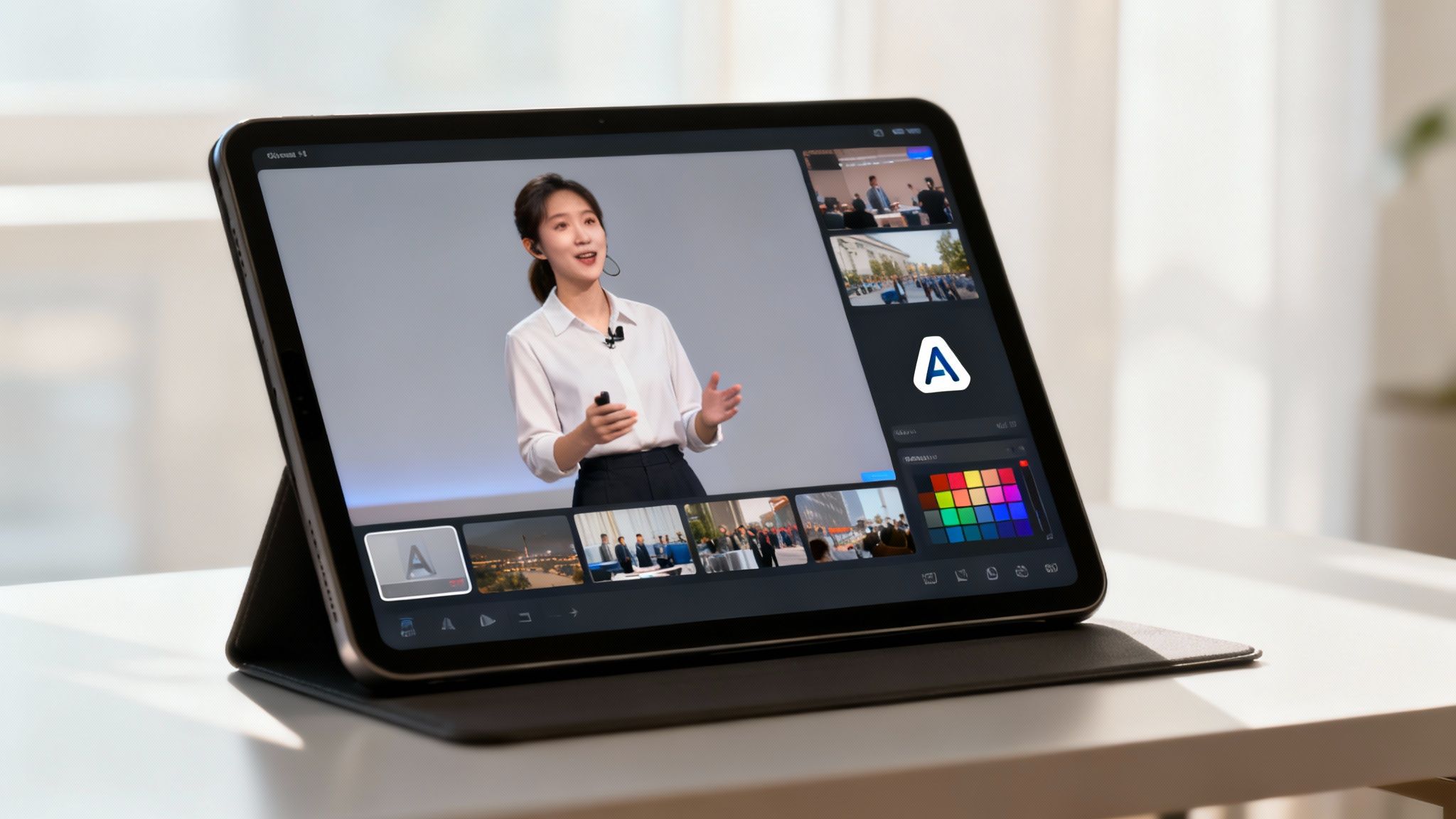
A killer narration is a huge win, but it's only half the battle when making voice over videos. To really hook your audience, you need visuals that are just as sharp as your audio. The good news? You no longer need a camera crew, a studio, or even on-screen talent to create something that looks amazing.
AI video platforms pack all the visual tools you need right into the editor. We're talking lifelike AI presenters and massive stock footage libraries, letting you build a dynamic video without ever switching apps. This saves time and money, making professional-quality video a reality for everyone.
Using AI Avatars as Your On-Screen Presenter
One of the coolest features in modern AI video tools is the ability to use a digital avatar as your presenter. Think of it as having an actor ready to go 24/7. These AI-generated people can deliver your script on-screen, complete with believable lip-syncing and natural mannerisms.
This is a game-changer for content like tutorials, corporate training, or explainer videos. Putting a "face" to the narration adds a human connection that builds trust and keeps viewers far more engaged than a basic slideshow ever could.
Selecting an Avatar That Fits Your Brand
Choosing the right avatar is just as critical as picking the right voice. You're looking for a digital presenter who matches your brand's personality and clicks with your target audience. A polished, professional avatar might be perfect for a corporate update, while a more casual, friendly face could be just right for a social media video.
Here’s what to look for when browsing an avatar library:
- Demographics: Does the avatar reflect the audience you're trying to connect with? Think about age, gender, and ethnicity.
- Appearance: Can you customize their clothing and style to match your brand? A presenter in a suit sends a very different message than one in a t-shirt.
- Authenticity: How natural do their expressions and movements feel? You want someone who seems genuine, not robotic.
The right avatar becomes a brand ambassador. It’s the face of your message, so it's worth taking a few extra minutes to find one that truly embodies the tone and personality you want to project. A well-chosen avatar makes your content instantly more relatable.
Beyond the basic options, many platforms let you get really specific, giving you control over everything from the background to where the avatar appears on screen.
Leveraging Stock Media for Dynamic Scenes
An avatar is great for talking-head segments, but you need other visuals to illustrate your points and keep things interesting. That's where integrated stock media libraries come in. Instead of hunting around the web for royalty-free clips, you can pull from millions of high-quality videos, images, and music tracks right inside the platform.
For example, if your script mentions "team collaboration," you can instantly search for and drop in a professional clip of a team working together. This ability to mix and match media creates a much more dynamic viewing experience. You can see how platforms like LunaBloom AI build these features in to make the whole process feel seamless.
Combining Visuals with Your Branding
The final piece of the puzzle is tying everything together with your own branding. This is what makes your video look cohesive and reinforces who you are. A good AI video creator makes this part easy.
- Logos: Add your company logo as a watermark in the corner of the screen.
- Color Schemes: Tweak text overlays, backgrounds, and other graphics to match your brand's color palette.
- Font Choices: Use your brand’s specific fonts for any on-screen text to keep things consistent with your other marketing materials.
By combining a smart AI avatar with dynamic stock media and solid branding, you can produce a visually polished voice over video that looks like it came from a professional agency—all from one simple platform.
Step 4: Editing Your Video for Polish and Global Reach
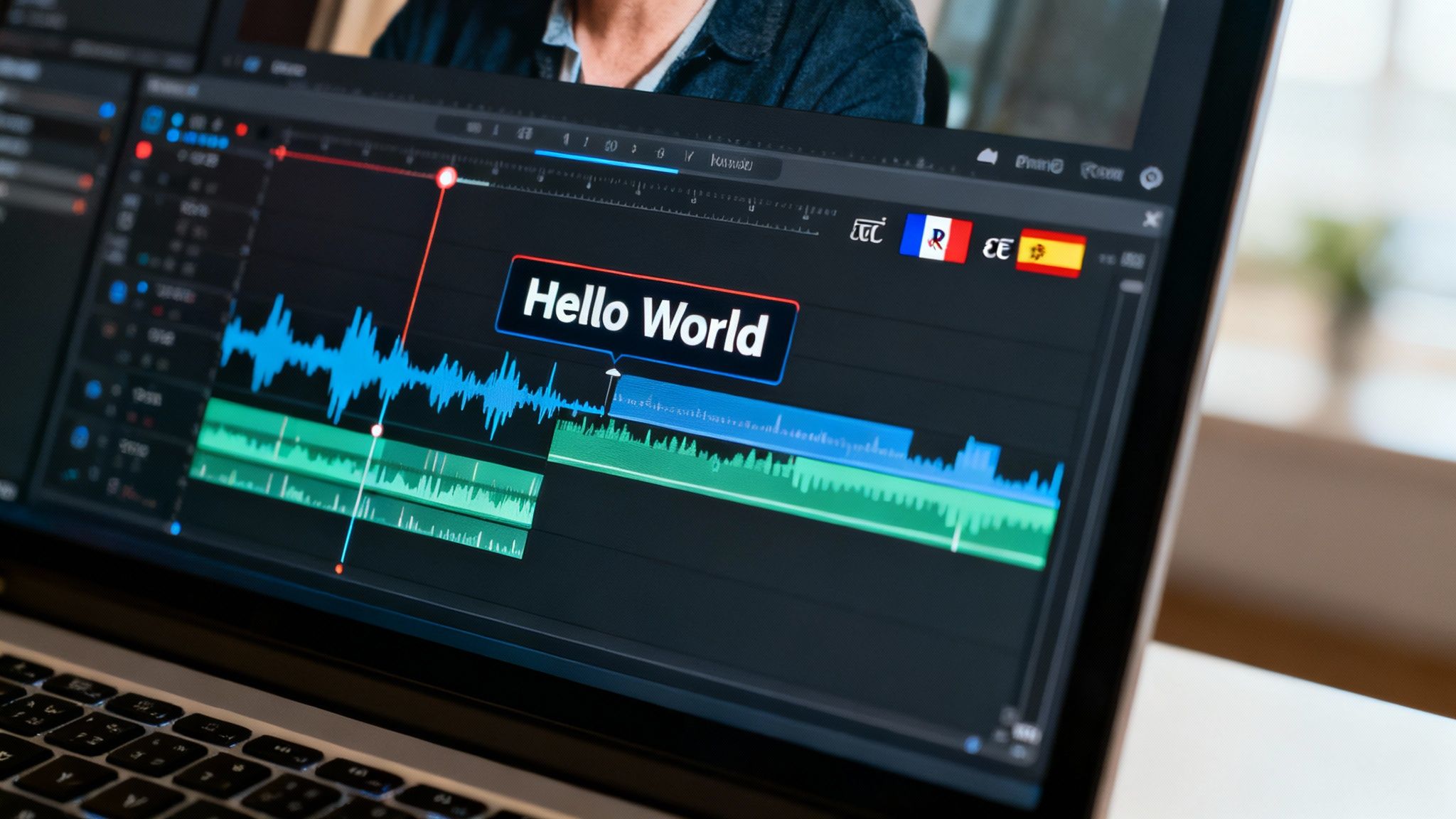
You've got your AI voiceover generated and synced with your visuals. Now it’s time to add those final layers of polish that take a video from "good" to "great." This is where you can boost engagement, make your content accessible, and even take it global.
The good news is that most modern video platforms have these final editing steps built right in, so you won't be jumping between different apps. The idea is to fine-tune your audio, add helpful text, and make sure your video is ready for any market you want to tap into.
Enhancing Accessibility with Automated Subtitles
Seriously, adding subtitles to your voice over videos is a must-do. It’s not just for viewers who are deaf or hard of hearing. Think about the 85% of people scrolling through social media who watch videos with the sound off. Subtitles keep them hooked.
In the past, manually transcribing and timing subtitles was a soul-crushing task. Thankfully, AI has made it almost effortless.
- One-Click Generation: Most tools, like LunaBloom AI, can whip up accurate subtitles for your whole video with just a single click.
- Easy Editing: The AI transcription is usually close to perfect, but not always. You can just click into the text to fix any weird words or adjust the timing.
- Customization: Don't just stick with the default look. Match the subtitles to your brand by tweaking the font, size, and color so they’re easy to read and look like they belong.
Unlocking a Global Audience with Localization
Why stop at one language? Localization is how you adapt your video for different parts of the world, and it's one of the smartest ways to grow your audience. Thanks to AI, this isn't just for big corporations with massive budgets anymore.
Localization isn’t just about translation; it's about making your content feel native to a new audience. AI tools now make it possible to do this at a scale and speed that was unimaginable just a few years ago.
Picture your product demo being perfectly understood by potential customers in Spain, Germany, or Japan. Platforms like LunaBloom AI can translate your original script into dozens of languages and then generate a completely new, perfectly synced voiceover for each one. This opens up brand-new markets you couldn't reach before.
This demand is exploding everywhere. The corporate e-learning market is set to hit USD 50 billion, while video advertising is on a path to reach USD 145.97 billion by 2031. These numbers show just how critical AI-powered voiceovers have become for training and marketing worldwide.
Final Audio and Visual Polish
Okay, subtitles are on and localization is sorted. The last step is to smooth out the audio and visual flow. These small tweaks make a massive difference in how professional your final voice over videos feel.
- Balancing Audio Levels: Make sure your AI narration is front and center. If you have background music, dip the volume way down when someone is speaking. A good rule of thumb is to keep music around -18dB to -24dB while the voiceover sits comfortably at -6dB to -12dB.
- Adding Smooth Transitions: Hard cuts between scenes can be jarring. Use simple transitions like a cross-dissolve or a gentle fade to give your video a smoother, more polished feel. Skip the flashy star wipes—they just distract from your message.
- Review and Export: Watch the whole thing one last time. Look for weird pauses, typos in the subtitles, or anything that feels out of sync. Once you’re happy, export it in the right format for your platform, whether that’s 1080p for YouTube or a square video for Instagram.
Common Questions About AI Voice Over Videos
As you start exploring AI narration, a few questions are bound to pop up. It's a totally different way of working, so it’s natural to wonder about the quality, cost, and where this tech really shines. Let’s tackle some of the most common things people ask when making voice over videos with AI.
Here are some clear, straight-up answers to help you get started with confidence.
How Realistic Do AI Voices Sound in Videos?
Shockingly realistic. We've come a long way from the choppy, robotic text-to-speech of the past. Today’s AI voices are powered by sophisticated neural networks that have learned the subtle rhythms, pauses, and inflections of human speech.
For content like explainer videos, e-learning courses, and company presentations, a good AI voice is often indistinguishable from a human narrator. Sure, a highly emotional or dramatic script might still need the touch of a professional voice actor, but for clear, professional, and engaging narration, AI is a game-changer. The trick is to pick a high-quality voice from the start and then use punctuation to guide the delivery for a natural, polished result.
Is Using AI for Voice Overs Cheaper Than Hiring a Voice Actor?
Yes, by a long shot. Hiring a professional voice actor can cost from a few hundred to several thousand dollars for a single video, depending on their experience and the project's scope. That doesn't even account for studio time or potential fees for revisions.
AI voice over tools flip that financial model on its head. Most run on a subscription basis, giving you a massive amount of voice generation for a flat monthly or yearly fee. This predictable cost makes it a no-brainer for anyone producing content regularly. You can create dozens of voice over videos for what you might pay a human actor for a single session.
It's not just the sticker price. The real savings with AI come from cutting out the hidden costs—no more paying for re-records, last-minute script changes, or project delays. You get a faster, leaner workflow from script to final cut.
Can I Use My Own Voice for an AI Voice Over?
You absolutely can, and it's one of the most powerful features out there. Many of the top AI platforms now offer voice cloning. The process is simple: you upload a clean, high-quality sample of your own voice, and the AI creates a digital replica that can say anything you type.
This is incredibly useful for a few reasons:
- Brand Consistency: It guarantees every piece of video content you produce sounds like you. Your audience builds a connection with a single, recognizable voice.
- Ultimate Personalization: For solo creators, coaches, or company leaders, using your own voice forges a much stronger and more authentic bond with your viewers.
- Time Savings: No more booking time in a studio every time you need to record. Just type your script, and your cloned voice handles the narration instantly.
If you want to learn more about how to get started with voice cloning or explore how it could work for your brand, feel free to contact our team for more information.
What Types of Videos Are Best for AI Voice Overs?
AI voice overs can handle almost anything you throw at them, but they truly excel in content that needs to be clear, informative, and consistent.
Here are some of the top use cases where AI narration is a perfect fit:
- Corporate Training and E-Learning: AI delivers crisp, easy-to-follow instruction, which is ideal for training materials that need to be updated often.
- Product Explainer Videos: A professional AI voice can guide viewers through product features and benefits without any distractions.
- Marketing and Advertising Content: You can quickly spin up ads for different platforms and target markets without breaking the bank.
- Social Media Clips and YouTube Tutorials: It’s perfect for producing a consistent stream of content, helping you build a recognizable brand and a loyal audience.
Beyond that, AI is an unbeatable tool for any project aiming for a global reach. The ability to generate voice overs in dozens of languages on the fly makes international content creation easier and more affordable than ever.
Your Next Step: Create Your First AI Voice Over Video
Creating professional voice over videos is no longer a complex, expensive process. With AI tools, you have everything you need to turn a simple script into an engaging, polished video that connects with your audience and achieves your goals. From writing and voice selection to syncing and editing, the power is in your hands.
Ready to transform your ideas into stunning videos? With LunaBloom AI, you can create professional-grade voice overs, use customizable AI avatars, and build engaging content in over 50 languages. Start creating for free today at LunaBloom AI and see how easy it is to bring your vision to life.