Video content is one of the most potent ways to engage your audience, whether you’re a content creator or, business owner. But traditional video production filming, editing, and post-production can be time-consuming, expensive, and resource-heavy.
That’s where AI video creation comes in. With AI tools, you can now create personalized videos of yourself or your brand quickly and without needing expensive equipment or hours of editing.
In this blog, we’ll explore how to create an AI video of yourself using personal avatars and explore more.
Why Should You Create an AI Video of Yourself?
1) Personal Branding: Creating an AI video of yourself allows you to maintain a strong personal brand by offering consistent video content without the need for professional filming equipment or time-consuming video shoots. Whether you’re a YouTuber, influencer, or business professional, having your own avatar can help elevate your digital presence.
2) Time & Cost Efficiency: Traditional video production requires a lot of time, effort, and budget, including actors, filming locations, editing, and more. With AI video creation tools, you can create videos in a fraction of the time and at a fraction of the cost.
3) Scalability: AI videos are scalable, meaning you can generate numerous videos with minimal effort. This is especially valuable for social media influencers, businesses, or educators who need to produce large amounts of content quickly and consistently.
Step-by-Step: How to Create an AI Video of Yourself
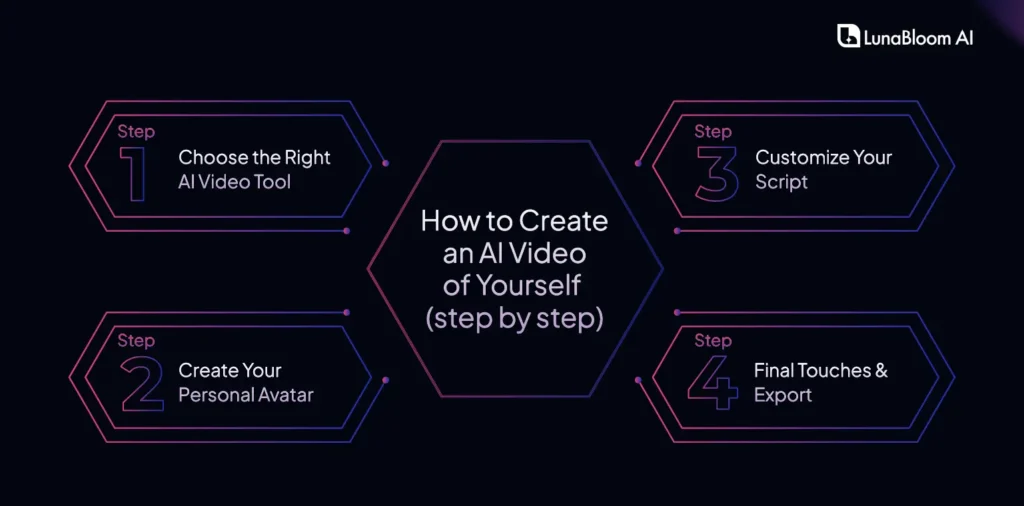
Step 1: Choose the Right AI Video Tool
The first step in creating your AI video is choosing the right tool. There are several platforms available for AI video creation, each with its unique features.
Look for a platform that fits your budget, video style, and desired features. Ensure the tool allows you to easily create personalized avatars and manage the video creation process without requiring advanced technical skills.
Step 2: Create Your Personal Avatar
Once you’ve selected your platform, the next step is creating your personal avatar. Most AI video tools allow you to upload a few images or videos of yourself to generate a digital version.
For example, on a tool, you can upload a photo of yourself, and the tool will generate a 3D avatar that looks like you. These avatars can be further customized to reflect your tone of voice, facial expressions, and movements.
Step 3: Customize Your Script
Now it’s time to input your content. With many AI video platforms, you can either type in a script or upload an audio file. And AI video editing will also be easy. The avatar will then read and perform the script in the video.
Some tools even offer voice cloning, where you can record your voice once, and the AI will use it to generate future videos with that voice.
Step 4: Final Touches & Export
Before finalizing your video, make sure to add any finishing touches, such as:
- Backgrounds: Choose a background that complements your message.
- Animation: Add animations to make the video more dynamic.
- Subtitles: Make your content accessible to a broader audience.
Once everything looks good, export your video in the desired format (usually MP4 or MOV) and get ready to share it on social media, your website, or your marketing channels.
Benefits of Using AI Video Creation Over Traditional Methods
No Need for Equipment or Actors
Traditional video production can involve significant investment in cameras, lighting, actors, and crew. With AI video tools, you only need a camera to upload a few photos, and the platform will do the rest. This significantly reduces the cost and hassle of creating high-quality video content.
Ethical Video Production
While deepfakes are often associated with manipulating videos to mislead audiences, AI-generated avatars provide a more ethical approach. These avatars are used with the creator’s consent to ensure that the content is both accurate and transparent.
Quick Turnaround
AI video tools allow you to produce high-quality content in record time. What would typically take days or weeks with traditional filming and editing processes can be done in hours with AI-powered platforms.
Lunabloom AI – Best Tool For Avatar Creation
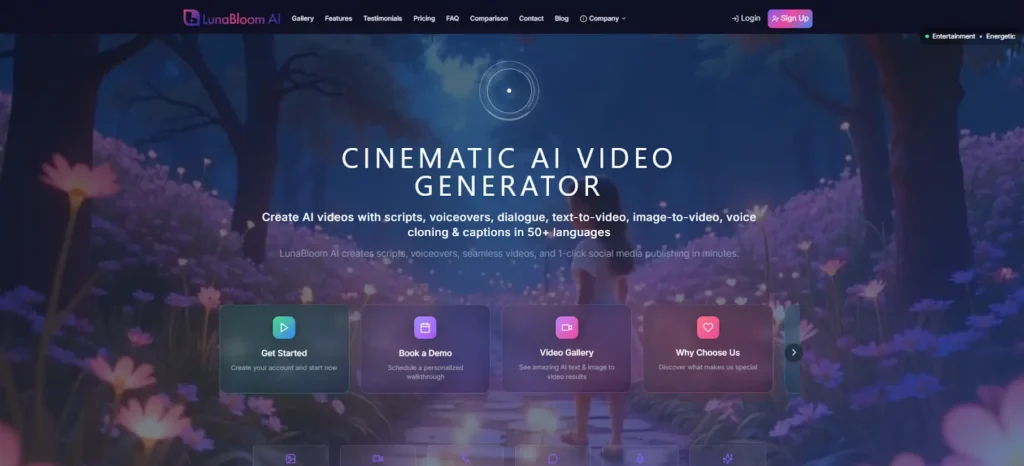
LunabloomAI is an all-in-one AI video generation platform designed to help businesses create high-quality, engaging, and personalized training videos. With a suite of advanced features, LunabloomAI streamlines the video creation process, enabling you to quickly and efficiently produce impactful training content.
Whether you need to convert text into engaging visuals or create dynamic videos from images, LunabloomAI has you covered.
Here’s how LunabloomAI can transform your business’s video content:
Key Features That Drive Results
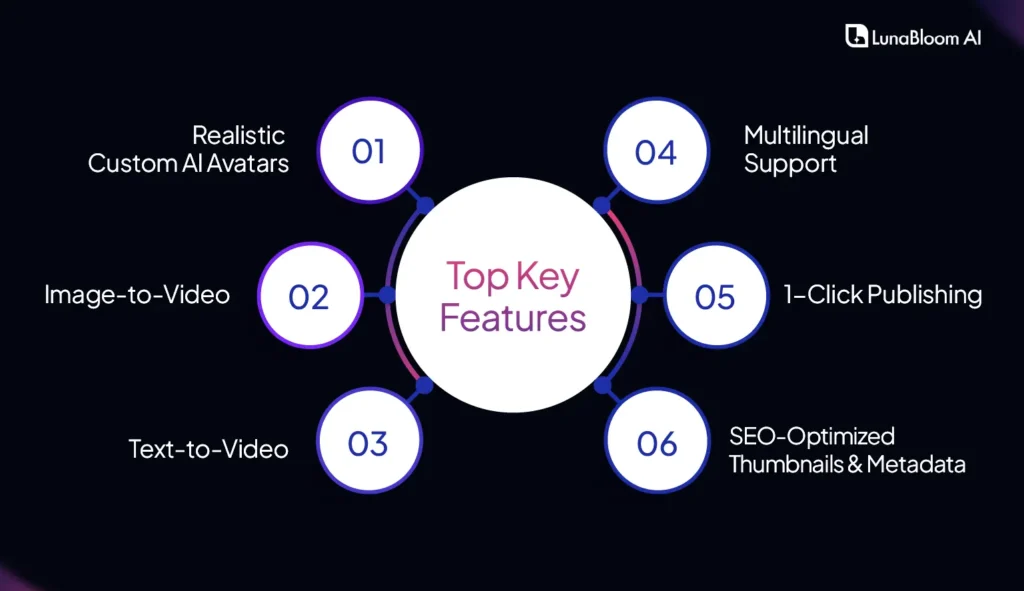
1. Realistic Custom AI Avatars: Add a Personal Touch to Training
LunabloomAI enables the creation of realistic, custom AI avatars that deliver training content in a conversational, engaging manner. These lifelike virtual avatars provide a personal touch to your training materials, improving employee engagement and retention by delivering content in a relatable, human-like way.
2. Image-to-Video: Transform Static Images into Dynamic Videos
LunabloomAI’s Image-to-Video feature allows you to turn static images into engaging, dynamic videos in just a few clicks. Perfect for product demos, brand storytelling, and explainer videos, this feature brings your visuals to life and instantly captures your audience’s attention.
3. Text-to-Video: Instantly Convert Written Content into Engaging Videos
LunabloomAI’s Text-to-Video feature is a game-changer for converting written materials, such as training manuals, internal documentation, and knowledge bases, into visually engaging videos. This makes content consumption easier for your employees, saving them time and improving knowledge retention.
4. Multilingual Support with 50+ Languages
Reach a global audience with LunabloomAI’s support for over 50 languages. This feature enables businesses to generate training videos in multiple languages, making it an ideal solution for global teams or multinational companies. You can easily create culturally relevant content that speaks directly to your diverse workforce.
5. 1-Click Publishing: Simplify Video Distribution
LunabloomAI’s 1-Click Publishing streamlines the video distribution process. Once your video is ready, you can instantly upload it to popular platforms like YouTube, saving your team valuable time on administrative tasks. This seamless integration simplifies sharing your content across multiple channels and ensures your videos reach the right audience.
6. SEO-Optimized Thumbnails & Metadata: Maximize Video Visibility
LunabloomAI automatically generates SEO-optimized thumbnails and metadata for each video, helping your training videos get discovered on search engines and video platforms like YouTube. This built-in SEO feature improves your video’s visibility and performance, ensuring it reaches the right audience and drives better engagement.
Why LunabloomAI is a Must-Have for Your Business
- Save Time: With its 1-click publishing and streamlined video creation process, LunabloomAI helps you save time on production and distribution tasks.
- Increase Engagement: Custom AI avatars and interactive video formats enhance viewer engagement and retention, ensuring that your training materials are effective.
- Scale Globally: Create multilingual videos for a diverse, global workforce, ensuring consistency in training programs across different regions and languages.
- Boost Visibility: SEO-optimized features such as thumbnails and metadata help your videos rank higher and get discovered, boosting your content’s impact.
If you’re ready to take your business’s training content to the next level, LunabloomAI is your solution. With a comprehensive suite of tools to create engaging, multilingual, and SEO-optimized training videos, LunabloomAI empowers businesses to build effective, scalable training programs that drive results.
Use Cases for AI Videos in Personal Branding and Business
1) For Content Creators
AI videos help influencers, YouTubers, and social media creators produce more engaging and frequent content. Personalized avatars provide a unique way to interact with followers while saving time.
2) For Small Businesses
AI videos offer small business owners a cost-effective way to produce professional-looking marketing content. They can create explainer videos, customer testimonials, or product demonstrations without a large production budget.
3) For Educators & Trainers
AI video creation is an excellent tool for educators who want to produce engaging, personalized training materials or instructional content. These videos can be used in online courses, workshops, or employee training sessions.
Wrap Up!
Creating an AI video of yourself has never been easier or more accessible. With tools like Lunabloom AI, you can craft high-quality, personalized content quickly, affordably, and ethically. Say goodbye to the complexities of traditional video production and embrace a new, efficient way to engage your audience, promote your brand, or deliver your message.

FAQs
1. What tools do I need to create an AI video of myself?
You only need an AI video creation tool, such as Lunabloom AI or other similar platforms. These tools allow you to create a digital avatar, input your script, and generate a video.
2. Can I create a video without using a deepfake?
Yes! AI video creation tools like Lunabloom AI use avatars rather than deepfakes, ensuring that the process is ethical and doesn’t involve any controversial or misleading technology.
3. How much does it cost to create an AI video?
The cost varies depending on the platform you choose. Some offer free trials, while others may charge a monthly fee or per-video pricing. Generally, it’s much more affordable than traditional video production.
4. How long does it take to create an AI video?
Creating an AI video can take anywhere from a few minutes to a couple of hours, depending on the video’s complexity and customization options. It’s a much faster process than traditional video production.
5. Can I use AI videos for business or marketing?
Absolutely! AI videos are perfect for creating marketing content, advertisements, social media posts, or even training videos. They are scalable and cost-effective, helping maintain a consistent brand presence across platforms.