Employee training videos are a powerful way to teach new skills, share crucial knowledge, and get new hires up to speed efficiently. When created thoughtfully, they deliver a consistent, engaging, and scalable learning experience that traditional methods simply can't match. That’s why they’ve become an essential part of modern corporate training.
Why Video Is Reshaping Corporate Training
The move away from dense employee handbooks and long, stuffy seminars isn't just a trend. It’s a strategic shift driven by how people actually learn in the digital age. Companies are realizing that video doesn’t just present information—it delivers it in a format that's easier to absorb and far more likely to stick.
This evolution is a perfect fit for today's distributed workforce. When your teams are spread across different cities, states, or even countries, video acts as the great equalizer. It ensures every single person receives the same high-quality training, whether they're at headquarters or working from a home office.
The Core Benefits of Video-Based Learning
Switching to video-based training offers significant, measurable advantages that benefit both the company's bottom line and your team's professional development. For any Learning & Development (L&D) department, it solves a host of common challenges.
I've put together a quick table to show you exactly what I mean.
Traditional Training vs Video Training: A Quick Comparison
This table breaks down the key differences, highlighting why video has become such a game-changer for modern businesses.
| Feature | Traditional Training | Employee Training Videos |
|---|---|---|
| Engagement | Relies on instructor's energy; can be passive | Dynamic visuals and audio keep viewers hooked |
| Consistency | Varies by instructor, location, and session | Identical message delivered to every employee, every time |
| Cost | High costs for travel, venues, and materials | One-time production cost, then infinite reuse |
| Accessibility | Scheduled sessions at a specific location | On-demand access anytime, anywhere |
| Scalability | Difficult and expensive to scale to large groups | Effortlessly deploy to thousands with no extra cost |
As you can see, the advantages are clear. Video makes training more flexible, consistent, and cost-effective.
Let’s dig a bit deeper into those benefits:
- Better Engagement and Retention: Combining visuals with audio makes even complex topics easier to grasp and remember long-term.
- Serious Cost Savings: Say goodbye to hefty bills for instructor fees, travel, venue rentals, and printing mountains of materials.
- Scalability and Consistency: A single video can train ten employees or ten thousand, and every person gets the exact same message.
- Learning On Their Schedule: Employees can watch training videos whenever it suits them, enabling truly flexible, self-paced learning.
The numbers support this shift. Studies reveal that employees are a whopping 75% more likely to watch a video than read documents or emails. With U.S. companies spending over $101.8 billion on training annually, making that investment count is more critical than ever.
"The real power of video is its ability to meet learners where they are. It respects their time and provides just-in-time knowledge that can be applied immediately on the job, boosting both confidence and competence."
And the best part? Creating this content is no longer a massive production. Tools like LunaBloom AI have made it incredibly simple. You can generate professional-quality videos directly from a text script, meaning you don't need a film crew or expensive equipment. This removes the biggest barrier for most companies, making top-tier training videos accessible to everyone. For more ideas on this, check out our other posts on the LunaBloom AI blog.
Building Your Strategic Video Blueprint
Jumping into recording without a plan is a classic recipe for disaster. It's like trying to build a house without a blueprint—inefficient, messy, and the final product probably won't work. The most impactful employee training videos aren't just filmed; they're engineered from a solid strategy before the camera even starts rolling.
This pre-production phase is where the magic happens. It's where you transform a vague idea into a focused, actionable plan.
First, you must nail down your learning objectives. Don't just aim to "train on the new software." That's too broad. Get specific. A better objective is: "After watching this video, the sales team will be able to generate a quarterly report in the new CRM in under five minutes." This clarity becomes your north star, guiding every decision about the video's content, tone, and format.
This graphic illustrates the shift from old-school classroom training to the modern, on-demand video model prevalent today.
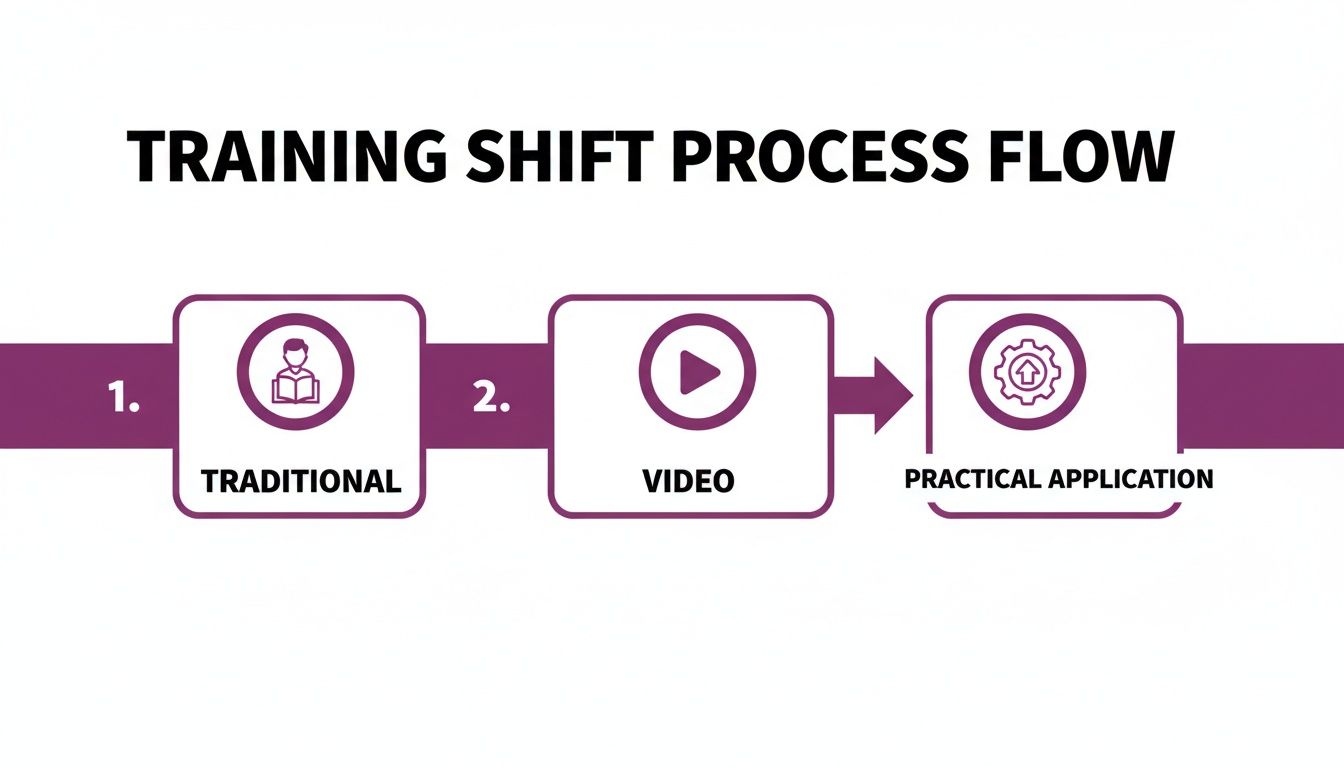
You can see how video streamlines the process, moving learning from a rigid, instructor-led event to a flexible, repeatable asset that employees can access whenever they need it.
Defining Your Audience
Once you know what you're teaching, you need to figure out who you're teaching. An onboarding video for recent graduates will have a completely different vibe than a compliance update for senior executives. Understanding your audience isn't just a nice-to-have; it's essential if you want your content to connect.
Consider these factors:
- Existing Knowledge: Are they beginners or seasoned pros learning a new process? This determines how much foundational information to include.
- Role and Responsibilities: How does this training directly impact their day-to-day job? Frame the content around their specific challenges and needs.
- Technical Comfort: A team of developers will be fine with technical jargon, but a company-wide audience requires simpler, more accessible language.
A common mistake is creating a one-size-fits-all video. Tailoring the content, language, and complexity to a specific audience segment dramatically increases its effectiveness and ensures the message is both understood and retained.
By profiling your audience, you can nail the perfect tone. Should it be energetic and fun, or more formal and direct? Getting this right is crucial for keeping people engaged.
Selecting the Right Video Format
Not all training content is created equal, and neither are video formats. The format you choose must support your learning objectives. Trying to teach a hands-on software workflow with a talking-head video is a recipe for boredom and confusion.
Here are a few of the most popular and effective formats for training videos:
- Screen Recordings: This is your go-to for any software or process walkthrough. You can show viewers exactly where to click and what to do in real-time, leaving no room for error.
- Animated Explainer Videos: Perfect for breaking down complex or abstract concepts. Animation can make otherwise dry topics like company policies or data security protocols visually interesting and easier to digest.
- Talking-Head or Presenter Videos: When you need to build a personal connection or deliver a leadership message, this is the format. A real person speaking directly to the camera adds a human touch and a sense of authority.
- Scenario-Based Videos: These are fantastic for soft skills training, like customer service or conflict resolution. You can act out realistic workplace situations to show employees the right (and wrong) ways to handle things.
The rise of AI has also opened up a powerful new option. Now, you can create professional training content without ever picking up a camera. For instance, you can explore how to get started with AI video generation and turn a simple text script into a polished video complete with an AI avatar and voiceover. It's an incredibly efficient way to produce consistent, scalable content.
The key is to always match the format to the message for maximum impact.
Scripting and Storyboarding for Engagement
A great training video doesn't just happen by accident. It’s built on the foundation of a solid script and a clear visual plan. This is where you turn your ideas into a detailed blueprint, ensuring the final cut is polished, professional, and actually keeps your employees watching.

Think of the script as your video's soul. A good script should sound natural and conversational—not like a robot reading a user manual. Your goal is to connect with your team, making the information relatable and easy to digest. One of the biggest mistakes is loading scripts with corporate jargon. Instead, write like you're explaining something to a colleague over coffee.
This matters more than you’d think, especially as U.S. employee engagement has hit a significant low. Data shows that 70% of employees feel that learning opportunities deepen their connection to their company, and 76% are more likely to stay if continuous training is offered.
Video is the perfect vehicle for this. Forrester Research found that employees are 75% more likely to watch a video than read an article. This aligns with the 92% of employees who agree that well-planned training has a direct, positive impact on their engagement.
Crafting a Winning Script Structure
The best training scripts follow a simple yet powerful three-part structure. It’s less of a rigid formula and more of a proven framework for holding a viewer's attention from beginning to end.
Here’s how to break it down:
- The Hook (The First 15 Seconds): Start with a compelling question, a surprising statistic, or a relatable problem. Your only job here is to give people a clear reason to keep watching.
- The Core (The Main Content): This is the heart of your video. Break down your learning points into logical, bite-sized chunks. Use clear language, provide practical examples, and maintain a steady pace.
- The Summary (The Wrap-Up): Before signing off, do a quick recap of the most important takeaways. This simple step reinforces the lesson and tells your viewer exactly what they need to remember.
Your script’s tone matters more than you think. A conversational, empathetic tone makes the content feel less like a mandate and more like helpful guidance, which dramatically improves viewer receptiveness.
Staring at a blank page? AI can be a massive help. Platforms like LunaBloom AI can generate a first-draft script from a simple prompt, giving you a solid foundation to edit and personalize, saving you hours of time.
Visualizing Success with Storyboarding
Once your script is locked in, it's time to storyboard. This sounds more intimidating than it is. A storyboard is simply a visual outline of your video, shot by shot. You don't need to be an artist—stick figures and quick notes are perfectly fine.
Storyboarding forces you to think through the visuals that will bring your script to life. For every key point, you'll map out exactly what the viewer will see on screen.
Make sure your storyboard includes details like:
- On-screen text and graphics: Where will you add key terms or bullet points?
- Scene changes: When will you cut from a presenter to a screen recording?
- Visual aids: Do you need charts, diagrams, or animations to clarify a concept?
Getting this visual plan on paper aligns your team, makes production smoother, and helps you avoid expensive reshoots. To make your videos truly connect, try weaving in powerful visual storytelling techniques. This process ensures your final video is not just informative but also visually engaging and easy to follow.
Bringing Your Training Videos to Life with AI
With your script and storyboard complete, it's time for production. This is the exciting part where your vision becomes a real, usable training asset. The good news? Thanks to modern AI, you no longer need a Hollywood budget or a full film crew to create polished employee training videos.
You can, of course, still go the traditional route. The basics are straightforward. Good lighting is essential—natural light from a window often works best. Clear audio is even more critical. An inexpensive lavalier mic that clips to your shirt and plugs into your smartphone will make a massive difference. Finally, use a tripod to keep your shot steady and professional.
But the real magic happens when you let AI do the heavy lifting. This can turn what was once a multi-day production headache into something you can complete in minutes.
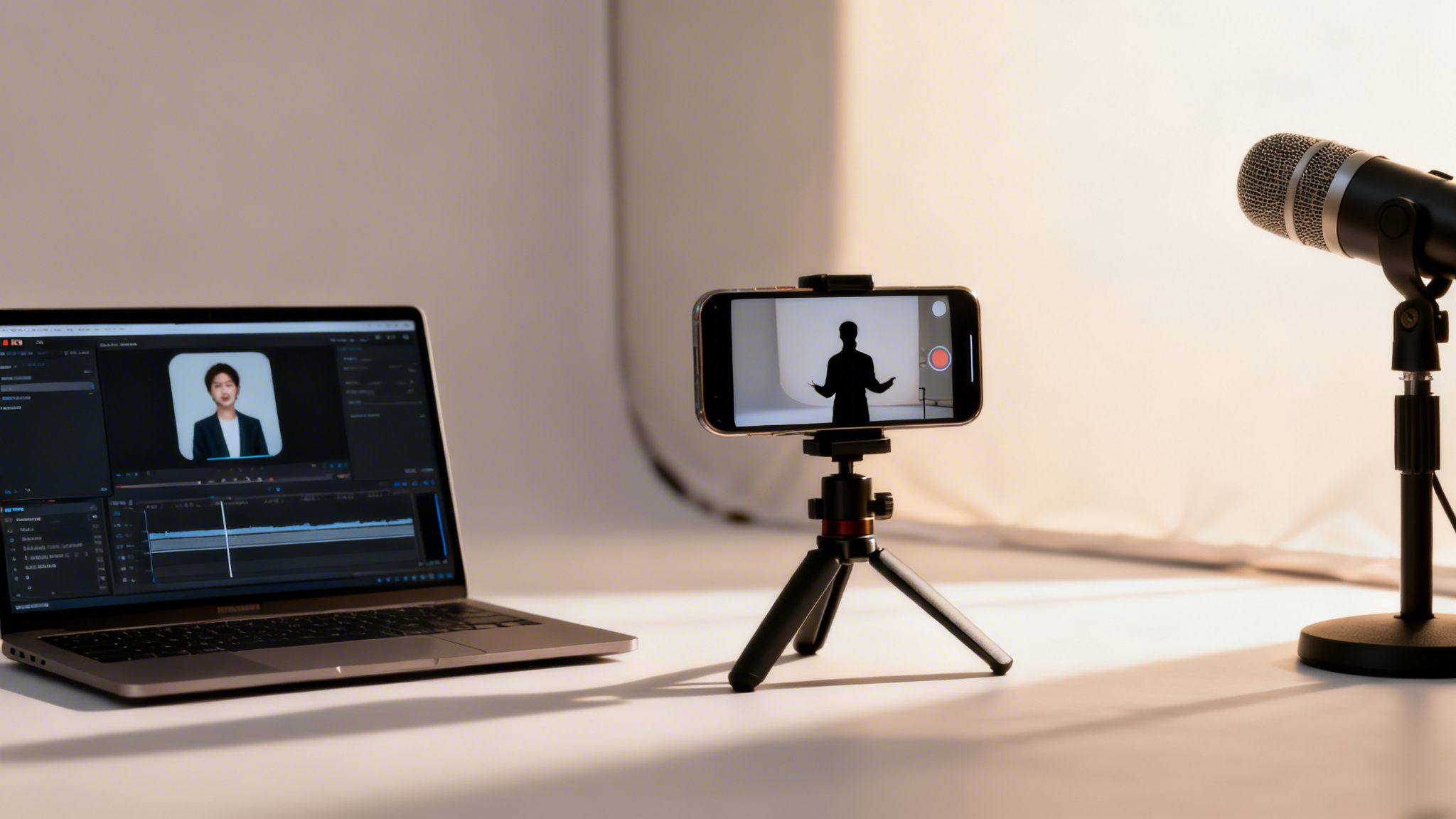
AI video platforms like LunaBloom AI let you skip filming altogether. Instead of coordinating schedules, booking rooms, and fussing with equipment, you can generate a complete, high-quality video directly from your script.
From Text to Polished Video in Minutes
The process is remarkably simple. You just paste your script into the platform, and the AI guides you through a few quick choices to bring your content to life. This is a huge leap forward in making video production accessible to everyone, not just those with a video background.
One of the most powerful features is the ability to use AI avatars. These are realistic, digital presenters who can narrate your script for you.
You can select an avatar that matches your company’s brand and the specific tone of your training. This is a game-changer for consistency, especially if you're creating a series of training modules and want a unified, professional feel across all of them.
The Power of Voice Cloning and Automation
Another incredible AI feature is voice cloning. Simply record a short audio sample of your own voice (or a colleague’s), and the AI can generate the entire voiceover narration in that person's voice. This adds a personal, human touch without requiring anyone to spend hours in a recording booth.
The benefits are massive:
- Consistency: The narrator’s voice and tone remain perfectly consistent across every video.
- Efficiency: Need to make a change? Just edit the text in your script. The audio updates automatically without any re-recording.
- Global Reach: The AI can generate the voiceover in dozens of languages, making it easy to create localized training for global teams.
This shift to AI-powered, on-demand video is completely changing corporate learning. The global workplace training market hit a staggering $401 billion in 2024, and online or computer-based tech now accounts for 33% of all training hours. It’s a trend that allows companies to produce everything from safety videos to sales tutorials almost instantly and at a fraction of the cost.
Beyond narration, these platforms also handle the tedious post-production tasks that once required specialized software and expertise.
Automated Post-Production and Accessibility
Once your core video is generated, AI tools continue working to add the final polish, making your video look like it was created by a professional agency.
These automated features typically include:
- Branding: Easily add your company logo, custom brand colors, and standardized intros or outros to every video.
- Backgrounds and Music: Choose from large libraries of professional backgrounds and royalty-free music to set the right mood.
- Subtitle Generation: The AI automatically creates accurate subtitles. This is crucial for accessibility and helps with comprehension, especially for viewers in noisy environments.
When it comes to efficient production, leveraging AI is the smartest move. If you're working with video you've already shot, for example, it's easy to learn how to transcribe video to text online to get accurate captions and transcripts. This one step ensures your training is inclusive and meets modern accessibility standards, making the content useful for every employee. By letting AI handle the technical details, you can focus on what really matters: creating great, impactful training content.
Distributing and Measuring Your Video's Impact
Creating a fantastic training video is a huge accomplishment, but it's only half the battle. If your masterpiece sits unseen or doesn't actually improve performance, the effort is wasted. The next critical steps are getting it in front of the right employees and measuring whether the training is actually working.
Smart distribution ensures your videos are easy to find, available when needed, and integrated into your team's existing workflow. This is how you connect your carefully crafted content with the people it’s meant to help.
Getting Your Videos to the Right People
How you share your employee training videos directly impacts their reach and effectiveness. The goal is to make access completely frictionless. Learning should feel like a natural part of the daily routine, not a separate, burdensome task.
A Learning Management System (LMS) is often the go-to tool for this. It acts as a central library for all training materials, allowing you to assign courses, track completions, and manage everything from one dashboard.
But what if you don't have a full-blown LMS? No problem. There are other great options:
- Internal Company Intranet: Create a dedicated space on your company’s internal site or SharePoint for training videos. This keeps everything secure and just a click away.
- Private Video Channels: Platforms like YouTube or Vimeo allow you to create private, unlisted, or password-protected channels for secure, budget-friendly hosting.
- Email and Team Messaging: For a quick how-to or a time-sensitive update, direct distribution via Slack or email can drive immediate viewership.
The key is to choose a method that fits your company culture and existing tools. Don't make people hunt for training—make it easy and obvious.
Measuring What Truly Matters
Vanity metrics like view counts feel good, but they don't tell you if anyone actually learned anything. To prove your training program's value, you must dig deeper and connect video performance to real business outcomes.
Start with the basics. Completion rates are far more insightful than raw views. If only 20% of employees are finishing a video, that’s a red flag. Is it too long? Is the content boring? You need to find out why.
Beyond that, you have to measure comprehension. This is where a little interactivity goes a long way.
A simple, well-placed quiz or knowledge check at the end of a video is one of the most effective ways to gauge understanding. It shifts the viewer from a passive observer to an active participant, significantly boosting retention.
Connecting Training to On-the-Job Performance
Ultimately, the goal of training is to help employees perform their jobs better. This means the most powerful metrics are those that track real-world changes in performance, allowing you to calculate the true ROI of your training.
Try tracking these key performance indicators (KPIs) before and after rolling out a training initiative:
| Metric Category | Example KPIs to Track |
|---|---|
| Productivity | Sales numbers, tickets closed, projects completed on time |
| Quality & Accuracy | Reduction in errors, fewer customer complaints, improved QC scores |
| Efficiency | Faster task completion times, reduced waste, optimized resource use |
| Safety & Compliance | Fewer workplace incidents, higher compliance audit scores |
When you gather this data, you can draw a direct line between your training videos and the company's bottom line. Imagine showing your leadership that a new sales training video led to a 15% increase in closed deals. That proves your value and transforms the training department from a cost center into a strategic business partner.
Common Questions About Creating Training Videos
Even with a solid plan, questions are bound to arise when you're creating employee training videos. We get it. This section tackles some of the most common queries with direct, practical answers to help you move forward with confidence.
How Long Should an Employee Training Video Be?
There's no single magic number, but the golden rule is this: shorter is almost always better. Our attention spans are limited, and the goal is for people to remember what they watched, not just endure it.
For a specific skill—like demonstrating a new software feature or a safety check—aim for the 2-6 minute range. This is the sweet spot for microlearning, a format proven to enhance information retention.
For a larger topic, like a full onboarding module, resist the urge to create a 30-minute epic. Instead, break it down. That 30-minute marathon can become five distinct 6-minute modules, each focused on a single, clear objective.
This modular approach respects your team's time. It allows them to learn at their own pace and makes it easy to find and re-watch a specific topic later without scrubbing through a long video.
Studies consistently show that viewer engagement drops significantly after the 10-minute mark. Keeping your videos concise isn't just a suggestion; it’s one of the best ways to ensure your message lands.
What Are the Most Common Mistakes to Avoid?
Many well-intentioned training videos fall flat due to a few common, easily avoidable mistakes. If you can steer clear of these pitfalls, you’ll dramatically increase the impact and professionalism of your content.
The single biggest offender is poor audio quality. People are surprisingly forgiving of imperfect video, but they will click away instantly if they can't clearly hear the narrator. Always use an external microphone—even an inexpensive one makes a world of difference.
Another classic mistake is cramming too much information into one video. This overwhelms the learner and kills retention. Stick to one or two key learning objectives per video to maintain focus and clarity.
Other common slip-ups include:
- Using a robotic narrator: A flat, monotone voiceover is a surefire way to disengage your audience. Modern AI voice tools can provide natural-sounding narration.
- Forgetting accessibility: No captions excludes employees with hearing impairments and is a missed opportunity for others who watch with the sound off.
- No clear summary: Always end with a quick recap of the key takeaways to reinforce the main points and make them stick.
How Can I Make My Training Videos More Engaging?
Engagement is the difference between showing someone information and them actually learning it. Making your videos more interesting is about connecting with your viewer on a human level.
Start by telling a story or using a realistic workplace scenario. Instead of just listing customer service rules, show a quick scene of a positive interaction. This provides context and makes the lesson memorable.
Your script should sound natural and conversational. Ditch the corporate jargon and write as if you're talking to a colleague. Visually, keep things moving by mixing up different elements:
- On-screen text to highlight key points
- Simple graphics or animations to break down complex ideas
- Screen recordings for software demonstrations
- AI avatars to provide a consistent, professional presenter
Finally, the most powerful tool for improving engagement is feedback. Ask your employees what they think. Their insights are invaluable for making future training even better and show that you value their learning experience. You can find more information about our mission to improve workplace learning and learn more about our team and values.
Do I Need Expensive Equipment to Get Started?
Absolutely not. This is one of the biggest myths holding people back. The high-quality camera you already have in your pocket—your smartphone—is more than capable of shooting excellent video. Pair it with an affordable lavalier mic, and you have everything you need for clear audio and crisp visuals.
But the true game-changer today is AI video generation. This technology completely removes the need for any filming equipment.
With a tool like LunaBloom AI, you can create a professional-looking video directly from a text script. The platform handles all the heavy lifting:
- Provides a customizable AI avatar to act as your presenter.
- Generates a realistic voiceover using text-to-speech or voice cloning.
- Adds your company branding, background music, and on-screen text.
- Automatically creates accurate subtitles for accessibility.
This approach levels the playing field for video production. It eliminates traditional barriers—high costs, technical challenges, and time-consuming shoots—making it possible for any business to create high-impact employee training videos quickly and affordably.
Ready to create professional training videos in minutes, not days? With LunaBloom AI, you can turn any text script into a polished video with AI avatars, voice cloning, and automatic subtitles. Start creating for free today at LunaBloomAI.