Creating a great product video boils down to three core steps: planning your message, choosing your production method (live-action or AI), and editing for maximum impact. Modern tools like LunaBloom AI have revolutionized this process, allowing you to convert a simple text script into a polished video—complete with AI avatars and voiceovers—slashing the time and cost of traditional production.
The New Blueprint for Product Videos That Convert
Welcome to the modern guide for making product videos that grab attention, build trust, and drive sales. In a world where audiences constantly demand fresh video content, the ability to produce high-quality videos quickly is a superpower.
This guide provides a step-by-step workflow, taking you from the initial idea to the final promotional push.
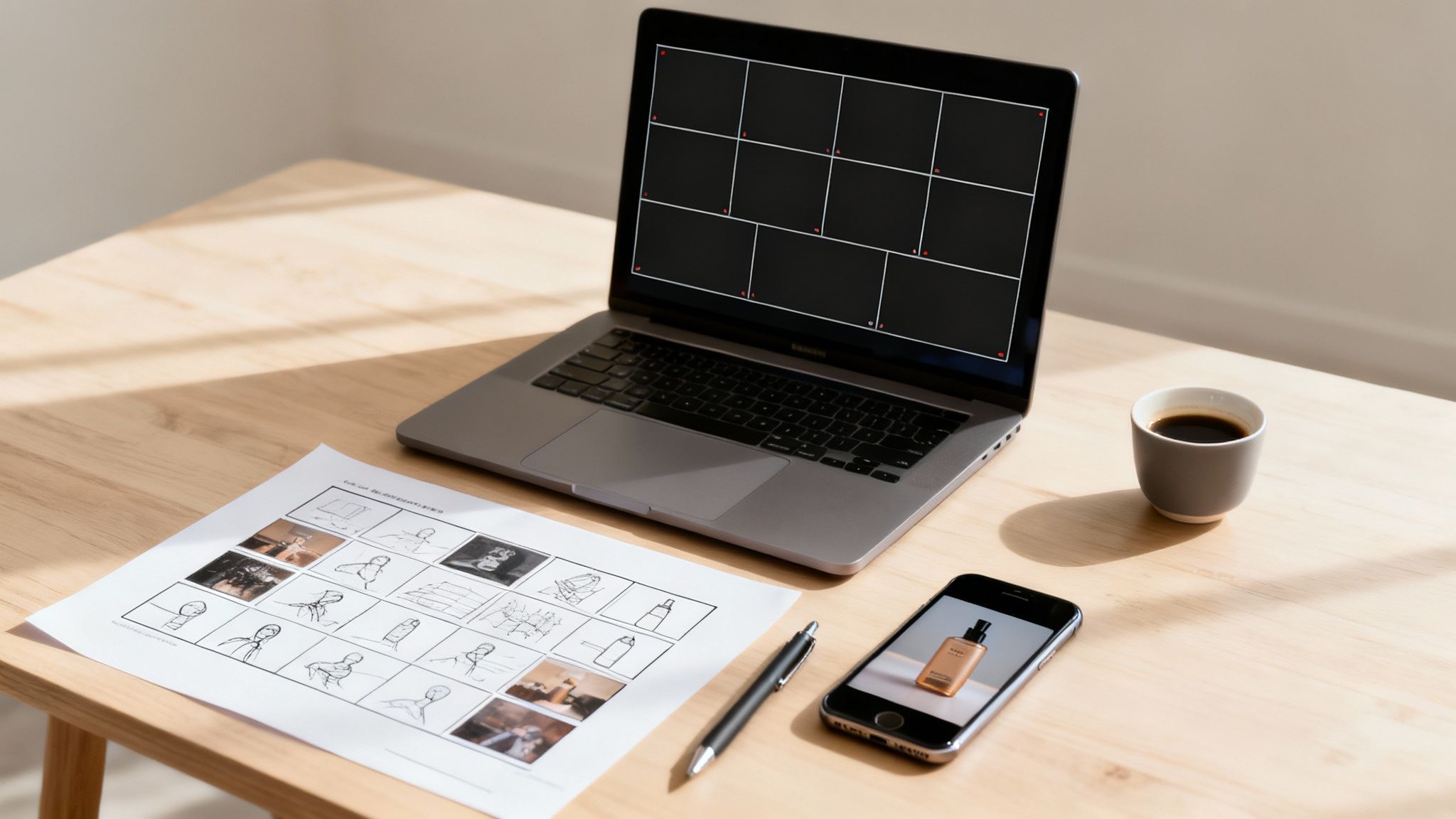
We'll cover strategic planning, writing scripts that sell, and leveraging powerful AI tools like LunaBloomAI.com for everything from text-to-video generation to multilingual voiceovers. You'll learn how to create professional demos, explainers, and social media clips without needing a massive budget or a film crew.
This is a practical blueprint designed for today's creators and marketers.
Why Product Videos Are a Must-Have
The shift to video isn't just a trend; it's how people prefer to learn about products. Static images and long blocks of text no longer capture attention. Your audience wants to see your product in action, understand its benefits quickly, and feel confident before making a purchase.
The data confirms this. Video marketing is dominant. A massive 84% of consumers state they want to see more brand videos, a consistent trend for nearly a decade.
This demand has led to an explosion in content creation. An incredible 74% of marketers now publish two to six videos every single month, a pace made possible by AI's efficiency.
Effective product videos do more than list features. They tell a compelling story, bridging the gap between casual interest and a confident purchase by demonstrating real value and building trust.
What This Guide Will Cover
Whether you're a startup founder or part of a large marketing team, this guide will give you a clear plan for creating videos that turn viewers into customers. For a broader look at the landscape, guides on how to make marketing videos that drive conversions can provide additional context.
Here's what we'll break down:
- Strategic Planning: Define your audience, set clear goals, and choose the right video format before you start.
- Production Workflows: Compare traditional filming with AI video generation to find the best path for your budget and timeline.
- AI-Powered Editing: Use AI to quickly add subtitles, voiceovers, and other professional enhancements.
- Smart Distribution: Learn how to tailor your video for different platforms and measure its performance to prove ROI.
The goal is to view video not as a one-off project, but as a strategic asset that works for your business 24/7. It's about creating content that delivers measurable results.
To help you visualize the process, here’s a quick overview of the key stages involved.
Product Video Creation at a Glance
| Stage | Key Objective | Essential Tools |
|---|---|---|
| Strategy & Planning | Define goals, audience, and key message. Select the right video format. | Project management software, brainstorming tools, analytics dashboards. |
| Scripting & Storyboarding | Craft a compelling narrative that highlights benefits and solves a problem. | Scriptwriting software, storyboard templates, collaborative docs. |
| Production | Capture high-quality footage or generate visuals that align with the script. | Cameras, lighting, microphones, or an AI video generator like LunaBloom AI. |
| Post-Production & Editing | Assemble scenes, add graphics, voiceovers, music, and subtitles. | Video editing software, AI tools for voiceovers and subtitles. |
| Distribution & Optimization | Share the video on relevant platforms, optimized for each one. | Social media schedulers, email marketing platforms, landing page builders. |
| Measurement & Analysis | Track performance metrics like views, engagement, and conversions. | Platform-native analytics (YouTube, Instagram), Google Analytics. |
This table provides a high-level roadmap. Now, let's dive deeper into each stage.
Planning Your Video Before Hitting Record
Ever had a great video idea, jumped straight into production, and ended up with something that just didn't connect? It's a common mistake. The most critical work happens in the planning phase, long before you think about filming.
Skipping this foundational step is like building a house without a blueprint. It leads to wasted time, blown budgets, and a final product that misses the mark. A solid strategy is your most valuable asset.
First Things First: Who Are You Talking To?
The single most important question is: Who is this for? A video for a tech enthusiast who loves detailed specs will be completely different from one for a busy parent seeking a simple solution.
Get specific. Are you targeting:
- First-time buyers? They need context. Explain the problem you solve and use social proof to build initial trust.
- Existing customers? You can skip the basics and focus on new features, advanced tips, or complementary products.
- Industry experts? Feel free to get technical. They'll appreciate a deep dive into the engineering or design that sets you apart.
Knowing your audience informs your tone, pacing, and style. Nailing this first makes every subsequent decision easier.
What's the Point? Set a Clear Goal
You know your audience. Now, what do you want them to do after watching? Every video needs one primary goal. Trying to accomplish too much will only confuse your viewer.
Is your main objective to:
- Drive Immediate Sales? The video must be persuasive, highlighting key benefits and ending with a strong call to action like "Shop Now."
- Explain a Complex Feature? This is an explainer or how-to video. The goal is clarity and education, aiming to reduce support tickets or overcome purchase hesitation.
- Build Brand Awareness? These videos are often for social media. They focus on storytelling and emotion to create memorable content people want to share.
Your goal is the North Star for your video. A sales video for a landing page is built differently than a 15-second awareness clip for TikTok. Define your objective and ensure every part of your plan supports it.
Pick the Right Format for the Job
With your audience and goal defined, choosing a format becomes simple. Think of the format as the vessel for your message. For most product videos, 30 to 90 seconds is the sweet spot. Always showcase the most important feature within the first 10 seconds.
Here are a few proven formats:
- The Demo Video: Simple and effective. Show the product in action, solving a real-world problem.
- The Explainer Video: Perfect for software, services, or innovative gadgets. It often uses animation to simplify complex ideas.
- The Unboxing Video: Taps into the excitement of a new purchase, offering an authentic first-person view of the customer experience.
- The Customer Testimonial: Let your satisfied customers do the selling. Genuine testimonials are powerful tools for building social proof. Platforms like LunaBloomAI.com can even help create avatar-based testimonials when filming real customers is a challenge.
The right format aligns with your goal and meets your audience on their preferred platform. A detailed demo is perfect for your website, while a high-energy unboxing video is ideal for Instagram Reels.
Choosing Your Production Path: Filming vs. AI
With a solid plan and script, it's time to bring your video to life. Today, you have two main paths: traditional filming with cameras or modern AI generation.
This decision is strategic, based on your budget, timeline, and the story you're telling. Both approaches can yield fantastic results, but they are fundamentally different.
This decision tree helps map your primary goal—sales, explanation, or awareness—to the right production style.
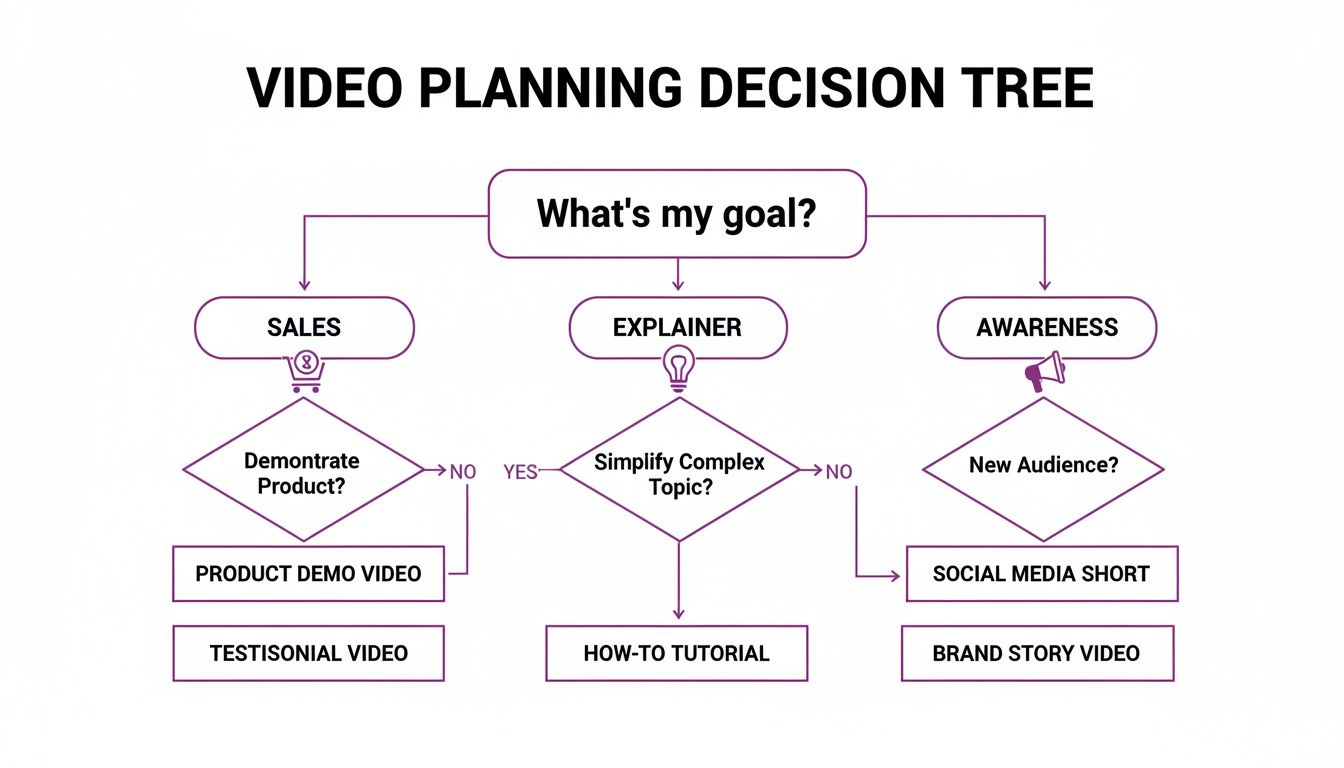
As you see, your objective guides the type of video you should create, which in turn clarifies whether to set up a camera or use an AI platform.
The Traditional Filming Workflow
Filming a real product in a real environment creates an authentic, tangible connection. Customers often want to see a product in a natural setting, and you don't need a massive budget to achieve this. Your smartphone is likely powerful enough to capture excellent footage.
If you go the DIY route, focus on these fundamentals:
- Lighting is everything. Good lighting separates amateur from professional work. Natural light from a window is your best and cheapest option. Otherwise, a simple ring light can make your product look crisp and appealing.
- Don't ignore the audio. Viewers will tolerate slightly shaky video but will immediately click away from bad audio. Use an external microphone or film in a quiet, echo-free room.
- Stability builds trust. A shaky camera is distracting and unprofessional. Use a tripod to achieve smooth, steady shots.
- Mix up your angles. Use a variety of shots: close-ups on key details, wide shots to establish context, and over-the-shoulder views to demonstrate usage.
This method requires more hands-on effort but is unbeatable for unboxing videos, authentic testimonials, or showcasing the physical attributes of a product.
The AI-Powered Generation Path
What if you could skip the cameras, mics, and lighting rigs? That's the promise of AI video generation. This approach is a game-changer for businesses that need to create polished videos quickly and at scale, especially for digital products or complex concepts.
Using a platform like LunaBloomAI.com, the process is transformed. You start with your script, but instead of planning a shoot, you paste the text directly into the tool.
From there, the AI handles the production:
- Pick Your Presenter: Choose from a vast library of realistic AI avatars to represent your brand.
- Use Your Own Voice: Voice cloning technology allows the avatar to speak in your voice, adding a personal touch without you ever needing to be on camera.
- Let AI Build the Scenes: The platform analyzes your script and automatically sources relevant backgrounds, b-roll, and visuals.
- Go Global in a Click: Need the video in Spanish or Japanese? AI can generate new voiceovers and subtitles in dozens of languages almost instantly.
This workflow eliminates the biggest obstacles in video production: time, cost, and technical expertise. You can produce a professional video in minutes, not days.
So, Which Path Is Right For You?
There is no single "best" method. The choice depends on your specific needs.
If your brand emphasizes real-world authenticity and you're showcasing a physical product, traditional filming is likely the better option.
However, if you need speed, scalability, and the ability to create multiple versions for different audiences and languages, the AI-powered path offers a significant advantage. It's perfect for explainer videos, software demos, and time-sensitive campaigns.
Using AI for Smarter Video Editing and Enhancement
The editing phase is where your raw clips become a cohesive story. This step transforms good content into a polished, professional, and persuasive video. For years, post-production was a major bottleneck, requiring complex software and significant time.
AI has changed that. It has made video editing faster, smarter, and more accessible to everyone, regardless of technical skill.
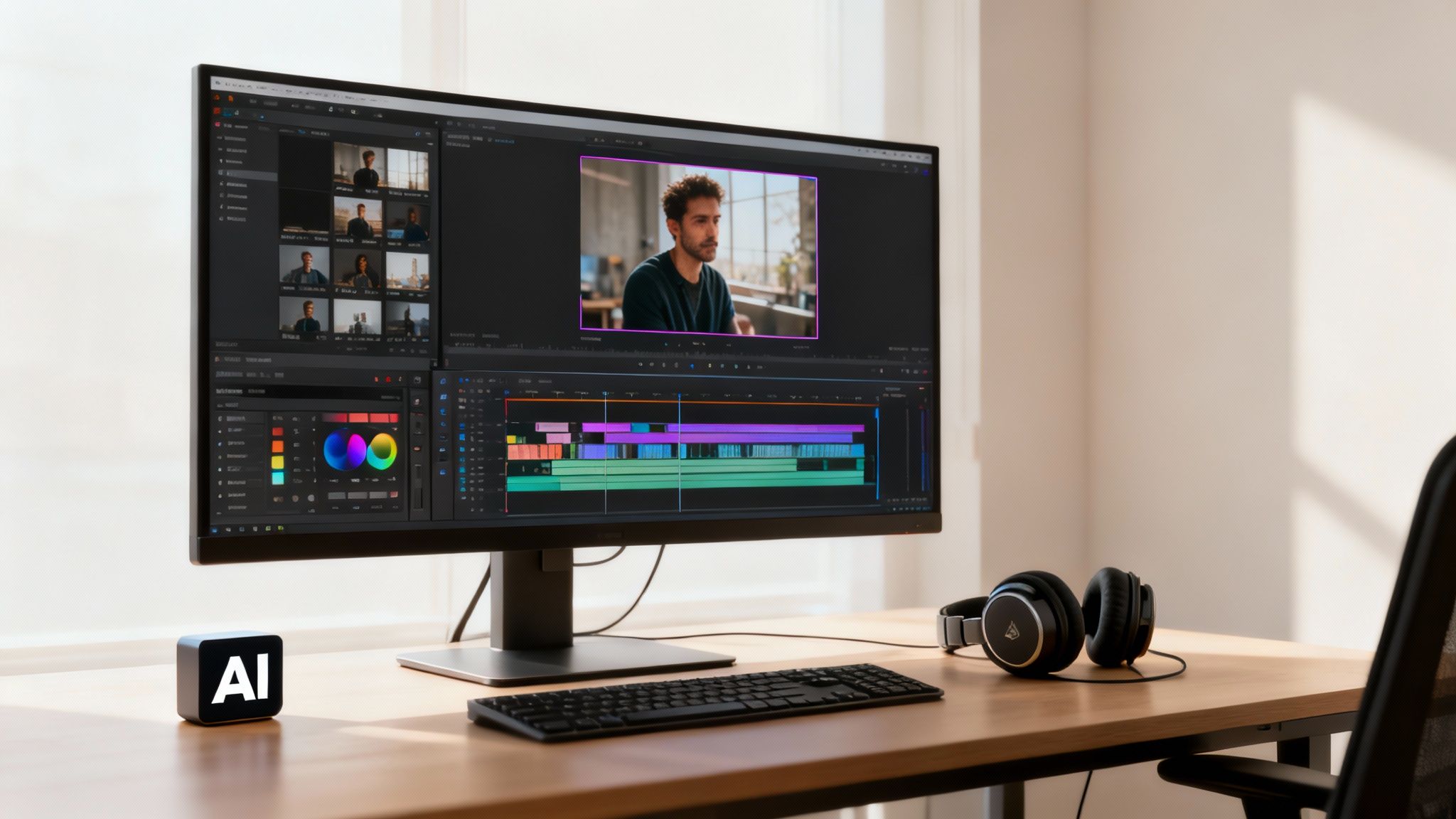
This modern approach allows you to focus on your message and its impact, letting intelligent tools handle the tedious tasks and getting your video published in record time.
Automate the Essentials with AI
Some of the most crucial elements of a high-quality video are also the most tedious to create manually. AI platforms excel at automating these tasks.
Here are a few game-changing AI features:
- Dynamic Subtitles in Any Language: A large percentage of social media videos are watched without sound. AI can automatically transcribe your audio and generate perfectly timed subtitles. It can also translate them into dozens of languages, instantly expanding your global reach.
- AI-Generated Voiceovers: If you don't like the sound of your own voice or need a different tone, AI voice generation offers a library of professional voices. Voice cloning technology even lets you use a digital version of your own voice without recording new audio.
- Intelligent Music Selection: The right music sets the mood. Instead of searching through endless libraries, AI can analyze your video and suggest tracks that match its tone and pacing.
- Seamless Branding: AI tools allow you to create a brand kit with your logo, fonts, and color palette. The AI can then automatically apply your branding to every video, ensuring a consistent and professional look.
Fine-Tuning Your Video for Maximum Impact
While AI handles automation, the final creative decisions are yours. The goal is to craft a seamless viewing experience that holds your audience's attention from beginning to end.
Follow these essential editing techniques:
- Trim the Fat: Your most powerful tool is the delete key. Be ruthless in cutting out awkward pauses, filler words, and any moments that don't serve your core message. A tight edit always feels more professional.
- Arrange Clips for a Strong Narrative: Structure your video with a clear beginning, middle, and end. Start with a strong hook, use the middle to showcase the product's benefits, and conclude with a clear call-to-action.
- Add Smooth Transitions: Abrupt cuts can be jarring. Simple transitions like cross-dissolves or fades create a smoother flow between scenes, making the video more pleasant to watch.
The core principle of good editing is to remove everything that distracts from your message. Every element should serve the video's main goal. If it doesn't, cut it.
By combining AI automation with these fundamental editing principles, you can produce stunning product videos efficiently. This modern workflow, powered by platforms like LunaBloomAI.com, removes old technical barriers, freeing you to focus on connecting with your audience and driving business results.
Distributing Your Video for Maximum Impact
A great video is useless until people see it. Creating the video is only half the job; smart distribution is how you capture attention and turn views into results.
Publishing is a strategic process of getting your video in front of the right audience, on the right platform, at the right time.
You can't just create one video and post it everywhere. What works on YouTube will fail on TikTok, and a website video won't work in an email newsletter. Tailoring your content is essential.
Optimizing for Every Platform
Each platform has its own rules, audience expectations, and technical specifications. A 60-second vertical clip for TikTok requires a different approach than a 2-minute horizontal demo for your website.
Here’s a breakdown of how to adapt your video for different channels:
- Your Website/Landing Page: This is your home base. Use the highest quality, horizontal version here. Embed it "above the fold" to immediately grab attention.
- YouTube: Treat YouTube as a video search engine. Focus on discoverability with a detailed, keyword-rich title and description. Create a custom thumbnail that is bright and compelling.
- Instagram & Facebook: Shorter is better. Create square (1:1) or vertical (4:5) versions. Since most users watch silently, burned-in captions are non-negotiable. Aim for a 15-60 second runtime.
- TikTok & Reels: This is the world of fast-paced, vertical (9:16) content. Hook the viewer in the first two seconds. Use trending audio and native-style text to feel authentic.
Platform-Specific Video Optimization Tips
To maximize impact, you need to understand each platform's unique DNA. This table breaks down the essentials for optimizing your video across popular channels.
| Platform | Ideal Length | Best Format (Aspect Ratio) | Key Optimization Tip |
|---|---|---|---|
| Website | 2-5 minutes | 16:9 (Horizontal) | Embed "above the fold" for immediate impact and use a high-quality player. |
| YouTube | 2-10 minutes | 16:9 (Horizontal) | Focus on SEO with a keyword-rich title, description, and tags. A compelling thumbnail is crucial. |
| Instagram Feed | 15-60 seconds | 1:1 (Square) or 4:5 (Vertical) | Burn in captions, as most users watch with sound off. Make the first 3 seconds visually captivating. |
| TikTok & Reels | 7-15 seconds | 9:16 (Vertical) | Hook viewers in the first 2 seconds. Use trending sounds and native text effects to feel authentic. |
| 1-2 minutes | 4:5 (Vertical) or 1:1 (Square) | Optimize for silent viewing with captions. Add a clear call-to-action (CTA) in the post copy. | |
| 30-90 seconds | 16:9 (Horizontal) or 1:1 (Square) | Keep it professional and educational. Add captions, as many view in a work environment. |
Getting these details right can significantly improve how your audience engages with your content.
The Power of Short-Form Video
The rise of short-form video is a fundamental shift in content consumption. These videos dominate marketing strategies because they work.
With shrinking attention spans, conveying your message quickly is crucial. Video is projected to be 82% of global internet traffic, and the shortest clips command the most engagement.
The data is clear: 63% of consumers prefer short videos when learning about products. Furthermore, videos under one minute can achieve an average engagement rate of 50%. This makes quick-generation tools like LunaBloom AI invaluable for creating high-impact content efficiently.
Your Launch and Promotion Checklist
Once your videos are ready, you need a launch plan. Implementing actionable content distribution strategies separates successful campaigns from wasted effort.
Follow this structured plan to build momentum:
- Website First: Embed the primary video on your product page or homepage.
- Email Campaign: Announce the new video to your email list, using an engaging GIF that links to the full version.
- Social Media Blitz: Schedule posts across all relevant channels using the platform-specific versions you created.
- Paid Advertising: Boost your best-performing social posts to reach a wider, highly targeted audience.
- Sales Enablement: Equip your sales team with the video to use in their outreach and presentations.
Don't treat distribution as an afterthought. It should be an integral part of your video creation plan from the beginning.
Measuring What Truly Matters
Finally, you need to measure your video's performance. Vanity metrics like "views" don't tell the full story. To understand your ROI, track metrics tied directly to your business goals.
Focus on these key performance indicators (KPIs):
- Watch Time & Audience Retention: How long are people watching? A steep drop-off in the first few seconds indicates your hook isn't working.
- Click-Through Rate (CTR): How many people who saw your thumbnail clicked to watch? This measures the effectiveness of your title and thumbnail.
- Conversion Rate: This is the most important metric. How many viewers took your desired action, like signing up for a trial or making a purchase?
Analyzing this data allows you to make informed decisions, understand what resonates with your audience, and improve future video campaigns.
Your Top Product Video Questions, Answered
New to creating product videos? It's natural to have questions. Let's tackle some of the most common ones we hear from marketers and founders.
How Much Should I Budget for a Product Video?
This is a common question, and the answer is: it depends. A product video can cost anywhere from almost nothing to tens of thousands of dollars. The great news is that getting started has never been more affordable.
With traditional production, costs add up. Hiring an agency for a single video can easily cost $5,000 to $15,000, covering crews, actors, and post-production. A DIY shoot still requires investment in a decent camera, lighting, and a microphone.
This is where AI changes the game.
An AI video platform like LunaBloom AI eliminates the need for expensive gear and film crews. Instead of a large one-time cost, you have a predictable monthly subscription, making professional video creation accessible even on a tight budget.
What’s the Perfect Length for a Product Video?
When in doubt, keep it short. Your goal is to deliver maximum value in the shortest time. The ideal length depends on the platform and your objective.
Here’s a quick reference:
- Social Media (TikTok, Instagram Reels): Aim for 15-60 seconds. These platforms demand speed, a strong hook, and a fast-moving story.
- Website & Landing Pages: The sweet spot is 60-90 seconds. This provides enough time to introduce a problem, present your solution, and highlight key features without losing attention.
- YouTube: You have more flexibility here. Detailed demos or tutorials can run for 2-5 minutes. Viewers on YouTube often seek more in-depth content.
The key takeaway is to always respect your audience's time. Get straight to the point and make every second count.
What Are the Must-Have Elements of a Great Product Video?
A great product video does more than just look good; it connects with the audience and prompts them to act. To achieve this, you need to nail three key elements.
- A Crystal-Clear Message: Your video must have one primary job: identify a customer's pain point and position your product as the solution. If a viewer is confused about what you do, the video has failed.
- High-Quality Production: This doesn't require a Hollywood budget, just a professional look and sound. Clean visuals and crisp audio build trust, which is easy to achieve with good lighting or a polished AI generator.
- A Strong Call-to-Action (CTA): Many videos miss this crucial step. You must tell viewers exactly what to do next. Whether it's "Shop Now," "Learn More," or "Start Your Free Trial," a direct CTA turns a passive viewer into an active customer.
Can I Really Make a Good Video with Zero Filming Experience?
Yes, absolutely. The new wave of AI-powered video platforms has democratized video creation. You no longer need to understand camera settings, lighting techniques, or complex editing software to produce professional-looking content.
Tools like LunaBloom AI are designed for non-video experts. The process is simple:
- You start with your script.
- You choose a realistic AI avatar to be your presenter.
- The AI generates scenes, adds a voiceover, layers in music, and creates perfectly synced subtitles.
This modern workflow allows you to focus 100% on your message and strategy, not technical hurdles. You can bring your ideas to life in minutes and create incredible content without ever touching a camera.
Ready to turn your ideas into reality? With LunaBloom AI, you can transform your scripts into professional, ready-to-publish product videos in minutes. Choose your AI avatar, clone your voice, and let our AI do the heavy lifting. Experience the future of video creation today at LunaBloomAI.com.